Cobalt Image
RAW Camera & HDR Photo Editor
Conçue pour iPhone, iPad
Gratuit · Achats intégrés
- Classification d’âge4+
- CatégoriePhoto et vidéo
- DéveloppeurCobalt Image LTD
- LanguesAnglais
- Taille487,3 Mo
Renvoie vers la page App Store officielle
Download.org n’héberge aucun fichier de Cobalt Image. Le bouton ouvre la page de l’application sur App Store, où Cobalt Image LTD la publie. Fiche vérifiée pour la dernière fois le 26/11/2026.
Captures d’écran

À propos
Le développeur n’a pas fourni ce texte dans votre langue.
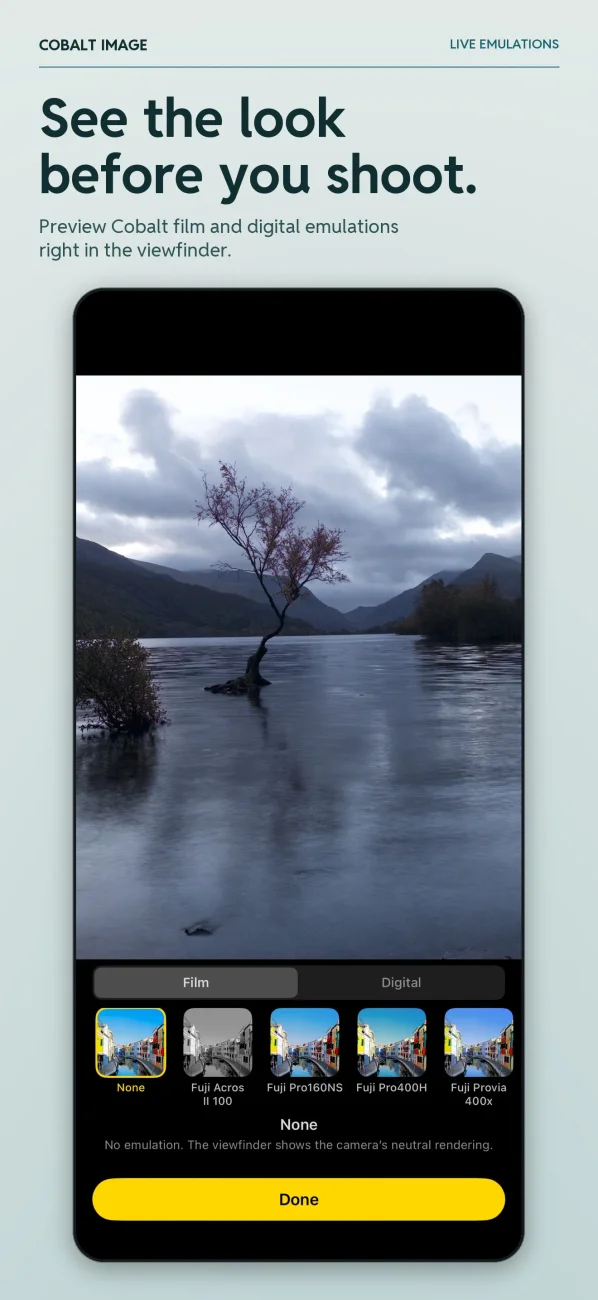
Cobalt Image 2.0 is an entirely new photography app: a fully manual RAW camera for iPhone and a complete RAW editor for iPhone and iPad. See a Cobalt emulation in the viewfinder before you take the shot, then develop the original iPhone file from its color profile through to the final print.
Shoot RAW on iPhone
Take a single frame in standard mode, choose Apple ProRAW on supported cameras, or switch to CFA RAW for manual control of shutter speed, ISO, white balance and focus. Check focus with peaking and a magnified view. Preview Cobalt Elite film and digital emulations as you frame. The original RAW stays editable, so you can choose another look later.
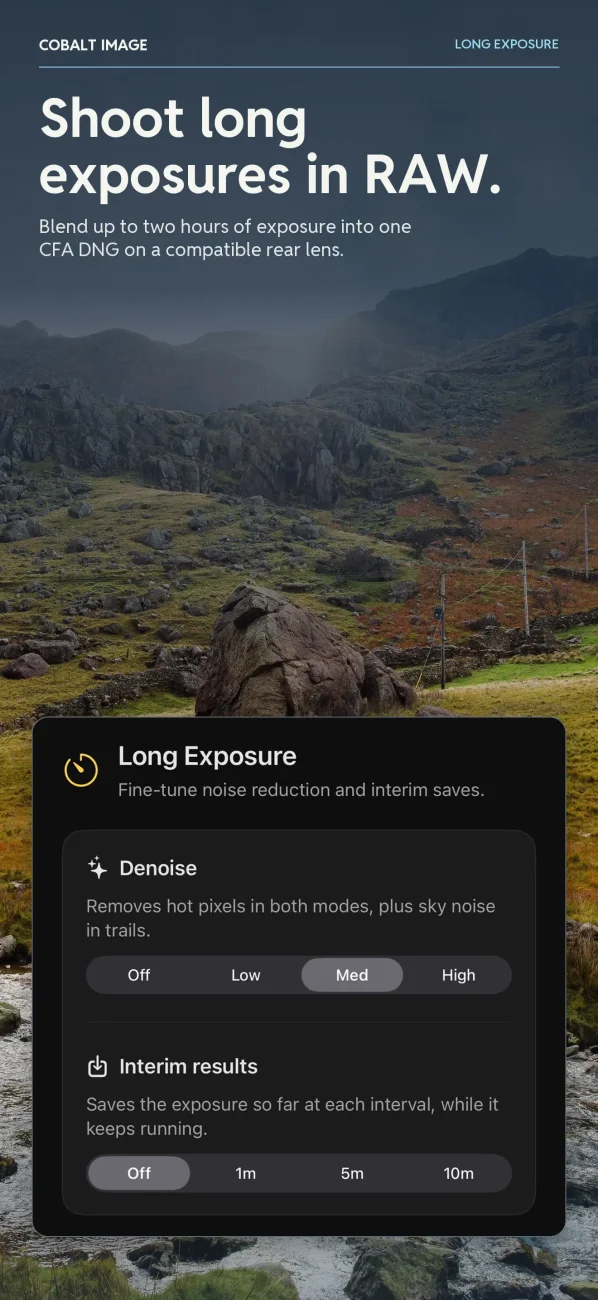
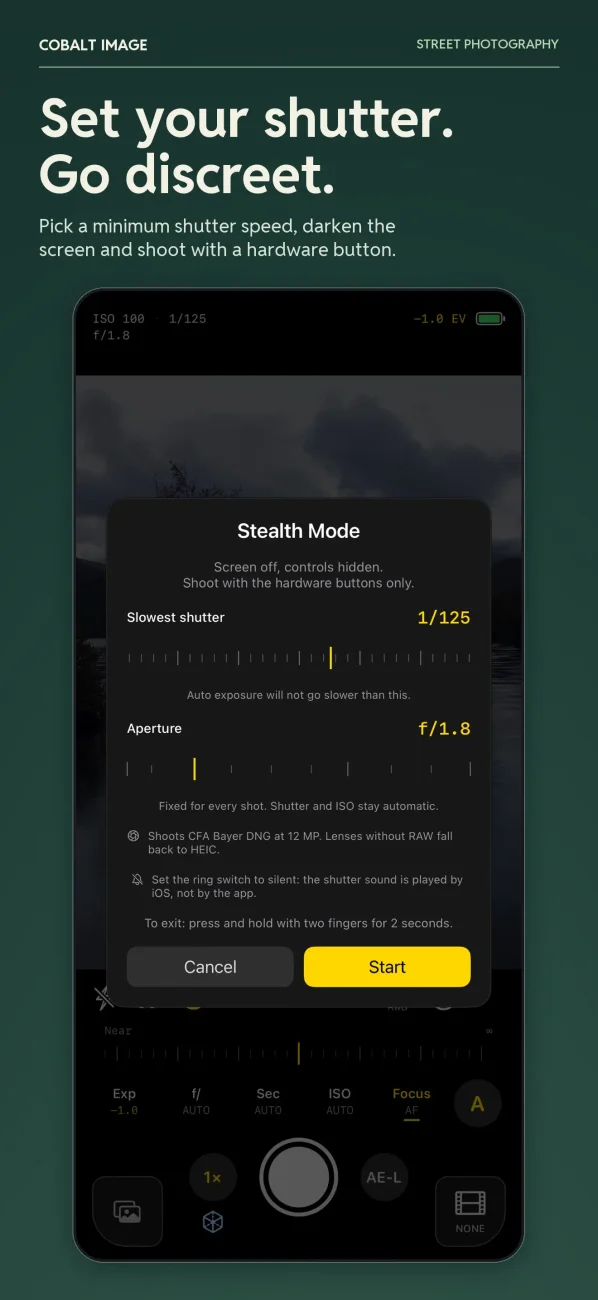
For moving water or light trails, Long Exposure blends frames into one DNG. Set the duration or use Bulb to end the exposure yourself. For discreet shooting, Stealth Mode darkens the display and lets you release the shutter with a hardware button.
Develop light, color and texture
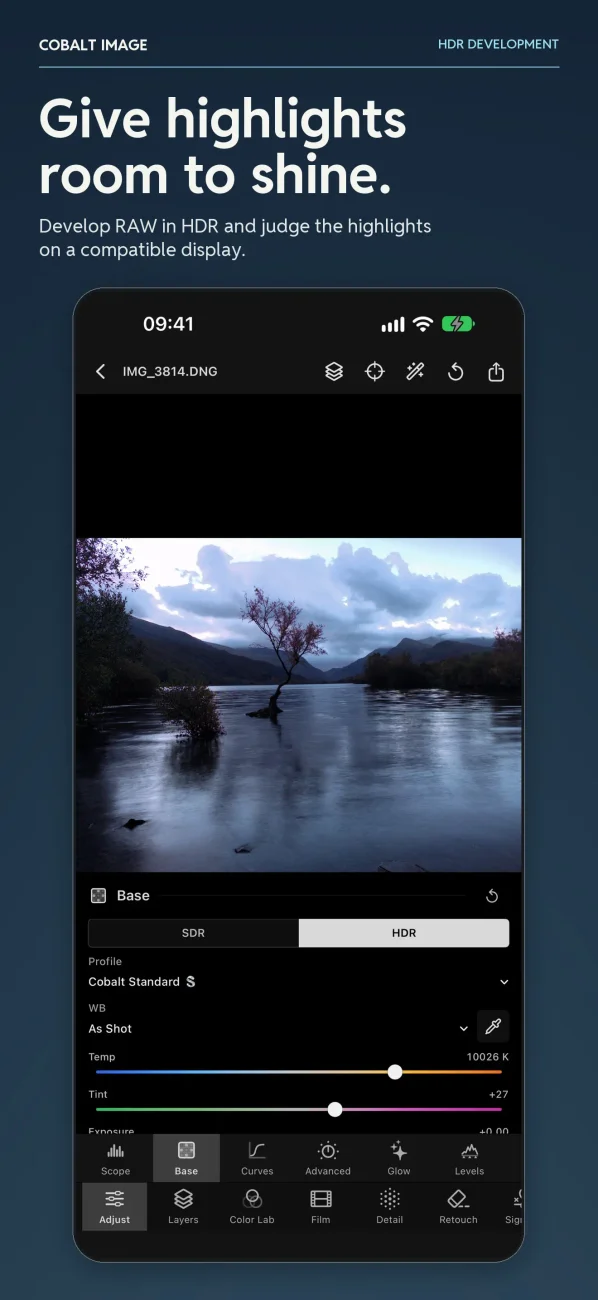
Start with Cobalt spectral profiles for iPhone 17 Pro and iPhone 18 Pro. Set white balance and exposure, then develop the file in the HDR editor. Use the Luma curve to shape contrast, individual RGB curves to fine-tune color, and the waveform and vectorscope to check your adjustments. Choose a color space for delivery, from sRGB for sharing to ProPhoto RGB for a wide-gamut TIFF, or export HDR in PQ or HLG.
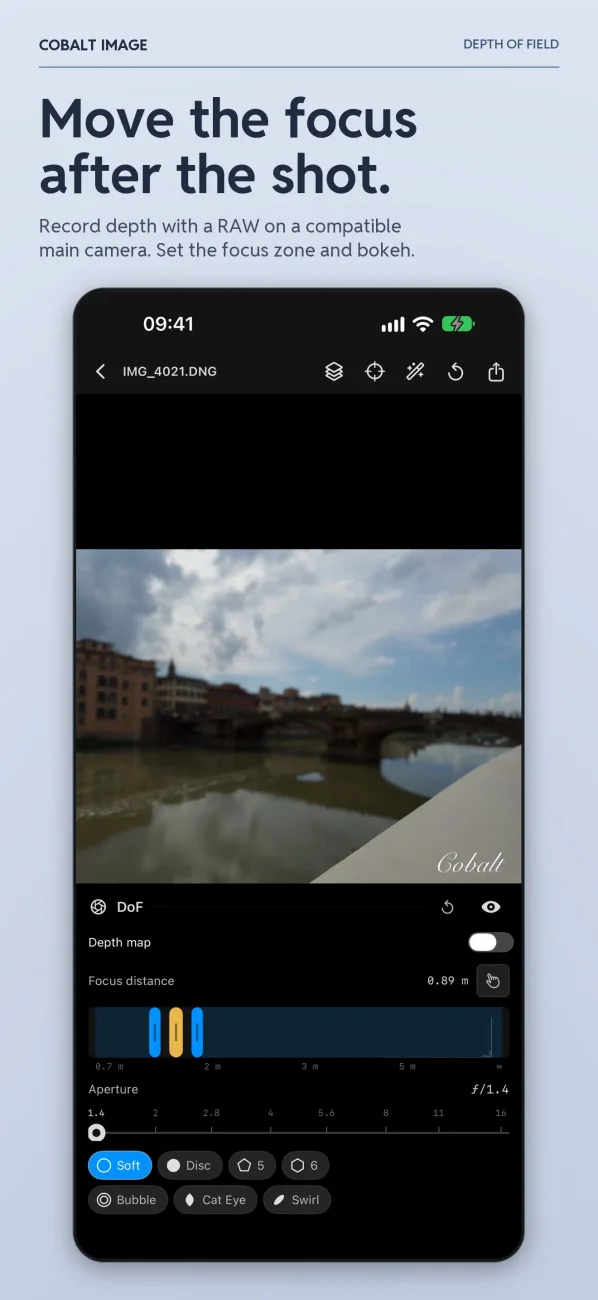
Choose a Cobalt Elite film or digital emulation and adjust its strength. Shape the glow around bright edges with halation. Build film grain from stock, ISO and film format. On compatible RAW captures with depth, move the focus zone after the shot and adjust the shape of the bokeh.
Mask and retouch
Select a subject, person or sky, then refine the selection with a brush or intersect it with a gradient. On iPad, dodge and burn with Apple Pencil to brighten a face or deepen a shadow one stroke at a time.
Tether, cull and sync in the field
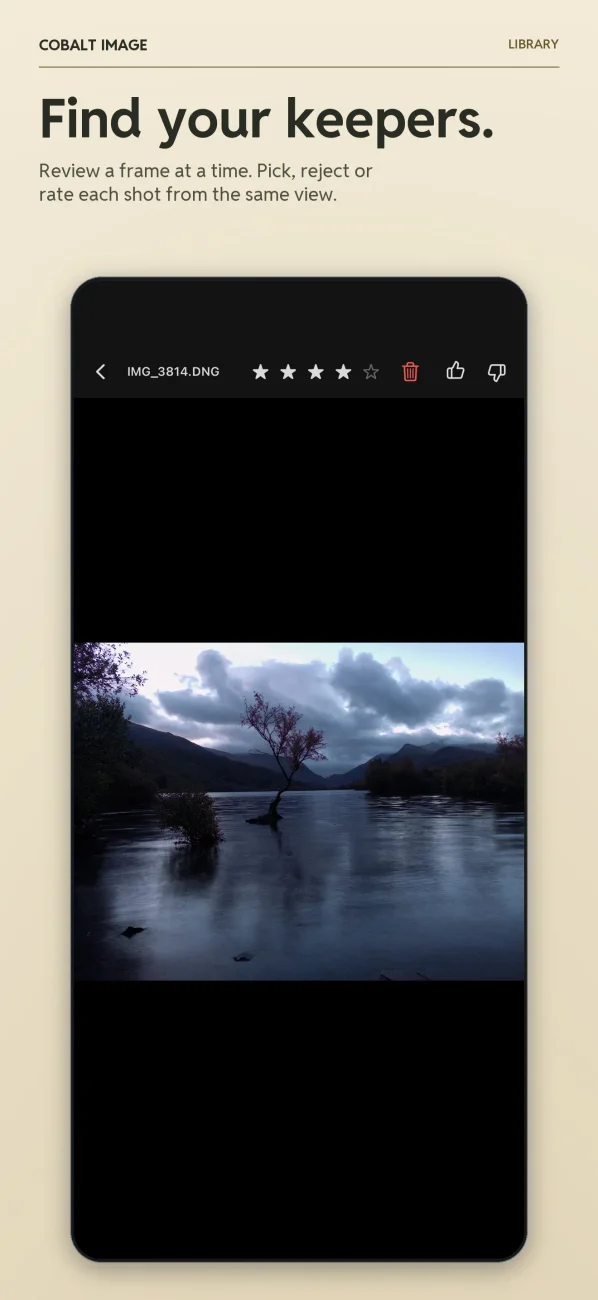
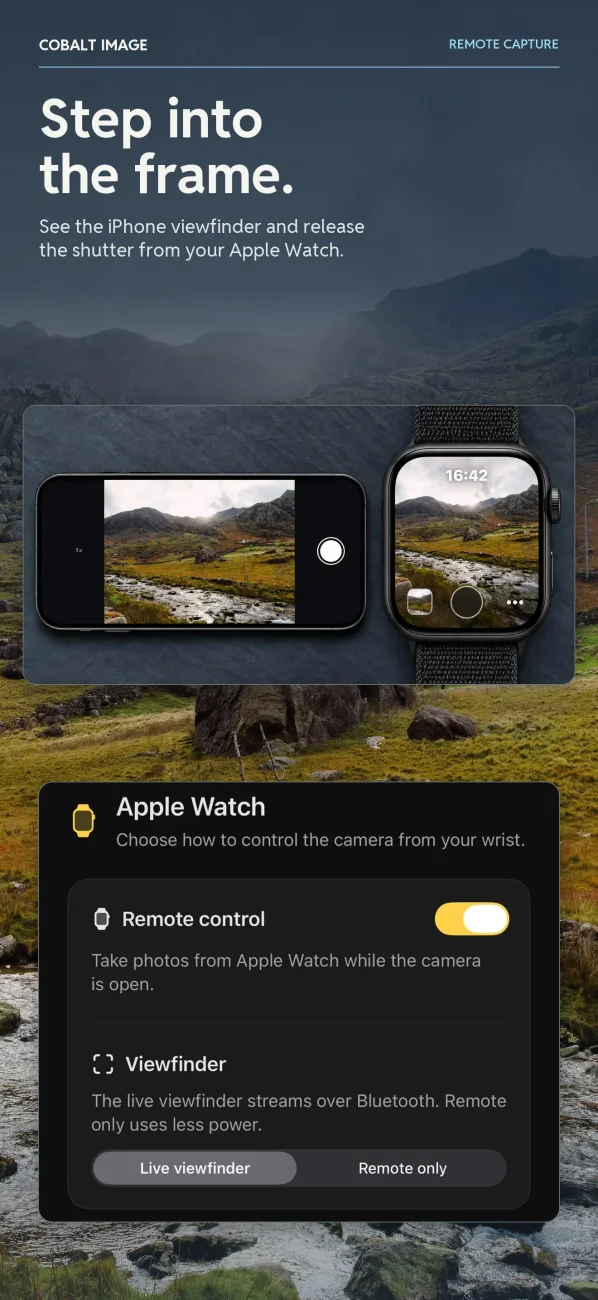
Use your iPad as a live viewfinder for a supported iPhone Pro. Set focus and exposure, release the shutter and inspect the original on the larger screen. A paired Apple Watch can also act as a remote viewfinder and shutter. Cull a shoot by flagging, rejecting or rating frames. After setup, Nearby Sync transfers new originals, edits and selections over a direct wireless connection between nearby devices, even without internet access or a Wi-Fi router.
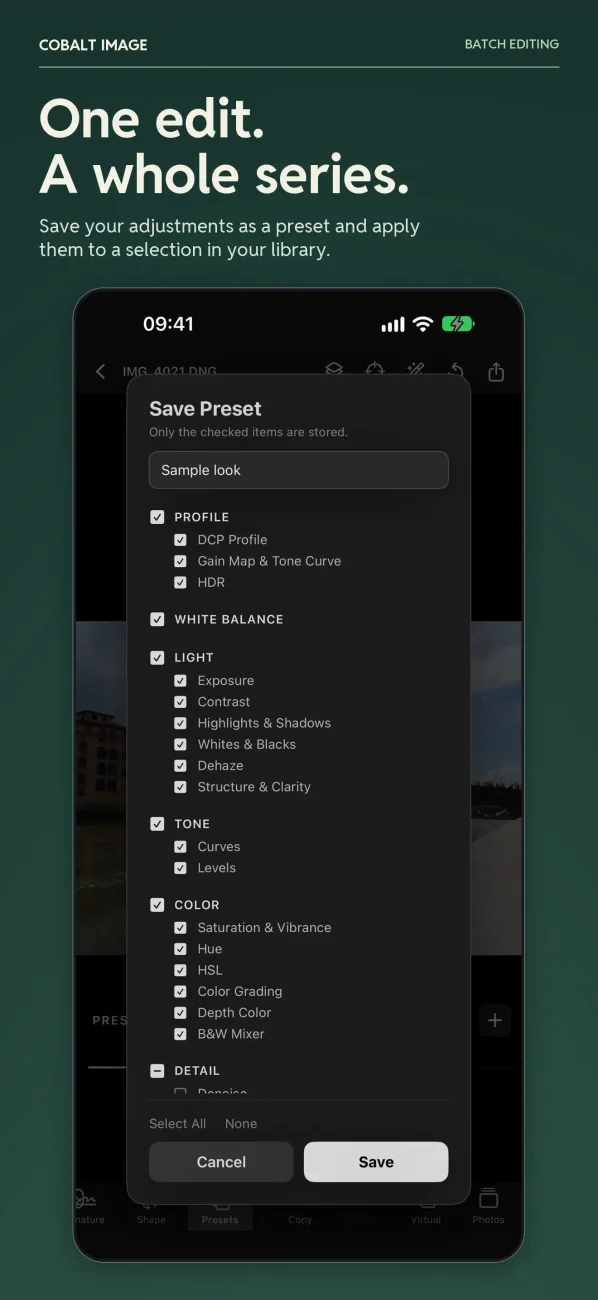
Save a development preset, apply it to a series and export the finished photographs together in HDR or as 16-bit TIFFs for print. Capture modes and depth features depend on the device and lens.
Plans and free trial
Base includes the standard emulations. Pro Monthly and Pro Yearly include the full collection of film and digital emulations. Eligible subscribers can try Pro Yearly free for 7 days. It then renews at the annual price shown before purchase unless you cancel at least 24 hours before the trial ends. Manage or cancel your subscription in your Apple Account settings.
App Terms of Use: https://www.cobalt-image.com/app-terms/
Privacy Policy: https://www.cobalt-image.com/app-privacy/
Nouveautés
Version 2.0.0 · 25/11/2026
Cobalt Image 2.0 adds a RAW camera and an HDR editing workflow for iPhone and iPad.
• Preview film and digital emulations as you frame the shot. Capture long exposures in RAW and adjust depth of field on compatible captures.
• Control your iPhone Pro camera from iPad, or use Apple Watch as a remote shutter.
• Flag keepers in the field and sync new originals, edits and selections directly between nearby devices after setup.
• Make local adjustments with masks and Apple Pencil on iPad. Save a preset, apply it across a series and export the finished images together.
Confidentialité de l’application
Ce que Cobalt Image LTD déclare sur l’App Store au sujet du traitement des données par cette application.
-
Données établissant un lien avec vous
Peuvent être collectées et liées à votre identité.
- Achats
- Emplacement
- Identifiants
- Données d’utilisation
- Diagnostic
-
Données n’établissant aucun lien avec vous
Peuvent être collectées, mais ne sont pas liées à votre identité.
- Achats
Les pratiques en matière de confidentialité peuvent varier, notamment en fonction des fonctionnalités que vous utilisez ou de votre âge.
Informations
- Vendeur
- Cobalt Image LTD
- Catégorie
- Photo et vidéo
- Version
- 2.0.0
- Mis à jour
- 25/11/2026
- Publié
- 27/03/2024
- Taille
- 487,3 Mo
- Nécessite
- iOS 26.0 ou version ultérieure
- Classification d’âge
- 4+
- Prix
- Gratuit
- Achats intégrés
- Oui
- Langues
- Anglais
- Copyright
- © 2026 Cobalt Image Ltd. London, UK
Vous aimerez peut-être aussi
-
 RitchieCam — Filter CameraPhoto et vidéo
-
 Halationify - Analog PhotosPhoto et vidéo
-
 Pearla Verana - Pro CameraPhoto et vidéo
-
 65×24: APPAREIL PANORAMIQUEdes panoramas magnifiques
-
 XP4NPhoto et vidéo
-
 Digilog CameraPhoto et vidéo
-
 RNI AeroPhoto et vidéo
-
 Nitro PhotoEditeur photo professionnel
-
 Camset – Fuji & Ricoh RecipesPhoto et vidéo
-
 Dehancer Film EmulationPhoto et vidéo