Color Flash Camera
Camera app with Colorful Flash
Conçue pour iPhone, iPad, iPod touch
Gratuit
- Classification d’âge4+
- CatégoriePhoto et vidéo
- DéveloppeurYONEKAWA Hideki
- LanguesAnglais+ 1 de plus
- Taille5,4 Mo
Renvoie vers la page App Store officielle
Download.org n’héberge aucun fichier de Color Flash Camera. Le bouton ouvre la page de l’application sur App Store, où YONEKAWA Hideki la publie. Fiche vérifiée pour la dernière fois le 14/11/2026.
Captures d’écran
À propos
Le développeur n’a pas fourni ce texte dans votre langue.
A Camera app with a Colorful Flash!
Have you ever thought "wouldn't it be more interesting if could change the color of the Flash" while using the camera app?
This app was developed to make that dream come true!
Note:
The light of the flashlight uses the light of the screen. Therefore, it is mainly suitable for selfies.
The light from the screen does not reach far. Darker areas will be able to use colored light more effectively.
The main functions to offer are as follows.
+ Change Flash Color
+ Taking pictures with the front Camera (Screen side)
+ Save the captured photo in the "Photo Library"
+ Thumbnail (miniature) display of captured photos
+ Edit and send photos (using the OS's Quick Look function)
Will be usable in the following uses.
+ Take pictures in low light with flash
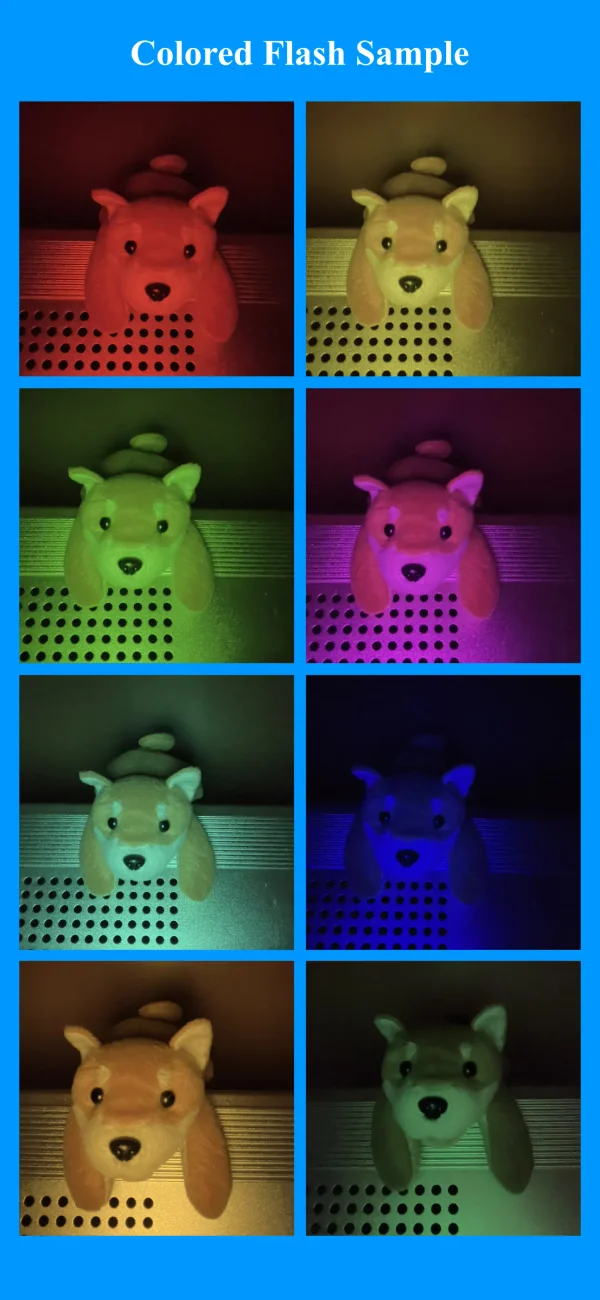
+ Take colored pictures using colored flash
+ Take unique atmospheric photos with color
In addition, you will have various how to use depending on a thought!
- Main screen -
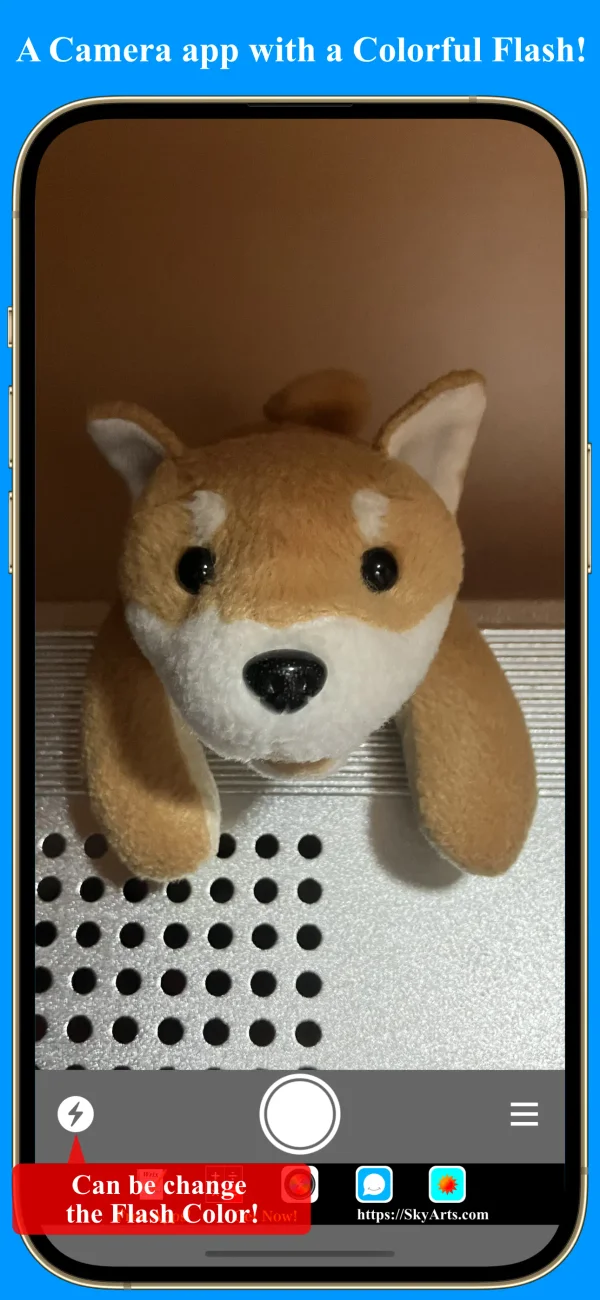
This screen is displayed when start app.
This screen shows the image from the front camera (screen side).
Tool bar has the following buttons.
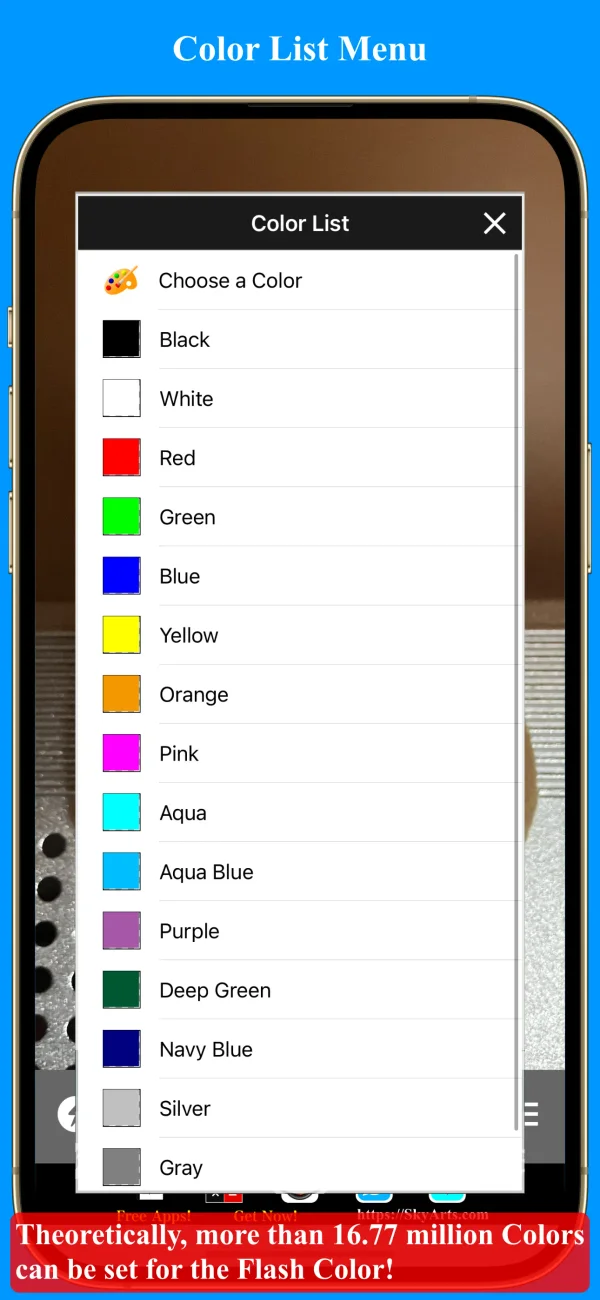
Flash ... You can change the flash color. The default setting is white, but changing the color setting will also change the color of the button icon.
Thumbnail ... Thumbnails (reduced images) are displayed after taking a picture. Tap to display the photo with the OS's Quick Look function, and you can edit it or send it to other apps.
Shutter ... Take a picture with the front camera (screen side) using the specified color flash. A long press will brighten the screen. You will be able to check the subject when shooting in a dark place.
Menu ... Display a Menu.
- About Flash color -
Because the Flash color can appoint RGB(Red, Green, Blue) in the range of 0-255, you can set 16,777,216 colors or more theoretically.
Nouveautés
Version 1.2 · 16/09/2025
+ Now compatible with iOS 26 / iPadOS 26 !
+ Updated the using Libraries.
+ Fixed internal processing.
Confidentialité de l’application
Ce que YONEKAWA Hideki déclare sur l’App Store au sujet du traitement des données par cette application.
-
Données utilisées pour vous suivre
Peuvent être utilisées pour vous suivre sur des applications et des sites web appartenant à d’autres sociétés.
- Emplacement
- Identifiants
- Données d’utilisation
- Diagnostic
-
Données établissant un lien avec vous
Peuvent être collectées et liées à votre identité.
- Emplacement
- Identifiants
- Données d’utilisation
- Diagnostic
-
Données n’établissant aucun lien avec vous
Peuvent être collectées, mais ne sont pas liées à votre identité.
- Diagnostic
Les pratiques en matière de confidentialité peuvent varier, notamment en fonction des fonctionnalités que vous utilisez ou de votre âge.
Informations
- Vendeur
- YONEKAWA Hideki
- Catégorie
- Photo et vidéo
- Version
- 1.2
- Mis à jour
- 16/09/2025
- Publié
- 16/05/2023
- Taille
- 5,4 Mo
- Nécessite
- iOS 15 ou version ultérieure
- Classification d’âge
- 4+
- Prix
- Gratuit
- Langues
- Anglais, Japonais
- Copyright
- © SkyArts
Vous aimerez peut-être aussi
-
 Glow Cam: Flash Selfie AvantÉcran Lumineux & Mode Nuit
-
 Veilleuse de Nuit & Lampe LEDLiseuse, Flash et Disco Club
-
 LightCam: Éclairage SelfieSelfie Nuit & Faible Lumière
-
 FlashCam - Selfie Light & GlowPhoto et vidéo
-
 LumiCam - Caméra selfiePrendre des selfies de nuit
-
 GlowCam - Glow Cam & Light CamPhoto et vidéo
-
 6Selfie with front flashPhoto et vidéo
-
 Glow Light Selfie CamPhoto et vidéo
-
 ColorCam - Selfie Light CameraPhoto et vidéo
-
 GlowCam Light - SelfieCamPhoto et vidéo