
Convo1
Notes to yourself, like texts
Conçue pour iPhone
Gratuit · Achats intégrés
- Classification d’âge4+
- CatégorieProductivité
- DéveloppeurRobert Laramee
- LanguesAnglais
- Taille5,2 Mo
Renvoie vers la page App Store officielle
Download.org n’héberge aucun fichier de Convo1. Le bouton ouvre la page de l’application sur App Store, où Robert Laramee la publie. Fiche vérifiée pour la dernière fois le 26/11/2026.
Captures d’écran


À propos
Le développeur n’a pas fourni ce texte dans votre langue.
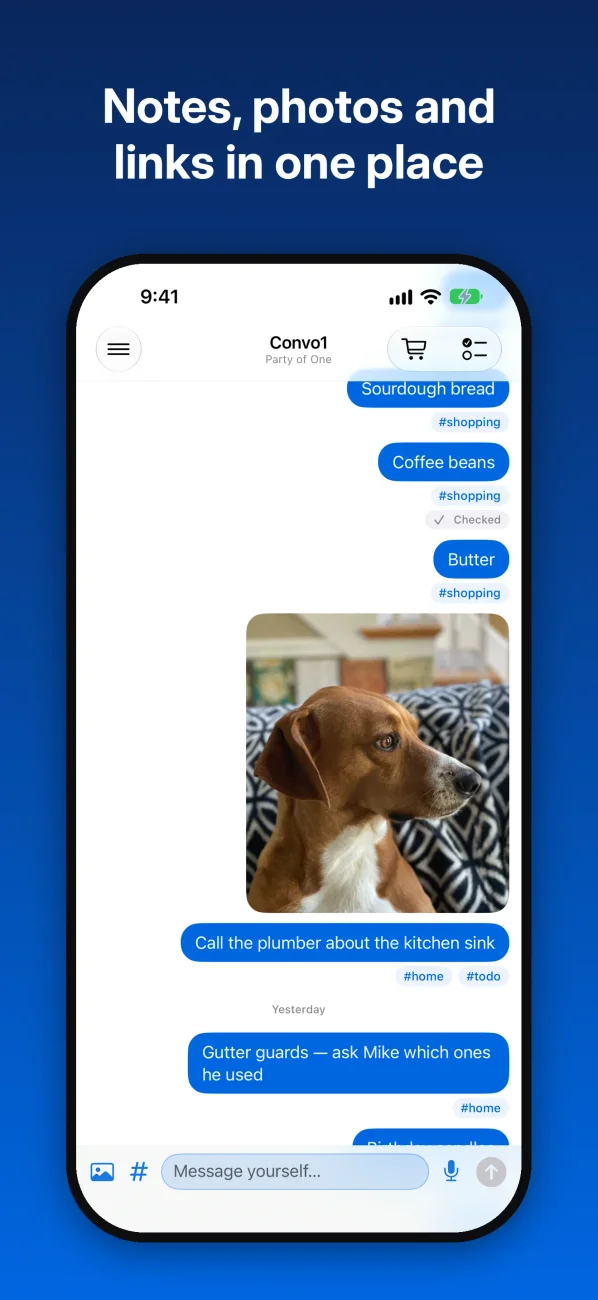
You already know how to use Convo1. If you've ever texted yourself a reminder, a link, or a photo so you wouldn't forget it, this is that habit, finally given a proper home.
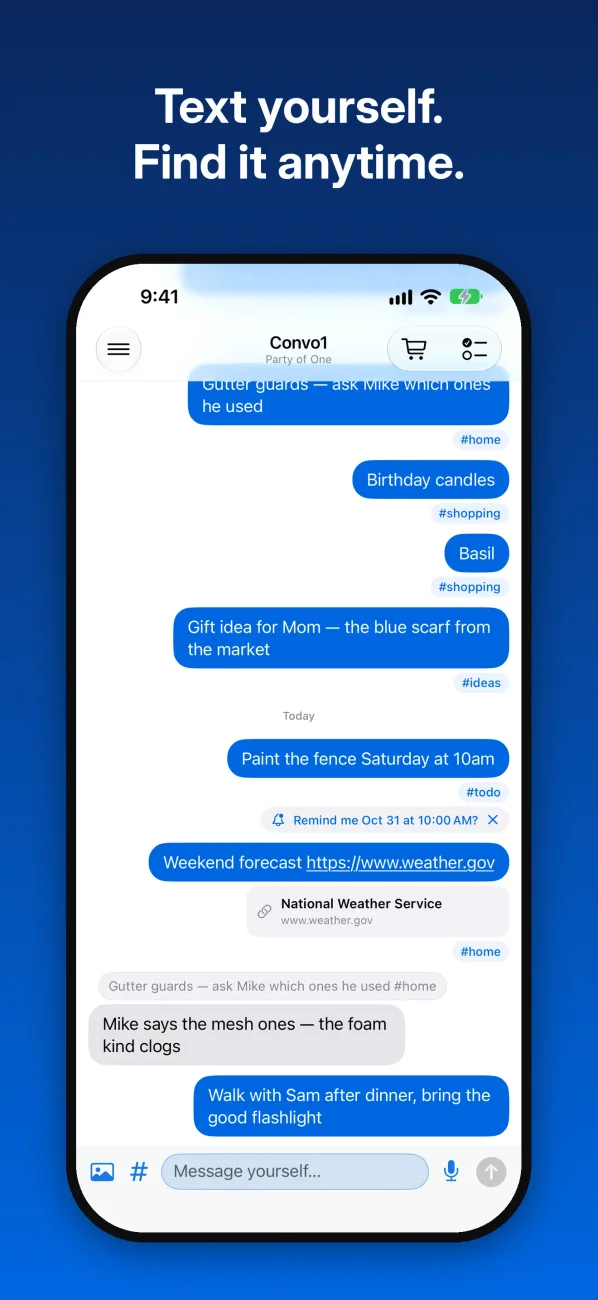
Convo1 is a private message thread with just one person in it: you. No folders, no titles, no blank page staring back. Write it down and get on with your day. When you need it again, it's there.
CAPTURE IT THE MOMENT IT HITS YOU
The parking spot. The book a friend recommended. The gate code. Type it, or tap the mic and say it. Dictation runs right on your iPhone, so it even works in Airplane Mode.
Spotted something in Safari, Photos, or another app? Share it straight into Convo1 without leaving what you're doing. Snap a photo right from the composer. Reply to an earlier note and it's quoted right above, like a text thread.
FIND ANYTHING AGAIN
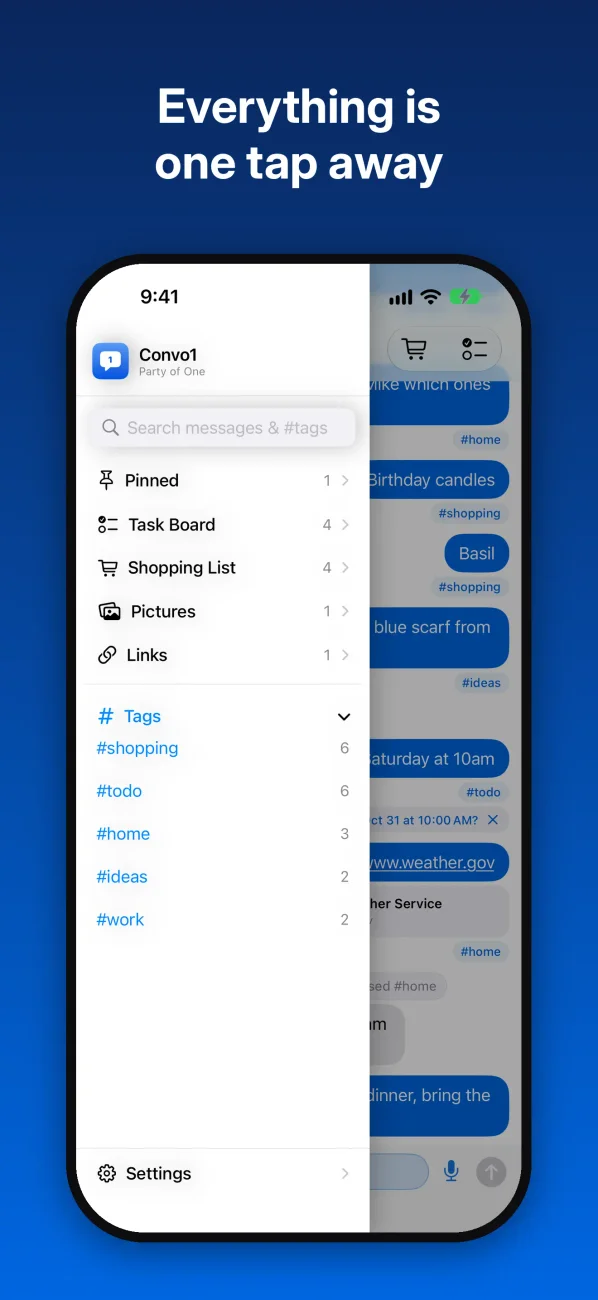
Add a #tag as you type, like #recipes or #work, or tap the # button to pick one you already use. Tap a tag to see only those notes. Search the whole thread in a second. Pin the few things you look up all the time, like your Wi-Fi password, so they're one tap away.
Links show a preview, and photos sit right in the thread alongside your words.
TURN A THOUGHT INTO A PLAN
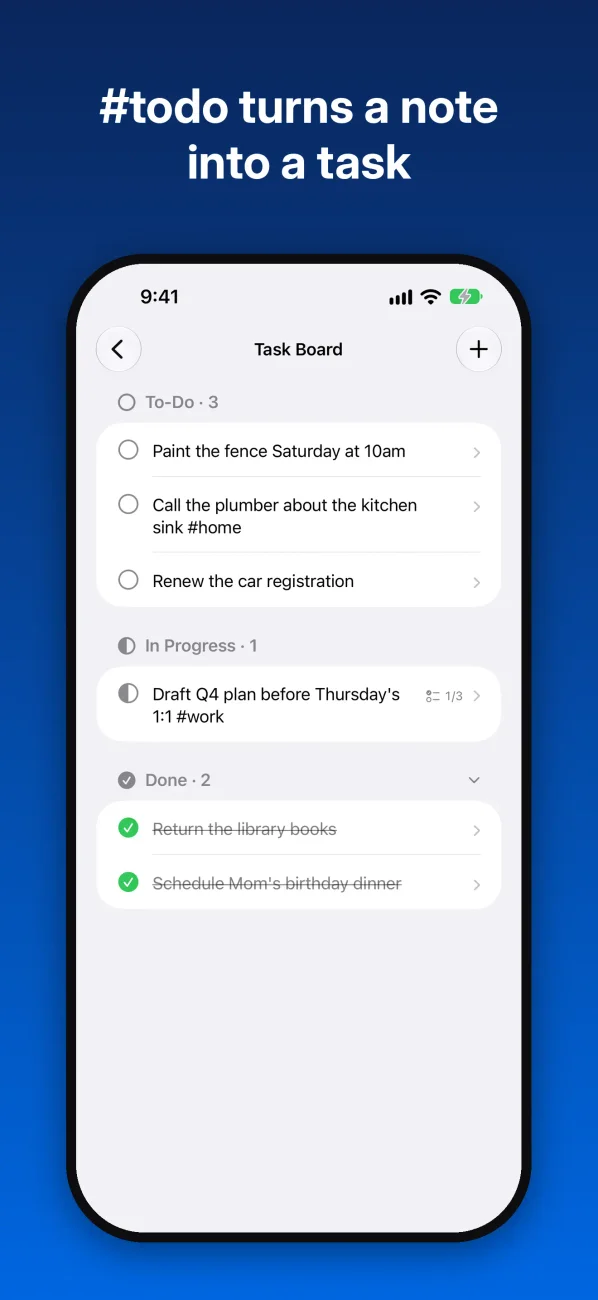
Add #todo to any message and it becomes a card on your Task Board. Move each card from To-Do to In Progress to Done. Open a card to add details, break the job into subtasks, and check them off as you go.
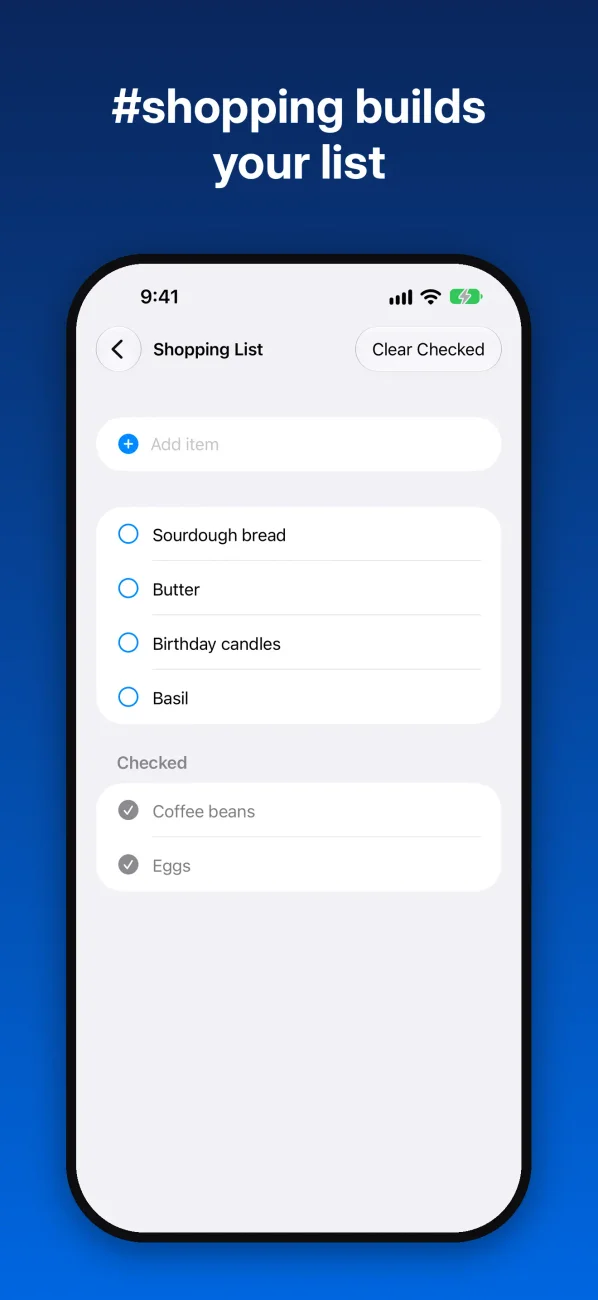
Add #shopping and it lands on your Shopping List. Check things off in the store and clear them with one tap.
When a note mentions a time, like "call the dentist Tuesday at 3" or "pick up Sam at nine," Convo1 notices. One tap turns it into a reminder or a calendar event in the apps you already use. Say "every Monday" and it offers to make it repeat.
ON ALL YOUR DEVICES, IF YOU WANT IT
Turn on iCloud sync and your notes, photos and to-dos follow you to every iPhone on your Apple Account, stored in your own private iCloud. It's free and off until you choose. Deleted something by mistake? Recently Deleted keeps it for 30 days. Want your own copy? Export a backup file and restore it anytime.
BUILT FOR iPHONE DUO
Open your iPhone Duo and your Task Board or Shopping List sits right beside the chat. Fold it closed and pick up right where you were.
WORKS WITH SIRI, SHORTCUTS, WIDGETS, AND SPOTLIGHT
- Siri: "Add to Convo1" saves a note hands-free. Siri can also add a to-do or move a card.
- Shortcuts: every one of those actions is in Shortcuts, ready for your own routines.
- Widgets and controls: one tap from the Home Screen, Control Center, Lock Screen or Action button opens a fresh note or to-do.
- Spotlight: your notes and to-do cards show up in search.
A LITTLE HELP, IF YOUR iPHONE SUPPORTS IT
On iPhones with Apple Intelligence, Convo1 can suggest tags from the ones you already use, and break a big to-do into smaller steps for you to review. It all happens on your device, and nothing is added until you say so.
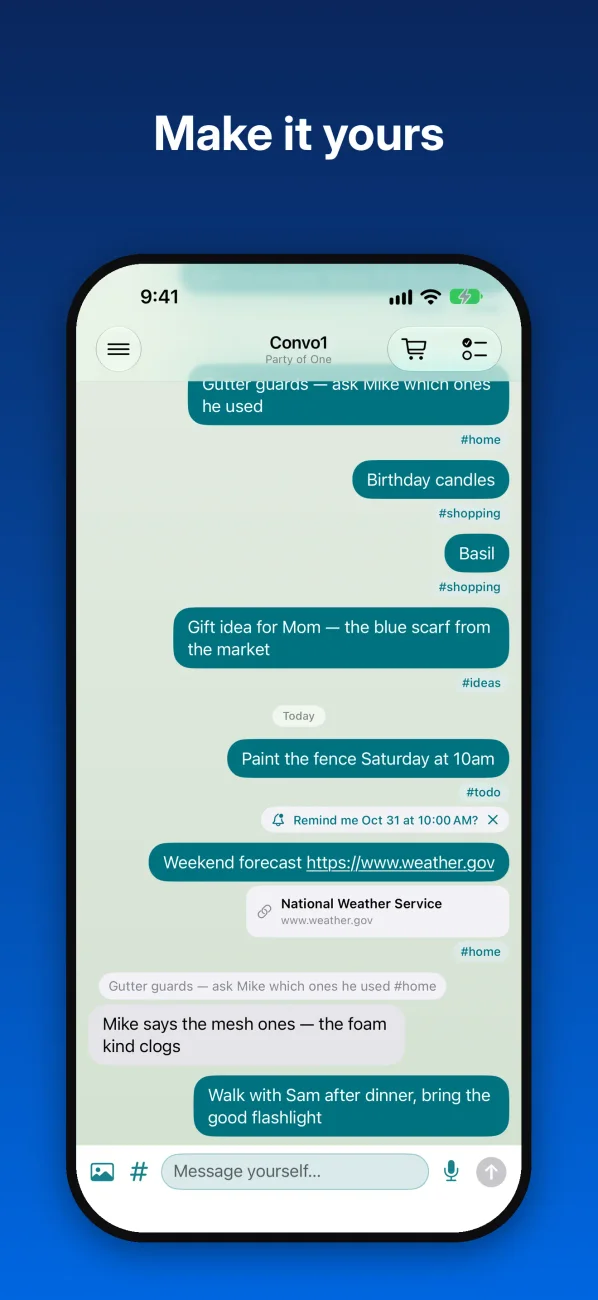
MAKE IT YOURS
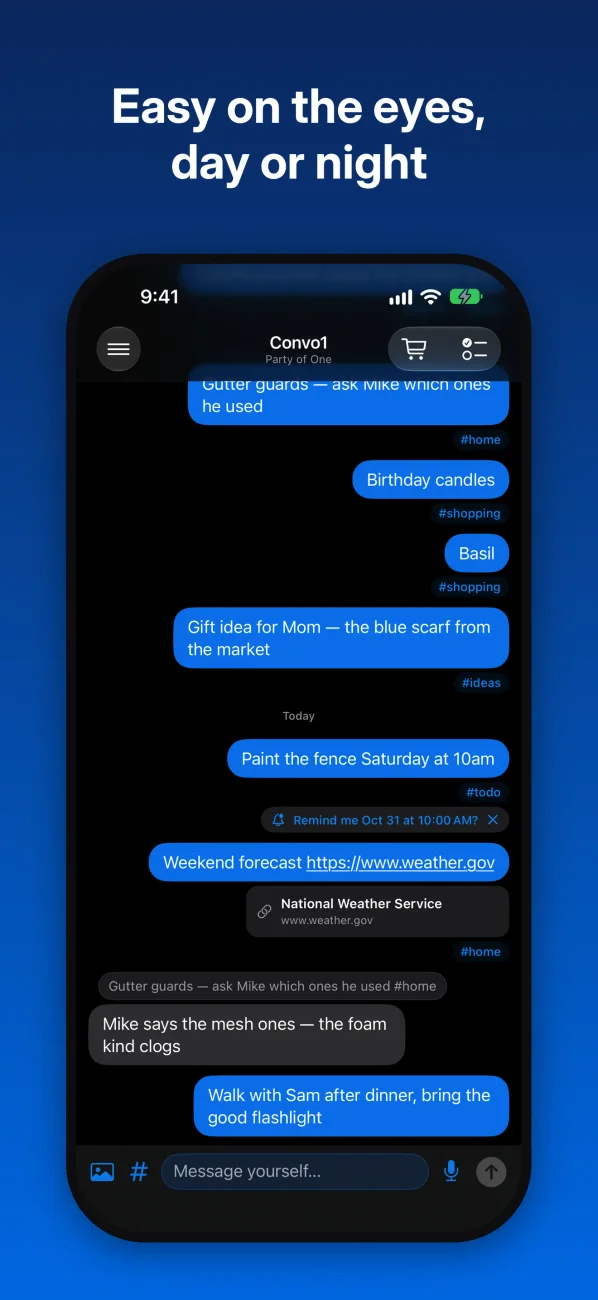
Pick the bubble color you like, in light or dark mode. With Convo1 Unlimited, add a wallpaper behind your thread and an app icon to match.
PRIVATE, THE WAY NOTES SHOULD BE
There's no account to create and nothing to sign in to. No ads, no analytics, and no tracking. We never see your notes, on your iPhone or in your iCloud. Prefer to keep Convo1 out of Spotlight and Siri Suggestions? There's a switch for that in Settings.
TRY IT FREE, KEEP IT FOREVER
Use Convo1 free for up to 50 messages and 5 of your own tags. The built-in #todo, #shopping and #link tags don't count. Nothing you've saved is ever locked away. When you're ready for more, Convo1 Unlimited is a single in-app purchase that removes both limits for good and adds wallpapers and app icons. No subscription, and Family Sharing is included.
Convo1 was built by one person who got tired of texting himself. I hope it makes your days a little lighter.
Questions or ideas? Tap Support in Convo1's Settings. I read every message.
Nouveautés
Version 1.1.0 · 25/11/2026
Convo1 1.1
• iCloud sync — keep your notes, photos, cards and subtasks on all your devices. It's off until you turn it on: Convo1 asks once, or go to Settings → Sync.
• Recently Deleted — deleted notes wait 30 days before they're gone, and they don't count toward your free 50.
• Take Photo — snap a photo straight from the composer.
• Backups — export a backup file to Files and restore it anytime from Settings → Backup.
• Control Center — New Note and New To-Do controls for Control Center, the Lock Screen and the Action button.
• Fixes and polish.
Confidentialité de l’application
Ce que Robert Laramee déclare sur l’App Store au sujet du traitement des données par cette application.
-
Données non collectées
Le développeur ne collecte aucune donnée à partir de cette application.
Les pratiques en matière de confidentialité peuvent varier, notamment en fonction des fonctionnalités que vous utilisez ou de votre âge.
Informations
- Vendeur
- Robert Laramee
- Catégorie
- Productivité
- Version
- 1.1.0
- Mis à jour
- 25/11/2026
- Publié
- 16/11/2026
- Taille
- 5,2 Mo
- Nécessite
- iOS 27.0 ou version ultérieure
- Classification d’âge
- 4+
- Prix
- Gratuit
- Achats intégrés
- Oui
- Langues
- Anglais
- Copyright
- © 2026 TBL Apps
Vous aimerez peut-être aussi
-
 LifeCue – Smart RemindersProductivité
-
 Ahmo - Dictaphone WatchLocuteurs séparés, rappels
-
 Remind & RecordProductivité
-
 AI Chat Assistant - AxonChatbot IA privé, hors ligne
-
 Little Things: Task BreakdownProductivité
-
 AiZIP - L'établi des archivesZIP RAR 7Z : tout commence
-
 Quad To-Do: Tâches EisenhowerPlanificateur à 4 quadrants
-
 Floaty: Lock Screen EssentialsProductivité
-
 Handy: Snippets & FilesProductivité
-
 Yike: To-Do List, Task PlannerProductivité