Countdown - Watch & Widgets
Days until birthdays & trips
Conçue pour iPhone, iPad
Gratuit · Achats intégrés
- Classification d’âge4+
- CatégorieProductivité
- DéveloppeurMRCH CONSULTING PTY LTD
- LanguesAnglais
- Taille9,5 Mo
Renvoie vers la page App Store officielle
Download.org n’héberge aucun fichier de Countdown - Watch & Widgets. Le bouton ouvre la page de l’application sur App Store, où MRCH CONSULTING PTY LTD la publie. Fiche vérifiée pour la dernière fois le 12/11/2026.
Captures d’écran

À propos
Le développeur n’a pas fourni ce texte dans votre langue.
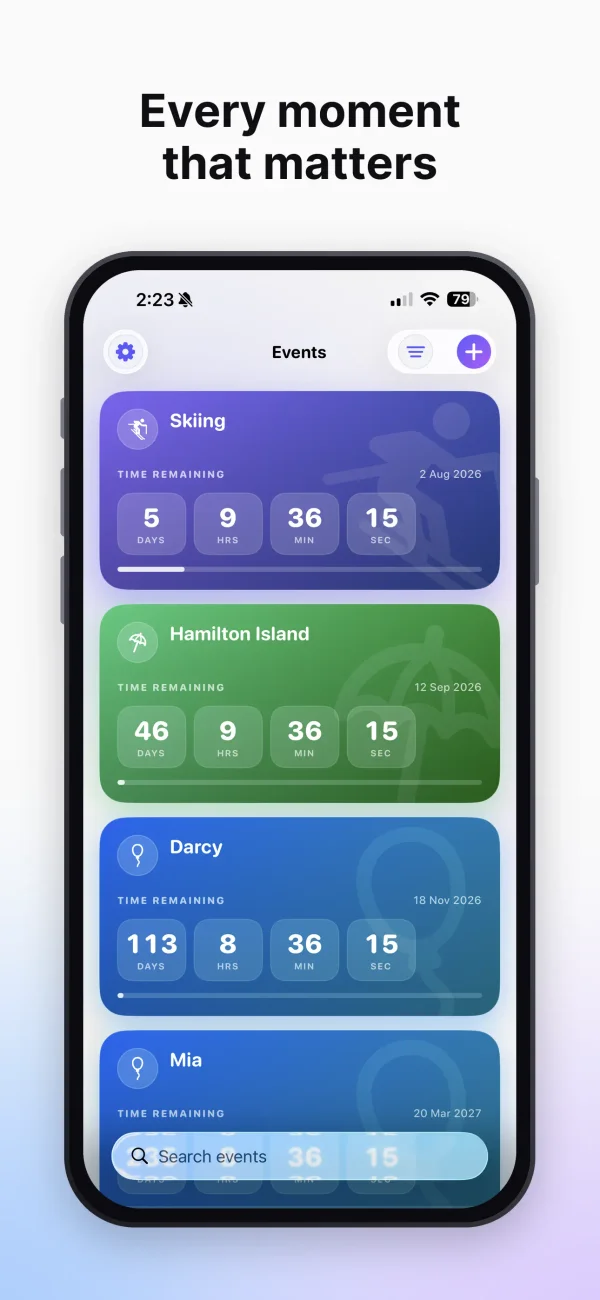
Some days you think about for weeks. The trip you booked. The wedding. The last day of term. Countdown puts them somewhere you'll actually see them - on your watch face, your Lock Screen and your Home Screen.
COUNTDOWNS ON YOUR WATCH FACE
This is the part most countdown apps forget. Put Countdown on your Apple Watch face and the days remaining sit right there next to the time, all day. Lift your wrist and you know - no app to open, no phone to dig out.
It fits the faces you already wear - corner slots, round dials, the wide strip across the middle, the single line under the clock. Apple Watch Ultra's big slots look especially good. There's a full watch app too, so you can flick through everything you're counting down to without touching your phone.
AND ON YOUR HOME AND LOCK SCREEN
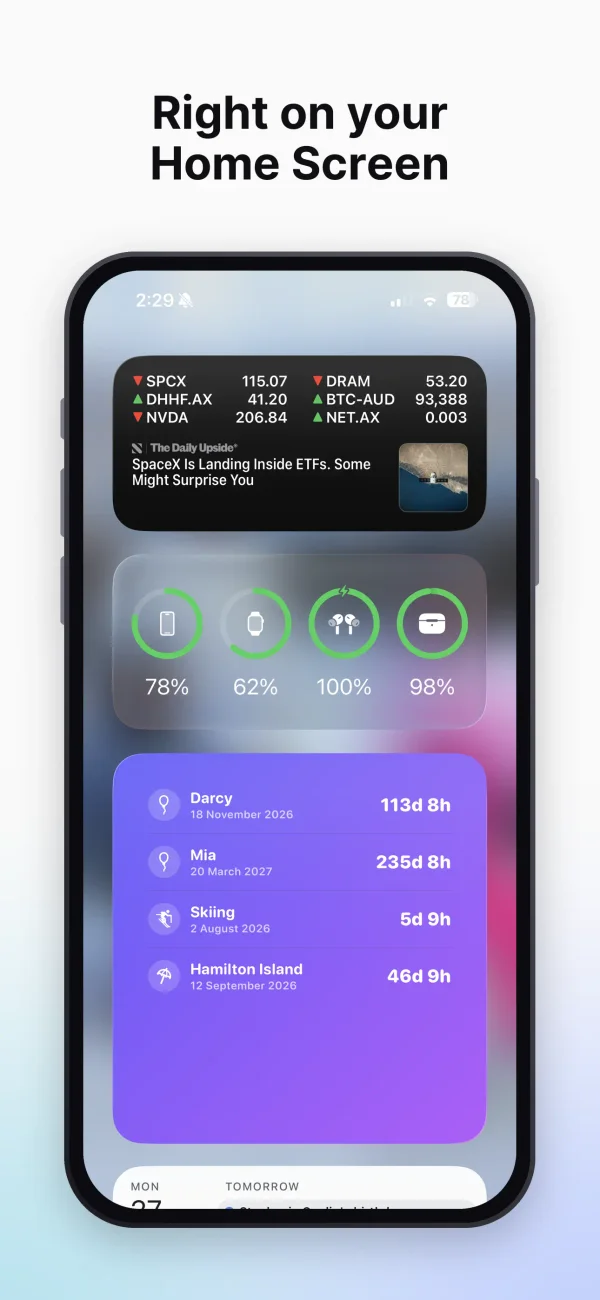
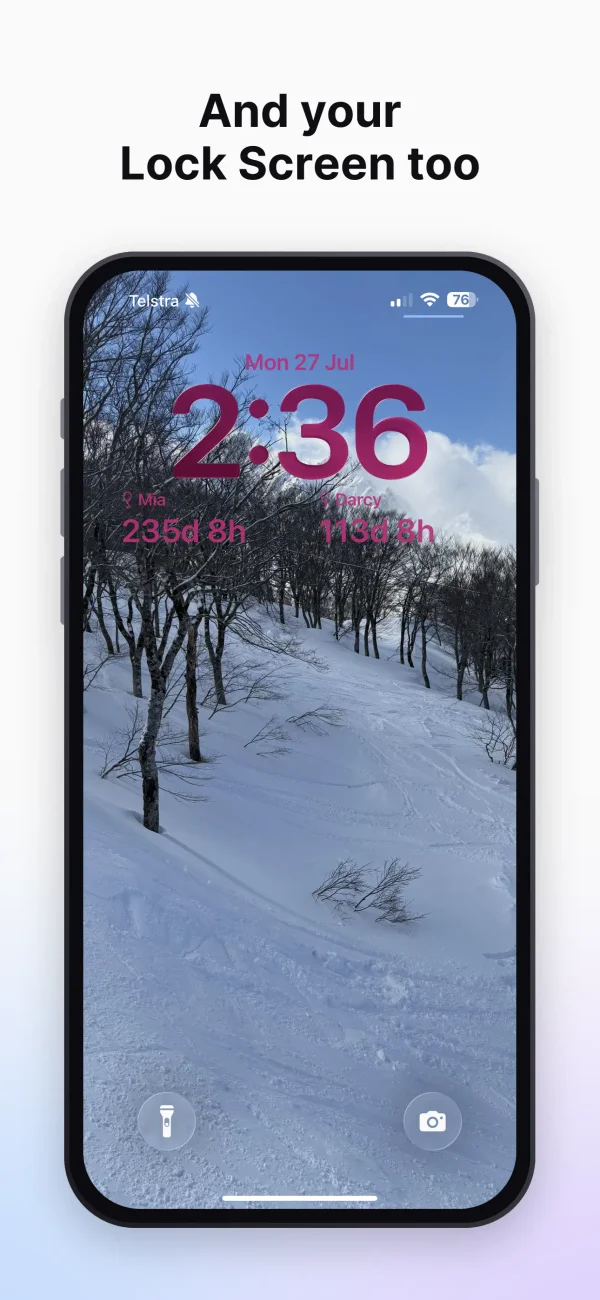
Add a countdown widget in three Home Screen sizes, or slip one under the clock on your Lock Screen. Widgets keep themselves up to date, so the number is right whenever you glance at it.
TEN SECONDS TO SET UP
Name it, pick a date and time, done. Birthdays and anniversaries repeat every year and roll over on their own, so you never type the same date twice. Switch on Count Up After Date and once the day passes the event counts the time since instead - days together, days sober, days in the new job. When the day arrives, a notification lets you know.
MAKE EACH ONE LOOK LIKE THE THING IT'S FOR
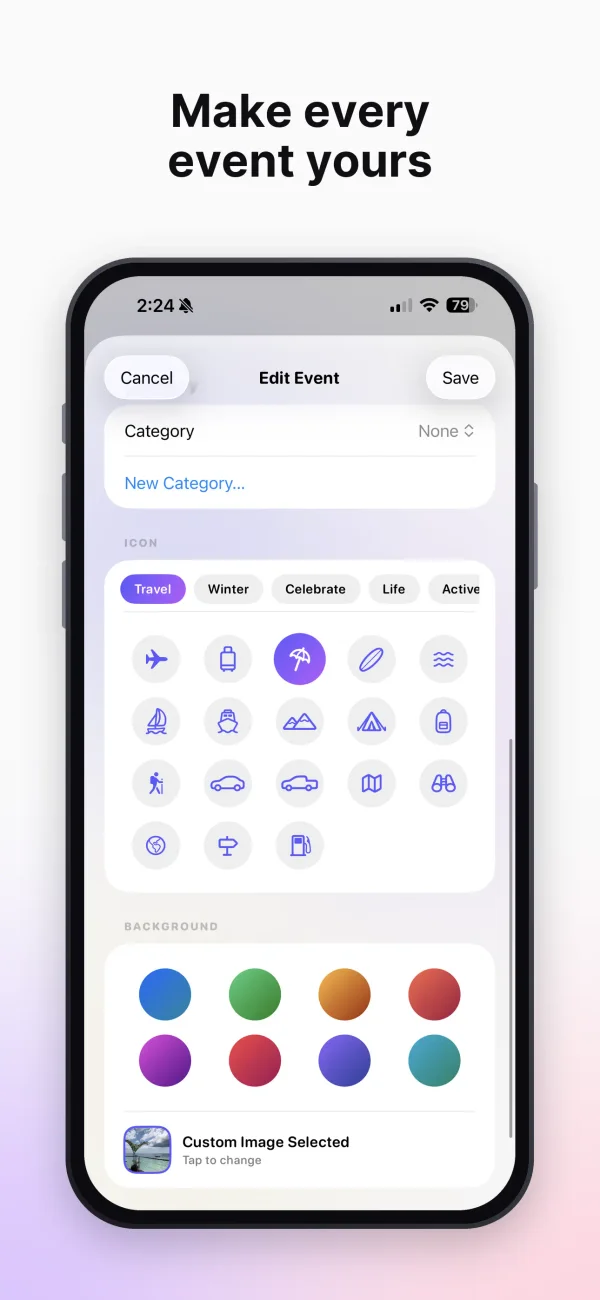
A ski trip shouldn't look like a dentist appointment. Dozens of icons across travel, celebrations, winter, work and life, plus eight colour gradients. Search and filter to find anything fast.
YOURS, AND ONLY YOURS
No account. No sign-up. No profile. Your countdowns live on your device and sync privately through your own iCloud, so they turn up on your iPhone, iPad and Apple Watch - and never on our servers, because we don't have any.
WHAT PEOPLE COUNT DOWN TO
Holidays and flights • Birthdays • Weddings • Christmas • Due dates • Exams and results day • Retirement • Pay day • Concerts • Ski season • Days sober • The weekend
---
WHAT YOU GET FOR FREE
Countdown is free to download and use, supported by ads. The free version includes:
• Unlimited countdowns and count-ups
• Home Screen, Lock Screen and Today View widgets
• The Apple Watch app and watch face complication
• Repeating events - daily, weekly, monthly or yearly
• A notification when the day arrives
• Icons, colour gradients, search and filter
• Private iCloud sync across your devices
COUNTDOWN PRO - OPTIONAL
Pro removes every ad and adds:
• The multi-event widget - your next four dates in one tile
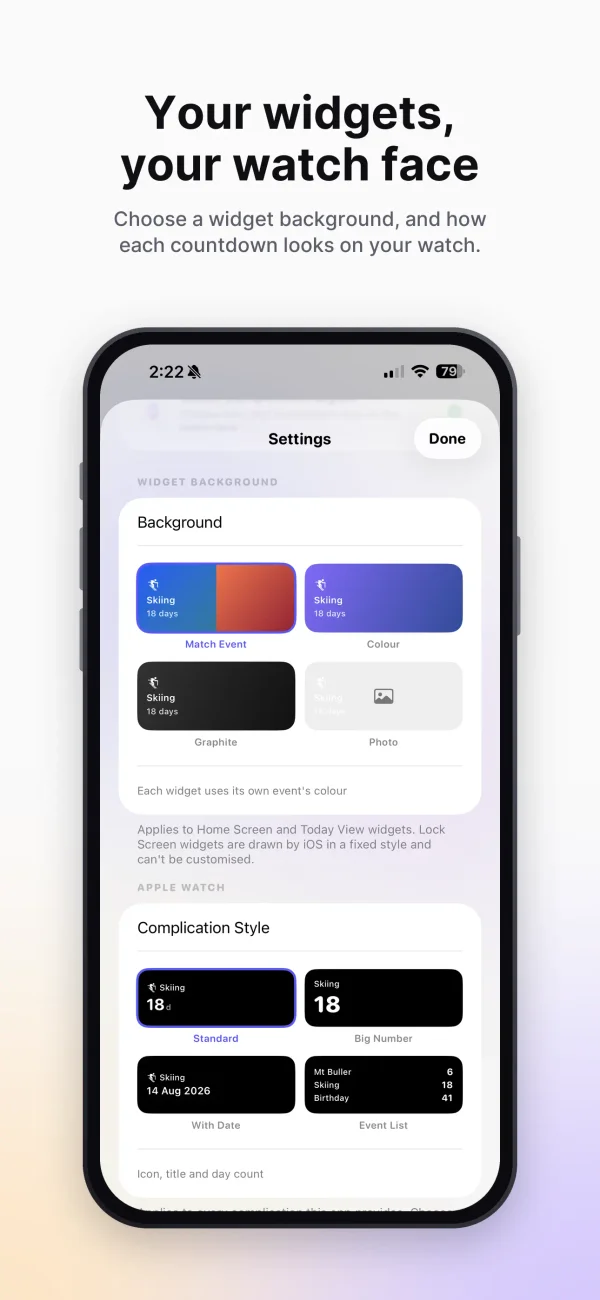
• Widget backgrounds: match the event, pick a colour, graphite, or your own photo
• All four watch face styles: standard, one huge number, with the date, or a list of your next events
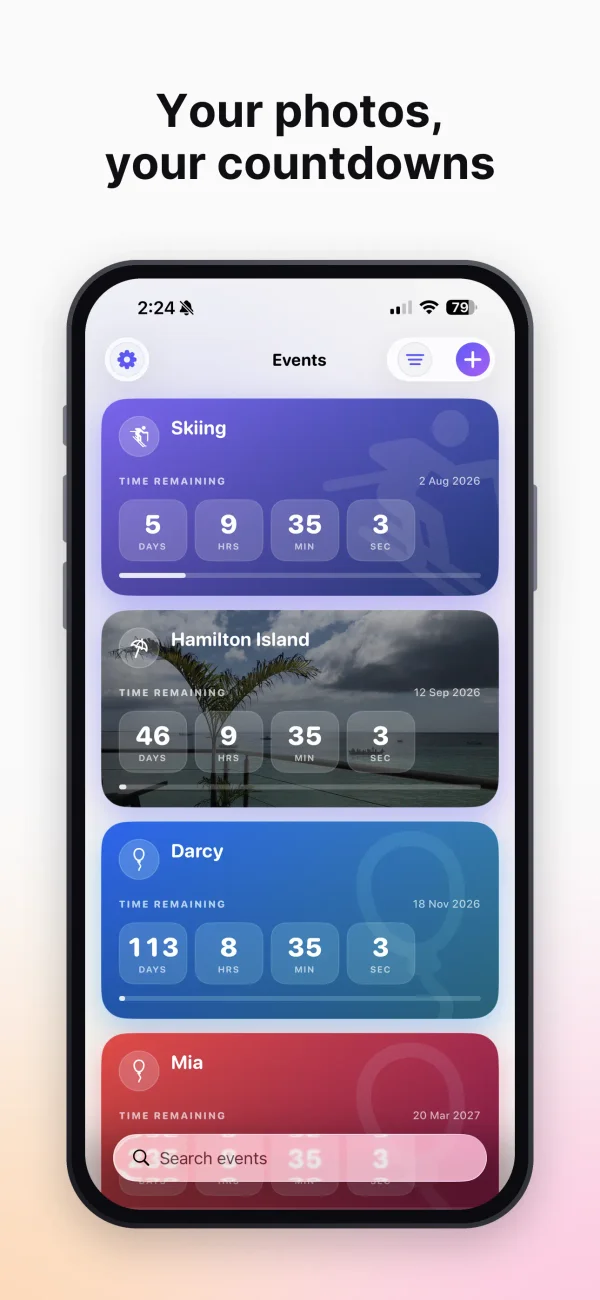
• Your own photos as event backgrounds
• Categories to organise your events
• Share cards for posting to social media
Two ways to buy Pro:
• Pro Annual - US$9.99 per year, renews until you cancel
• Pro Lifetime - US$19.99 once, never renews
Your local price is shown before you confirm.
PREFER NOT TO PAY? WATCH AN AD INSTEAD
Two Pro features - photo backgrounds and share cards - can also be unlocked for the current session by watching a short video ad. Always optional, never required.
---
Payment is charged to your Apple Account at confirmation of purchase. The annual subscription renews automatically unless it is cancelled at least 24 hours before the end of the current period, and your account is charged for renewal within 24 hours of the end of that period. You can manage or cancel it in Settings → your name → Subscriptions. Pro Lifetime is a one-time purchase and does not renew.
Terms of Use (EULA): https://www.apple.com/legal/internet-services/itunes/dev/stdeula/
Privacy Policy: https://countdown.zintly.com/privacy-policy
Questions, a bug, or an idea? Email contact@zintly.com - a real person reads every message.
Requires iOS 18.2 or later. Apple Watch features require watchOS 11.2 or later.
Nouveautés
Version 1.1 · 21/08/2026
GUIDES, BUILT IN
"How do I get this on my watch face?" now has an answer inside the app. Open Settings and tap How to use Countdown for five short walkthroughs, each one a set of real screenshots you swipe through: putting a countdown on your watch face, keeping it readable when your wrist is down, adding a Lock Screen or Home Screen widget, and making your first countdown.
OTHER
- Improved filtering of your events
- Minor bug fixes
Confidentialité de l’application
Ce que MRCH CONSULTING PTY LTD déclare sur l’App Store au sujet du traitement des données par cette application.
-
Données utilisées pour vous suivre
Peuvent être utilisées pour vous suivre sur des applications et des sites web appartenant à d’autres sociétés.
- Identifiants
- Données d’utilisation
- Diagnostic
-
Données établissant un lien avec vous
Peuvent être collectées et liées à votre identité.
- Identifiants
- Données d’utilisation
- Diagnostic
Les pratiques en matière de confidentialité peuvent varier, notamment en fonction des fonctionnalités que vous utilisez ou de votre âge.
Informations
- Vendeur
- MRCH CONSULTING PTY LTD
- Catégorie
- Productivité
- Version
- 1.1
- Mis à jour
- 21/08/2026
- Publié
- 11/08/2026
- Taille
- 9,5 Mo
- Nécessite
- iOS 17.0 ou version ultérieure
- Classification d’âge
- 4+
- Prix
- Gratuit
- Achats intégrés
- Oui
- Langues
- Anglais
- Copyright
- © 2026 MRCH Consulting Pty Ltd
Vous aimerez peut-être aussi
-
 Nexo - Compteur de JoursCompte à Rebours et Jours
-
 Jot - Tasks & NotesProductivité
-
 Days Until: Event WidgetProductivité
-
 Ago: Depuis quand · TrackerRappels de tâches récurrentes
-
 SinceNow: Compteur de joursDernière fois et rappels
-
 theGoodSpace: Agenda & TâchesAgenda TDAH selon l'énergie
-
 AssistMe : Liste de tâches IAPlanificateur, tâches, rappels
-
 Focus Task – Liste de tâchesTo-do list pour TDAH et TOC
-
 Christmas Countdown 2026 Days!Productivité
-
 Infographics Prime - TemplatesGraphiques, diagrammes et