
- Classification d’âge4+
- CatégorieÉducation
- DéveloppeurMelissa Chan
- LanguesAnglais
- Taille14,8 Mo
Renvoie vers la page App Store officielle
Download.org n’héberge aucun fichier de Cursive Practice+. Le bouton ouvre la page de l’application sur App Store, où Melissa Chan la publie. Fiche vérifiée pour la dernière fois le 16/11/2026.
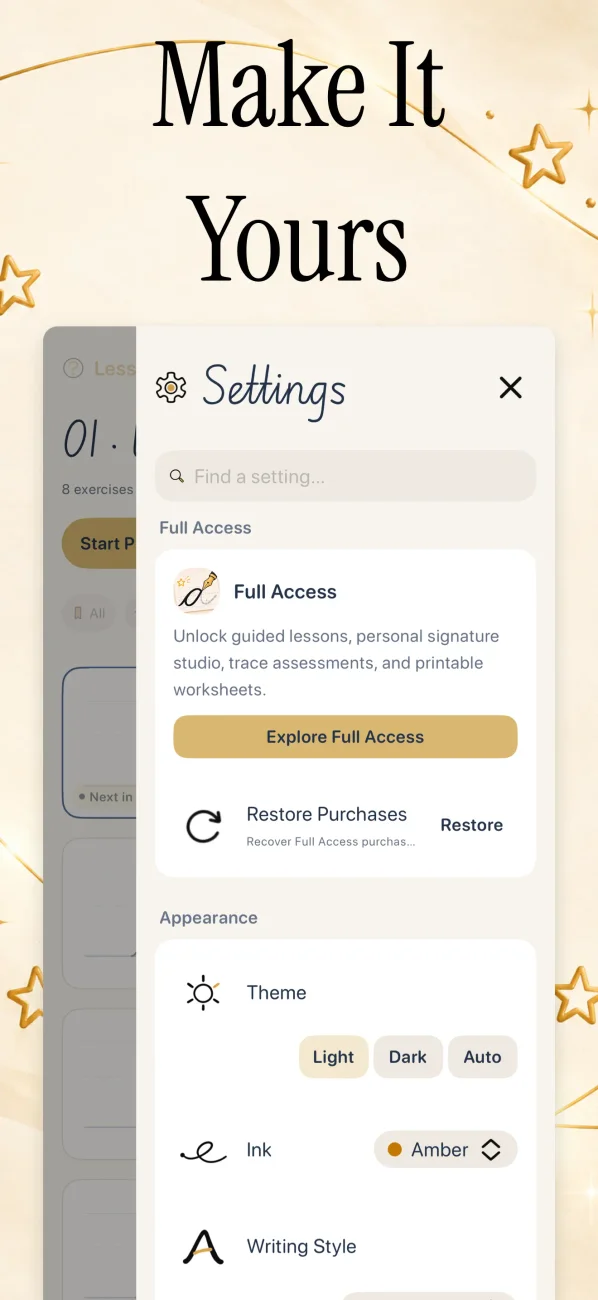
Captures d’écran
À propos
Le développeur n’a pas fourni ce texte dans votre langue.
Cursive Practice! Use your Apple Pencil, stylus, or Mac trackpad to master cursive on the go.
iPad, Mac, iPhone • Private iCloud Sync
Master elegant, fluid handwriting with interactive tracing, a dedicated signature studio, animated stroke guides, evidence-based spaced repetition, personalized practice sets, and detailed progress insights. Whether you are learning cursive for the first time, perfecting your signature, or refining your everyday penmanship, Cursive Practice gives you a dedicated digital studio to build lifelong muscle memory.
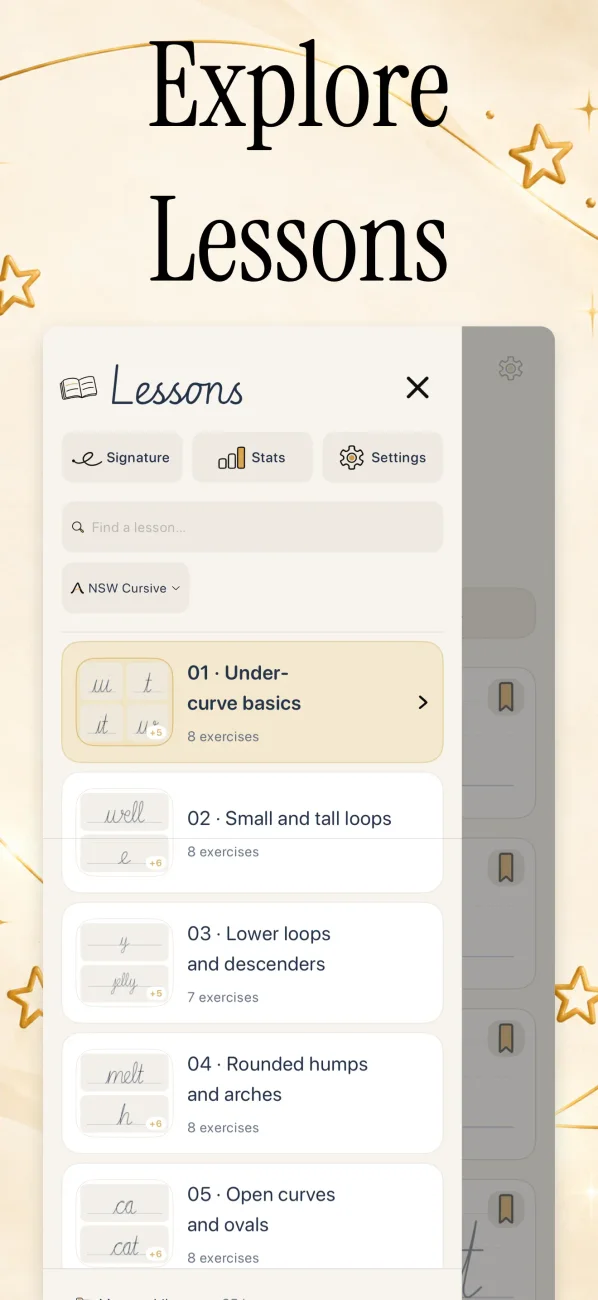
Features: • Low-Latency PencilKit Tracing & Monoline Canvas • Dedicated Personal Signature Studio (Typed & Photo Trace) • French Seyès & Ruled Guidelines with Animated Stroke Guides • Letter Home Deck & Quick-Access Slide-Out Panels • Instant Text & Camera Practice Card Generator • Spaced Repetition (SRS), Speed Rounds & Cram Modes • Smart Decks, Folders & Full Cursive Curriculum • In-Depth Analytics, Heatmaps & Daily Streaks • Seamless iCloud Sync Across iPad, iPhone & Mac • Air-Gapped Signature Vault with Face ID / Touch ID Lock • Backup Packages (.practiceItemsbackup), CSV & PDF Exports
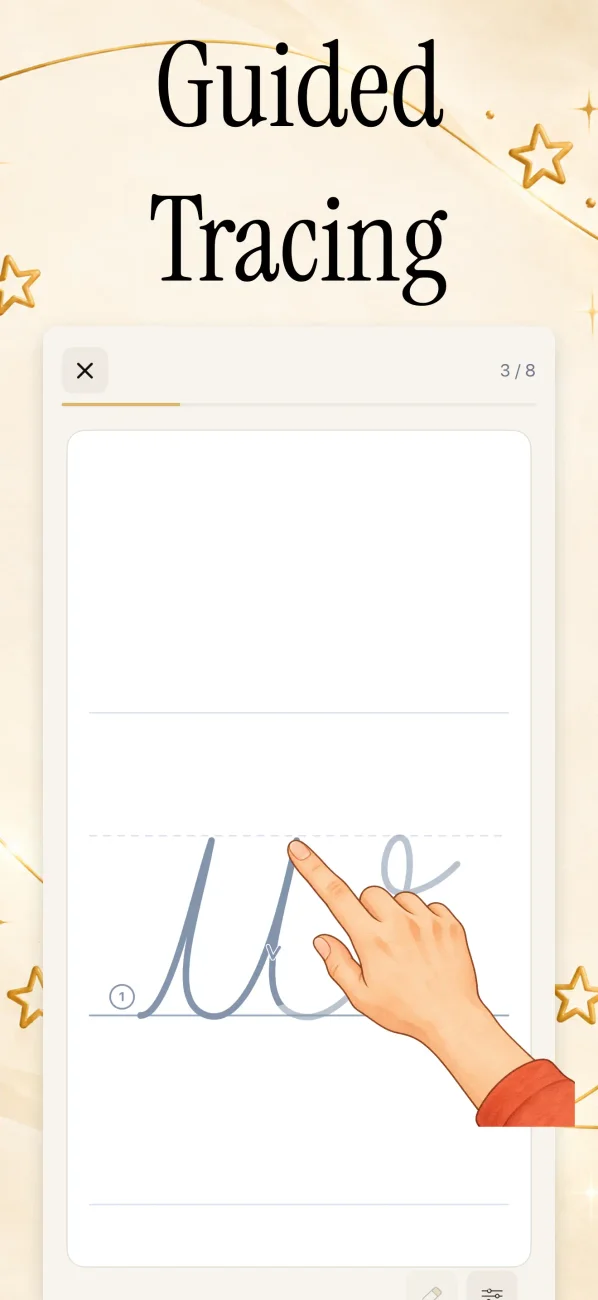
• Precision Tracing & Native PencilKit Canvas: Experience low-latency monoline ink tuned for Apple Pencil, touch, and Mac trackpads. Trace with centerline guidance on French Seyès and ruled paper with dynamic letter scaling (35%–200%) and instant rejection reset for frictionless retries.
• Dedicated Signature Studio: Craft, refine, and perfect your signature. Preview your name in 6 cursive styles or import a photo of your signature as an underlay guide with adjustable opacity and scale. Signatures stay strictly local in an encrypted, air-gapped vault excluded from cloud backups.
• Stroke Coaching & Inline Replay: Master tricky letter joins with animated stroke demonstrations and inline coaching replays that show the exact sequence and direction for every glyph.
• Letter Home & Slide-Out Panels: Explore the alphabet on Seyès guidelines from the interactive Letter Home. Quickly access curriculum lessons on the left drawer and personalize canvas settings on the right.
• Instant Card Generator: Turn any text into tracing exercises in seconds. Paste custom words, quotes, and vocabulary lists, or snap a photo of physical text with on-device camera OCR.
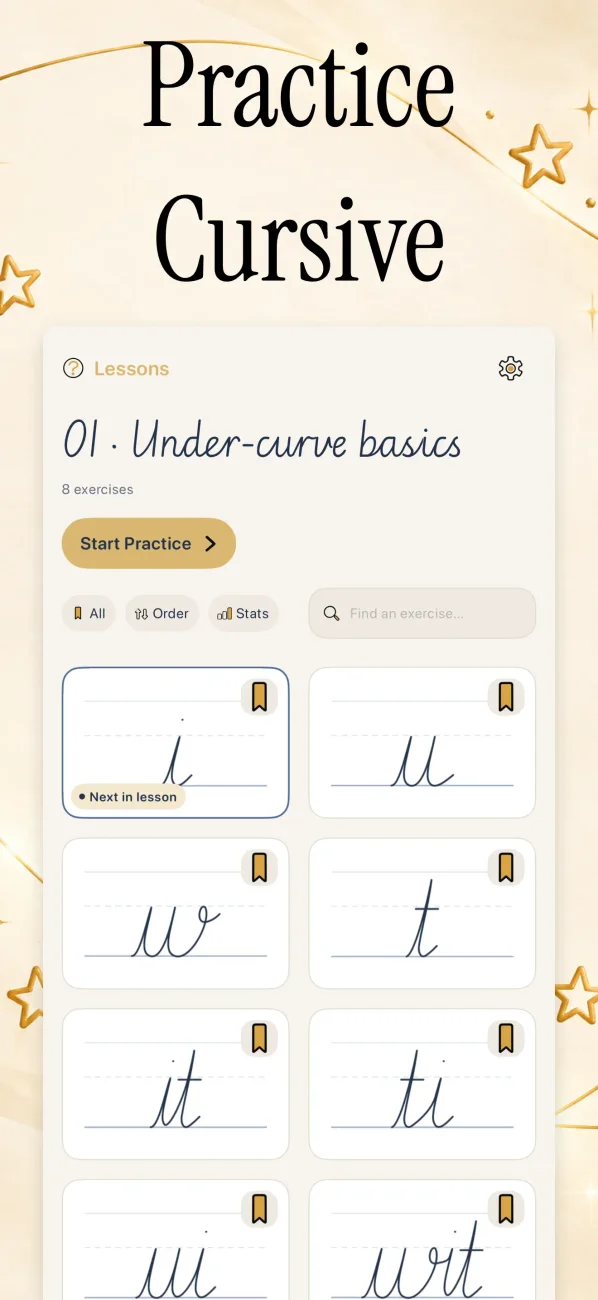
• Flexible Study Flow & Modes: Build fluency with the "Now & Next" practice strip. Challenge yourself with Speed Rounds, retain difficult joins with spaced repetition (SRS), or review freely in Cram mode.
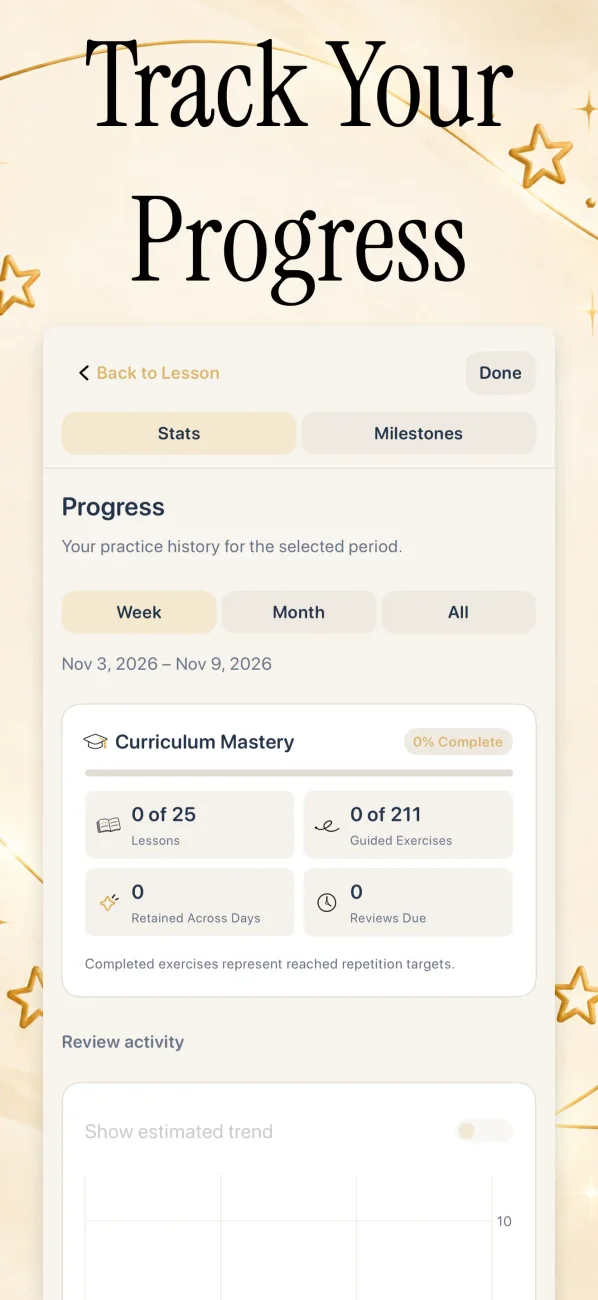
• Progress Dashboard & Smart Decks: Organize exercises into custom decks and folders. Track your growth with daily practice streaks, completed stroke counts, accuracy trends, and activity heatmaps.
• Local-First, Desktop-Ready & Private: Sync your decks across iPad, iPhone, and Mac via iCloud CloudKit. Enjoy native Mac shortcuts and trackpad drawing. Keep your journal and signatures secure with Face ID, Touch ID, or Passcode Lock—zero ads, zero tracking.
• Full Data Portability: Retain complete ownership of your work with .practiceItemsbackup archives, CSV study exports, and printable PDF reports.
Cursive Practice combines timeless penmanship with modern motor-skill learning. Build a confident, elegant hand designed for the digital age.
Terms of Use (EULA): https://www.apple.com/legal/internet-services/itunes/dev/stdeula/
Nouveautés
Version 4.1.0 · 11/11/2026
Version 4.1.0 Updates:
A major update introducing natural cursive letter joining, an intelligent forgiving stroke evaluation engine, a distraction-free study canvas, and enhanced drawing responsiveness:
NEW: Connected Vector Cursive & Natural Letter Joining — Experience seamless word flow with an all-new continuous stroke model. Intelligent curve subdivision dynamically links letters with authentic entry and release curves, eliminating awkward baseline pauses and preserving true letter ascenders.
NEW: Forgiving Tracing & Adaptive Tolerance Engine — Handwriting practice that encourages natural progress. The updated evaluation engine introduces a dynamic tolerance corridor, off-guide connector allowances, and non-destructive pause checks—allowing you to lift your pen or touch up strokes without unfair penalties or sudden erasures.
IMPROVED: Distraction-Free Study Stage — A refined, clutter-free practice canvas featuring an ergonomic bottom toolbar, maximized writing area, and an on-demand Shape Guide with smoothstep stroke replay and step-by-step numbered breakdown.
IMPROVED: Drawing Precision & Desktop Pointer Dynamics — Smoother, more responsive ink powered by distance-weighted stroke smoothing, low-latency coalesced pointer capture, ProMotion display synchronization, and native desktop trackpad undo support.
IMPROVED: iPad Multitasking & Adaptive Layouts — Fluid layout transitions across iPad Split View, Stage Manager, and Mac window resizing, paired with pinned lesson navigation, responsive exercise filters, and enhanced Dynamic Type accessibility.
FIXED: Atomic Session Saves & Cloud Reliability — Bulletproof practice checkpointing with inline retry recovery to ensure your repetitions and bookmarks are never lost, alongside rock-solid offline entitlement verification and stability fixes.
Confidentialité de l’application
Ce que Melissa Chan déclare sur l’App Store au sujet du traitement des données par cette application.
-
Données non collectées
Le développeur ne collecte aucune donnée à partir de cette application.
Les pratiques en matière de confidentialité peuvent varier, notamment en fonction des fonctionnalités que vous utilisez ou de votre âge.
Informations
- Vendeur
- Melissa Chan
- Catégorie
- Éducation
- Version
- 4.1.0
- Mis à jour
- 11/11/2026
- Publié
- 06/05/2026
- Taille
- 14,8 Mo
- Nécessite
- iOS 18.0 ou version ultérieure
- Classification d’âge
- 4+
- Prix
- Gratuit
- Achats intégrés
- Oui
- Langues
- Anglais
- Copyright
- © Melissa Chan 2026
Vous aimerez peut-être aussi
-
 Écriture cursive - Letter+Apprendre à écrire
-
 Montessori Cursive WritingÉducation
-
 PenForm: Handwriting CoachÉducation
-
 Cursive Handwriting Practice ·Éducation
-
 Learn Cursive WritingÉducation
-
 Cosmic CursiveÉducation
-
 Cursive TrainerApprenez l'écriture cursive
-
 Meshk: Écriture & CalligraphieApprendre à écrire à la main
-
 Cursive - Écriture manuscriteApprendre à écrire proprement
-
 Cursive PracticeÉducation