
Devrim: Tiled SSH & Browser
Terminal and web workspace
Conçue pour iPad
Achats intégrés
- Classification d’âge17+
- CatégorieOutils de développement
- DéveloppeurKadir Yazgan
- LanguesAnglais
- Taille10,9 Mo
Devrim: Tiled SSH & Browser n’est peut-être pas disponible sur App Store pour le moment
La fiche de la boutique était inaccessible lors de notre dernière vérification. Le lien mène toujours à la page App Store officielle.
Captures d’écran
À propos
Le développeur n’a pas fourni ce texte dans votre langue.
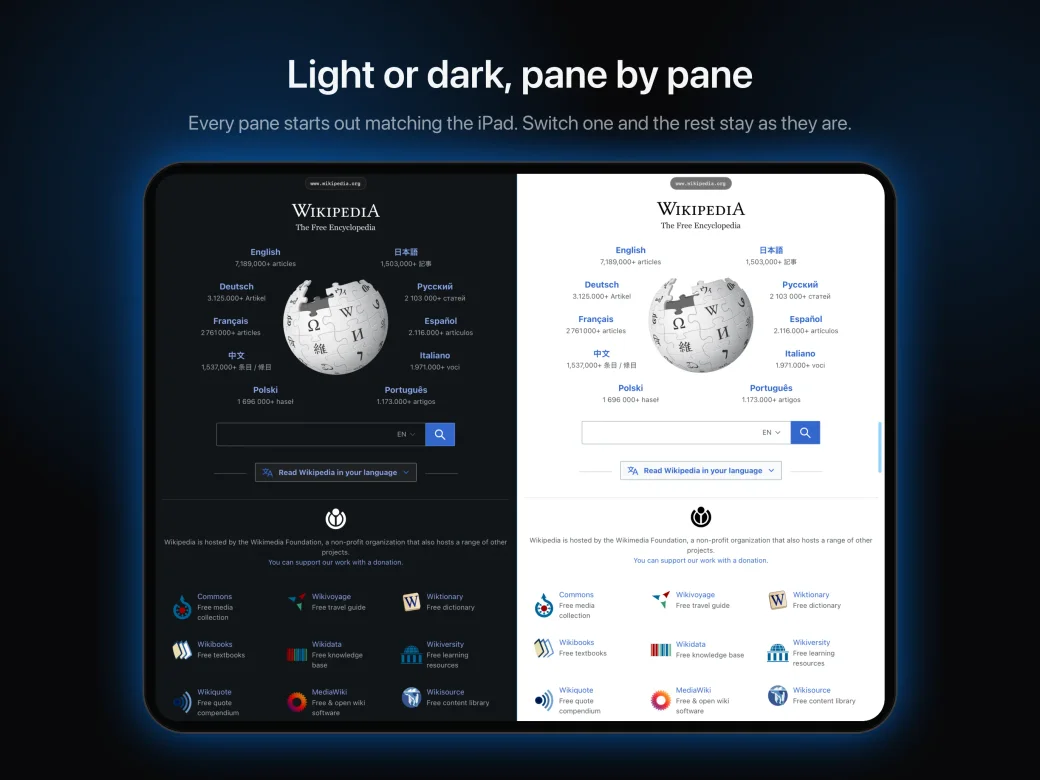
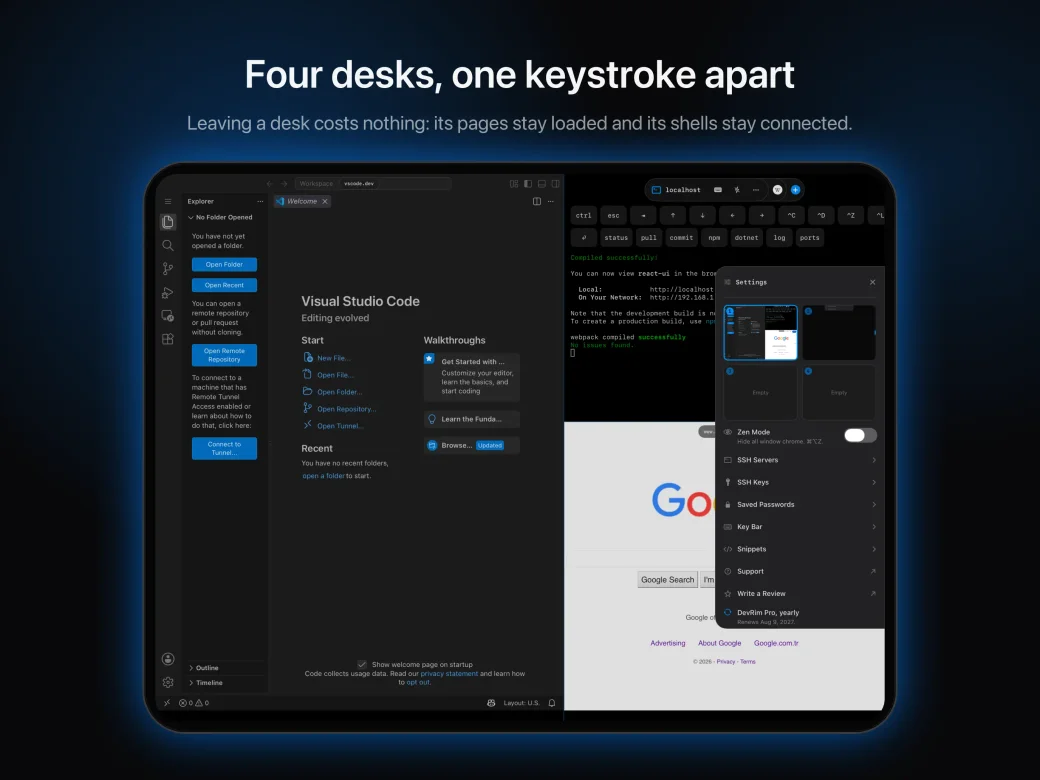
An iPad arranged like a workstation: a grid of panes you lay out yourself, holding the two things a developer keeps open all day — web pages and SSH terminals.
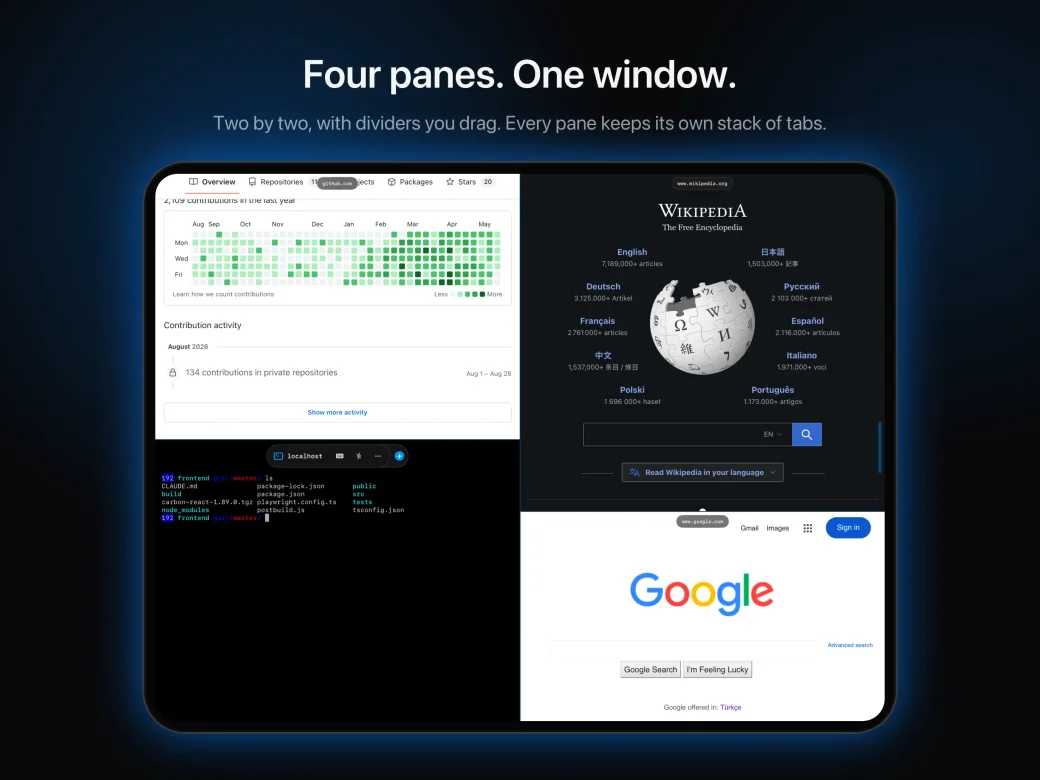
ONE WINDOW, FOUR PANES
Up to four panes in a two-by-two grid, with dividers you drag. Send a tab one pane over, or split a new pane off the edge. Every pane holds its own stack of tabs, each with an address field and a favicon.
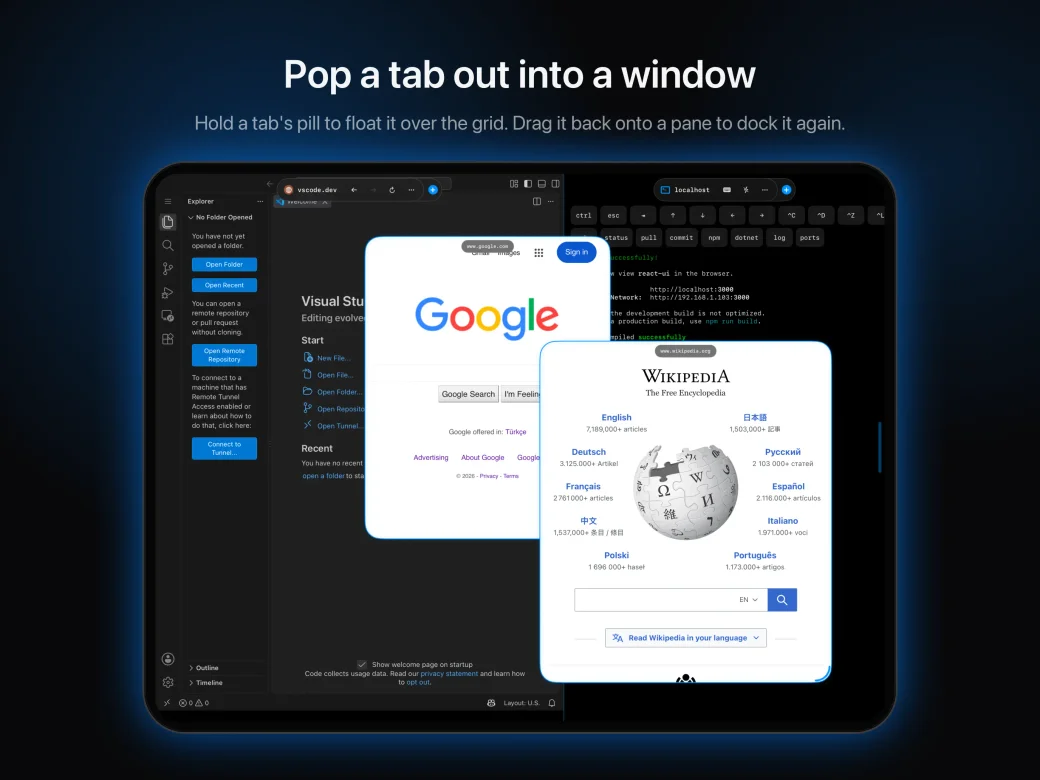
FLOATING WINDOWS
Hold a tab's pill to pop it out into a window over the grid. Drag it back onto a pane — or onto another window — to dock it again. Touch a window behind another and it comes forward.
FOUR DESKS
Four arrangements, one keystroke apart. Leaving a desk costs nothing: its pages stay loaded and its shells stay connected while you work somewhere else.
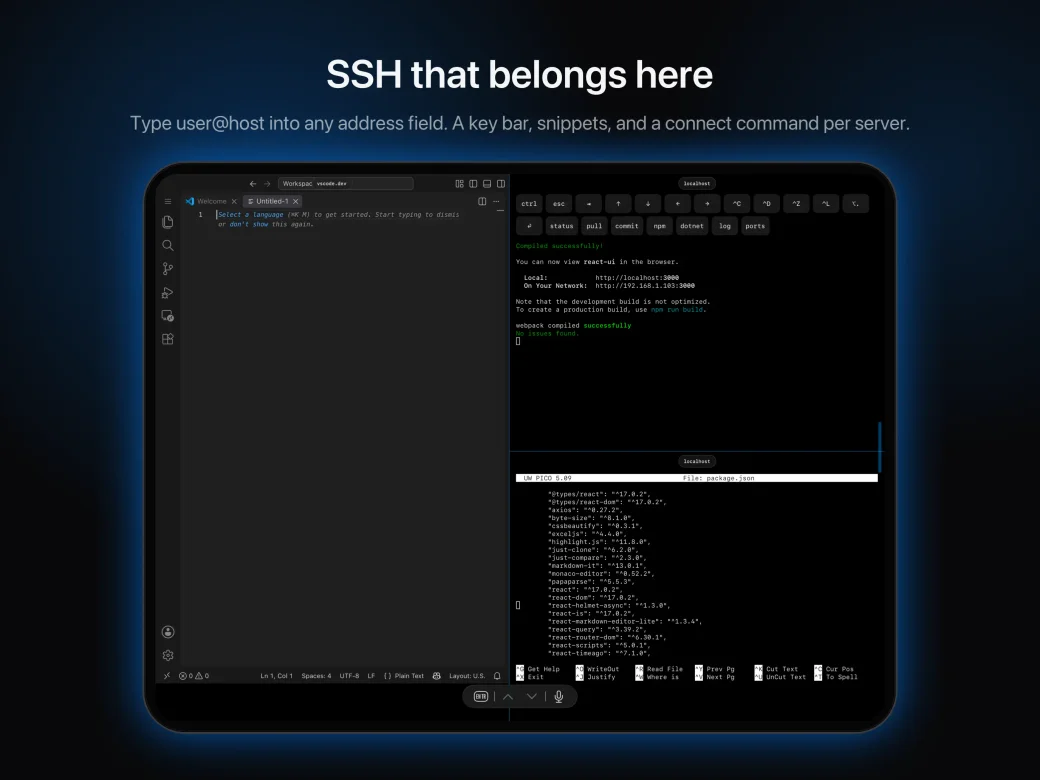
SSH THAT BELONGS HERE
Type user@host into any address field and you are connecting.
• A key bar above the keyboard — Ctrl, Esc, Tab and the arrows, plus any combination you build yourself on a drawn keyboard and keep.
• Snippets for the commands you run all the time. They are typed into the shell, not fired at it, so you can edit one before pressing Return.
• A connect command per server, run when the shell comes up. Point it at tmux and reconnecting lands you back in the same work.
• Font size per terminal, so a pane can hold as many rows and columns as you want to read.
YOUR KEYS STAY YOURS
• Private keys and saved passwords live in the Keychain as items that need Face ID, Touch ID or your passcode to read. The prompt appears when a key is used to connect — not at launch, and not to show you a list.
• The first time a server presents its host key you are shown the fingerprint and asked. If it ever changes, you are told plainly and asked again, before anything is sent.
• No account, no server, no analytics. Nothing to sign up for, and nowhere for your data to go.
• One page lists every key and one lists every saved password, and each can be emptied.
BROWSING BUILT FOR A NARROW PANE
• Page zoom per tab. Below 100% a page reflows into the room rather than just getting smaller, which is how two panes hold two real pages.
• Hard reload, in a tab's overflow menu: refetches the page and everything on it, ignoring the cache.
• Tabs keep their pages loaded in the background, on every desk.
ZEN MODE
One shortcut takes every pill, strip and border away and leaves the content. Nothing moves; the chrome simply stops being there.
WHAT IT DOES NOT DO
No port forwarding, no SFTP, no file transfer — DevRim does interactive shells and browsing. If one of those is what you need, wait for a release that says it does them.
And iOS suspends apps in the background, which kills any open TCP connection. No iPad app can change that. What DevRim does instead is let you keep the work on the server: give a machine a connect command like "tmux new-session -A -D -s dev" and a dropped connection costs you nothing but a tap.
TRY IT, THEN RENT IT OR OWN IT
Seven days free, and the trial is the whole app rather than a sample of it. Afterwards DevRim keeps working on one desk — every pane, terminal and window of it — and what paying restores is the other three desks and a workspace that comes back the way you left it.
• DevRim Pro — a yearly subscription that renews automatically.
• Or buy it once, as a single payment. No renewals, nothing to cancel, and every future update.
Payment is charged to your Apple Account at confirmation of purchase. A subscription renews automatically unless auto-renew is switched off at least 24 hours before the current period ends, and your account is charged for the renewal within the 24 hours before that. Manage or cancel it in Settings › your name › Subscriptions; deleting the app does not cancel it. Any unused part of a free trial is forfeited when you buy DevRim outright.
Terms of Use (EULA): https://www.apple.com/legal/internet-services/itunes/dev/stdeula/
Terms: https://devrim.app/terms
Privacy: https://devrim.app/privacy
Confidentialité de l’application
Ce que Kadir Yazgan déclare sur l’App Store au sujet du traitement des données par cette application.
-
Données non collectées
Le développeur ne collecte aucune donnée à partir de cette application.
Les pratiques en matière de confidentialité peuvent varier, notamment en fonction des fonctionnalités que vous utilisez ou de votre âge.
Informations
- Vendeur
- Abdulkadir Yazgan
- Catégorie
- Outils de développement
- Version
- 1.0
- Mis à jour
- 01/09/2026
- Publié
- 01/09/2026
- Taille
- 10,9 Mo
- Nécessite
- iOS 26.0 ou version ultérieure
- Classification d’âge
- 17+
- Achats intégrés
- Oui
- Langues
- Anglais
- Copyright
- © 2026 Kadir Yazgan
Vous aimerez peut-être aussi
-
 Code - Editor Git and TerminalOutils de développement
-
 WhisperCodeOutils de développement
-
 Buffer Editor - Code EditorOutils de développement
-
 Read.mdOutils de développement
-
 Lua IDEOutils de développement
-
 CMD: SSH, Terminal et RéseauClient SSH et outils réseau
-
 AppsOnAirOutils de développement
-
 Facile SSHExpérience terminal SSH pure
-
 Node.js LabOutils de développement
-
 HTTPBot: API & HTTP ClientOutils de développement