- Classification d’âge4+
- CatégorieUtilitaires
- DéveloppeurEgor Samsonov
- LanguesAnglais
- Taille21,8 Mo
DNXT n’est peut-être pas disponible sur App Store pour le moment
La fiche de la boutique était inaccessible lors de notre dernière vérification. Le lien mène toujours à la page App Store officielle.
Captures d’écran

À propos
Le développeur n’a pas fourni ce texte dans votre langue.
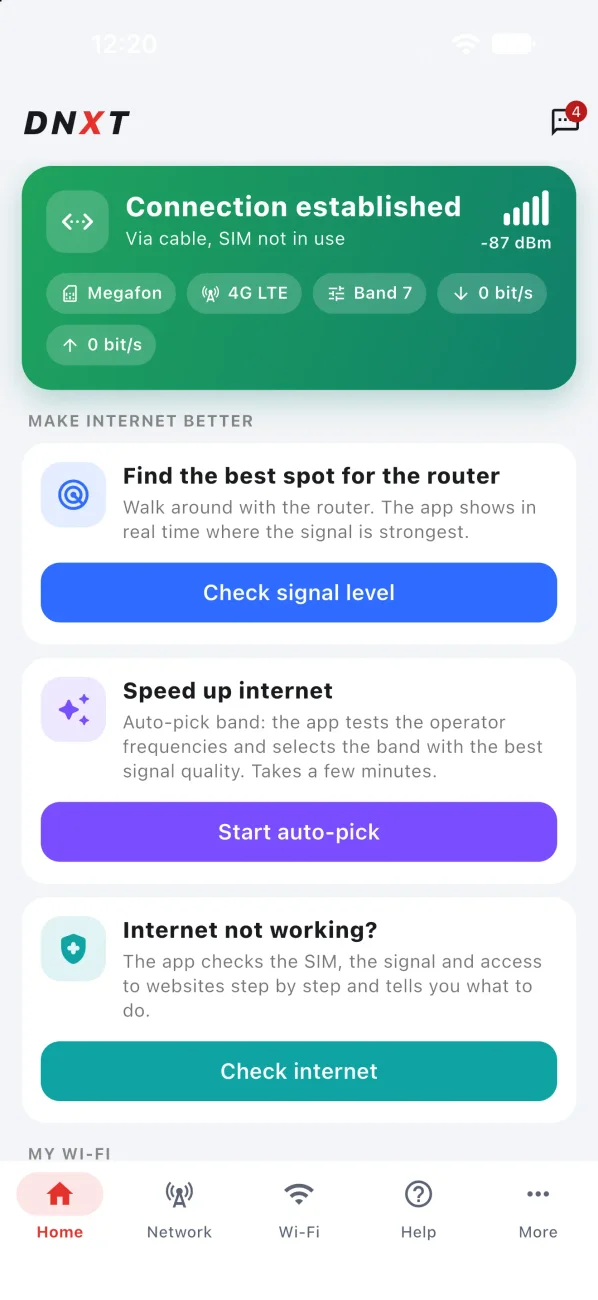
Manage your DNXT router or USB modem from your iPhone or iPad. Connect to its Wi-Fi network to view connection status, change supported settings and troubleshoot internet access.
COMPATIBLE HARDWARE
DNXT CPE906 and ED126 routers, and the DNXT U7-E8 USB modem. A compatible device is required and sold separately. Available features depend on the model and firmware; the app is not intended for other router brands.
WHAT YOU CAN DO
• View connection status, signal information and mobile network details.
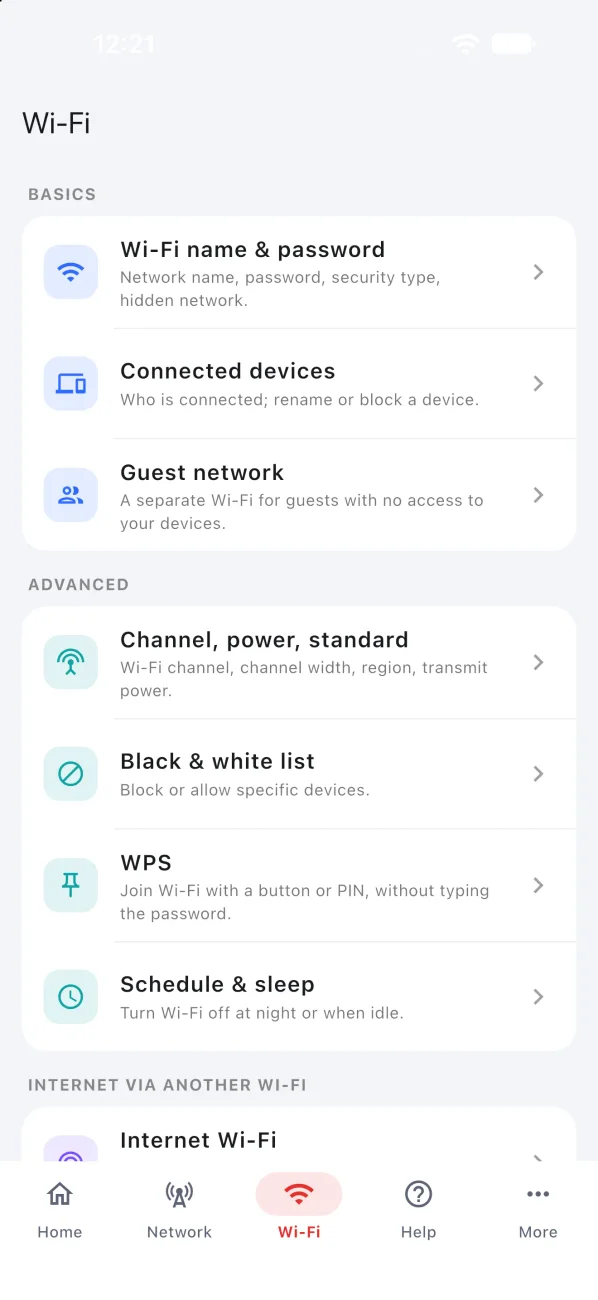
• Change the Wi-Fi name and password and view connected devices.
• Configure APN and other network settings supported by your device.
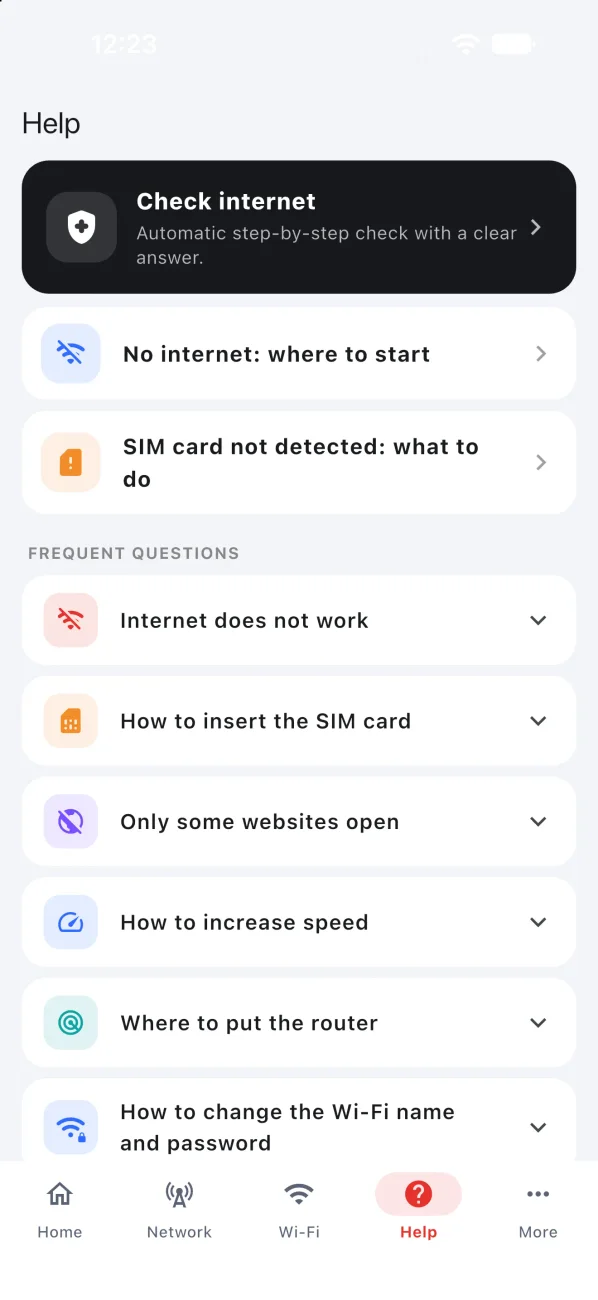
• Run internet connectivity checks with step-by-step guidance.
• Read messages on the router's SIM card where supported.
• Open DNXT setup guides and support contacts.
GET STARTED
1. Power on the router or connect the USB modem to a USB power source.
2. Join the device's Wi-Fi network in your iPhone or iPad settings.
3. Open DNXT and allow local network access.
4. Enter the router's administrator password when prompted.
No separate DNXT account is needed. The app communicates with the router over the local network. Internet checks and external support resources require an internet connection.
Internet service requires a compatible SIM and plan, or another internet source supported by the router. DNXT does not include mobile service or a VPN subscription. SIM and tariff compatibility depend on the hardware and operator.
Interface languages: English and Russian.
Support: https://dnxt-official.ru/support
Email: info@dnxt-official.ru
Nouveautés
Version 1.0.3 · 07/11/2026
Added support for another revision of the ED126 router. The app recognizes its firmware automatically and opens the familiar ED126 menus. For the new modem, we updated signal readings and LTE band selection. The app also checks the TTL value after you change it.
Confidentialité de l’application
Ce que Egor Samsonov déclare sur l’App Store au sujet du traitement des données par cette application.
-
Données établissant un lien avec vous
Peuvent être collectées et liées à votre identité.
- Diagnostic
Les pratiques en matière de confidentialité peuvent varier, notamment en fonction des fonctionnalités que vous utilisez ou de votre âge.
Informations
- Vendeur
- Egor Samsonov
- Catégorie
- Utilitaires
- Version
- 1.0.3
- Mis à jour
- 07/11/2026
- Publié
- 03/11/2026
- Taille
- 21,8 Mo
- Nécessite
- iOS 15.0 ou version ultérieure
- Classification d’âge
- 4+
- Langues
- Anglais
- Copyright
- © 2026 Egor Samsonov
Vous aimerez peut-être aussi
-
 Routerdesk: Box & test débitAdmin routeur, dépannage Wi-Fi
-
 VIVARIUSUtilitaires
-
 Oxid Network: Ping et scan LANDiagnostic Wi‑Fi et appareils
-
 BhiuUtilitaires
-
 IVE-50Utilitaires
-
 MyCitadel RouterUtilitaires
-
 Тест скоростиUtilitaires
-
 ProAovoUtilitaires
-
 LTE InfoUtilitaires
-
 Gardien WiFi : Vitesse ScanScan LAN, Recherche IP, Ping