
DocIt: Document Scanner
Scan. Sign. Lock. Measure. OCR
Conçue pour iPhone, iPad
Gratuit · Achats intégrés
- Classification d’âge4+
- CatégorieProductivité
- DéveloppeurCastleground LLC
- LanguesAnglais
- Taille12,0 Mo
Renvoie vers la page App Store officielle
Download.org n’héberge aucun fichier de DocIt: Document Scanner. Le bouton ouvre la page de l’application sur App Store, où Castleground LLC la publie. Fiche vérifiée pour la dernière fois le 20/11/2026.
Captures d’écran


À propos
Le développeur n’a pas fourni ce texte dans votre langue.
Scan, sign, measure, and organize - every kind of paperwork, all on-device. Free, ad-free, with private iCloud sync. No subscriptions, ever.
DocIt turns your iPhone camera into a full document workflow. Capture documents, IDs, receipts, books, photos, business cards, and passports with smart edge detection and the right filter for the type you picked. Sign them with your saved signature. Measure real-world objects in AR. Lock the private ones behind Face ID. Sync everything across your iPhone and iPad through your personal iCloud, the same encrypted storage as Apple Notes and Photos.
No ads. No subscriptions. No data collection. Built by one person who actually uses it.
FEATURES
SMART CAPTURE
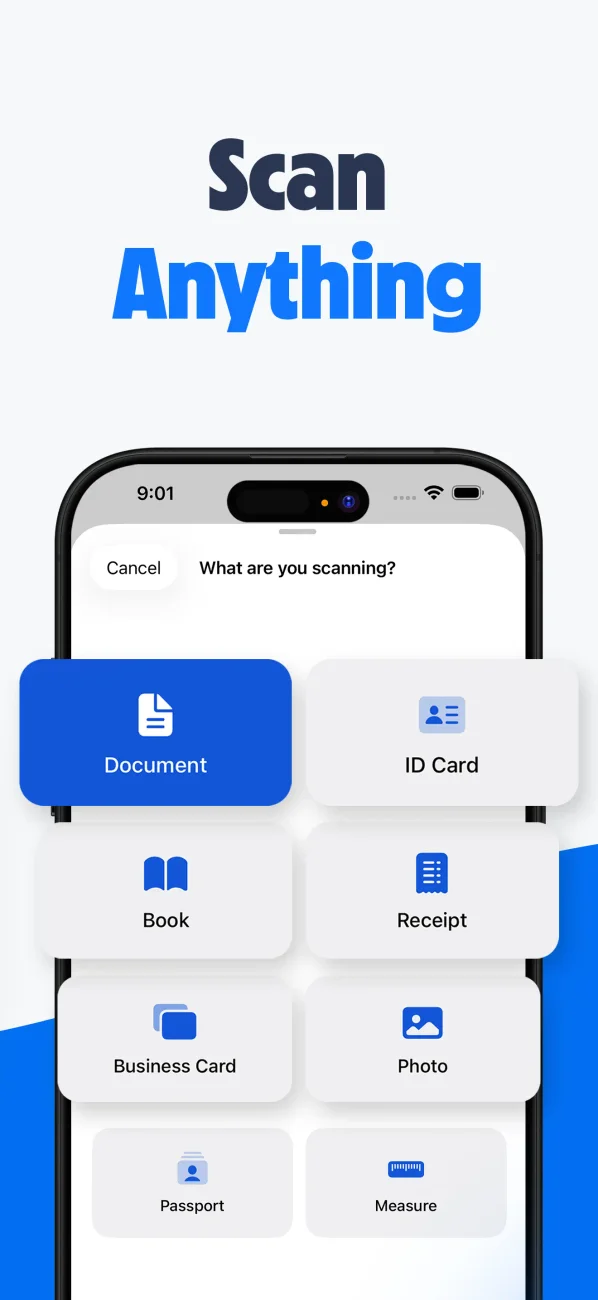
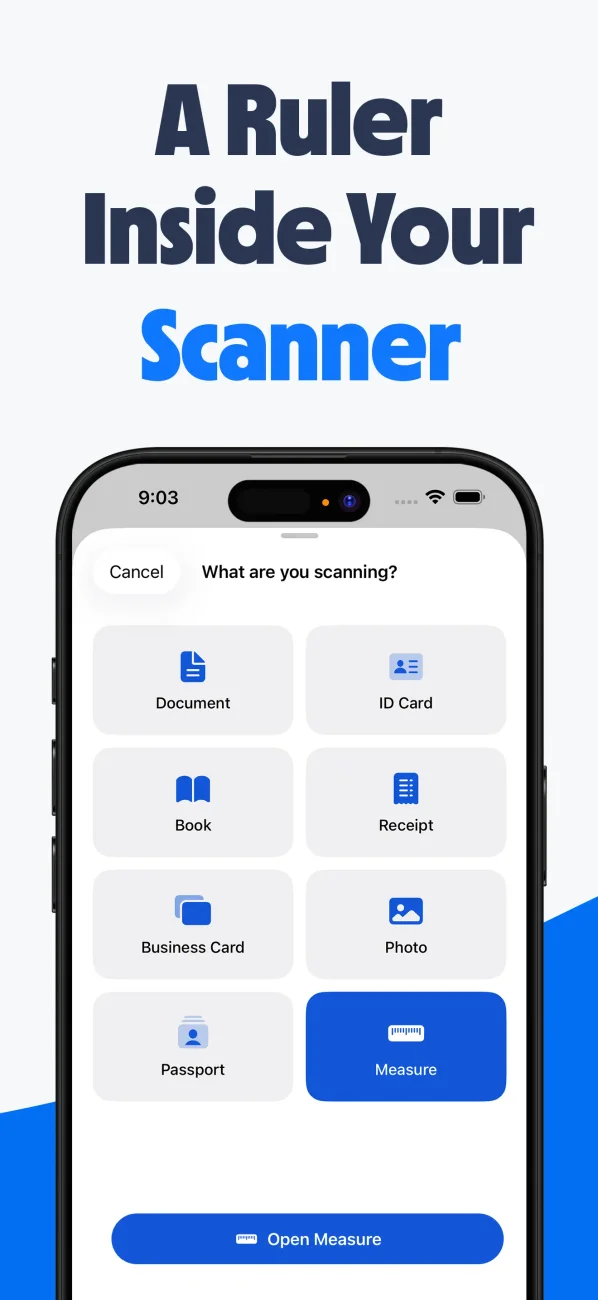
Pick what you are scanning: Document, ID Card, Book, Receipt, Business Card, Photo, or Passport. DocIt auto-tunes edge detection, perspective correction, and color filter for the type you picked.
AR MEASURE
Tap two points on any real-world surface to get exact distances. Desks, doorways, picture frames, room dimensions. Results save alongside your scans with measurements baked into the photo. Choose imperial or metric in Settings.
ON-DEVICE OCR
Every scan is run through Apple text recognition automatically. Search your library by content, copy text from any page, or share recognized text as plain .txt. Tap Edit to correct misreads or add notes.
MARKUP AND SIGN
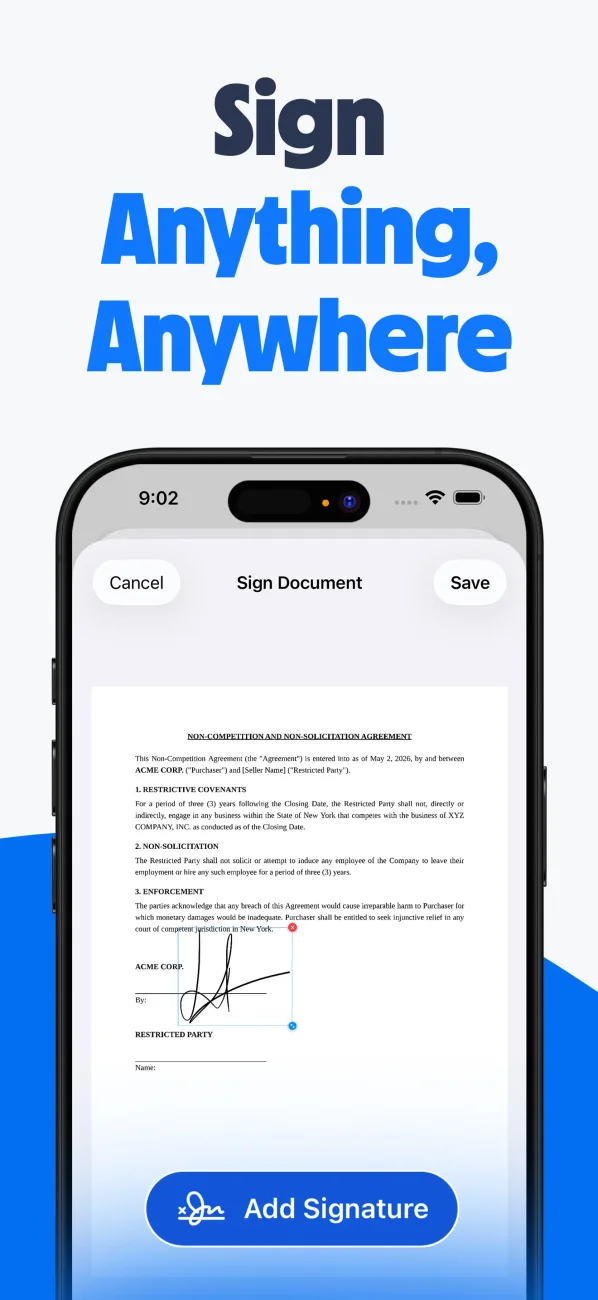
Pinch to zoom and draw with Apple Pencil or finger. Save signatures once and drop them onto any document. Drag to position, pinch or drag handles to resize, tap once for the remove button. Add editable text annotations alongside.
MANAGE PAGES
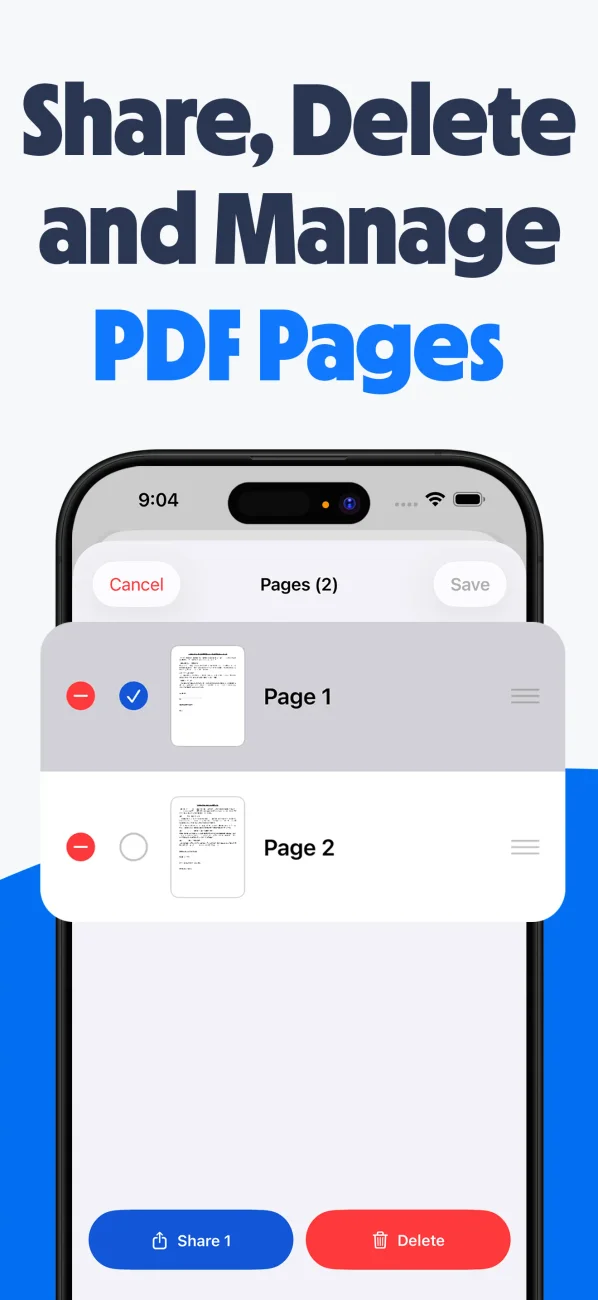
Reorder pages by drag, multi-select to delete or share specific pages, or duplicate a whole document into another folder. Page changes are non-destructive until you save.
PRIVATE FILES
Lock individual documents or whole folders with a 4-digit PIN. Optional Face ID, Touch ID, or Optic ID for one-glance unlock. The PIN lives in your device secure Keychain. Never synced to iCloud, never recoverable. One PIN, all your locked items.
ORGANIZE
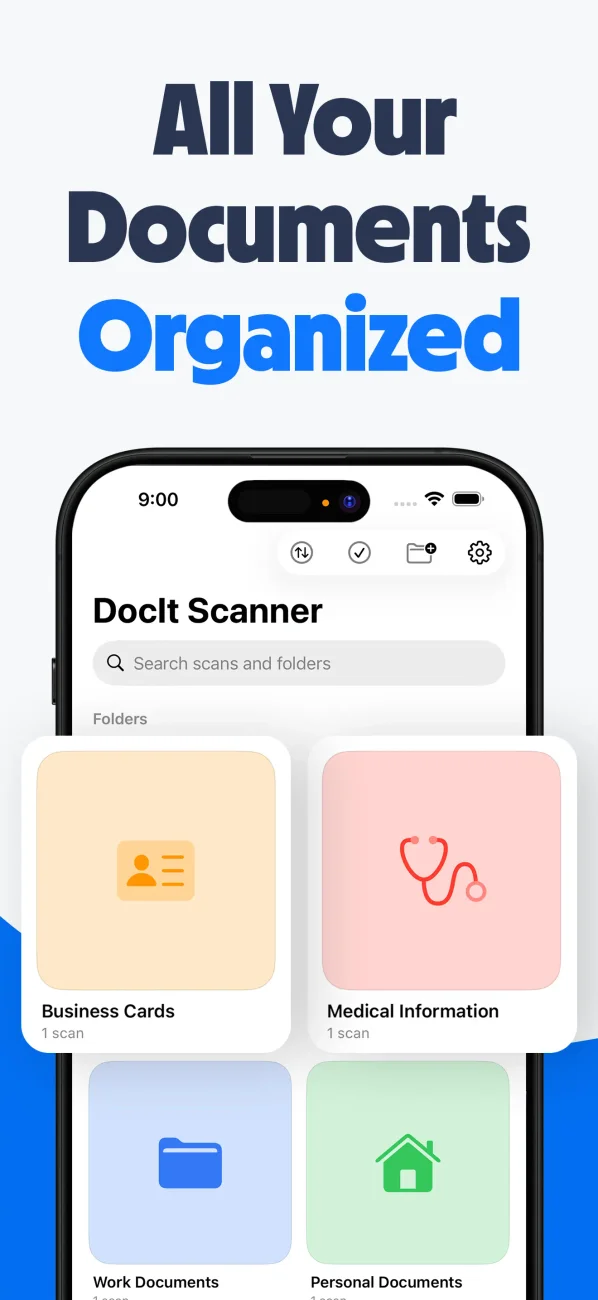
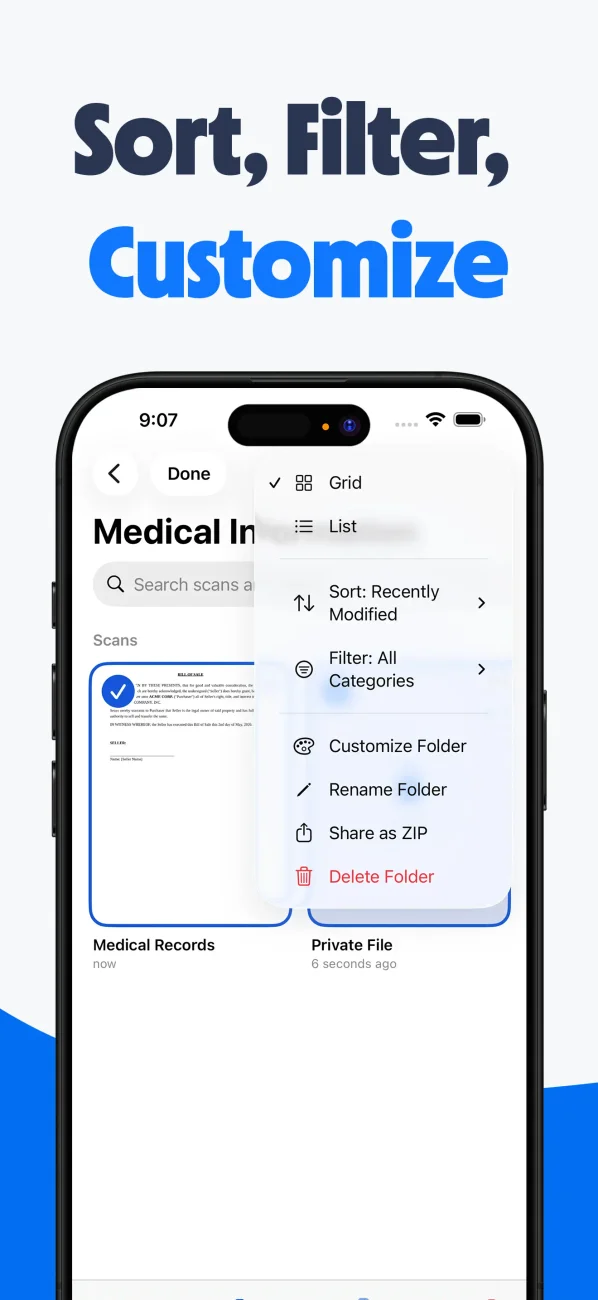
Nested folders with custom colors, emojis, and categories. Drag scans between folders, multi-select for bulk actions, merge several PDFs into one, share whole folders as ZIPs. Anything you delete waits in the Trash for 30 days.
SHARE EVERYWHERE
Share any scan as PDF, individual JPG, JPG ZIP for multi-page, or the plain recognized text. Or use any other app share sheet to send PDFs and images straight into DocIt.
ONE TAP FROM ANYWHERE
Pin DocIt to your Lock Screen, Control Center, or the Action Button. Or ask Siri: Scan with DocIt. A fresh scan is one tap away.
AUTO-UPLOAD TO YOUR CLOUD
Send every new scan straight to iCloud Drive, Dropbox, OneDrive, or Box. Wherever you already keep your files. No third-party logins to manage.
SYNCED PRIVATELY
Folders, scans, and recognized text sync across iPhone and iPad through your private iCloud. No third-party servers. Ever.
SIX APP ICONS
Pick from Classic, themed colors, or the Liberty (USA) edition. Switch from Settings then App Icon.
BUILT BY ONE PERSON
DocIt is built and maintained by a single indie developer. No VC, no growth team, no ad partners. The optional Tip Jar in Settings keeps the lights on, only if you want to.
We do not sell your data because we do not have your data. Everything happens on-device, syncs through your personal iCloud, and stays yours.
Questions or feedback? contact@castleground.co
Nouveautés
Version 1.0.7 · 23/09/2026
A major update for getting more done with your documents. Updated for iOS 27, with expanded PDF tools, a more useful split-screen workspace, and improvements to everyday speed and reliability.
MORE CONTROL OVER YOUR PDFs
• Add and edit text, comments, shapes, highlights, and signatures with clearer selection outlines and larger move, resize, and delete controls.
• Adjust fonts, colors, fills, and line widths. Keep track of your changes with the annotations list and undo/redo.
• Find text, redact sensitive information, or replace repeated words and phrases. Preview your changes, then apply them to the document or save a separate copy.
• Search scanned pages with on-device text recognition, or mark an area manually. Review matches before applying redactions.
A WORKSPACE THAT FITS YOU
• Keep your library and an open document side by side on supported screen sizes.
• Document tools and library settings stay in their own panes. Switch sides to suit your preferred hand.
• Improved rotation, compact iPhone layouts, and preservation of unfinished edits as the workspace changes.
BETTER EXPORTS AND SHARING
• Export a Word document that preserves each page's appearance, or choose text export when you need editable content.
• Create password-protected PDFs, optimize files for sharing, and add watermarks that remain visible in exported pages and printouts.
• Improved sharing reliability and background export processing to keep the interface responsive.
FIND, ORGANIZE, AND SIGN
• Optional Spotlight search helps you find documents by name, tags, and recognized text. Locked documents and Trash are excluded.
• Improved page organization, folder copying, moving, and Trash restoration.
• Share signature requests and verify returned files against local signing records. This file-based workflow does not provide independent identity verification.
POLISH THROUGHOUT
• Improved PDF editing feedback, menus, confirmations, and signature placement.
• Fixes for repeated redaction, export sharing, folder operations, and accidental renaming when opening documents.
The new document tools run on-device, with no paid conversion or signing service required. Thank you for supporting DocIt!
Confidentialité de l’application
Ce que Castleground LLC déclare sur l’App Store au sujet du traitement des données par cette application.
-
Données non collectées
Le développeur ne collecte aucune donnée à partir de cette application.
Les pratiques en matière de confidentialité peuvent varier, notamment en fonction des fonctionnalités que vous utilisez ou de votre âge.
Informations
- Vendeur
- Castleground LLC
- Catégorie
- Productivité
- Version
- 1.0.7
- Mis à jour
- 23/09/2026
- Publié
- 06/05/2026
- Taille
- 12,0 Mo
- Nécessite
- iOS 26.0 ou version ultérieure
- Classification d’âge
- 4+
- Prix
- Gratuit
- Achats intégrés
- Oui
- Langues
- Anglais
- Copyright
- © 2026 Castleground LLC
Vous aimerez peut-être aussi
-
 Whenable: Roadmap Your LifeProductivité
-
 Scanr Lens — Document ScannerProductivité
-
 Archive: Scanner de documentsPDF privé, sans cloud
-
 Nomostar: AI PDF Scanner AppScan Document, OCR & Translate
-
 Scanling – PDF Scanner & OCRSans abonnement, sans compte
-
 ScanMate : Scanner PDFSans pub. Sans filigrane.
-
 Aquael BTProductivité
-
 MausBot: Private AI AgentsProductivité
-
 AQUAEL AQU@RIUMProductivité
-
 MobiScan : Scanner PDF et OCRNumériser・Signer des documents