
Docker Server Admin
Docker, Linux Stats, SSH, SFTP
Conçue pour iPhone, iPad, iPod touch
Gratuit · Achats intégrés
- Classification d’âge4+
- CatégorieOutils de développement
- Développeur婉媚 邵
- LanguesAnglais
- Taille24,1 Mo
Renvoie vers la page App Store officielle
Download.org n’héberge aucun fichier de Docker Server Admin. Le bouton ouvre la page de l’application sur App Store, où 婉媚 邵 la publie. Fiche vérifiée pour la dernière fois le 12/11/2026.
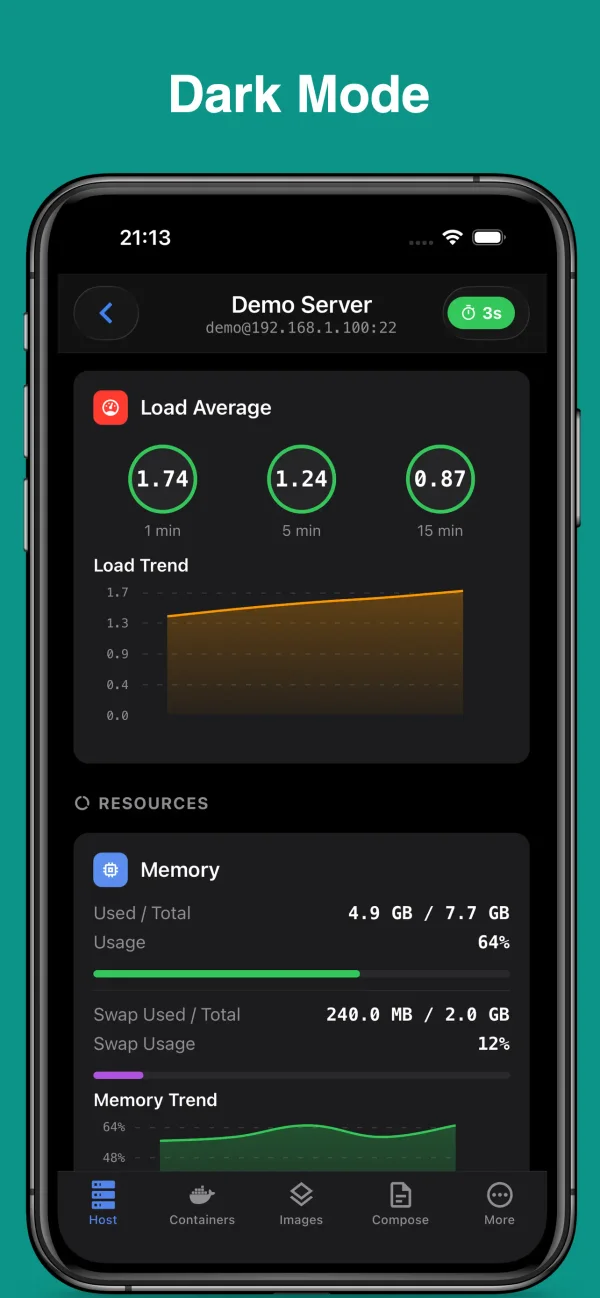
Captures d’écran
À propos
Le développeur n’a pas fourni ce texte dans votre langue.
Docker Server Admin – Comprehensive Docker and Linux Host Management. Monitoring and management of Docker containers, images, and Linux hosts through a secure SSH connection.
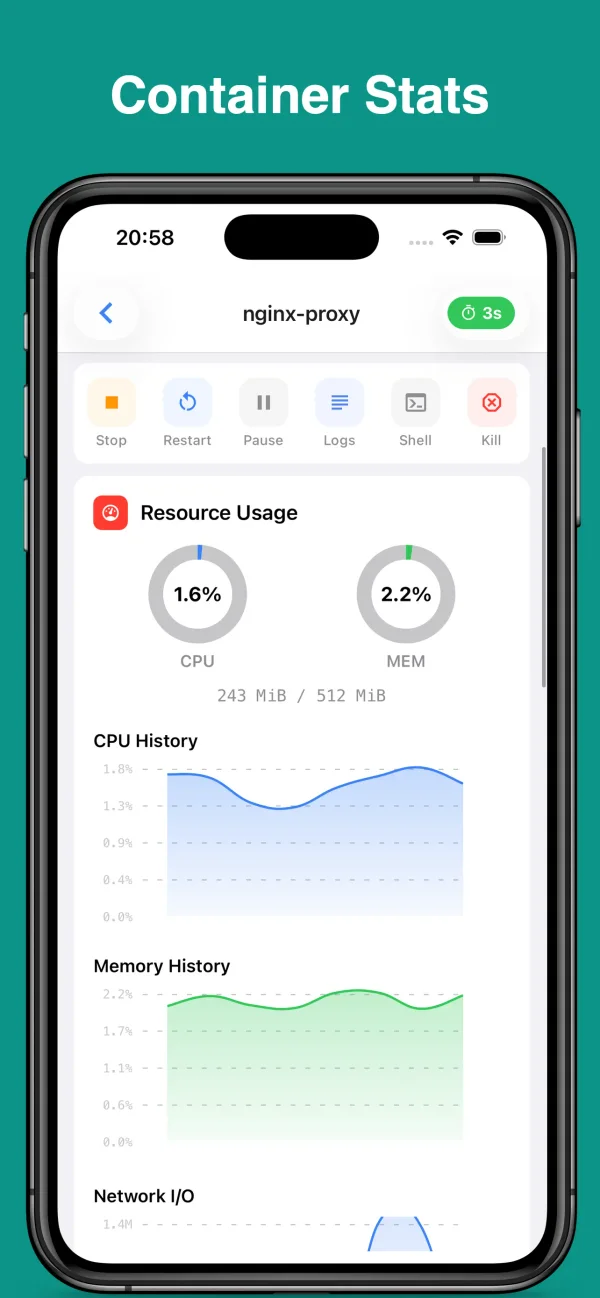
Docker Container Stats. Gain valuable insights into your Docker containers with detailed statistics:
* CPU Usage: Visualize real-time CPU data with comprehensive charts.
* Memory Usage: Track memory consumption with intuitive graphical representations.
* Disk I/O: Monitor disk read/write operations through detailed charts.
* Network I/O: Analyze network traffic with line charts showing data transfer rates.
Linux Host Stats Dashboard. Keep your Linux hosts in check with a robust stats dashboard:
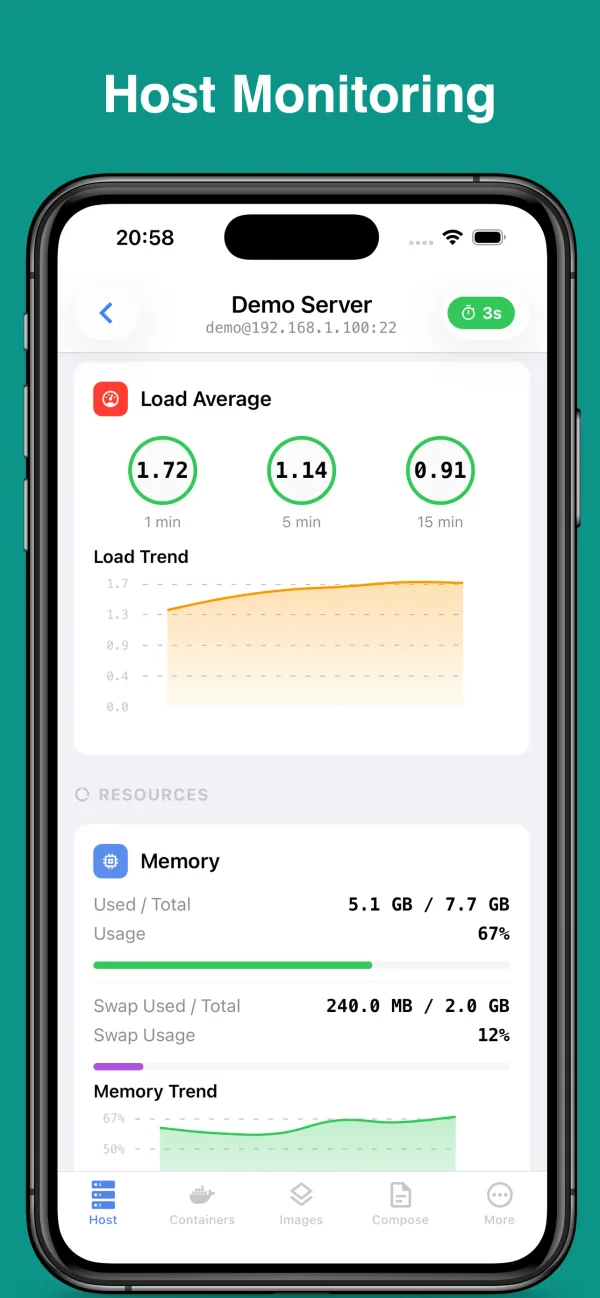
* Load Averages: View load averages over 1 minute, 5 minutes, and 15 minutes.
* CPU Load: Access charts displaying overall and per-core CPU load.
* Memory, Swap & Disk Usage: Monitor memory, swap, and disk utilization in real-time.
* Disk I/O: Get insights into disk transactions per second and read/write rates.
* Network I/O: Track transmission (TX) and reception (RX) rates for comprehensive network monitoring.
Docker Container Management. Easily manage your Docker containers with a user-friendly interface:
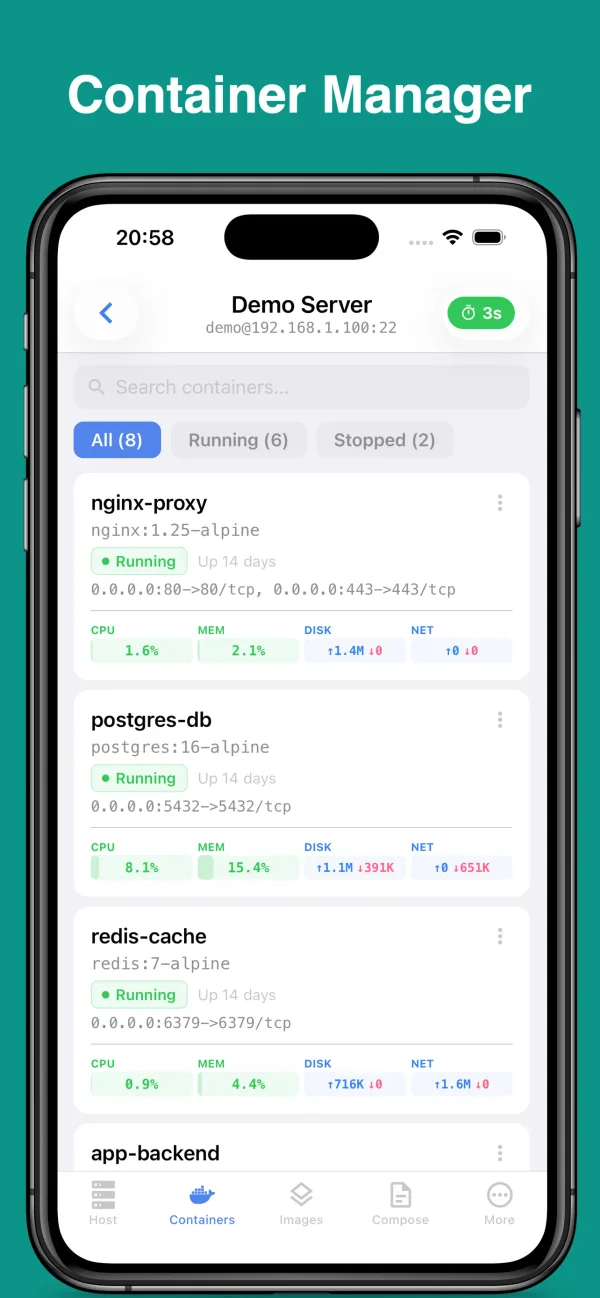
* Container Overview: View a list of containers with names, IDs, statuses, and port mappings.
* Container Control: Start, stop, restart, or remove containers as needed.
* Inspect & Logs: Inspect container details and access logs for troubleshooting.
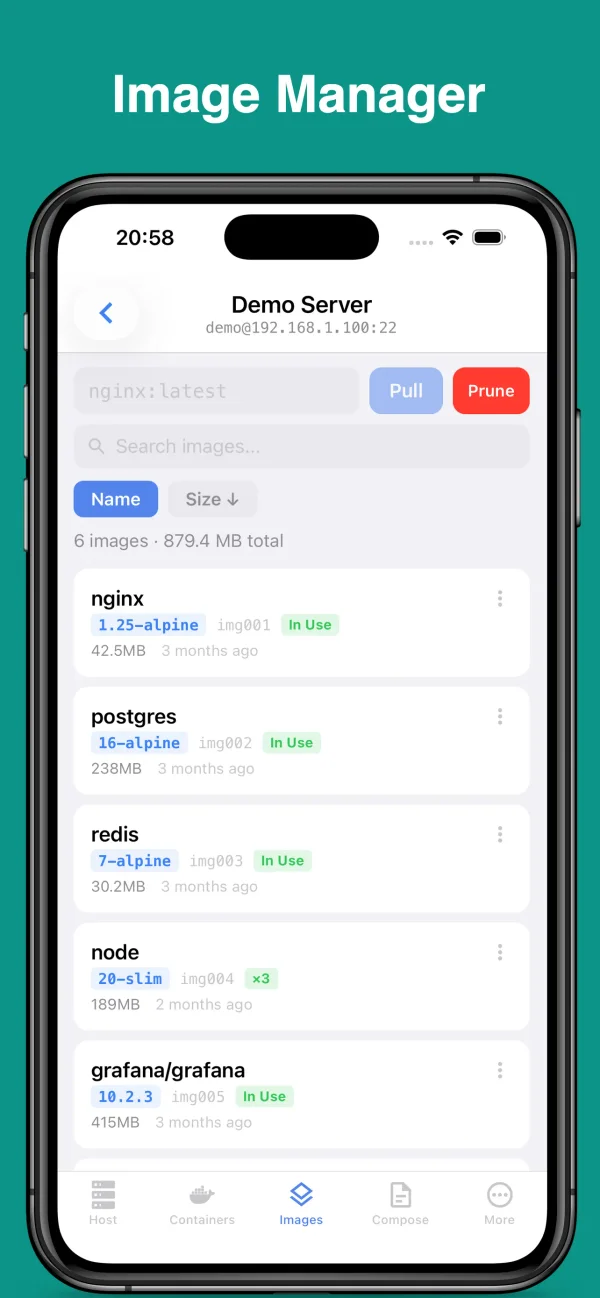
Docker Image Management. Manage your Docker images with powerful tools:
* Image Overview: Access a list of images, including names, IDs, and versions.
* Image Control: Run containers from images, inspect image details, pull new images, or delete unwanted ones.
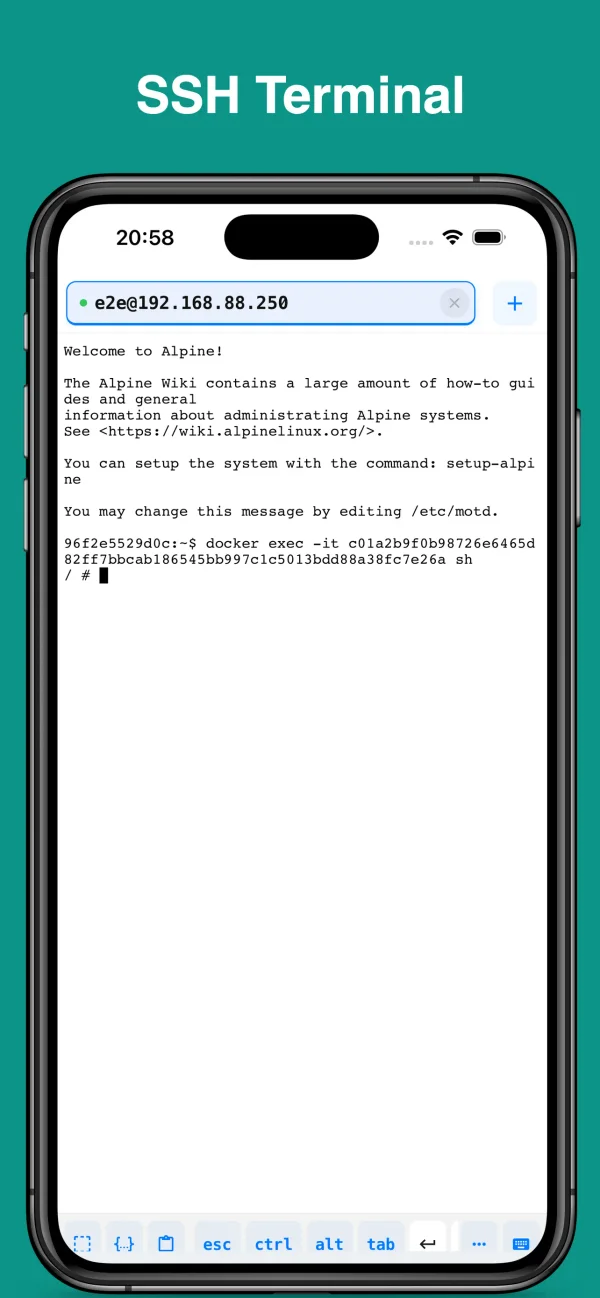
SSH Terminal: The built-in SSH client offers full access to your host system's command line, empowering you to perform administrative tasks remotely:
* Jump Host & Proxy Support: Connect securely via SSH jump hosts or SOCKS5 proxies, enabling you to manage servers in layered network environments.
* Interactive Terminal: Experience a fully interactive terminal that supports real-time command execution, run complex scripts and commands with ease.
* Command Management: Benefit from features such as command snippets, making it easy to reuse previous commands.
* Copy and Paste Functionality: Quickly copy and paste text between your device and the terminal, simplifying the workflow when working with scripts or configuration files.
* Startup & Batch Snippets: Automate your routine tasks with predefined startup snippets or execute batch commands across multiple sessions, saving time and increasing productivity.
* Session Persistence: Keep your sessions active for long-running tasks, allowing you to disconnect and reconnect without losing your place.
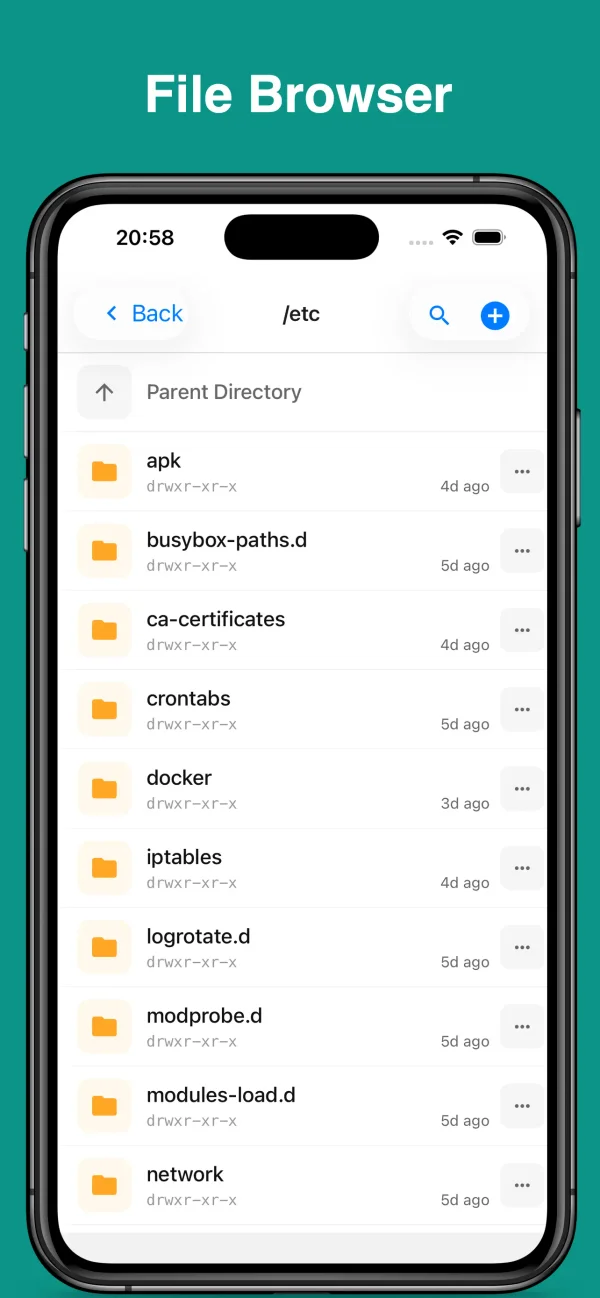
SFTP Explorer: Efficiently manage files on your server:
* File & Directory Management: Upload, download, edit, move, rename, and delete files easily.
* Streamlined Workflow: Perform operations on files and folders effortlessly, ensuring efficient handling of file transfers or system updates.
* User-Friendly Navigation: Browse directories smoothly while managing file permissions directly from the app.
The app is a docker third-party client, the app is not affiliated with Docker Corporation.
Payment will be charged to iTunes Account at confirmation of purchase.
Subscription automatically renews unless auto-renew is turned off at least 24-hours before the end of the current period.
Account will be charged for renewal within 24-hours prior to the end of the current period, and identify the cost of the renewal.
Subscriptions may be managed by the user and auto-renewal may be turned off by going to the user's Account Settings after purchase.
Any unused portion of a free trial period, if offered, will be forfeited when the user purchases a subscription to that publication, where applicable.
Terms of use: https://septudio.com/terms-of-use
Privacy policy: https://septudio.com/privacy-policy
Nouveautés
Version 2.0 · 20/04/2026
Adapted for iOS 26
Confidentialité de l’application
Ce que 婉媚 邵 déclare sur l’App Store au sujet du traitement des données par cette application.
-
Données n’établissant aucun lien avec vous
Peuvent être collectées, mais ne sont pas liées à votre identité.
- Diagnostic
Les pratiques en matière de confidentialité peuvent varier, notamment en fonction des fonctionnalités que vous utilisez ou de votre âge.
Informations
- Vendeur
- 婉媚 邵
- Catégorie
- Outils de développement
- Version
- 2.0
- Mis à jour
- 20/04/2026
- Publié
- 26/11/2021
- Taille
- 24,1 Mo
- Nécessite
- iOS 15.1 ou version ultérieure
- Classification d’âge
- 4+
- Prix
- Gratuit
- Achats intégrés
- Oui
- Langues
- Anglais
- Copyright
- © 2021 Wanmei
Vous aimerez peut-être aussi
-
 Docker ManagementOutils de développement
-
 Docker Manager GUI - WhaleDeckMoniteur Unraid et Linux
-
 NeoServer SSH Client|TerminalMosh SFTP Docker Server PuTTY
-
 Yomo: Docker & PortainerOutils de développement
-
 ServerCat - SSH TerminalSurveillance, shell & plus
-
 Secure TerminalOutils de développement
-
 JellyCutsOutils de développement
-
 PortX - SSH (Deprecated)Outils de développement
-
 MySQL Mobile ClientOutils de développement
-
 Terminal & SSHOutils de développement