DocUpick: Document Scanner
Scan text into smart notes
Conçue pour iPhone, iPad
3,99 €
- Classification d’âge4+
- CatégorieProductivité
- DéveloppeurRobert Corbin
- LanguesAnglais
- Taille4,5 Mo
Renvoie vers la page App Store officielle
Download.org n’héberge aucun fichier de DocUpick: Document Scanner. Le bouton ouvre la page de l’application sur App Store, où Robert Corbin la publie. Fiche vérifiée pour la dernière fois le 23/11/2026.
Captures d’écran

À propos
Le développeur n’a pas fourni ce texte dans votre langue.
DocUpick turns paper into smart notes you can find, read, summarize and reuse, all on your iPhone or iPad, with no account and nothing uploaded.
NEW IN 5.0
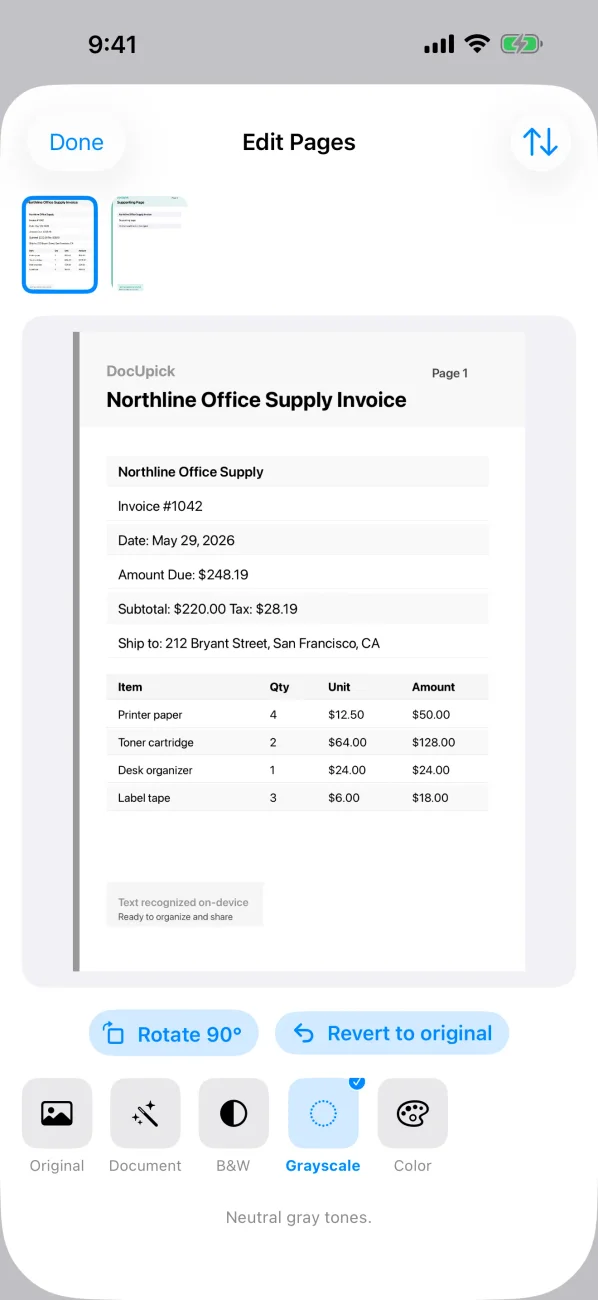
• Edit pages without losing the scan: filters and rotation are always applied to the untouched capture, and Revert to original brings it back.
• Password-protected PDFs: set a password in Export PDF and the file asks for it before it opens. DocUpick doesn't keep the password.
• One export sheet for everything: page size (Auto, Letter or A4), compression, a searchable text layer, a password and a watermark, together.
• Smaller "Small" and "Medium" PDFs: compression now really reduces image size, and Auto pages are shaped like the scan at a normal page size.
• Safer with long documents: imported PDFs are read one page at a time and exports load one page at a time. If a page can't be saved, or its image can't be read for an export, DocUpick tells you instead of quietly leaving it out.
• Deleting a page asks first, and deleted documents no longer send expiry reminders. With App Lock on, reminders don't show the document title.
SCAN ANYTHING WITH TEXT
Receipts, invoices, letters, forms, business cards, whiteboards and handwritten notes. Multi-page camera scanning with edge detection and perspective correction, or import from Photos and Files (PDFs that already contain text keep it exactly). Text recognition runs on-device in the languages you choose; check important numbers against the page.
SMART NOTES
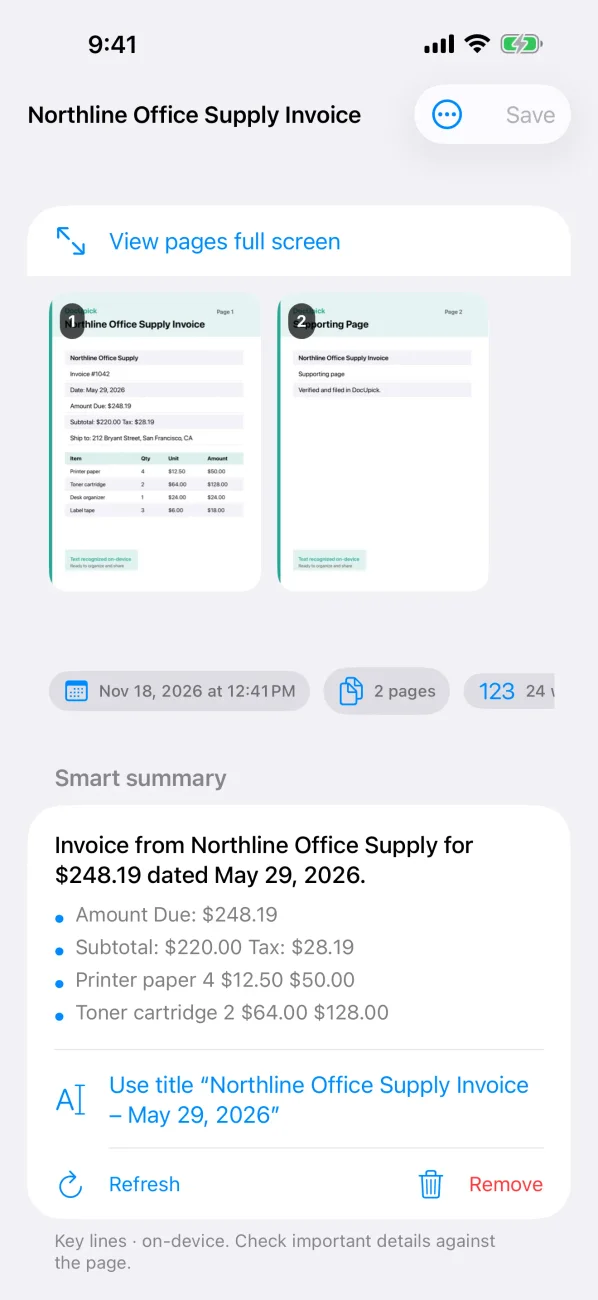
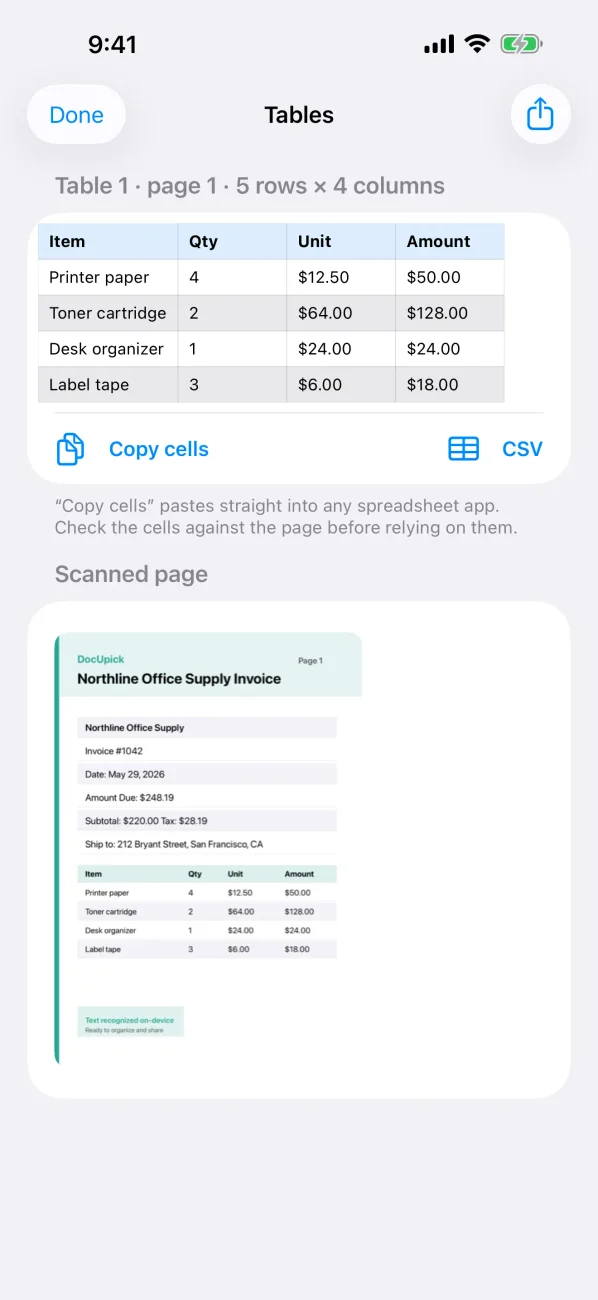
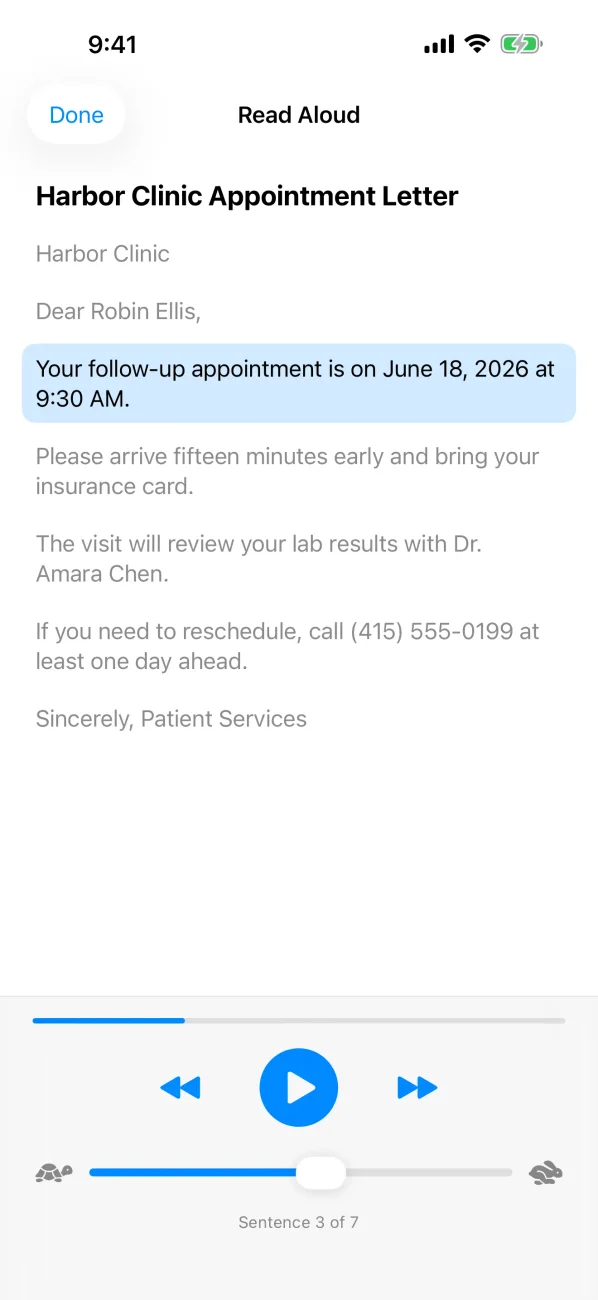
Every scan gets its recognized text, a detected document type, and tap-to-act phone numbers, emails, links, addresses and dates. Receipts and invoices show merchant, total and date. Business cards become a shareable contact card. QR codes and barcodes are detected too. Tables become a grid you can copy or share as CSV. Read Aloud highlights each sentence. Smart summary uses Apple Intelligence on supported devices and picks key lines everywhere else; every summary says how it was made.
FIND IT FAST
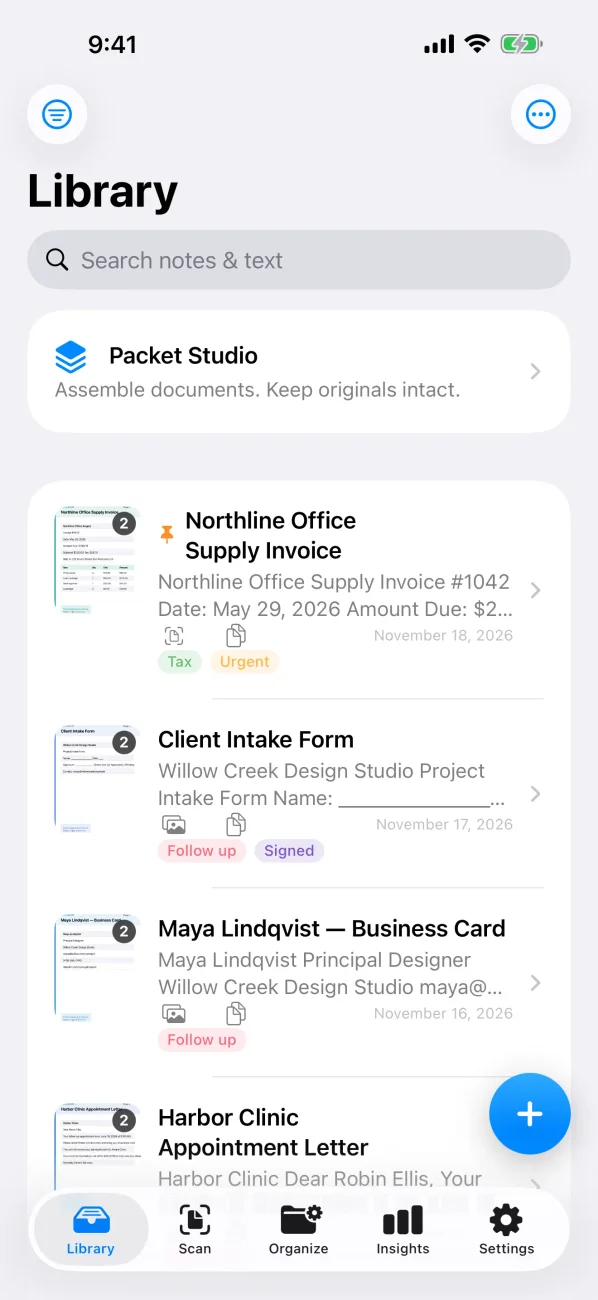
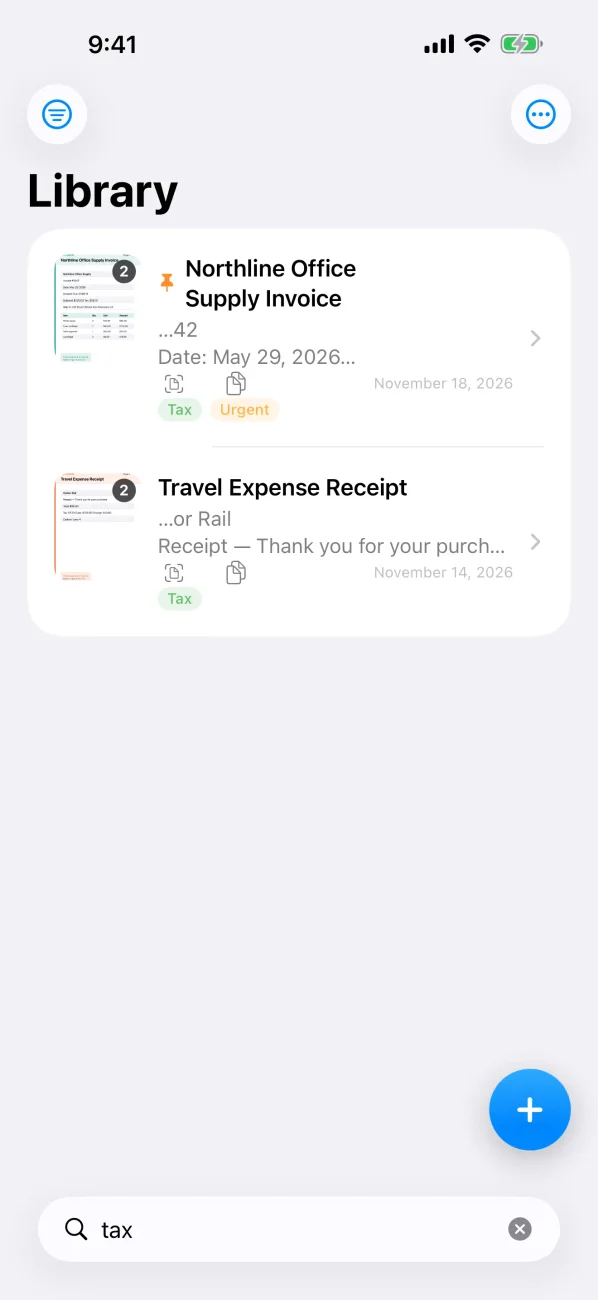
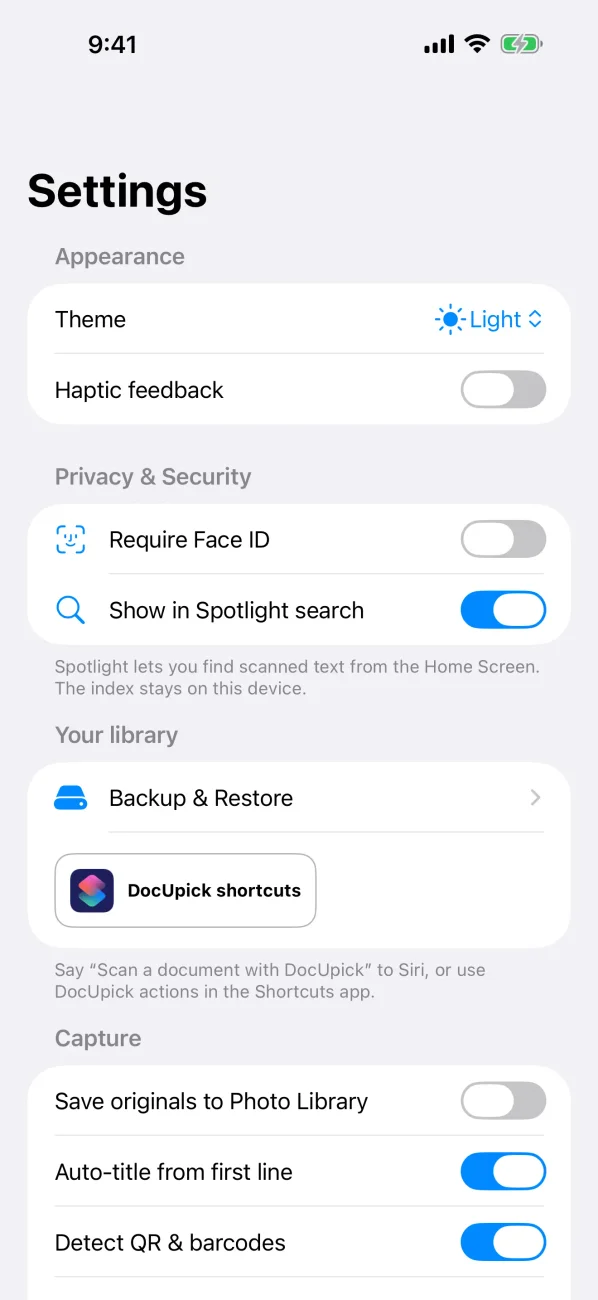
Ranked full-text search across titles, recognized text, tags and folders, with the matching words highlighted. Folders with color and icon, tags, pins, filters and sort options. Optional Spotlight search from the Home Screen, plus Siri and Shortcuts actions.
SHARE IT YOUR WAY
Image PDFs, searchable PDFs with a hidden text layer, password-protected PDFs, text-only PDFs, adjustable size and watermark, automatic file names from the document's content, CSV export of your library, and Packet Studio for ordered multi-document PDF packets with a cover and contents page.
KEEP IT TIDY
Page filters, rotation and reordering, merging notes, expiry dates with reminders, an Insights view of your library and a review queue for scans that need attention.
PRIVATE BY DESIGN
No account, no ads, no tracking, no analytics and no servers. Your documents stay in DocUpick on your device until you choose to share them. App Lock (Face ID, Touch ID or passcode) and single-file Backup & Restore are built in; restoring adds what's missing and never overwrites anything.
iPhone and iPad. Works offline. Apple Intelligence summaries require a supported device with Apple Intelligence turned on; everything else works on every supported device.
Nouveautés
Version 5.0 · 20/11/2026
DocUpick 5.0
• Page filters and rotation no longer change the scan itself: they are applied to the kept original, switching filters doesn't stack them, and Revert to original brings the capture back. Pages edited before 5.0 keep their current image as the original.
• Password-protected PDF export, and one Export PDF sheet with page size, compression, searchable text, password and watermark.
• Fixed: Small and Medium PDFs were larger than intended; Auto page size now uses a normal page size.
• Long PDFs import one page at a time, and exports load one page at a time.
• If a page image can't be saved or read, DocUpick now says so instead of saving a broken note or leaving the page out of a PDF.
• Deleting a page asks first. Deleted and merged documents no longer send expiry reminders, and reminders hide the title while App Lock is on.
Confidentialité de l’application
Ce que Robert Corbin déclare sur l’App Store au sujet du traitement des données par cette application.
-
Données non collectées
Le développeur ne collecte aucune donnée à partir de cette application.
Les pratiques en matière de confidentialité peuvent varier, notamment en fonction des fonctionnalités que vous utilisez ou de votre âge.
Informations
- Vendeur
- Robert Corbin
- Catégorie
- Productivité
- Version
- 5.0
- Mis à jour
- 20/11/2026
- Publié
- 03/06/2026
- Taille
- 4,5 Mo
- Nécessite
- iOS 17.0 ou version ultérieure
- Classification d’âge
- 4+
- Prix
- 3,99 €
- Langues
- Anglais
- Copyright
- © 2026 Robert Corbin
Vous aimerez peut-être aussi
-
 SN MindMapProductivité
-
 MusicLib - Sheet Music LibraryProductivité
-
 OryneProductivité
-
 ScanTo Pro : Scanner PDF OCRNumériser documents et reçus
-
 Minds: Mind Map, Notes & IdeasProductivité
-
 ScanLite: Scanner and OCRScan PDF and image en texte
-
 Atelier TablesProductivité
-
 Notestream: Fast Notes to SelfProductivité
-
 Swoopbox: Archive & CopieEnregistrez, copiez-collez
-
 Clew: Highlights and NotesProductivité