
Draw – Native Whiteboard
Ideas, sketches & diagrams
Conçue pour iPhone, iPad, Mac
Gratuit
- Classification d’âge4+
- CatégorieProductivité
- DéveloppeurArman Samary
- LanguesAnglais+ 1 de plus
- Taille12,7 Mo
Renvoie vers la page App Store officielle
Download.org n’héberge aucun fichier de Draw – Native Whiteboard. Le bouton ouvre la page de l’application sur App Store, où Arman Samary la publie. Fiche vérifiée pour la dernière fois le 17/11/2026.
Captures d’écran

À propos
Le développeur n’a pas fourni ce texte dans votre langue.
Give your ideas room.
Draw is a native whiteboard for iPhone, iPad and Mac. Capture thoughts, sketch workflows and turn scattered notes into a clear plan on a freely navigable canvas with a hand-drawn feel.
SKETCH AND ORGANIZE
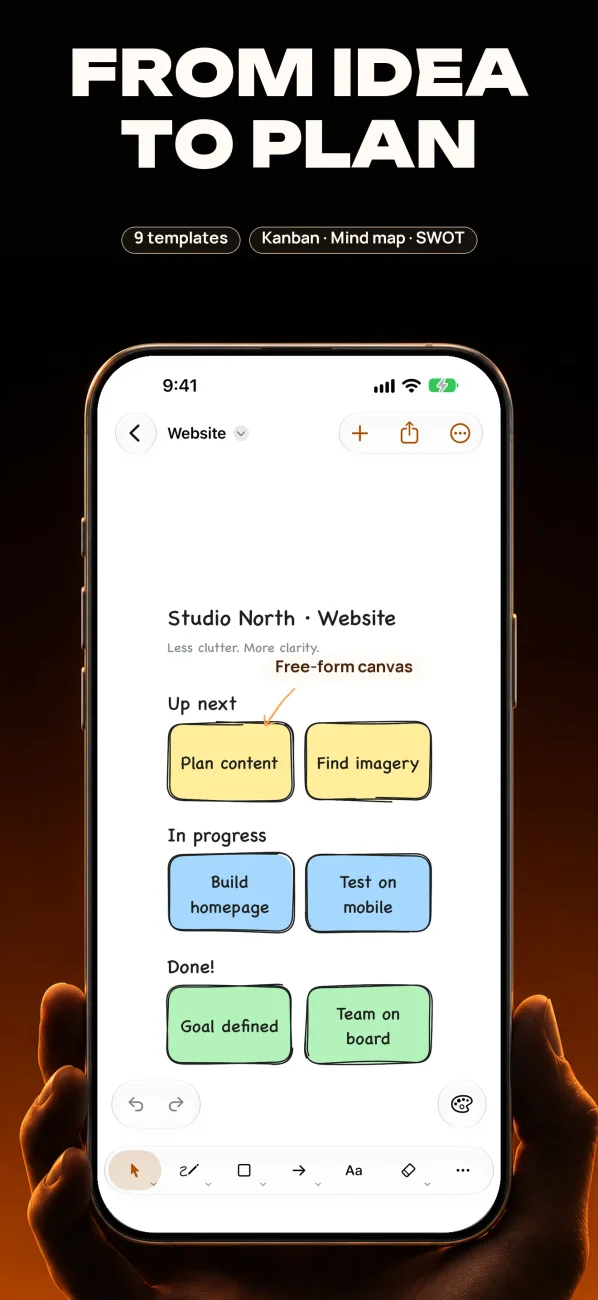
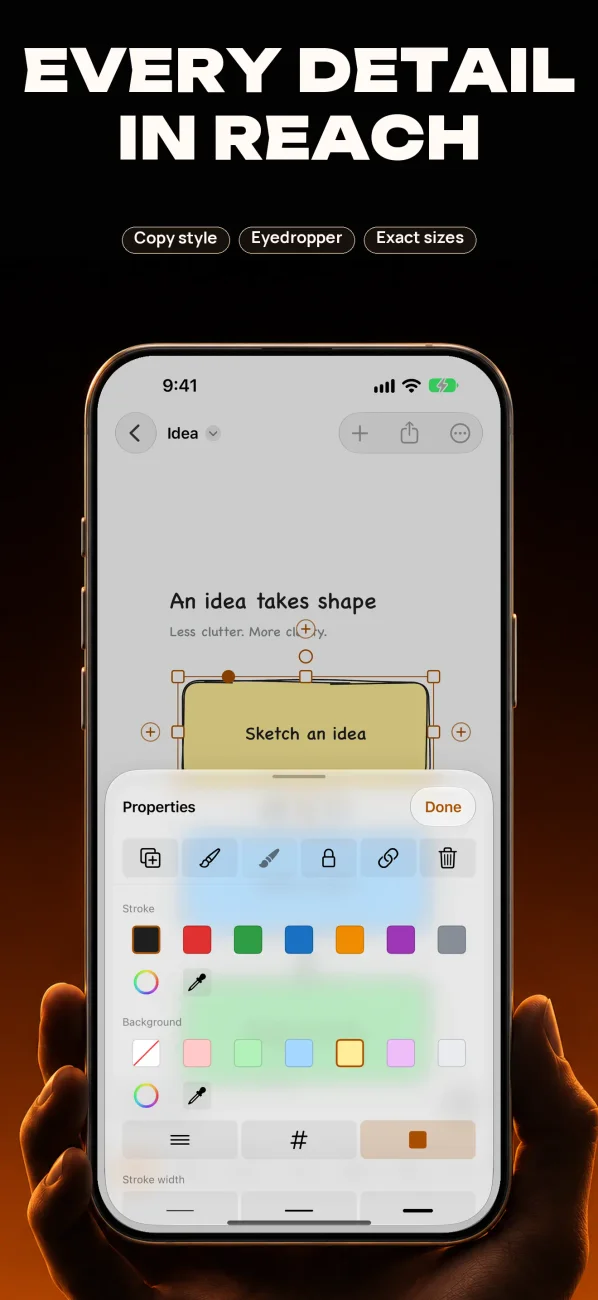
Work with pens, highlighters, shapes, arrows and sticky notes. Connections stay attached when you move shapes. Colors, fills, lines and text are set in the properties panel, with the most common actions right at the top. Copy Style carries a look over to other objects, the eyedropper picks colors straight from the board, and position, size and rotation can be entered as numbers.
FROM IDEA TO DIAGRAM
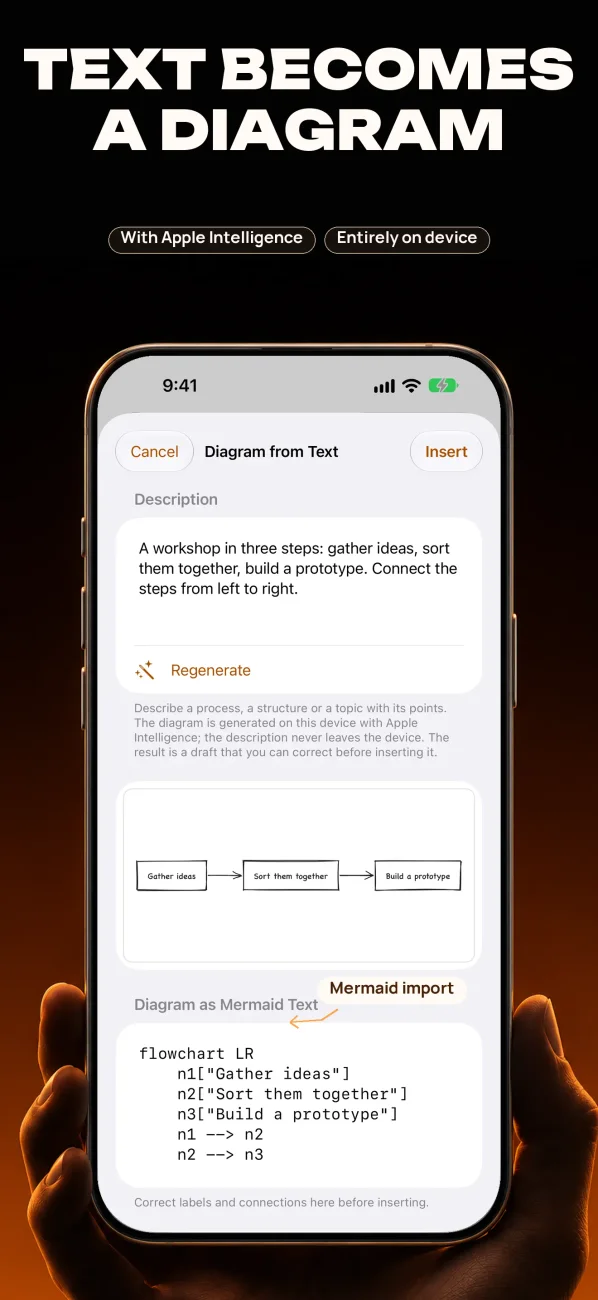
Start with nine templates, from mind map and Kanban to weekly plan and SWOT. Diagram from Text turns a description into a laid-out diagram, using Apple Intelligence entirely on your device. Import Mermaid flowcharts with a live preview, and let Auto Arrange tidy up diagrams you already have.
IMAGES, SYMBOLS AND BUILDING BLOCKS
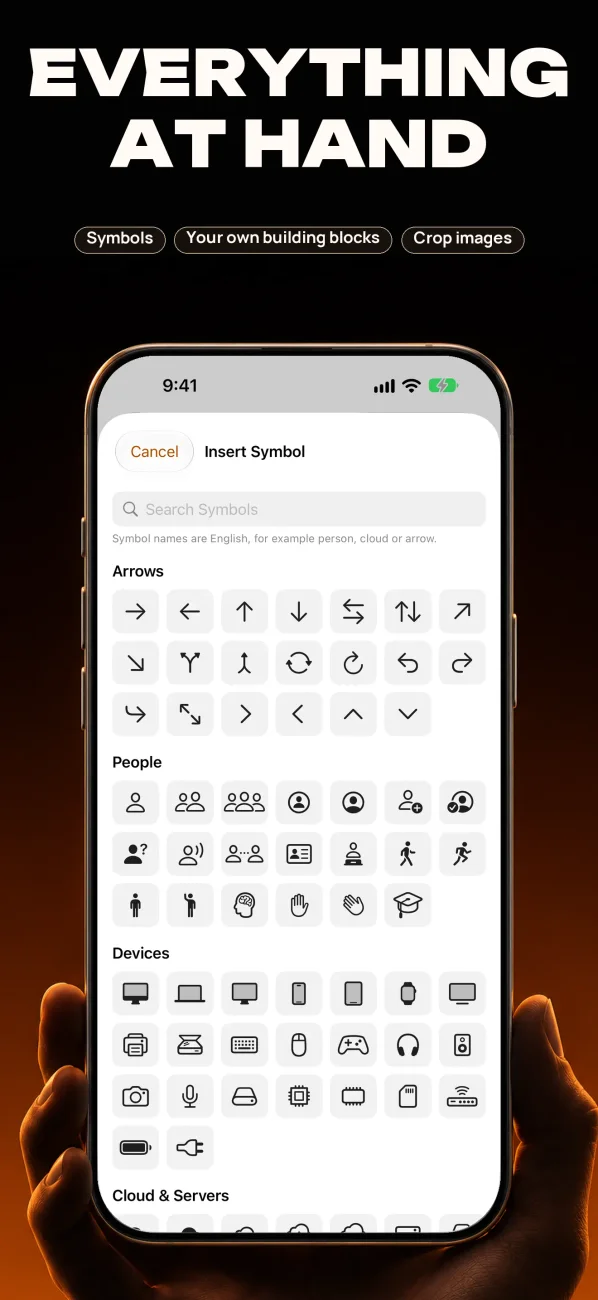
Add photos and crop images right on the board. On iPad and Mac, the side panel keeps your library, symbols and layers at hand; drag items straight onto the canvas. Save your own building blocks to the library.
MADE FOR APPLE PENCIL ON IPAD
Sketch with pressure-sensitive strokes. Hold a stroke and shape recognition turns it into a clean shape. Convert selected handwriting into text using recognition that runs on your device.
PRESENT AND SHARE
Organize a board into frames and show them as slides, with speaker notes if you like. Objects can link to frames and take you there while presenting. Export a board, a selection or individual frames as PNG, SVG or PDF, copy them to the clipboard or share them directly. Excalidraw files and HTML export are supported too.
YOUR FILES, YOUR WORKSPACE
Boards are .draw files, stored locally or in iCloud Drive, where they are available across your devices. Drawing requires neither a Draw account nor an internet connection.
PART OF YOUR MAC WORKFLOW
Keyboard shortcuts, the command palette and Shortcuts speed things up. The local MCP server lets compatible AI tools that you connect read and edit boards. Draw does not include an AI service.
Nearby collaboration and SharePlay are available in beta. Diagram from Text requires a device with Apple Intelligence. Some Apple Pencil features depend on your Pencil and iPad model.
Questions or feedback? Visit https://www.ais-con.com/draw/support.html
Nouveautés
Version 1.2 · 11/11/2026
Draw 1.2 is the biggest update so far.
• Diagram from Text: describe a process and Draw draws the diagram, using Apple Intelligence entirely on your device (on supported devices).
• A new start: a launch screen with templates on iPhone and iPad, a welcome window on Mac.
• Side panel on iPad and Mac for library, symbols and layers. Drag items straight onto the board.
• Reorganized properties. New: copy and paste style, eyedropper, recent colors, and position and size as numbers.
• Crop and flip images, and add photos directly.
• Present with speaker notes; objects can link to frames.
• Mermaid import with live preview, and Auto Arrange for existing diagrams.
• Export with copy, share, pixel size and dark appearance.
• Many fixes, including dark mode, the tool bar and the on-screen keyboard.
Confidentialité de l’application
Ce que Arman Samary déclare sur l’App Store au sujet du traitement des données par cette application.
-
Données non collectées
Le développeur ne collecte aucune donnée à partir de cette application.
Les pratiques en matière de confidentialité peuvent varier, notamment en fonction des fonctionnalités que vous utilisez ou de votre âge.
Informations
- Vendeur
- AIS Consulting UG (haftungsbeschrankt)
- Catégorie
- Productivité
- Version
- 1.2
- Mis à jour
- 11/11/2026
- Publié
- 06/10/2026
- Taille
- 12,7 Mo
- Nécessite
- iOS 26.0 ou version ultérieure
- Classification d’âge
- 4+
- Prix
- Gratuit
- Langues
- Anglais, Allemand
- Copyright
- © 2026 AIS Consulting
Vous aimerez peut-être aussi
-
 WhiteboardGenie: STEM NotesProductivité
-
 Penglide: Notes, PDF, TutoringProductivité
-
 SafeLoft: Password ManagerProductivité
-
 ONarrator : Lire à voix hauteSynthèse vocale PDF et EPUB
-
 Mindz Pro - Carte MentalePlan, Tableau & Editor
-
 Xcalidraw Tableau BlancCarte Mentale, Diagramme
-
 VybitProductivité
-
 Paperly: PDF Editor & SignProductivité
-
 Jot - Instant Brain DumpProductivité
-
 RLM-17BX CalculatorProductivité