- Classification d’âge12+
- CatégorieDivertissement
- DéveloppeurNoah Banks
- LanguesAnglais
- Taille8,2 Mo
Druthers n’est peut-être pas disponible sur App Store pour le moment
La fiche de la boutique était inaccessible lors de notre dernière vérification. Le lien mène toujours à la page App Store officielle.
Captures d’écran
À propos
Le développeur n’a pas fourni ce texte dans votre langue.
Druthers is a podcast player built around one queue that fills itself. You add what you want, it suggests the rest, and every suggestion tells you why it's there.
It also skips the ads it finds and makes a transcript of everything you download, all on your phone.
ONE QUEUE
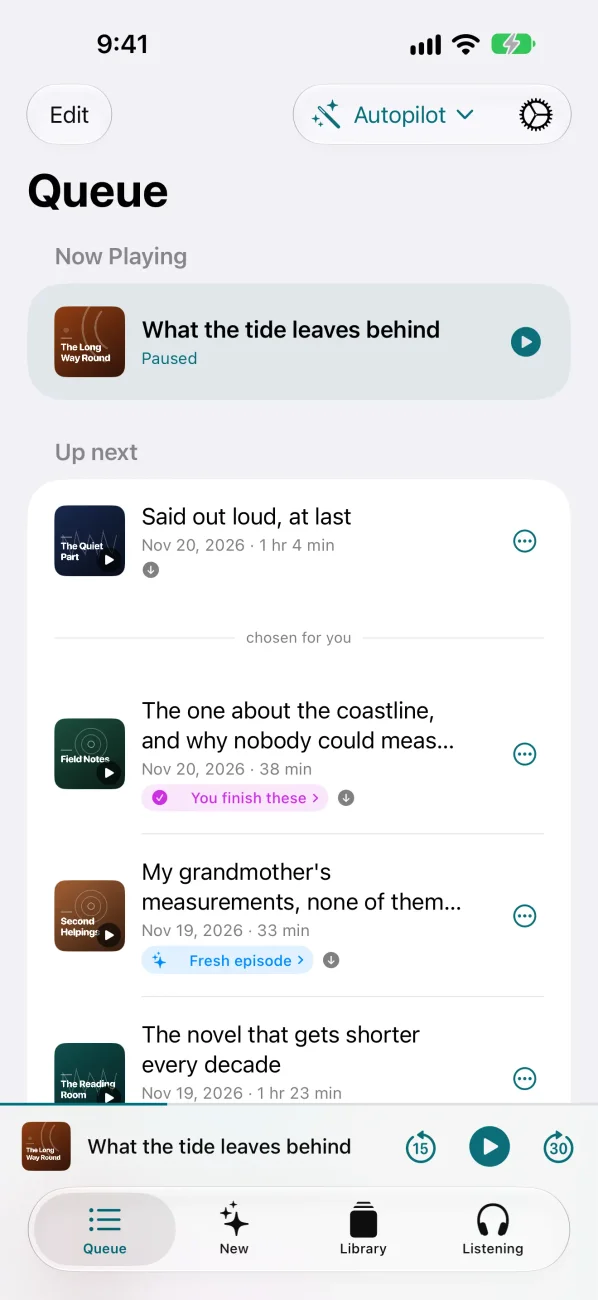
Everything you play goes through one list. The episodes you added come first, and below them Druthers suggests what to hear next from the shows you follow. When an episode ends, the next one plays. Switch suggestions off and nothing else changes; the list is simply yours.
WHAT IT SUGGESTS, AND WHY
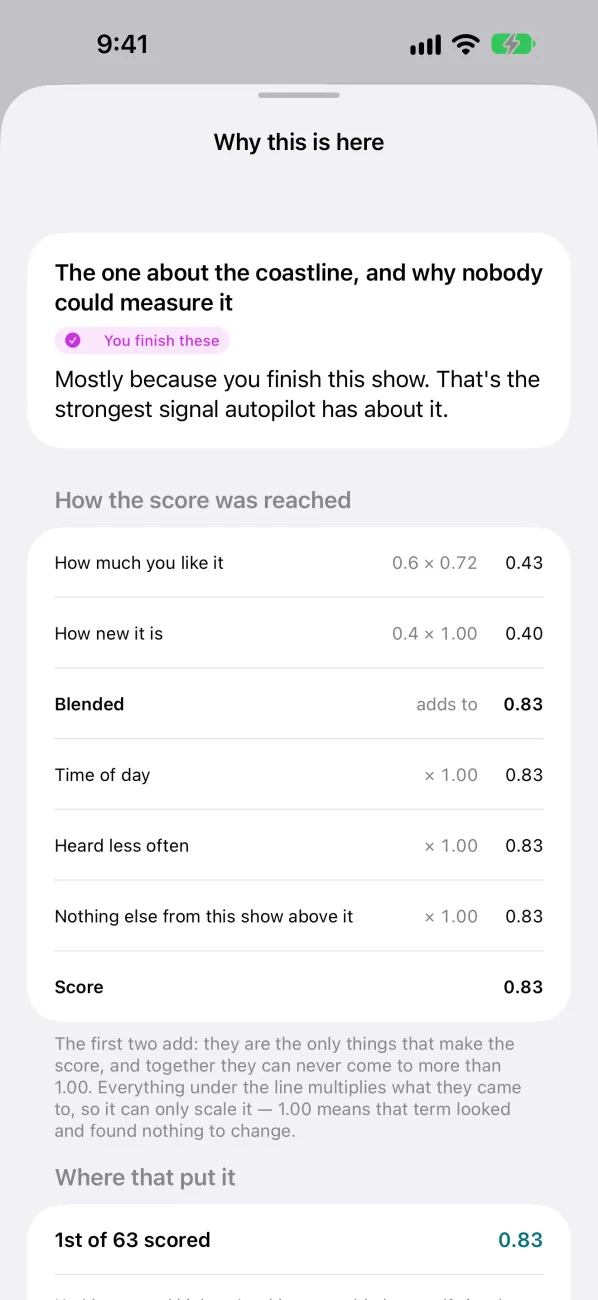
A suggestion weighs how much you like a show against how new the episode is. New is judged by each show's own rhythm, so a monthly show's episode stays fresh longer than a daily one's, and no single show can take over the top of the list.
Each suggestion carries its reason: it's a favorite, it's fresh, you finish these, you usually listen around now. Press and hold one to see the numbers behind it.
YOUR DRUTHERS COME FIRST
What you tell it always outranks what it worked out. Favorite a show to hear it sooner, or ask to hear one less often. Play Next moves an episode to the front. Not Interested takes one away for good. Follow a series in order, starting from any episode.
An episode you've started keeps its place in the queue. One you abandoned early drops out after two weeks.
IT SKIPS THE ADS IT FINDS
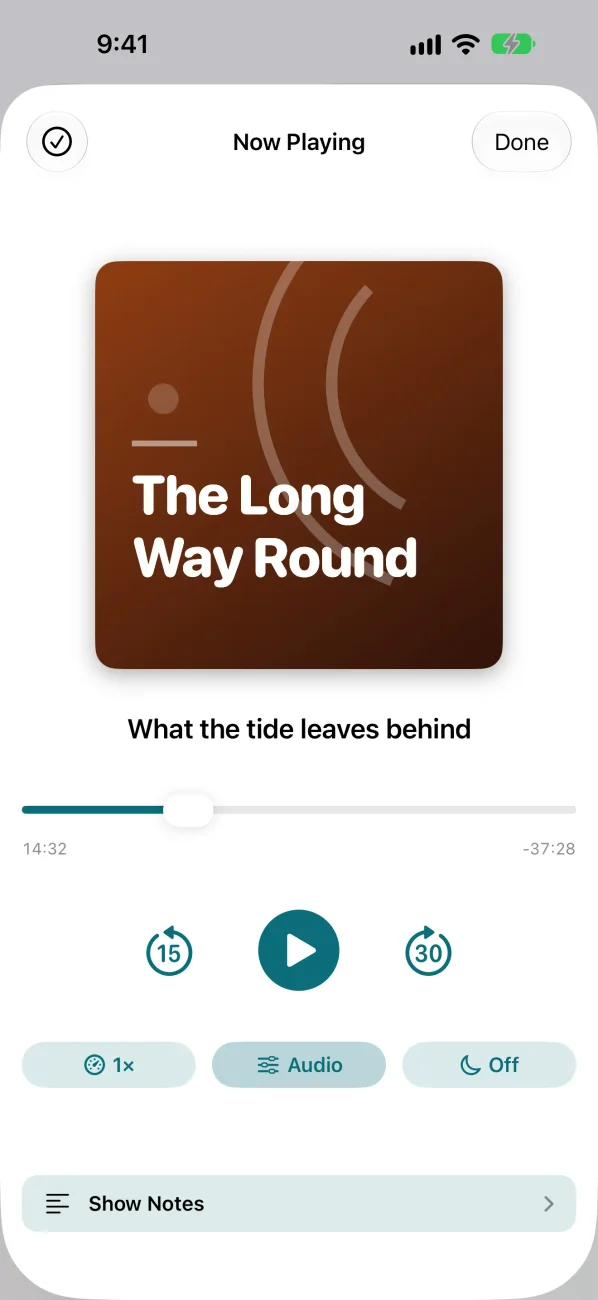
Each download is transcribed on your phone, and the sponsor reads found in it are skipped as you reach them, with an Undo. Nothing is cut from the file. The breaks are marked on the scrubber, so you can skip by hand instead, turn skipping off for one show, or tell it when it got one wrong.
READ IT, SEARCH IT
Every transcript is timed to the audio, so you can read along and tap a line to jump there. Search finds what was said in an episode, not only what it was called. Chapters are listed in the player.
HOW IT SOUNDS
Tighten shortens long pauses without speeding anyone up. Clarity lifts quiet recordings. Set the speed you like, and let any show keep its own settings.
THE REST
Subscribe by search or feed URL, bring your library from another app with an OPML file, or try a single episode without subscribing.
Downloads and offline playback, with one screen showing what's on your phone and what went wrong if anything did.
Lock-screen and Bluetooth controls, and a sleep timer that fades out.
A listening history you can read: what you played, when, for how long, and which shows you keep coming back to.
Export everything to one file, and restore it whenever you need to.
PRIVATE BY DESIGN
No account, no analytics, no tracking, and no ads of its own. Transcripts and ad detection run on your phone, and there is no server of mine for your listening to go to.
Druthers is made by one person. iPhone only, iOS 26 or later.
Nouveautés
Version 1.13 · 21/11/2026
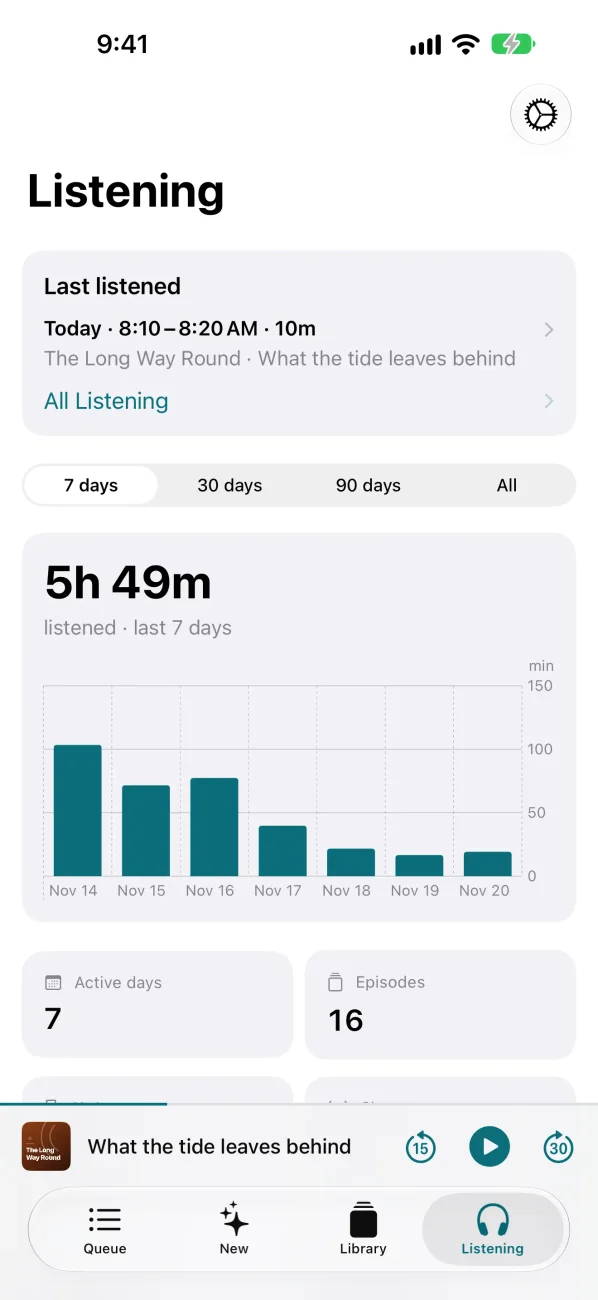
Stats is now Listening, and it opens on the last thing you heard. All Listening goes back day by day, with Go to Day to jump to any date, and tapping a sitting lists every episode you heard in it.
Listening can be taken back. If an episode played in your pocket, or ran on into the next one, Undo Listening on that sitting puts each episode back where it was before it started: unfinished, at its old place, and back in the queue if finishing it took it out. Each line has its own undo, so you can take back one episode and keep the rest. An episode's Listening History has the same undo on every sitting, and a finished episode's ••• menu offers Undo Listening beside Unplayed.
The numbers say more. Choose All to see every month you've listened, split the hour chart into weekdays and weekends, and see which shows were new to you. Average speed, Saved by speed and Saved by Tighten count your listening from this version on. A show's stats page now opens with the same chart.
What You Chose, in Settings, now counts Play Next: promoting a suggestion and playing it counts as picking that one, not as something you had queued yourself.
A sitting is dated from when you pressed play, not from when you opened the app. After a spell offline, Druthers looks for new episodes as soon as you're back online, not half an hour later. And a show kept for later no longer gains an extra queue row each time the queue tops up.
Confidentialité de l’application
Ce que Noah Banks déclare sur l’App Store au sujet du traitement des données par cette application.
-
Données non collectées
Le développeur ne collecte aucune donnée à partir de cette application.
Les pratiques en matière de confidentialité peuvent varier, notamment en fonction des fonctionnalités que vous utilisez ou de votre âge.
Informations
- Vendeur
- Noah Banks
- Catégorie
- Divertissement
- Version
- 1.13
- Mis à jour
- 21/11/2026
- Publié
- 11/08/2026
- Taille
- 8,2 Mo
- Nécessite
- iOS 26.0 ou version ultérieure
- Classification d’âge
- 12+
- Langues
- Anglais
- Copyright
- © 2026 Noah Banks
Vous aimerez peut-être aussi
-
 FeedCastX: Podcast PlayerDivertissement
-
 AI History Conversation, ChatDivertissement
-
 Podsnap : lecteur de podcastsVos podcasts, sans les pubs
-
 Country Bear RadioDivertissement
-
 SuperphonicDivertissement
-
 True Crime TV ChannelDivertissement
-
 Meme Soundboard Sound EffectDivertissement
-
 Shalom World TVDivertissement
-
 True Crime PodcastDivertissement
-
 DOCUMENTARY+ | Streaming AppDivertissement