em — Journal, Write & Publish
Write 'em down. Send 'em out.
Conçue pour iPhone, iPad, Mac
- Classification d’âge4+
- CatégorieProductivité
- DéveloppeurJustin Cox
- LanguesAnglais
- Taille23,1 Mo
em — Journal, Write & Publish n’est peut-être pas disponible sur App Store pour le moment
La fiche de la boutique était inaccessible lors de notre dernière vérification. Le lien mène toujours à la page App Store officielle.
Captures d’écran


À propos
Le développeur n’a pas fourni ce texte dans votre langue.
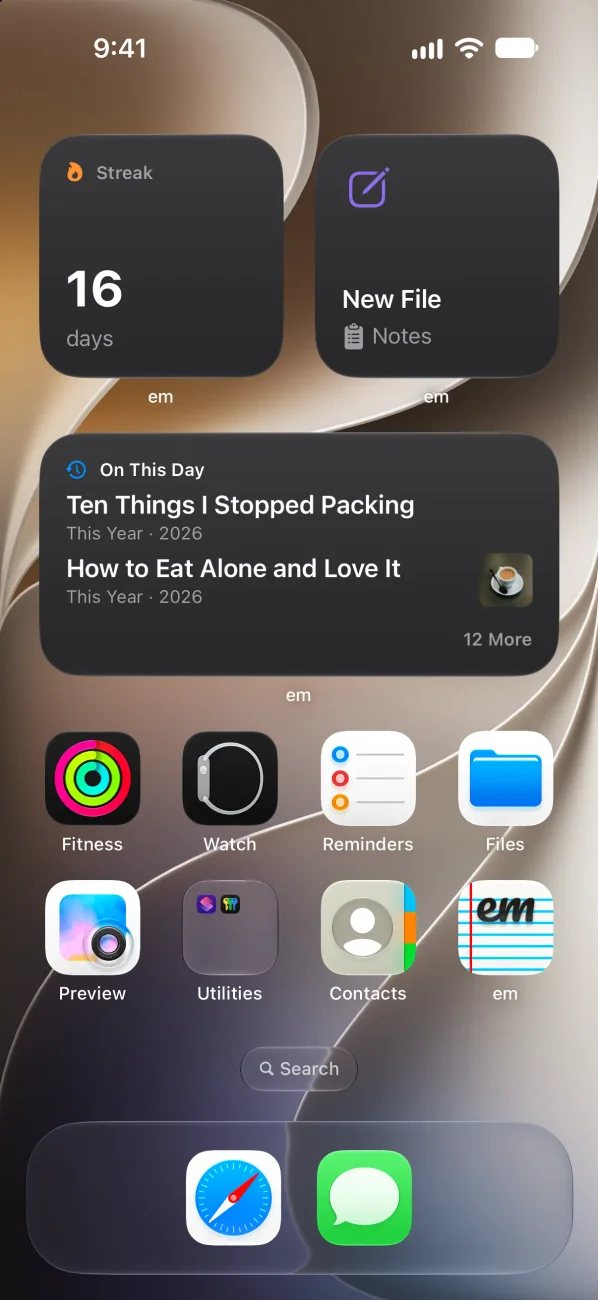
em is a privacy-first journal and Markdown writing app for iPhone, iPad, and Mac. It's your always-ready blank page: write anything you want, anywhere you want, and em remembers what you wrote, when, and where you were. When something's ready for the world, it goes to your Ghost site without leaving the app. Your files are yours, and you're the only one who should decide what to do with 'em.
START 'EM WITH A BLANK PAGE
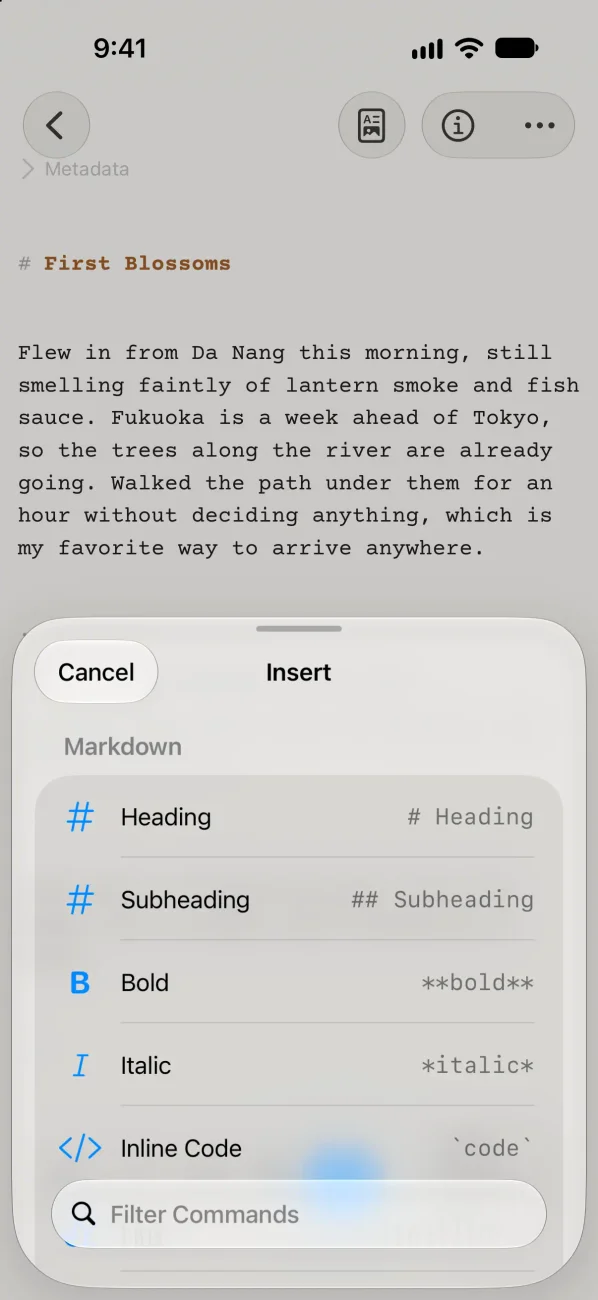
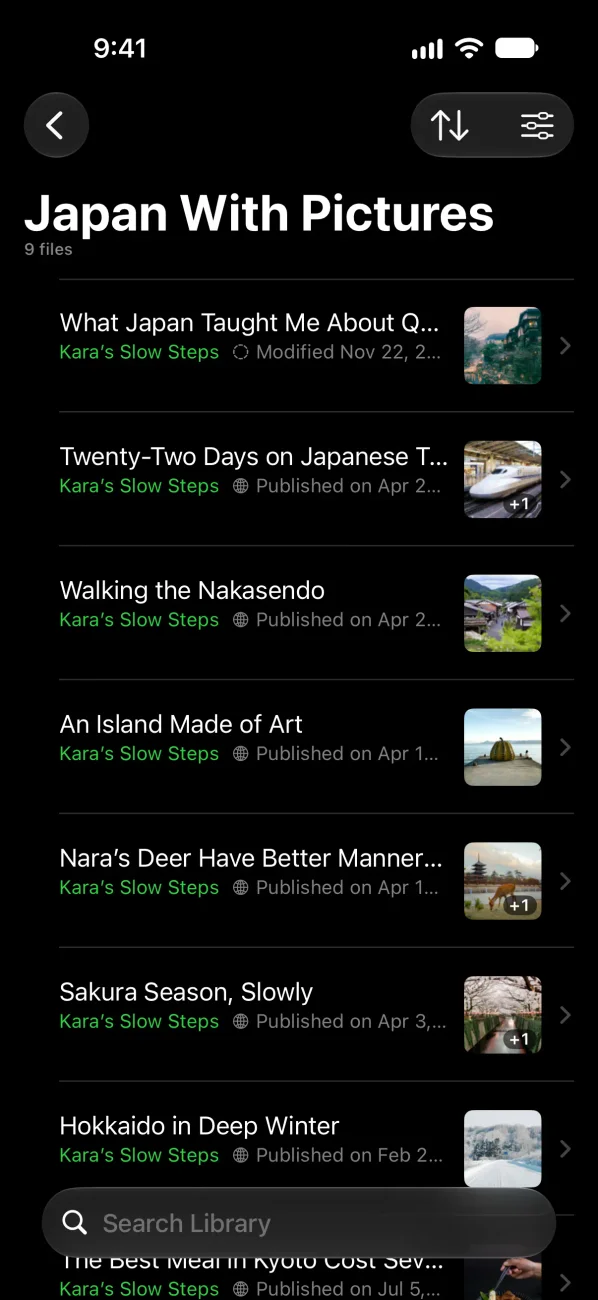
A quiet Markdown editor tuned for each device, including the iPhone Duo. Type / for headings, lists, and images, and see headings take on your library's color. Photos and videos are saved beside your writing, and videos play right in Read mode. Give each library its own color and icon.
WRITE 'EM EVERY DAY
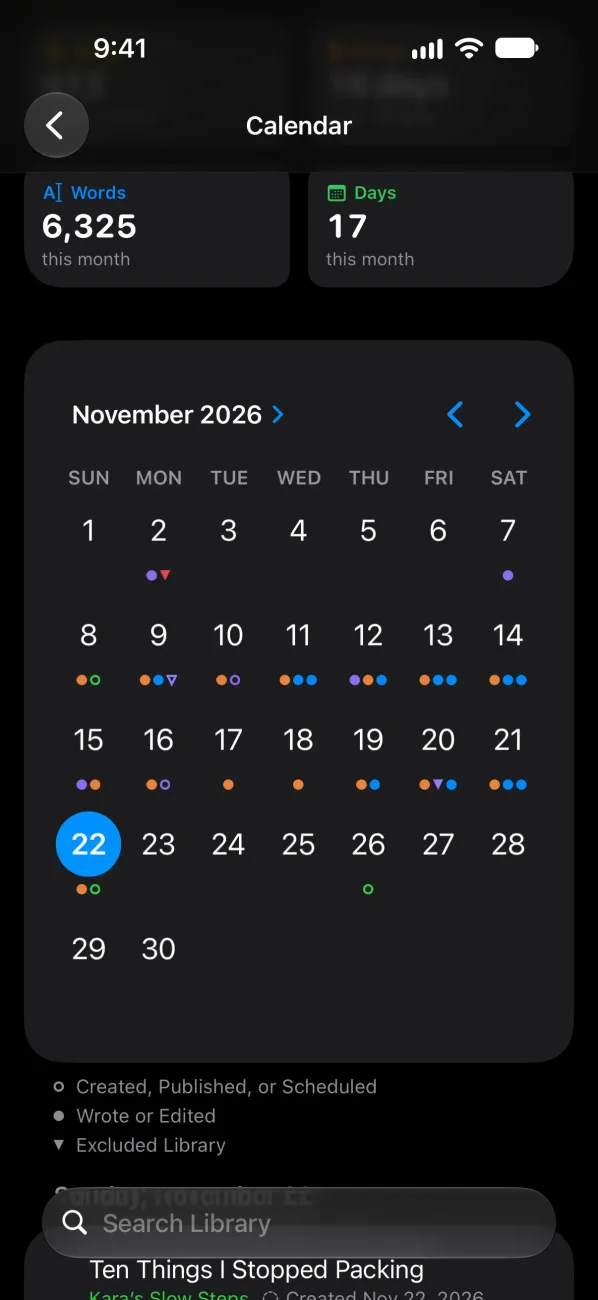
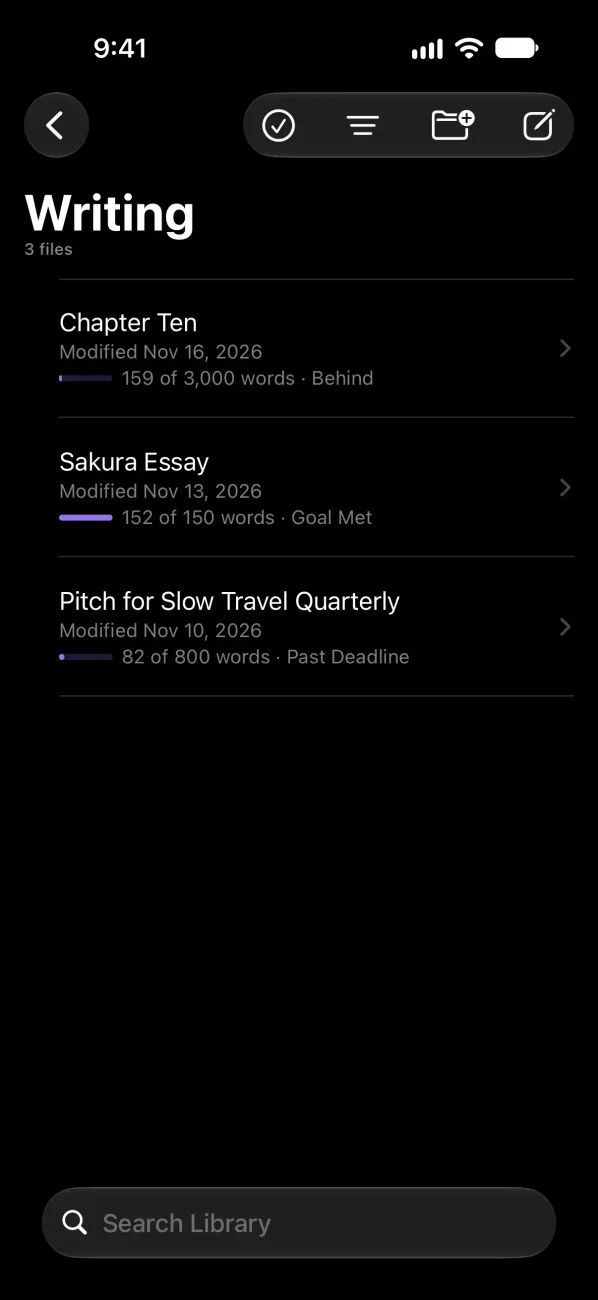
Set a word goal or deadline for a file, or a daily, weekly, or monthly goal for everything you write. Want 500 words a day? 50,000 by the end of the month? em shows your pace and your streak, and a file's goal progress appears right in the file list. The Calendar fills in every day you wrote, reminders nudge you on days you haven't, and a widget keeps your streak on your Home Screen. On iPhone, start an entry from Apple's Journaling Suggestions.
REMEMBER 'EM
On This Day shows what you wrote on today's date in years past, as a collection, a notification, or a widget. Turn on Location for a library and em remembers where you started each file and the weather that hour, with every place on a map. Location stays out of anything you send to AI, and sharing asks first. Lock any file or library behind Face ID.
PUBLISH 'EM WITH GHOST
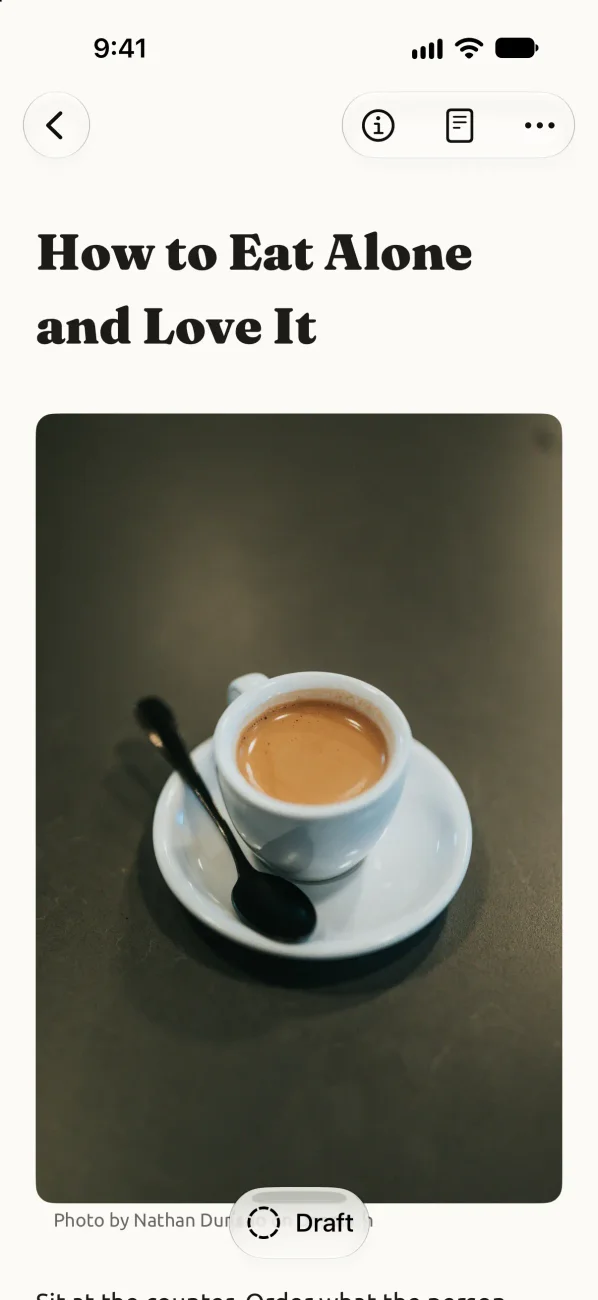
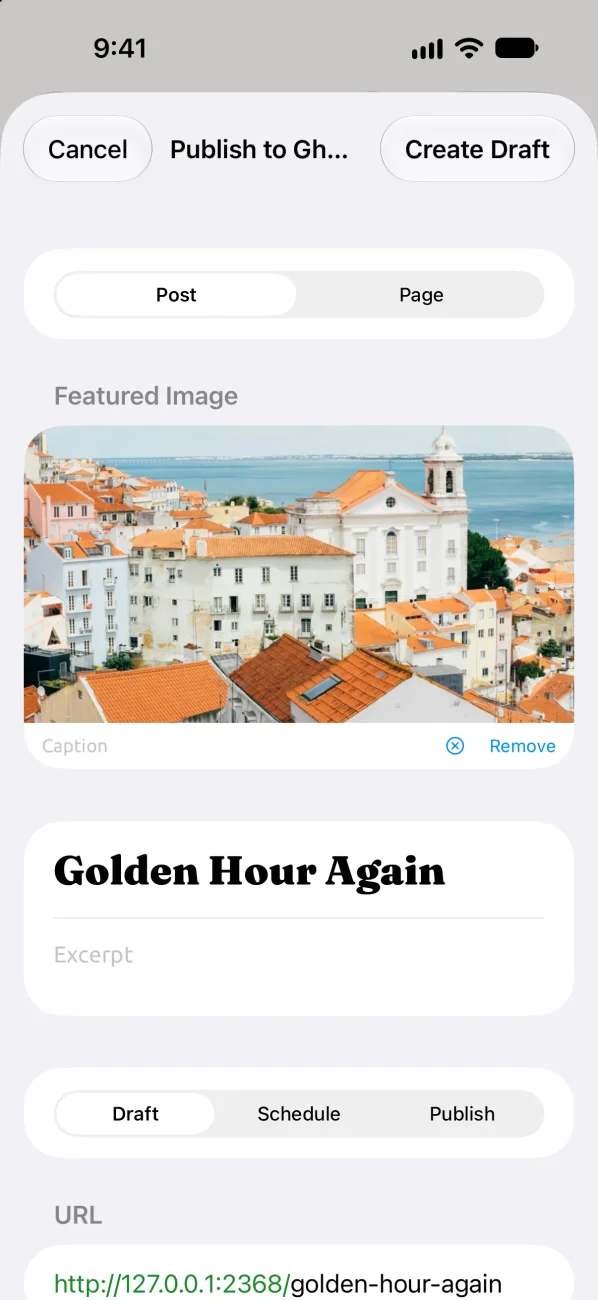
Connect your Ghost site just by signing in, two-step code included. No API key to create, though pasting one still works. Then edit, back up, and publish in Markdown that maps to Ghost's 19 editorial cards, with drafts, scheduling, newsletters, and pages.
FIND 'EM AGAIN
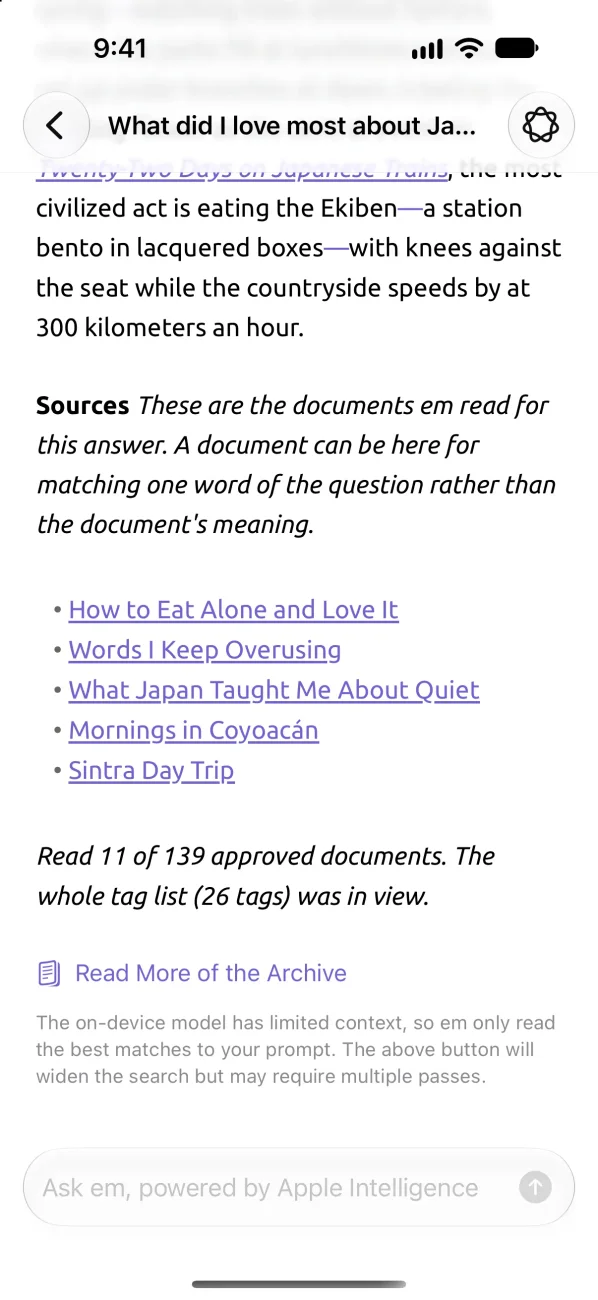
Smart Search lists every file holding your words. Use quotes, +, -, OR, and * for precision, filter by library, tag, status, or year, and save any search as a Smart Folder that stays current. Only remember what a piece was about? Ask em.
KEEP 'EM SAFE
Every edit is versioned automatically and backed up to iCloud. Compare and restore from any device, and keep writing offline.
EXPLORE 'EM WITH AI (BUT ONLY IF YOU WANT TO)
Ask em questions and get answers grounded in your files, not the internet. On OS 27, Siri can search, add, or edit notes in the libraries you approve. Get an Editorial Review from a prompt you can read and edit. em doesn't write your drafts; it helps you edit 'em.
ALL FEATURES
- GOALS: Word and deadline goals with pace, streaks, and goal lines
- LOCKED FILES: Face ID, Touch ID, or passcode
- WIDGETS AND REMINDERS: Streaks, On This Day, and more
- SMART SEARCH: Operators, filters, and Smart Folders
- GHOST SITES: Sign in, sync, edit, publish, and send newsletters
- AI ON YOUR TERMS: On-device Apple Intelligence; optionally Claude, ChatGPT, or Gemini with your key
- SHORTCUTS: Ask em, get your streak, find files from a day, create, move, lock, or publish
- JOURNALING SUGGESTIONS: Capture memories in Markdown (iOS)
- READ ALOUD: Hear your draft to catch what your eyes miss
- CUSTOMIZATION: Reader and Editor fonts and colors
PRIVACY, PLAINLY
em has no server: no backend, no account, and no company database where your writing could end up. It syncs through your iCloud and nowhere else.
AI is off by default and, if turned on, runs on-device with Apple Intelligence. Want a larger model? Connect Claude, ChatGPT, or Gemini with your own API key; your account, your billing, revocable anytime. em names the model answering, every time, and never sends location with AI requests.
Transparency Statement: AI was used in developing this app, but every feature idea, design call, and architectural decision was made by a human.
Nouveautés
Version 1.6.1 · 25/11/2026
em 1.6.1 includes a slight adjustment to the new logo for light and clear settings.
em 1.6 makes Ghost simpler to connect and shows your progress where you work.
- Simpler Ghost: Connect a Ghost site just by signing in. API keys are no longer required.
- Goals in the List: Files with a word goal show their progress in the file list.
- Saved Videos: Add videos to a library's images folder and play them in Read mode.
- Colored Headings: Headings in the editor can use your library's color.
- More Shortcuts: A whole bunch of new Shortcuts actions are available to expand your automated workflows.
- Library Colors and Icons: Ghost sites can now use your own site icon right inside em.
- Pictures in Smart Folders: Keep or leave out files and posts that hold a picture.
- Fresh Paint: em has a new icon and a new light and dark color scheme.
- Bug Fixes and Other Improvements: You know, the usual stuff.
Confidentialité de l’application
Ce que Justin Cox déclare sur l’App Store au sujet du traitement des données par cette application.
-
Données non collectées
Le développeur ne collecte aucune donnée à partir de cette application.
Les pratiques en matière de confidentialité peuvent varier, notamment en fonction des fonctionnalités que vous utilisez ou de votre âge.
Informations
- Vendeur
- Justin Cox
- Catégorie
- Productivité
- Version
- 1.6.1
- Mis à jour
- 25/11/2026
- Publié
- 17/09/2026
- Taille
- 23,1 Mo
- Nécessite
- iOS 26.0 ou version ultérieure
- Classification d’âge
- 4+
- Langues
- Anglais
- Copyright
- © 2026 Justin Cox
Vous aimerez peut-être aussi
-
 cyberWriter - Markdown StudioProductivité
-
 Filepad MarkdownProductivité
-
 Raven - Notes MarkdownÉditeur de fichiers hors ligne
-
 OuterlineProductivité
-
 Markdly - Markdown EditorProductivité
-
 LogPad: Quick NotesProductivité
-
 BareText – Text EditorProductivité
-
 QuickMark: Markdown EditorProductivité
-
 Aloud — Text to Speech ReaderÉcouter des articles et PDF
-
 Folio: Notes, PDFs & CanvasProductivité