EVen — Light Meter
Film exposure & live metering
Conçue pour iPhone, iPad, iPod touch
Gratuit
- Classification d’âge4+
- CatégoriePhoto et vidéo
- Développeurohsung kwon
- LanguesAnglais+ 1 de plus
- Taille24,1 Mo
Renvoie vers la page App Store officielle
Download.org n’héberge aucun fichier de EVen — Light Meter. Le bouton ouvre la page de l’application sur App Store, où ohsung kwon la publie. Fiche vérifiée pour la dernière fois le 15/11/2026.
Captures d’écran
À propos
Le développeur n’a pas fourni ce texte dans votre langue.
Read the light. Focus on the photograph.
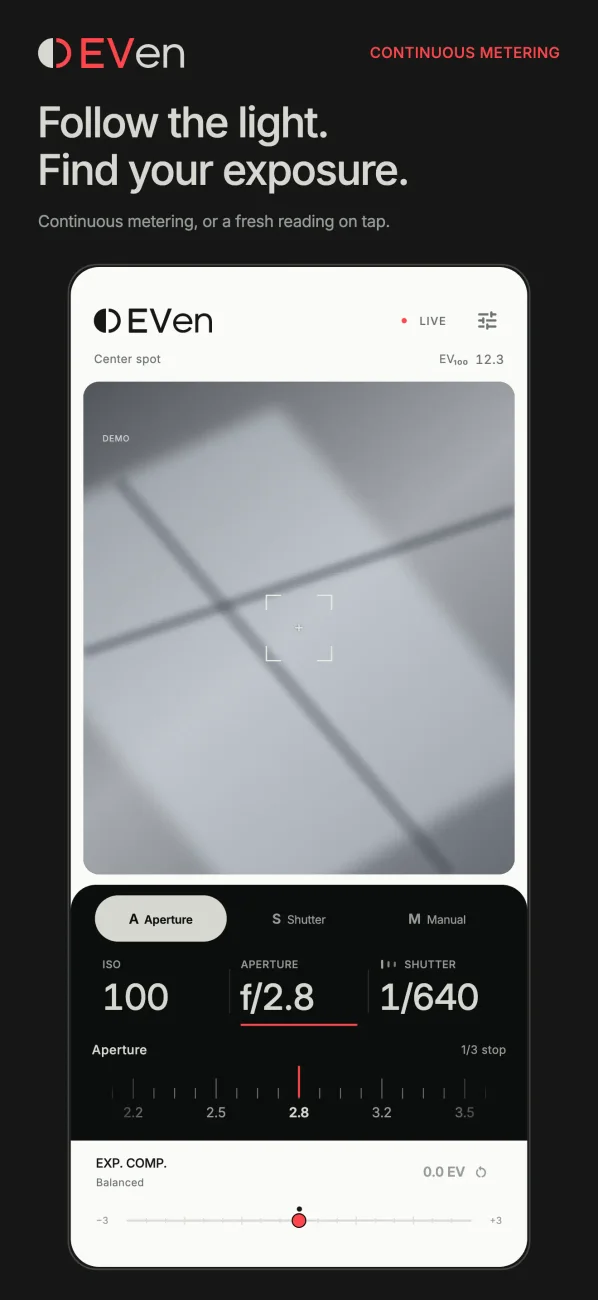
EVen is a reflected-light meter that uses your device’s camera exposure information to calculate ISO, aperture, and shutter speed. Continuous metering, priority modes, and exposure compensation come together on one clear screen.
• Continuous or tap-to-meter
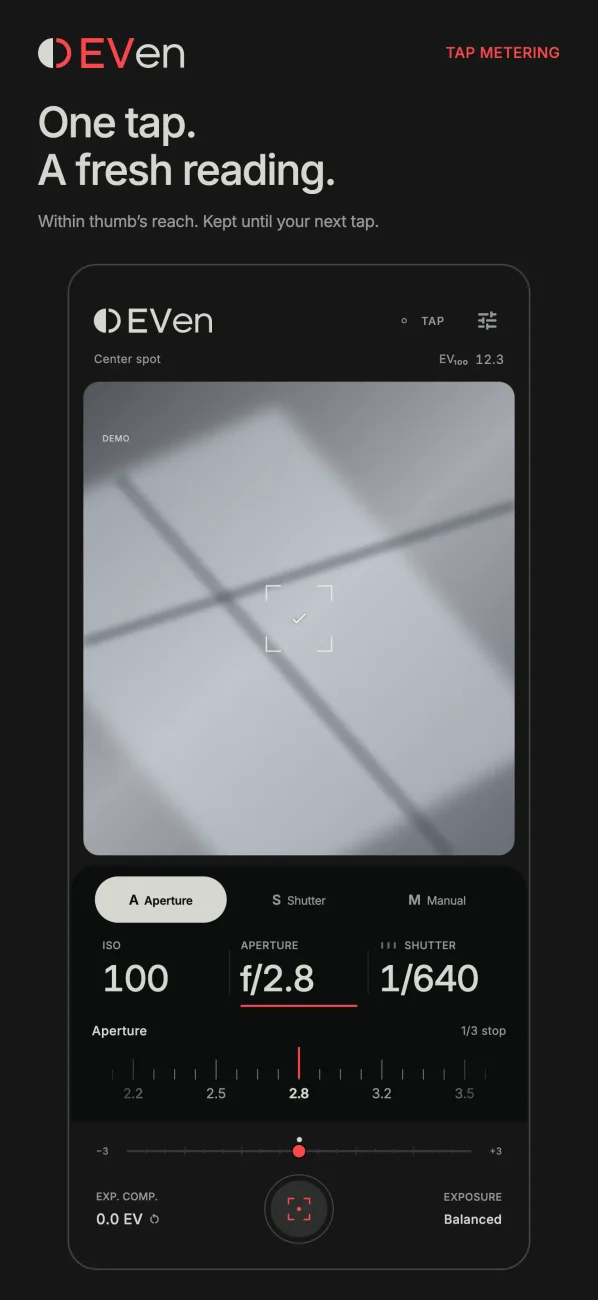
Tap the center box to switch between LIVE and TAP. The label at the top shows the current mode. Continuous metering starts on launch and resume. In tap mode, tap the bottom meter button for a fresh reading that stays until your next tap. Your choice is remembered, and the screen stays awake while you use the app.
• Pick up where you left off
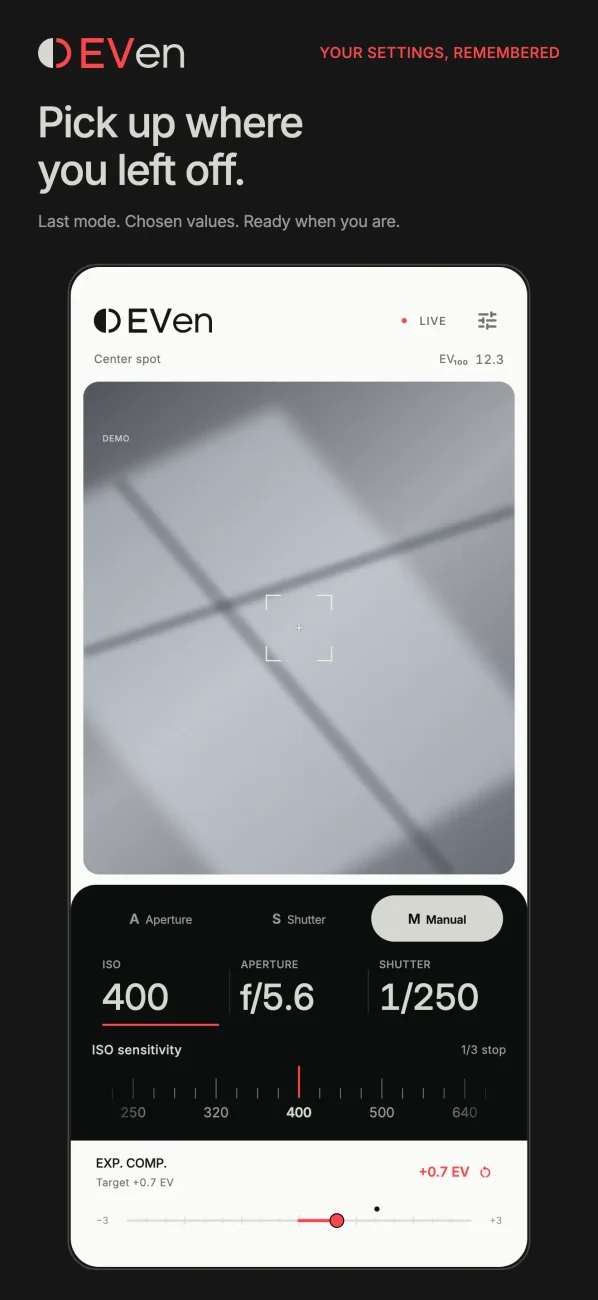
Your last A/S/M mode, ISO, aperture, shutter speed, and exposure compensation are saved automatically on your device. Reopen the app with your chosen values intact. Only the automatic value updates with the light: shutter speed in A mode, aperture in S mode. No need to set up again.
• Choose your priority
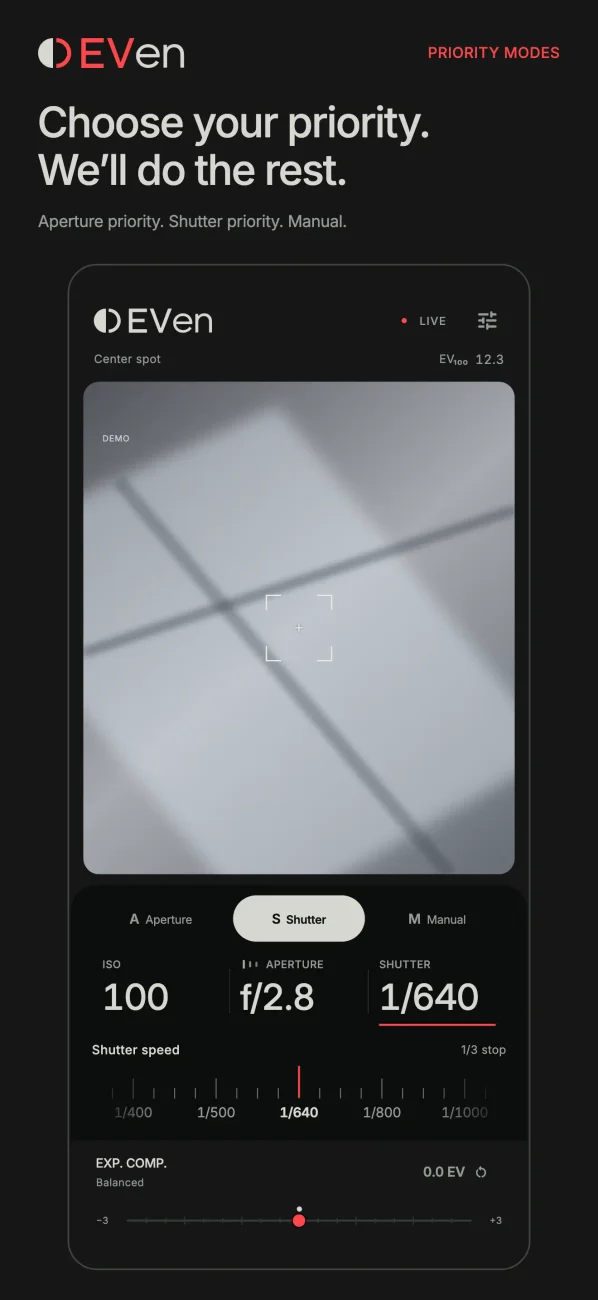
In A mode, set ISO and aperture to calculate shutter speed. In S mode, set ISO and shutter speed to calculate aperture. In M mode, adjust all three values and see the difference from your target exposure.
• Make exposure your own
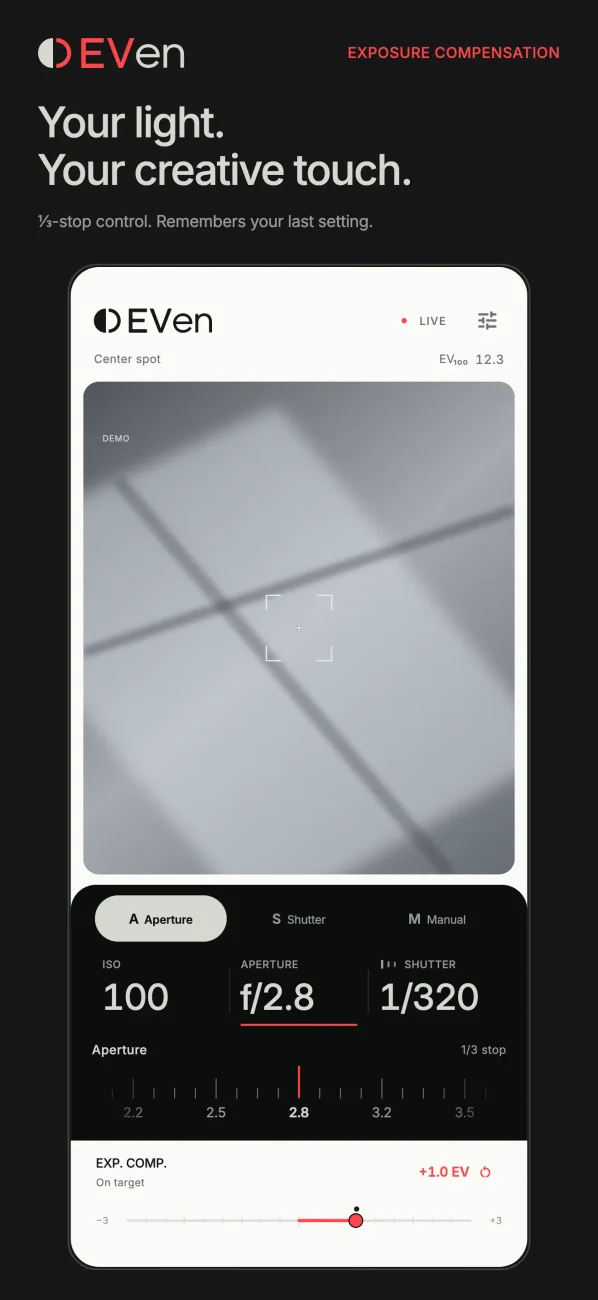
Adjust from −3 to +3 EV in ⅓-stop steps. Positive compensation recommends a brighter exposure; negative compensation recommends a darker one. Apply compensation to a measured result and reset to 0 EV with one tap.
• Familiar stop increments
Choose full, half, or third stops independently for aperture and shutter speed. Your choice applies to the dial and calculated recommendations.
• Camera data, designed for accuracy
Exposure values are calculated from the ISO, aperture, and shutter-speed metadata reported by your camera.
• Center spot or center weighted
Center spot is the default. Choose center-weighted metering in Settings. On supported devices with iOS 26 or later, the spot region matches the inside of the center box. Unsupported regions fall back to center-weighted or automatic metering, with the applied method shown on screen.
• A layout that fits your screen
Wide and landscape windows place the preview and controls side by side. Portrait screens fit the preview and controls without scrolling. Very large accessibility text or unusually short windows can still scroll.
• Guided camera calibration
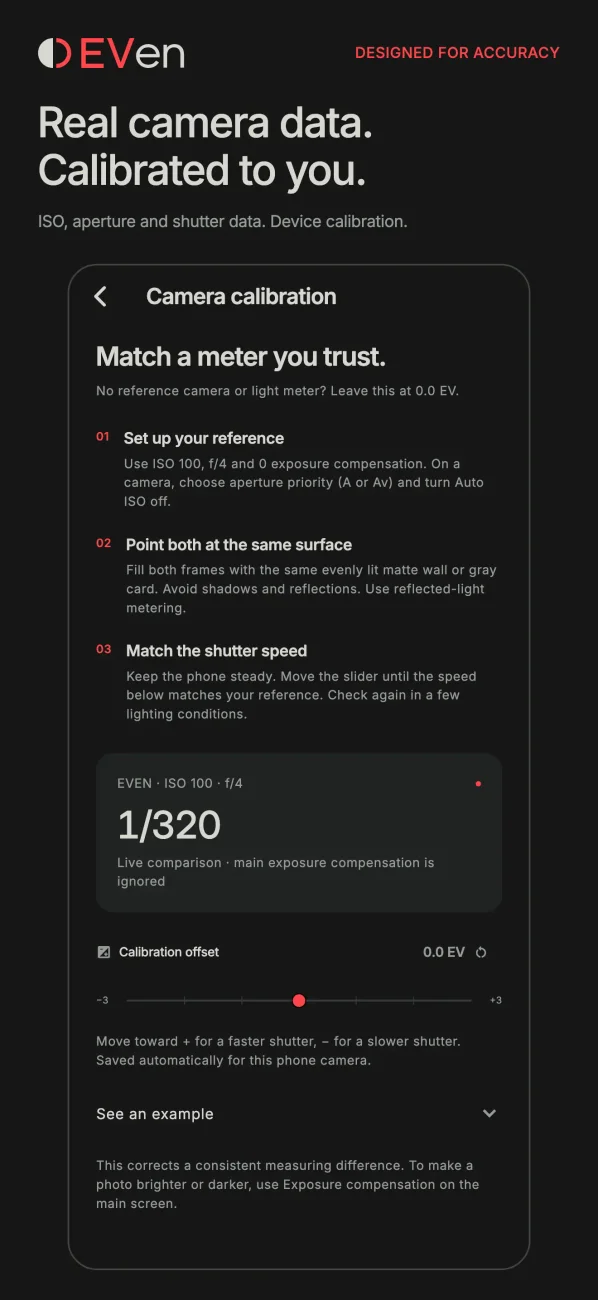
Follow a simple guide to compare with a reference camera or meter. Device calibration is stored locally and kept separate from creative exposure compensation.
• A quieter interface
Appearance and language follow your system by default. You can also choose light or dark mode and select Korean or English. Target settings span ISO 25–25600, f/1–64, and 30 seconds–1/8000 second.
• Private by design
No account, ads, or in-app purchases. Camera frames and meter readings are never saved or uploaded.
A physical iPhone or iPad with a rear camera and camera permission is required. The displayed exposure settings are intended for your camera or film; they do not change the phone’s physical aperture.
Reflected-light readings vary with subject reflectance, backlighting, very low light, and device characteristics. Compare and calibrate against a reference meter before important shoots.
Confidentialité de l’application
Ce que ohsung kwon déclare sur l’App Store au sujet du traitement des données par cette application.
-
Données non collectées
Le développeur ne collecte aucune donnée à partir de cette application.
Les pratiques en matière de confidentialité peuvent varier, notamment en fonction des fonctionnalités que vous utilisez ou de votre âge.
Informations
- Vendeur
- ohsung kwon
- Catégorie
- Photo et vidéo
- Version
- 1.0.0
- Mis à jour
- 27/10/2026
- Publié
- 27/10/2026
- Taille
- 24,1 Mo
- Nécessite
- iOS 15.0 ou version ultérieure
- Classification d’âge
- 4+
- Prix
- Gratuit
- Langues
- Anglais, Coréen
- Copyright
- © 2026 ian kwon
Vous aimerez peut-être aussi
-
 FilmDevMatePhoto et vidéo
-
 Lightbox: Carnet argentiqueNotez vos vues dans vos scans
-
 Film WalkPhoto et vidéo
-
 Photography TimerPhoto et vidéo
-
 Light Meter for Film CameraPhoto et vidéo
-
 MOF: My Own FilmPhoto et vidéo
-
 출사지도Photo et vidéo
-
 Paddie : encadrez l’instantRecadrez vos fragments
-
 FrameCam – Cadre InstantanéCadre blanc style instantané
-
 UnspooledPhoto et vidéo