
Expense Ninja
Scan receipts. Track spending
Conçue pour iPhone
Gratuit · Achats intégrés
- Classification d’âge12+
- CatégorieFinance
- DéveloppeurSheraz Ahmed
- LanguesAnglais+ 8 de plus
- Taille31,2 Mo
Renvoie vers la page App Store officielle
Download.org n’héberge aucun fichier de Expense Ninja. Le bouton ouvre la page de l’application sur App Store, où Sheraz Ahmed la publie. Fiche vérifiée pour la dernière fois le 25/11/2026.
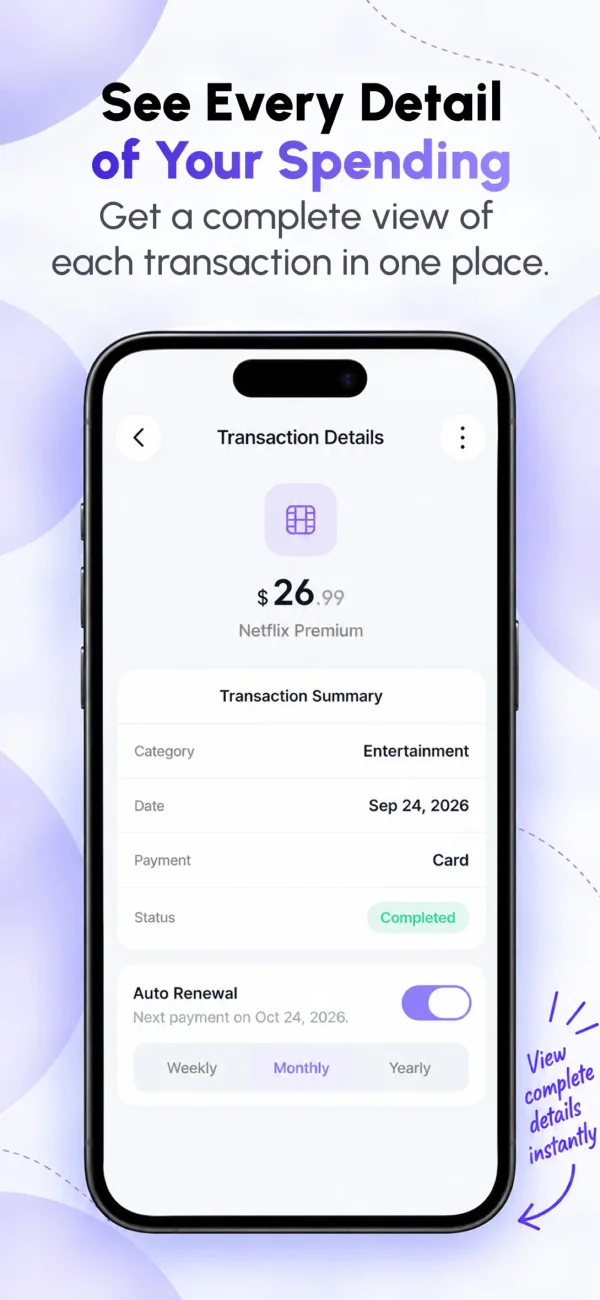
Captures d’écran


À propos
Le développeur n’a pas fourni ce texte dans votre langue.
Expense Ninja turns paper receipts and photos into clean spending records, then helps you budget and see where your money goes.
Scan. Track. Thrive.
Most people lose receipts, forget small purchases, and only notice overspending at the end of the month. Snap a receipt, read the details on your iPhone, and keep every expense in one calm place.
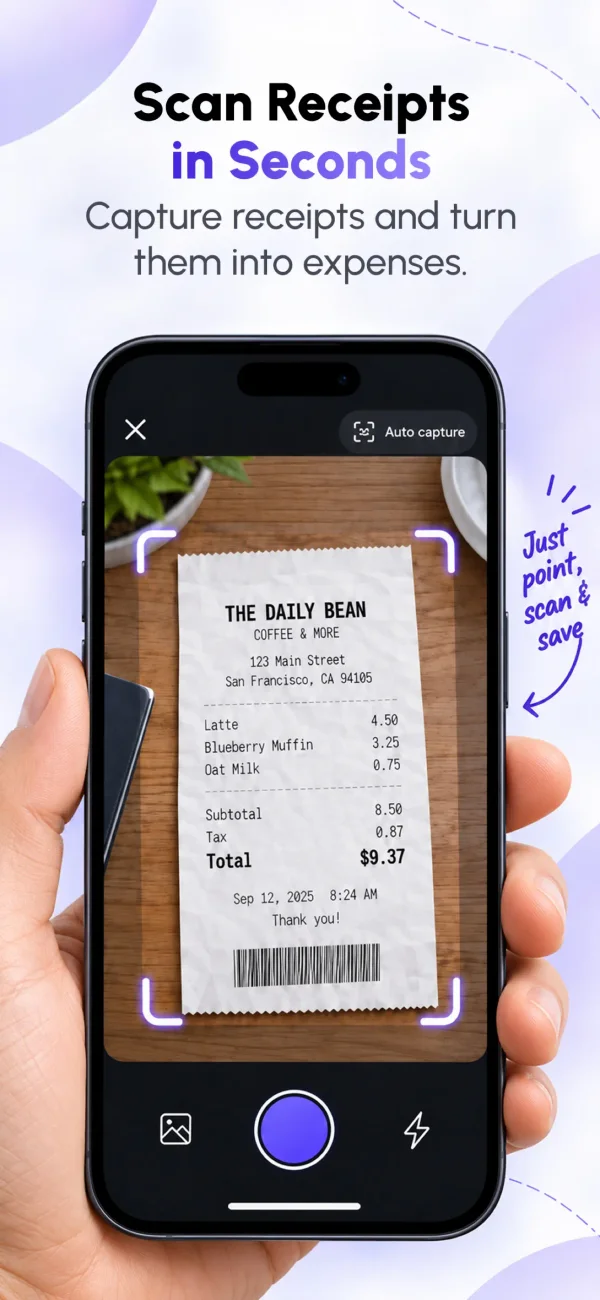
SCAN RECEIPTS IN SECONDS
Point your camera or import a photo. Expense Ninja reads the receipt on your device and picks up the merchant, total, date, and line items so you don’t type every expense by hand. When it recognizes a category, that category is filled in. If it can’t tell, you choose one before you save. Review the result, edit anything that looks off, and save. You can also add expenses manually.
What you can capture:
• Merchant / store name
• Total amount and currency
• Date of purchase
• Category (groceries, dining, transport, and more)
• Line items from the receipt
• Notes for later
Receipt photos are read on the iPhone and are not uploaded.
TRACK EVERY EXPENSE
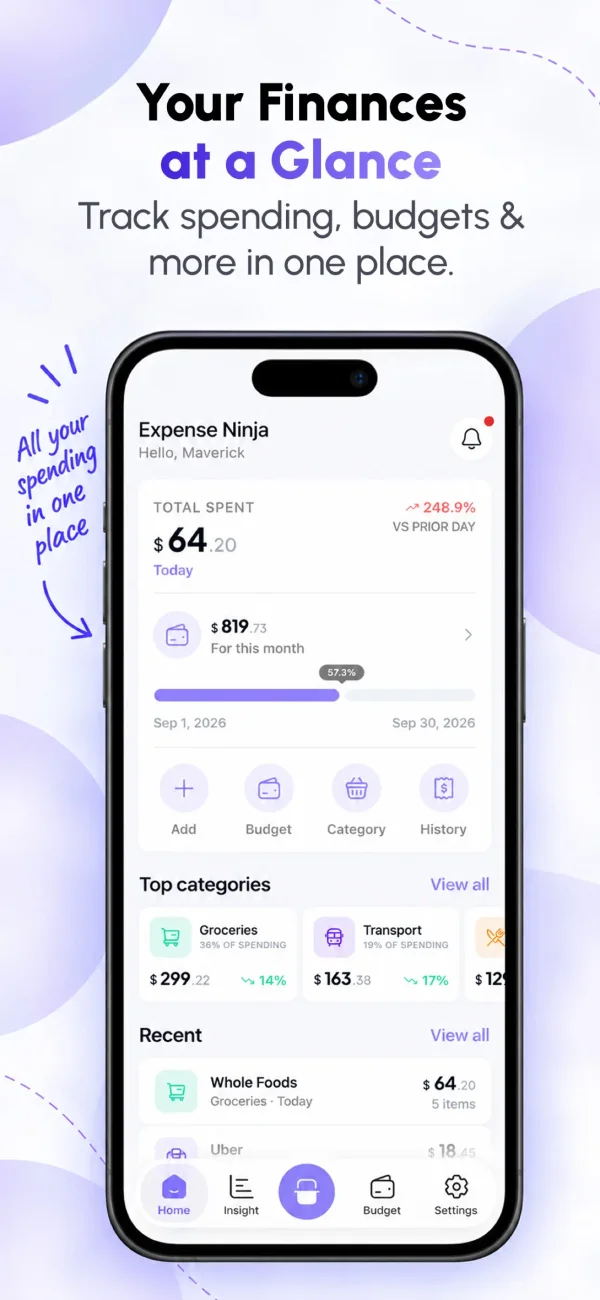
Home shows spent this month, your monthly budget, top categories, and recent transactions. Search by merchant, category, or note. Filter by date, category, payment, or source. Use built-in categories — Groceries, Dining, Transport, Shopping, Health, Education, Entertainment, and Utilities — or create your own.
Stay in control with:
• Monthly spend totals
• Category breakdowns
• Recent transactions
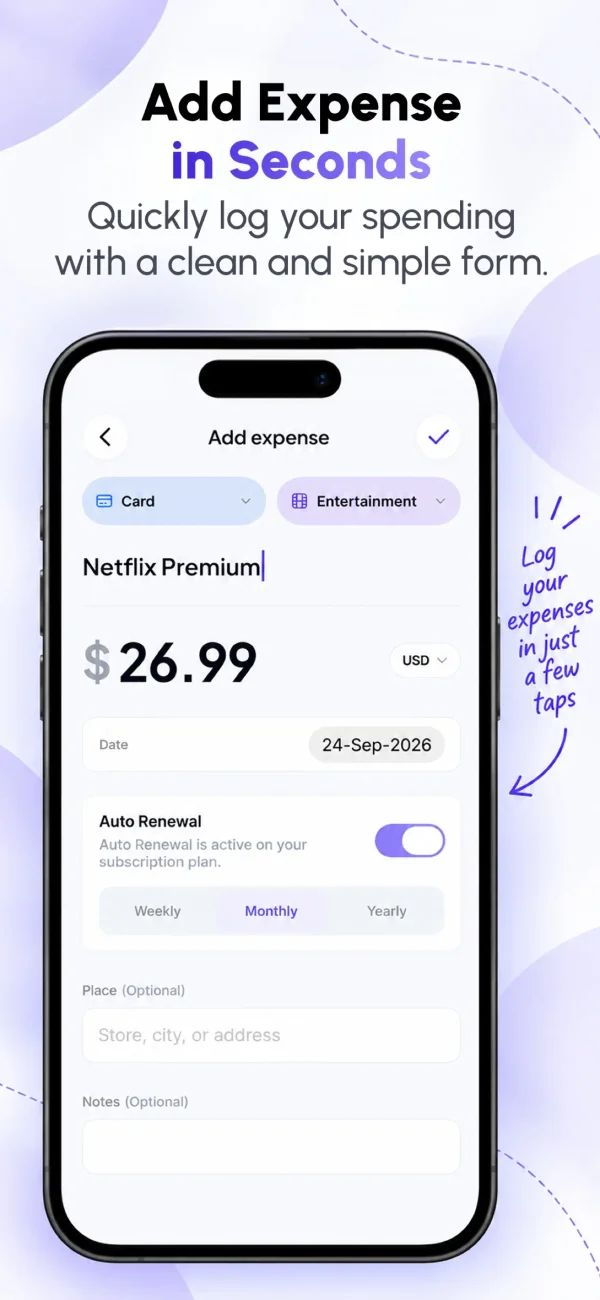
• Recurring expenses (weekly, monthly, yearly)
• Past-month budget reports you can open and download
• A base currency, plus other currencies converted with the daily public rate
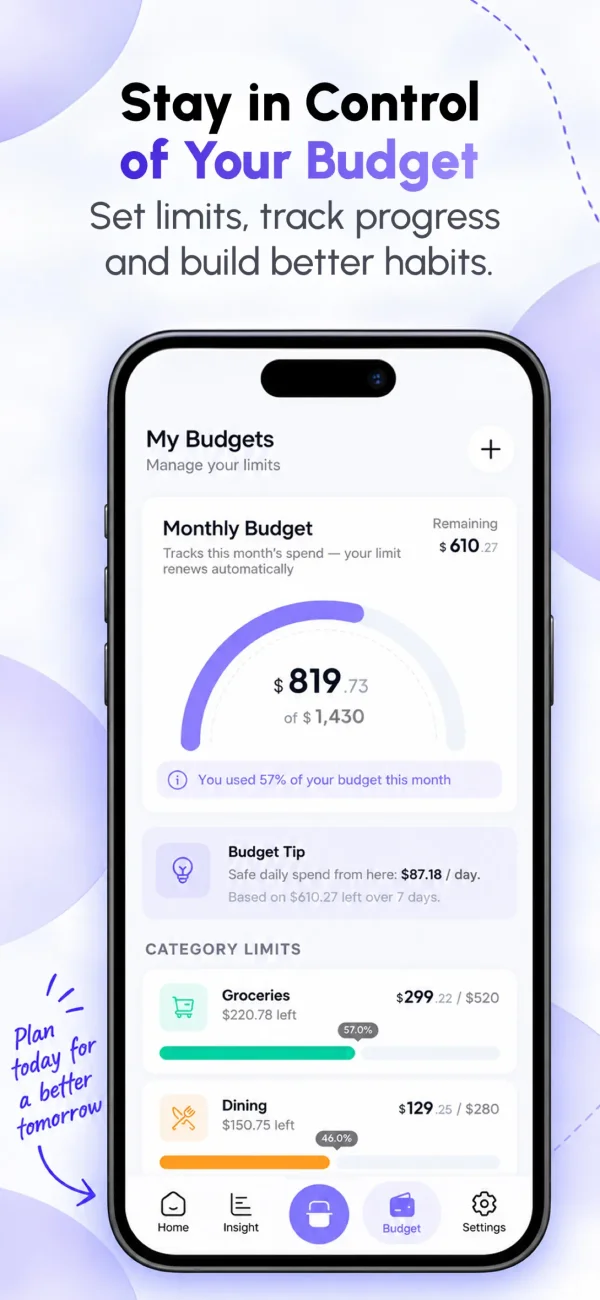
STAY ON BUDGET
Set a monthly limit per category and see spent versus remaining. Premium can warn you as a category nears its limit. Over-budget states are clear.
SPENDING INSIGHTS
Compare this week with last week and this month with last month. See which categories cost the most and where spending is rising. The deeper insight details are part of Premium.
BUILT FOR REAL LIFE
• Light and dark themes, or follow the system
• English, German, Spanish, French, Portuguese, Japanese, Arabic, Indonesian, and Chinese
• Sign in with Apple, Google, or email
• Face ID or Touch ID lock
• Camera scan, photo import, or manual entry
• Custom categories and colors
HOW IT WORKS
1. Scan a receipt or add an expense
2. Confirm merchant, amount, and category
3. Watch Home, Insights, and Budgets update
4. Adjust limits when a category runs hot
No bank login. Expense Ninja is not an account aggregator. Your expenses stay on this iPhone.
FREE VS PREMIUM
Free includes 5 receipt scans a day, 10 manual expenses a day, and up to 10 categories.
Premium unlocks:
• Unlimited receipt scans
• Unlimited categories and daily expenses
• Advanced spending insights
• Smart budget alerts
• Expenses recorded in any currency
Premium is an auto-renewable subscription:
• Monthly: $2.99 per month after a 7-day free trial
• Yearly: $29.99 per year after a 7-day free trial
Payment is charged to your Apple ID. The subscription renews unless you cancel at least 24 hours before the end of the current period. Manage or cancel anytime in Settings → Apple ID → Subscriptions, or in the app under Billing & plan → Cancel Subscription. Deleting the app does not cancel the subscription.
WHO IT’S FOR
People who want a simple expense tracker without linking a bank, households watching groceries and dining, and anyone who wants budgets that stay visible.
PRIVACY
Camera access is used only to scan receipts. Photos are read on your device. Expense Ninja does not sell your personal data. You can review and edit every scan before it is saved.
Privacy Policy: https://maverickcodebase.com/projects/expense-ninja/privacy
Terms of Use: https://www.apple.com/legal/internet-services/itunes/dev/stdeula/
Download Expense Ninja. Scan. Track. Thrive.
Nouveautés
Version 1.4 · 26/10/2026
Welcome to Expense Ninja — private expense tracking on your phone.
• Scan receipts in seconds — merchant, total, date & category filled for you
• Clearer first-time scan guide, plus better receipt & invoice reading
• Manual entry, budgets, insights, and monthly budget reports you can download
• Filters, recurring expenses, and custom categories
• Your currency, language, light & dark themes
• Premium trial — more scans and foreign-currency conversion
• Privacy-first: your expenses stay on this device
• Bug fixes and improvements
Scan it. Save it. Own your spending.
Confidentialité de l’application
Ce que Sheraz Ahmed déclare sur l’App Store au sujet du traitement des données par cette application.
-
Données établissant un lien avec vous
Peuvent être collectées et liées à votre identité.
- Achats
- Coordonnées
- Identifiants
- Données d’utilisation
- Diagnostic
-
Données n’établissant aucun lien avec vous
Peuvent être collectées, mais ne sont pas liées à votre identité.
- Coordonnées
Les pratiques en matière de confidentialité peuvent varier, notamment en fonction des fonctionnalités que vous utilisez ou de votre âge.
Informations
- Vendeur
- Sheraz Ahmed
- Catégorie
- Finance
- Version
- 1.4
- Mis à jour
- 26/10/2026
- Publié
- 21/10/2026
- Taille
- 31,2 Mo
- Nécessite
- iOS 17.0 ou version ultérieure
- Classification d’âge
- 12+
- Prix
- Gratuit
- Achats intégrés
- Oui
- Langues
- Anglais, Arabe, Français, Allemand, Indonésien, Japonais, Portugais, Chinois simplifié, Espagnol
- Copyright
- © 2026 Maverick Codebase
Vous aimerez peut-être aussi
-
 Thirty: Loan What-IfFinance
-
 SnapSpend: Spending TrackerFinance
-
 Expensia proFinance
-
 Masarifi - Expense TrackerFinance
-
 Snapstub : Notes de fraisReçus, kilométrage, TVA
-
 EzCash Book - Ledger BookFinance
-
 MyWallet - Expense TrackerFinance
-
 Wren – Suivi des dépensesBudget facile et rapide
-
 Masareef : Suivi des dépensesBudget & comptes via SMS
-
 Money Door – Expenses & BudgetFinance