
EXVISION
3-channel visual mixer for DJs
Conçue pour iPhone
Gratuit · Achats intégrés
- Classification d’âge4+
- CatégoriePhoto et vidéo
- DéveloppeurNOBUHISA AZUMA
- LanguesAnglais+ 1 de plus
- Taille14,3 Mo
Renvoie vers la page App Store officielle
Download.org n’héberge aucun fichier de EXVISION. Le bouton ouvre la page de l’application sur App Store, où NOBUHISA AZUMA la publie. Fiche vérifiée pour la dernière fois le 20/11/2026.
Captures d’écran

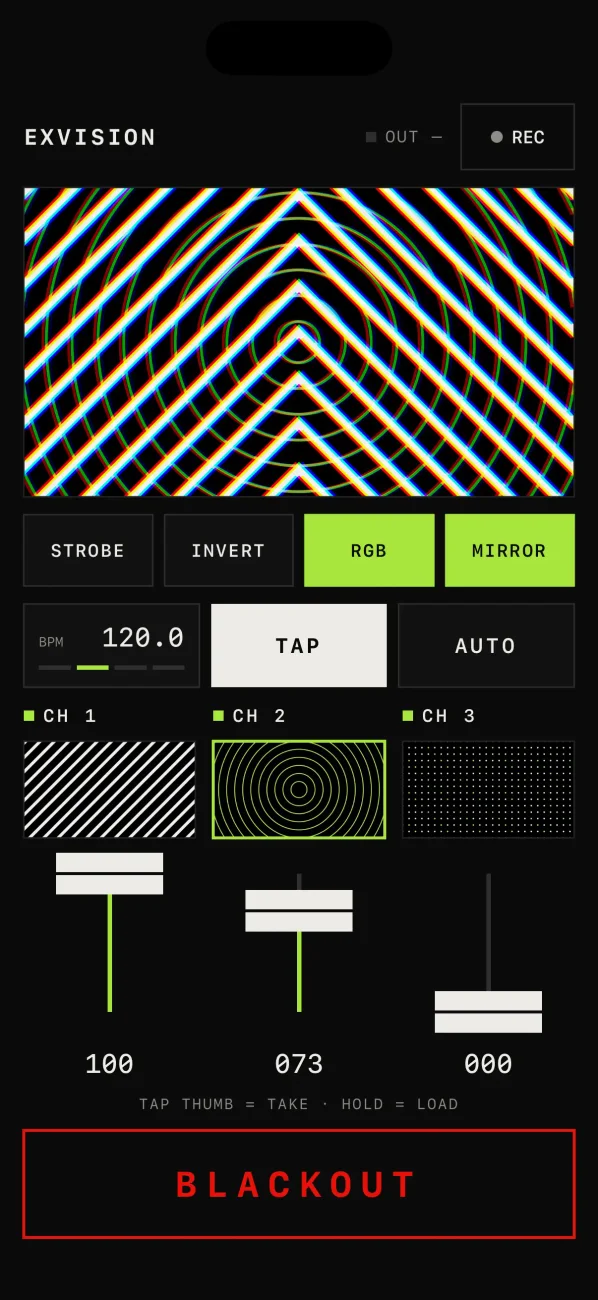
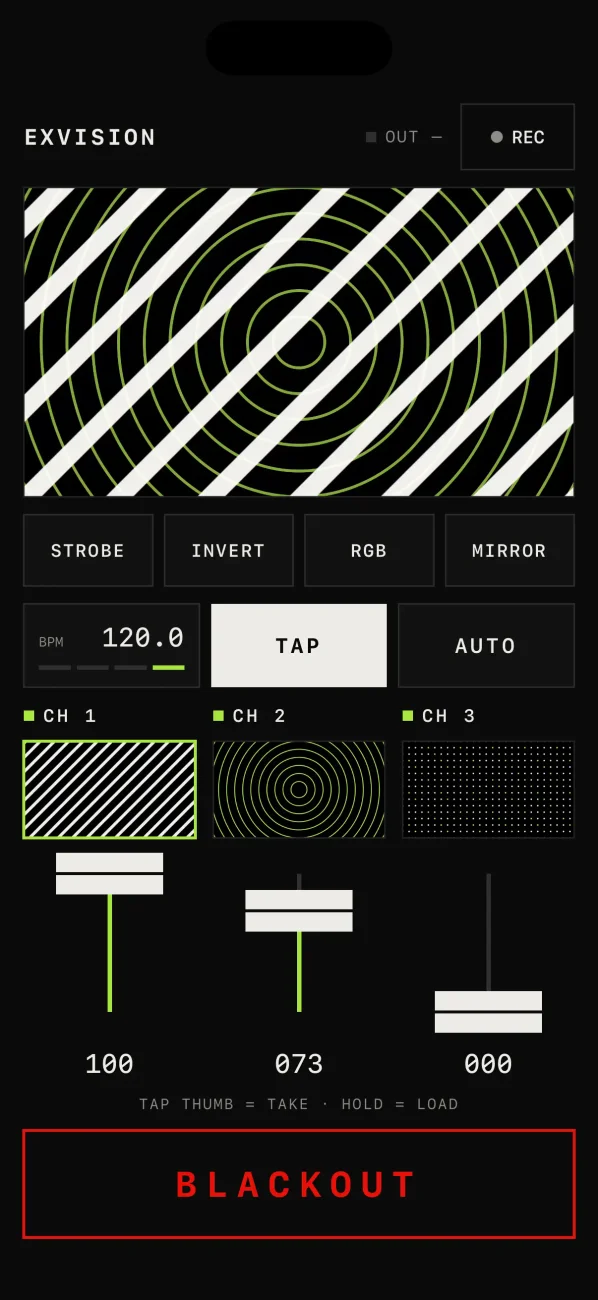

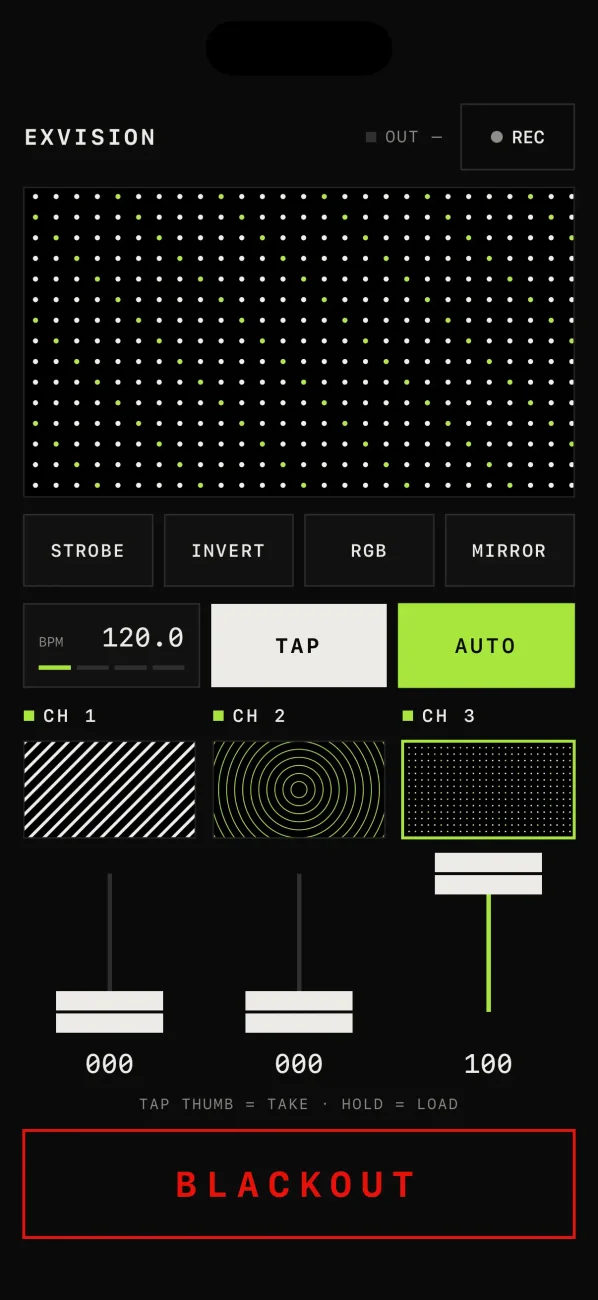
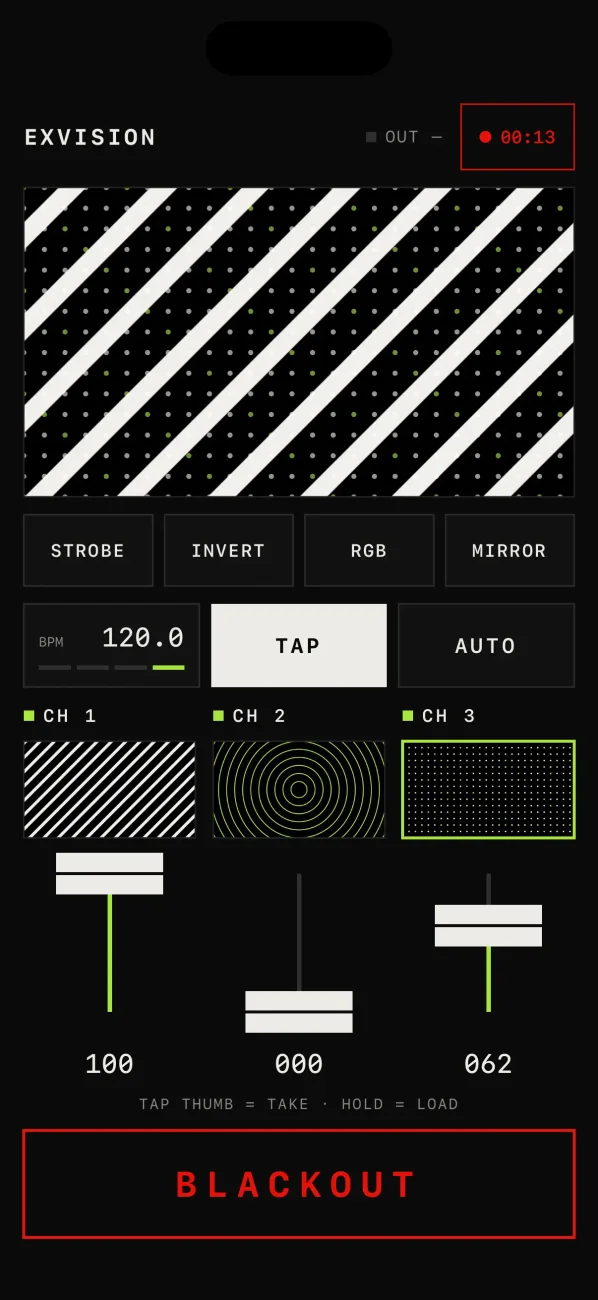
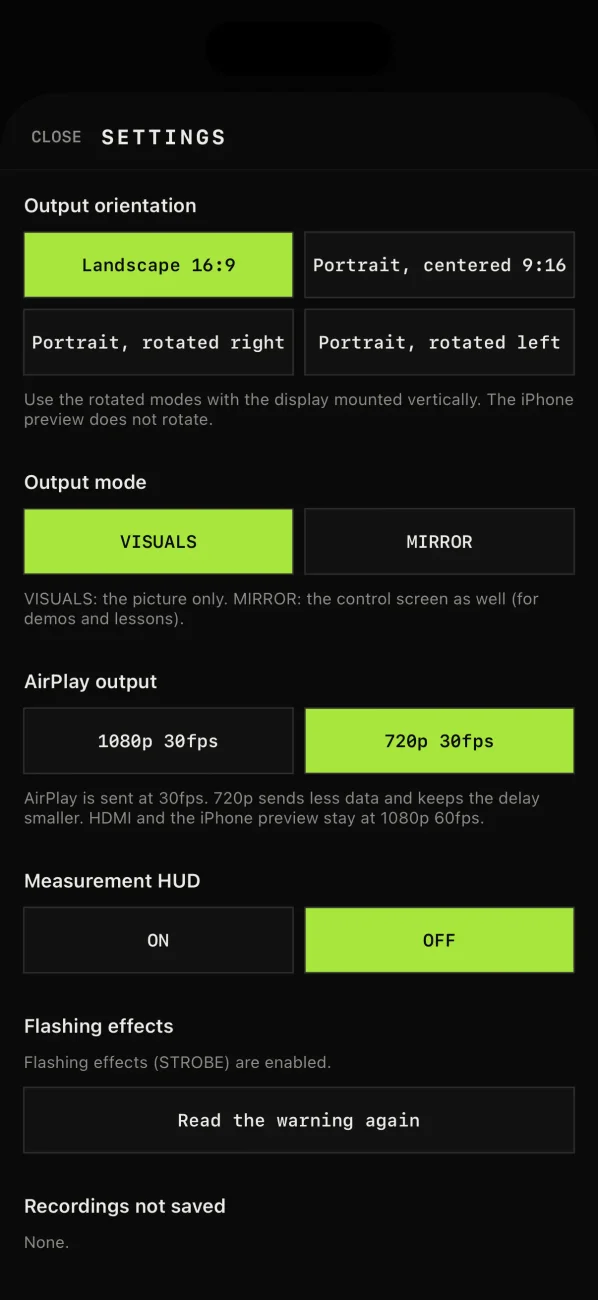
À propos
Le développeur n’a pas fourni ce texte dans votre langue.
Perform video to the music.
EXVISION turns your iPhone into an instrument for video. Blend three channels with your thumb, and every move becomes a film of its own. The projector or TV shows only the picture.
■ THREE WAYS TO PLAY
PLAY — Play video like an instrument.
Blend three channels with vertical faders and stack effects with a tap. TAP the tempo; AUTO cuts on every bar. Your iPhone becomes a visual instrument.
REC — Your performance becomes a film.
Record the mix exactly as it goes out and save it to Photos. Every move you make to the music turns into an original video.
OUT — For live shows and spaces.
Projectors, TVs and LED panels show only the picture, full screen — even when mounted vertically. The controls stay in your hand.
■ FEATURES
• 3CH MIX: Load videos, GIFs and photos from your library and mix them with vertical faders
• TAKE / ZOOM: Tap a thumbnail to cut to that channel. Pinch the preview to zoom and drag to move
• FX: STROBE, INVERT, RGB and MIRROR. Tap to switch them on or off, and stack them
• TAP / AUTO: TAP sets the tempo; AUTO cuts to the next channel on every bar
• REC: Record the mix as it goes out and save it to Photos
• BLACKOUT: The biggest button takes the output to black the moment you press it
• Output: landscape, portrait or rotated
■ CONNECT
HDMI — Wired, without delay (made for shows)
An iPhone with USB-C display output (iPhone 15 and later; not iPhone 16e / 17e) and a USB-C to HDMI adapter, or a Lightning iPhone with the Lightning Digital AV Adapter.
AirPlay — Wireless and easy
Screen Mirroring to a compatible TV or receiver, from any iPhone. The picture arrives a little late (sent at 30 fps).
■ BUILT FOR THE STAGE
• No sound: video audio is always muted, so the DJ's sound is never touched
• Flashing is capped: STROBE and other flashes stay at 3 per second or fewer (PRO's HUE changes color on the beat, about 3.3 times per second at 200 BPM)
• Eases off when hot: output drops to 720p / 30 fps and keeps going
• Guards against slips: Auto-Lock is held off during a set, and screen-edge swipes are harder to trigger
• No data collected: no accounts, no ads, no network
■ ABOUT RECORDING
Recordings contain the picture only. To post with music, add your track in a video editor. Recording stops and saves by itself when storage runs low or the iPhone gets too hot.
■ FLASHING LIGHT WARNING
EXVISION includes effects that flash light rapidly (such as STROBE) or switch colors on every beat (HUE). In rare cases, flashing lights can trigger seizures (photosensitive epilepsy). If you have ever had a seizure or epilepsy, or felt unwell from flashing lights, do not use flashing effects. When projecting at a venue, remember that the audience can be affected too.
EXVISION PRO (YEARLY SUBSCRIPTION)
Unlocks 6 effects in the FX library and 6 clips (GRID, BARS, CITY, CORRIDOR, FOLLOW, ALLEY), and lets you put any effect in the four slots, applied to the whole mix or to a single channel. New effects are added every six months.
• Billed yearly, with a one-week free trial (once per account). The price for your region is shown in the app before you subscribe
• Renews automatically every year unless it is cancelled at least 24 hours before the end of the current period
• Cancel any time in the Settings app → your name → Subscriptions
• Terms of Use: https://www.apple.com/legal/internet-services/itunes/dev/stdeula/
• Privacy Policy: https://exvision.app/privacy.html
Nouveautés
Version 1.2.0 · 18/11/2026
• FX per channel (EXVISION PRO): hold an FX slot and choose CH 1–3 under APPLY TO to put that effect on one channel only
• HUE (EXVISION PRO) now changes color on every beat, up to 200 BPM
• Longer faders, especially on smaller screens such as iPhone SE. The BLACKOUT button is a little smaller, and each channel's level now sits beside its name
Confidentialité de l’application
Ce que NOBUHISA AZUMA déclare sur l’App Store au sujet du traitement des données par cette application.
-
Données non collectées
Le développeur ne collecte aucune donnée à partir de cette application.
Les pratiques en matière de confidentialité peuvent varier, notamment en fonction des fonctionnalités que vous utilisez ou de votre âge.
Informations
- Vendeur
- NOBUHISA AZUMA
- Catégorie
- Photo et vidéo
- Version
- 1.2.0
- Mis à jour
- 18/11/2026
- Publié
- 04/11/2026
- Taille
- 14,3 Mo
- Nécessite
- iOS 17.0 ou version ultérieure
- Classification d’âge
- 4+
- Prix
- Gratuit
- Achats intégrés
- Oui
- Langues
- Anglais, Japonais
- Copyright
- © 2026 EXVISION
Vous aimerez peut-être aussi
-
 LOOK LabPhoto et vidéo
-
 KOMA Film CameraPhoto et vidéo
-
 The Image Converter JPG JPEGPhoto et vidéo
-
 Extension Image IAÉtendez les images avec l'IA.
-
 Fisheye Plus - Vidéo fisheyeNouvelle façon d'enregistrer
-
 ACCEA PrintPhoto et vidéo
-
 縦書き文字入れ「文字入れくん」Photo et vidéo
-
 Effects Art - Montage de photoPhoto et vidéo
-
 VideoShot - Screen RecorderPhoto et vidéo
-
 Superimpose AI Changer FondAI Background Remover, éditeur