FaceClock Analogue
Awesome Analogue Clocks
Conçue pour iPhone, iPad
Gratuit · Achats intégrés
- Classification d’âge4+
- CatégorieUtilitaires
- DéveloppeuriReka Soft
- LanguesAnglais+ 1 de plus
- Taille13,7 Mo
Renvoie vers la page App Store officielle
Download.org n’héberge aucun fichier de FaceClock Analogue. Le bouton ouvre la page de l’application sur App Store, où iReka Soft la publie. Fiche vérifiée pour la dernière fois le 16/11/2026.
Captures d’écran


À propos
Le développeur n’a pas fourni ce texte dans votre langue.
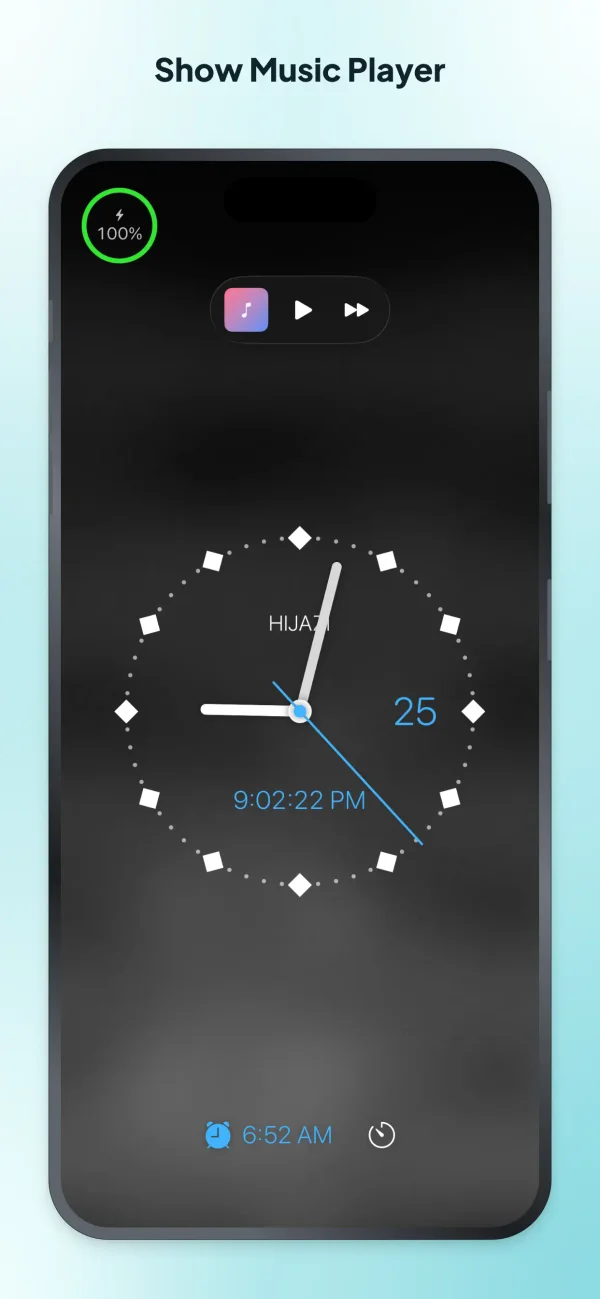
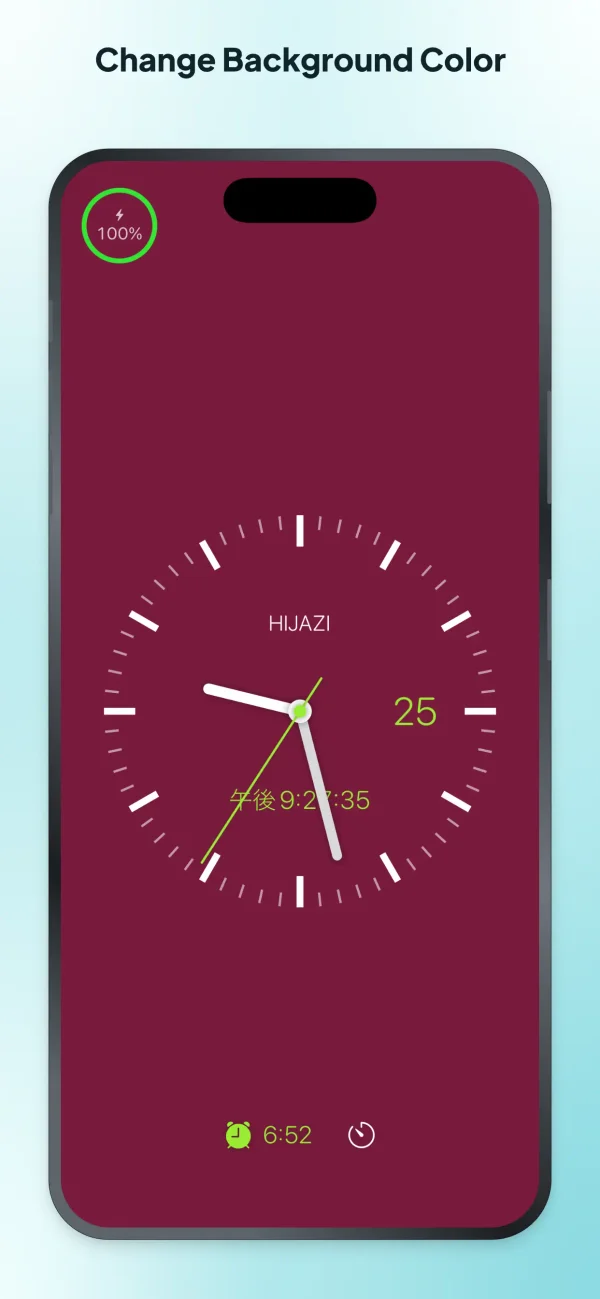
FaceClock is free to use with six minimal clock faces, all color themes, wall colors, the digital time and a full alarm.
FaceClock turns your iPhone or iPad into an analog clock you'll actually want on your nightstand, your desk or your kitchen counter.
Twenty clock faces
Pick from four groups: Minimal (bars, dots, rings), Numerals (including Roman, Arabic-Indic and Chinese numbers), 24-Hour dials, and Counter-Clockwise faces that run backwards. Choose a color theme, including a dim red Night theme that won't keep you awake, and a light theme for bright rooms.
Make it yours
Set any wall color or use your own photo as the background, then drag and pinch to frame it. Add the date, the digital time in 12- or 24-hour form, and the current temperature. Drag up or down anywhere on the clock to dim the screen for night-time.
A real alarm
Built on Apple's alarm system, so it rings even when your phone is locked or on silent. Choose the time, which days it repeats and how long snooze lasts.
Sleep timer
Count down with white noise, or an alarm at the end. The timer keeps going on your Lock Screen and in the Dynamic Island.
Weather on the face
Local temperature and conditions from Apple Weather, right on the dial. Visual effects behind the clock can follow your weather: sunlight, fog, rain or snow.
Hear the time
Have the clock speak the time on the hour, half hour or quarter hour, in your choice of language. Or just double-tap the clock whenever you want to know.
Widgets
Clock widgets for the Home Screen in every size, including extra large on iPad, plus a minimal clock for the Lock Screen. They follow the clock settings you chose in the app.
Also included
Now Playing controls for the Music app
· battery ring with charging status
· keep-screen-awake for bedside use
· full iPad support in portrait and landscape
Unlock everything with a single purchase: all twenty clock faces, photo backgrounds, weather, visual effects, the sleep timer, the music player, spoken time announcements and widgets. One purchase, no subscription. Already bought it in an earlier version? Tap Restore Purchase.
Nouveautés
Version 3.1 · 13/10/2026
• UX improvements.
Confidentialité de l’application
Ce que iReka Soft déclare sur l’App Store au sujet du traitement des données par cette application.
-
Données non collectées
Le développeur ne collecte aucune donnée à partir de cette application.
Les pratiques en matière de confidentialité peuvent varier, notamment en fonction des fonctionnalités que vous utilisez ou de votre âge.
Informations
- Vendeur
- iReka Soft
- Catégorie
- Utilitaires
- Version
- 3.1
- Mis à jour
- 13/10/2026
- Publié
- 04/05/2011
- Taille
- 13,7 Mo
- Nécessite
- iOS 26.0 ou version ultérieure
- Classification d’âge
- 4+
- Prix
- Gratuit
- Achats intégrés
- Oui
- Langues
- Anglais, Japonais
- Copyright
- © iReka Soft
Vous aimerez peut-être aussi
-
 Rect ClockHorloge analogique plein écran
-
 Super Clock: Horloge & FocusCadrans analogiques & minuteur
-
 l'horloge-tempsBel écran d'horloge
-
 Smart Digital & Analog ClockUtilitaires
-
 Analog Clock & TimerUtilitaires
-
 Cloki – Clock WidgetUtilitaires
-
 Premium Clock CollectionUtilitaires
-
 Digital Clock - NeoUtilitaires
-
 Weekly Alarm ClockUtilitaires
-
 OLED ClockHorloge animée complète