
- Classification d’âge4+
- CatégorieForme et santé
- DéveloppeurBaleware
- LanguesAnglais
- Taille5,5 Mo
Renvoie vers la page App Store officielle
Download.org n’héberge aucun fichier de Fastino. Le bouton ouvre la page de l’application sur App Store, où Baleware la publie. Fiche vérifiée pour la dernière fois le 28/11/2026.
Captures d’écran
À propos
Le développeur n’a pas fourni ce texte dans votre langue.
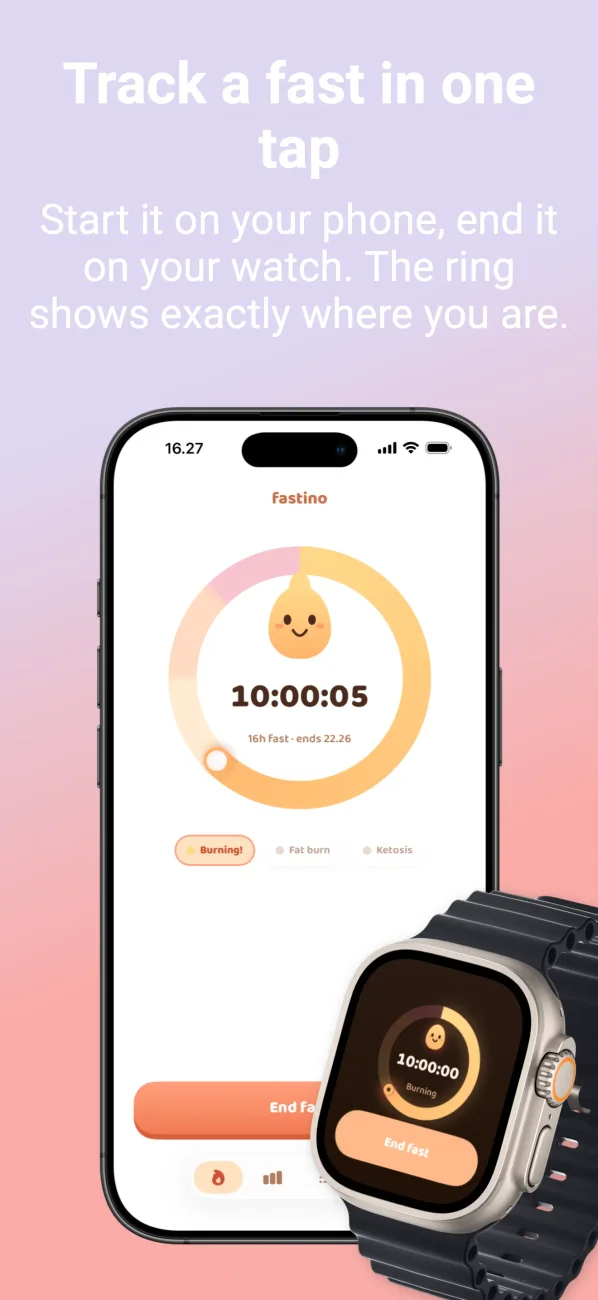
Fastino tracks intermittent fasting and gets out of the way. Start a fast with one tap —
from the app, the Lock Screen, Control Center, your watch, Siri, or a double-tap on the
back of your phone — and the app handles the rest.
A watch app that works on its own
The Apple Watch app installs with the iPhone app or entirely without it. Start and end
fasts, fix a start time you tapped late, change your plan, and see your streak — all with
the phone out of range. Everything syncs through your own iCloud.
Your schedule doesn't drift
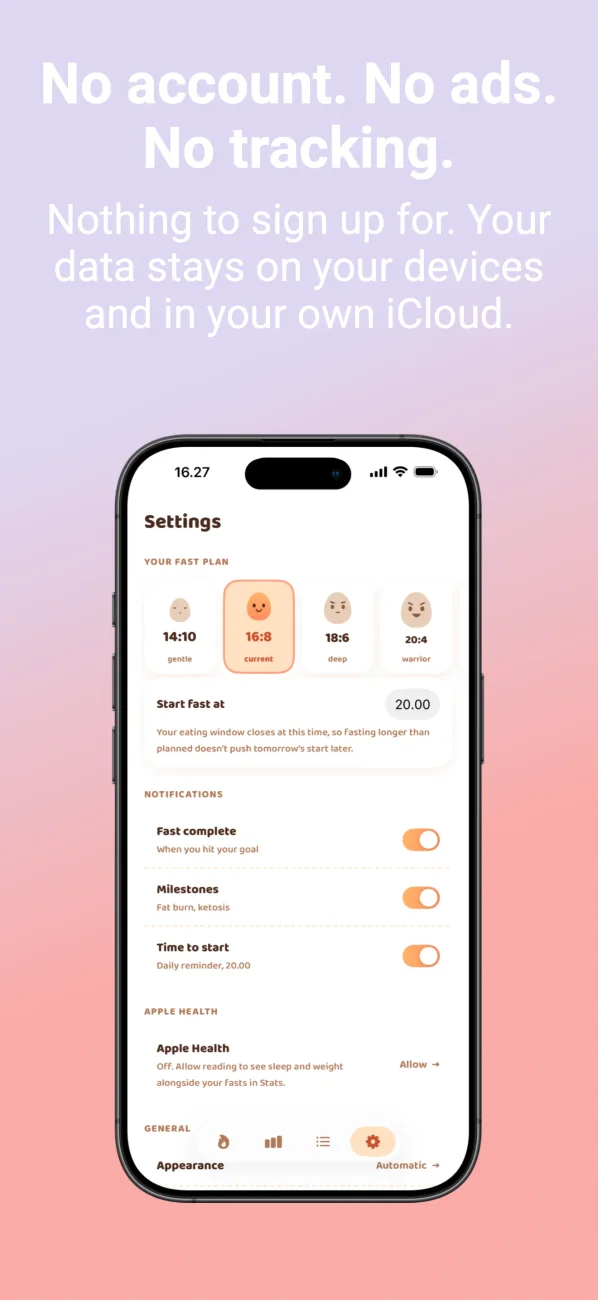
You choose the time you start fasting, and your eating window closes at that time every
day. Fast two hours longer than planned and you've spent two hours of today's eating
window — you haven't pushed tomorrow's start two hours later.
Plans
14:10, 16:8, 18:6, 20:4 and OMAD. Your goal is fixed when a fast starts, so changing plans
never rewrites your history.
Stats worth checking
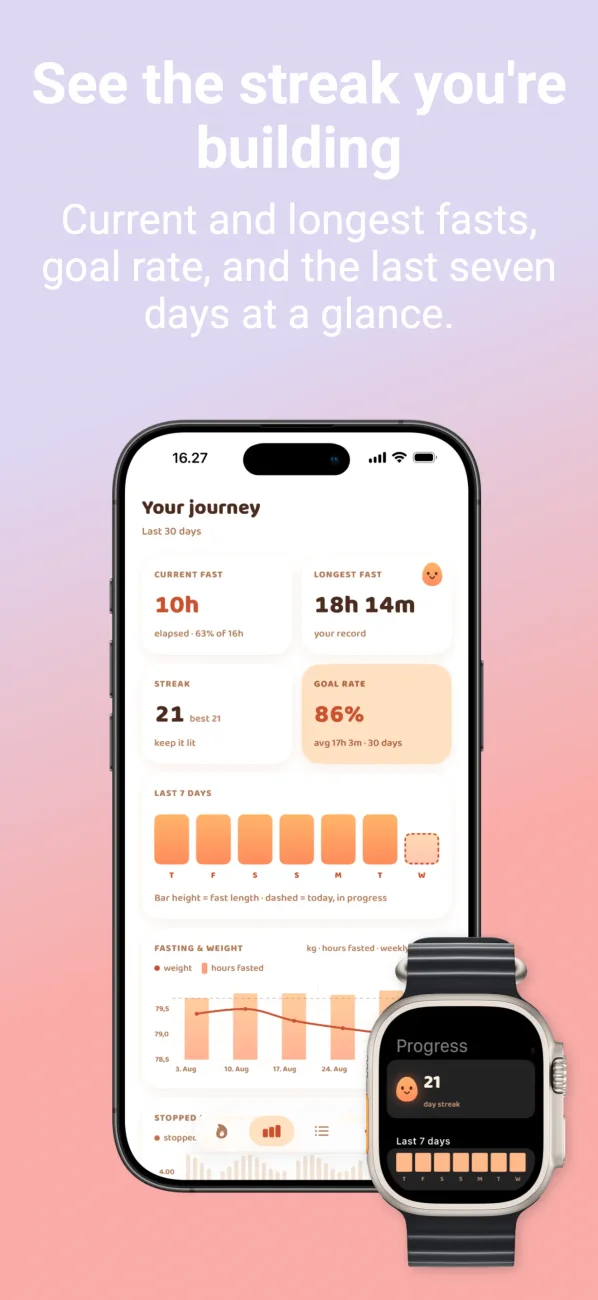
Current and longest streak, current and longest fast, a seven-day chart, and 30-day
averages. Streaks are strict — no freezes, no rest days — and every number is recomputed
from your fasts, so an edit is always reflected correctly.
Apple Health, read-only
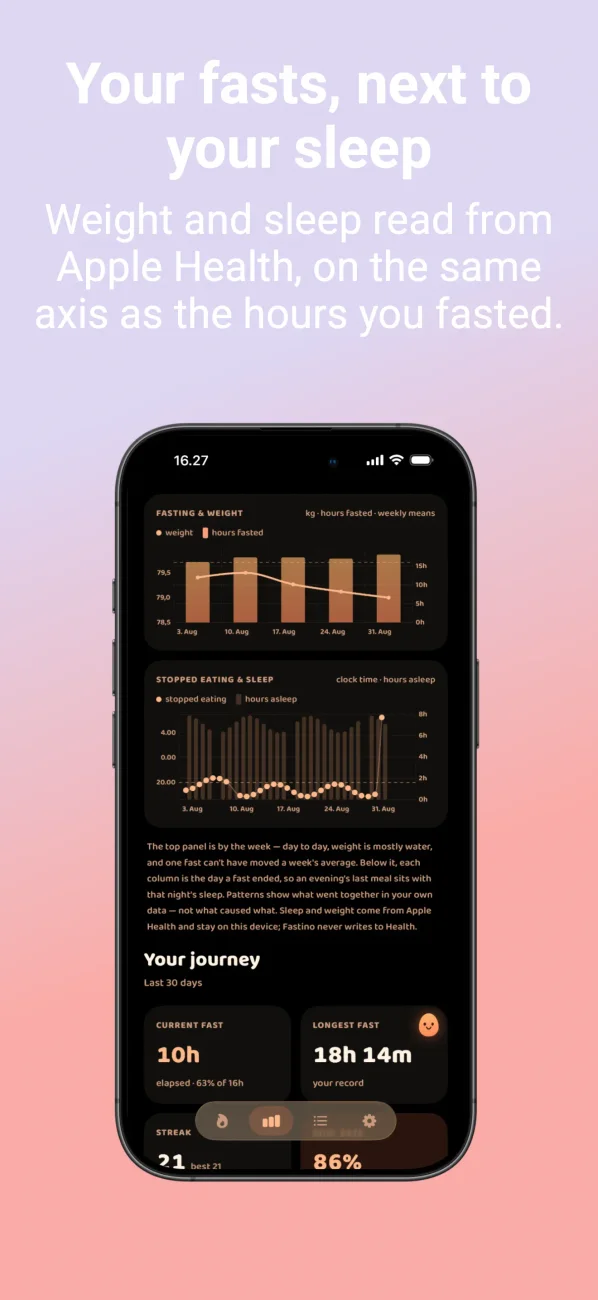
See your weight and your sleep on the same timeline as your fasting hours. Fastino reads
from Health and never writes to it, and Health data is never stored or synced.
On your Lock Screen and in Control Center
A Lock Screen widget counts your fast without draining anything, a Control Center toggle
starts and ends one from anywhere, and a watch complication keeps it on your face.
History you can fix
Every fast, grouped by month. Edit a time, add a fast you forgot, attach a note, or export
everything as CSV. It's your data.
Free, and staying free
No subscription, no in-app purchases, no ads, no account, no analytics, no backend. Your
fasts live on your devices and in your private iCloud.
Nouveautés
Version 1.3 · 26/11/2026
- Better synchronization between phone and watch
- Home Screen widgets (medium and small)
Confidentialité de l’application
Ce que Baleware déclare sur l’App Store au sujet du traitement des données par cette application.
-
Données non collectées
Le développeur ne collecte aucune donnée à partir de cette application.
Les pratiques en matière de confidentialité peuvent varier, notamment en fonction des fonctionnalités que vous utilisez ou de votre âge.
Informations
- Vendeur
- Baleware
- Catégorie
- Forme et santé
- Version
- 1.3
- Mis à jour
- 26/11/2026
- Publié
- 02/10/2026
- Taille
- 5,5 Mo
- Nécessite
- iOS 26.4 ou version ultérieure
- Classification d’âge
- 4+
- Prix
- Gratuit
- Langues
- Anglais
- Copyright
- © Baleware 2026
Vous aimerez peut-être aussi
-
 TrueFastForme et santé
-
 Fast.io -- Fasting TimerForme et santé
-
 Wemorph : Jeûne intermittentPerte de poids & métabolisme
-
 FastMode: Fasting TrackerForme et santé
-
 FiftyStrong: 50+ Women WorkoutForme et santé
-
 FitBot AIForme et santé
-
 GoodprepMédecine
-
 Intermittent Fasting - FastedForme et santé
-
 Fast-E - Intermittent FastingForme et santé
-
 Libre FastingForme et santé