FlagHour: Flat Rate Tracker
Mechanic Hours & RO Scanner
Conçue pour iPhone, iPad
Gratuit · Achats intégrés
- Classification d’âge4+
- CatégorieProductivité
- DéveloppeurChad Pickard
- LanguesAnglais
- Taille8,5 Mo
Renvoie vers la page App Store officielle
Download.org n’héberge aucun fichier de FlagHour: Flat Rate Tracker. Le bouton ouvre la page de l’application sur App Store, où Chad Pickard la publie. Fiche vérifiée pour la dernière fois le 23/11/2026.
Captures d’écran

À propos
Le développeur n’a pas fourni ce texte dans votre langue.
Your shop tracks hours for the business. FlagHour tracks them for you.
Scan or log every RO, see flagged hours and expected pay, and check your paycheck before payday.
If you work flat rate, you know the drill: you flag hours all day, but you don't really know where you stand until the check hits. FlagHour fixes that. Snap a photo of the RO or log it in a couple of taps, and the app works out your expected gross pay as you go.
HOW IT WORKS
1. Set your flag rate, pay schedule and work-day hours
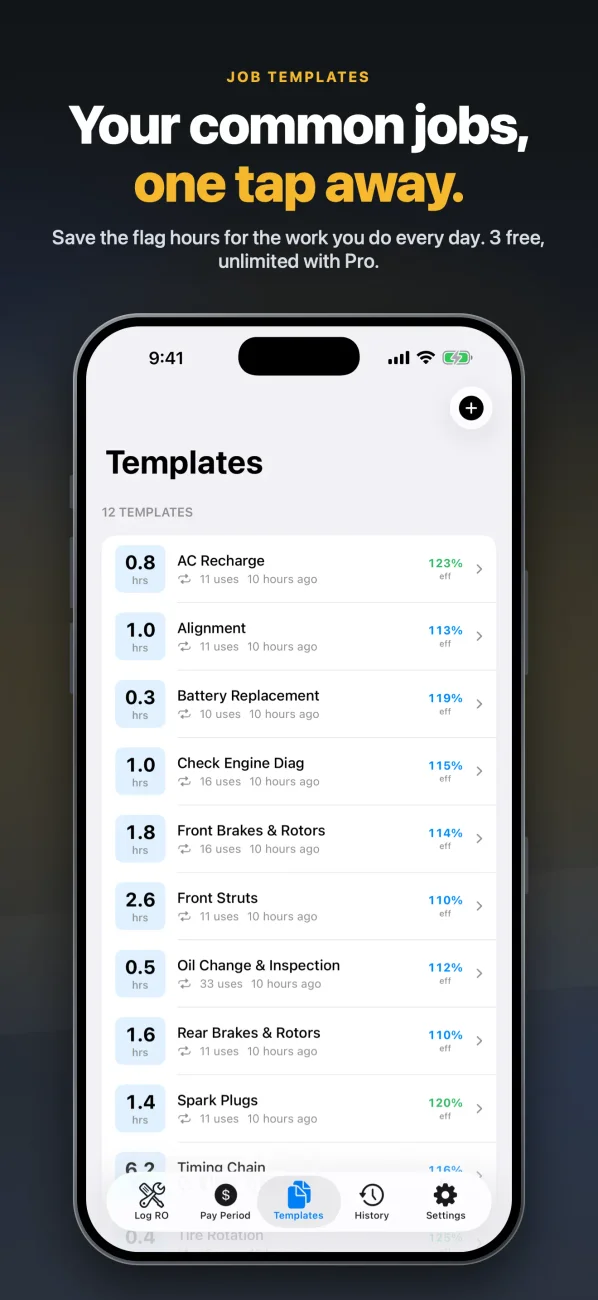
2. Save templates for the jobs you do most
3. Tap a template, enter the RO number, done
4. Watch your hours, pay and efficiency update right away
KEY FEATURES
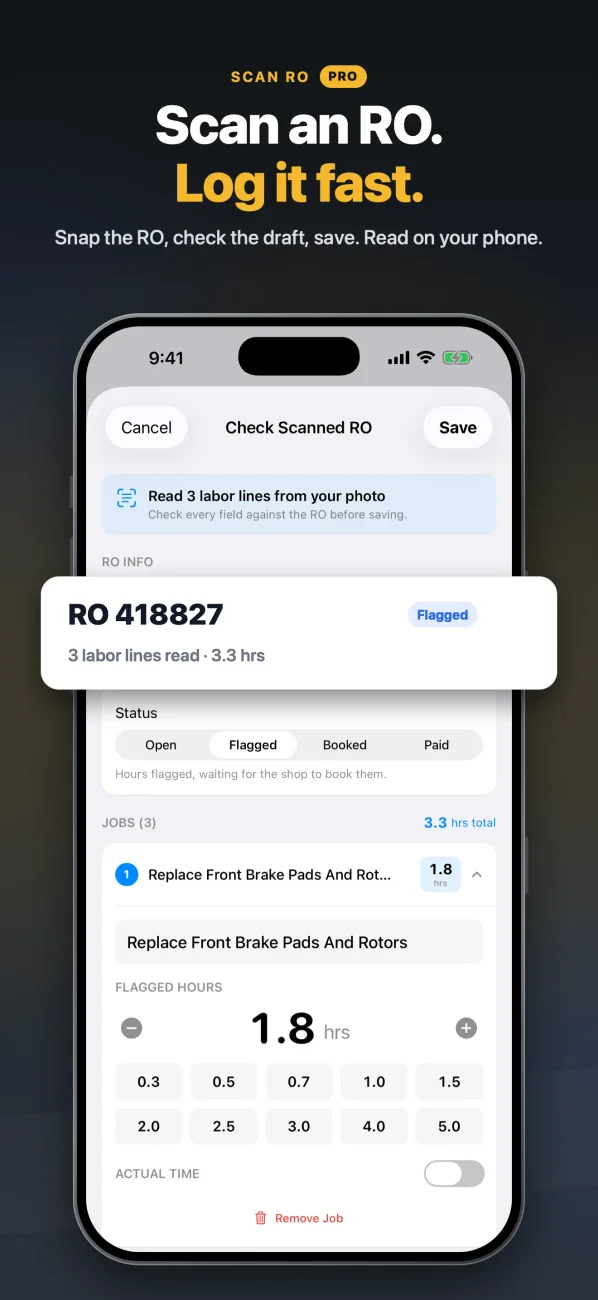
• Scan an RO (Pro): take a photo and FlagHour reads the RO number, labor lines and hours. You check the draft before saving, and the photo is read on your phone
• Quick RO logging: log an RO in a couple of taps with saved job templates
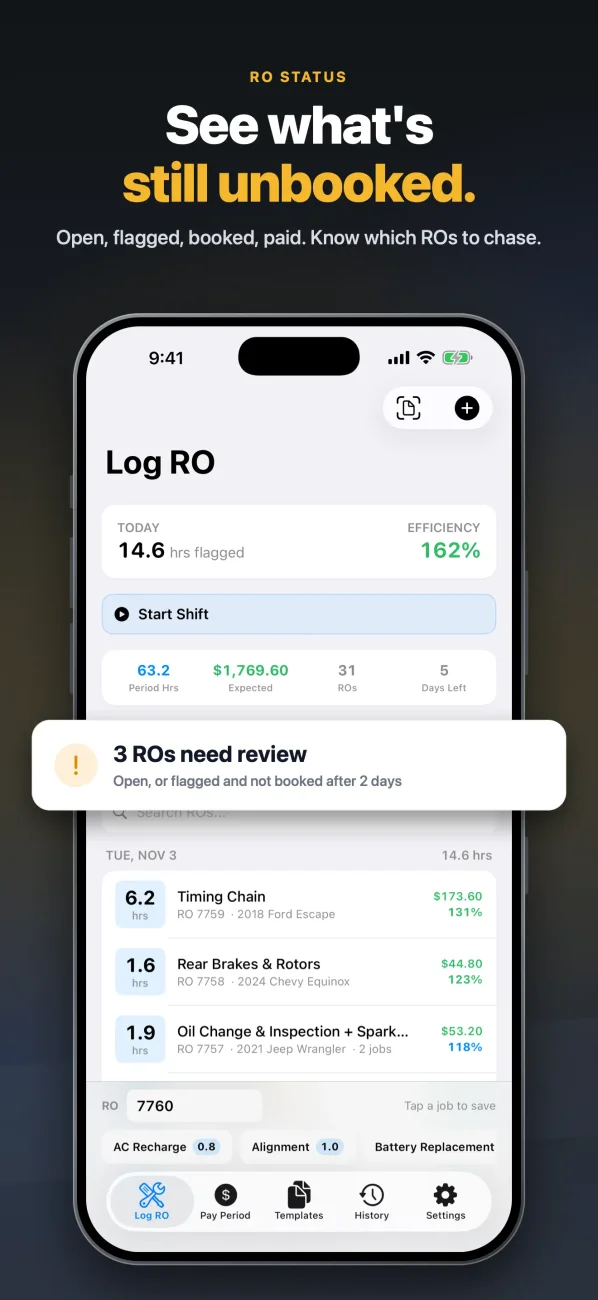
• RO status: Open, Flagged, Booked or Paid, with a list of ROs that still need booking
• Hours changes: when the shop changes an RO's hours, keep the old and new hours and a note
• Expected pay: your projected gross pay for the current period, updated with every RO
• Efficiency: daily and period efficiency at a glance
• Pay periods: weekly, biweekly, twice a month or custom
• Job templates: save your common jobs (brakes, diag, timing chains) with their usual flag hours
• Warranty and customer pay: mark warranty ROs and see the split
• Goals: set an hours or pay goal for each period
• VIN scanner: scan a VIN barcode to fill in the vehicle
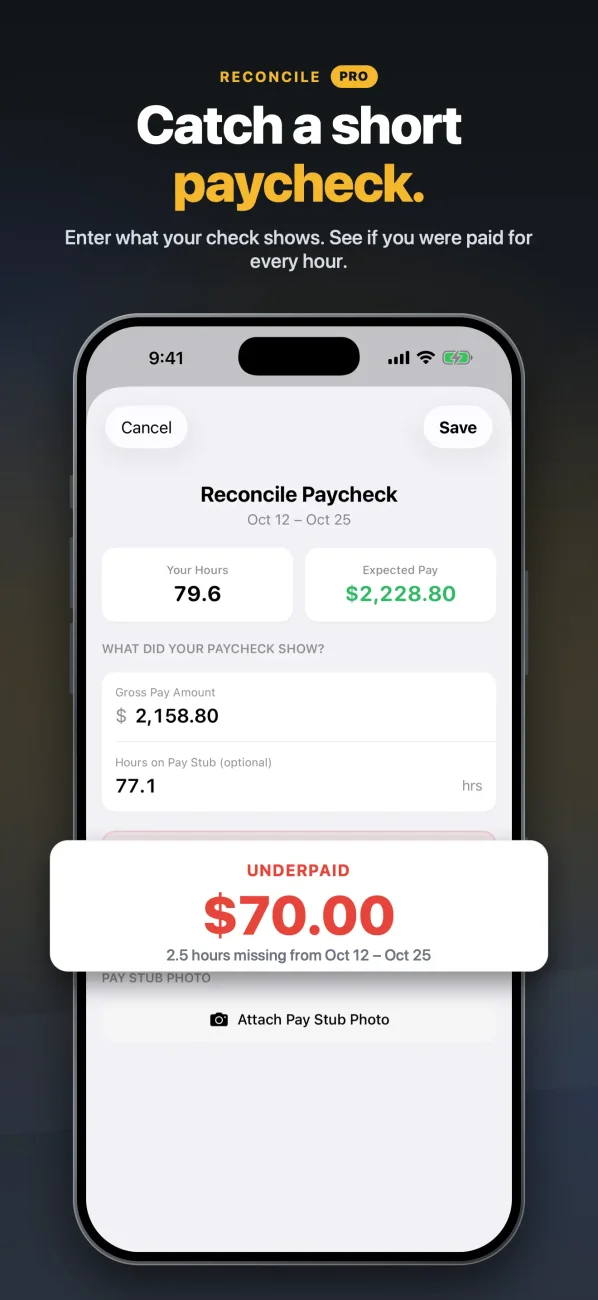
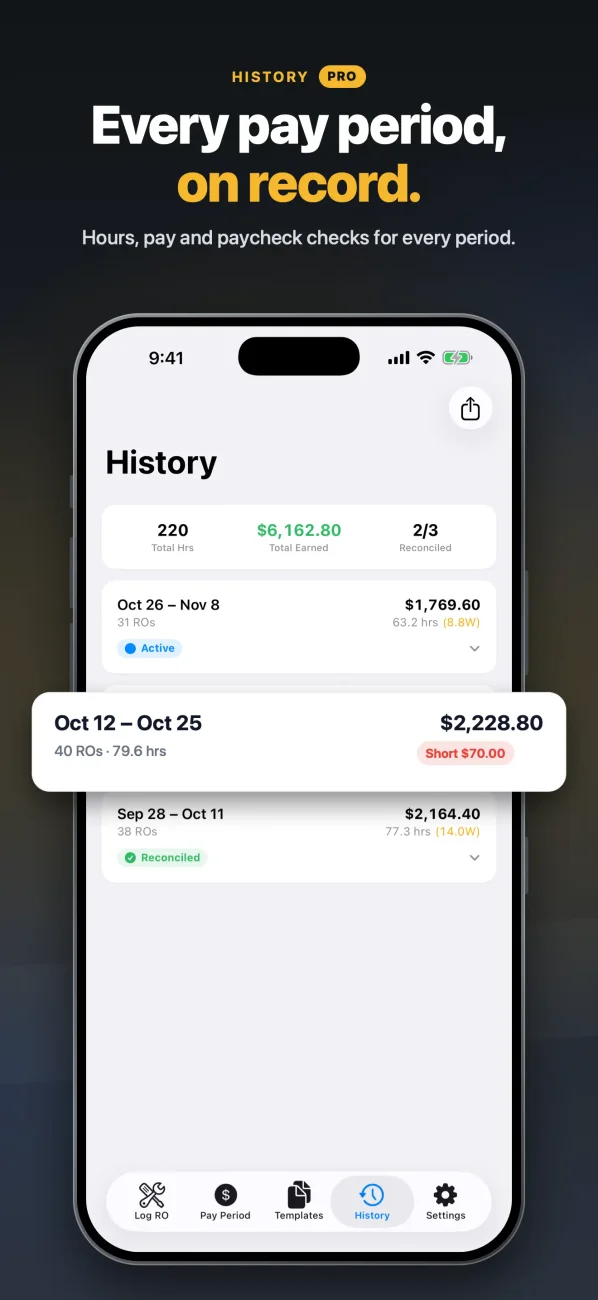
• Paycheck reconciliation (Pro): enter what your check shows and see if you were paid for every hour
• Pay stub photos (Pro): keep a photo of each stub with its period
• History (Pro): every past pay period with full RO details
• Pay period report (Pro): share a PDF with every RO, its status, what the shop hasn't booked yet and any hours changed after you logged them
• CSV export (Pro): your hours for your records, taxes or a pay question
• Search and filter (Pro): find any RO by number, date, job or vehicle
• Widgets: today's hours, period progress and unbooked hours on your Home Screen
• Live Activities (Pro): track your shift on the Lock Screen and Dynamic Island
• iCloud sync (Pro): keep iPhone and iPad in sync
• Reminders: an end-of-shift nudge to log your ROs
• Dark Mode, because shop lighting is bad enough
BUILT FOR TECHS
FlagHour is made for flat-rate technicians, not a generic time tracker forced into the job. Every screen is built around how techs work: RO numbers, flagged hours, job names, warranty vs. customer pay, booked vs. unbooked, and efficiency.
No account. No ads. Your data stays on your device, with optional iCloud sync for Pro users.
FLAGHOUR PRO
Free includes RO logging, RO status, expected pay, efficiency, up to 3 templates, the VIN scanner and widgets. Pro adds RO scanning, unlimited templates, paycheck reconciliation, pay period reports, full history, CSV export, search, iCloud sync and Live Activities.
Pro is available as a one-time Lifetime purchase, or as a monthly or annual subscription.
Stop guessing what your check will be. Start tracking with FlagHour.
EULA: https://www.apple.com/legal/internet-services/itunes/dev/stdeula/
Terms of Use: https://chadpickard.app/terms.html
Privacy Policy: https://chadpickard.app/privacy-policy.html#flaghour
Nouveautés
Version 1.2.1 · 20/11/2026
- Pay period report (Pro): share a PDF with every RO in the period, its status, what the shop hasn't booked yet and any hours changed after you logged them. Tap Share Period Report on the Pay Period screen.
- FlagHour now runs on Apple silicon Macs.
- The welcome screen fits smaller iPhones.
Confidentialité de l’application
Ce que Chad Pickard déclare sur l’App Store au sujet du traitement des données par cette application.
-
Données non collectées
Le développeur ne collecte aucune donnée à partir de cette application.
Les pratiques en matière de confidentialité peuvent varier, notamment en fonction des fonctionnalités que vous utilisez ou de votre âge.
Informations
- Vendeur
- Chad Pickard
- Catégorie
- Productivité
- Version
- 1.2.1
- Mis à jour
- 20/11/2026
- Publié
- 22/09/2026
- Taille
- 8,5 Mo
- Nécessite
- iOS 26.2 ou version ultérieure
- Classification d’âge
- 4+
- Prix
- Gratuit
- Achats intégrés
- Oui
- Langues
- Anglais
- Copyright
- © 2026 Chad Pickard
Vous aimerez peut-être aussi
-
 FlagHawkProductivité
-
 Flat Rate TrackerProductivité
-
 IAmCastingProductivité
-
 Spectrum Service Tech™Productivité
-
 ARI (Auto Repair Software)Productivité
-
 BeHRProductivité
-
 GlocalMeIOT: AIBox, USB WiFiProductivité
-
 GyralineProductivité
-
 Nametag - Verify Your IdentityProductivité
-
 Bosch Levelling Remote AppProductivité