
FlashMaster Pro
FlashMaster Pro: Learn Easily
Conçue pour iPhone, iPad, Mac, iPod touch
Gratuit
- Classification d’âge17+
- CatégorieÉducation
- DéveloppeurRambod ghashghaiabdi
- LanguesAnglais
- Taille38,3 Mo
Renvoie vers la page App Store officielle
Download.org n’héberge aucun fichier de FlashMaster Pro. Le bouton ouvre la page de l’application sur App Store, où Rambod ghashghaiabdi la publie. Fiche vérifiée pour la dernière fois le 12/11/2026.
Captures d’écran


À propos
Le développeur n’a pas fourni ce texte dans votre langue.
FlashMaster Pro is a focused flashcard study app for building organized learning libraries, reviewing at the right time, and turning AI-generated content into practical study decks.
Create flashcards manually, import structured JSON files, or use the built-in AI Generator to prepare professional prompts for your preferred AI assistant. FlashMaster Pro provides the required JSON format, validates generated content before import, and lets you add new decks directly from pasted JSON or a downloaded file.
STUDY WITH PURPOSE
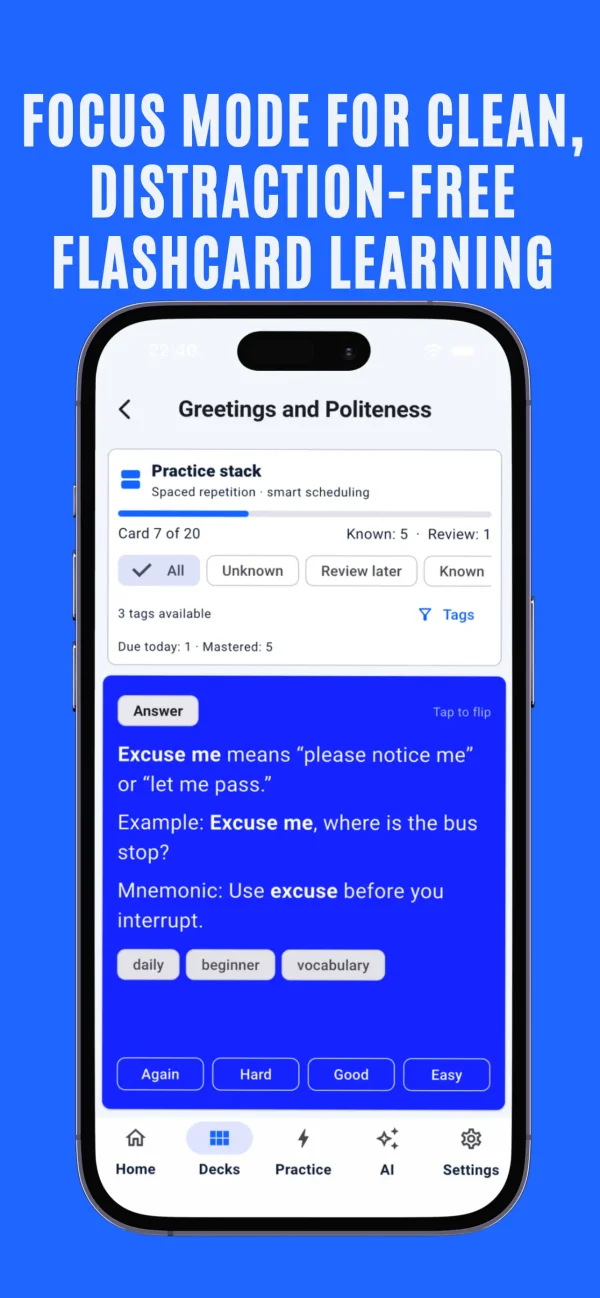
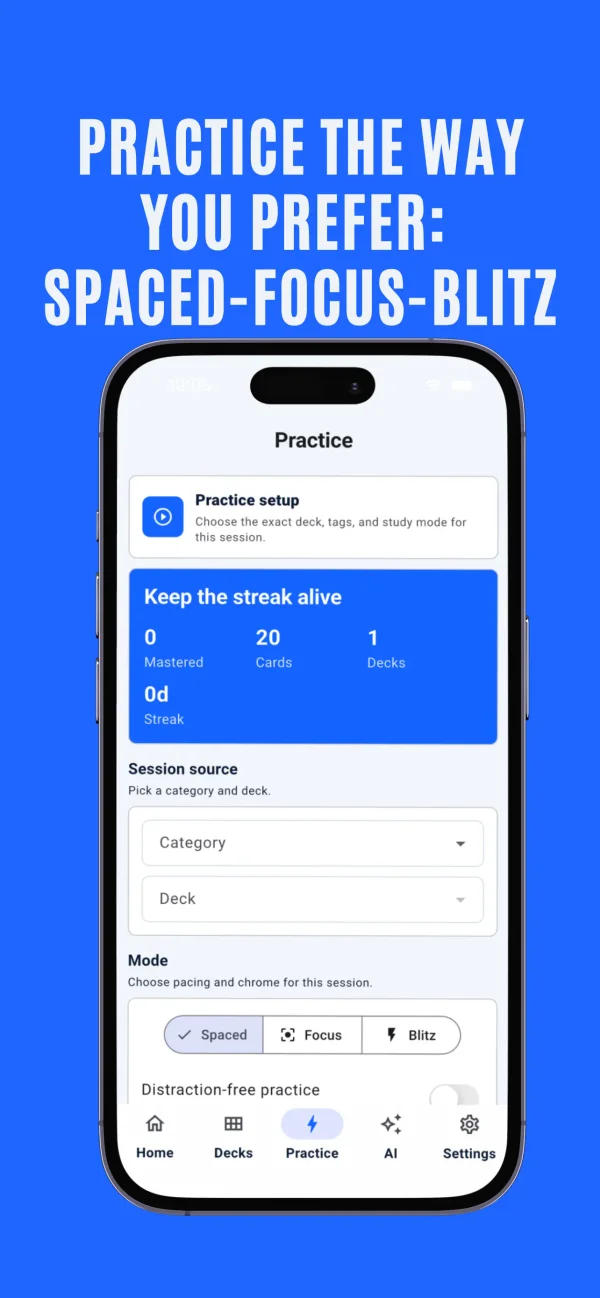
• Use spaced repetition to review cards when they matter most
• Choose Focus mode for concentrated sessions
• Use Blitz mode for fast review rounds
• Rate each card as Again, Hard, Good, or Easy
• Review missed cards after a session
• Track mastered cards, due cards, streaks, and progress
USE AI TO BUILD STUDY DECKS
• Answer a few questions to generate a detailed prompt
• Choose templates for exams, interviews, languages, coding, science, business, and more
• Send the prompt to ChatGPT, Gemini, Claude, Grok, or another AI assistant
• Paste the returned JSON directly into FlashMaster Pro
• Validate categories, decks, and cards before importing
• Import JSON directly or use a downloaded JSON file
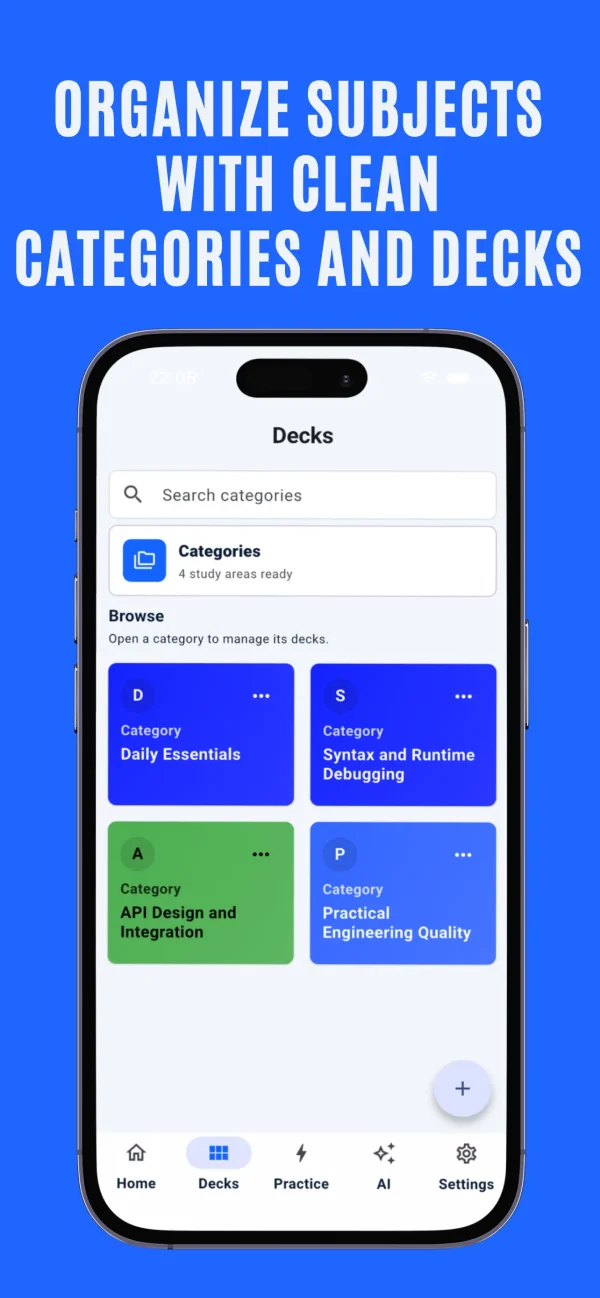
ORGANIZE YOUR LIBRARY
• Group flashcards into categories and decks
• Search categories, decks, cards, answers, and tags
• Filter cards by due, mastered, review-later, and pinned status
• Sort decks by recent activity, progress, streak, or name
• Use tags to create focused practice sessions
• Switch between compact and comfortable layouts
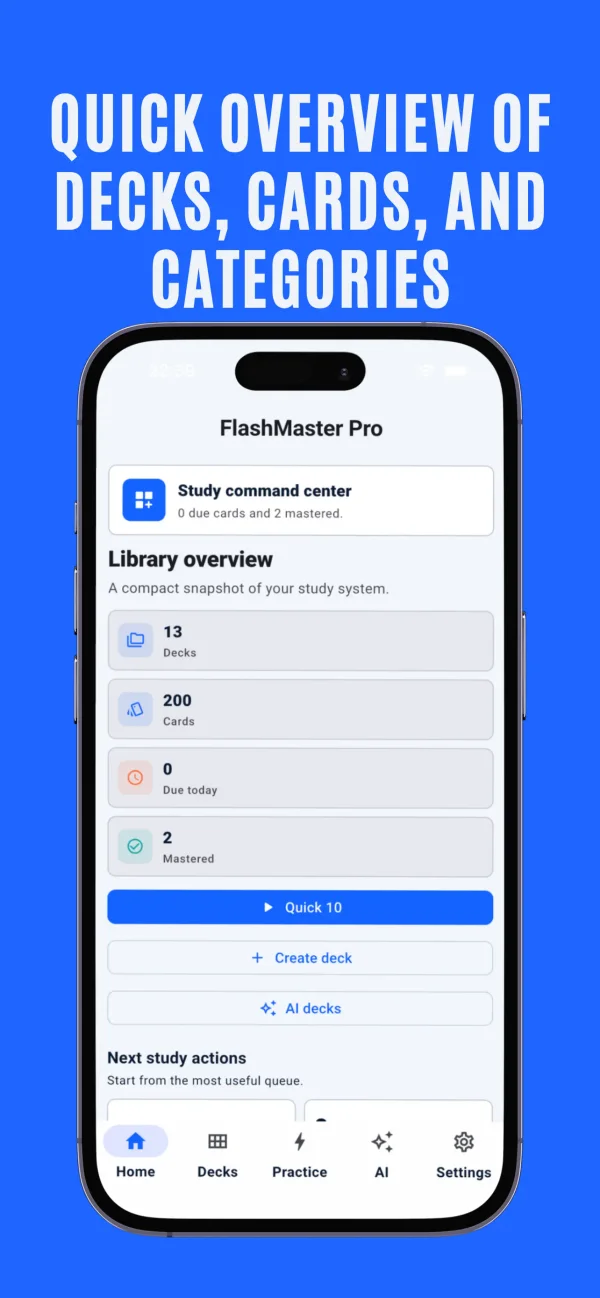
SMART DASHBOARD
• See due cards, weak cards, pinned cards, and review-later cards
• Continue your recent deck quickly
• Start a mixed review or a quick 10-card session
• Find your next study action without navigating through multiple screens
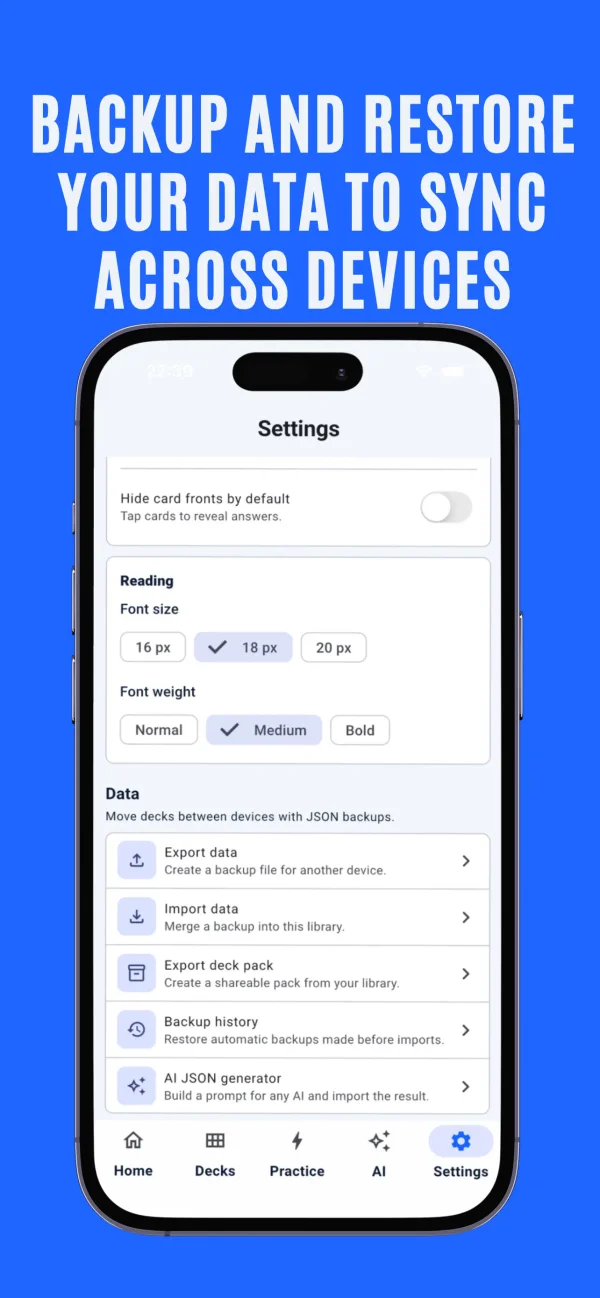
BACKUP AND SHARE
• Export your library as JSON
• Import validated backups safely
• Create shareable deck packs
• Restore automatic backups from backup history
• Merge imported content while keeping your existing library
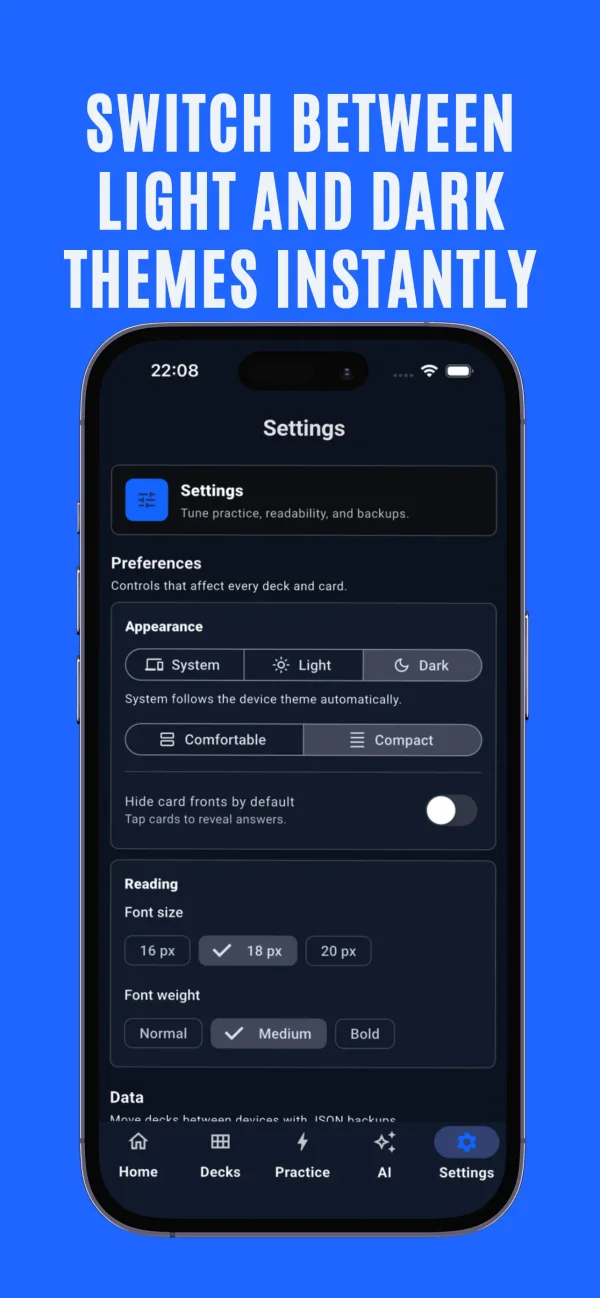
DESIGNED FOR READABILITY
• Clean, modern interface
• Light, dark, and system appearance modes
• High-contrast card colors
• Adjustable text size and weight
• Responsive layouts for iPhone and iPad
FlashMaster Pro is built for students, professionals, language learners, developers, and anyone who wants a practical way to remember more.
Nouveautés
Version 2.7.0 · 03/06/2026
FlashMaster Pro 2.7 introduces a more powerful and polished learning experience.
AI-powered deck creation
• Build detailed prompts for ChatGPT, Gemini, Claude, Grok, and other AI assistants
• Paste generated JSON directly into the app
• Validate and preview imported categories, decks, and cards before adding them
• Import from pasted JSON or traditional JSON files
Smarter practice
• Review due, weak, pinned, and review-later cards
• Grade answers with Again, Hard, Good, and Easy
• Track session progress accurately and review missed cards
• Continue your latest deck and start quick review sessions
Library improvements
• Search categories, decks, cards, and tags more easily
• Use compact, collapsible filters to keep content visible
• Browse cleaner deck and card layouts on smaller screens
• Find card quality issues such as missing content or invalid attachments
Safety and usability
• Automatic local backups before imports
• Backup history with restore support
• Improved onboarding and contextual help
• Better dark-mode contrast and accessibility
• More readable cards, cleaner navigation, and denser layouts
Confidentialité de l’application
Ce que Rambod ghashghaiabdi déclare sur l’App Store au sujet du traitement des données par cette application.
-
Données utilisées pour vous suivre
Peuvent être utilisées pour vous suivre sur des applications et des sites web appartenant à d’autres sociétés.
- Identifiants
- Données d’utilisation
-
Données établissant un lien avec vous
Peuvent être collectées et liées à votre identité.
- Identifiants
- Données d’utilisation
- Diagnostic
Les pratiques en matière de confidentialité peuvent varier, notamment en fonction des fonctionnalités que vous utilisez ou de votre âge.
Informations
- Vendeur
- Rambod ghashghaiabdi
- Catégorie
- Éducation
- Version
- 2.7.0
- Mis à jour
- 03/06/2026
- Publié
- 10/09/2023
- Taille
- 38,3 Mo
- Nécessite
- iOS 15.0 ou version ultérieure
- Classification d’âge
- 17+
- Prix
- Gratuit
- Langues
- Anglais
- Copyright
- © Rambod
Vous aimerez peut-être aussi
-
 Greek Numeral CalculatorÉducation
-
 Ancient Greece History QuizÉducation
-
 MapleMasteryRéférences
-
 Times Table Master: Fast FactsÉducation
-
 Reading Speed/Fluency Builder.Éducation
-
 Times Table Master Brain BoostÉducation
-
 Owley - AI FlashcardsÉducation
-
 Vocabla – Language learningÉducation
-
 Do!t.Éducation
-
 Wheel Math+Éducation