Fleuron — Reader
Stay inside the story.
Conçue pour iPhone, iPad
Gratuit · Achats intégrés
- Classification d’âge4+
- CatégorieLivres
- DéveloppeurAdib Ashraf
- LanguesJaponais+ 4 de plus
- Taille216,2 Mo
Renvoie vers la page App Store officielle
Download.org n’héberge aucun fichier de Fleuron — Reader. Le bouton ouvre la page de l’application sur App Store, où Adib Ashraf la publie. Fiche vérifiée pour la dernière fois le 14/11/2026.
Captures d’écran

À propos
Le développeur n’a pas fourni ce texte dans votre langue.
Read real books in English, Japanese, Korean or Chinese, and understand them.
Fleuron is an EPUB reader for reading above your level. It puts short meanings above the hard words, readings over Japanese and Chinese, and a spoiler-free guide to who's who beside the page, so you can stay inside the story.
LENS
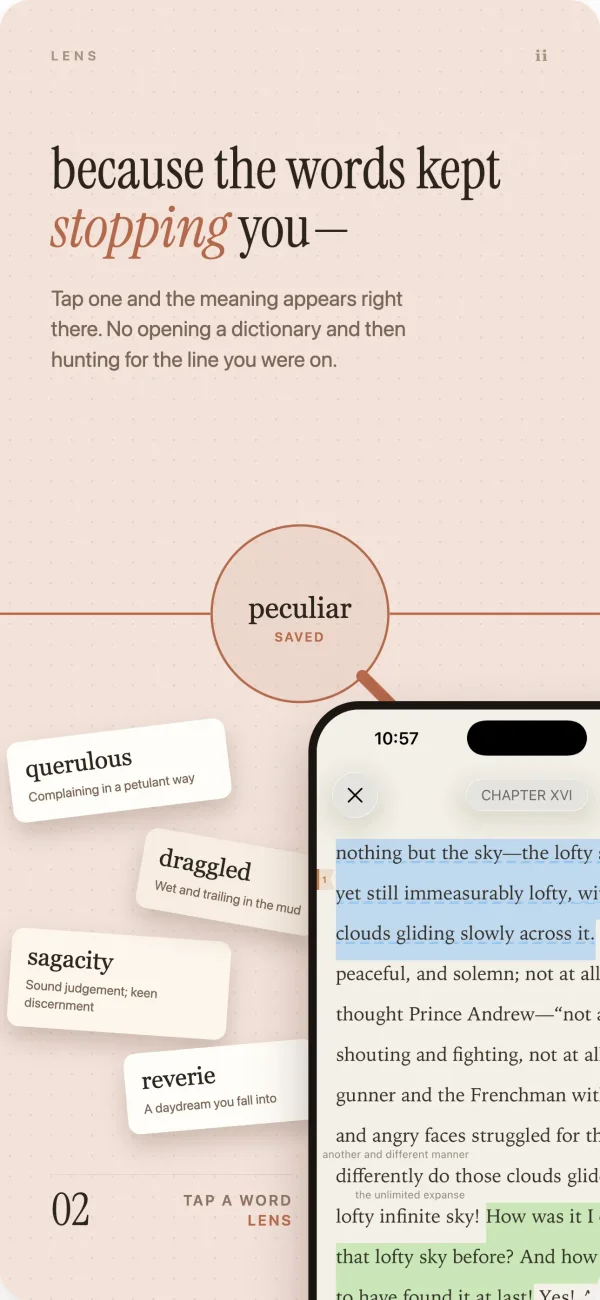
Short hints sit above the words you may not know. Tap any word for its full entry: the sense that fits this sentence, its reading and an example. Mark a word as known and its hint goes away.
READINGS
Furigana over Japanese, in horizontal or vertical text. Pinyin over Chinese, with each character broken down. Korean words traced back to their dictionary form.
COMPASS
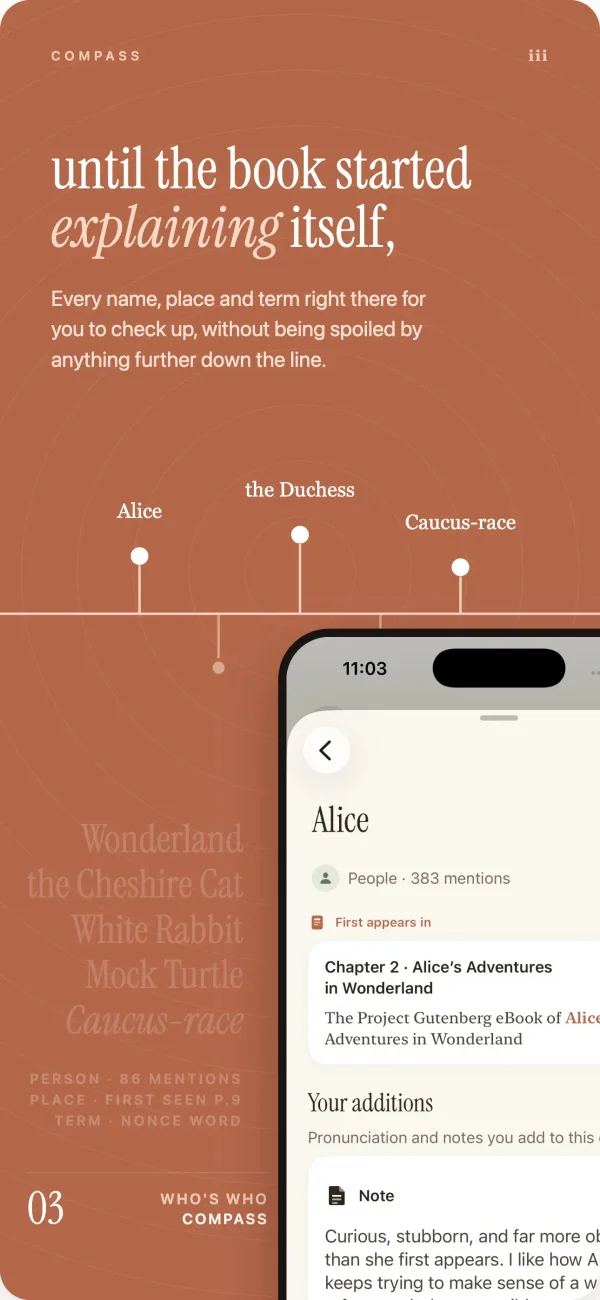
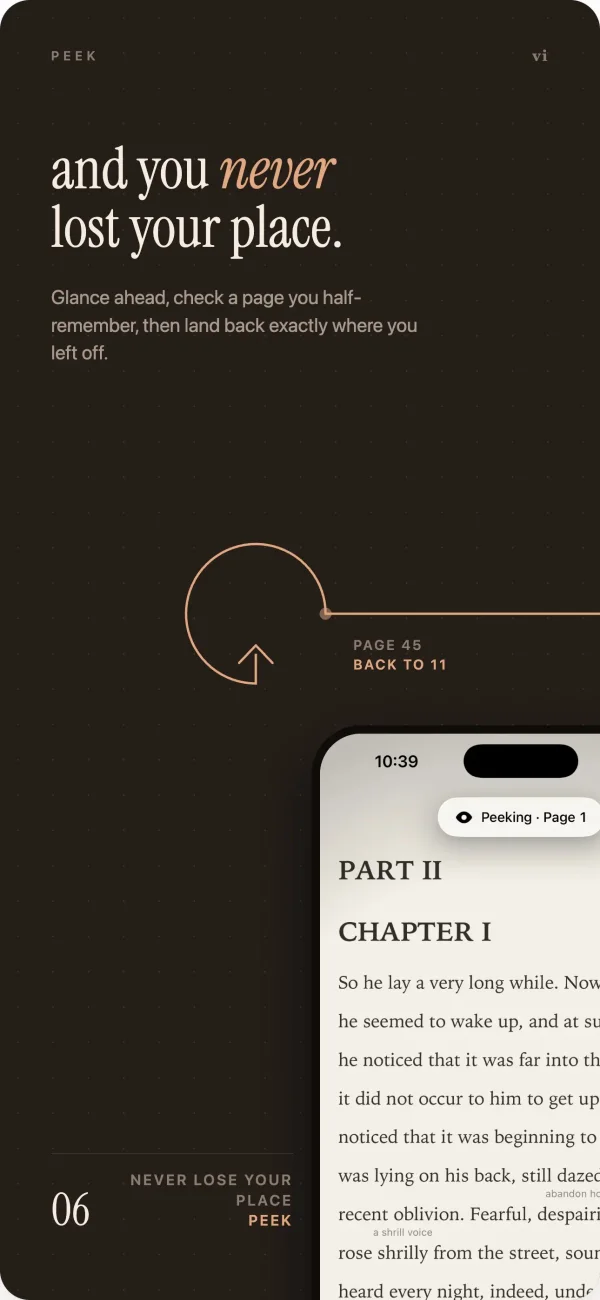
A guide to the people, places and terms in your book, built only from the pages you have read. Nothing from later in the book.
NOTEBOOK AND STUDY
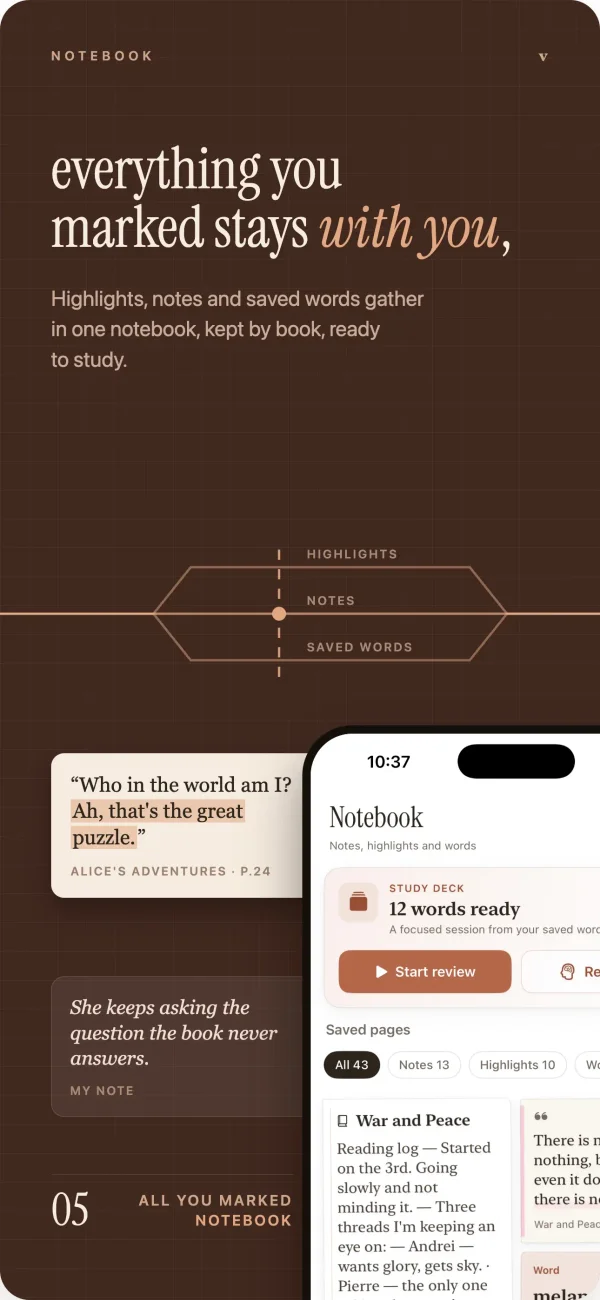
Highlight with a marker stroke, write notes in the margin, and find them all again in a Notebook written by hand. The words you save come back in Study on a spaced-repetition schedule.
DICTIONARY
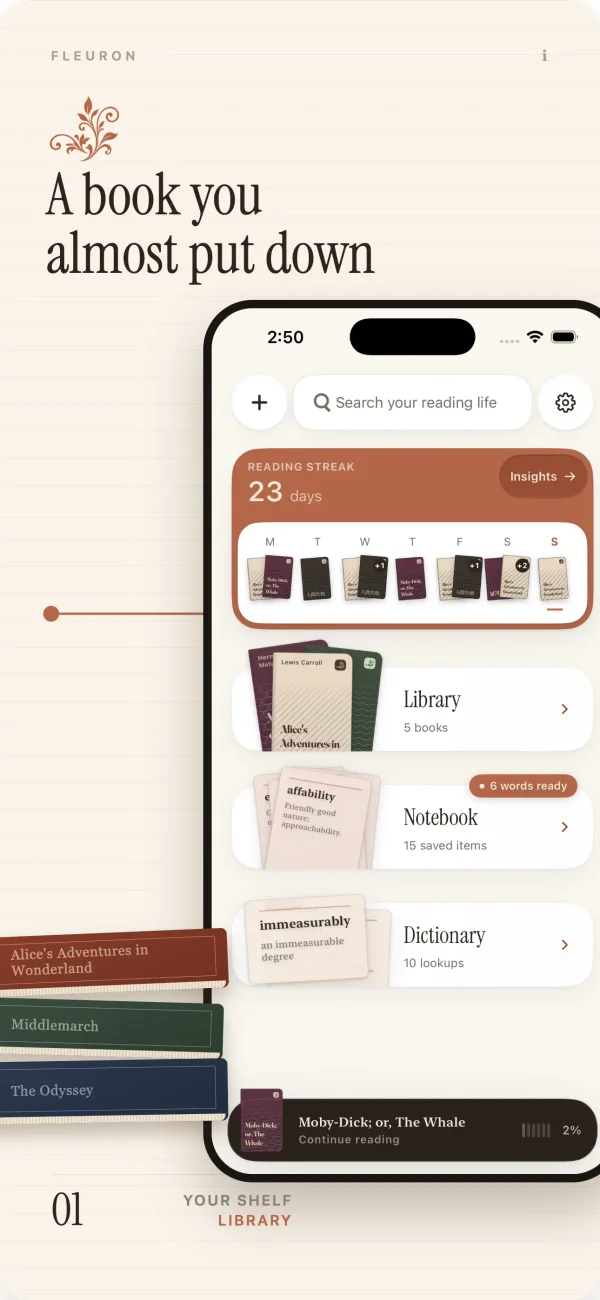
Every word you look up is filed as an index card, with the book and the sentence you found it in. All the dictionaries are inside the app and work offline.
YOUR READING LIFE
A bookshelf for every book you own, on paper or on screen. Reading time, pages, streaks and goals. Import from Goodreads. Read to Unlock keeps the apps you choose locked until you have read for the day.
ON YOUR HOME SCREEN
Eight widgets for the Home Screen, the Lock Screen and StandBy, and buttons for Control Center.
MADE FOR THE PAGE
Pages turn with a slide, a curl or a fade. Two pages at once on a wide iPad and on iPhone Duo. Read aloud with the voices on your iPhone.
PRIVATE
No account, no ads, no tracking, no analytics. Your books and notes stay on your device.
PRICE
Free to download, with one book of your own and sample books in Japanese, Korean and Chinese. One payment unlocks unlimited books. No subscription.
Nouveautés
Version 1.3 · 14/10/2026
A brand new look, and Fleuron finally on your Home Screen.
NEW LOOK
• Fleuron is stone and ink now, and your books bring the colour.
• The books you are reading stand in a carved case at the foot of Home. Swipe along it to change book.
• The Dictionary is a card catalogue, the Notebook is a binder, and Study is a box of index cards.
WIDGETS
• Eight widgets for the Home Screen, the Lock Screen and StandBy: your goal, your streak, your bookshelf, a word to study and more.
• On iOS 27, four widgets also come in the new tall size. Control Center gets buttons too.
MARKED BY HAND
• Highlights are marker strokes, and notes are marked in red pen in the margin.
• The Notebook is written by hand, in a hand for each language.
• Select a highlight on the page to add a note, change its colour or remove it.
READING
• Turn pages with Slide, Curl or Fast Fade, or tap the edge of the page.
• The chapter title and page number turn with the page.
• On a wide iPad, Home, the Library, the Notebook and Insights open as two pages.
• On iPhone Duo, the book opens across the fold, two pages at once.
ALSO
• The Library sorts your books under Reading, Up next and Finished.
• A paper book you are reading stands in the case with your other books.
• A book opens on the same page from the Library, Search, Insights or the Bookshelf.
• Your streak shows the book you read longest each day.
• Export your notes as a folder of Markdown files. Obsidian can open it.
• Hear a word slowly: tap the tortoise beside Say it.
• In Study, Hard, Good and Easy now lead to different days, and right answers are green.
• Traditional Chinese is written for readers in Taiwan and Hong Kong.
• Lens in Private Cloud no longer stops the app on iOS 27.0.
• Smoother scrolling in the Library, the Notebook and the Bookshelf.
Confidentialité de l’application
Ce que Adib Ashraf déclare sur l’App Store au sujet du traitement des données par cette application.
-
Données n’établissant aucun lien avec vous
Peuvent être collectées, mais ne sont pas liées à votre identité.
- Achats
Les pratiques en matière de confidentialité peuvent varier, notamment en fonction des fonctionnalités que vous utilisez ou de votre âge.
Informations
- Vendeur
- Adib Ashraf
- Catégorie
- Livres
- Version
- 1.3
- Mis à jour
- 14/10/2026
- Publié
- 08/09/2026
- Taille
- 216,2 Mo
- Nécessite
- iOS 18.0 ou version ultérieure
- Classification d’âge
- 4+
- Prix
- Gratuit
- Achats intégrés
- Oui
- Langues
- Japonais, Chinois simplifié, Chinois traditionnel, Anglais, Coréen
- Copyright
- © 2026 Adib Ashraf
Vous aimerez peut-être aussi
-
 Shiori - 物語の舞台に栞をLivres
-
 Blubb ReaderLivres
-
 Eluna Reader: Livres, EPUB PDFEbook, Manga, BD, Bibliothèque
-
 Yedoo: AI PDF & EPUB ReaderLivres
-
 Endleaf: Ma BibliothèqueSuivi de lecture & livres lus
-
 Librai: AI Book & PDF ReaderLivres
-
 Tomelet: EPUB & PDF ReaderLivres
-
 Flumen: eBook ReaderLivres
-
 Excerpta : Journal de lectureSuivi de livres et citations
-
 青空EPUBLivres