flick(フリック)
2M Emoticons Custom Keyboard
Conçue pour iPhone, iPad
Gratuit · Achats intégrés
- Classification d’âge4+
- CatégorieUtilitaires
- DéveloppeurIO Inc.
- LanguesAnglais+ 1 de plus
- Taille130,1 Mo
Renvoie vers la page App Store officielle
Download.org n’héberge aucun fichier de flick(フリック). Le bouton ouvre la page de l’application sur App Store, où IO Inc. la publie. Fiche vérifiée pour la dernière fois le 24/11/2026.
Captures d’écran

À propos
Le développeur n’a pas fourni ce texte dans votre langue.
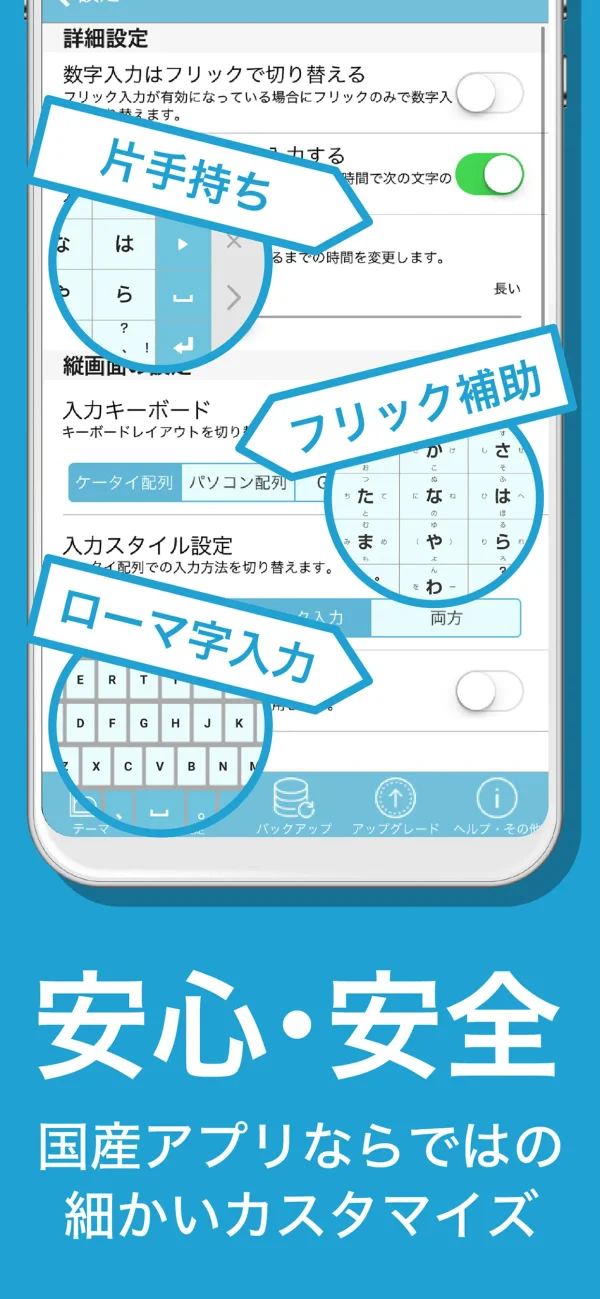
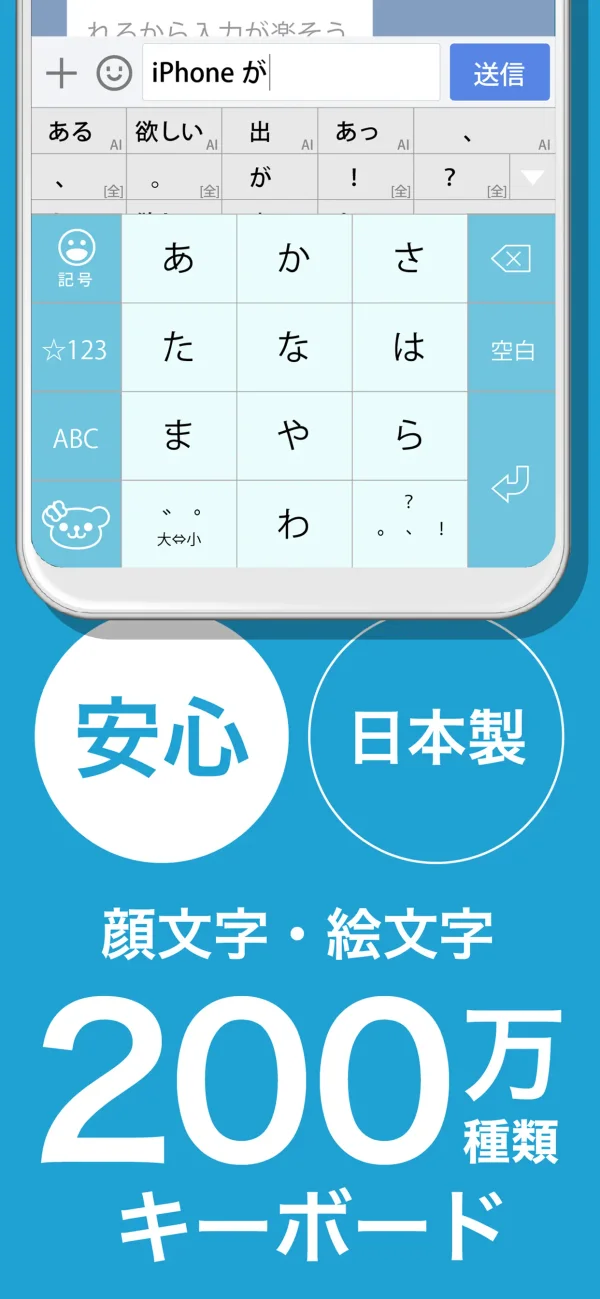
[3 Key Features of flick]
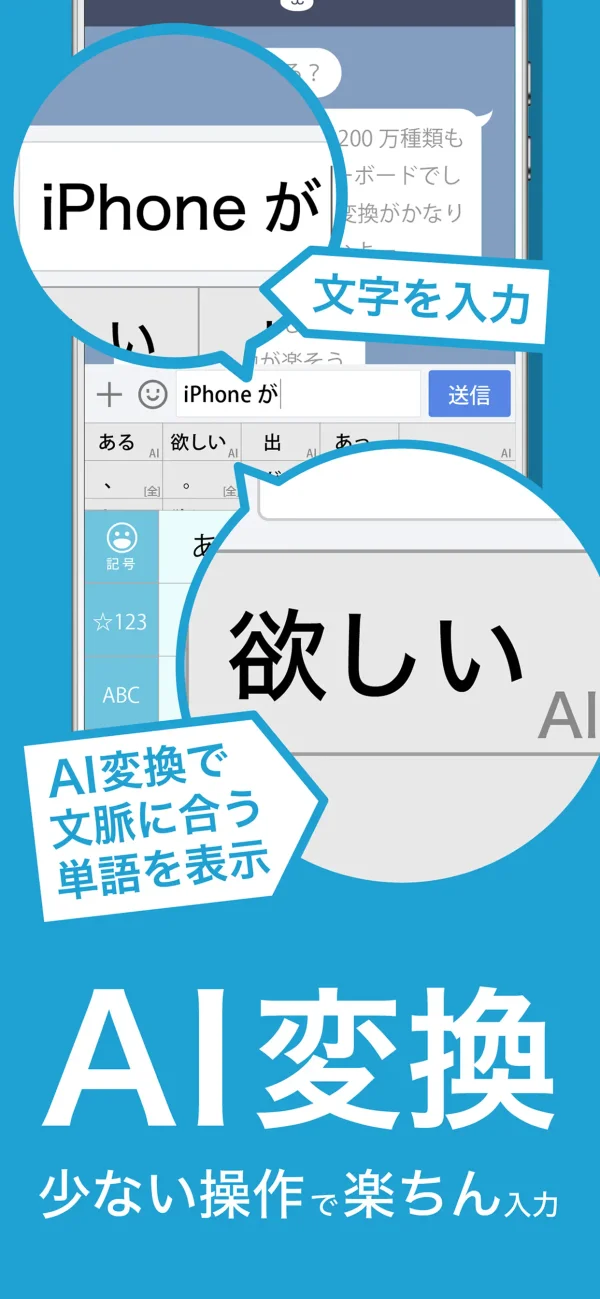
- AI Conversion: Intelligent Japanese text input fits the context, whether for casual chats with friends or professional business communication.
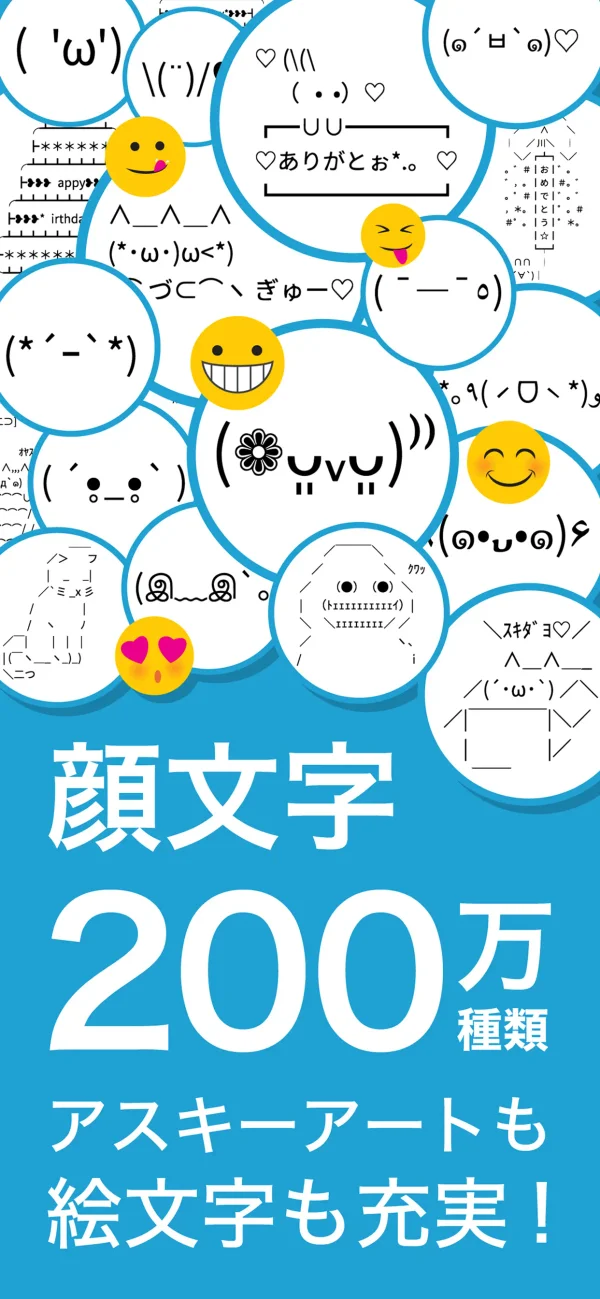
- Emoticon Function: Search and use from over 2 million emoticons and ASCII art to express your feelings.
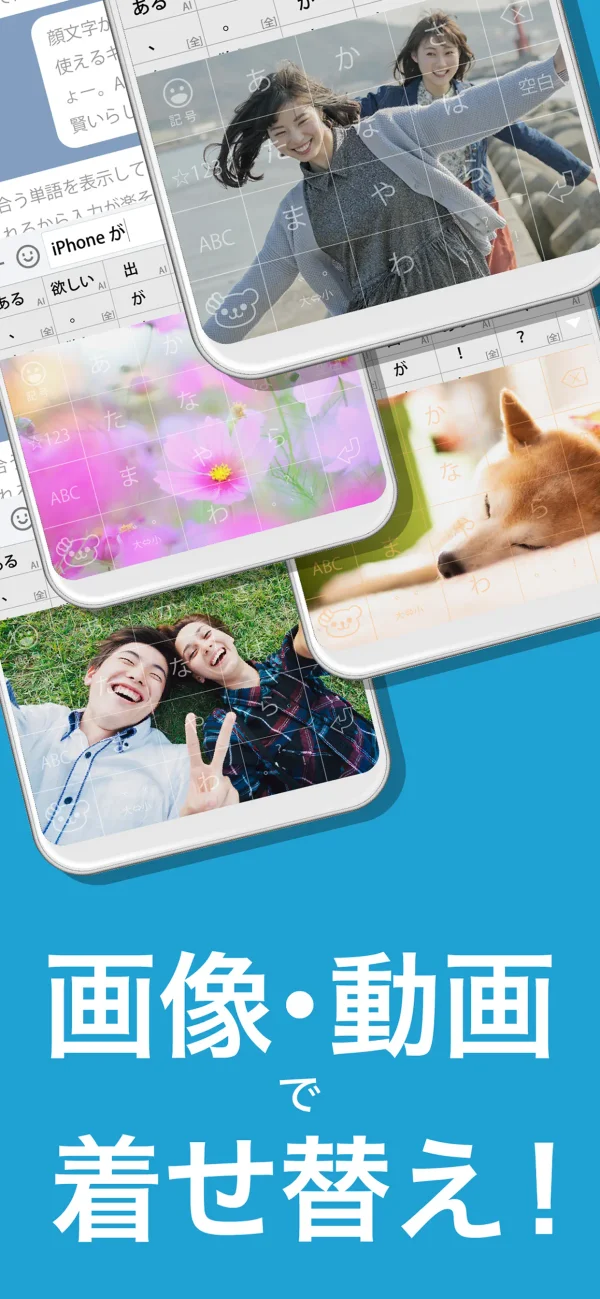
- Theme Function: Create a one-of-a-kind keyboard using your favorite images and videos.
It is easy to input half-width katakana and symbols such as heart and smile.
[How to use]
1. Download.
2. Launch flick from the home screen icon.
3. Set up.
[About AI Conversion]
This function provides predictive conversion that considers context, which was challenging with traditional kanji conversion and Japanese input methods. Since this process is computationally intensive on smartphones, the conversion is handled by AI operated by IO Inc. on servers within Japan. Input data is processed solely by AI, with no human access. Additionally, this input key is used only for conversion purposes and not for any other use. All data utilized by the AI is processed exclusively within Japan and is promptly discarded after use.
[How to Search Emoticons]
1. "わ", "ら", "う".
2. Tap the bear/search icon on the left side of the keyboard before committing.
*:..。*゚¨゚゚・*:..。*゚¨゚゚・*:..。*:..。*゚¨゚゚・*:..。*゚¨゚゚・*:..。
[About Full Access]
The full access is used for the following functions:
- Searching and downloading emoticons.
- Searching and downloading GIF images.
- Using the preferences' values that are set on the preference screen.
- (If AI conversion is enabled) Sending and receiving the AI kanji conversion.
Please note that the AI conversion process does not share any sensitive data, including contact information, with external parties.
[About the Dialog on Switching Full Access]
"This could include sensitive information such as your credit card number or street address."
This notification text is not a warning only for this app. This is an explanation of the risk of allowing full access to keyboard applications that have not been installed initially on the device. This is shown even for any other keyboard applications. Unlike a part of Chinese keyboard applications, this app does not collect sensitive information such as credit card numbers and addresses.
*:..。*゚¨゚゚・*:..。*゚¨゚゚・*:..。*:..。*゚¨゚゚・*:..。*゚¨゚゚・*:..。
[FAQ]
Q: Use an image in the background.
A: Choose [Theme > My theme > Use own image].
Q: Change the background color.
A: Choose [Theme > My theme > Color theme].
Q: Type the same character quickly.
A: Choose [Setting > Software keyboard advanced settings > Input style > Flick].
Q: Change the font size of candidates.
A: Choose [Setting > Font size of candidate words].
Q: Use the same key layout as iPhone
A: Choose [Setting > Keyboard layout > iPhone].
Q: Use the same key layout as a smartphone
A: Choose [Setting > Keyboard layout > 12 keys].
Q: Use new lines in LINE
A: Open LINE and change the setting.
*:..。*゚¨゚゚・*:..。*゚¨゚゚・*:..。*:..。*゚¨゚゚・*:..。*゚¨゚゚・*:..。
flick was developed based on Mozc, one of Google's OSS software.
*:..。*゚¨゚゚・*:..。*゚¨゚゚・*:..。*:..。*゚¨゚゚・*:..。*゚¨゚゚・*:..。
[About Premium Service]
Price and term: 240 yen / 6 months
Service: Unlimited emoticon search, No ads
[About AI Conversion]
Price and term: 360 yen / 1 month
Service: AI conversion and prediction
-Billing
Billing will be made to your iTunes account.
- Automatic Renewal Details
Unless you cancel your subscription at least 24 hours before your current billing period ends, it will automatically renew. The renewal fee will be charged to your iTunes Account within 24 hours prior to the end of the current period.
- Cancellation Mid-Term
Cancellation mid-term is not accepted.
- Confirmation and cancellation of auto-renewal
[AppStore > Your Account > Subscriptions]
- Privacy Policy
https://kaomoji.tokyo/privacy-policy/
- Terms of Use
https://kaomoji.tokyo/terms_of_use/
*:..。*゚¨゚゚・*:..。*゚¨゚゚・*:..。*:..。*゚¨゚゚・*:..。*゚¨゚゚・*:..。
[Twitter/X]
https://x.com/eqrobot
Nouveautés
Version 7.1.4 · 04/10/2026
Updated conversion dictionary.
Fixed some bugs.
Fixed some bugs for iOS 27.
Confidentialité de l’application
Ce que IO Inc. déclare sur l’App Store au sujet du traitement des données par cette application.
-
Données utilisées pour vous suivre
Peuvent être utilisées pour vous suivre sur des applications et des sites web appartenant à d’autres sociétés.
- Données d’utilisation
-
Données n’établissant aucun lien avec vous
Peuvent être collectées, mais ne sont pas liées à votre identité.
- Contenu utilisateur
- Identifiants
- Données d’utilisation
- Diagnostic
Les pratiques en matière de confidentialité peuvent varier, notamment en fonction des fonctionnalités que vous utilisez ou de votre âge.
Informations
- Vendeur
- IO Inc.
- Catégorie
- Utilitaires
- Version
- 7.1.4
- Mis à jour
- 04/10/2026
- Publié
- 12/10/2014
- Taille
- 130,1 Mo
- Nécessite
- iOS 16.6 ou version ultérieure
- Classification d’âge
- 4+
- Prix
- Gratuit
- Achats intégrés
- Oui
- Langues
- Anglais, Japonais
- Copyright
- © IO Inc.
Vous aimerez peut-être aussi
-
 Simejiclavier japonais avec émoticôn
-
 Emoji Keyboard for TextingUtilitaires
-
 Clavier Symboles & Texte StyléÉmoticônes & Polices Écriture
-
 Symbol Keyboard for MessageUtilitaires
-
 azooKey - 自由自在な日本語キーボードUtilitaires
-
 Symboles Stylés & PolicesNouveau clavier, écriture cool
-
 LETTY おしゃれフォント-かわいい日本語文字に変更レティUtilitaires
-
 Émoticône KaomojiÉmoticône basée sur du texte
-
 Symbol Keyboard for TextingUtilitaires
-
 Symbol Keypad for TextingUtilitaires