- Classification d’âge4+
- CatégorieProductivité
- DéveloppeurOlawole Olasanoye
- LanguesAnglais
- Taille10,4 Mo
Renvoie vers la page App Store officielle
Download.org n’héberge aucun fichier de FlowKeep. Le bouton ouvre la page de l’application sur App Store, où Olawole Olasanoye la publie. Fiche vérifiée pour la dernière fois le 12/11/2026.
Captures d’écran
À propos
Le développeur n’a pas fourni ce texte dans votre langue.
Side projects don't die in a day. They die slowly, one forgotten week at a time. You lose context, lose momentum, and before you know it, that thing you were excited about is buried under life.
FlowKeep fixes that.
FlowKeep is a project continuity app built for creative people with limited time. It uses a smart queue to surface your projects before they go stale, a weekly planner to map out your time, and streak tracking to keep you honest, all while preserving the context you need to jump right back in.
HOW IT WORKS
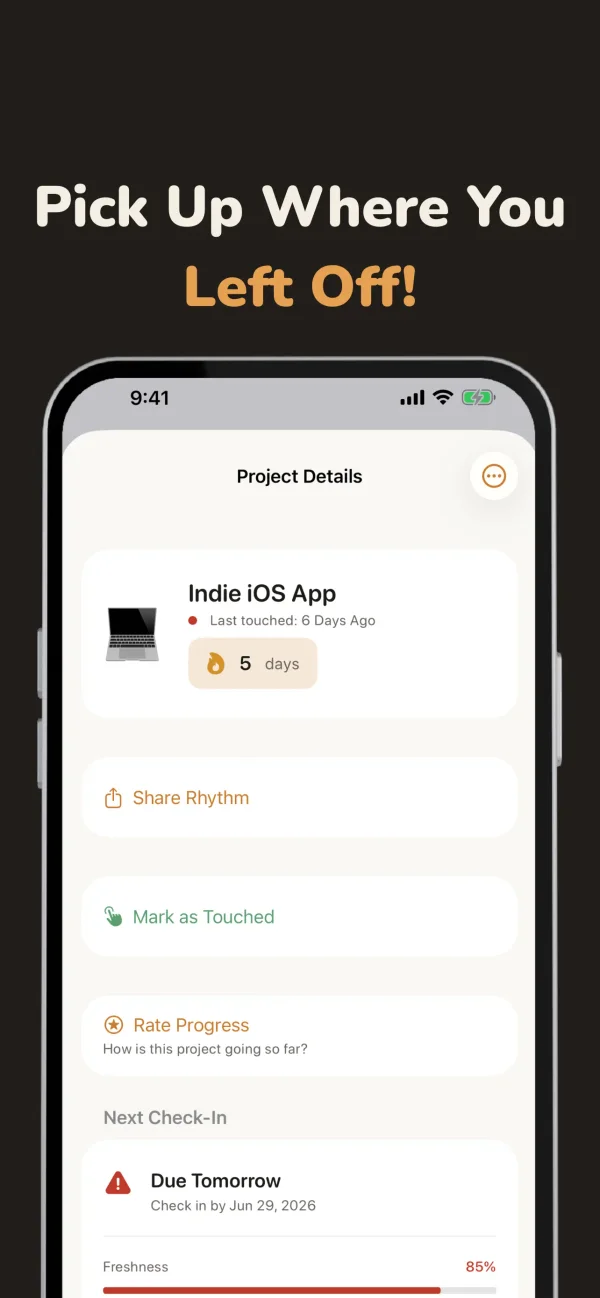
Every project has a freshness threshold, a window of time (1 to 30 days) before it starts to go stale. As projects approach that window, they rise in your queue. Open the app, and you immediately know what needs your attention today, or check the Planner to see your entire week at a glance.
KEY FEATURES
Smart Queue
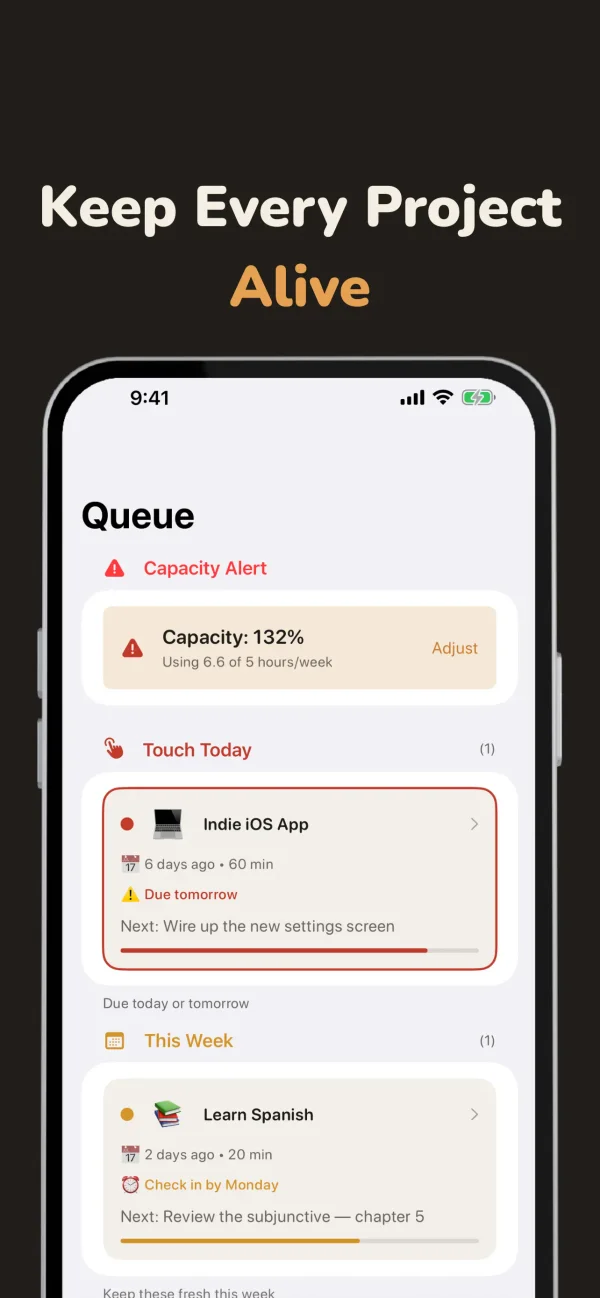
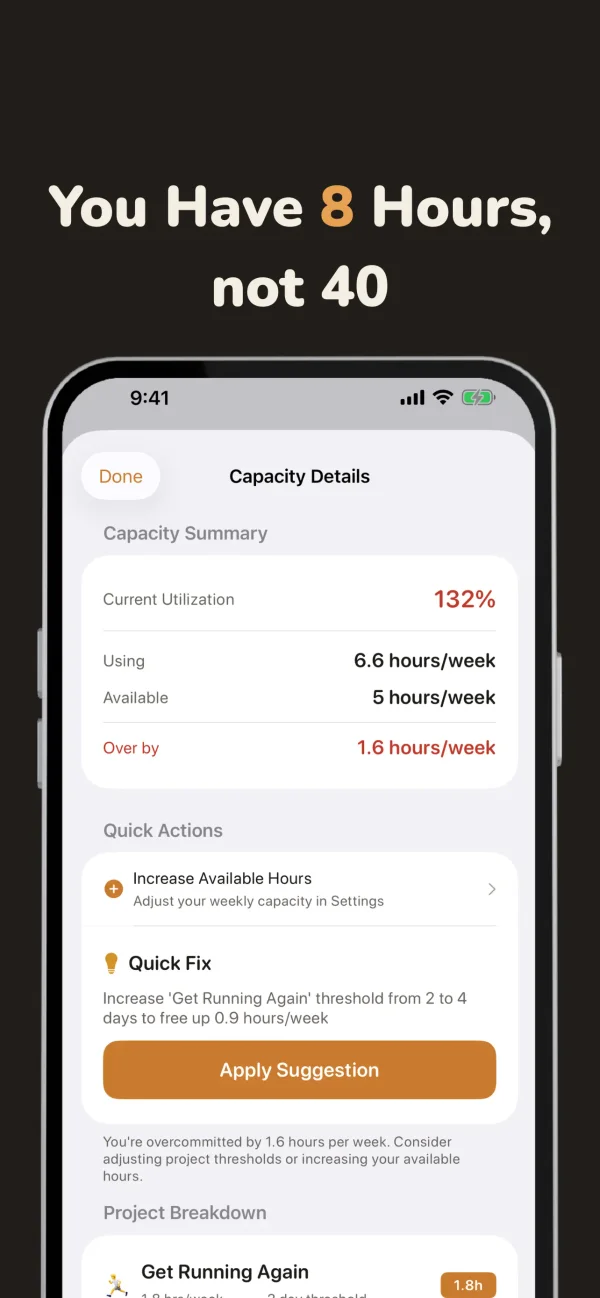
Your projects are automatically sorted by urgency. Sections like "Catch Up," "Touch Today," "This Week," and "On Track" tell you exactly where things stand at a glance. A "Starting Soon" section previews upcoming projects with future start dates. A capacity alert warns you if you're overcommitted.
7-Day Planner
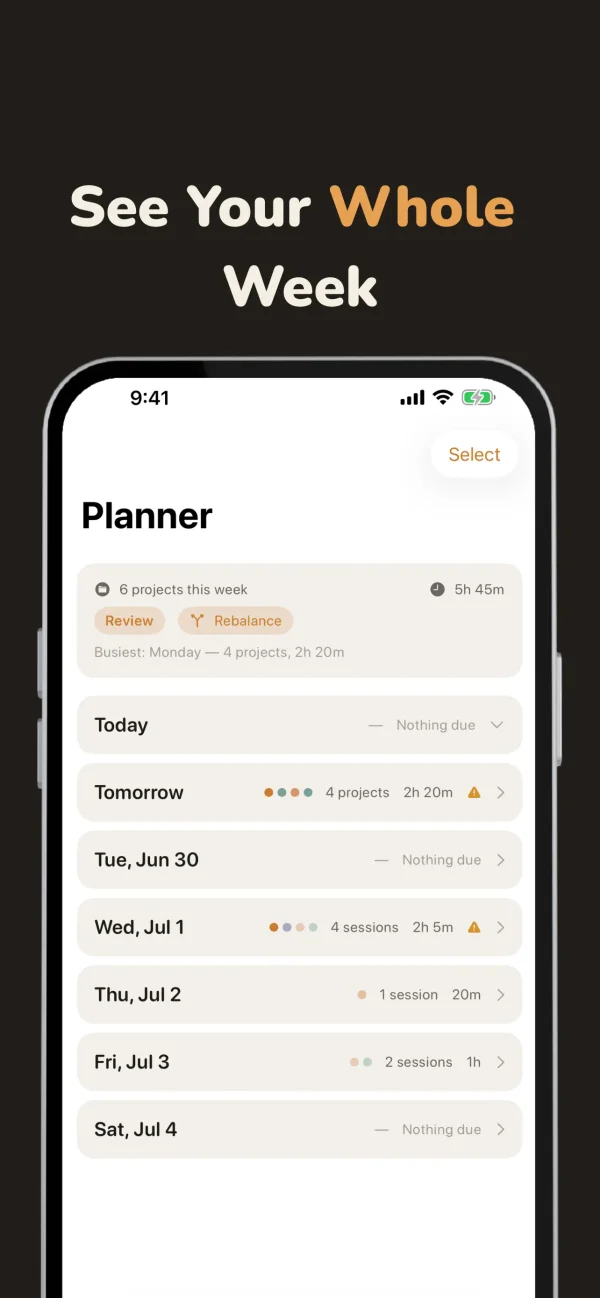
See your entire week laid out with an expandable day-by-day view. Each day shows which projects are due, starting, or overdue, with color-coded status chips and time estimates. A summary header shows total projects, total time commitment, and your busiest day. Heavy days that exceed your capacity are flagged automatically so you can plan around them.
Context Preservation
Each project stores your last thought, your next action, notes, and links. When you come back to a project after days away, you reload your context instantly. No more "where was I?"
Streaks & Visual Tracking
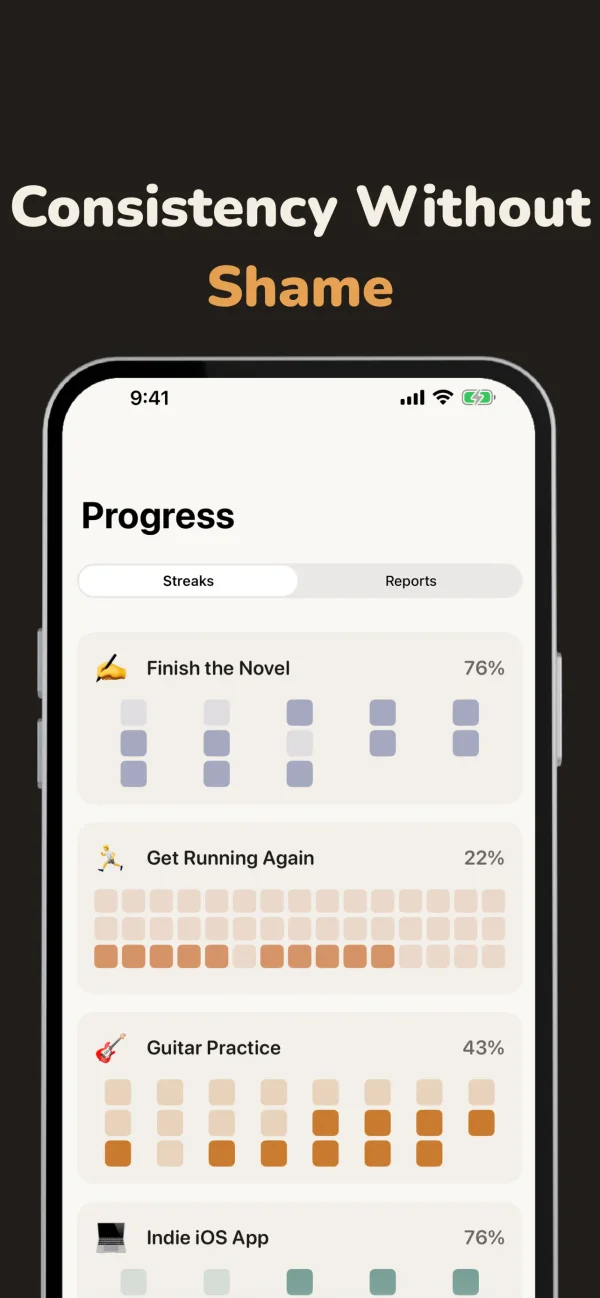
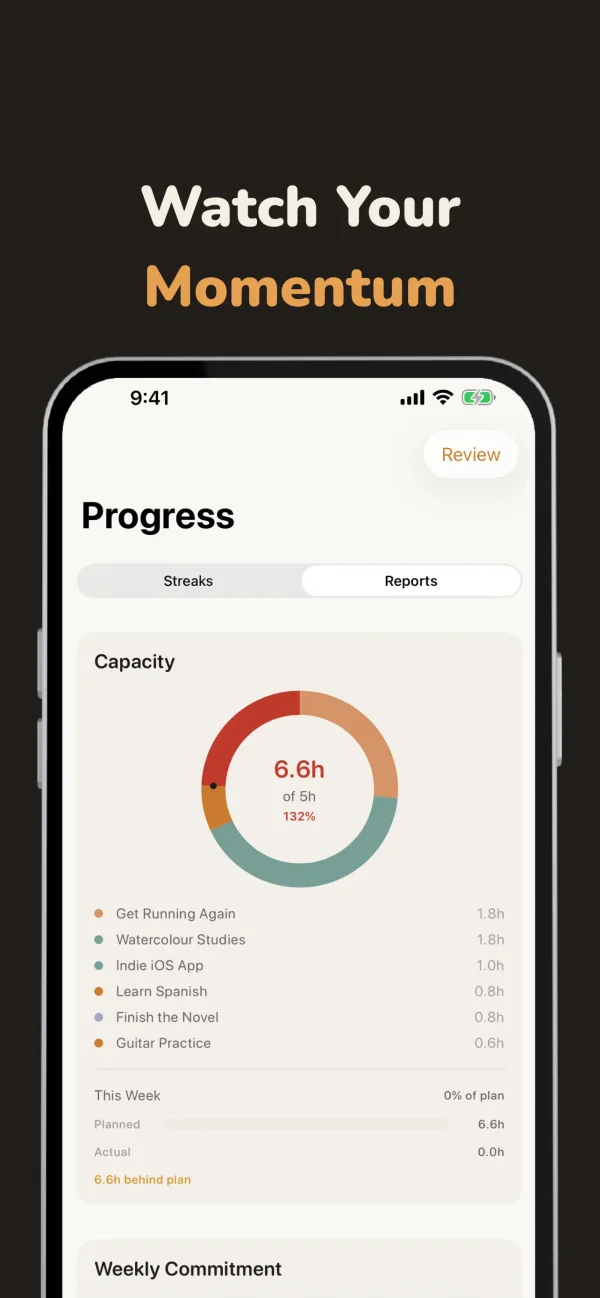
A 90-day check-in grid for every project lets you see your consistency. The grid adapts to each project's threshold. Daily projects show daily cells, weekly projects show weekly windows. A consistency percentage shows how reliably you touch each project. Hit milestones at 7, 30, and 90 days and earn streak badges. Celebrate wins. No shame for breaks.
Learning / Doing Balance
Tag each project as "learning" or "doing" and set a target ratio. FlowKeep helps you maintain balance between building skills and shipping things. The queue automatically boosts underrepresented project types.
Widgets & Siri Shortcuts
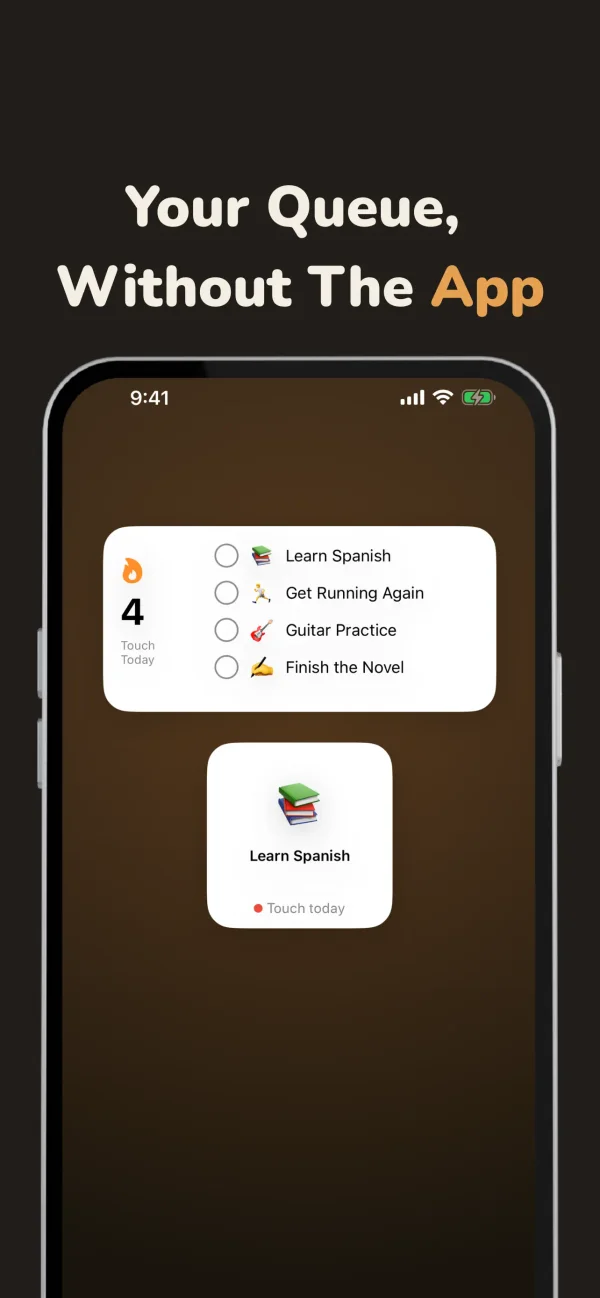
Home Screen and Lock Screen widgets show your queue at a glance. Mark a project as touched right from a widget. Six Siri Shortcuts let you check your queue, get top projects, add projects, mark as touched, open a project, or check your streak, all hands-free.
Templates & Sharing
Start new projects from 30+ curated templates across 6 categories. Save any project as your own template. Share templates with friends via QR codes and links.
Accountability Buddy (optional)
Invite one partner to see your project titles and send each other gentle nudges to keep going. It's lightweight encouragement. No feeds, no followers, no pressure.
iCloud Sync
Your data syncs seamlessly across your iPhone and iPad through iCloud. No account to create. It just works.
Privacy First
No tracking. No analytics sent anywhere. No account required. Your data stays on your device and in your own iCloud. Period.
WHO IT'S FOR
- Developers with side projects piling up
- Creators juggling learning and building
- Hobbyists who want to stay consistent
- Anyone who's ever said "I should get back to that"
FlowKeep doesn't replace your task manager. It sits alongside it, focused on one thing: making sure the projects you care about never quietly die.
Nouveautés
Version 1.0.2 · 01/08/2026
Improved reliability across app launch, iCloud sync, widgets, and background updates. Buddy invitation links now create and open more reliably, while privacy and support links open correctly in your browser.
Confidentialité de l’application
Ce que Olawole Olasanoye déclare sur l’App Store au sujet du traitement des données par cette application.
-
Données n’établissant aucun lien avec vous
Peuvent être collectées, mais ne sont pas liées à votre identité.
- Contenu utilisateur
- Identifiants
Les pratiques en matière de confidentialité peuvent varier, notamment en fonction des fonctionnalités que vous utilisez ou de votre âge.
Informations
- Vendeur
- Olawole Olasanoye
- Catégorie
- Productivité
- Version
- 1.0.2
- Mis à jour
- 01/08/2026
- Publié
- 28/07/2026
- Taille
- 10,4 Mo
- Nécessite
- iOS 18.0 ou version ultérieure
- Classification d’âge
- 4+
- Prix
- Gratuit
- Langues
- Anglais
- Copyright
- © 2026 Legend Made
Vous aimerez peut-être aussi
-
 ConfidantPMProductivité
-
 knode: Group PlannerProductivité
-
 NOWDO - Do It NowProductivité
-
 ADHD Planner: OutcomesProductivité
-
 Memly - Notes, Tags, BackupProductivité
-
 Insight Pill: Learn in SecondsProductivité
-
 Karavan - Gestion de projetKanban et liste de tâches
-
 Hobby BlocksProductivité
-
 Compound: Yearly Habit TrackerProductivité
-
 Sparko: Captures ideaProductivité