FlyStandby
Staff Travel, Simplified.
Conçue pour iPhone
Gratuit · Achats intégrés
- Classification d’âge4+
- CatégorieVoyages
- DéveloppeurMatthieu Labbe
- LanguesAnglais
- Taille66,2 Mo
Renvoie vers la page App Store officielle
Download.org n’héberge aucun fichier de FlyStandby. Le bouton ouvre la page de l’application sur App Store, où Matthieu Labbe la publie. Fiche vérifiée pour la dernière fois le 24/11/2026.
Captures d’écran



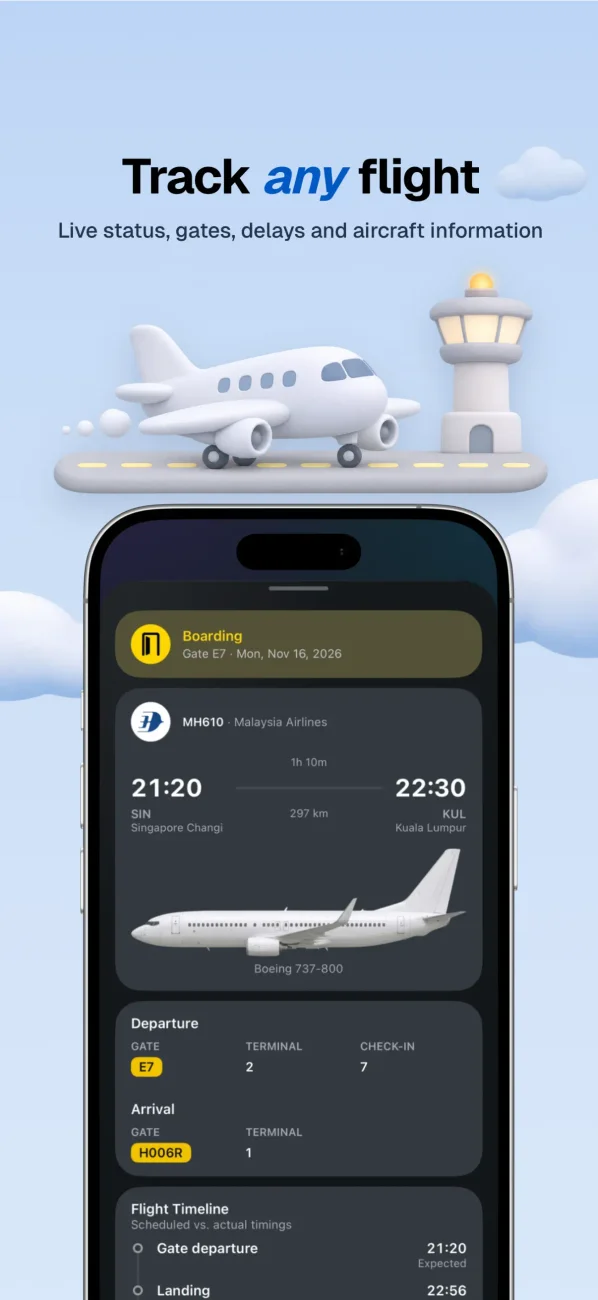

À propos
Le développeur n’a pas fourni ce texte dans votre langue.
FlyStandby is the modern toolkit for airline employees and eligible travel partners. Plan staff travel, search standby-friendly flights and follow your flights from a single app.
WHAT YOU CAN DO
- Search flights worldwide and view live status, gate and schedule data
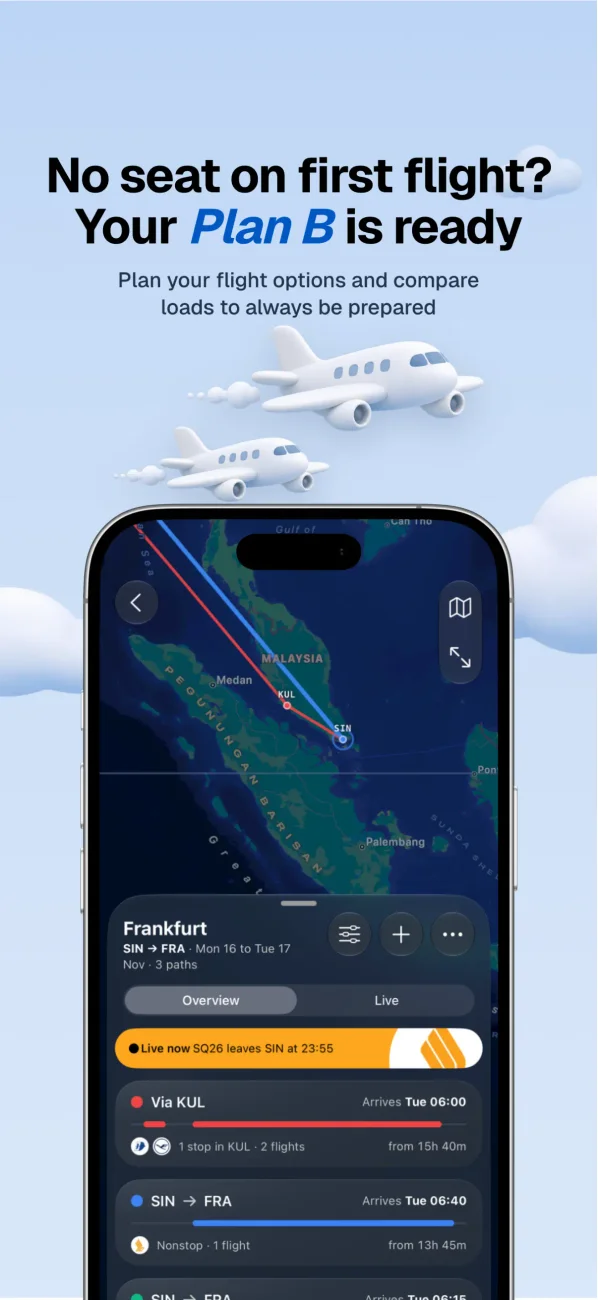
- Plan multi-leg trips on a map, with every path, its flights and their loads
- Switch a trip to Live from a day before you fly: every flight you could take from where you are, and what to do if you miss one (live flight data comes with Flex or Max, and every member gets one free Live trip)
- Request real cabin loads from verified crew, fully refunded if no one answers before departure or the airline cancels the flight
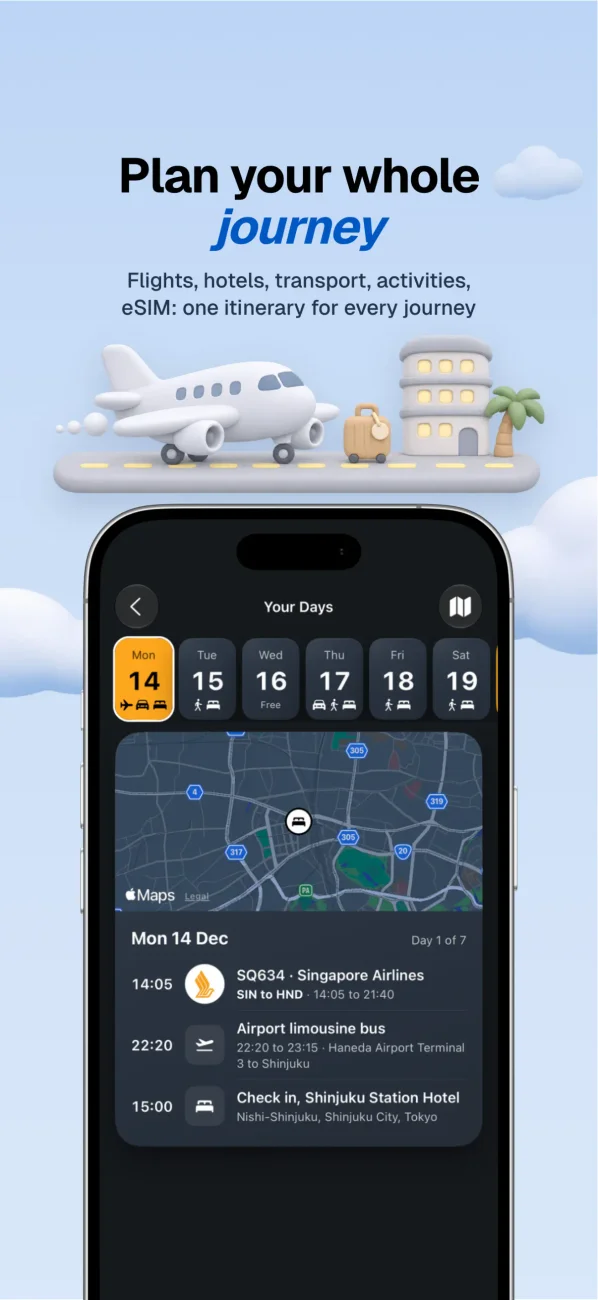
- Plan journeys with hotels, activities and transfers, priced in the currency you paid
- Keep your trips, journeys, requests and load answers on your device, so they open without a connection
- Track airline-specific staff travel agreements
- Get verified as an airline employee for trusted access
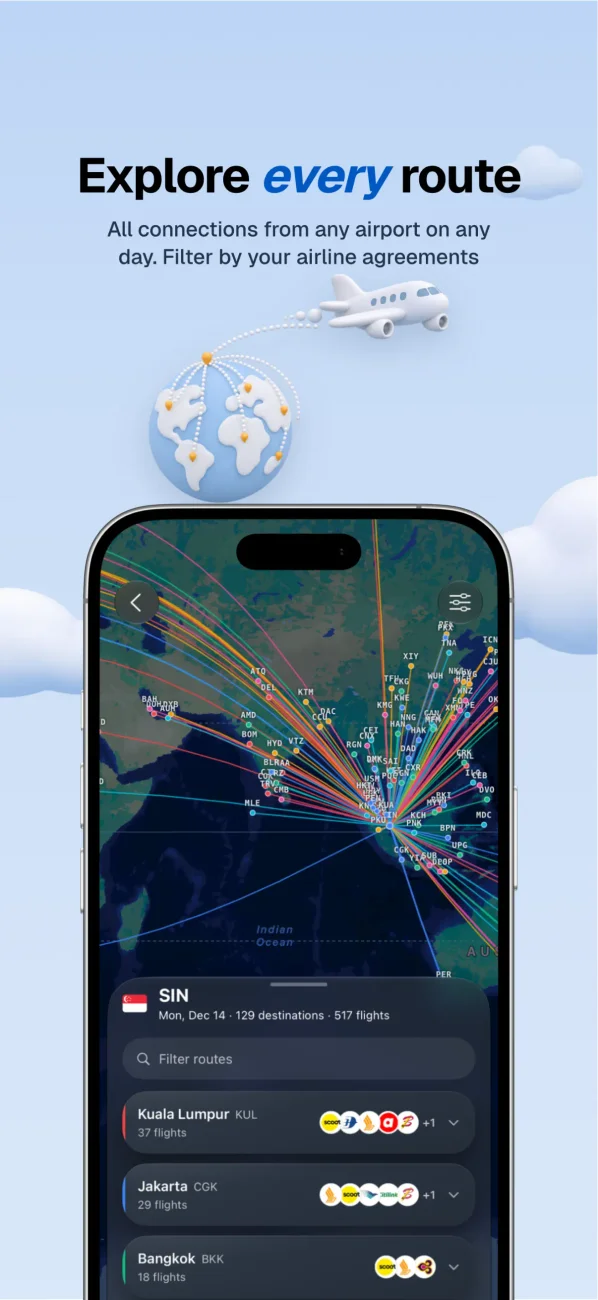
- Use Flight Status, Route Explorer, trips and journeys for free; SkyCredits pay for load requests
DESIGNED FOR AIRLINE STAFF
FlyStandby is built for crew, ground staff, retirees and their eligible companions. Verification is required for sensitive features so the community stays trusted.
SUBSCRIPTIONS
FlyStandby offers two optional auto-renewable subscriptions, Flex (weekly) and Max (yearly). Both add Track Flight with live alerts, Live on every trip and full journeys; Max also adds Platinum status.
- Payment is charged to your Apple ID at confirmation of purchase.
- Subscriptions automatically renew unless auto-renew is turned off at least 24 hours before the end of the current period.
- Your account is charged for renewal within 24 hours prior to the end of the current period at the price shown at purchase.
- You can manage your subscriptions and turn off auto-renew in your Apple ID account settings at any time after purchase.
LEGAL
Terms of Use: https://flystandby.app/legal/terms
Privacy Policy: https://flystandby.app/legal/privacy
Nouveautés
Version 2.0.0 · 24/11/2026
A new FlyStandby. Every screen has been redesigned, on the iPhone and the website.
Free tools, new plans. Flight Status, Route Explorer, trips and journeys are now free for everyone. Flex, by the week, and Max, by the year, add Track Flight with live alerts, Live on every trip and full journeys.
Your trip, Live. Every trip shows when Live starts, 24 hours before its first flight, and you can pick your first flight before then. The map shows your flights in the air and the aircraft coming in for your next one. Live flight updates come with Flex and Max, and every member can try one free Live trip on the trip they choose.
Other options when a connection is at risk. When a delay means a connection will likely be missed, the Live view offers other flights to get you there.
Tutorials. Four short animated tutorials, with voice, show how to request loads, answer them, find and follow flights, and plan trips and journeys.
Update Before Departure. Have a request's loads updated once before departure, or on repeat until you fly.
Answers without an exact figure. When the airline's system shows only that at least so many seats are open, answer with a plus (30+). When a cabin is oversold, answer 0 with a minus (0−).
A question after you land. Once the flights you requested loads for have landed, FlyStandby asks which one you got on. You can turn the questions off in Settings, under Notifications.
Send us your airline's agreement. From Agreements, send your airline's staff travel agreement as files or photos, and follow it under Sent Agreements.
Journeys. Add transport straight from Add Activity, and set a price on a flight so it counts in your journey's total.
Confidentialité de l’application
Ce que Matthieu Labbe déclare sur l’App Store au sujet du traitement des données par cette application.
-
Données utilisées pour vous suivre
Peuvent être utilisées pour vous suivre sur des applications et des sites web appartenant à d’autres sociétés.
- Achats
- Coordonnées
- Identifiants
- Données d’utilisation
-
Données établissant un lien avec vous
Peuvent être collectées et liées à votre identité.
- Achats
- Coordonnées
- Contenu utilisateur
- Historique de recherche
- Identifiants
- Données d’utilisation
-
Données n’établissant aucun lien avec vous
Peuvent être collectées, mais ne sont pas liées à votre identité.
- Achats
- Coordonnées
- Identifiants
- Données d’utilisation
- Diagnostic
Les pratiques en matière de confidentialité peuvent varier, notamment en fonction des fonctionnalités que vous utilisez ou de votre âge.
Informations
- Vendeur
- Matthieu Labbe
- Catégorie
- Voyages
- Version
- 2.0.0
- Mis à jour
- 24/11/2026
- Publié
- 06/05/2026
- Taille
- 66,2 Mo
- Nécessite
- iOS 26.0 ou version ultérieure
- Classification d’âge
- 4+
- Prix
- Gratuit
- Achats intégrés
- Oui
- Langues
- Anglais
- Copyright
- © 2026 FlyStandby