
- Classification d’âge4+
- CatégorieProductivité
- DéveloppeurFoldsoft Pty Ltd
- LanguesAnglais
- Taille28,4 Mo
Renvoie vers la page App Store officielle
Download.org n’héberge aucun fichier de FoldNotes. Le bouton ouvre la page de l’application sur App Store, où Foldsoft Pty Ltd la publie. Fiche vérifiée pour la dernière fois le 23/11/2026.
Captures d’écran

À propos
Le développeur n’a pas fourni ce texte dans votre langue.
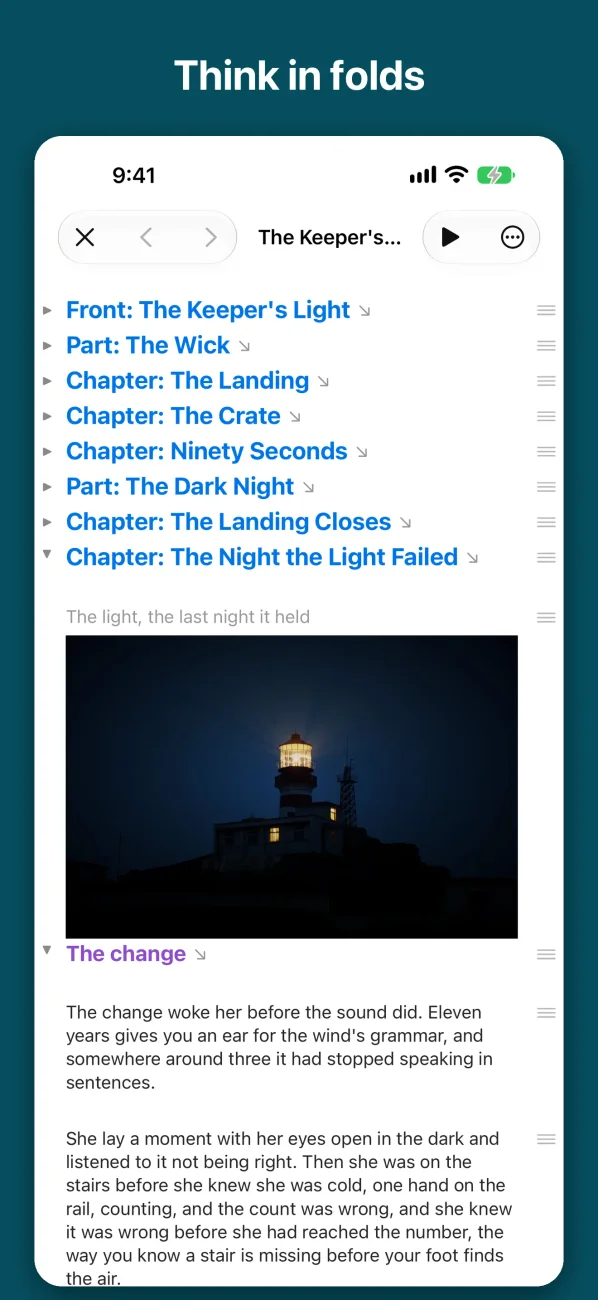
Some notes are short. Others grow into chapters, plans and running logs you scroll past a hundred times. FoldNotes lets you fold the finished parts away, so a long note stays as small as the part you are actually working on.
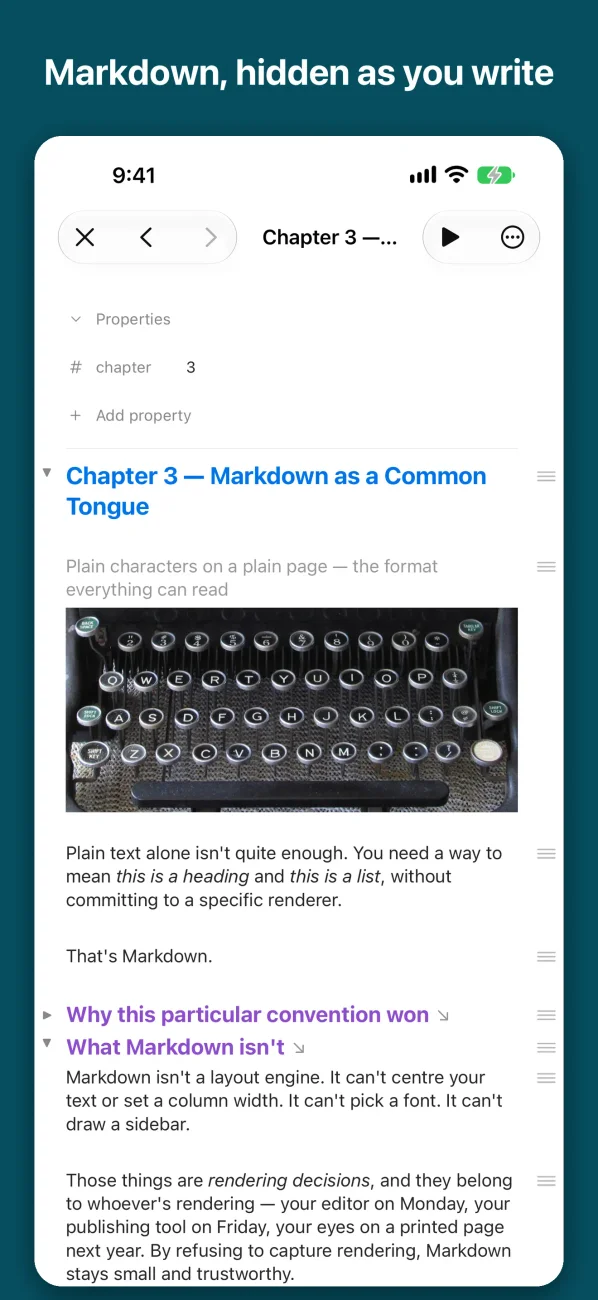
Every note is a plain Markdown file. No database, no proprietary format, no export step. Your notes sit in iCloud Drive or on your device, and any other app can open them, today or in ten years.
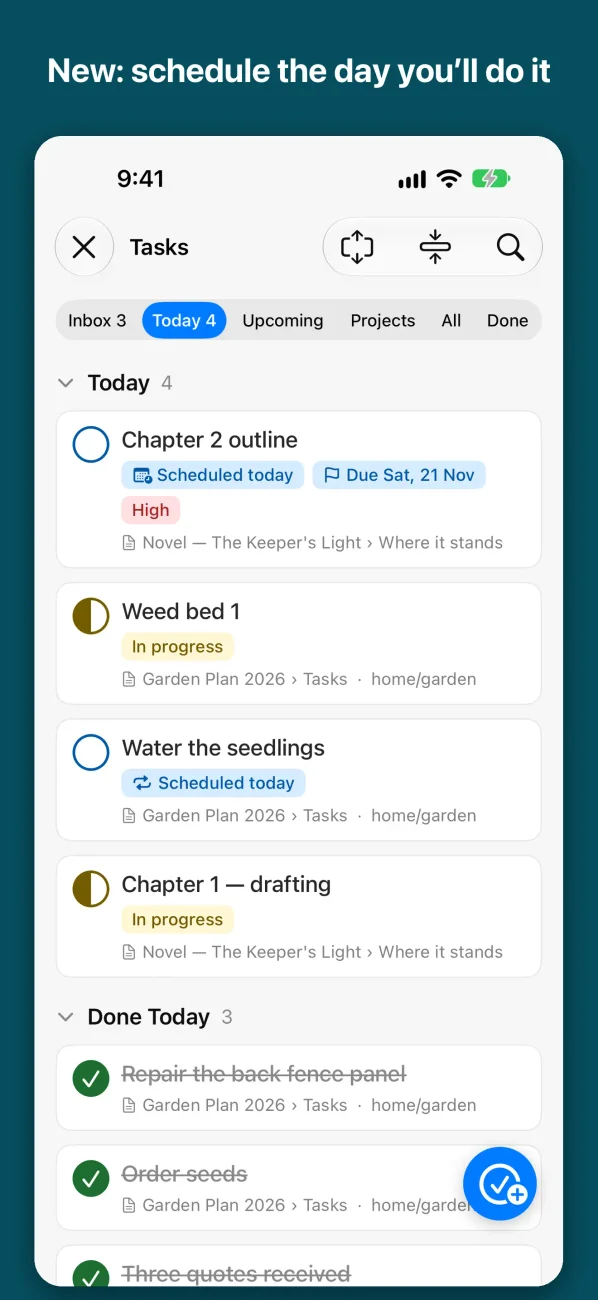
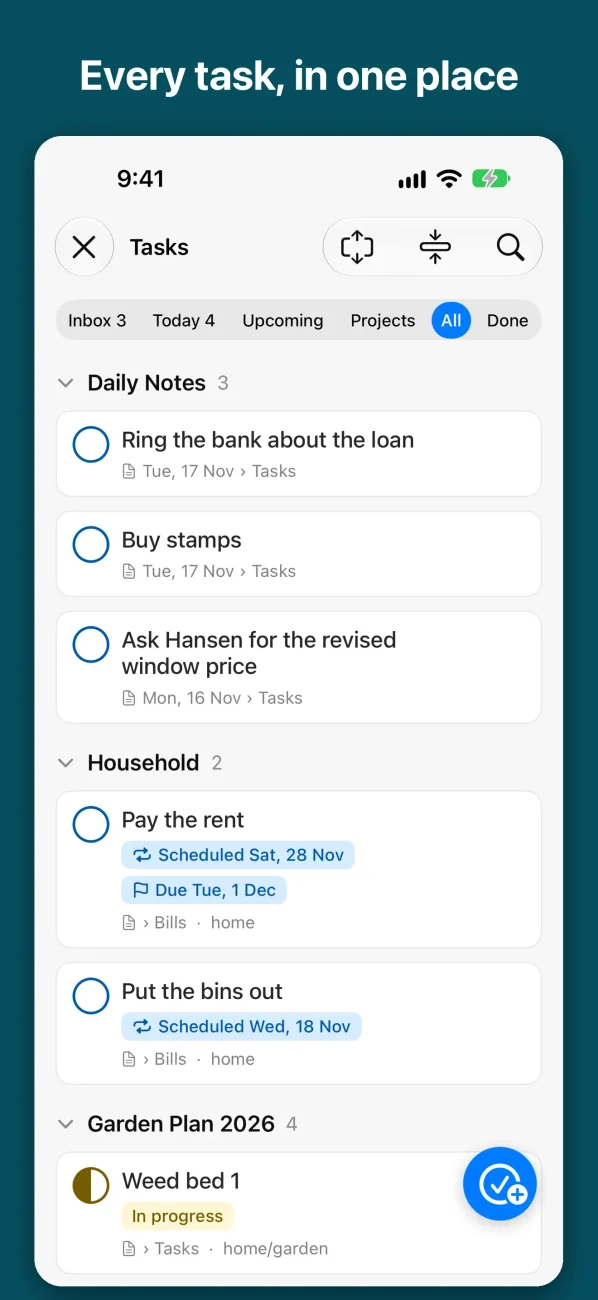
The tasks you write in those notes now come together in one place. Now you don't have to chose between a Task Manager or a notes app Foldnotes does both. New, and much requested: each task can have a scheduled date, the day you mean to do it, as well as the day it is due. The Tasks view shows what is scheduled and due today, what is coming up and what you have done, while every task stays in the note where you wrote it.
It is also a real iOS app, written in Swift. Not a web page in a wrapper. It opens instantly, works offline, handles a hardware keyboard properly, and does not sit in the background eating your battery.
FOLD ANYTHING
• Collapse any heading or list item and everything beneath it folds away
• Hoist a section to work on it alone, with everything else out of sight
• Task counts stay on the folded heading, so you can see what is left without unfolding
WRITTEN FOR MARKDOWN
• Live styling as you type — headings, lists, quotes, code, links
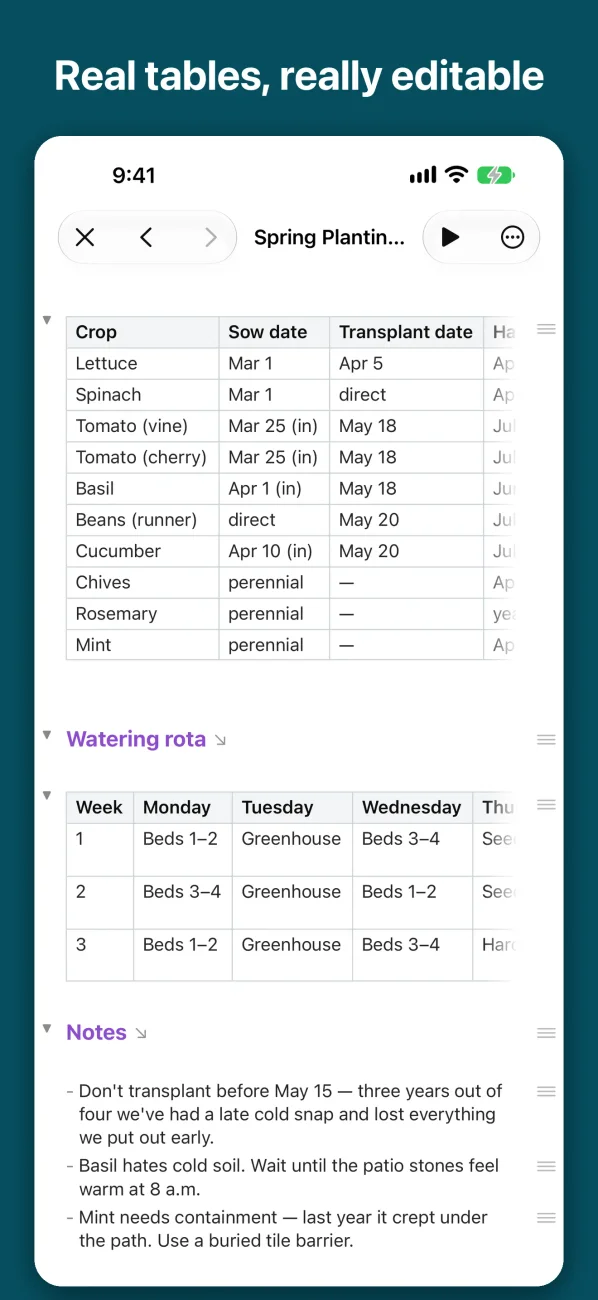
• Six heading levels, and GFM tables with a real table editor
• Code blocks with syntax highlighting
• Wiki-links [[like this]], with previews and automatic backlinks
• Nested tags
TASKS, ALL IN ONE PLACE
• New and much requested: schedule the day you will do a task, apart from the day it is due
• The Tasks view gathers every task from every note: Inbox, Today, Upcoming, Projects, All and Done
• Today shows what is overdue, due and scheduled, then what you have finished
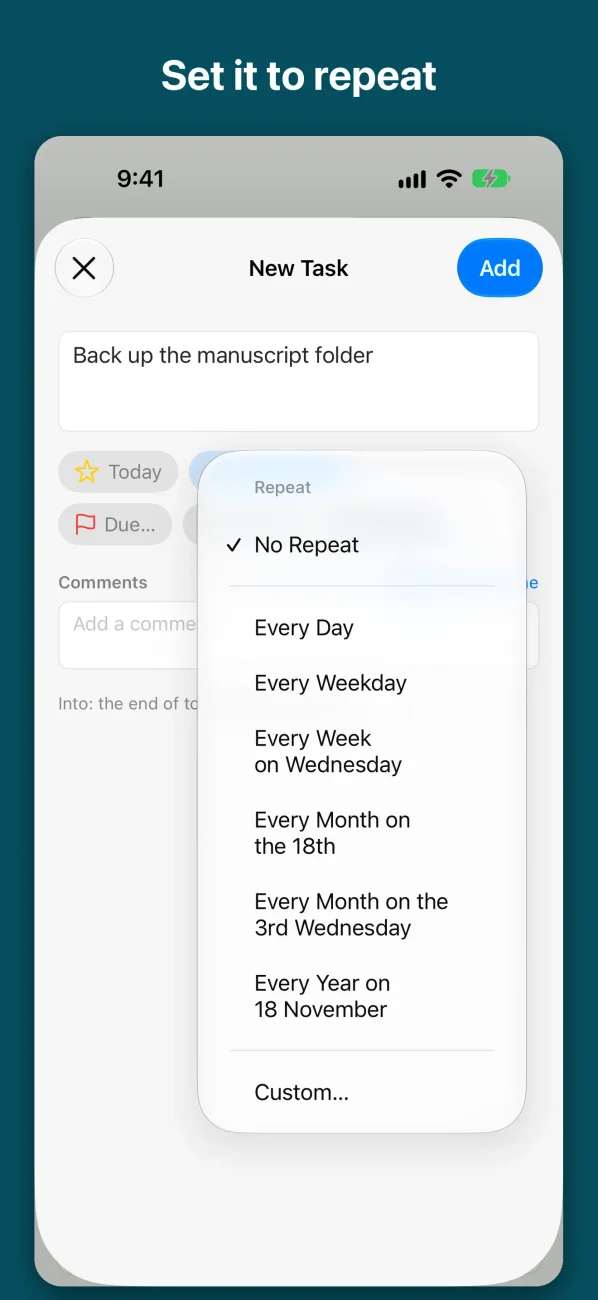
• Repeating tasks: every day, every weekday, every week, month or year, or a rule of your own, such as every 2 weeks or the last Friday of the month
• Four states: to do, in progress, done and cancelled, with priorities, projects and comments
• Jot a task in your daily note and it waits in the Inbox until you give it a date or a project
• Move a task to another note, comments and all
• Every task stays plain Markdown in its note, and every change goes straight back to it
WHITEBOARDS
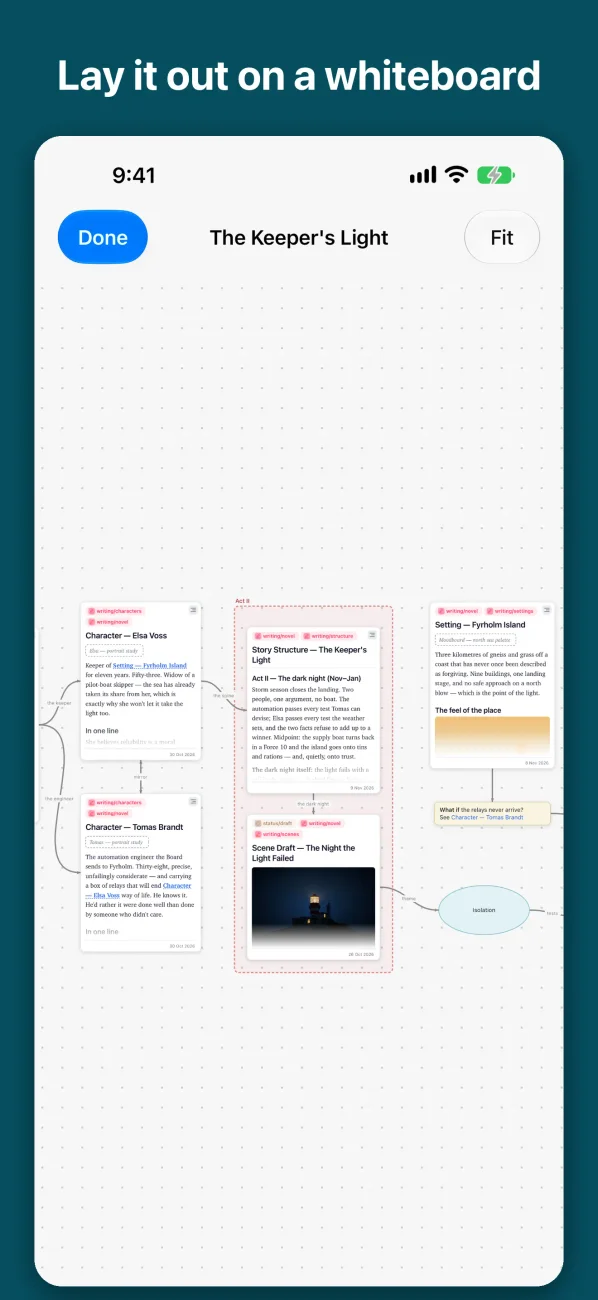
• Lay your notes out on a canvas to plot a book, map a project or think something through
• Each card is the note itself, with its headings, tasks and pictures, and it changes when the note does
• Connect cards with arrows, and add text boxes, shapes, frames, pictures and PDFs
• One board can lead to another, so a big project has a map and a board for each part
• Work on boards on iPad and an open iPhone Duo, and look through them on any iPhone. New boards are made in FoldNotes for Mac
• Every board is a JSON Canvas file, an open format, beside your notes
BUILT FOR IPAD
• Library, notes and editor side by side
• Hardware keyboard shortcuts throughout
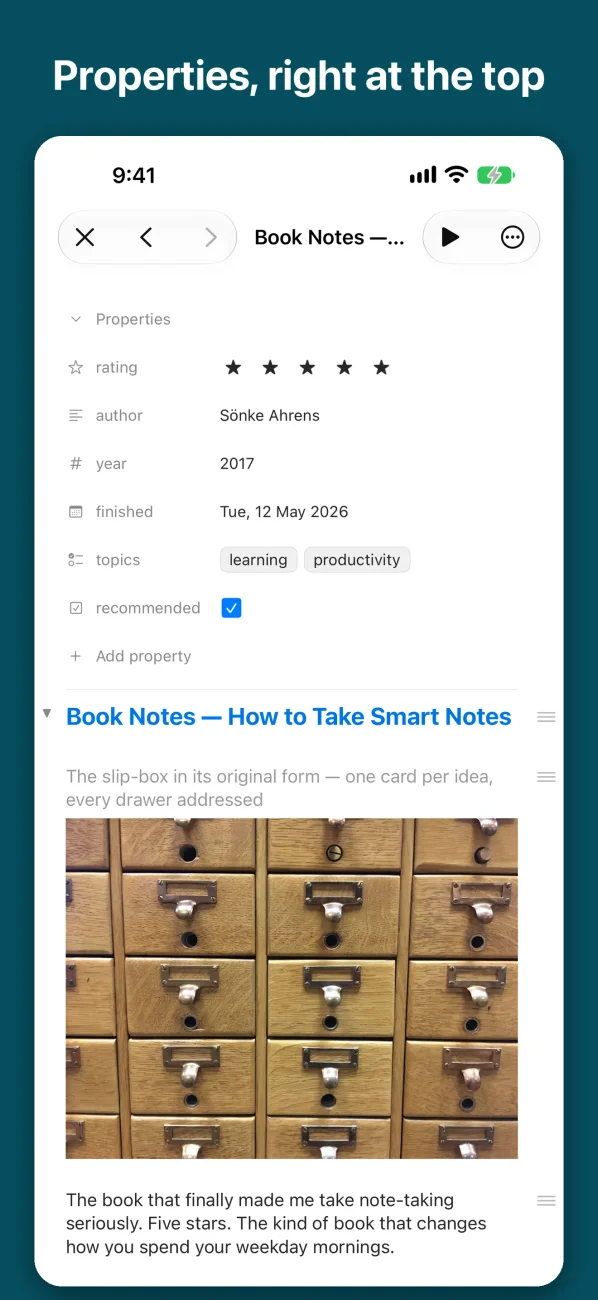
• An inspector with outline, tasks, references, properties and a note graph
• Draw in your notes and on whiteboards with Apple Pencil, and turn your handwriting into text (iOS 26 and later)
• Scan printed text straight into a note with the camera
FIND ANYTHING
• Search every note, including regular expressions
• Saved queries and database views across your whole collection
• Daily notes with a calendar
COMING FROM ANOTHER APP
• Import from Bear or Obsidian in a tap
• Or simply point FoldNotes at the Markdown files you already have
MAKE IT YOURS
• Light and dark themes, including Nord, Dracula and Catppuccin
• Choose your body, heading and code fonts
• Paragraph focus, sentence focus and typewriter scrolling
Your notes will outlive this app, and every app like it. That is rather the point.
Nouveautés
Version 1.6.2 · 20/11/2026
Choose how big the words are on a whiteboard
• A size for the words in each whiteboard text box and shape, on iPad and an open iPhone Duo. Select one or more and tap Size in the bar above them: 12, 14, 16, 20, 24, 32 or 48 pt. New text boxes start at 20 pt, so they stand out like headings.
• Whiteboards are easier to read. The words on note cards, in shapes and text boxes you haven't sized, and on frame and arrow labels are now one size, 16 pt, so as you zoom in they all become readable at once. Headings stand above them, and small print such as dates, tags and picture names sits just below. Cards keep their size, so one that fitted its note exactly may now show a line less: drag its corner to make it taller.
• Fixed: tapping a link made with Copy Link to Note or Copy Link to Task and pasted into a note only placed the cursor. It now opens the note, or goes to the task, or says Note Not Found if the note isn't on this iPhone or iPad. [[Note Name]] links between notes always worked and haven't changed.
• Fixed: a web address typed into a note as plain text stopped being a link once you reopened the note.
• Fixed: on iPhone Duo, a whiteboard opened on the front screen stayed without its tools when you opened the Duo, and one opened on the inner screen kept its tools on the front screen. A board now follows the Duo: open, you can change it; closed, it's for looking, as on other iPhones. Anything you're typing is kept as you close it.
Confidentialité de l’application
Ce que Foldsoft Pty Ltd déclare sur l’App Store au sujet du traitement des données par cette application.
-
Données non collectées
Le développeur ne collecte aucune donnée à partir de cette application.
Les pratiques en matière de confidentialité peuvent varier, notamment en fonction des fonctionnalités que vous utilisez ou de votre âge.
Informations
- Vendeur
- Foldsoft Pty Ltd
- Catégorie
- Productivité
- Version
- 1.6.2
- Mis à jour
- 20/11/2026
- Publié
- 06/08/2026
- Taille
- 28,4 Mo
- Nécessite
- iOS 18.0 ou version ultérieure
- Classification d’âge
- 4+
- Prix
- Gratuit
- Langues
- Anglais
- Copyright
- © 2026 Foldsoft Pty Ltd (ACN 697 343 570)
Vous aimerez peut-être aussi
-
 visualOS: Infinite CanvasHors ligne. De vrais fichiers.
-
 TaskNotesProductivité
-
 HelloNotesProductivité
-
 Simple Todo - VoDoProductivité
-
 todd: focus & time trackerProductivité
-
 Raven - Notes MarkdownÉditeur de fichiers hors ligne
-
 Sleevy - Gestion de liensEnregistrez. Lisez plus tard.
-
 Minimal.mdProductivité
-
 Note - ConniePadProductivité
-
 Notelet: Notes manuscritesCarnet papier, journal intime