Freefly Ember
Wireless control and playback
Conçue pour iPhone, iPad, Mac
Gratuit
- Classification d’âge4+
- CatégoriePhoto et vidéo
- DéveloppeurFREEFLY SYSTEMS INC.
- LanguesAnglais
- Taille9,2 Mo
Renvoie vers la page App Store officielle
Download.org n’héberge aucun fichier de Freefly Ember. Le bouton ouvre la page de l’application sur App Store, où FREEFLY SYSTEMS INC. la publie. Fiche vérifiée pour la dernière fois le 16/11/2026.
Captures d’écran

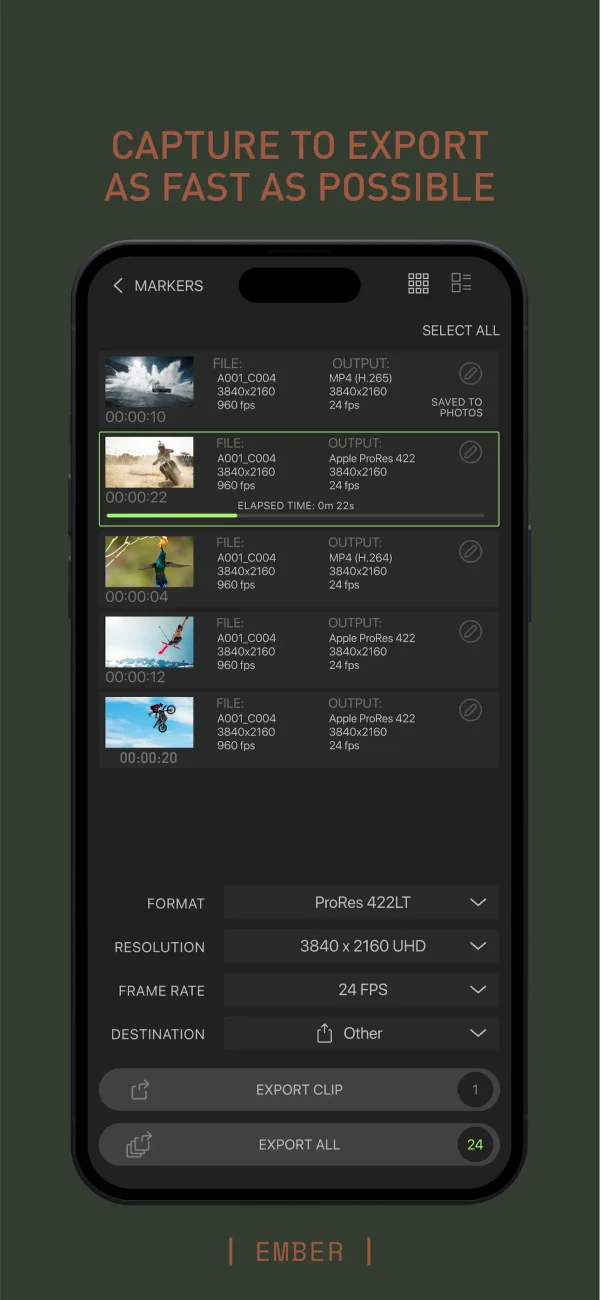
À propos
Le développeur n’a pas fourni ce texte dans votre langue.
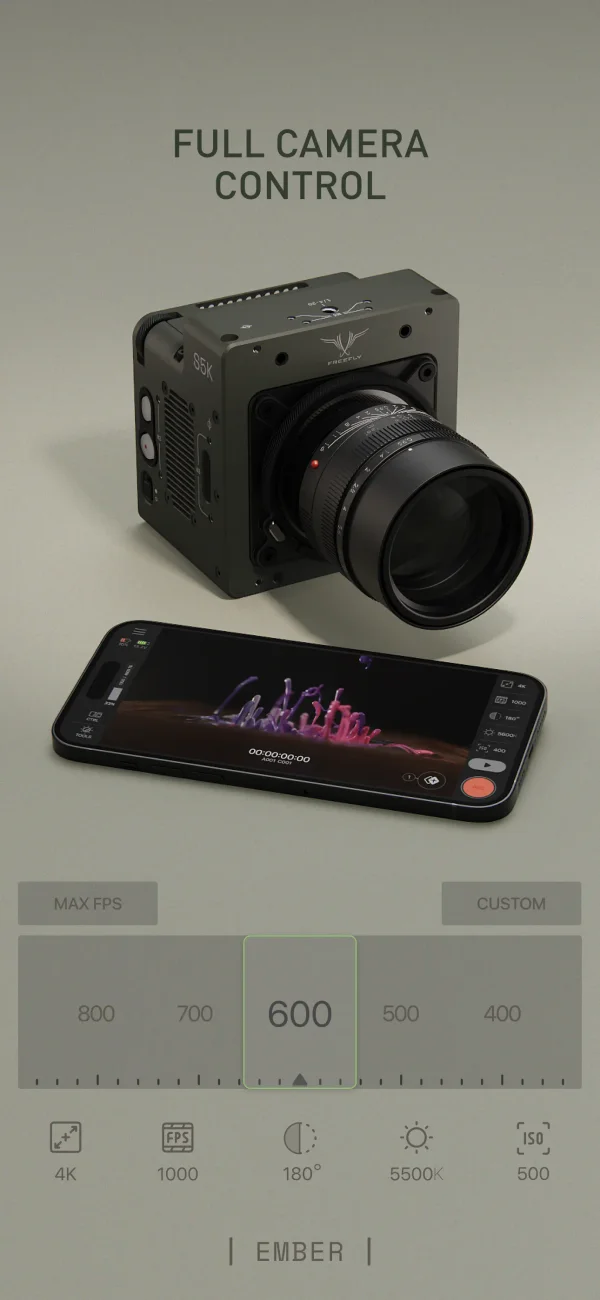
Introducing remote wireless control for your Freefly Ember on iOS and iPadOS. Quickly adjust your camera settings, enjoy instant playback, and easily export your favorite shots, all directly from the app.
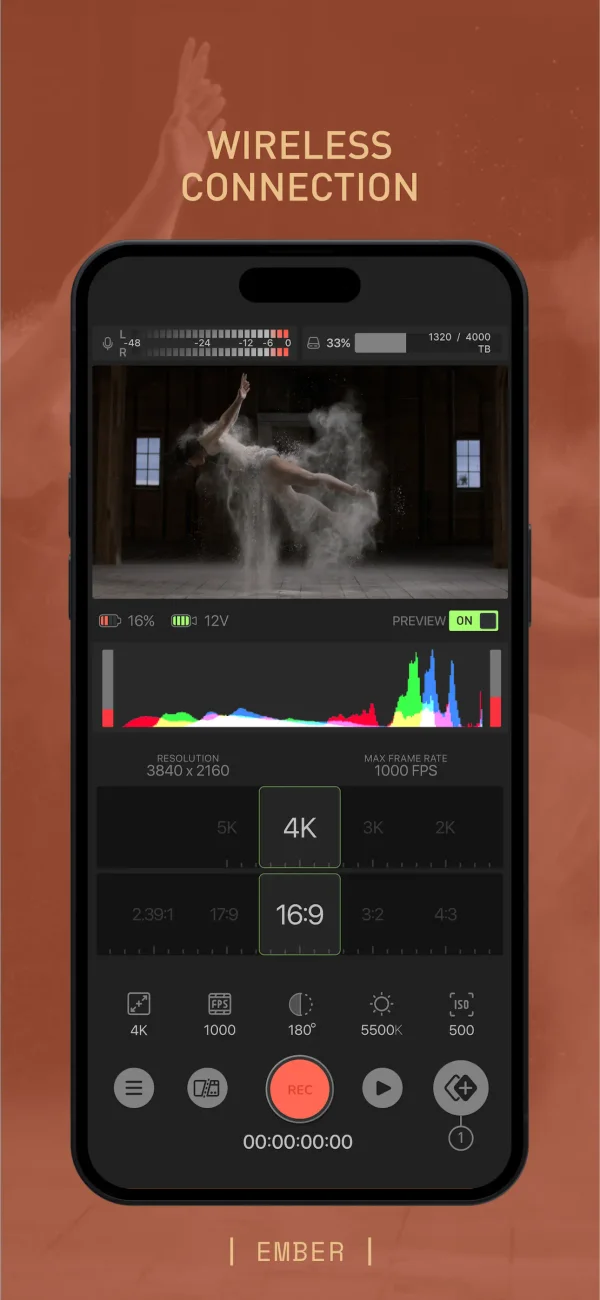
The Ember app replicates all camera controls available on the on-camera UI, providing a cohesive and intuitive experience. Any changes made on your camera are reflected in the app instantly, ensuring you're always in full control.
Key Features:
Wireless Connection: Connect the app to your Freely Ember camera via the camera’s WiFi network to view live preview and control your camera settings.
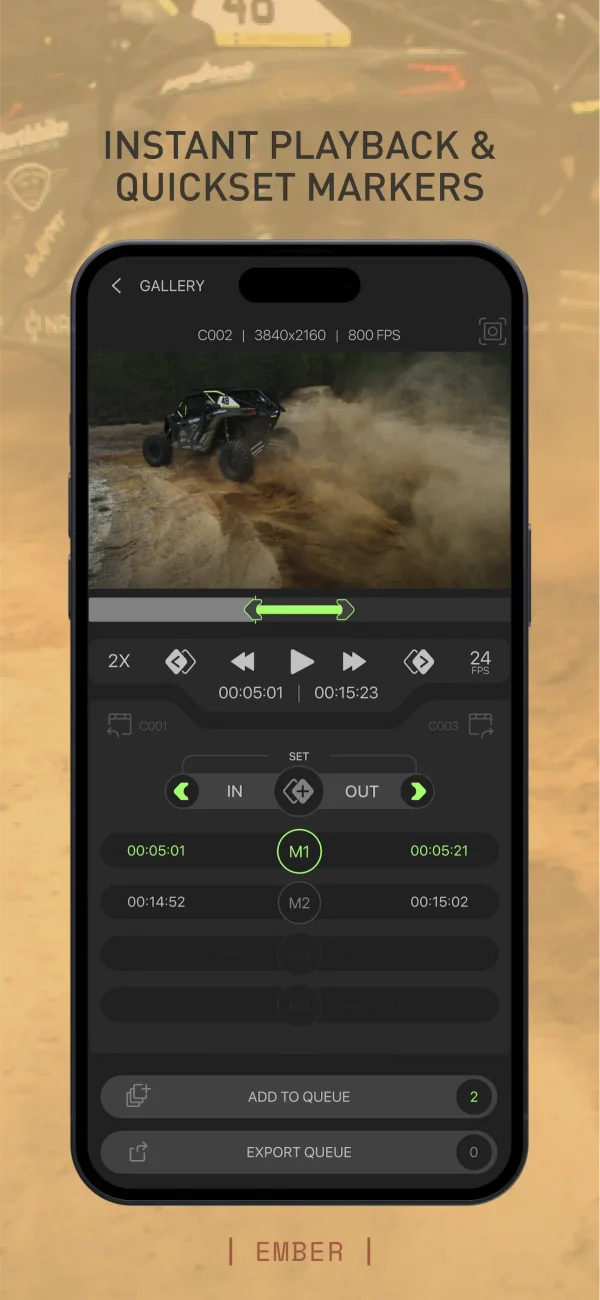
Instant Playback: Replay your shots instantly, allowing you to check and perfect your videos on the go.
Export: Specify in/out points on videos and transfer your shots directly from the camera to your device with a few simple taps.
Synced UI: Changes made on your camera are instantly mirrored on the app for a seamless experience.
Video playback requires a device that supports ProRes decoding:
iPhone 13 and newer
iPad Mini 6th generation and newer
iPad Pro 12.9” 5th generation and newer
iPad Pro 11” 3rd generation and newer
iPad Air 5th generation and newer
Ensure your device's compatibility for the best experience.
Nouveautés
Version 3.0.4 · 20/07/2026
Compatibility with Ember Firmware 3.0, which supports higher maximum frame rates at 2K and 4K resolutions
New Match Shot Tool (onion skin)
New Rotate Tool for Live Preview and Playback
New Software ProRes decode fallback – official support for iPhone Air, etc
New gesture control for zoom slider and playback; use your mouse or trackpad for more precise control
Bugfix for Last Clip
Bugfix for Loop Tool + Frame Skip Tool
Additional Notes
This build requires Ember Firmware V3.0, which can be found at https://freeflysystems.com/support/ember-support
App control requires changing USB Mode from Disk to Network on the camera UI, over Wi-Fi, or by holding down the select button when inserting the USB cable (the cable must already be inserted on one end)
The v2.0 App will remain available on TestFlight for 90 days from initial 3.0 release. Contact support@freeflysystems.com for more information.
Confidentialité de l’application
Ce que FREEFLY SYSTEMS INC. déclare sur l’App Store au sujet du traitement des données par cette application.
-
Données non collectées
Le développeur ne collecte aucune donnée à partir de cette application.
Les pratiques en matière de confidentialité peuvent varier, notamment en fonction des fonctionnalités que vous utilisez ou de votre âge.
Informations
- Vendeur
- FREEFLY SYSTEMS INC.
- Catégorie
- Photo et vidéo
- Version
- 3.0.4
- Mis à jour
- 20/07/2026
- Publié
- 25/09/2023
- Taille
- 9,2 Mo
- Nécessite
- iOS 17.0 ou version ultérieure
- Classification d’âge
- 4+
- Prix
- Gratuit
- Langues
- Anglais
- Copyright
- © Freefly Systems, Inc 2026
Vous aimerez peut-être aussi
-
 ARRI ECSPhoto et vidéo
-
 Teradek ServPhoto et vidéo
-
 ZoeLogRapports caméra film & TV
-
 RED_CONTROLPhoto et vidéo
-
 LensKit: Lens ToolsPhoto et vidéo
-
 CameraKit: Camera ToolsPhoto et vidéo
-
 Teradek TVPhoto et vidéo
-
 pCAM Pro - Camera ToolsPhoto et vidéo
-
 Tentacle TimebarPhoto et vidéo
-
 CineShooter RemotePhoto et vidéo