
G2RunHUDiOS
Run metrics on smart glasses
Conçue pour iPhone, iPod touch
Gratuit
- Classification d’âge4+
- CatégorieSports
- Développeurosamu Kishiyama
- LanguesJaponais+ 1 de plus
- Taille3,6 Mo
Renvoie vers la page App Store officielle
Download.org n’héberge aucun fichier de G2RunHUDiOS. Le bouton ouvre la page de l’application sur App Store, où osamu Kishiyama la publie. Fiche vérifiée pour la dernière fois le 12/11/2026.
Captures d’écran

À propos
Le développeur n’a pas fourni ce texte dans votre langue.
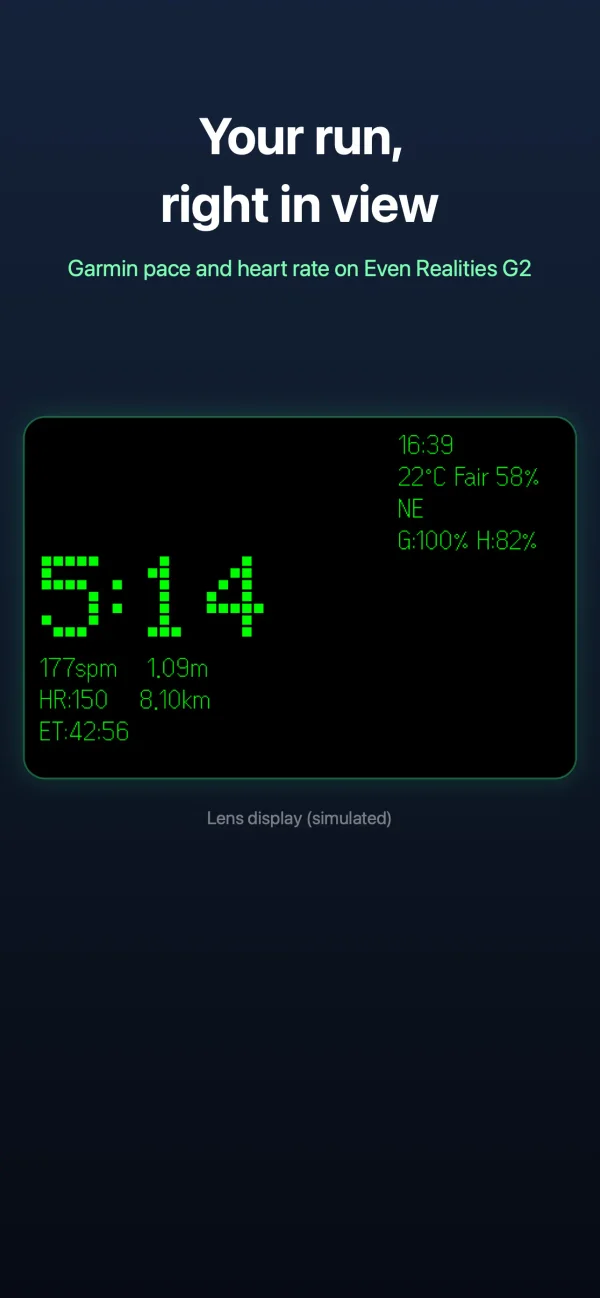
G2 Run HUD shows the running data your Garmin watch is recording right in the view of your Even Realities G2 smart glasses.
No more lifting your arm to check pace or heart rate — keep your eyes on the road.
■ What you see on the glasses
• Pace (optionally in big LED-style digits)
• Speed, heart rate, distance, power
• Cadence, stride length, vertical oscillation, vertical ratio
• Elapsed time, timer, total ascent, altitude, calories
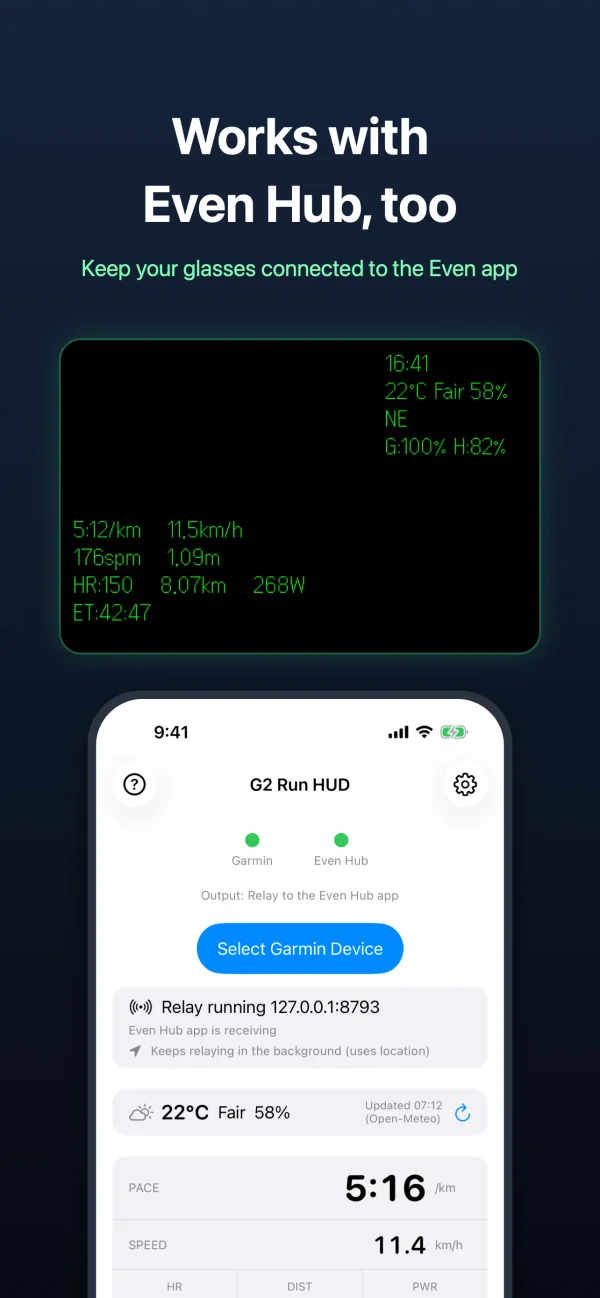
• Top right: clock, temperature and weather, heading, glasses and phone battery
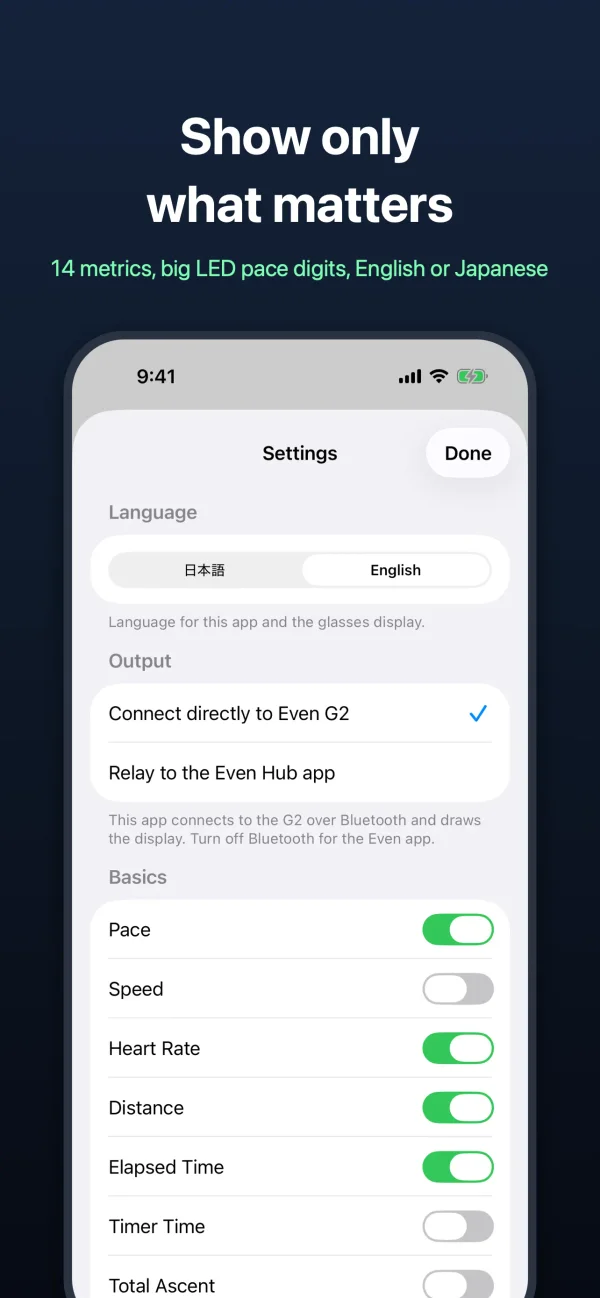
Choose only the metrics you care about, out of 14. Changes show up on the glasses right away.
Pace can be drawn in large dot-matrix digits that are easy to read mid-stride.
■ Two ways to connect
• Direct to Even G2
The app connects to the G2 itself and draws the display. This has the lowest latency.
(Turn off Bluetooth for the Even app while using this mode.)
• Relay to the Even Hub app
Keep your G2 connected to the Even app. The Even Hub app "G2 Run HUD" receives the data from this app and shows it, so you keep all Even app features.
Switch between them at any time in Settings.
■ What you need
• A Connect IQ–compatible Garmin watch and the Garmin Connect app
• Even Realities G2 and the Even app
■ Besides this app, you also need to install
[Required] From the Connect IQ Store: the "G2 Run HUD" data field
In the Connect IQ Store app on your iPhone, search for "G2 Run HUD", install it on your watch and add it to a running data screen. This data field is what sends the numbers from the watch to this app.
[Required for relay mode] From Even Hub: the "G2 Run HUD" Even Hub app
In the Even app, search Even Hub for "G2 Run HUD" and install it. That app draws the display on your glasses.
■ Getting started
1. Install the above (direct mode needs only the Connect IQ data field)
2. In this app, tap "Select Garmin Device" and register your watch
3. Connect the G2 directly, or set the output to the Even Hub app and open "G2 Run HUD" from the Even app
4. Start the activity on your watch — the numbers appear on your glasses
The same steps are in the in-app Help (the ? button).
■ English and Japanese
Switch the app and the glasses display between English and Japanese in Settings.
■ Privacy
• No account, no ads, no analytics
• Data from your watch is used only on this iPhone and never sent anywhere
• The relay runs entirely inside this iPhone and is not visible to other devices on your Wi-Fi
• Location is used to get the weather (an approximate position is sent to Open-Meteo or met.no) and, while relaying to the Even Hub app, to keep the app running in the background
■ Please note
• This is an independent app and is not affiliated with Garmin Ltd. or Even Realities
• Always stay aware of your surroundings while running
Nouveautés
Version 1.0.11 · 18/10/2026
• Lap metrics: show lap time, lap distance and lap average pace (or speed) on your glasses. They update with manual and auto laps.
• Lap items sit on the same line as cadence and stride, so the other metrics stay on screen.
• Works with the latest G2 Run HUD data field on the watch (version 1.1.4 or later). Please update it from the Connect IQ Store.
• New "Received data" section at the bottom of the main screen shows what the watch is sending, to help check the connection.
• Running Dynamics note: the HRM 600 does not share vertical oscillation or vertical ratio with other apps, so those values can't be shown with it.
Confidentialité de l’application
Ce que osamu Kishiyama déclare sur l’App Store au sujet du traitement des données par cette application.
-
Données non collectées
Le développeur ne collecte aucune donnée à partir de cette application.
Les pratiques en matière de confidentialité peuvent varier, notamment en fonction des fonctionnalités que vous utilisez ou de votre âge.
Informations
- Vendeur
- osamu Kishiyama
- Catégorie
- Sports
- Version
- 1.0.11
- Mis à jour
- 18/10/2026
- Publié
- 27/09/2026
- Taille
- 3,6 Mo
- Nécessite
- iOS 15.1 ou version ultérieure
- Classification d’âge
- 4+
- Prix
- Gratuit
- Langues
- Japonais, Anglais
- Copyright
- © 2026 Osamu Kishiyama
Vous aimerez peut-être aussi
-
 CyclingFriendsSports
-
 Combo AISports
-
 Waikoloa Beach Resort GolfSports
-
 I LOCK IT The Smart Bike LockSports
-
 My AEK – AEK FC Official appSports
-
 Hoolan: Kite Wingfoil WindsurfSuivi GPS, sauts et vitesse
-
 CrossFit Games On-Site GuideSports
-
 Paris FCAppli officielle du Paris FC
-
 NYCRUNS EventsSports
-
 Ochy - Analyse de la fouléeAnalyse de course par l'IA