
GamePing: Network Simulator
Mobile Game Lag & Loss Testing
Conçue pour iPhone, iPad
Gratuit · Achats intégrés
- Classification d’âge4+
- CatégorieUtilitaires
- DéveloppeurREALSIGNAL PTE. LTD.
- LanguesAnglais+ 4 de plus
- Taille16,9 Mo
Renvoie vers la page App Store officielle
Download.org n’héberge aucun fichier de GamePing: Network Simulator. Le bouton ouvre la page de l’application sur App Store, où REALSIGNAL PTE. LTD. la publie. Fiche vérifiée pour la dernière fois le 21/11/2026.
Captures d’écran

À propos
Le développeur n’a pas fourni ce texte dans votre langue.
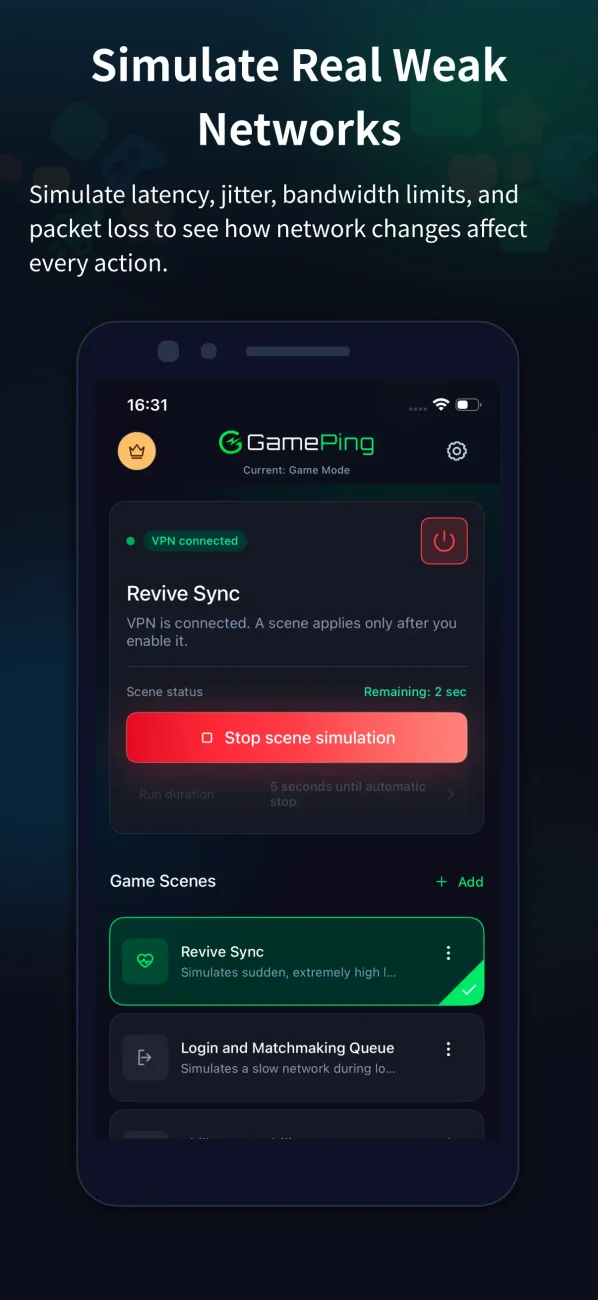
Trigger network simulation while you play. See how latency, packet loss, and unstable connections affect your game, from a single action to an entire match.
GamePing is a network condition simulator for mobile gamers, game developers, and QA teams. Reproduce high latency, jitter, bandwidth limits, random packet loss, and bursts of consecutive packet loss to explore gameplay behavior and test connection recovery.
QUICK CONTROLS DURING GAMEPLAY
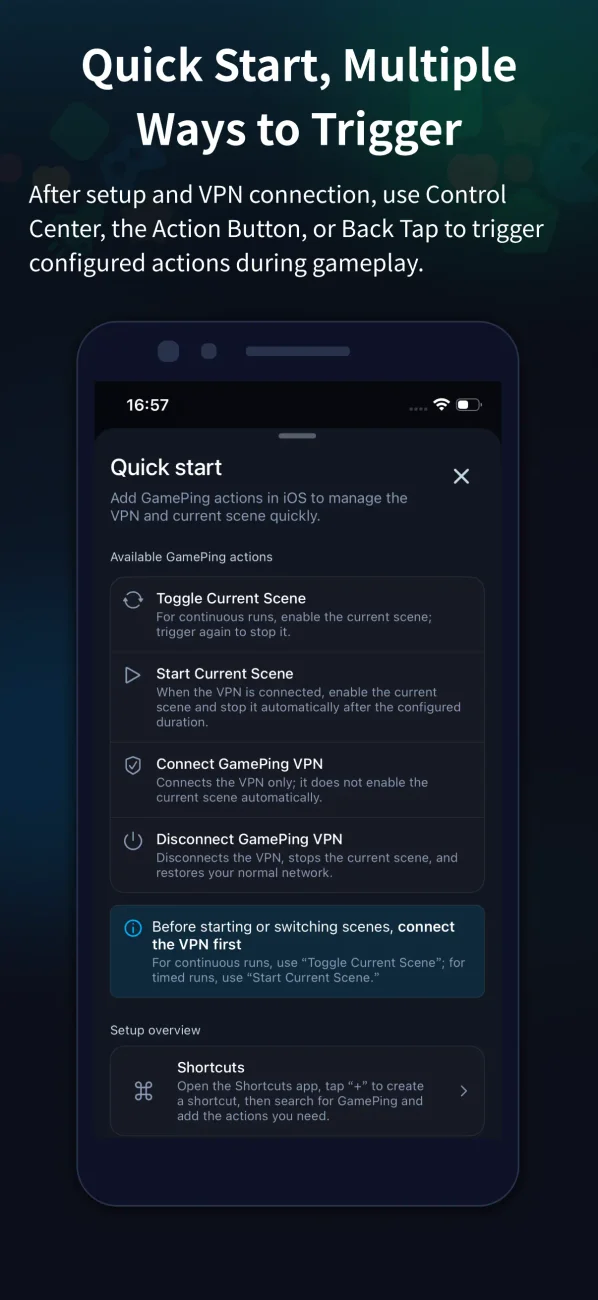
After setup and connecting GamePing VPN, use iOS shortcuts and controls to activate your selected scene with less switching between apps.
- Control Center: Add GamePing controls to connect or disconnect the VPN, start a timed simulation, or toggle continuous simulation on and off. Control Center controls require iOS 18 or later.
- Action Button: On supported iPhone models, assign a GamePing shortcut to the Action Button. Press and hold to run your configured action.
- Back Tap: Assign a shortcut to a double or triple tap on the back of your iPhone, then trigger it during gameplay.
For the Action Button and Back Tap, first create a GamePing shortcut in the Shortcuts app and assign it in system settings. The Action Button is available only on supported iPhone models. Quick controls use the selected scene or template in your current mode.
STOP ON A TIMER OR KEEP RUNNING
- Timed mode: Set a duration, trigger the simulation, and let it stop automatically. Observe brief lag, packet-loss bursts, and recovery after an interruption.
- Continuous mode: Apply your selected conditions without an automatic stop time, until you stop manually. Use it for full-match observation, multiplayer sync, and longer stability tests.
In continuous mode, run Toggle Current Scene once to start and again to stop. After a timed simulation ends or you stop a scene manually, GamePing stops applying the simulated network conditions while the VPN remains connected. You can disconnect the VPN separately.
GAME TYPES TO TEST
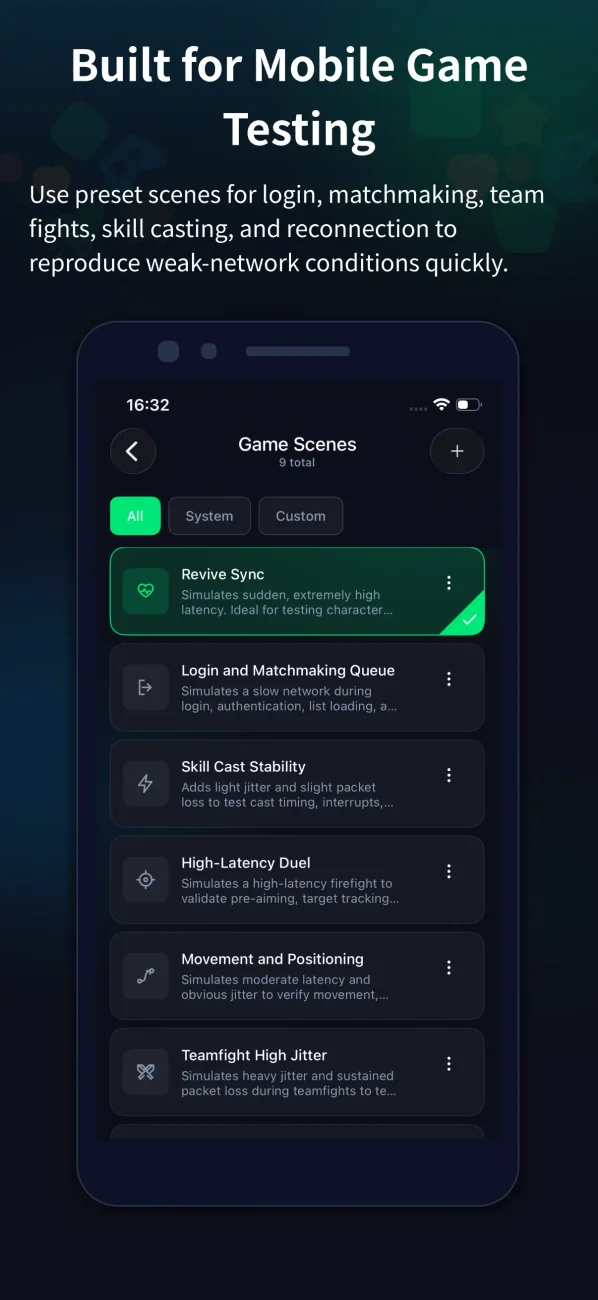
- MOBA and 5v5: Team-fight sync, skills, and input response.
- FPS / TPS and battle royale: High-latency duels, movement sync, squad play, and real-time combat.
- MMORPGs, racing, sports, rhythm, strategy, card, turn-based, and party games: Loading, matchmaking, timing, and multiplayer stability.
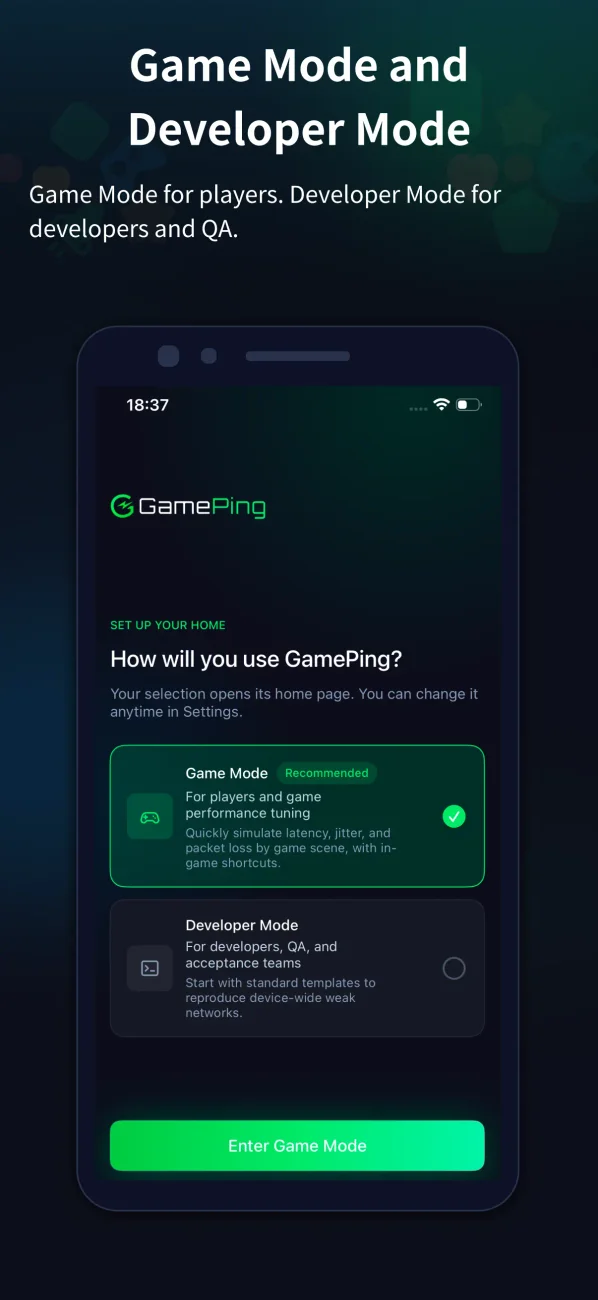
GAME MODE AND DEVELOPER MODE
Game Mode offers preset scenes for login, matchmaking, and team fights, plus custom scenes for exploring how networks affect play.
Developer Mode provides templates and custom parameters for reproducing issues, verifying fixes, and repeating tests across apps and builds.
ADJUSTABLE NETWORK CONDITIONS
Set upload and download bandwidth, latency, jitter, and packet loss independently. Configure consecutive loss and pass-through durations to simulate interruptions. Save scenes and templates for repeatable tests.
LOCAL SIMULATION AND SCOPE
GamePing uses an iOS network extension and VPN configuration to apply conditions locally to traffic routed through the simulation by the system. It does not offer per-app traffic selection, so simulation may also affect other network activity on your device. Initial setup requires system VPN permission.
GamePing is a testing tool, not a game accelerator. It does not reduce real network ping, increase frame rates, or modify game data. It does not provide anonymity, IP masking, geo-restriction bypass, or a secure tunnel to a remote VPN server. The simulation feature does not retain traffic payloads or browsing content.
SUBSCRIPTIONS AND TERMS
Selected preset scenes and templates are available for free. Using custom scenes, templates, and other premium content requires a GamePing subscription. Subscriptions renew automatically and can be managed or canceled in your Apple Account settings.
Terms of Use: https://gp.realsignal.com/terms
Privacy Policy: https://gp.realsignal.com/privacy
Reproduce network issues and see their effect on gameplay with GamePing.
Nouveautés
Version 1.2.0 · 13/11/2026
[NEW] Added support for the ICMP protocol.
[OPT] Fixed known issues and improved the overall user experience.
Confidentialité de l’application
Ce que REALSIGNAL PTE. LTD. déclare sur l’App Store au sujet du traitement des données par cette application.
-
Données utilisées pour vous suivre
Peuvent être utilisées pour vous suivre sur des applications et des sites web appartenant à d’autres sociétés.
- Identifiants
-
Données n’établissant aucun lien avec vous
Peuvent être collectées, mais ne sont pas liées à votre identité.
- Identifiants
- Données d’utilisation
Les pratiques en matière de confidentialité peuvent varier, notamment en fonction des fonctionnalités que vous utilisez ou de votre âge.
Informations
- Vendeur
- REALSIGNAL PTE. LTD.
- Catégorie
- Utilitaires
- Version
- 1.2.0
- Mis à jour
- 13/11/2026
- Publié
- 01/10/2026
- Taille
- 16,9 Mo
- Nécessite
- iOS 17.2 ou version ultérieure
- Classification d’âge
- 4+
- Prix
- Gratuit
- Achats intégrés
- Oui
- Langues
- Anglais, Indonésien, Chinois simplifié, Espagnol, Vietnamien
- Copyright
- © REALSIGNAL PTE. LTD.
Vous aimerez peut-être aussi
-
 GamePingUtilitaires
-
 Gringo XP Freestyle Panel FFUtilitaires
-
 Rocket Game BoosterUtilitaires
-
 Dark Aura Panel - Green RabbitUtilitaires
-
 Sadx FreeStyle ProUtilitaires
-
 Ghost Dark Panel FF AuraUtilitaires
-
 Ping Test: Gaming SpeedUtilitaires
-
 Headshot: Bunny EsportsCoach visée, HUD et sensi
-
 SenXit External FF PanelUtilitaires
-
 Dark Aura Panel - Rabbit GreenUtilitaires