
GeminiCam
2x the View, 2x the Fun
Conçue pour iPhone, iPad, iPod touch
Gratuit · Achats intégrés
- Classification d’âge4+
- CatégoriePhoto et vidéo
- DéveloppeurAgile Edge AI LLC
- LanguesAnglais
- Taille37,1 Mo
Renvoie vers la page App Store officielle
Download.org n’héberge aucun fichier de GeminiCam. Le bouton ouvre la page de l’application sur App Store, où Agile Edge AI LLC la publie. Fiche vérifiée pour la dernière fois le 12/11/2026.
Captures d’écran


À propos
Le développeur n’a pas fourni ce texte dans votre langue.
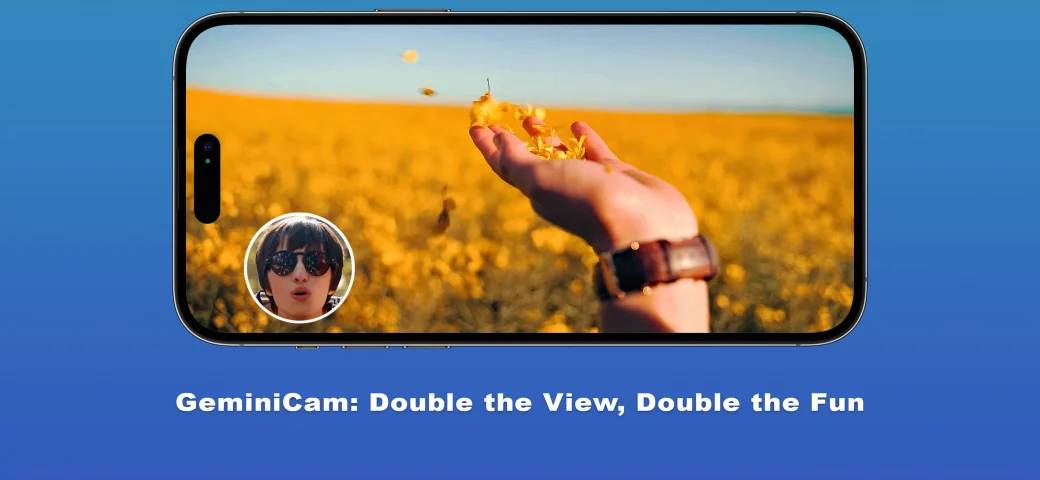
GeminiCam records video using both the front and back cameras at the same time.
Have you ever looked back at those amazing scenes you shot and wondered what your face looked like at that exact moment? Were you filled with excitement or awe? With GeminiCam, you don’t have to wonder anymore!
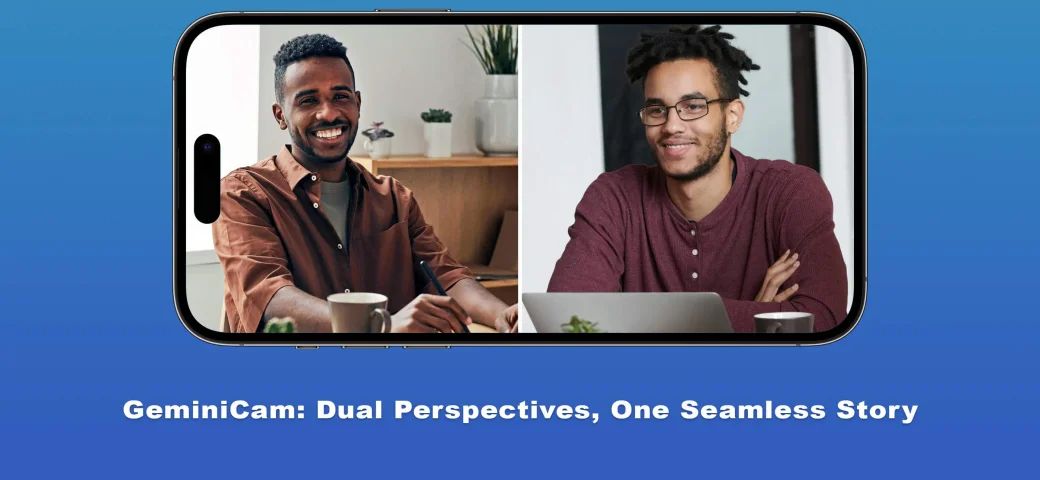
Whether you’re recording a heartfelt message to a friend, capturing a lively face-to-face conversation, or conducting an interview, GeminiCam lets you see both sides of the story—yours and theirs. Relive every smile, expression, and reaction in perfect harmony. It’s like holding a mirror to your memories, giving you the full picture of those special moments.
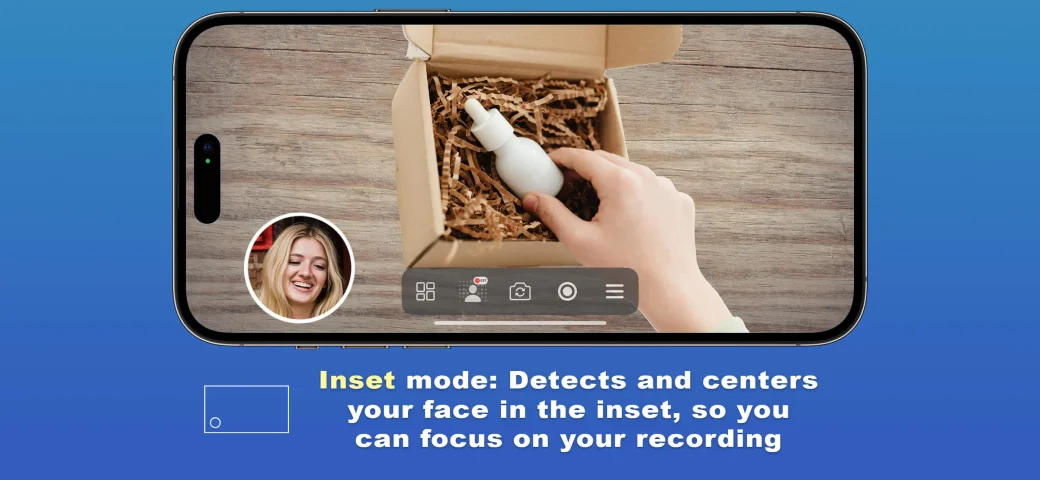
If you’re a YouTuber creating unboxing videos, GeminiCam is your ideal companion! Record both the product and your genuine reactions—all without the hassle of a complicated multi-camera setup. GeminiCam lets you capture everything with just your iPhone, offering viewers a more immersive experience as they see the excitement in your eyes while you unveil something new.
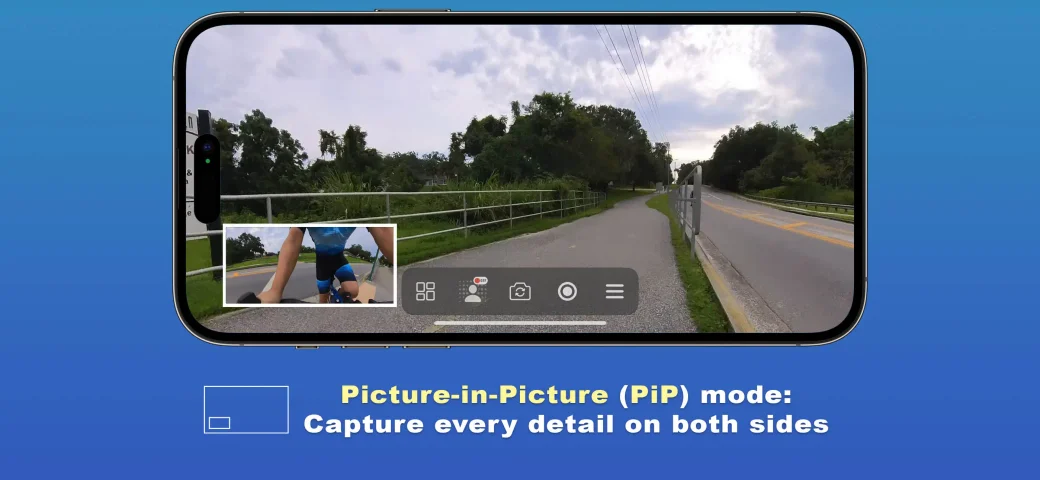
Or imagine you’re out on a bike ride—GeminiCam captures both the road ahead and you enjoying the ride, just like using a 360-degree camera. It’s the perfect way to share the thrill of the journey and your reactions in one seamless shot.
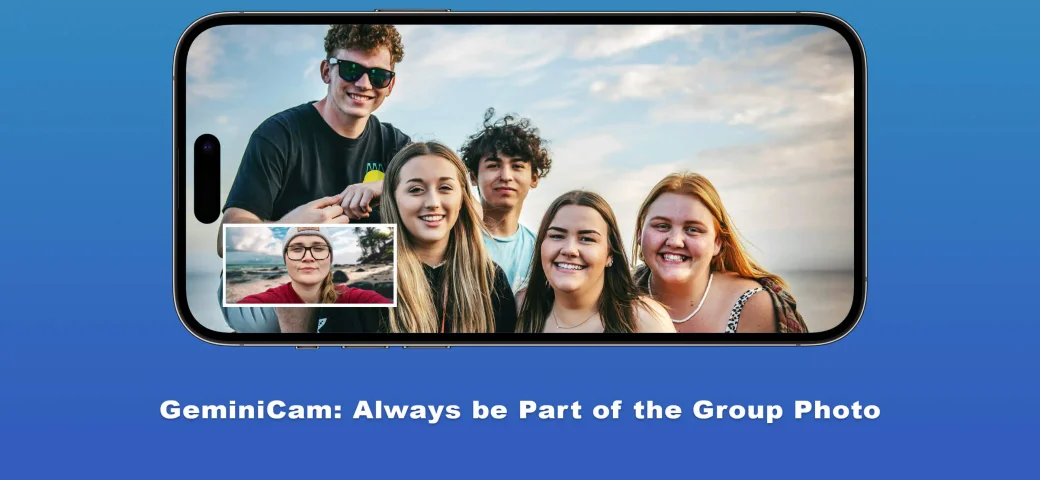
And when it’s time for a group photo, you’ll never be left out again! GeminiCam ensures you’re always in the frame, capturing both your friends and your own smile in a single shot.
With GeminiCam, you’ll never miss a moment again. Double the view means double the fun, and every memory is complete.
Discover what GeminiCam has to offer:
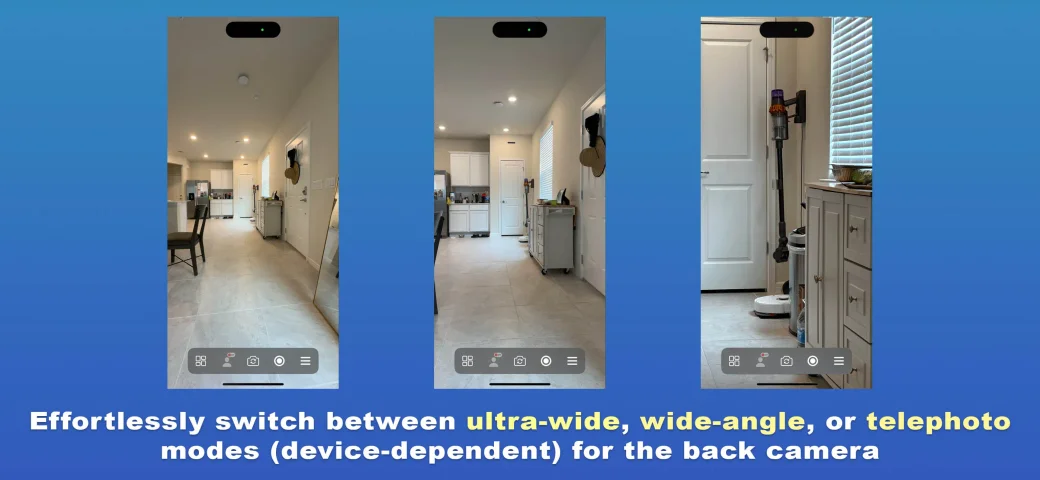
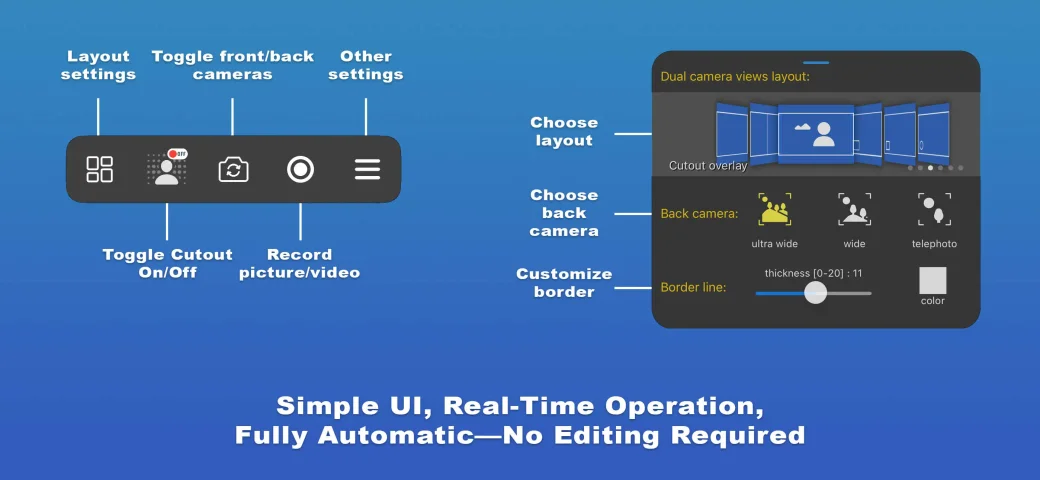
• Single Layout Mode: Just like a regular camera app, but with a twist! Switch between the front and back cameras with a single tap. Easily choose from ultrawide, wide-angle, or telephoto modes (when available) for the back camera.
• Split Layout Mode: The screen is divided 50-50 between the front and back camera views, with both images center-cropped. Perfect for capturing lively face-to-face conversations or conducting interviews.
• Overlaid Layout Mode: The app automatically cuts out your image and overlays it onto the back camera view, making it look like your background is on the other side.
• Picture-in-Picture (PiP) Layout Mode: Display a small thumbnail of the front camera view over the back camera image, or vice versa. Ideal for capturing beautiful outdoor scenes or touring open spaces, ensuring you capture as much detail as possible.
• Inset Layout Mode: The app crops your face into a circular or square shape and overlays it on the back camera view. It automatically detects and centers your face in the inset, so you can focus on your recording.
• AI-Powered Cut-Out: Available in Overlaid, PiP, and Inset modes, the app automatically removes your background, making it look like you’re in front of a transparent backdrop.
• Customizable Borders: Adjust the line width and color of the border that separates the front and back camera views for a personalized touch.
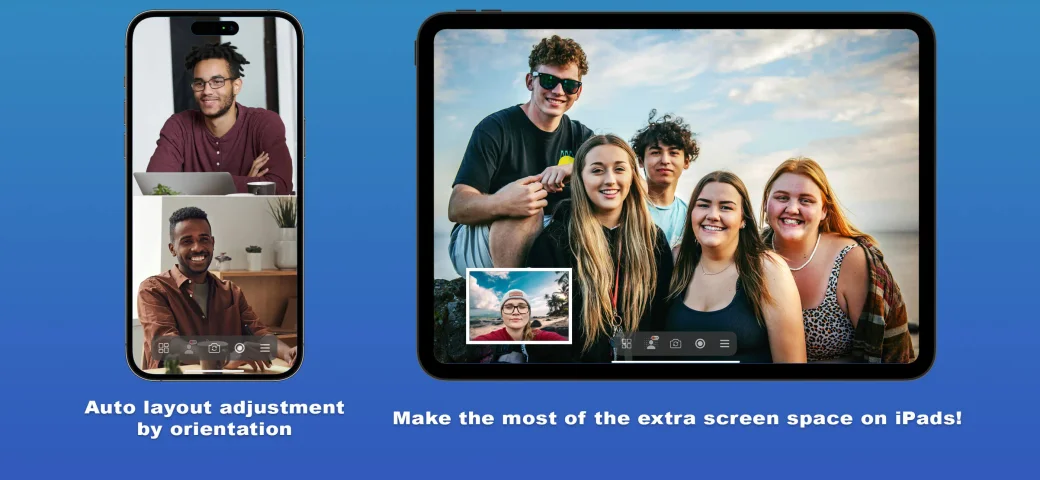
• Automatic Layout Adjustment: The app automatically adjusts the layout based on your device’s orientation, ensuring the best viewing experience whether you’re holding your iPhone in portrait or landscape mode.
• Fully Automatic, No Editing Needed: Just start recording, and GeminiCam handles the rest.
• Capture Unlimited-Length Videos or Photos: Keep recording for as long as you like!
• And much more…
Some features are exclusive to the Pro version for added creativity!
Download GeminiCam today and see for yourself!
Terms of Use
https://www.apple.com/legal/internet-services/itunes/dev/stdeula/
Privacy Policy
https://agileedgeai.com/apps/geminicam.htm#privacy
Nouveautés
Version 1.2 · 22/01/2026
What's New
• All layouts now free – Enjoy every layout mode without restrictions
• One-time purchase – Premium features unlocked forever, no subscription required
• Smoother borders – Improved circle border rendering throughout the app
• Settings remembered – Your preferences are now saved automatically
• Bug fixes – Performance improvements and stability enhancements
Confidentialité de l’application
Ce que Agile Edge AI LLC déclare sur l’App Store au sujet du traitement des données par cette application.
-
Données non collectées
Le développeur ne collecte aucune donnée à partir de cette application.
Les pratiques en matière de confidentialité peuvent varier, notamment en fonction des fonctionnalités que vous utilisez ou de votre âge.
Informations
- Vendeur
- Agile Edge AI LLC
- Catégorie
- Photo et vidéo
- Version
- 1.2
- Mis à jour
- 22/01/2026
- Publié
- 17/10/2024
- Taille
- 37,1 Mo
- Nécessite
- iOS 15.0 ou version ultérieure
- Classification d’âge
- 4+
- Prix
- Gratuit
- Achats intégrés
- Oui
- Langues
- Anglais
- Copyright
- © Agile Edge AI LLC
Vous aimerez peut-être aussi
-
 PixigoPhoto et vidéo
-
 Double Caméra EnregistreurAvant & Arrière Simultané
-
 Reflecto_Photo et vidéo
-
 MultiCameraPhoto et vidéo
-
 dualCamera - Double Side PhotoPhoto et vidéo
-
 MixCamera - Dual Front & BackPhoto et vidéo
-
 DoubleTake Selfie and PhotoPhoto et vidéo
-
 Double Camera - Record VideosPhoto et vidéo
-
 ParalleloCameraPhoto et vidéo
-
 HiroCamPhoto et vidéo