
- Classification d’âge4+
- CatégorieOutils de développement
- DéveloppeurGooseClip
- LanguesAnglais
- Taille117,9 Mo
GooseCode n’est peut-être pas disponible sur App Store pour le moment
La fiche de la boutique était inaccessible lors de notre dernière vérification. Le lien mène toujours à la page App Store officielle.
Captures d’écran
À propos
Le développeur n’a pas fourni ce texte dans votre langue.
AI writes the code. Your name is still on the PR.
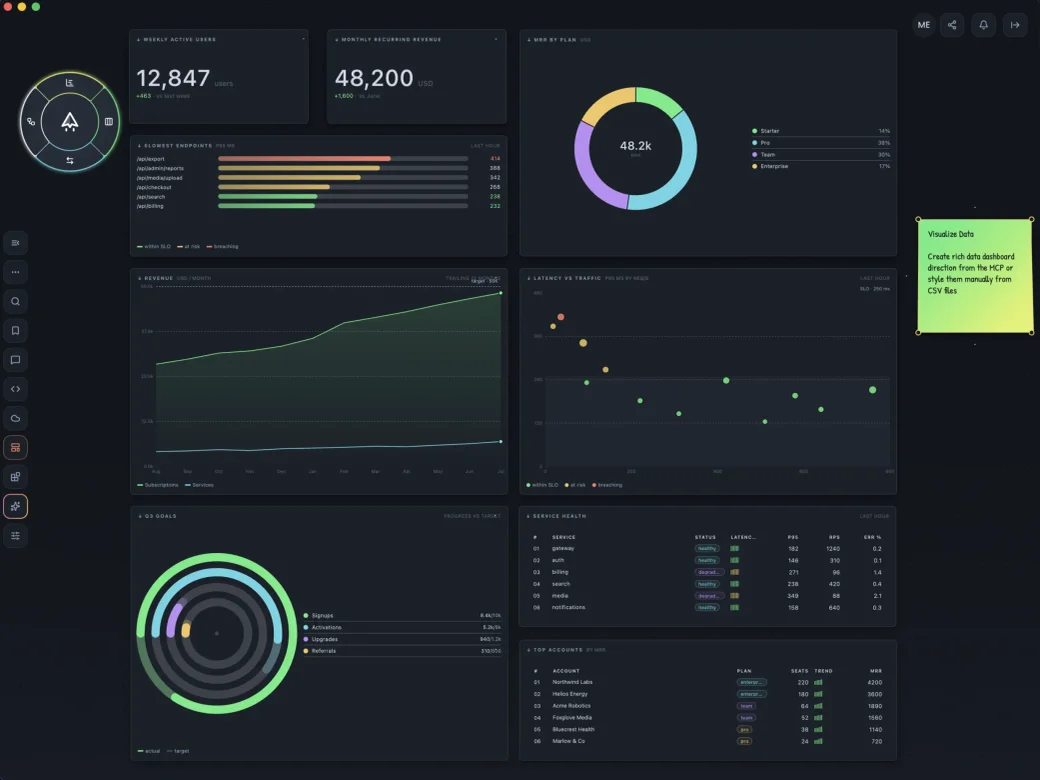
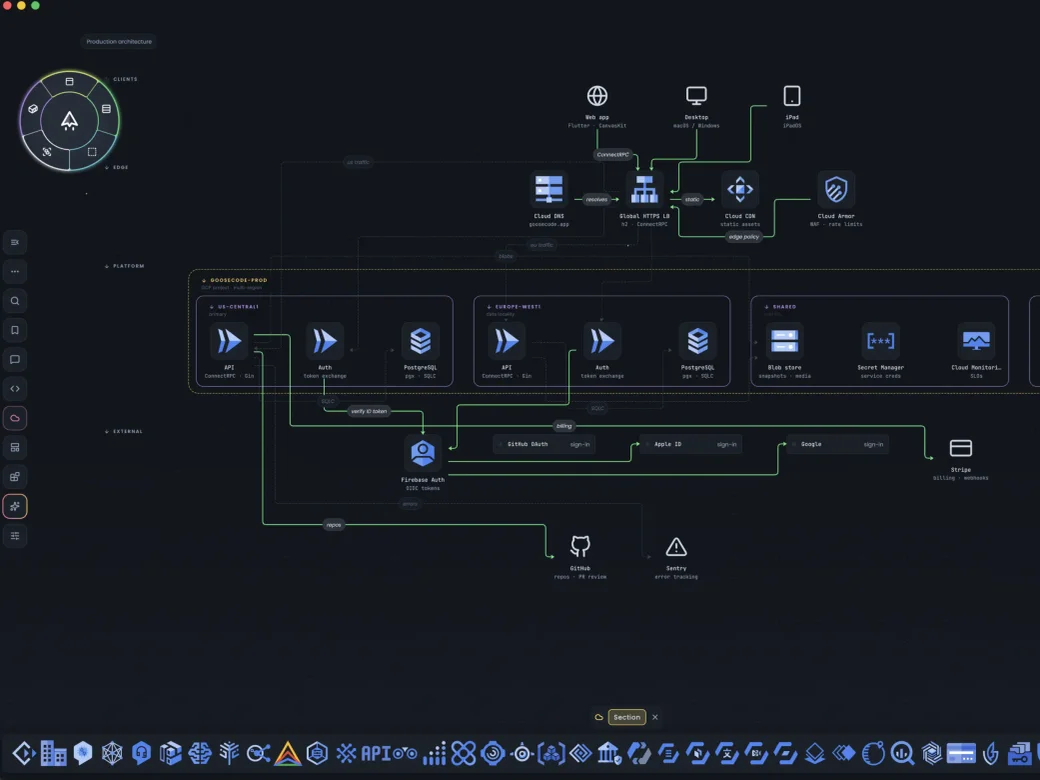
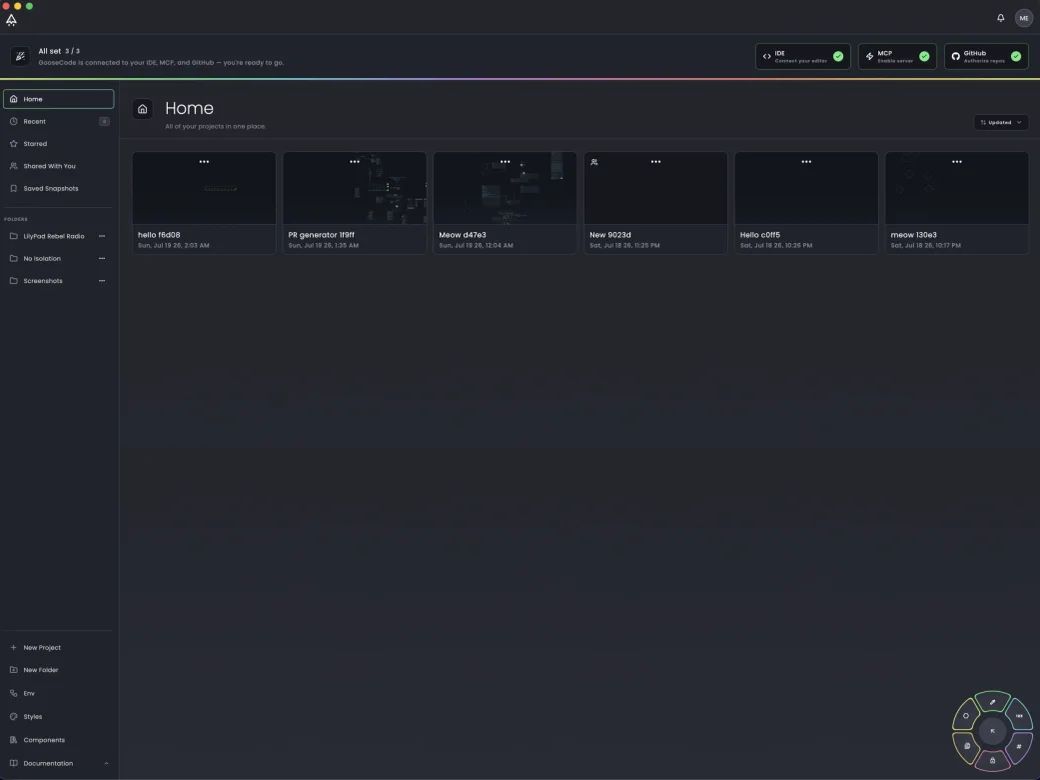
GooseCode is the canvas in the middle — an infinite canvas where your coding agent draws what it built, your team collaborates in real time, and you steer what's next with concise visuals instead of walls of text.
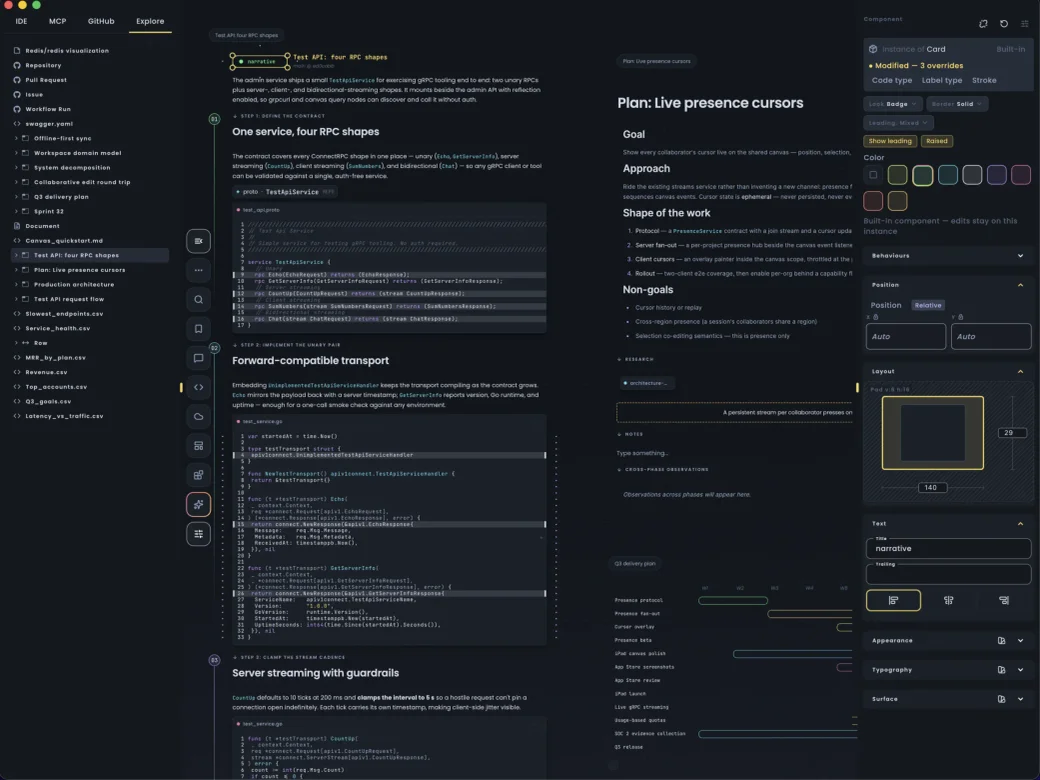
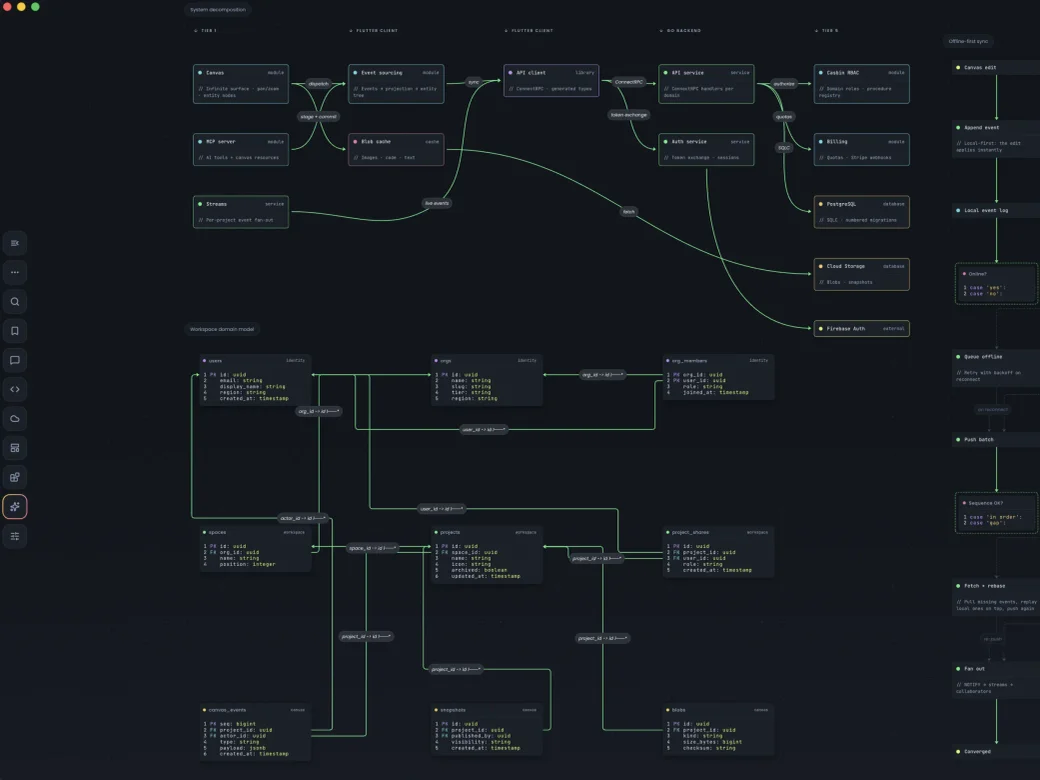
Reading code is the new bottleneck. Tabs and jump-to-definition were built when code was read at the speed it was written — that broke the moment a model could write a thousand lines while you drink your coffee. GooseCode turns your codebase into easy to understand visuals — architecture, flows, and diffs drawn straight from the repo — with your notes, documentation, and references on the same canvas as the code they describe.
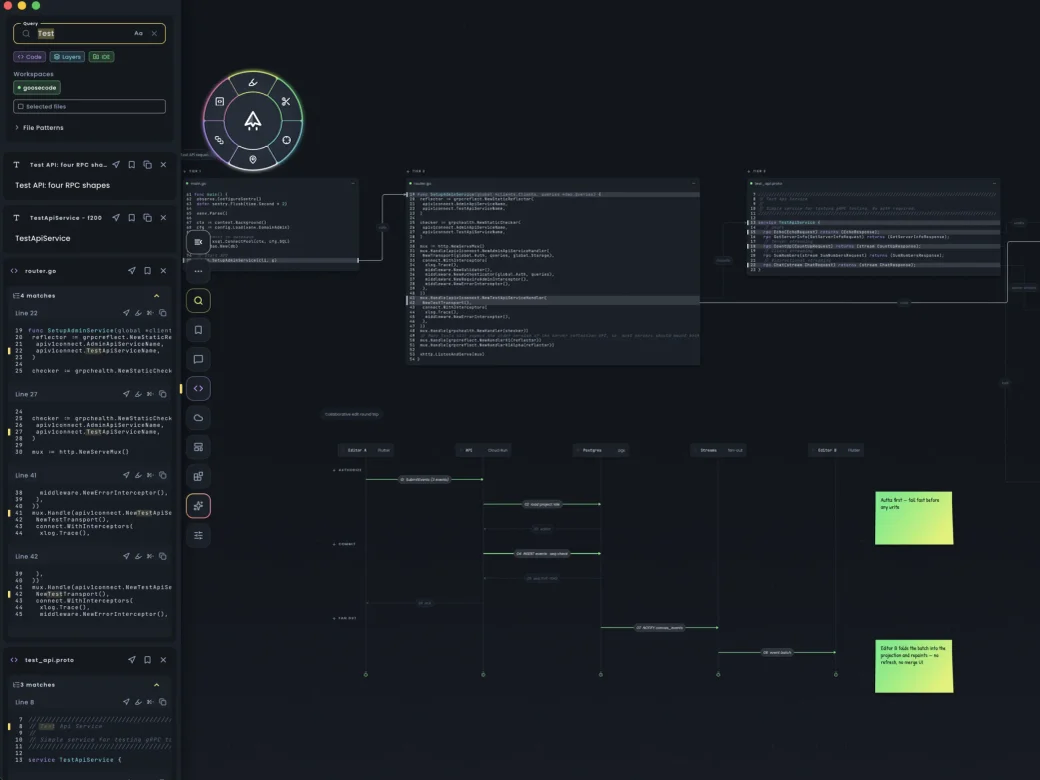
Your team works on the same board in real time: sketch over the agent's diagrams, annotate the code, and comment in place instead of in a thread. What you draw together stays — the whiteboard from Tuesday's call is still there next sprint, and a snapshot shares it with whoever missed it. The reasoning behind every decision lives on the canvas, next to the code it produced.
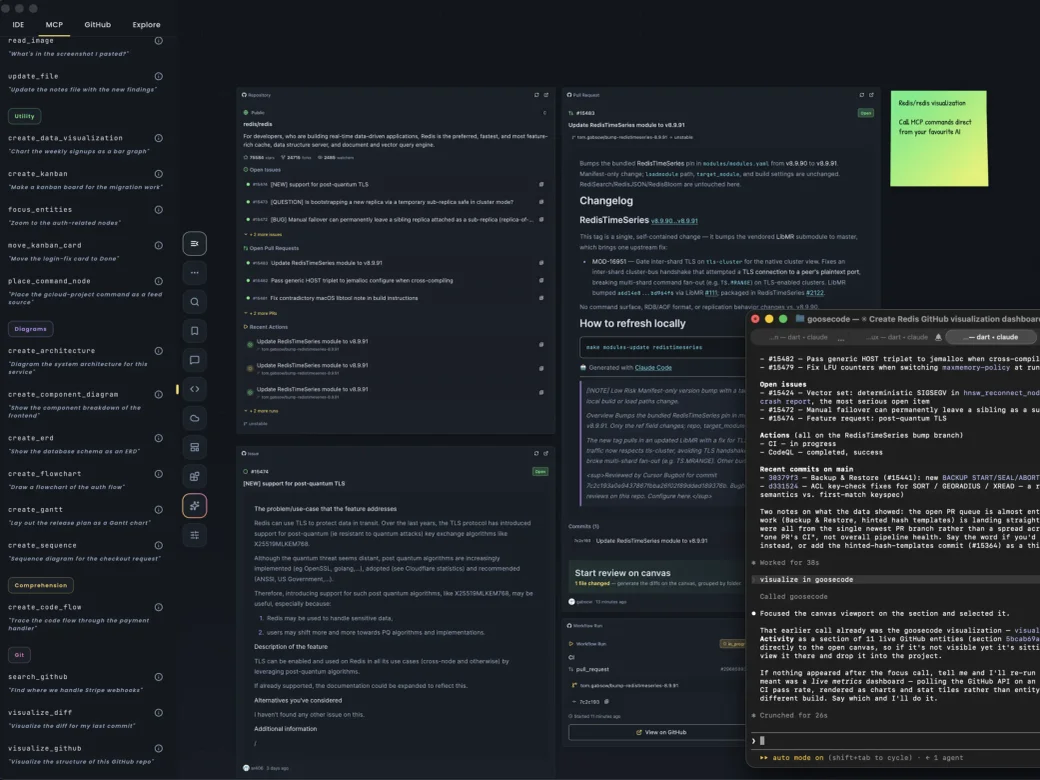
You don't learn GooseCode. Connect its MCP server to your coding agent and ask in plain language — the agent draws on the canvas, then reads it back, so you stop re-explaining your architecture every session.
Use GooseCode to:
- Debug complex issues visually
- See exactly what your agent touched before you sign off
- Review and steer agent work as a team
- Document a codebase with diagrams drawn from the real code
- Onboard new developers with a map, not a maze
- Run design sessions on a whiteboard that persists
- Share any canvas as a snapshot
Works alongside your existing IDE, with VS Code or Cursor extensions. Connect GitHub with OAuth, or use fine-grained access to limit GooseCode to only the repositories you choose.
Nouveautés
Version 3.3.0 · 27/08/2026
Features:
- Send feedback without leaving the app.
- Bookmark MCP
Improvements:
- A faster canvas. Panning, clicking and dragging stay smooth on big boards,
and your changes save to the cloud in fewer, larger batches.
- Escape now backs out one step at a time — first your selection, then x-ray
or isolate view — and leaving interact mode asks before it drops you out.
- Expand and collapse any group from the layers panel, not just the whole tree.
- Easier linking and selection.
- Continued improvement of interactive modes.
This release includes 40 bug fixes.
Confidentialité de l’application
Ce que GooseClip déclare sur l’App Store au sujet du traitement des données par cette application.
-
Données établissant un lien avec vous
Peuvent être collectées et liées à votre identité.
- Achats
- Coordonnées
- Identifiants
-
Données n’établissant aucun lien avec vous
Peuvent être collectées, mais ne sont pas liées à votre identité.
- Contenu utilisateur
- Données d’utilisation
- Diagnostic
Les pratiques en matière de confidentialité peuvent varier, notamment en fonction des fonctionnalités que vous utilisez ou de votre âge.
Informations
- Vendeur
- MousyBusiness Limited
- Catégorie
- Outils de développement
- Version
- 3.3.0
- Mis à jour
- 27/08/2026
- Publié
- 17/05/2023
- Taille
- 117,9 Mo
- Nécessite
- iOS 15.6 ou version ultérieure
- Classification d’âge
- 4+
- Langues
- Anglais
- Copyright
- © 2023 GOOSECLIP LIMITED. All rights reserved.
Vous aimerez peut-être aussi
-
 MobileCode Code EditorOutils de développement
-
 Code - Editor Git and TerminalOutils de développement
-
 Codereader.devOutils de développement
-
 Axios codeOutils de développement
-
 Dev AI : Apprendre à coderAppre Python, JavaScript, HTML
-
 Python Editor: Apprendre/CoderCompilateur & IDE hors ligne
-
 JDoodle: Code CompilerOutils de développement
-
 Code AppOutils de développement
-
 FlutterFlow StudioOutils de développement
-
 SSH Client - Secure ShellFishOutils de développement