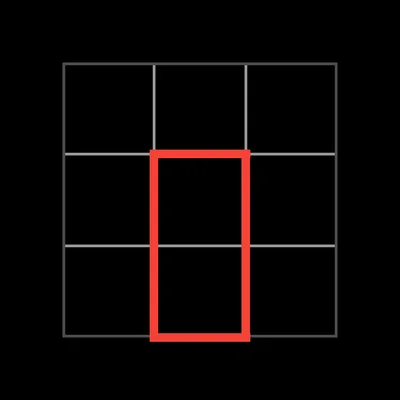
Grid Camera – Portrait Guide
Frame in the box, just shoot
Conçue pour iPhone, iPod touch
- Classification d’âge4+
- CatégoriePhoto et vidéo
- DéveloppeurGYO UNG GU
- LanguesCoréen+ 7 de plus
- Taille18,7 Mo
Grid Camera – Portrait Guide n’est peut-être pas disponible sur App Store pour le moment
La fiche de la boutique était inaccessible lors de notre dernière vérification. Le lien mène toujours à la page App Store officielle.
Captures d’écran
À propos
Le développeur n’a pas fourni ce texte dans votre langue.
"Can you take a picture of me?" — never a scary question again.
Grid Camera doesn't teach composition. It makes composition knowledge
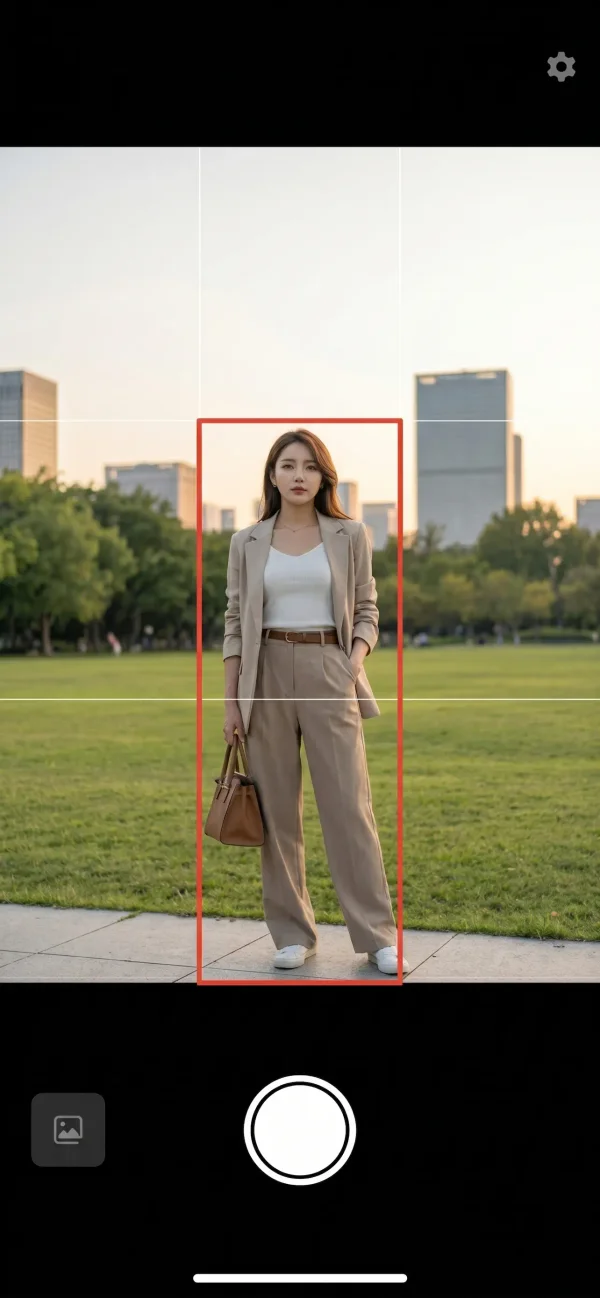
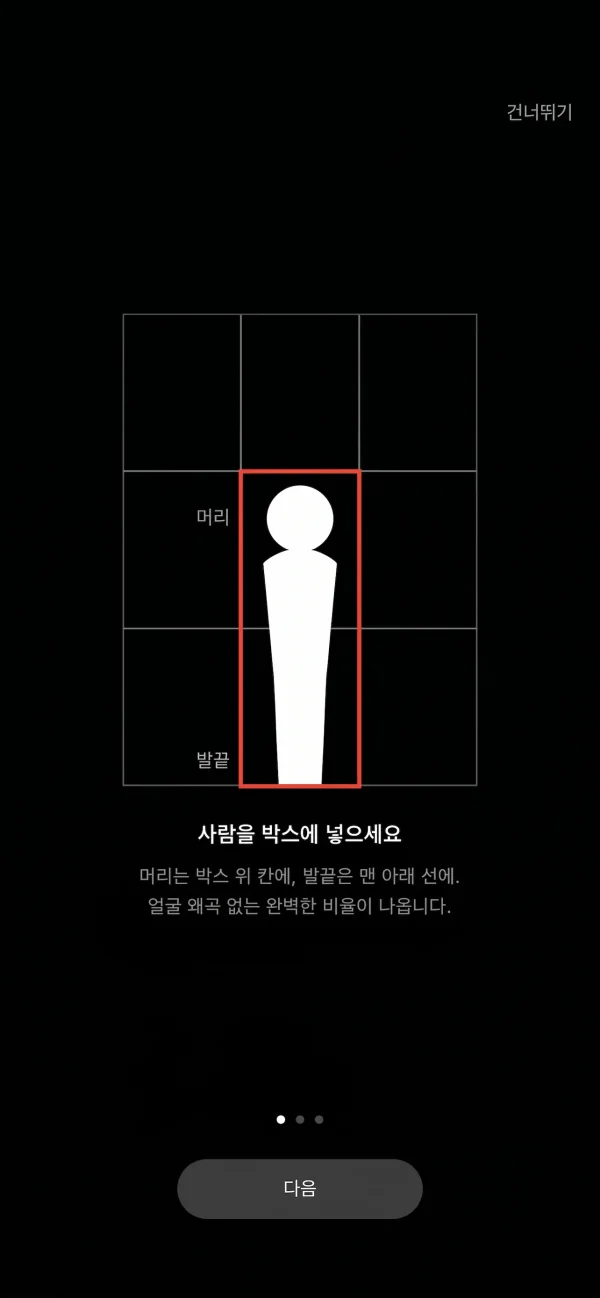
unnecessary. Put the person inside the on-screen guide box and press the
shutter. Head near the top of the box, feet on the bottom line — that alone
gives you a stable full-body portrait with no facial distortion.
◆ 3 seconds to the shutter
The app opens straight into the camera. No sign-up, no forced tutorial, no
settings maze. Every default is already right.
◆ The 5-8 composition guide
Head in the center cell of the 3×3 grid, feet on the bottom edge of the cell
below — a proven portrait composition rule, built into a single guide box.
Just fit the person inside it.
◆ What you see is what you save
Preview, grid, and crop always match. The composition the screen promises is
exactly what lands in your gallery. The default is the untouched original, and
even with a filter on, what you see on screen is exactly what gets saved.
◆ Familiar camera language
Tap to focus, drag for exposure, AE/AF lock, and a level indicator — they all
work exactly like your built-in camera. Nothing new to learn.
◆ Perfectly level shots
The built-in level shows your device tilt in real time and confirms with a
visual + haptic cue the moment you're level.
◆ Make it yours
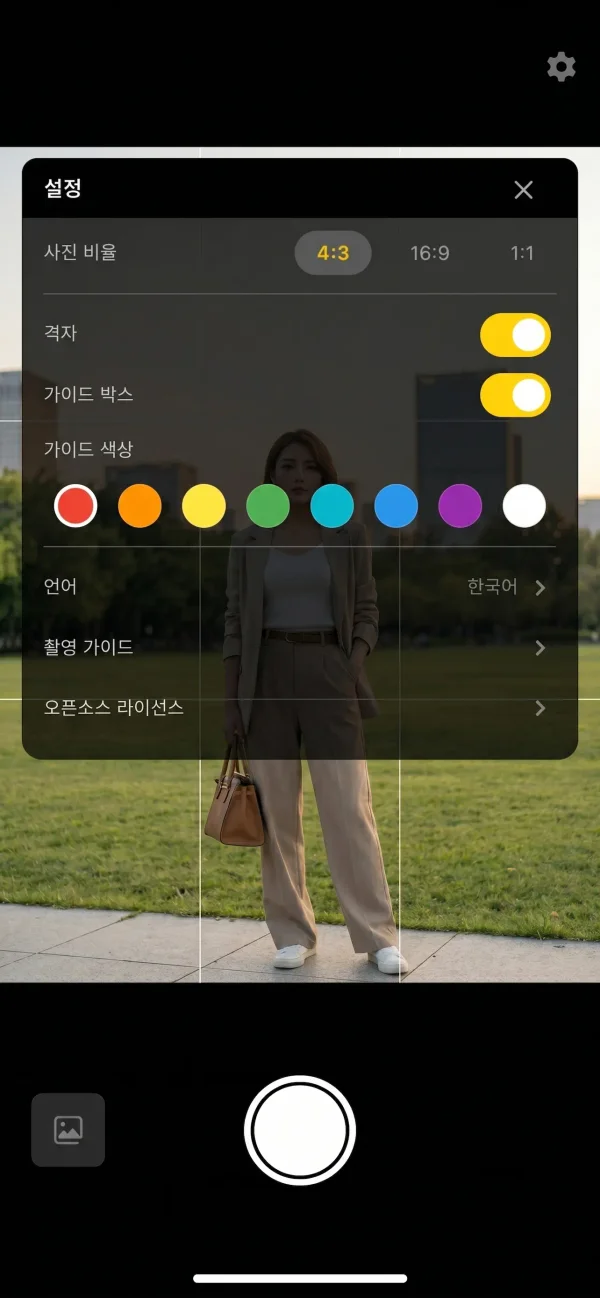
Eight grid color presets and 4:3 / 16:9 / 1:1 aspect ratios. Settings apply
instantly.
◆ Complete privacy
This app has no networking capability at all. Photos and settings stay on
your device only — no ads, no tracking, no analytics.
On your travels or in everyday life — be the designated photographer your
friends actually trust.
Nouveautés
Version 1.1 · 28/06/2026
This update makes shooting easier.
◆ Zoom, made simple
Tap the zoom buttons (1×, 2×, and more) to jump straight to the magnification you
want. The current zoom is always shown, and two-finger pinch still works too.
◆ See your shots instantly
A built-in gallery lets you review the photos you just took without leaving the
app — swipe through them, zoom in, share, or delete.
◆ Gentle portrait filters
Your originals stay untouched. Turn on one of six natural-looking filters whenever
you like — what you see on screen is exactly what gets saved.
Confidentialité de l’application
Ce que GYO UNG GU déclare sur l’App Store au sujet du traitement des données par cette application.
-
Données non collectées
Le développeur ne collecte aucune donnée à partir de cette application.
Les pratiques en matière de confidentialité peuvent varier, notamment en fonction des fonctionnalités que vous utilisez ou de votre âge.
Informations
- Vendeur
- GYO UNG GU
- Catégorie
- Photo et vidéo
- Version
- 1.1
- Mis à jour
- 28/06/2026
- Publié
- 15/06/2026
- Taille
- 18,7 Mo
- Nécessite
- iOS 13.0 ou version ultérieure
- Classification d’âge
- 4+
- Langues
- Coréen, Allemand, Espagnol, Anglais, Italien, Japonais, Chinois simplifié, Français
- Copyright
- © 2026 hippocampus
Vous aimerez peut-être aussi
-
 CaGamPhoto et vidéo
-
 팡샷Photo et vidéo
-
 Oriole : Clean Beauty CameraPhoto et vidéo
-
 Compo: Photo CompositionPhoto et vidéo
-
 gridshotcameraPhoto et vidéo
-
 Pose Camera - Photos GuidePhoto et vidéo
-
 Aim: Pose Ideas & CameraPhoto et vidéo
-
 Composition Camera GuidesPhoto et vidéo
-
 GridCam: Cinematic CameraPhoto et vidéo
-
 Manual DSLR Camera Pro 300xPhoto et vidéo