Hours Tracker & Time Tracker
Log Time, Earnings & Export
Conçue pour iPhone, iPad, iPod touch
Gratuit · Achats intégrés
- Classification d’âge4+
- CatégorieÉconomie et entreprise
- DéveloppeurSolid Labs Company Limited
- LanguesAnglais+ 20 de plus
- Taille91,5 Mo
Renvoie vers la page App Store officielle
Download.org n’héberge aucun fichier de Hours Tracker & Time Tracker. Le bouton ouvre la page de l’application sur App Store, où Solid Labs Company Limited la publie. Fiche vérifiée pour la dernière fois le 20/11/2026.
Captures d’écran
À propos
Le développeur n’a pas fourni ce texte dans votre langue.
Track your work hours the smart way. Hours Tracker is your reliable time tracker, time clock, and timesheet tool — perfect for logging daily hours, tracking shifts, and calculating pay. Whether you’re a freelancer, contractor, hourly worker, or just someone who wants to log working hours and stay organized, this app helps you track time with clarity and ease.
With a clean design and flexible features, Hours Tracker makes it easy to track hours worked, clock in and out, and view your work log at a glance. You can track work hours for one job or manage multiple jobs at once — all from one place. The app adapts to your schedule, whether you're working regular shifts, irregular hours, or logging time for freelance projects.
Track Time with Ease
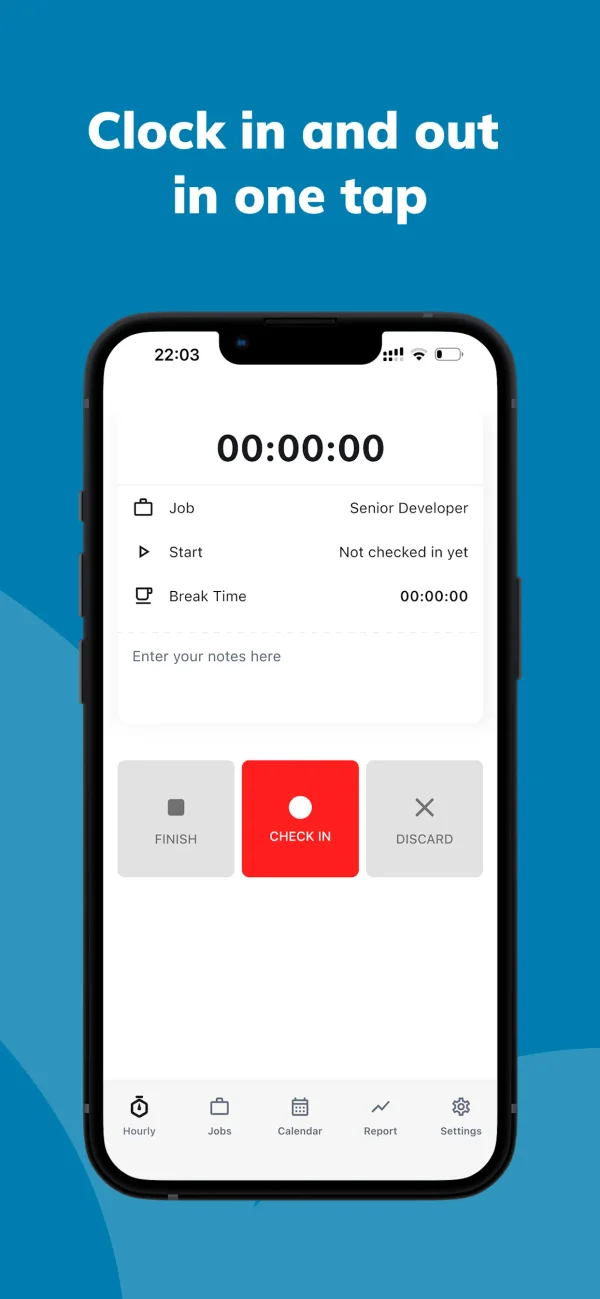
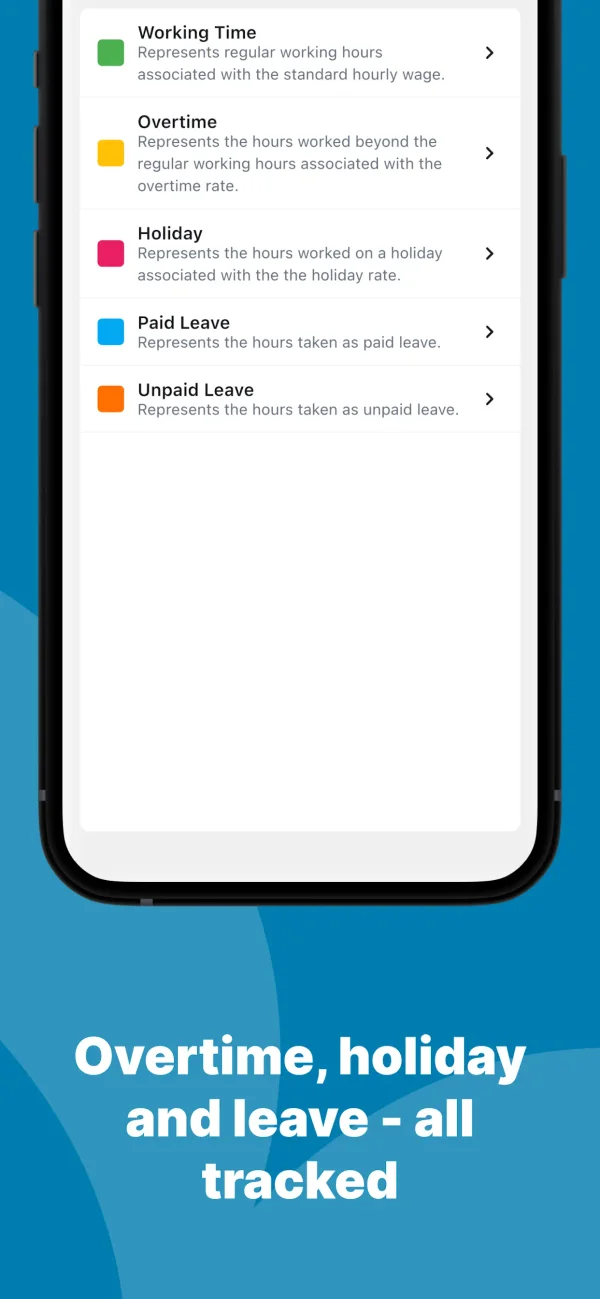
Use the built-in time clock to punch in and out, or manually log hours. Hours Tracker supports automatic rounding, break tracking, and overtime calculation. Whether you're entering time after your shift or live-tracking, the process is simple and intuitive.
Flexible Time Entry
Easily record work time and daily hours for any job or client. Add notes, tag your entries, and review time entries anytime. From freelancers tracking billable hours to employees logging job hours, it fits any routine.
Custom Shifts & Multiple Jobs
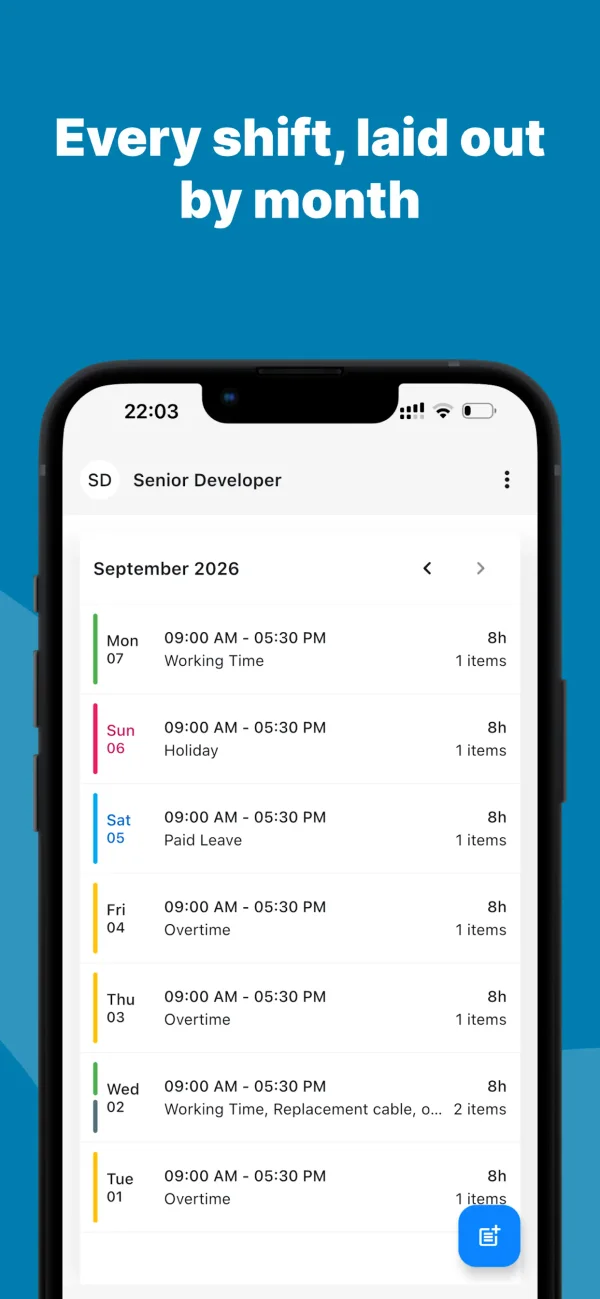
Track job hours across multiple roles, clients, or projects. Whether you’re managing part-time gigs, weekend shifts, or long freelance sessions, this shift tracker keeps everything organized.
Accurate Pay and Exports
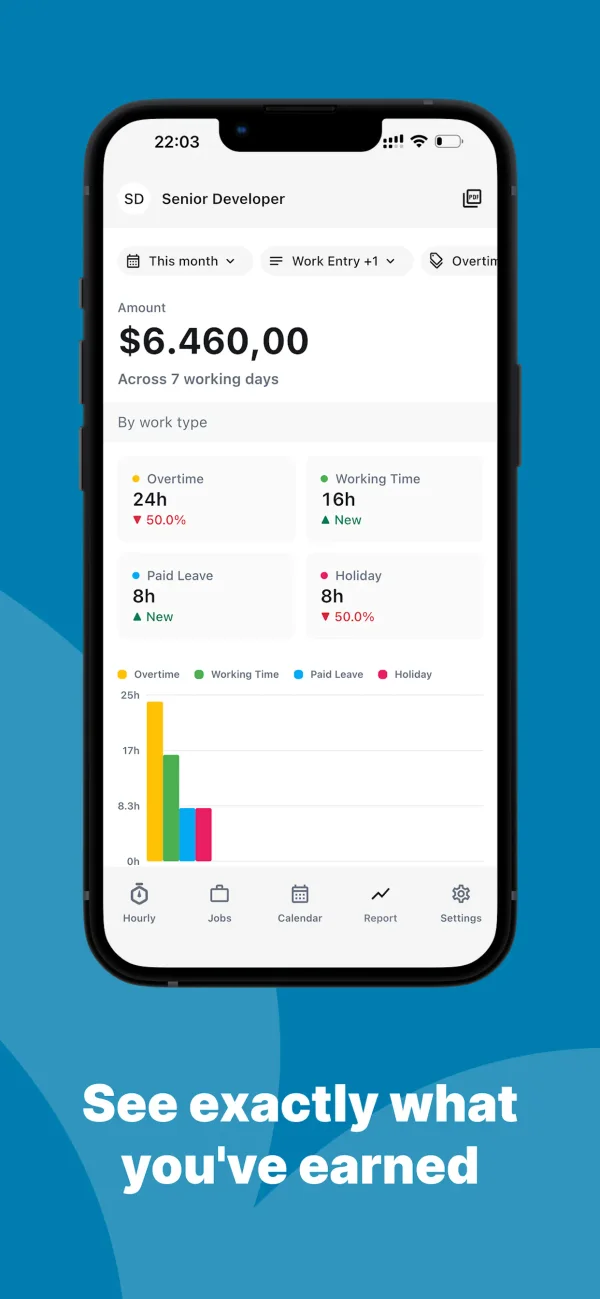
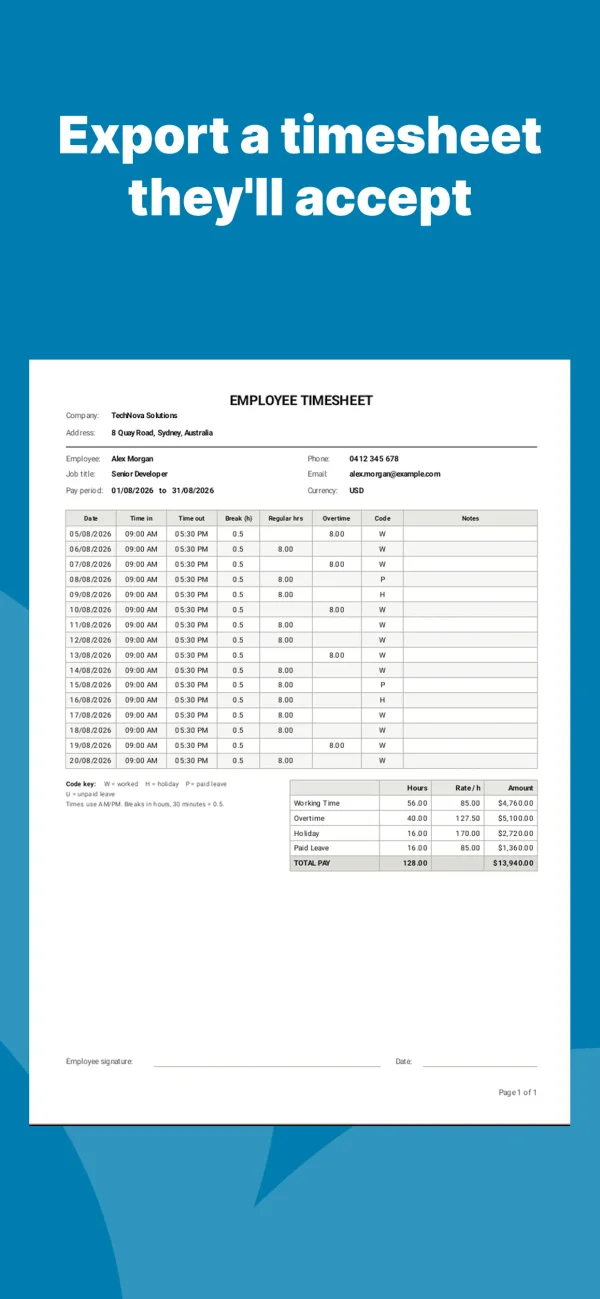
Set your hourly rate and use the app as your personal hours calculator or time card calculator. Get full summaries of your hours and earnings, and export your timesheet in CSV or Excel format for invoices, payroll, or reports.
Built for Real Work
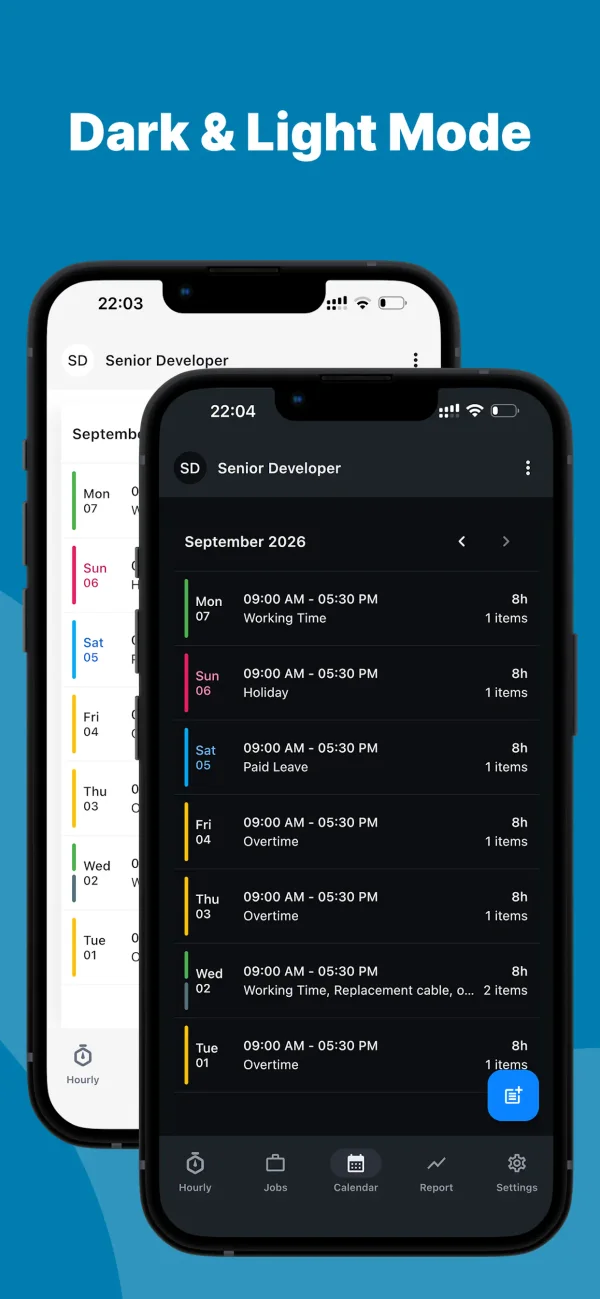
The interface is designed for speed and simplicity. Use dark or light mode, set custom reminders, and stay focused with streamlined features. It’s more than a work hours tracker — it’s a complete timekeeping and work log tracker.
Perfect for Freelancers & Professionals
Whether you're a solo freelancer tracker, consultant, contractor, or employee, Hours Tracker adapts to how you work. Track shifts, log hours, manage projects, and never lose track of your billable time again.
Key Features
- Track work hours and log hours manually or automatically
- Time clock punch in/out
- Manage multiple jobs, roles, and projects
- Export your timesheet or summary report
- Ideal for freelancers, contractors, and hourly workers
- Light and dark mode for day or night use
- Tag tasks and filter time entries easily
- Built-in hours calculator and time card functions
Download our app today and take control of your time. Whether you need a smart time card, a flexible shift tracker, or just a better way to track hours worked, Hours Tracker is the tool designed to help you stay focused, organized, and in control — one shift at a time.
Terms of use: https://www.apple.com/legal/internet-services/itunes/dev/stdeula/
Nouveautés
Version 1.14.0 · 16/11/2026
- Pay periods: give each job a weekly, every 2 weeks, twice a month or monthly pay period, and report on this or last period in one tap.
- The Calendar shows your earnings per shift, day and period. Turn off Show earnings in Settings to hide them.
- Work types and expense categories have icons; colour always means the job.
- Timesheets follow your Duration and Date format settings.
Confidentialité de l’application
Ce que Solid Labs Company Limited déclare sur l’App Store au sujet du traitement des données par cette application.
-
Données non collectées
Le développeur ne collecte aucune donnée à partir de cette application.
Les pratiques en matière de confidentialité peuvent varier, notamment en fonction des fonctionnalités que vous utilisez ou de votre âge.
Informations
- Vendeur
- Solid Labs Company Limited
- Catégorie
- Économie et entreprise
- Version
- 1.14.0
- Mis à jour
- 16/11/2026
- Publié
- 24/03/2025
- Taille
- 91,5 Mo
- Nécessite
- iOS 15.3 ou version ultérieure
- Classification d’âge
- 4+
- Prix
- Gratuit
- Achats intégrés
- Oui
- Langues
- Anglais, Arabe, Néerlandais, Français, Allemand, Hébreu, Hindi, Indonésien, Italien, Japonais, Coréen, Polonais + 9 de plus
- Copyright
- © Solid Labs
Vous aimerez peut-être aussi
-
 Résolutions Nouvel An YearvanaObjectifs & habitudes 2027
-
 Star Tasks – Streaks and focusProductivité
-
 Duse - Habit TrackerProductivité
-
 Habit Tracker - Build RoutinesProductivité
-
 Daily Checklist · To Do ListProductivité
-
 CandyMind: Pomodoro TimerProductivité
-
 WeeNote Notes and WidgetProductivité
-
 Money Planner: RainyDayFinance
-
 Habitudes & suivi des tâchesAssistant de mission
-
 SpendfulFinance