
- Classification d’âge4+
- CatégoriePhoto et vidéo
- DéveloppeurSunshine Valley Systems
- LanguesAnglais
- Taille105,3 Mo
Renvoie vers la page App Store officielle
Download.org n’héberge aucun fichier de iCue. Le bouton ouvre la page de l’application sur App Store, où Sunshine Valley Systems la publie. Fiche vérifiée pour la dernière fois le 17/11/2026.
Captures d’écran
À propos
Le développeur n’a pas fourni ce texte dans votre langue.
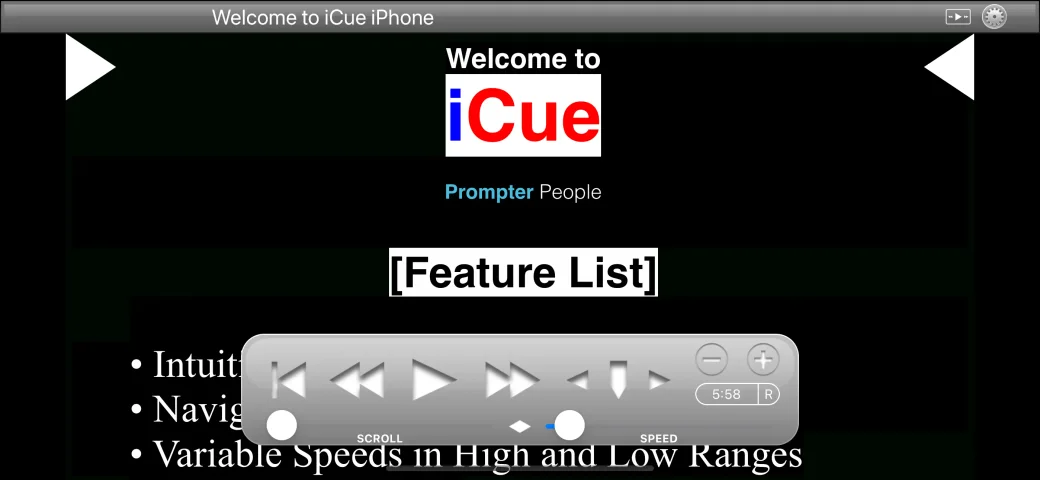
iCue from Prompter People turns your iPad and iPhone into a full featured teleprompter. Go to www.prompterpeople.com to see a full range of teleprompter systems for your iPad.
Check out iCue Remote, the free remote for iCue.
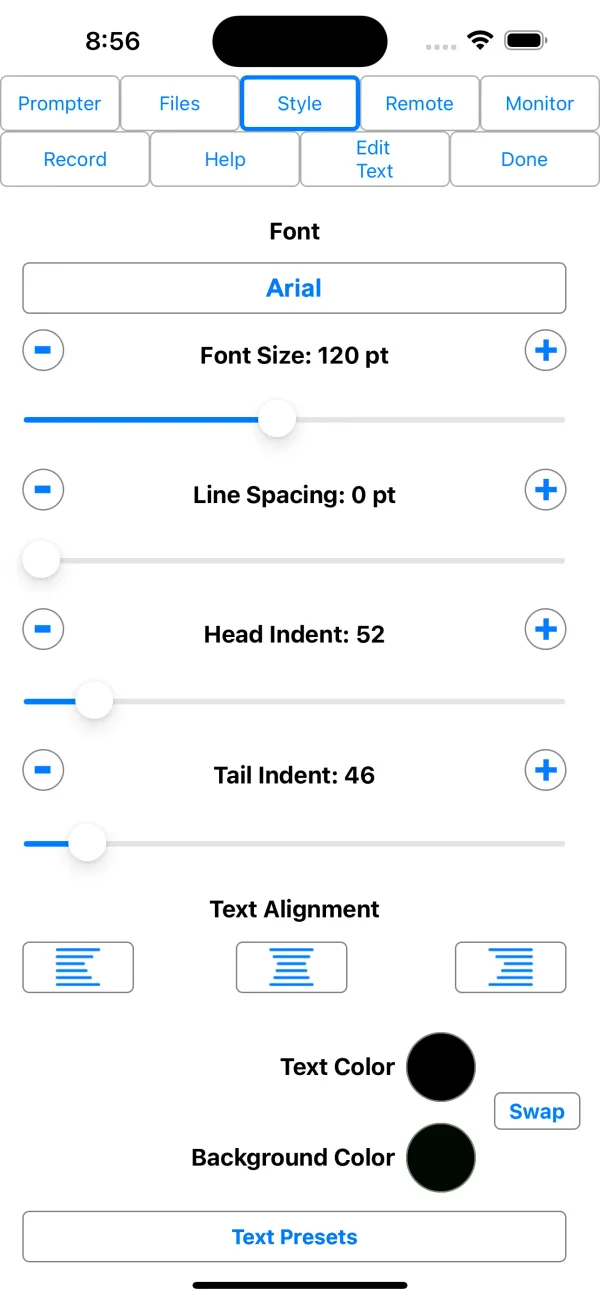
Easily configure the appearance of the text content to suit your presentation requirements including...
• Font
• Font Size
• Text Color
• Background Color
• Head and Tail Indent
• Line Spacing
• Text Style
Prompter features include:
• Import File Types: iCue (.iCue), Text (.txt), Rich Text (.rtf), Word (.docx) and HTML
• Export File Types: iCue (.iCue), Text (.txt), Rich Text (.rtf) and HTML
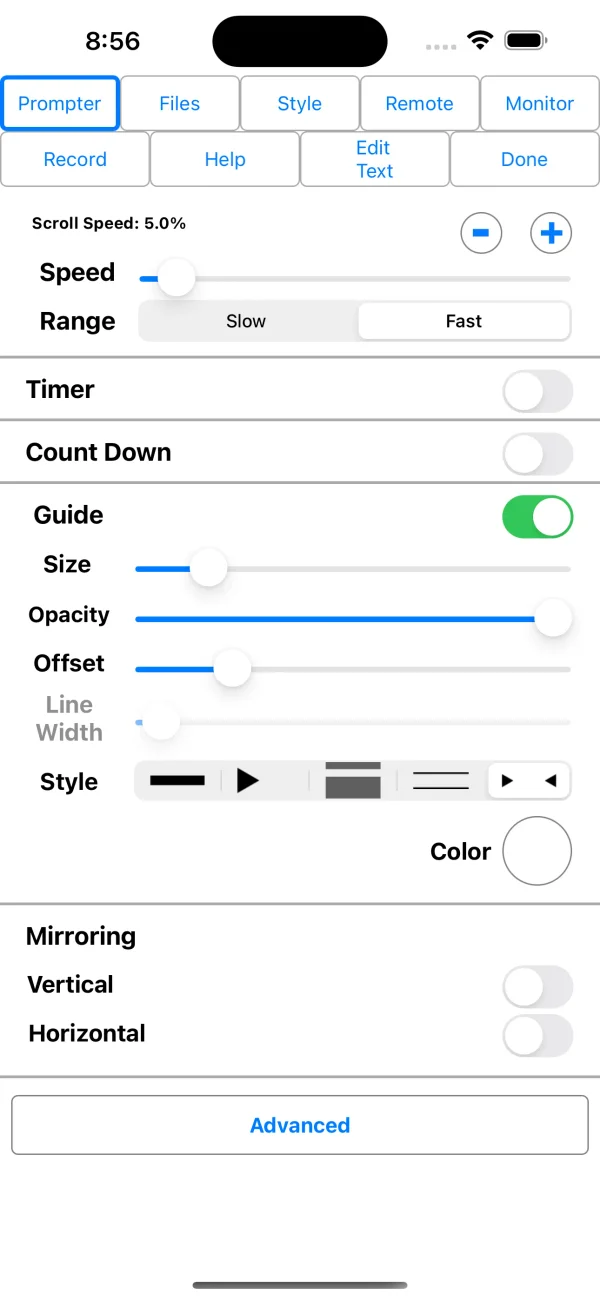
• Five Marker Styles: Bar, Marker, Two Line, Inverted, Two Markers
• Scroll Speed: Variable with two speed ranges.
• Display mirroring for using a reflective teleprompter
• Countdown: Two styles
• Bidirectional Timer
• External Monitor Support
• Built-in user manual
• Customizable title bar to give access to the features that are important to your workflow.
• More...
• File Sharing
iCue offers a variety of file sharing methods to assist in moving files between devices as well as a computer.
- iTunes File Sharing: Copy files to and from iCue using iTunes.
- Email Files: Email files from iCue and open files from other apps such as Mail.
- iOS File Sharing: Send files directly from one iCue to another.
- Web Server: Host a web page that can be used from any computer to upload and download files.
- Web Server Browser: Use built-in browser to load web page from another web server to download files or the entire database from another iCue.
- AirDrop: Use Apple's AirDrop to send files.
- iCloud: Upload and download files from iCloud Drive.
- Dropbox: Upload and download files from your Dropbox account.
- Google Drive: Upload and download files from your Google Drive account.
- iOS Remote Sharing: Send files and databases between host and peers.
• Remote Control
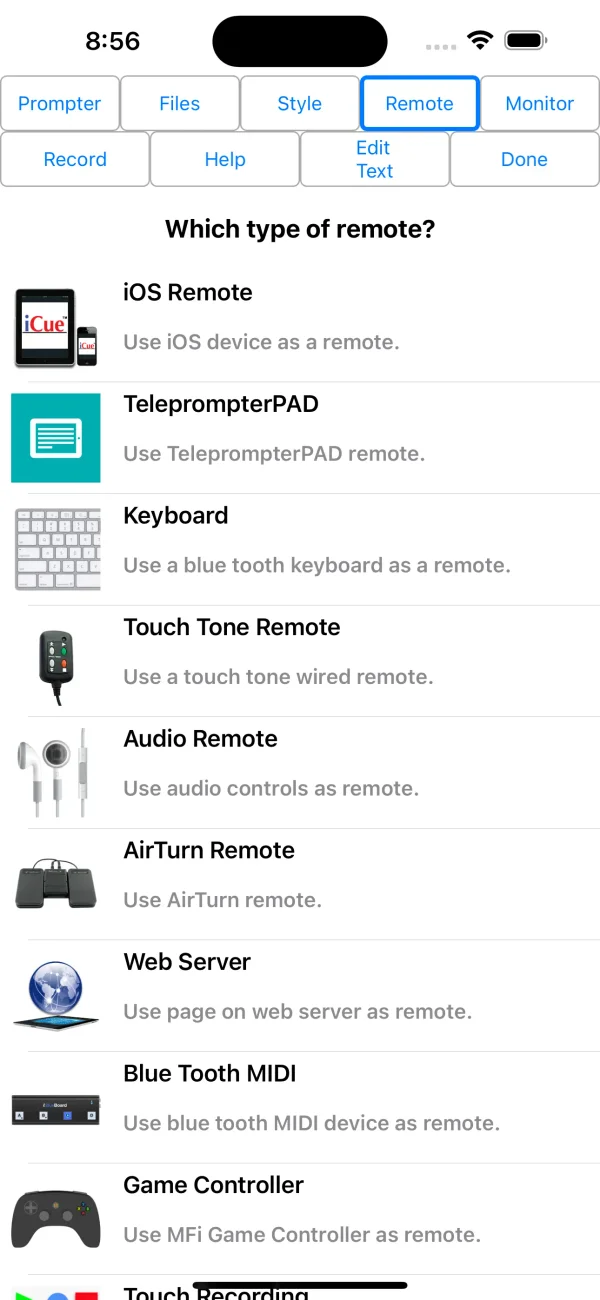
iCue has a variety different remote options.
- iOS Remote: Use another iOS device running iCue or iCue Remote to control iCue. Synchronize multiple devices.
- Blue Tooth Keyboard: Assign keys of a blue tooth keyboard to control prompter features.
- Touch Tone Remote: Use touch tone signals playing into the microphone line-in to control prompter features.
- Audio Remote: Use the headphone in-line remote or other audio remote to control prompter features.
- AirTurn Remote: Use wireless remotes from www.airturn.com to control prompter features.
- Web Server Remote: Use a web page hosted on the network to control the prompter features.
- Apple Watch: Use the Apple Watch to remotely control prompter functions.
- Bluetooth MIDI: Use IK Multimedia's iRig Blueboard to control prompter functions.
- Game Controller: Use MFi game controllers to control prompter functions.
- Touch Recording: Record and playback your interactions with the prompter.
- Speech Recognition: Use your speech to control the script using key words or the text content of the script.
- Key Commands: Configure key combinations to control most prompter features. Key Commands are available at all times.
• Recording
- Use either camera.
- Movable video preview overlaying the script.
- Share your video in a variety of ways.
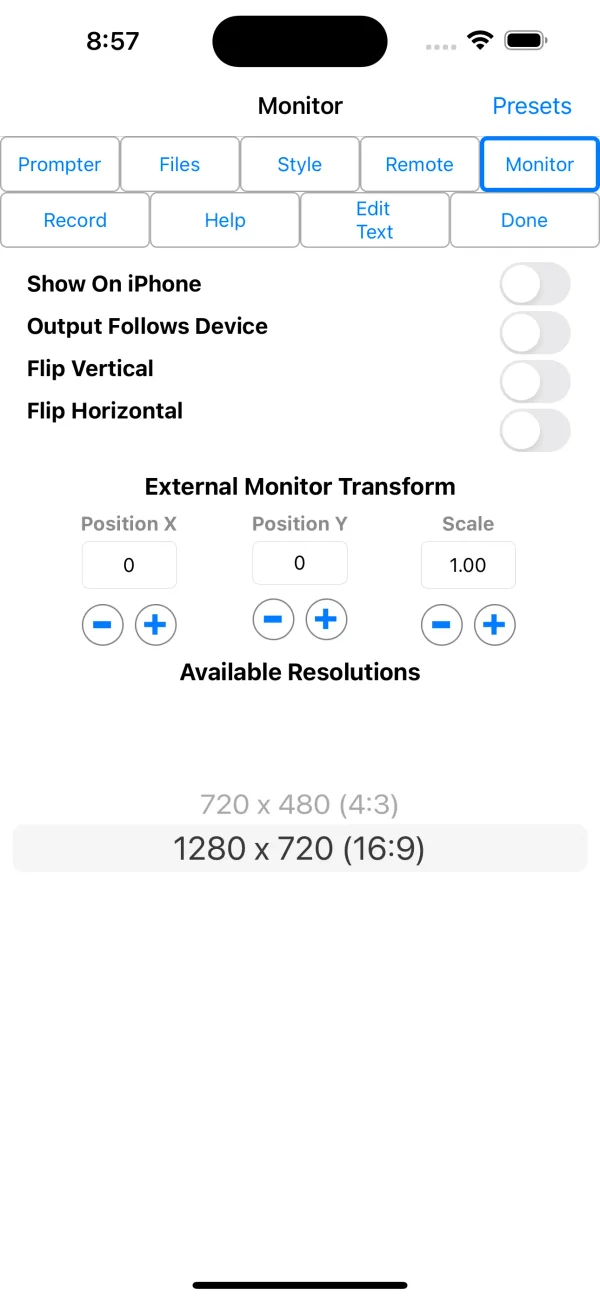
• Monitor Out
Use an external monitor connected to the dock connector or AppleTV to display the prompter content.
- Choose output resolution from supported resolutions.
- Configure output to match device, or device to match output.
- Adjust transform and mirroring for external display independently of device.
- Works great with AppleTV and AirPlay.
Coupled with a Prompter People iPad prompter iCue is perfect for video production, public speaking, electronic news gathering, music, school, business presentations and more!
Nouveautés
Version 7.5.16 · 08/11/2026
Fixed an issue that would prevent the app from running on new iOS version.
Confidentialité de l’application
Ce que Sunshine Valley Systems déclare sur l’App Store au sujet du traitement des données par cette application.
-
Données non collectées
Le développeur ne collecte aucune donnée à partir de cette application.
Les pratiques en matière de confidentialité peuvent varier, notamment en fonction des fonctionnalités que vous utilisez ou de votre âge.
Informations
- Vendeur
- Sunshine Valley Systems
- Catégorie
- Photo et vidéo
- Version
- 7.5.16
- Mis à jour
- 08/11/2026
- Publié
- 21/11/2011
- Taille
- 105,3 Mo
- Nécessite
- iOS 17.6 ou version ultérieure
- Classification d’âge
- 4+
- Prix
- 8,99 €
- Langues
- Anglais
- Copyright
- © Sunshine Valley Systems 2011
Vous aimerez peut-être aussi
-
 PromptSmart+ Remote ControlTeleprompter remote control
-
 Parrot TeleprompterPhoto et vidéo
-
 HollyViewPhoto et vidéo
-
 Accsoon SEEPhoto et vidéo
-
 VideoLUTÉtalonnage & LUT vidéo
-
 Sony | Monitor & ControlPhoto et vidéo
-
 Frame.ioRévision et collaboration vidé
-
 PromptSmart+Expanded VoiceTrack Prompter
-
 DJI RoninPhoto et vidéo
-
 Capture OneCréez sans limites