
- Classification d’âge4+
- CatégorieProductivité
- DéveloppeurIDmelon Technologies Inc
- LanguesAnglais
- Taille165,5 Mo
Renvoie vers la page App Store officielle
Download.org n’héberge aucun fichier de IDmelon Authenticator. Le bouton ouvre la page de l’application sur App Store, où IDmelon Technologies Inc la publie. Fiche vérifiée pour la dernière fois le 18/11/2026.
Captures d’écran

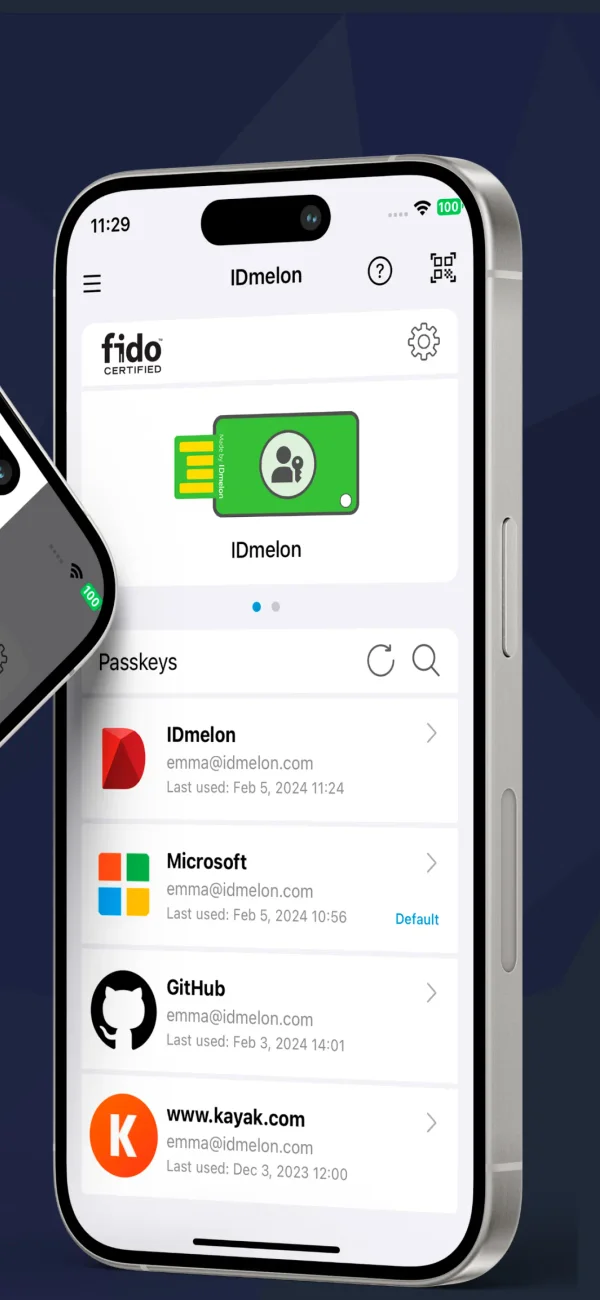
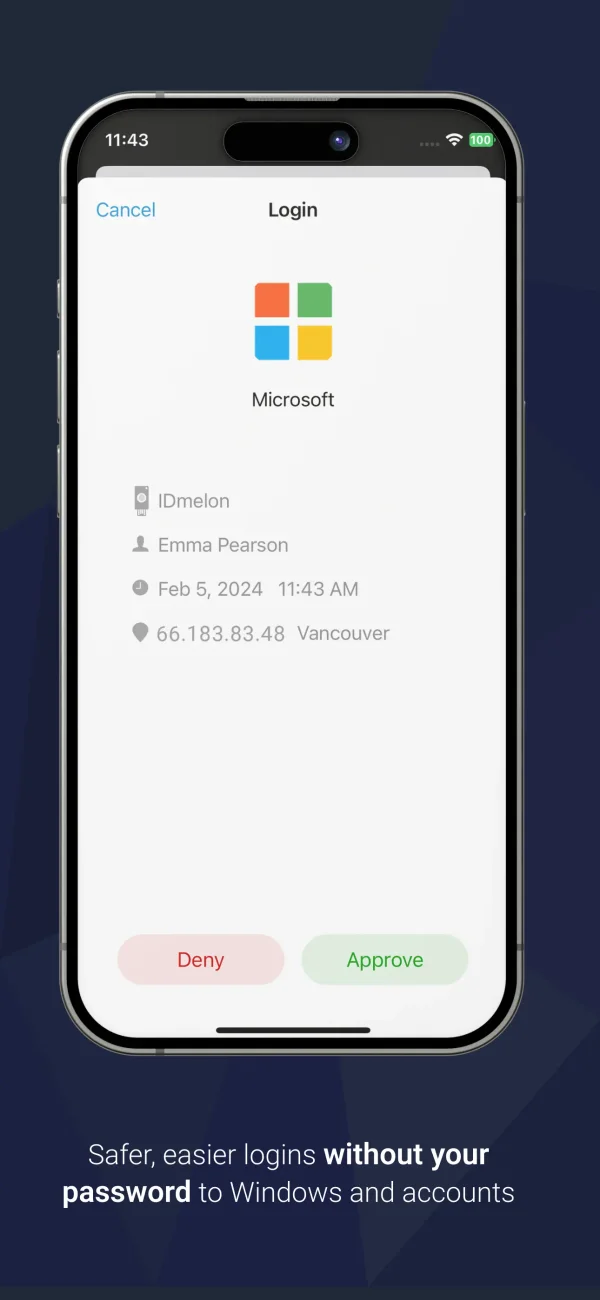

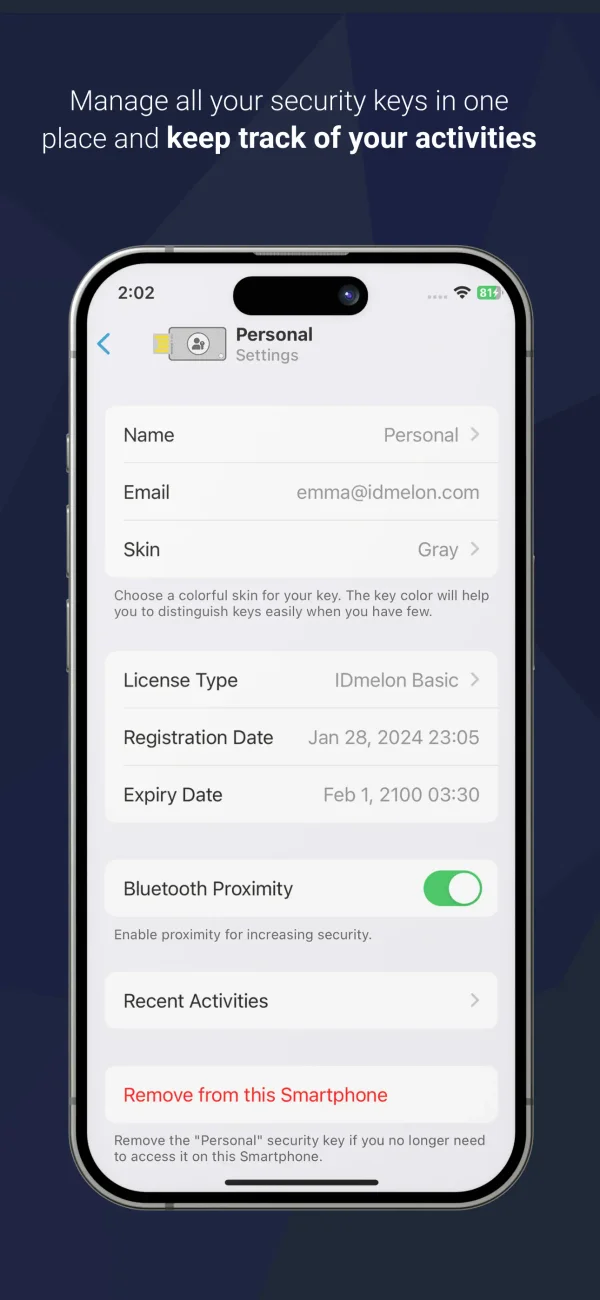
À propos
Le développeur n’a pas fourni ce texte dans votre langue.
Turn your smartphone into a USB FIDO2 security key that helps you go passwordless and keep your data safe on all devices.
IDmelon enables you to turn your all-in-one smartphone into a FIDO security key. Once IDmelon is installed and activated on your smartphone, you will no longer deal with passwords on PC for login to Windows, online accounts, and applications. Instead, you will use passkeys for safer easier logins across all your devices without having to reregister credentials on every new device of yours. You can also use passkeys for login to accounts and applications on iOS devices and iPad/tablets. This means that you can generate, store, and manage passkeys to access your data, anywhere, anytime, on any of your devices.
IDmelon is fully compatible with GitHub, Twitter, Facebook, Microsoft products and services such as Outlook, Office etc, as well as many more FIDO2 supported platforms.
To set up your smartphone as a security key or a passkey manager, you will receive an activation link/button via email. After the activation process on your smartphone has finished, your smartphone is ready to work in combination with either IDmelon Pairing Tool or IDmelon Reader.
You can pair your smartphone with PC via IDmelon Pairing Tool, which is a desktop/laptop app. To pair your smartphone with a PC, you need the IDmleon Pairing Tool installed on the computer first. Then, you scan a QR code on the PC screen only once, and from then on, a single tap on a push notification on your paired smartphone is enough to login!
Notice: IDmelon Pairing Tool is compatible with macOS and Windows 10 or later (Entra ID, formerly known as Azure AD, joined).
Permission notice: IDmelon Pairing Tool needs your permission to use smartphone camera only for the purpose of QR code scanning once to pair your smartphone with PC.
To enjoy the unique Tap & Login experience, however, you need IDmelon Reader, which is a plug and play hardware that can be plugged into USB ports on PCs. Workspaces with shared computers are great places to use IDmelon Reader. With a single tap of your smartphone on Reader, you will receive a notification to login.
Permission notice: To use IDmelon Reader, IDmelon app requires permission to access your smartphone's Bluetooth only for authentication purposes.
Sometimes, your work might roll out IDmelon and ask you to set up your smartphone as a security key when accessing certain files, emails, or apps. So, you will receive an invitation email containing an activation link/button. You need to first install the IDmelon app on your smartphone to be able to click on the link/button on the same device on which the app is installed. Or, you may be empowered to use your ID badge or NFC card as a FIDO security key for the same purpose. To find out more, visit our website: https://www.idmelon.com/
License Agreement can be found at: https://www.idmelon.com/end-user-license-agreement/
For the latest Privacy Policy, see: https://www.idmelon.com/privacy-policy/
Nouveautés
Version 5.5.0 · 12/11/2026
- Added support for Seos cards in shared device mode
- Bug fixes and stability improvements
Confidentialité de l’application
Ce que IDmelon Technologies Inc déclare sur l’App Store au sujet du traitement des données par cette application.
-
Données non collectées
Le développeur ne collecte aucune donnée à partir de cette application.
Les pratiques en matière de confidentialité peuvent varier, notamment en fonction des fonctionnalités que vous utilisez ou de votre âge.
Informations
- Vendeur
- IDmelon Technologies Inc
- Catégorie
- Productivité
- Version
- 5.5.0
- Mis à jour
- 12/11/2026
- Publié
- 20/07/2020
- Taille
- 165,5 Mo
- Nécessite
- iOS 16.0 ou version ultérieure
- Classification d’âge
- 4+
- Prix
- Gratuit
- Achats intégrés
- Oui
- Langues
- Anglais
- Copyright
- © IDmelon Technologies Inc.
Vous aimerez peut-être aussi
-
 SafeNet FIDO Key ManagerProductivité
-
 Token2 CompanionProductivité
-
 Krypt: Password & Secure VaultProductivité
-
 AllthenticatorProductivité
-
 OneKeePass - Password ManagerProductivité
-
 Devolutions Password ManagerProductivité
-
 Yubico AuthenticatorProductivité
-
 Hudu MobileProductivité
-
 NinjaRMM Screenshare UtilityProductivité
-
 NinjaOne MobileProductivité