Kakidoc
Turn AI chats into documents
Conçue pour iPhone, iPad
Gratuit · Achats intégrés
- Classification d’âge4+
- CatégorieProductivité
- DéveloppeurDaisuke Kijihana
- LanguesAnglais+ 1 de plus
- Taille52,5 Mo
Renvoie vers la page App Store officielle
Download.org n’héberge aucun fichier de Kakidoc. Le bouton ouvre la page de l’application sur App Store, où Daisuke Kijihana la publie. Fiche vérifiée pour la dernière fois le 20/11/2026.
Captures d’écran

À propos
Le développeur n’a pas fourni ce texte dans votre langue.
You think things through with AI. The thinking never becomes a document.
KakiDoc is built to close that gap.
A GOOD CONVERSATION, AND NOTHING TO SHOW FOR IT
You talked it through. It got clearer.
But the conversation only scrolls away — hard to read back, harder to hand to anyone.
Copy it out, redo the headings, reorder the parts...
and that is usually where it stops.
WHEN IT'S READY, ONE BUTTON
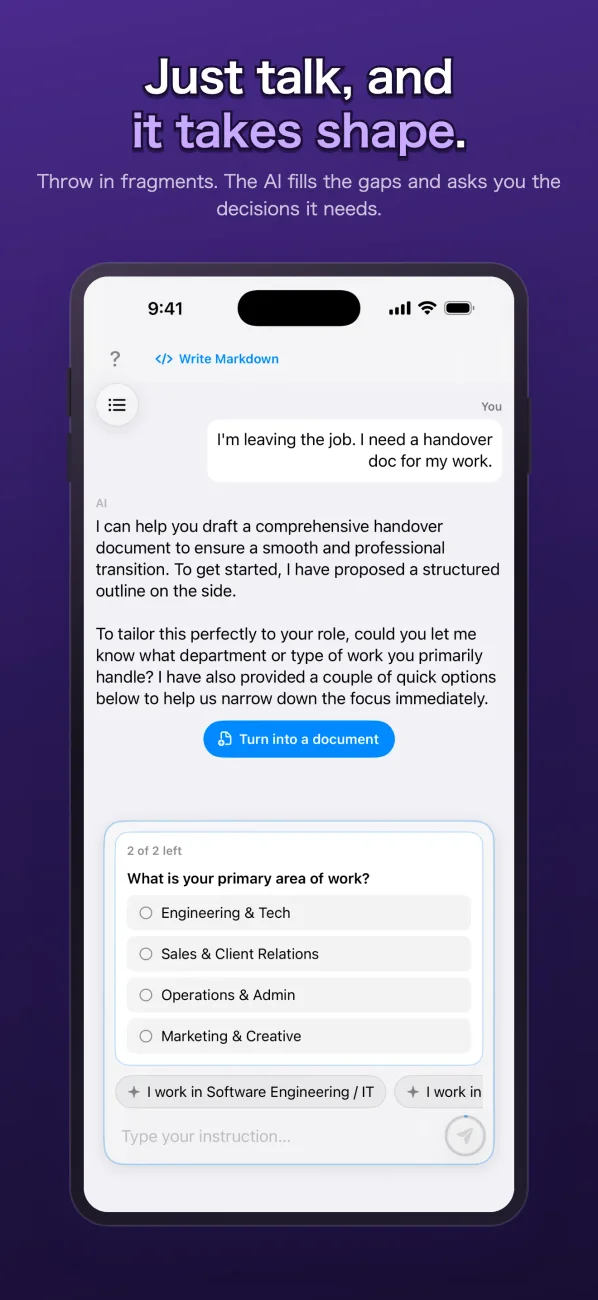
A new document opens as a chat-only screen.
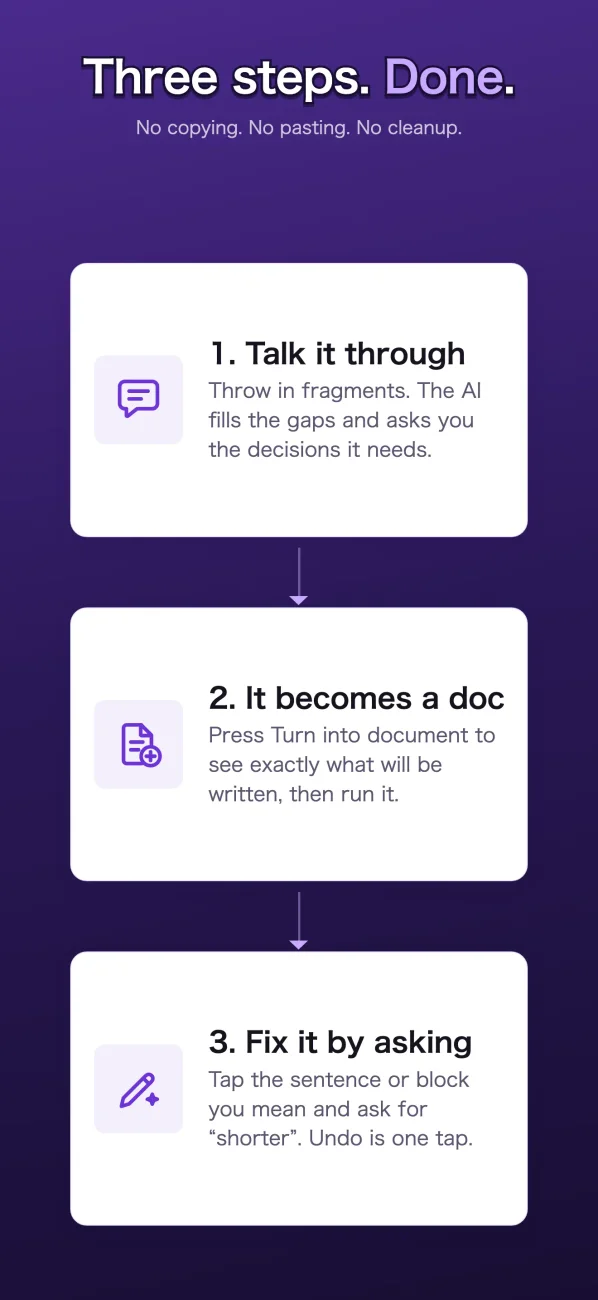
Throw in whatever you have, bullet fragments are fine.
The AI fills the gaps with suggestions, and asks with options when it needs a decision.
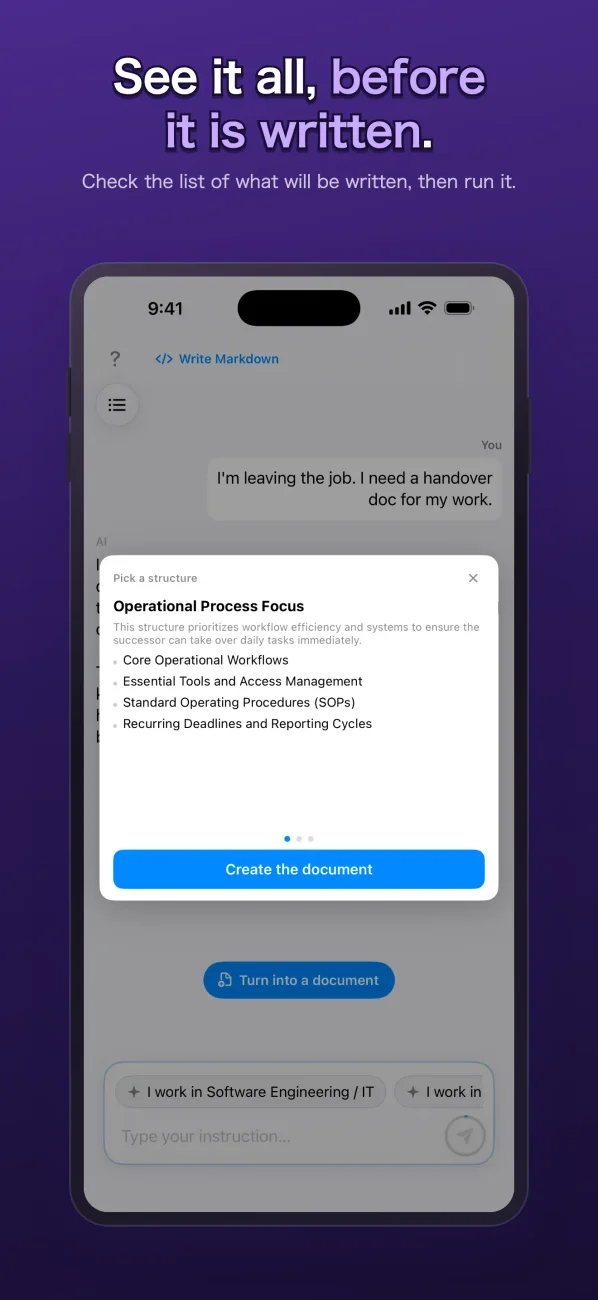
When the shape is right, press Turn into a document.
You get a few ways it could be structured. Swipe through them and read
exactly what each one would write. Pick one, press Create the document,
and that is the moment it is created.
AN AI THAT DOESN'T WRITE UNTIL YOU SAY SO
If the list looks wrong, go back and keep talking. Nothing is written behind your back.
Thinking and drafting are separate here, so you never get a finished piece
handed to you while you are still working out what you mean.
THEN REVISE, ONE SENTENCE AT A TIME
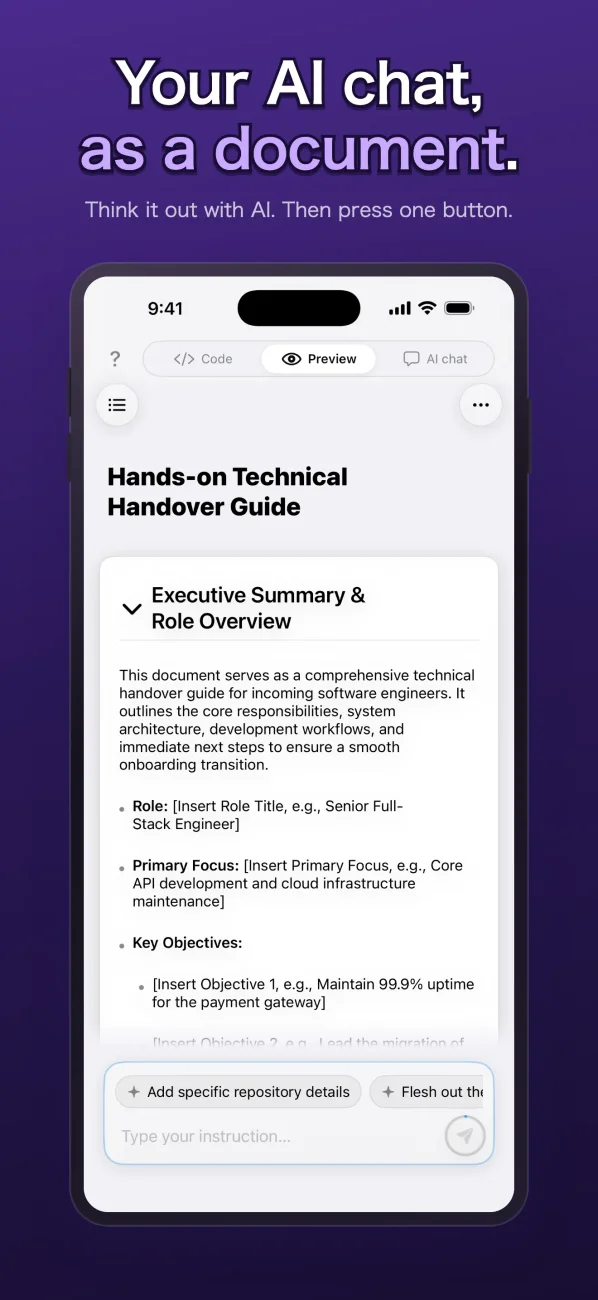
Once the document exists, tap the sentence or block you want to change
and ask: "shorten this", "make it more formal".
Undo is one tap, and around 100 versions of history are kept.
A PREVIEW WORTH READING
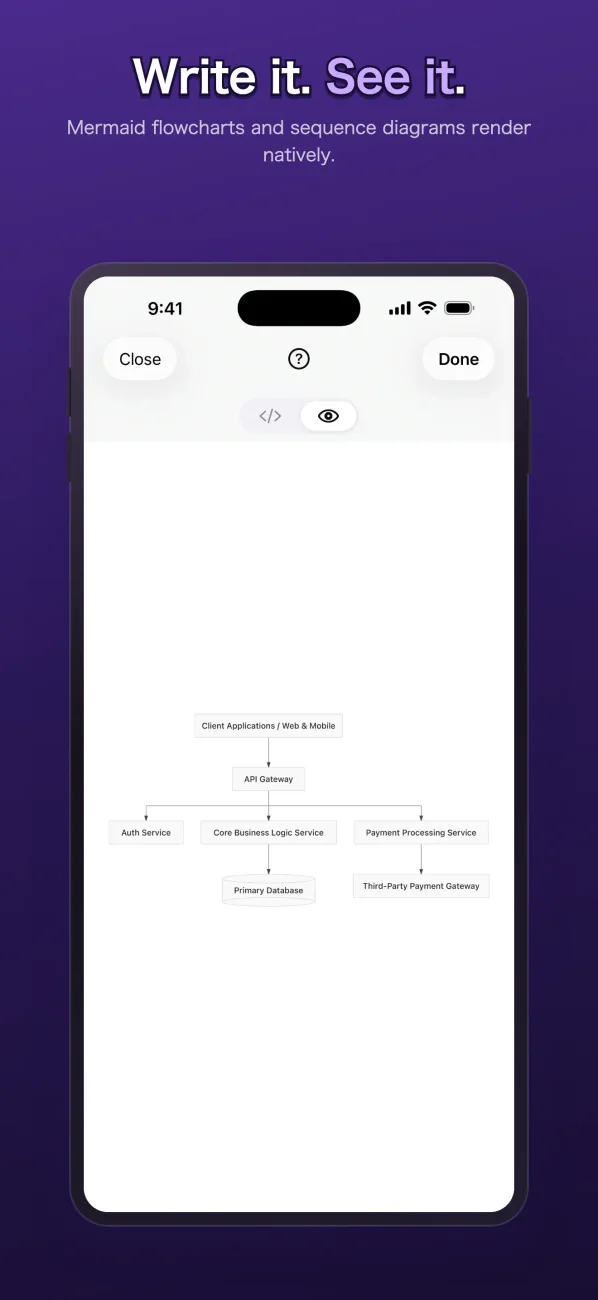
Tables, code blocks, Mermaid diagrams, maths, callouts, images and video
are all rendered as you write.
WHAT YOU WRITE STAYS YOURS
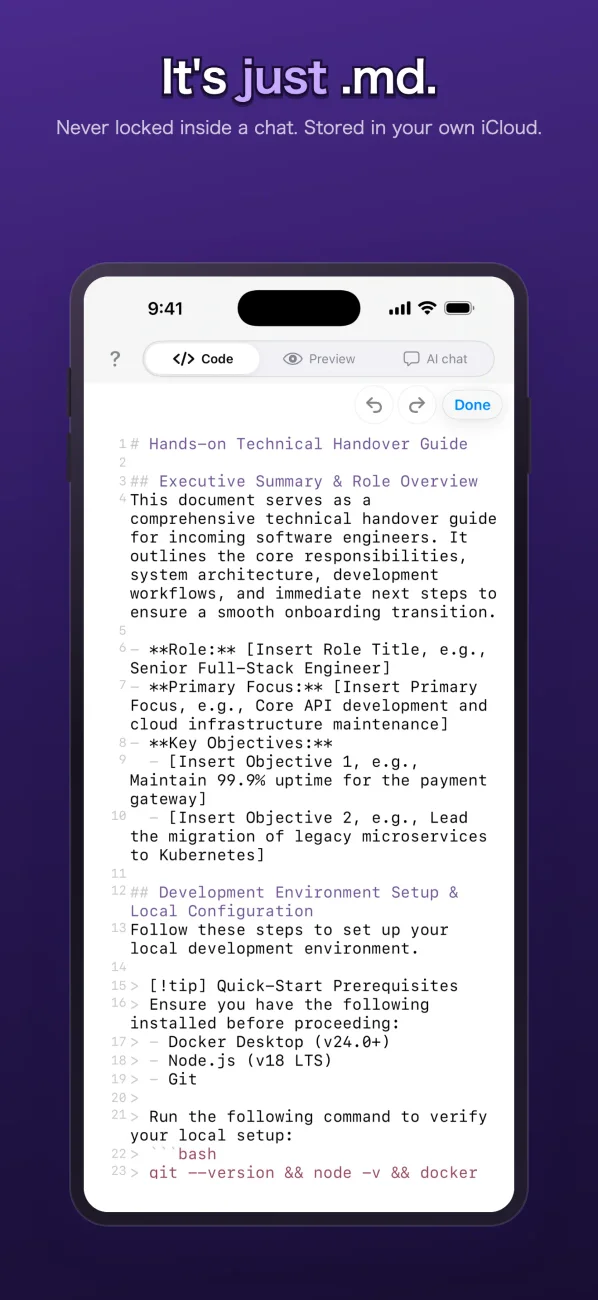
Nothing is locked inside a chat.
Documents are stored in your own iCloud (CloudKit). The developer cannot access them.
The format is plain Markdown, so other apps can open it.
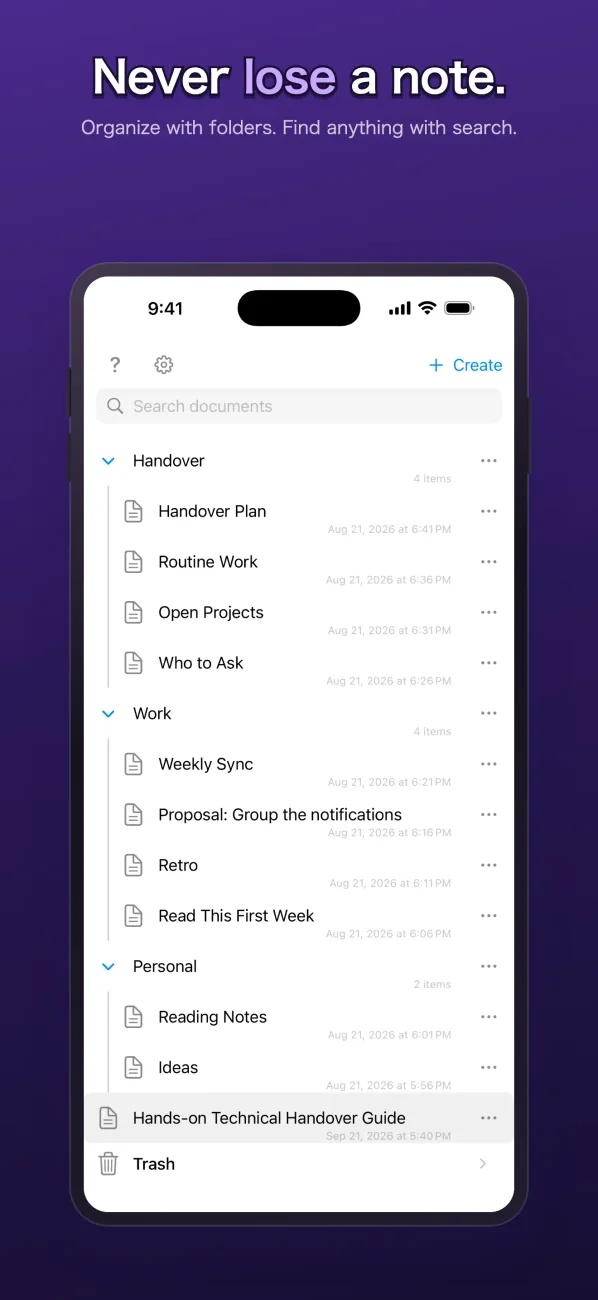
Export to Markdown, HTML, PDF or PNG, or send everything including images
as a transfer pack (.mdpack).
PRICING
Creating, editing, previewing, iCloud sync and export are free, with no sign-in.
AI features (chat, AI editing, web research) need an Apple Account sign-in
and come with a free allowance to try. That allowance is one-time and does not
reset monthly. A subscription is required to keep using AI.
REQUIREMENTS
iPhone and iPad.
All AI processing runs in the cloud (Google Gemini).
Terms of Use (EULA): https://www.apple.com/legal/internet-services/itunes/dev/stdeula/
Privacy Policy: https://kakidoc.com/privacy
Nouveautés
Version 1.2 · 23/09/2026
• A clearer path from idea to document
New documents now open as a chat screen so you can think out loud with the AI first.
When you're ready, Turn into a document shows you exactly what will be written
before anything is created — so the document never changes under you.
• Choose how it gets structured
Turn into a document now offers a few structures. Swipe through them,
see what each one would write, and run only the one you want.
• One question at a time
When several things need deciding, they no longer pile up at once.
Answer one and the next takes its place, so the chat stays readable.
• Rebuilt first-run walkthrough
See how the app works as a diagram, then try the whole flow yourself.
• Fixes
A reply that had already arrived could end with a "busy right now" message.
The AI could answer in Japanese when the app was set to English.
Confidentialité de l’application
Ce que Daisuke Kijihana déclare sur l’App Store au sujet du traitement des données par cette application.
-
Données n’établissant aucun lien avec vous
Peuvent être collectées, mais ne sont pas liées à votre identité.
- Achats
- Contenu utilisateur
- Identifiants
- Données d’utilisation
- Diagnostic
Les pratiques en matière de confidentialité peuvent varier, notamment en fonction des fonctionnalités que vous utilisez ou de votre âge.
Informations
- Vendeur
- Daisuke Kijihana
- Catégorie
- Productivité
- Version
- 1.2
- Mis à jour
- 23/09/2026
- Publié
- 26/08/2026
- Taille
- 52,5 Mo
- Nécessite
- iOS 18.0 ou version ultérieure
- Classification d’âge
- 4+
- Prix
- Gratuit
- Achats intégrés
- Oui
- Langues
- Anglais, Japonais
- Copyright
- © 2026 Daisuke
Vous aimerez peut-être aussi
-
 PearbaProductivité
-
 Calculatrice Presse-papiersCopie auto, affichage complet
-
 Pockito - Save Your LinksProductivité
-
 Paper2HelpProductivité
-
 MyNote -Simple note app-Productivité
-
 Lecteur de texte et bloc notesCompteur de caractères et tri
-
 PlanDayProductivité
-
 Notes Simples - app bloc-notesClassez vos notes par dossier
-
 Shutterstock - photos de stockImages, illustrations, vecteur
-
 ICONIT QRcode ReaderProductivité