Keepyear
Calendar Manager & Organiser
Conçue pour iPhone, iPad
Gratuit · Achats intégrés
- Classification d’âge4+
- CatégorieProductivité
- DéveloppeurVladimir Krejcir
- LanguesAnglais+ 15 de plus
- Taille40,1 Mo
Renvoie vers la page App Store officielle
Download.org n’héberge aucun fichier de Keepyear. Le bouton ouvre la page de l’application sur App Store, où Vladimir Krejcir la publie. Fiche vérifiée pour la dernière fois le 23/11/2026.
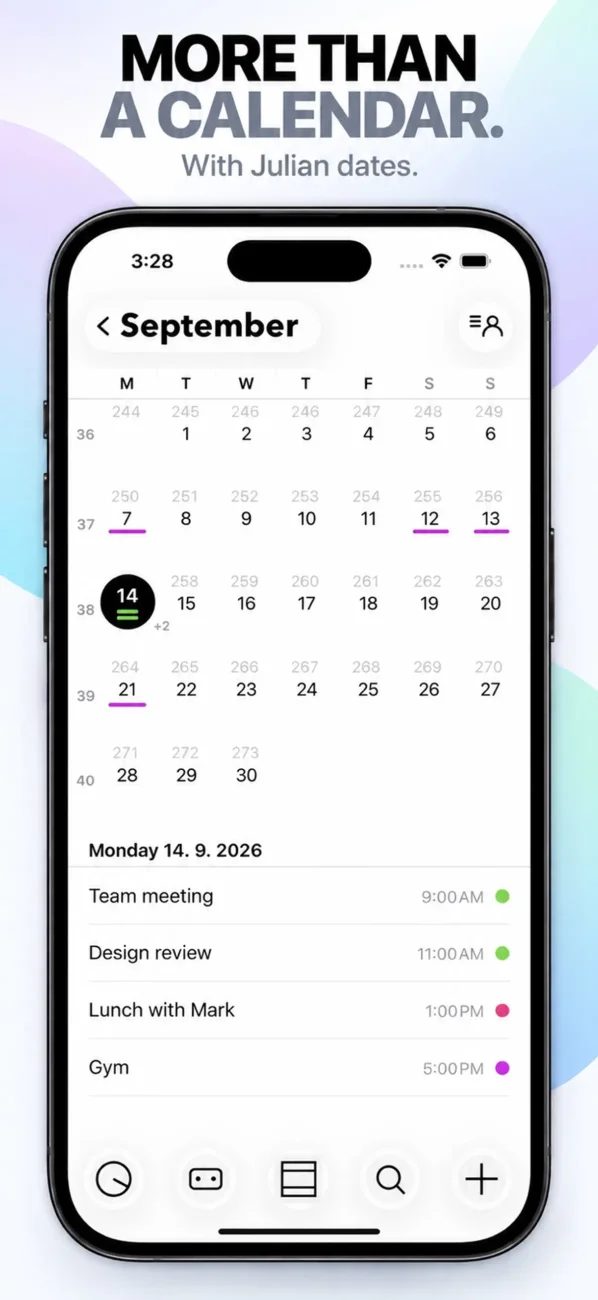
Captures d’écran




À propos
Le développeur n’a pas fourni ce texte dans votre langue.
Keepyear: Your Year. At a Glance.
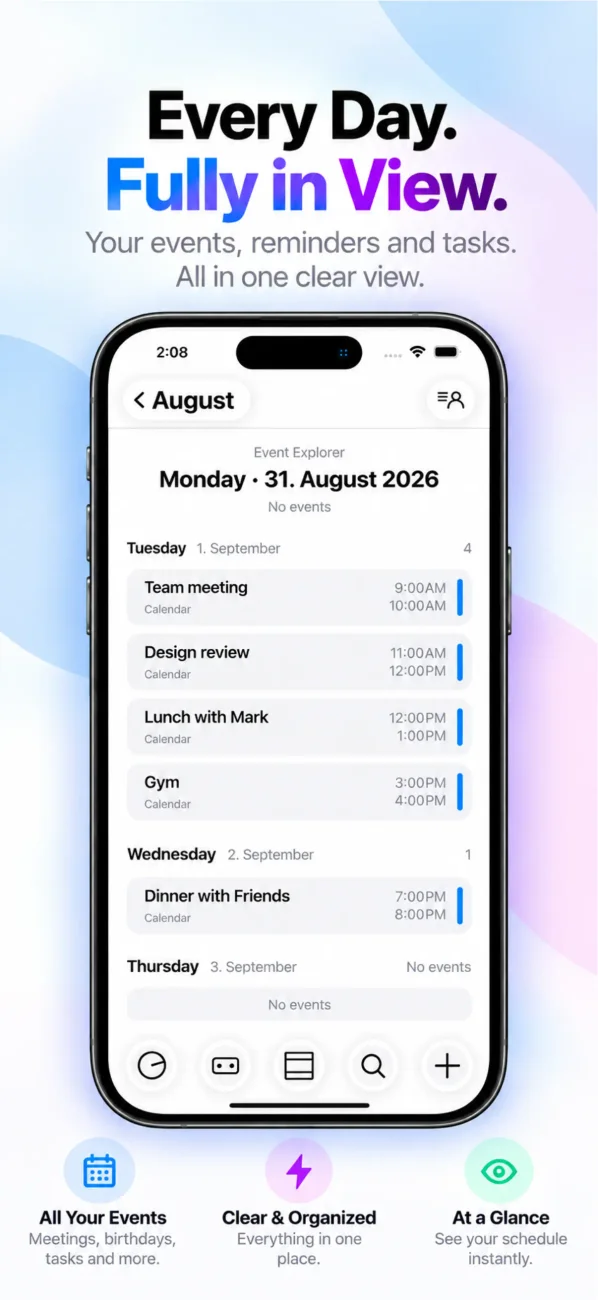
Keepyear brings Apple Calendar events, reminders, tasks, and private Local Events together in one clear planning app.
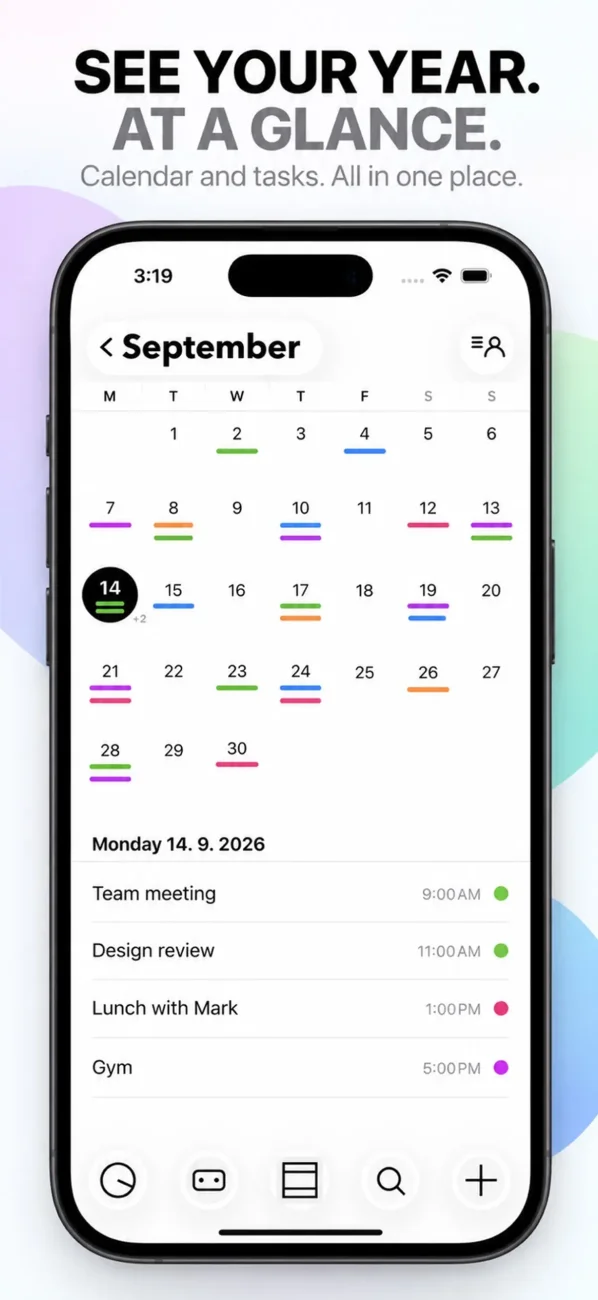
See Your Year at a Glance
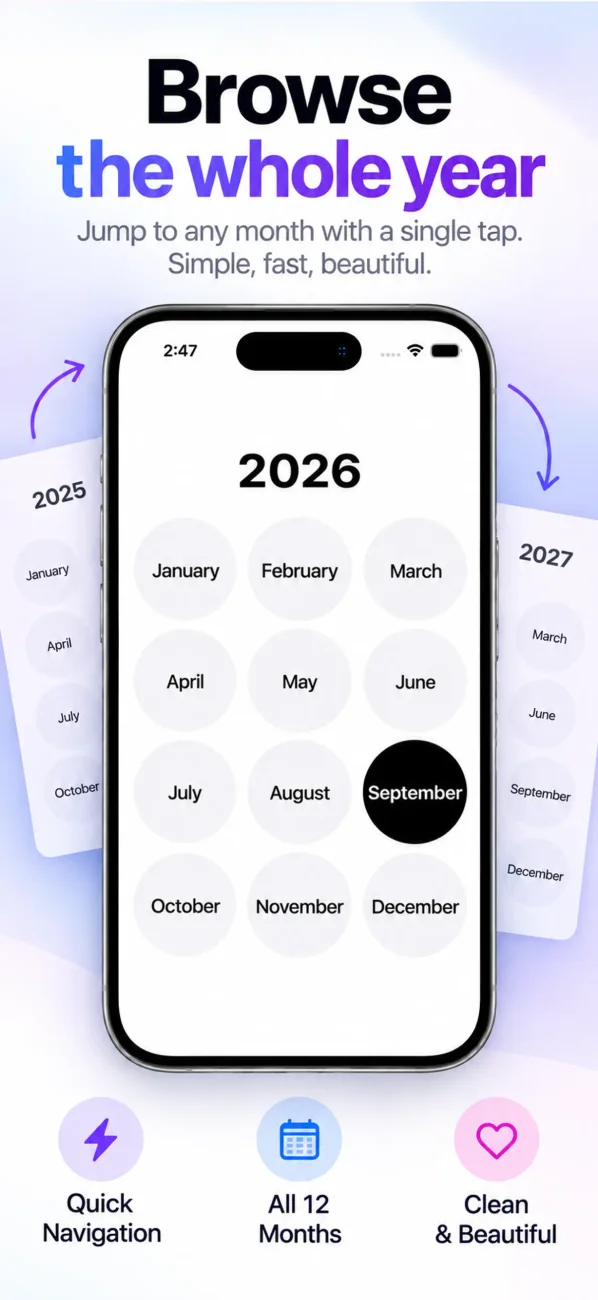
* Year View — Browse all 12 months and jump to any month.
* Month View — See events, birthdays, tasks, and activities across the month.
* Expanded & Compact Views — Choose more detail or a clean overview. Long-press a month to switch.
* Julian Dates — Display Julian day numbers.
* Fast Navigation — Move between months and years.
A Smarter Week View
* Clear Schedule — Events stay readable, with start times, end times, and durations.
* Long & Multi-Day Events — Follow their full duration with connected colored dashed lines.
Quick Actions
Long-press the + button to choose what to create:
* AI Assistant — Describe a plan, refine it in chat, and review the draft before saving.
* New Local Event — Keep a private event inside Keepyear.
* New Reminder — Create a reminder in Apple Reminders.
* New Calendar Event — Use Apple’s Calendar editor.
One long press. Four ways to plan.
AI Planning
* Event Type — Choose Calendar, Keepyear Notification, or Reminder for your draft.
* Time Zones — Enter a supported zone such as EST and see the converted local time.
* Conflict Alerts — Review overlapping events before saving, then edit or use the draft anyway.
Calendar Functions
* Create, edit, and delete events; drag and drop to reschedule.
* Add participants and send iCal invitations.
* Add locations and manage which Apple calendars are visible.
* Synchronize Apple Calendar events directly in Keepyear.
Local Events
Keep personal plans inside Keepyear, not your Apple Calendar. Add custom dates and times, repeats, notes, checklists, and locations.
Reminders & Tasks
* Custom Notifications — Create notifications with repeat intervals.
* Keep Apple Reminders alongside your calendar plans.
* Add notes and checklists.
* Swipe to complete, activate, reorder, or delete tasks.
* iCloud Sync — Keep supported tasks synchronized across devices.
Designed for Your Workflow
* Portrait & Landscape • Light & Dark Mode • iPhone, iPad & iPhone Duo
* On iPhone Duo, use Month View and your day list on the cover display. Unfold it to see Month View and a scrollable Week View side by side.
* A clean interface that keeps the focus on your schedule.
Your Calendar, Your Way
See the year at a glance, explore your month, and plan precisely in Week View. Expand or collapse months, follow multi-day events, and use Julian dates when needed.
Plan more. See more. Do more.
Subscription
Keepyear is available with an auto-renewable subscription for $1.99 per year. Payment is charged to your Apple Account at confirmation. The subscription renews automatically unless auto-renewal is turned off at least 24 hours before the current period ends. Manage your subscription in your Apple Account settings.
Privacy
Local Events and personal planning data can remain on your device. Supported iCloud sync keeps your data available across devices.
More information: keepyear.com
Terms of Use:
https://www.apple.com/legal/internet-services/itunes/dev/stdeula/
Privacy Policy:
https://keepyear.com/privacy-policy/
Nouveautés
Version 1.3.7.78 · 13/11/2026
AI Event Assistant: Create events in natural language, refine drafts in chat, choose Calendar, Keepyear Notification, or Reminder, and review conflicts before saving.
iPhone Duo Support: Plan with Month and Week views side by side when open. In portrait, Keepyear shows the familiar Month view and event list.
Confidentialité de l’application
Ce que Vladimir Krejcir déclare sur l’App Store au sujet du traitement des données par cette application.
-
Données non collectées
Le développeur ne collecte aucune donnée à partir de cette application.
Les pratiques en matière de confidentialité peuvent varier, notamment en fonction des fonctionnalités que vous utilisez ou de votre âge.
Informations
- Vendeur
- Vladimir Krejcir
- Catégorie
- Productivité
- Version
- 1.3.7.78
- Mis à jour
- 13/11/2026
- Publié
- 30/07/2018
- Taille
- 40,1 Mo
- Nécessite
- iOS 18.6 ou version ultérieure
- Classification d’âge
- 4+
- Prix
- Gratuit
- Achats intégrés
- Oui
- Langues
- Anglais, Tchèque, Néerlandais, Français, Allemand, Italien, Japonais, Coréen, Polonais, Portugais, Russe, Chinois simplifié + 4 de plus
- Copyright
- © Vladimír Krejčíř
Vous aimerez peut-être aussi
-
 iTasks+Productivité
-
 Schedule TaskProductivité
-
 Notes n MoreProductivité
-
 Focus 25/5Productivité
-
 Big Number CalendarProductivité
-
 DoNext - Next Action ToDo ListProductivité
-
 Can't ForgetProductivité
-
 SimpleNote - To Do ListProductivité
-
 Todolist Tasks : PlanificateurPlanificateur, Rappel, Tâches
-
 ReChive - gestion de docsOrganisez vos fichiers reçus