
Khanflow
Plan your day around your life
Conçue pour iPhone
Gratuit · Achats intégrés
- Classification d’âge4+
- CatégorieProductivité
- DéveloppeurNobokai Inc
- LanguesAnglais
- Taille56,5 Mo
Renvoie vers la page App Store officielle
Download.org n’héberge aucun fichier de Khanflow. Le bouton ouvre la page de l’application sur App Store, où Nobokai Inc la publie. Fiche vérifiée pour la dernière fois le 17/11/2026.
Captures d’écran



À propos
Le développeur n’a pas fourni ce texte dans votre langue.
Your calendar should do more than hold your meetings. Khanflow plans your day around them, and makes room for the things you keep meaning to get to.
A PLAN FOR YOUR DAY, EVERY MORNING
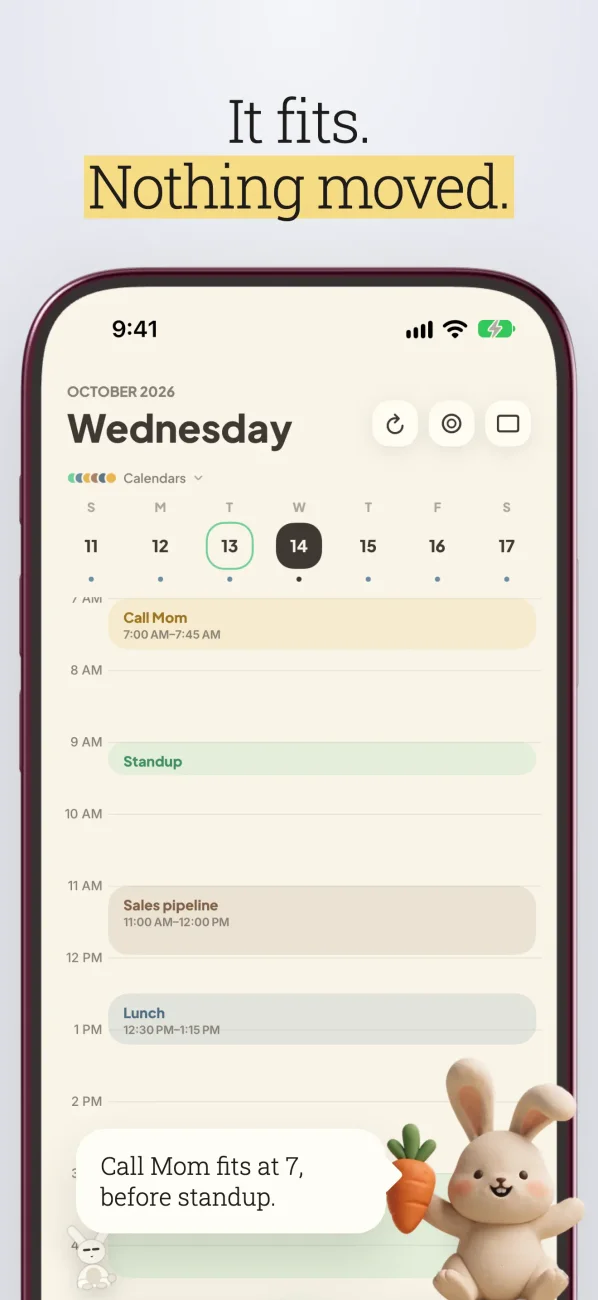
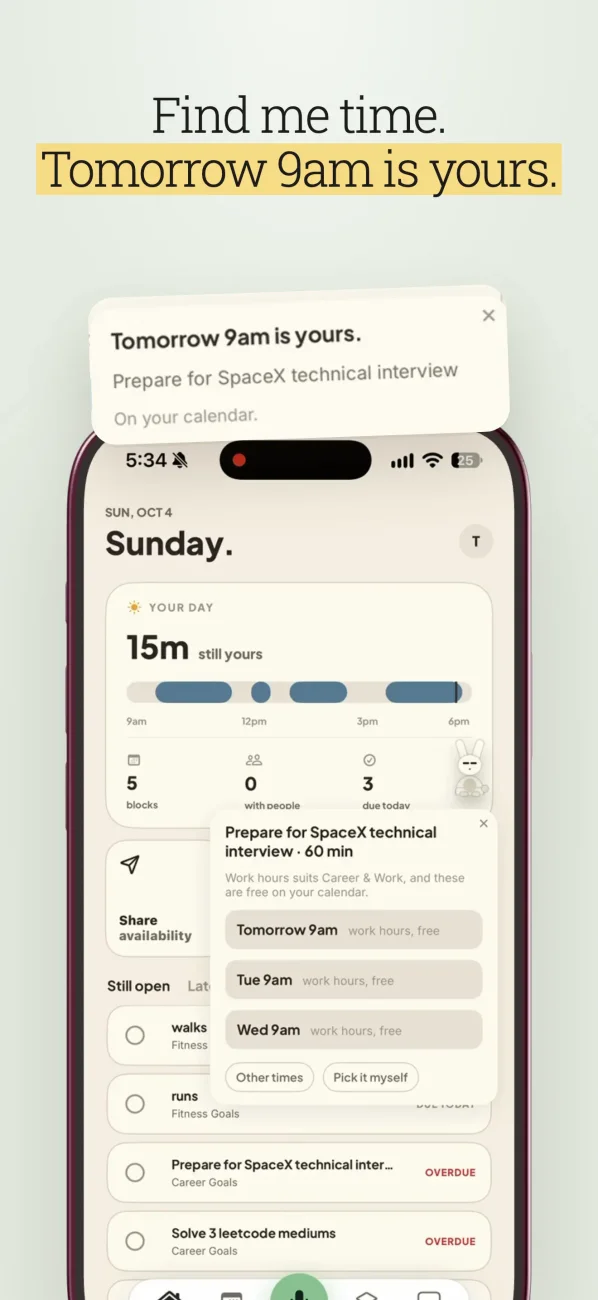
Khanflow looks at your day and fits your goals into the gaps: a run before brunch, two quiet hours for the project that's due Tuesday, ten minutes to finally reply to that text. Every block comes with a reason. Approve the whole day with one tap, or move, swap or turn down anything you like.
TIME FOR WHAT MATTERS, NOT JUST WHAT'S URGENT
Keep forgetting to call your mom? Tell Khanflow once. It finds a real opening this week, puts it on your calendar, and reminds you five minutes before. It works the same for the gym, guitar practice, reading, a hike, or anything else you want more of.
LIFE OS: YOUR WHOLE LIFE, IN ONE PLACE
Organize what you care about into areas like Work, Health, Relationships and Learning, with boards and goals inside each. Momentum shows which parts of your life are climbing and which have gone quiet, so nothing important slips without you noticing.
JUST ASK
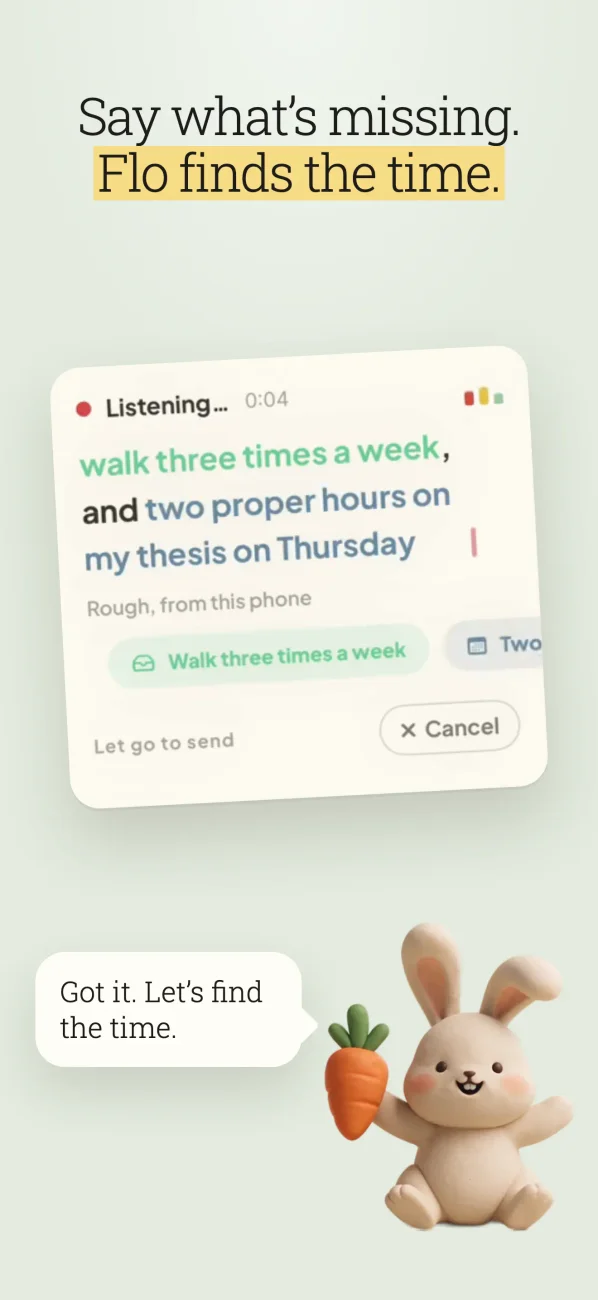
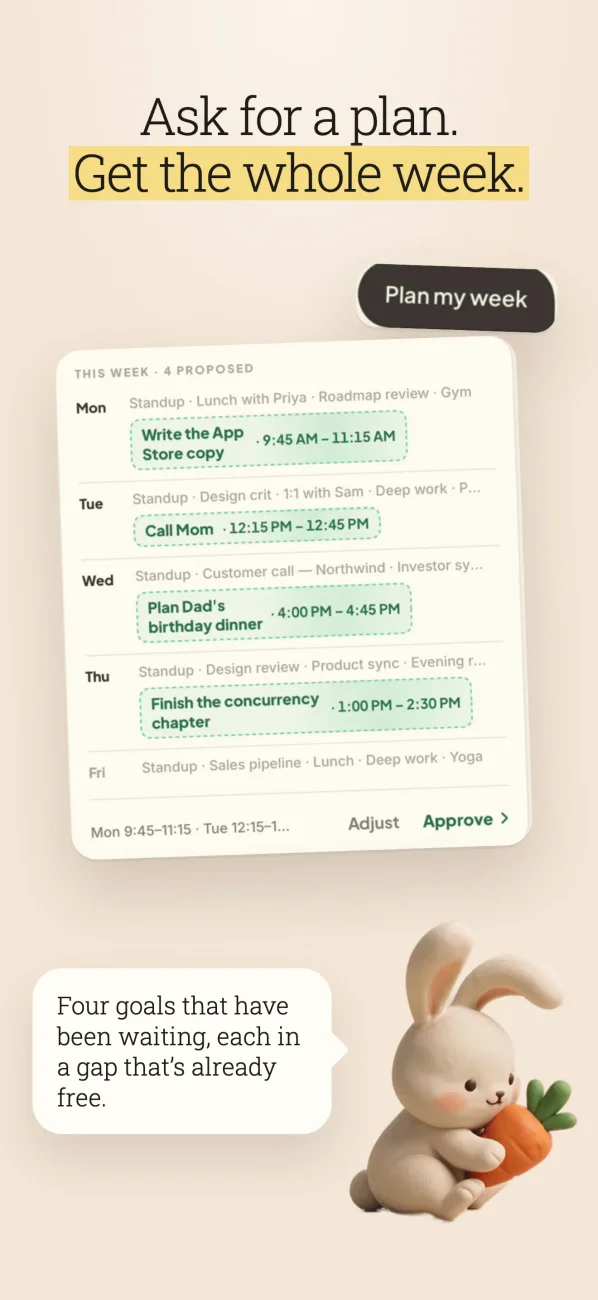
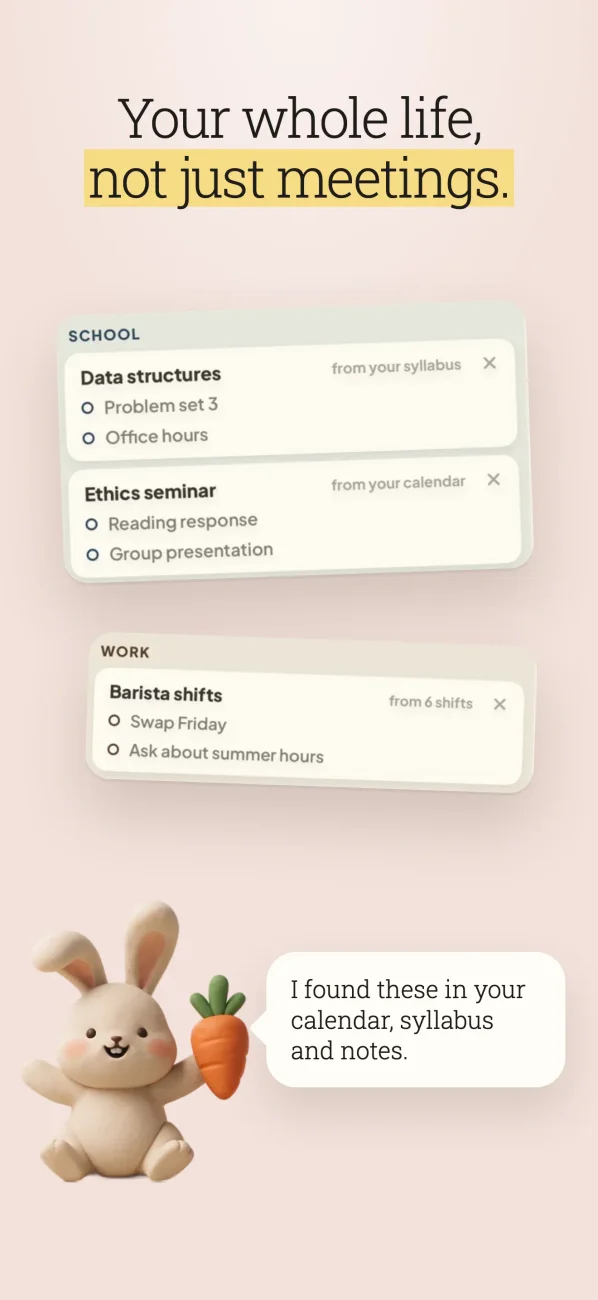
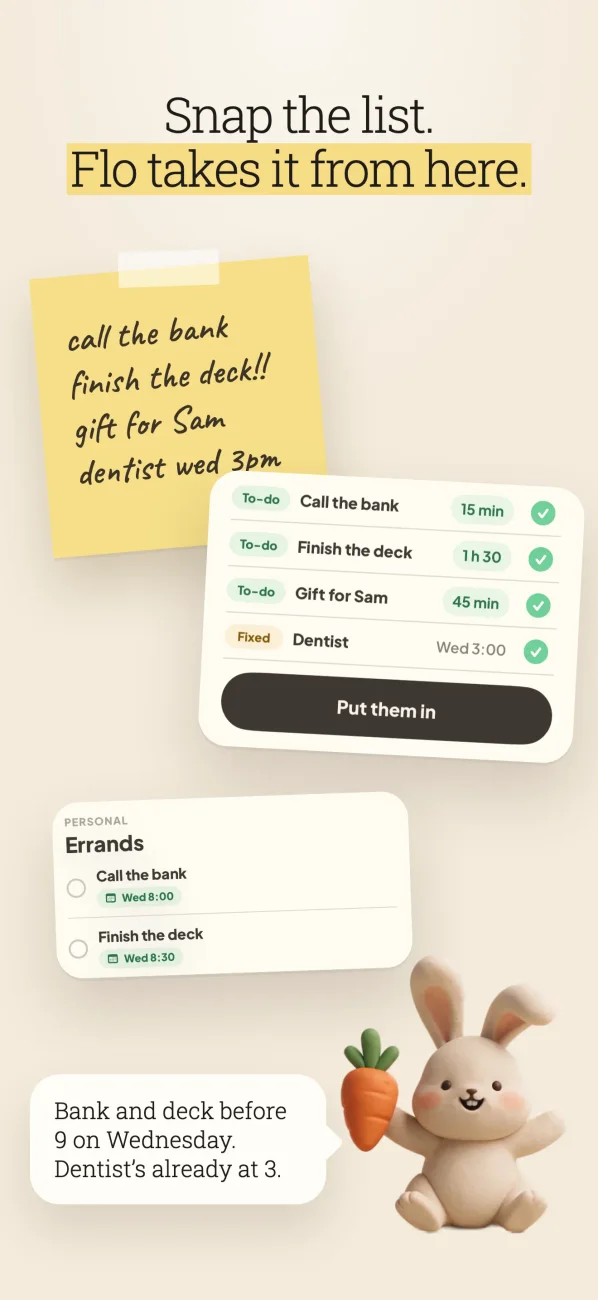
"What does my day look like?" "What about tomorrow?" "How's my momentum?" "Plan my week." Answers come back as clear cards you can act on, not walls of text. Paste in your notes and it pulls out the tasks. Import a syllabus and it finds every class and deadline. Prefer to talk? Just say it.
SHARE YOUR AVAILABILITY IN SECONDS
Trying to find a time with someone? Tap the slots that work and Khanflow writes the message for you. Or send a booking link and let them pick from your open hours. Meeting requests can be accepted or declined in a tap.
NOTIFICATIONS THAT EARN THEIR PLACE
One to approve your day before it starts, one five minutes before a block, one when someone answers a time you sent, and one at night to set tomorrow, plus the reminders you ask for. Start a block straight from the notification, or push it back ten minutes. Turn any kind off in Profile.
STAY IN THE ZONE
When a block starts, a Live Activity keeps it on your Lock Screen and in the Dynamic Island. Widgets keep your day and your momentum one glance away.
MEET FLO
Flo, the bunny, lives in the corner of your screen: listening when you talk, cheering when your day comes together, and nudging you when something's been waiting too long.
WORKS WITH THE CALENDAR YOU ALREADY USE
Connect Google Calendar or Outlook and keep using them as you always have. Khanflow plans around everything that's already there.
Less juggling. More time for your people, your health, and the things you keep putting off.
KHANFLOW PRO
Khanflow is a subscription app. Choose Khanflow Pro Monthly ($7.99 per month) or Khanflow Pro Annual ($59.99 per year). Both start with a 7-day free trial for new subscribers. Prices are in US dollars and vary by country. Payment is charged to your Apple Account when you confirm the purchase, or when the free trial ends. Subscriptions renew automatically unless cancelled at least 24 hours before the end of the current period. Manage or cancel any time in Settings > Apple Account > Subscriptions.
Privacy policy: https://khanflow.com/privacy
Terms of use: https://khanflow.com/terms
Nouveautés
Version 1.0.1 · 18/10/2026
- A new setup: connect your calendar and Flo shows you tomorrow as it really is, asks how you like your days, finds room for what you want more of, and places it with you. Import a syllabus and it brings in the whole term.
- Talk during setup: hold to talk or tap to talk, and Flo shows what it heard before anything is saved.
- Khanflow now runs on iOS 18 and later. The Siri card needs iOS 26.
- Meet Flo, the bunny: on your first visits it shows you the now-line, where your goals live, the mic, and where your times go out from. Through the week it notices a goal with no time, a busy run of meetings, a heavy tomorrow or requests waiting, and offers one thing at a time. Two "Not now"s and it stops asking about that for two weeks.
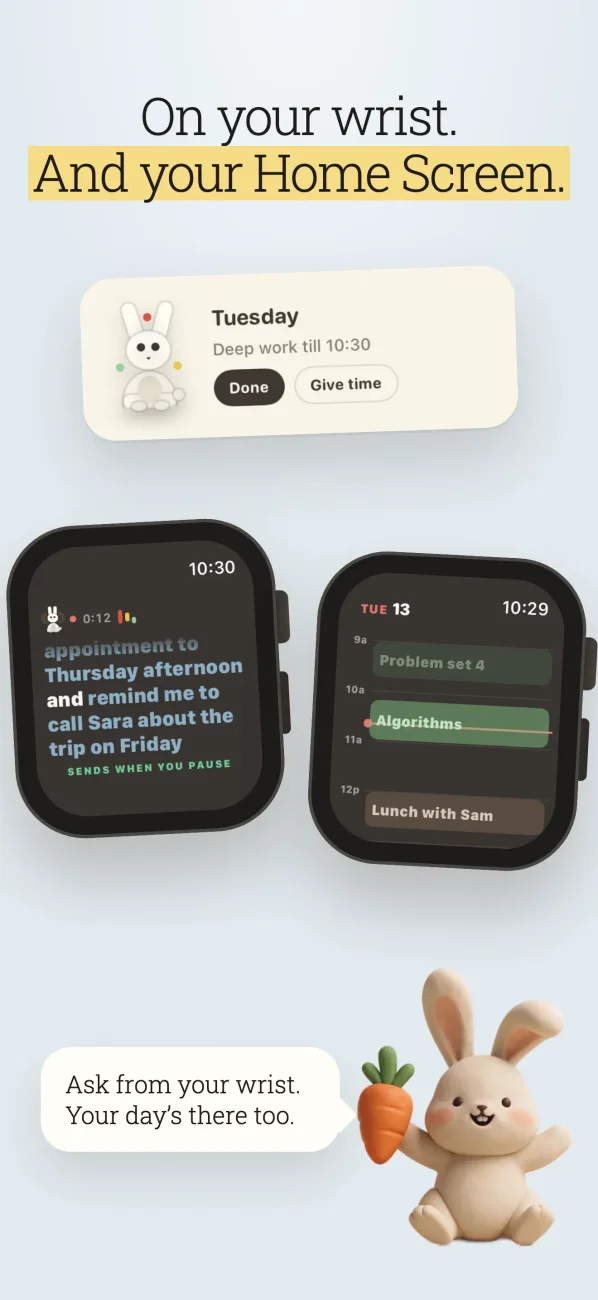
- Home Screen widgets: Days, Free time, Tell Flo, Booking link, Month, To-dos, Countdown and Tomorrow, plus a Lock Screen set.
- Reminders: ask Khanflow to remind you at set times or every few hours ("every 2 hours from 9 to 6, drink water"), with Done, Snooze and Skip right on the notification.
- Routines: a board of repeating steps with a nudge.
- Ask the assistant when you're free and get your free times back: tap one to book it, or share them. A time someone picks from what you sent books the meeting.
- Share your availability from iMessage: two weeks of times, four days a page, right in a conversation.
- Keep in touch with someone every week.
- Apple Watch: your words show as you speak, answers fit the screen and scroll with the crown, a Days view of today and tomorrow, spoken replies (switch it on in Profile), and a Talk complication.
- Give each calendar its own colour, choose which calendars Days shows, and resize picked times by holding and dragging.
- Tap an event's address to open it in Apple Maps or Google Maps.
- Fixes: calendars on your phone no longer empty themselves, picked times keep their time zone, signing out clears everything from the phone, the assistant tells the time in your own time zone, talking to the bunny is steadier, and a launch crash for some phone calendars is gone.
Confidentialité de l’application
Ce que Nobokai Inc déclare sur l’App Store au sujet du traitement des données par cette application.
-
Données utilisées pour vous suivre
Peuvent être utilisées pour vous suivre sur des applications et des sites web appartenant à d’autres sociétés.
- Achats
- Identifiants
- Données d’utilisation
-
Données établissant un lien avec vous
Peuvent être collectées et liées à votre identité.
- Achats
- Emplacement
- Coordonnées
- Contacts
- Contenu utilisateur
- Identifiants
- Données d’utilisation
- Diagnostic
-
Données n’établissant aucun lien avec vous
Peuvent être collectées, mais ne sont pas liées à votre identité.
- Achats
- Identifiants
- Données d’utilisation
Les pratiques en matière de confidentialité peuvent varier, notamment en fonction des fonctionnalités que vous utilisez ou de votre âge.
Informations
- Vendeur
- Nobokai Inc
- Catégorie
- Productivité
- Version
- 1.0.1
- Mis à jour
- 18/10/2026
- Publié
- 02/10/2026
- Taille
- 56,5 Mo
- Nécessite
- iOS 18.0 ou version ultérieure
- Classification d’âge
- 4+
- Prix
- Gratuit
- Achats intégrés
- Oui
- Langues
- Anglais
- Copyright
- © 2026 Nobokai Inc.
Vous aimerez peut-être aussi
-
 Attention FundProductivité
-
 Beaver ToDoProductivité
-
 Cosmos AI: Chat & CreateProductivité
-
 Ikoi: Tâches, To-Do & AgendaNotes, Pomodoro & Habitudes
-
 gtsync: Sync Tasks & RemindersProductivité
-
 Result: Your Personal AgentProductivité
-
 Arrowz AI: CBTProductivité
-
 Ambi: Ambient intelligenceProductivité
-
 Telos – Focus & Habit TrackerProductivité
-
 Mapit GISProductivité