- Classification d’âge4+
- CatégorieMusique
- DéveloppeurWozete LLC
- LanguesAnglais
- Taille33,3 Mo
Kiñit n’est peut-être pas disponible sur App Store pour le moment
La fiche de la boutique était inaccessible lors de notre dernière vérification. Le lien mène toujours à la page App Store officielle.
Captures d’écran

À propos
Le développeur n’a pas fourni ce texte dans votre langue.
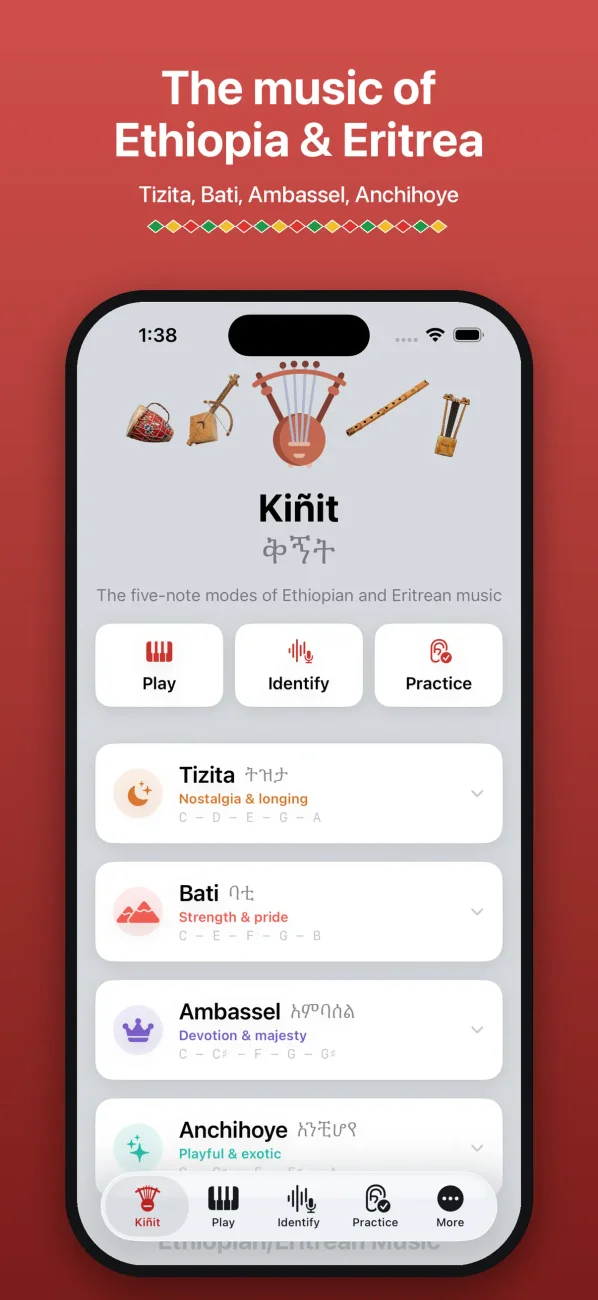
Kiñit is the pentatonic mode system at the heart of Ethiopian and Eritrean music.
The app lets you learn, play, train your ear on and identify the four traditional modes: Tizita, Bati, Ambassel and Anchihoye.
The same Kiñit carry Ethiopia's and Eritrea's traditional songs and the mezmur sung in their churches.
Kiñit helps keyboard players and vocalists share one mode and one key, so a worship team sounds as one.
KIÑIT
• The mood and character of each mode, from Tizita's longing to Bati's pride
• Where each mode's name comes from, from the Wollo market town of Bati to the mountains of Ambassel
• How Kiñit carries mezmur, and how keyboard and voices stay in sync in worship
• The traditional instruments that carry Kiñit, each pictured: Kirar, Masinqo, Washint, Begena and Kebero
• Background on how Ethiopian modes work and where Ethio-jazz came from
PLAY
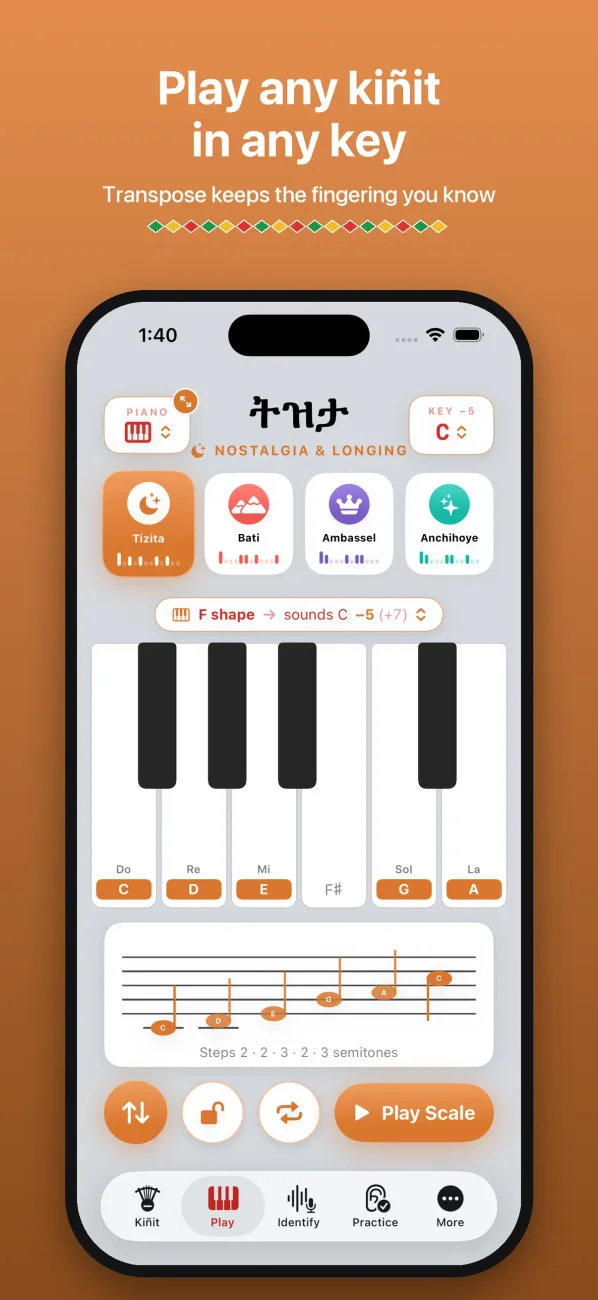
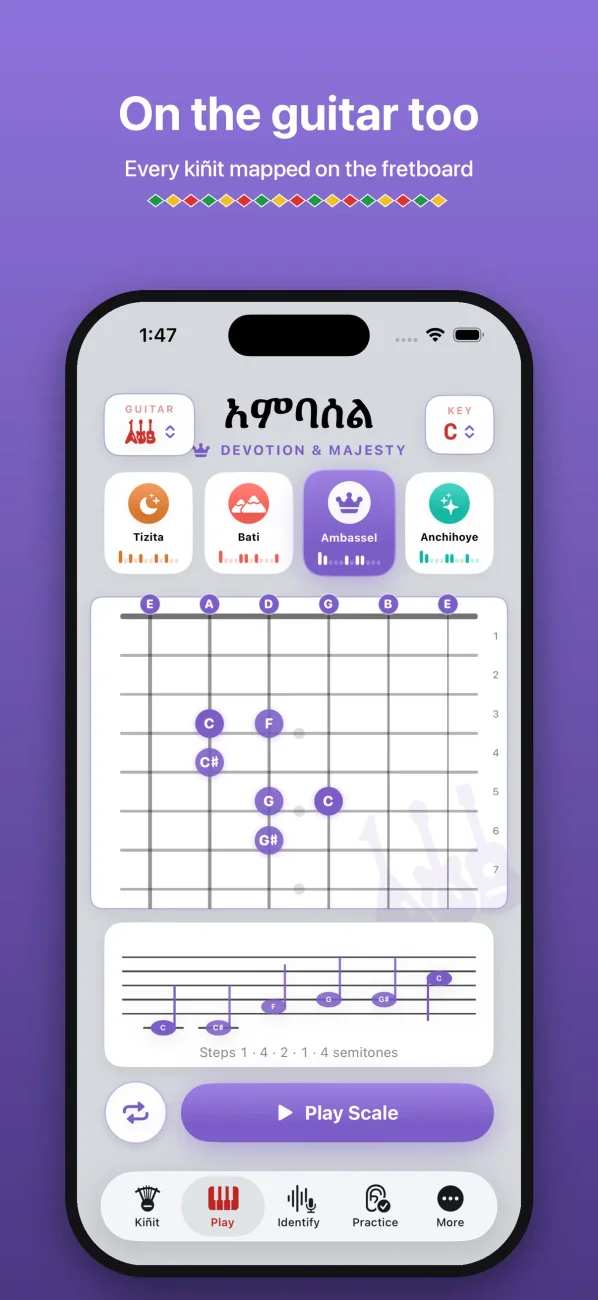
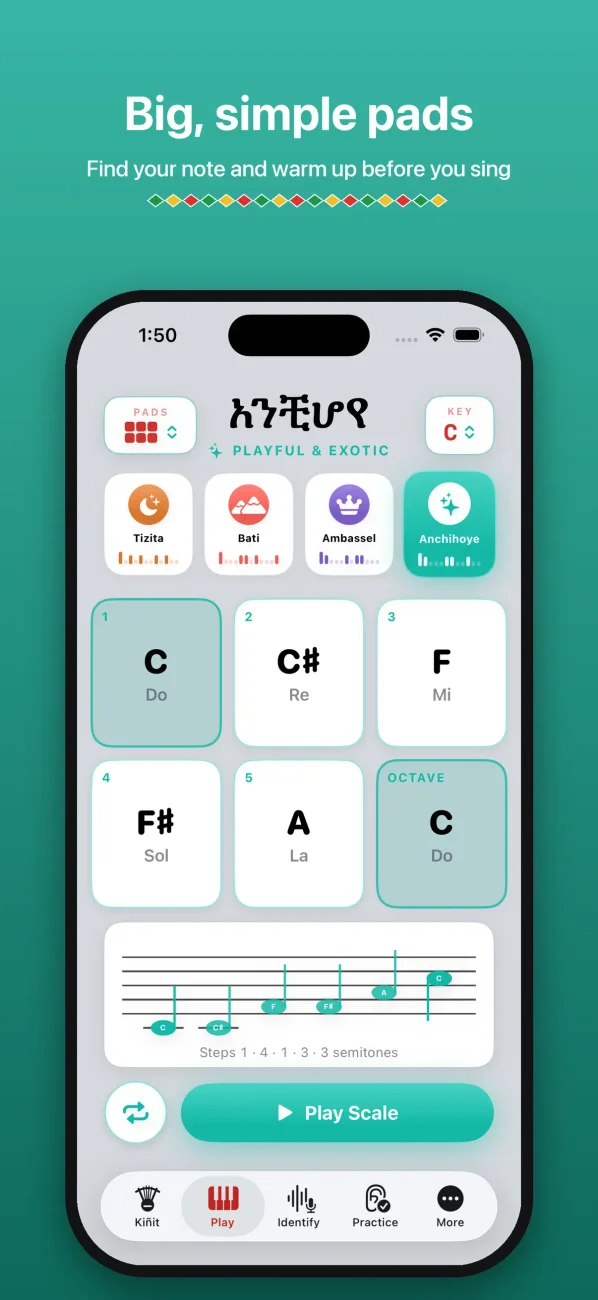
• Three instruments: a grand piano, a nylon-string guitar fretboard, and big tap pads
• Every note of the mode is highlighted on the instrument, with the root marked
• Optional Lock to Scale: out-of-scale keys dim, and any touch plays a note of the mode
• Play chords and two-handed parts: every finger sounds its own note
• On iPhone, tap Full Screen for a landscape piano that fills the screen
• Staff notation with note names, plus the steps between notes in semitones
• Play Scale plays the mode up and down; turn on Loop to keep it going while you compare
• Switch modes or keys while it plays and hear the change right away
• Each mode's button shows its note pattern, so you can see how the four Kiñit differ before you play
IDENTIFY
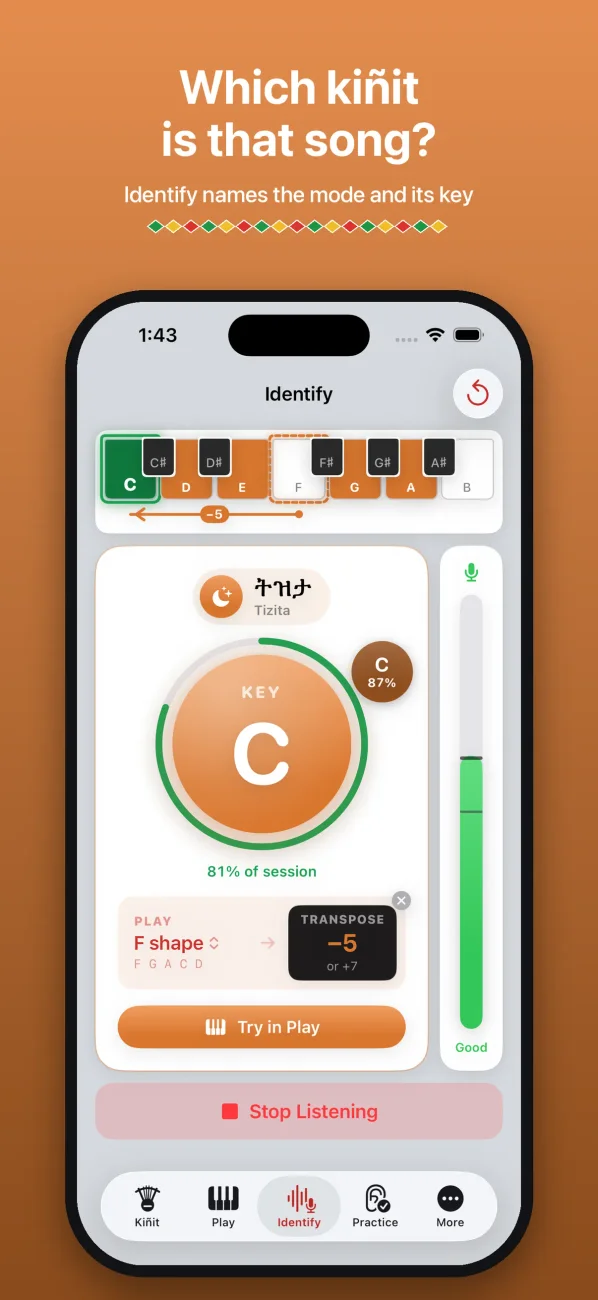
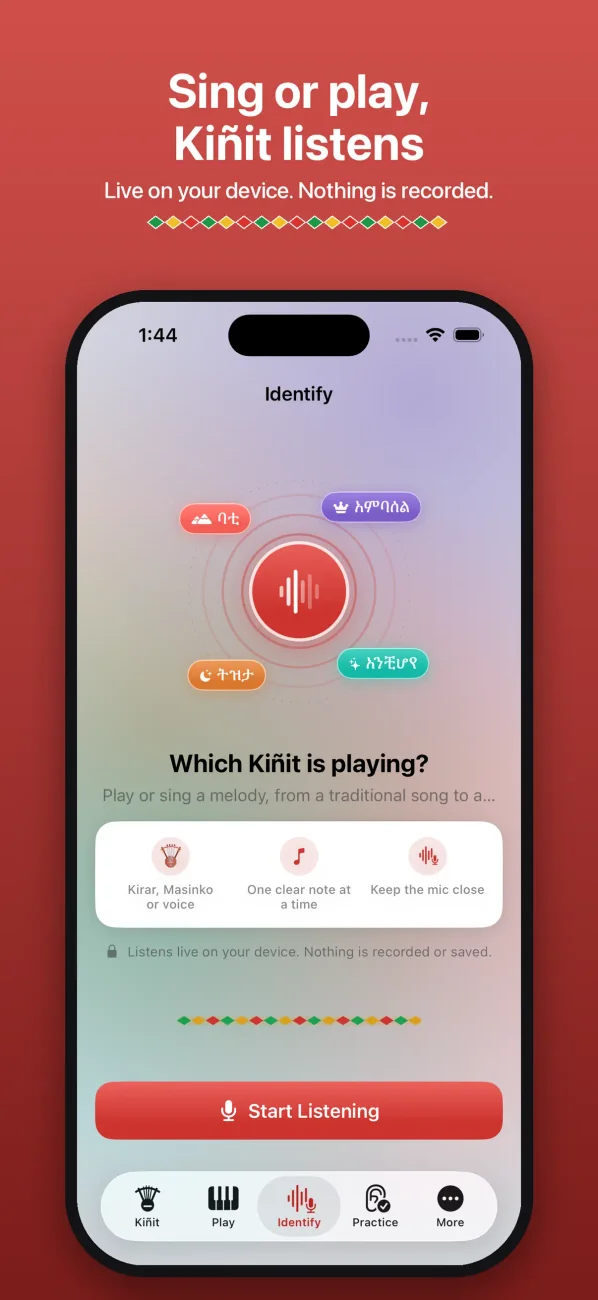
• Listens through the microphone to a live song, recorded music or your own playing
• Listens live and analyzes on your device; nothing is recorded or saved
• Names the Kiñit and its root, with a confidence score
• A live level meter shows when the mic is hearing you clearly
• One tap opens the result in Play, in the same key
PRACTICE
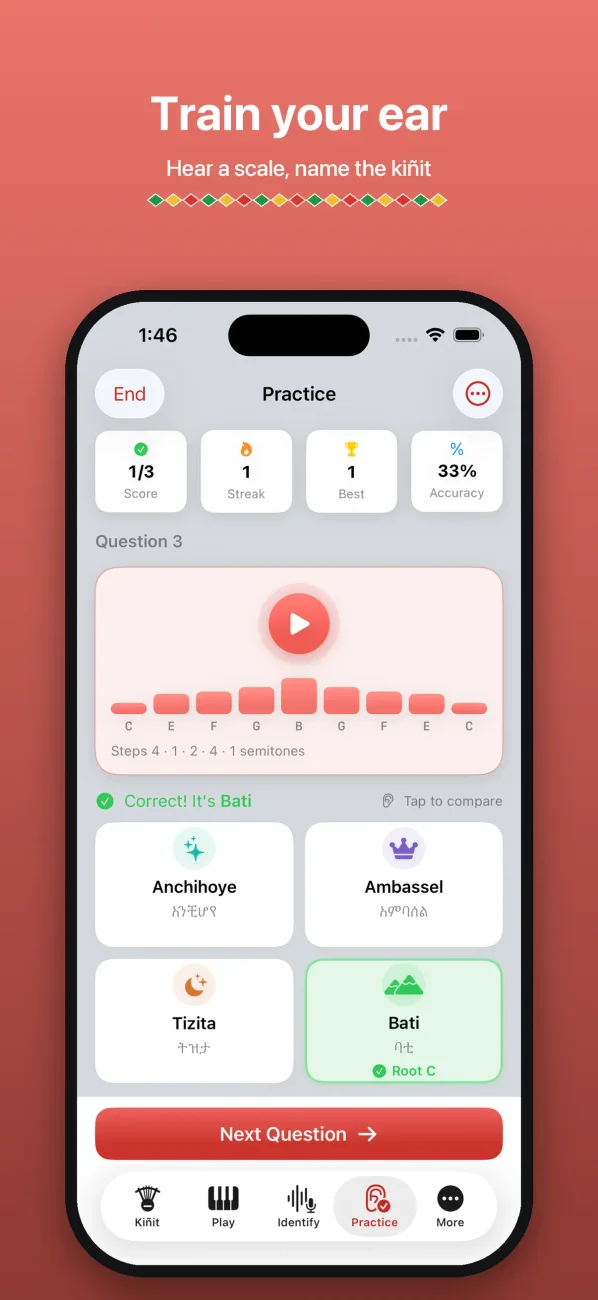
• Ear training: hear a mode and pick which Kiñit it is
• Questions come in different keys, so you learn each mode's sound, not just its notes
• After answering, compare your choice against the correct mode by ear
TRANSPOSE: ONE SHAPE, EVERY KEY
Transposing is how Kiñit is often played on keyboards.
In church, at weddings and on stage, the keyboard player sets the transpose and keeps the same fingering while the singer chooses the key.
Kiñit has this built in:
• Pick the shape you know, such as the C or F shape, and play it in any of the 12 keys
• The keyboard keeps your shape and shifts the sound to the chosen key
• See the exact setting both ways (for example −5 or +7) so it matches any keyboard's display
• Identify suggests the transpose for the song you're hearing: "F shape → Transpose −5"
IN CHURCH: KEYBOARD AND VOICES IN SYNC
Mezmur in Orthodox, Protestant and Catholic churches is built on the same four Kiñit.
When the keyboard and the singers drift into different modes or keys, even a beautiful song falls apart.
Kiñit keeps the whole team together:
• Keyboard players set the Kiñit and key the singer chose, and keep their fingering with Transpose
• Vocalists hear the mode with Play Scale to find their starting note and warm up before singing
• Worship leaders use Identify to name a song's Kiñit and root, so everyone starts together
• Choirs train their ears in Practice to recognise each Kiñit by sound
ON IPAD
• A two-octave piano with full-size keys, and a guitar neck up to the 12th fret
• Play the piano from a hardware keyboard, with Space to start Play Scale
• Works in portrait and landscape, in Split View and with Stage Manager
BUILT WITH CARE
• Sampled piano and guitar voices
• No account, no recordings (just listening), no ads and no tracking
Whether you are a church keyboardist learning mezmur in a new key, a student of Ethiopian or Eritrean music, or a musician curious about Ethio-jazz,
Kiñit puts the sound of Ethiopia and Eritrea under your fingers.
HAPPY KIÑIT!
Nouveautés
Version 1.1.1 · 19/10/2026
- Minor improvement to 'Identify' logic and algorithms
Confidentialité de l’application
Ce que Wozete LLC déclare sur l’App Store au sujet du traitement des données par cette application.
-
Données non collectées
Le développeur ne collecte aucune donnée à partir de cette application.
Les pratiques en matière de confidentialité peuvent varier, notamment en fonction des fonctionnalités que vous utilisez ou de votre âge.
Informations
- Vendeur
- Wozete LLC
- Catégorie
- Musique
- Version
- 1.1.1
- Mis à jour
- 19/10/2026
- Publié
- 08/10/2026
- Taille
- 33,3 Mo
- Nécessite
- iOS 18.0 ou version ultérieure
- Classification d’âge
- 4+
- Langues
- Anglais
- Copyright
- © 2026 Wozete LLC