- Classification d’âge4+
- CatégorieDivertissement
- LanguesAnglais
- Taille667,0 Ko
Renvoie vers la page App Store officielle
Download.org n’héberge aucun fichier de Klipt Remote. Le bouton ouvre la page de l’application sur App Store, où la publie. Fiche vérifiée pour la dernière fois le 11/11/2026.
Captures d’écran
À propos
Le développeur n’a pas fourni ce texte dans votre langue.
Klipt turns your iPhone or iPad into a voice chat clip controller for PC gaming.
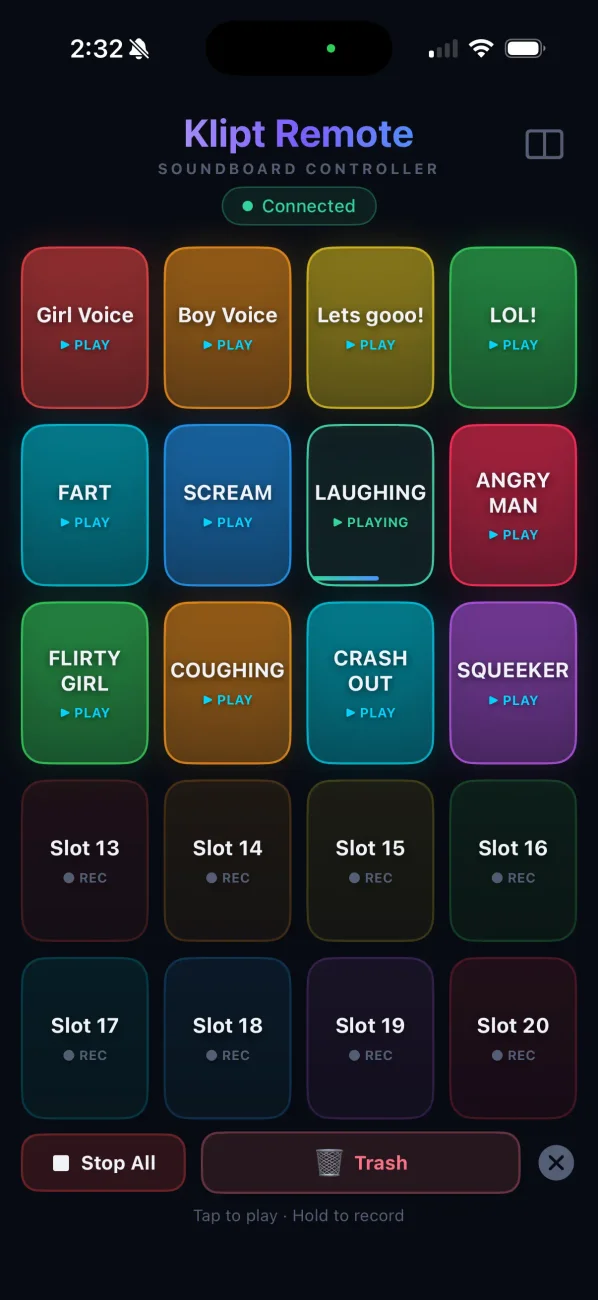
Ever hear something hilarious in game chat and wish you could save it and play it back? That's exactly what Klipt does. Pair your phone with the Klipt desktop app on your Windows PC, and you get a 20-button board that lets you instantly record and replay voice chat clips in games like Call of Duty, Fortnite, Valorant, Apex Legends, Overwatch, or any game with voice chat. It works with Discord too.
HOW IT WORKS
Your PC runs the Klipt desktop app, which captures voice chat audio and handles all the audio routing. Your iPhone or iPad connects to your PC over Wi-Fi and becomes the remote control.
Hold any button to record — captures whatever is being said in voice chat right now.
Tap to play — instantly replays the clip back into the game so everyone in the lobby hears it.
Customize each slot with names, colors, and icons from the desktop app.
Delete and re-record anytime with the trash button.
It's that simple. No cloud. No accounts. No subscriptions. Just your phone and your PC on the same Wi-Fi network.
CONNECT IN SECONDS
Open Klipt on your PC. Scan the QR code with your phone. Done. You're connected and ready to clip.
BUILT FOR GAMING
Klipt is designed for one thing: capturing and replaying voice chat moments. It's not a soundboard, a voice changer, or a streaming tool. It does one job and does it perfectly.
20 clip slots — enough for a full session of highlights.
Real-time status — see which slots have recordings, what's playing, and what's recording.
Low latency — clips play back instantly when you tap.
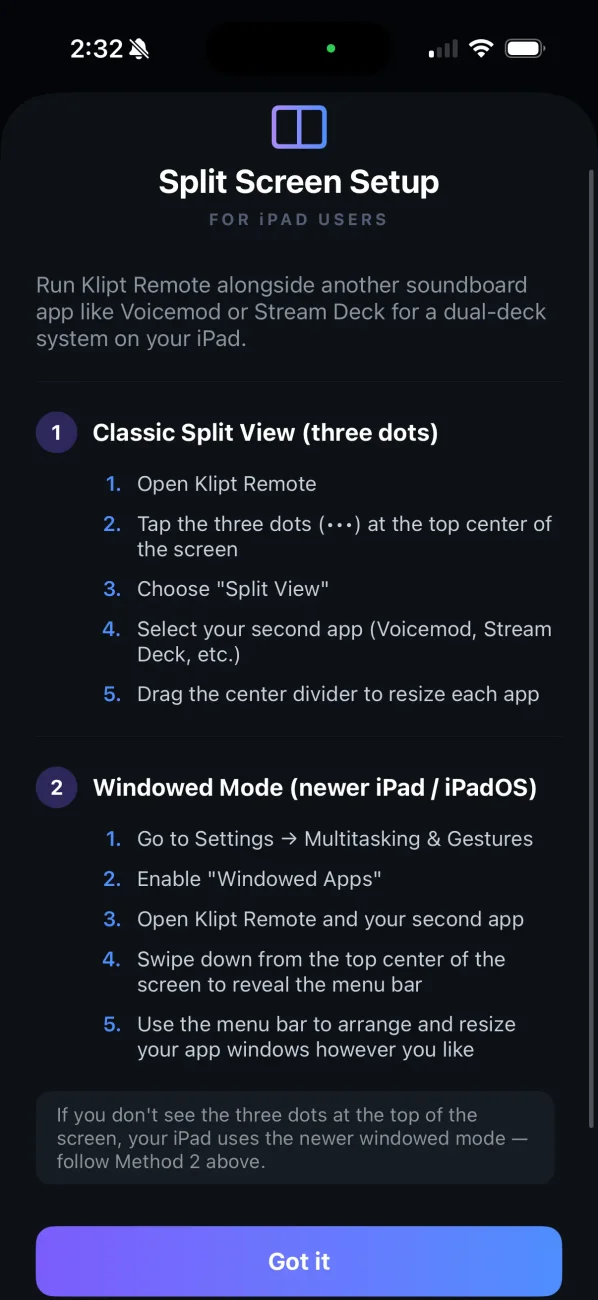
Works alongside Voicemod, VB-Cable, and other audio routing tools.
REQUIRES KLIPT DESKTOP APP!
The iOS app is a remote control and requires the free Klipt desktop app running on a Windows PC. Both devices must be on the same Wi-Fi network. Download the desktop app at kliptaudio.com.
Confidentialité de l’application
Ce que déclare sur l’App Store au sujet du traitement des données par cette application.
-
Données non collectées
Le développeur ne collecte aucune donnée à partir de cette application.
Les pratiques en matière de confidentialité peuvent varier, notamment en fonction des fonctionnalités que vous utilisez ou de votre âge.
Informations
- Vendeur
- Aaron Tindall
- Catégorie
- Divertissement
- Version
- 1.0
- Mis à jour
- 27/02/2026
- Publié
- 27/02/2026
- Taille
- 667,0 Ko
- Nécessite
- iOS 26.2 ou version ultérieure
- Classification d’âge
- 4+
- Prix
- Gratuit
- Langues
- Anglais
- Copyright
- © 2026 Klipt Audio
Vous aimerez peut-être aussi
-
 World ZeriesDivertissement
-
 Trovu: Jellyfin & Plex PlayerDivertissement
-
 KidreamDivertissement
-
 Channel Keeper for YouTubeDivertissement
-
 Embassy ScreensDivertissement
-
 ReelikeDivertissement
-
 EDM AddictsDivertissement
-
 Yogo-Group Voice Chat RoomDivertissement
-
 My TV Shows: Track & DiscoverDivertissement
-
 DoxzillaDivertissement