LaxClock: Smart Lacrosse Timer
Keep Score, Time, & Penalties
Conçue pour iPhone, iPad
Gratuit · Achats intégrés
- Classification d’âge4+
- CatégorieSports
- DéveloppeurHoward Dickinson
- LanguesAnglais
- Taille75,1 Mo
Renvoie vers la page App Store officielle
Download.org n’héberge aucun fichier de LaxClock: Smart Lacrosse Timer. Le bouton ouvre la page de l’application sur App Store, où Howard Dickinson la publie. Fiche vérifiée pour la dernière fois le 20/11/2026.
Captures d’écran

À propos
Le développeur n’a pas fourni ce texte dans votre langue.
— Time & Scorekeeping Made Simple —
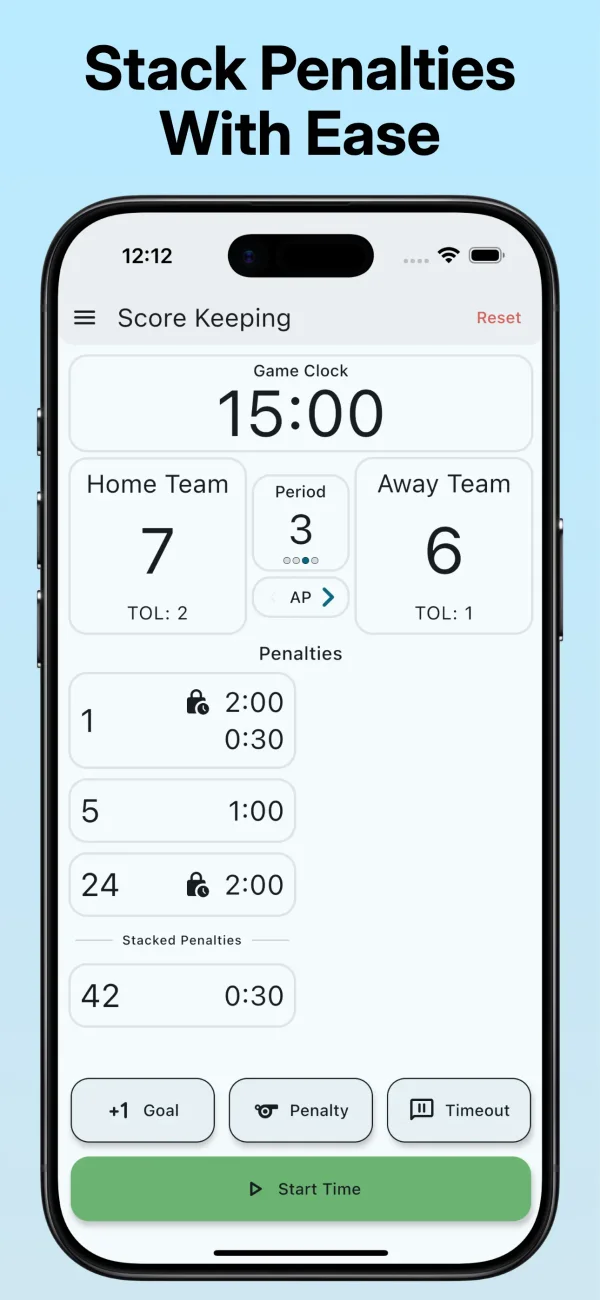
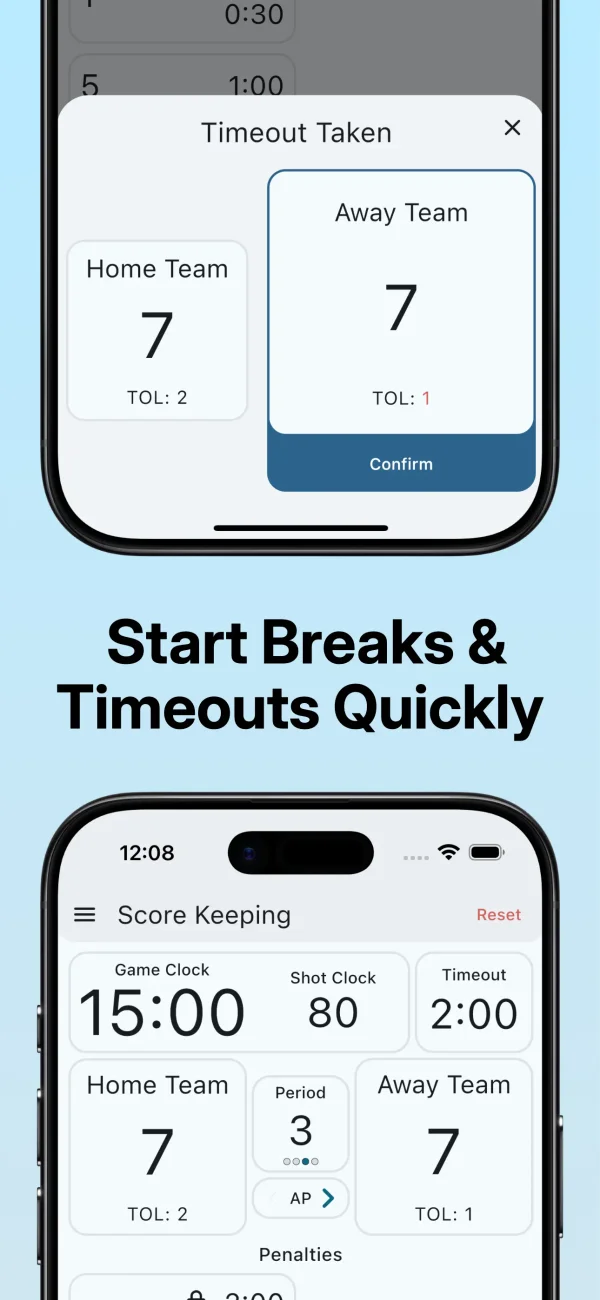
- Track game time, shot clock, team score, and timeouts remaining in real time.
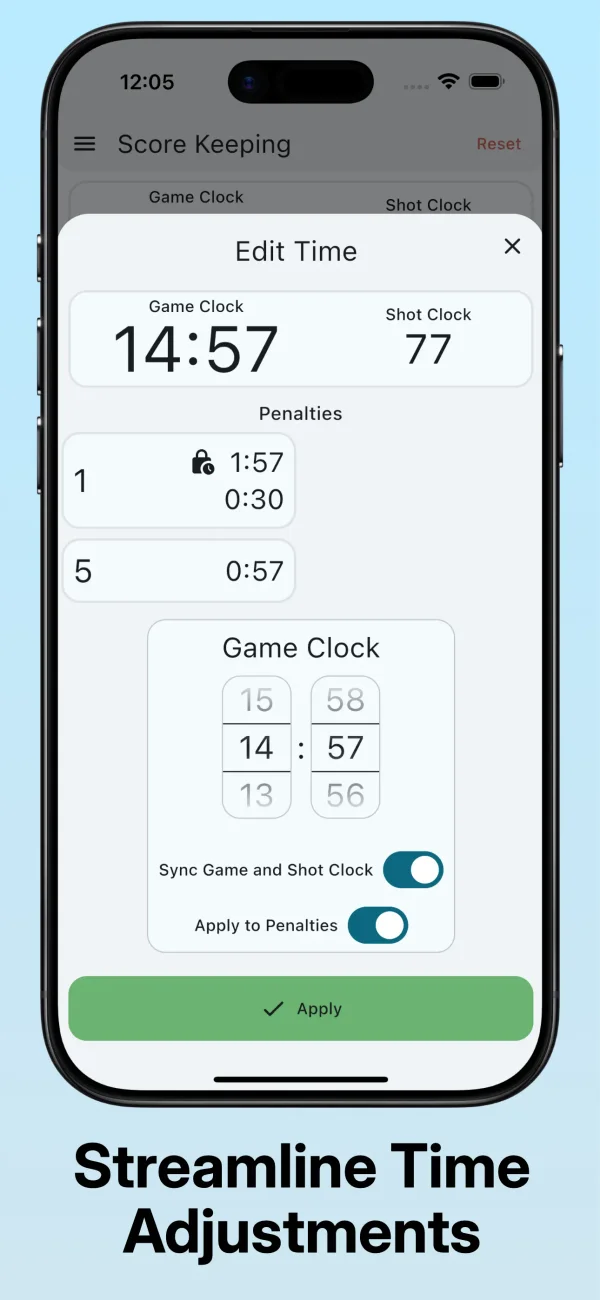
- Adjust the game clock and automatically apply the time change to the shot clock and penalties.
- Use built-in timers for timeouts, halftime, and period breaks.
- Track alternating possession with a single tap.
— Smart Penalty Management —
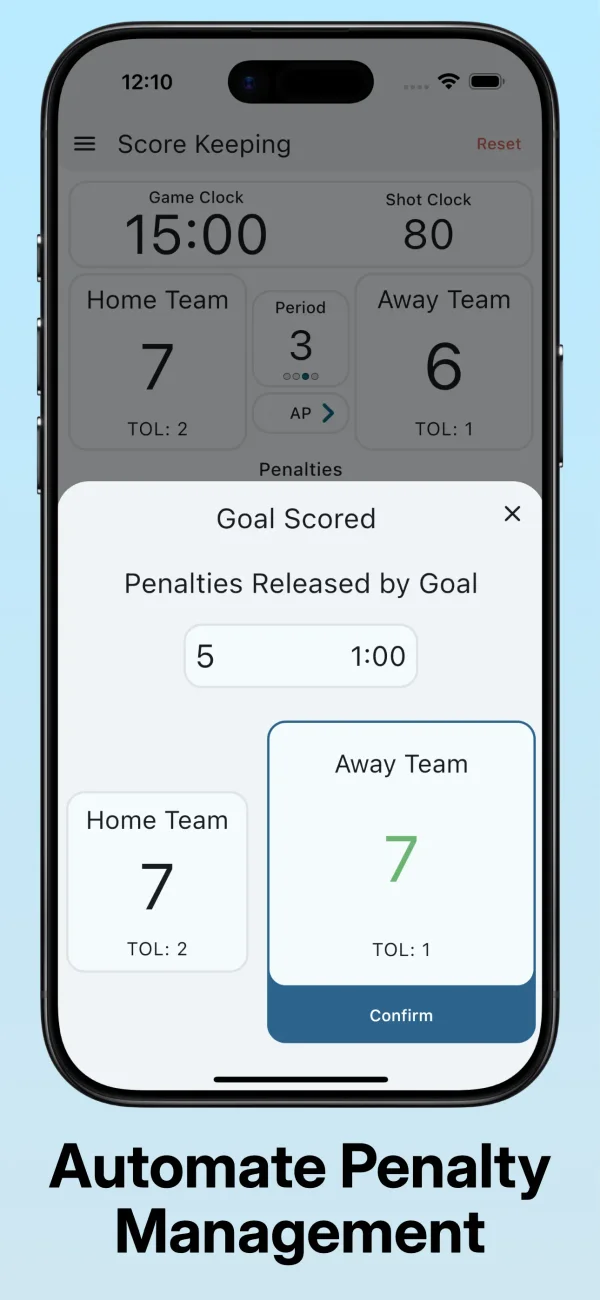
- Add player penalties individually and in order they occurred. LaxClock automatically combines multiple penalties for the same player, with non-releasable time served first.
- When a team exceeds three penalties, additional penalties are auto-stacked until space is available.
- Releasable penalties automatically clear when the opposing team scores.
- Automatically calculate the time a penalty releases on the game clock.
- Enable time-and-a-half mode for running-time game formats.
— Custom Game Formats —
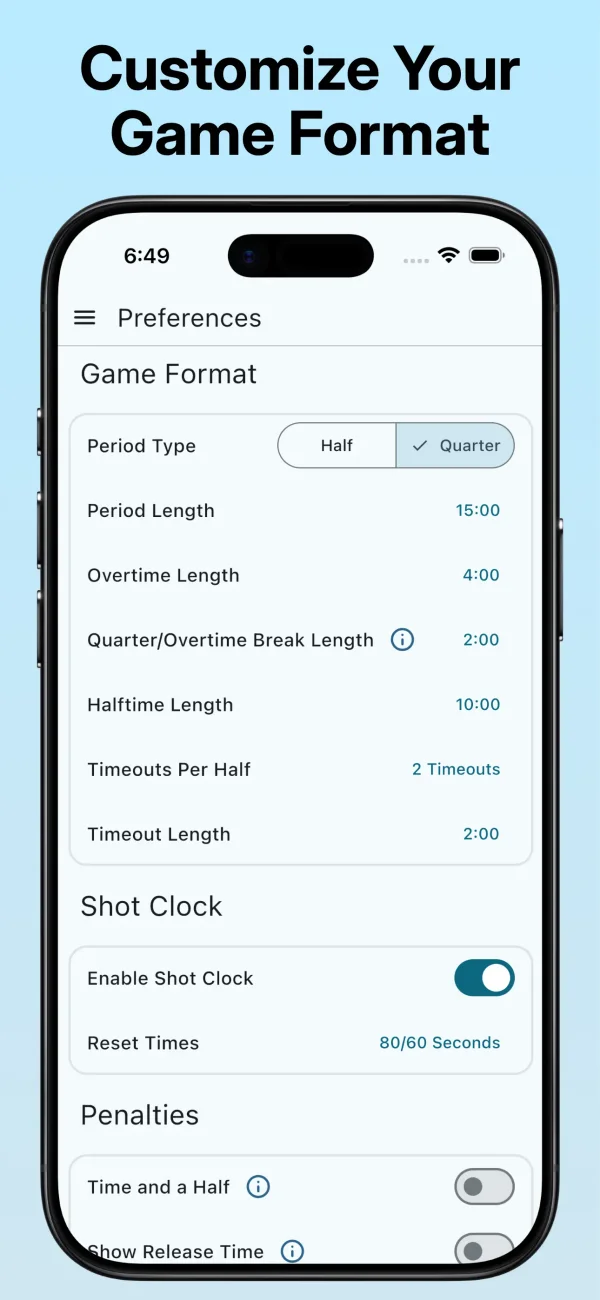
Create and save your preferred game setup for any level of play. Customize:
- Period type (halves or quarters)
- Period, overtime, and break lengths
- Halftime duration
- Timeouts per half and timeout length
- Shot clock reset times
- Default penalty durations
— Upgrade to LaxClock+ —
Unlock the full power of LaxClock with LaxClock+:
- Remove all ads for a distraction-free experience.
- Enable push notifications for the end of periods, breaks, and the two-minute warning.
- Turn on sound alerts for the end of periods, breaks, penalties, shot clock, and two-minute warning.
- Unlock the ability to create, edit, apply, and share your own timing presets.
Privacy Policy: https://hcd-applications.github.io/LaxClock-Info/privacypolicy/
Terms of Use: https://www.apple.com/legal/internet-services/itunes/dev/stdeula/
Nouveautés
Version 1.8.0 · 15/11/2026
This release let's LaxClock+ users choose when the time left warning goes off, and fixes how Apply to Penalties handles expired penalties when time is added back.
— New Feature —
- Added a Warning Time preference for LaxClock+ users, so the time left warning can go off at any chosen time instead of always at 2:00. The warning and its notification show the chosen time (e.g. "1:30 remaining in the period"), and it goes off once per period when the running game clock reaches that time.
— Enhancements —
- Renamed the Two-Minute Warning preference to Time Left Warning and added an explanation of what it does. The Warning Time row appears below it while it's on.
- The Edit Time preview now outlines expired penalties in red with their time pulsing, and animates as penalties move between serving and stacked.
— Bug Fixes —
- Fixed adding time with Apply to Penalties giving an expired penalty time back, which could leave a team with 4 penalties serving. Adding time now rewinds the penalties instead: a penalty that expired after the new clock time serves again, and the penalty that replaced it goes back to the stacked list. The Edit Time preview now matches exactly what is applied.
- Fixed a penalty's selected length on the Add Penalty sheet resetting on screen when adding several penalties and scrolling it out of view.
- Fixed time and number pickers opening at the wrong value when an imported timing preset holds a value they can't show; they now open at the nearest value.
Confidentialité de l’application
Ce que Howard Dickinson déclare sur l’App Store au sujet du traitement des données par cette application.
-
Données utilisées pour vous suivre
Peuvent être utilisées pour vous suivre sur des applications et des sites web appartenant à d’autres sociétés.
- Identifiants
-
Données n’établissant aucun lien avec vous
Peuvent être collectées, mais ne sont pas liées à votre identité.
- Achats
- Identifiants
- Données d’utilisation
- Diagnostic
Les pratiques en matière de confidentialité peuvent varier, notamment en fonction des fonctionnalités que vous utilisez ou de votre âge.
Informations
- Vendeur
- Howard Dickinson
- Catégorie
- Sports
- Version
- 1.8.0
- Mis à jour
- 15/11/2026
- Publié
- 05/11/2025
- Taille
- 75,1 Mo
- Nécessite
- iOS 18.2 ou version ultérieure
- Classification d’âge
- 4+
- Prix
- Gratuit
- Achats intégrés
- Oui
- Langues
- Anglais
- Copyright
- © 2025 Howard Dickinson
Vous aimerez peut-être aussi
-
 Lacrosse Timer (Lax)Sports
-
 Lacrosse MateSports
-
 Scoreboard with TimerSports
-
 Lacrosse Scorebook+Stats, score, tableau
-
 Compteur stats lacrosse simpleScoreur parental facile
-
 Simple Lacrosse ScoreboardSports
-
 SquadProfile - Lacrosse StatsSports
-
 Lacrosse Scorebook + StatsSports
-
 Basket Timer - Score & ChronoGestion de matchs 5on5 et 3x3
-
 LAX GoalieSports