
Logic Circuits Simulator
Digital design, made portable
Conçue pour iPhone, iPad, iPod touch
0,99 €
- Classification d’âge4+
- CatégorieÉducation
- DéveloppeurAbdulhakim Aloraini
- LanguesAnglais
- Taille3,3 Mo
Renvoie vers la page App Store officielle
Download.org n’héberge aucun fichier de Logic Circuits Simulator. Le bouton ouvre la page de l’application sur App Store, où Abdulhakim Aloraini la publie. Fiche vérifiée pour la dernière fois le 12/11/2026.
Captures d’écran
À propos
Le développeur n’a pas fourni ce texte dans votre langue.
Logic Circuits Simulator is the digital design tool built for the way you actually study.
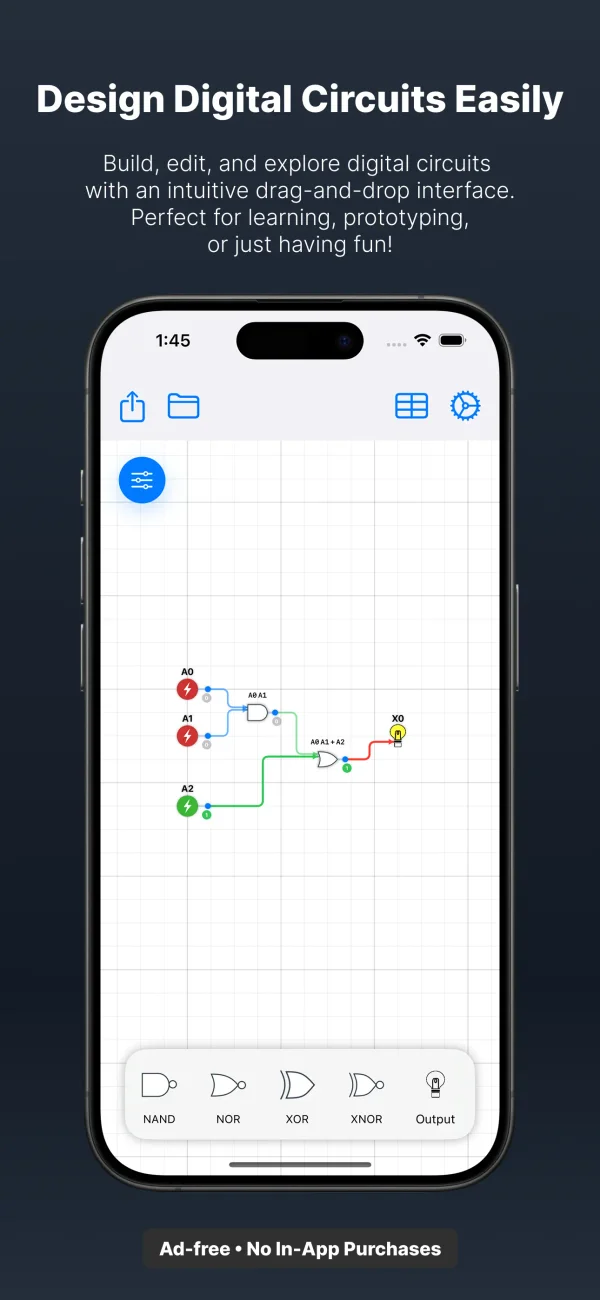
Build circuits with IEEE-standard gates, sequential logic, Karnaugh maps, and reusable chips, all with schematic-quality wire routing that looks like the diagrams in your textbook.
Rebuilt from the ground up for Version 3.
COMBINATIONAL LOGIC
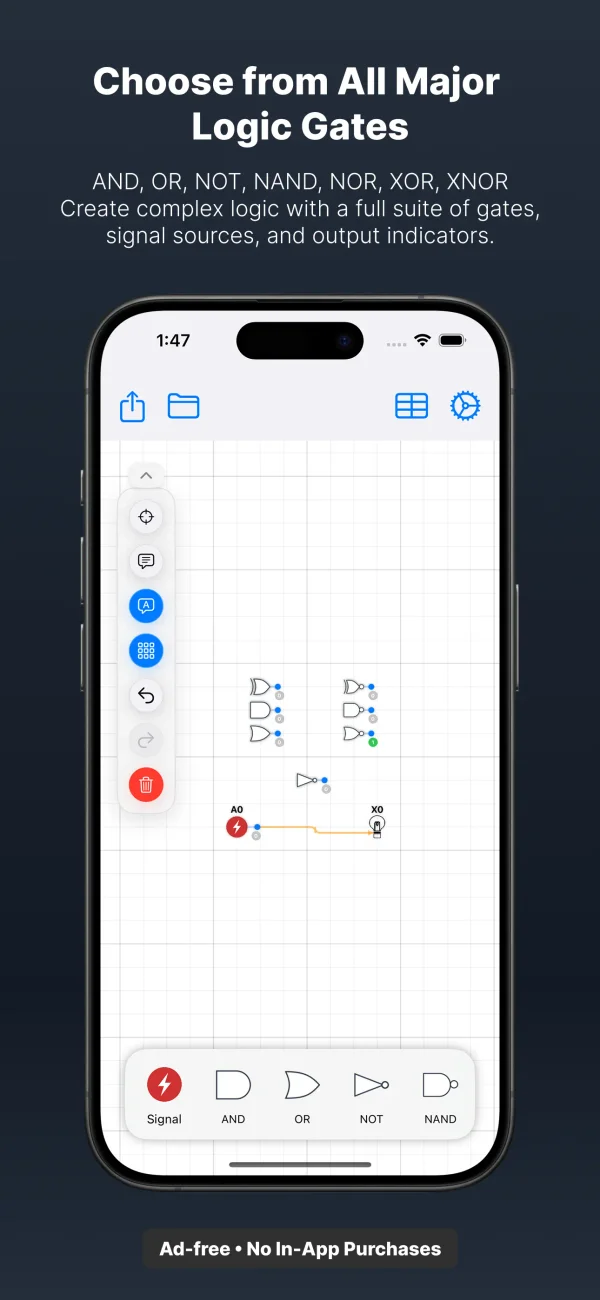
Design with the full set of IEEE-standard gates: AND, OR, NOT, NAND, NOR, XOR, XNOR. Grow any gate from 2 to 8 inputs as your designs scale. Drop in constant rails, Ground and VCC, for clean schematic structure. Every gate auto-labels with its Boolean expression, complete with proper overlines for negation.
SEQUENTIAL LOGIC
Build counters, registers, and state machines that simulate live. Adjustable-speed clock with pause and single-pulse control. D, T, and JK flip-flops. SR latches. Every memory element exposes both Q and Q' outputs, the way your textbook draws them.
SCHEMATIC-QUALITY WIRE ROUTING
Wires route themselves with orthogonal paths, rounded corners, hop bridges over crossings, and junction dots at branches. Your circuits look like real schematics, not tangled diagrams.
KARNAUGH MAPS & MINIMIZATION
Flip any truth table into a Gray-coded Karnaugh map for 2-4 variables. See covering groups in color and the minimized sum-of-products expression, generated with Quine-McCluskey, the same algorithm your textbook uses.
REUSABLE CHIPS
Package any combinational circuit as a custom IC with named pins. Stamp instances like real chips, U1, U2, U3, into bigger designs. Build a full adder once, then drop four instances into a 4-bit ripple-carry adder. Your chip library syncs across devices via iCloud.
TRUTH TABLES
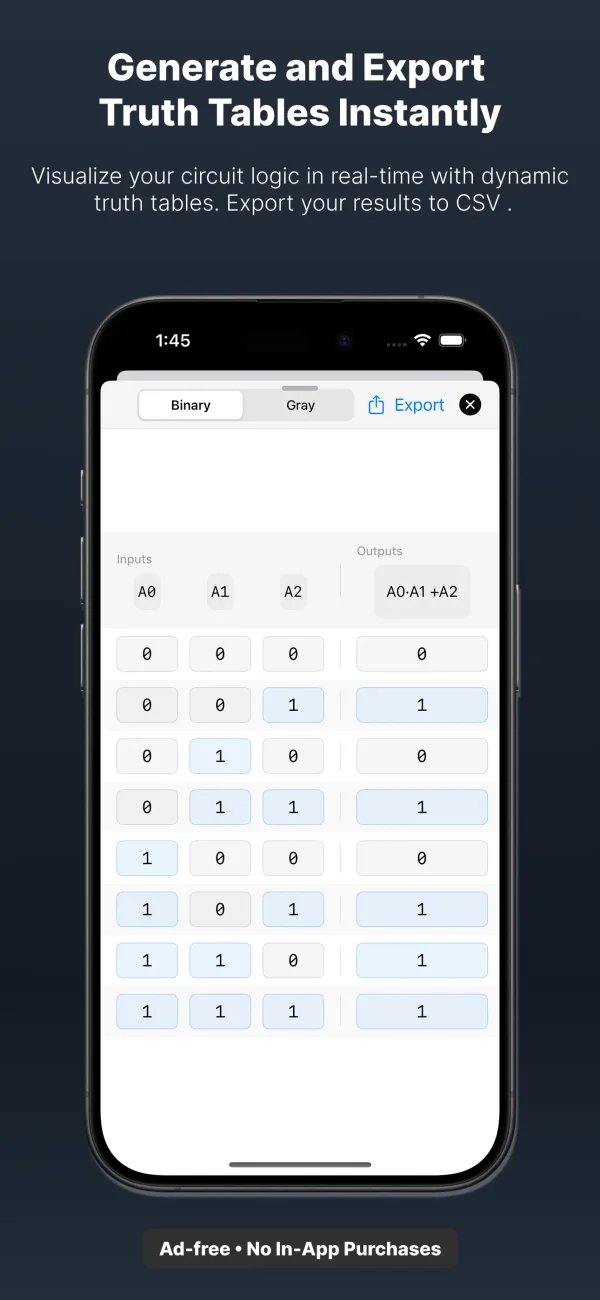
Generate truth tables for any circuit with up to 8 inputs. Intermediate gate columns show the signal flow, not just the answer. Export to CSV for your lab reports.
7-SEGMENT DISPLAY
Drive a 7-segment display with 4 binary inputs to show hexadecimal digits, perfect for visualizing counters, decoders, and arithmetic circuits.
BUILT-IN EXAMPLES
Open working classics with one tap: half adder, full adder, 2-to-1 multiplexer, 2-to-4 decoder, NOR-gate SR latch, 2-bit ripple counter. Examples open as editable copies, learn, modify, and save your own version.
ICLOUD SYNC
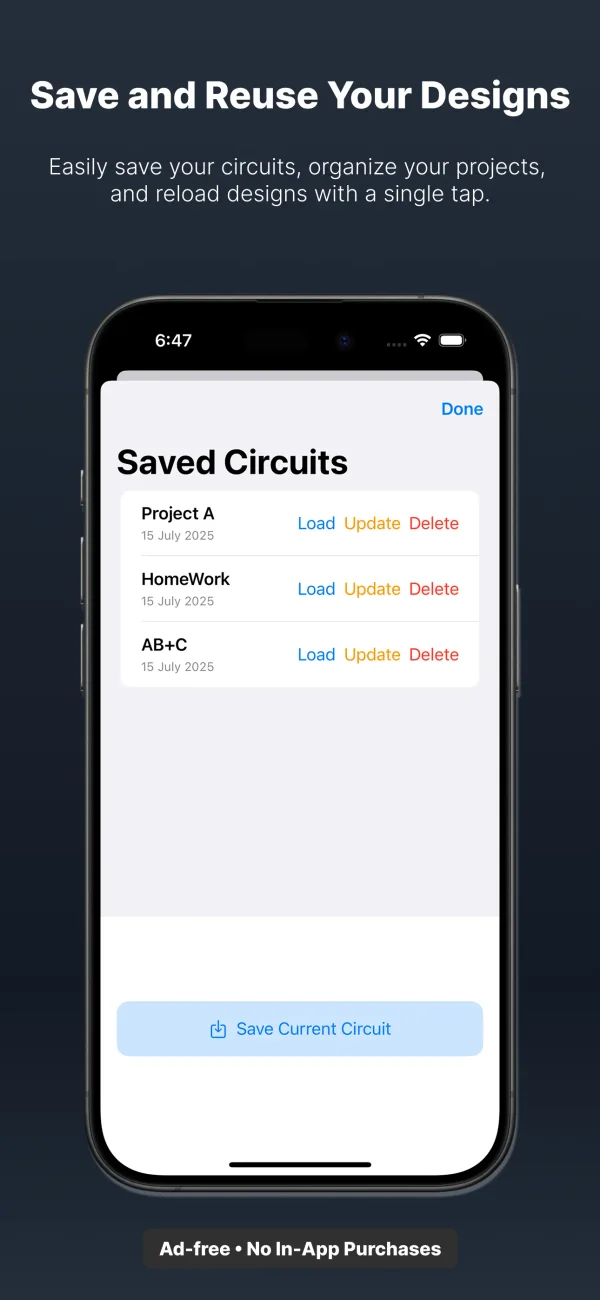
Your saved circuits and custom chips sync across iPhone and iPad via iCloud. Start a design on iPad, finish it on iPhone. On-device-only mode available in Settings.
SHARE YOUR WORK
Export circuits as .lcs files to share via Mail, Messages, or Files. Embedded chips travel with the file, recipients see your design exactly as you built it. Export PNG snapshots and CSV truth tables for reports.
WHY V3 IS DIFFERENT
Logic Circuits Simulator V3 is a ground-up rewrite. New canvas, new tools, new everything. Circuits saved in 2.x migrate automatically the first time you open V3.
Built by an engineering student, for engineering students. Always ad-free. No in-app purchases. No subscriptions.
HAVE FEEDBACK?
Email hkem.moh.ar@gmail.com. V3 was shaped by feedback from users like you, and the next version will be too.
Nouveautés
Version v3.0.2 · 30/10/2026
What's new in 3.0.2
• Rotate components: Select a part or a whole group and tap Rotate to turn it a quarter turn. Wires stay attached and re-route on their own.
• McCluskey simplification: A new tab beside the truth table and K-map simplifies circuits with up to 8 sources and can show the tabular method step by step. Try it on the new Simplification Practice example.
• Compact NOT gate: The inverter now takes half the space, and parts placed side by side wire straight across.
Improvements
• Editing and rotating groups is faster, because wires re-route once per change.
• Labels stay together and beside their parts when a group rotates.
• Expression labels add brackets to nested gates, e.g. A·B·(A·C), so they're easier to read.
• Overline bars on neighbouring terms are now clearly separate.
Enjoying the app? A rating on the App Store helps a lot.
Confidentialité de l’application
Ce que Abdulhakim Aloraini déclare sur l’App Store au sujet du traitement des données par cette application.
-
Données non collectées
Le développeur ne collecte aucune donnée à partir de cette application.
Les pratiques en matière de confidentialité peuvent varier, notamment en fonction des fonctionnalités que vous utilisez ou de votre âge.
Informations
- Vendeur
- Abdulhakim Aloraini
- Catégorie
- Éducation
- Version
- v3.0.2
- Mis à jour
- 30/10/2026
- Publié
- 10/07/2025
- Taille
- 3,3 Mo
- Nécessite
- iOS 15.0 ou version ultérieure
- Classification d’âge
- 4+
- Prix
- 0,99 €
- Langues
- Anglais
- Copyright
- © 2026 Abdulhakim Aloraini
Vous aimerez peut-être aussi
-
 MiniLogicÉducation
-
 LogicalArt: Circuit NumériqueSimulateur de portes logiques
-
 BoolearnÉducation
-
 Rainbow HaloÉducation
-
 Gate GeniusÉducation
-
 Smart Logic SimulatorÉducation
-
 Cirquanta - Simulateur logiqueCircuits & portes numériques
-
 Simulateur de puceConcevoir, tester vos puces
-
 Digital Electronics ProÉducation
-
 Simulateur de Circuits LogiquePortes logiques & algèbre bool