- Classification d’âge4+
- CatégorieMusique
- DéveloppeurBRADLEY WAYNE MYERS
- LanguesAnglais
- Taille10,8 Mo
Renvoie vers la page App Store officielle
Download.org n’héberge aucun fichier de LoopDesk. Le bouton ouvre la page de l’application sur App Store, où BRADLEY WAYNE MYERS la publie. Fiche vérifiée pour la dernière fois le 23/11/2026.
Captures d’écran


À propos
Le développeur n’a pas fourni ce texte dans votre langue.
LoopDesk puts the mix of a Loopy Pro performance in the hands of whoever is running sound. A sound engineer in the room, or the performer from a second iPad, gets real faders, mutes and controls for Loopy Pro, with live meters, spectrum and alerts coming back from the stage, so you can hear what the audience hears and fix it from where you stand.
HOW IT WORKS
• The LoopDesk plugin (AUv3) goes on each Loopy Pro channel on the stage iPad. It measures every channel and sends the results to the remote.
• The LoopDesk app on a second iPad is the remote mixer. Faders, mutes and controls go to Loopy Pro over Bluetooth MIDI; meters, spectra, alerts and processing come back over Wi-Fi.
• Two-way: when something changes on stage, the remote shows it. With MIDI feedback on in Loopy Pro, faders show their real positions, not guesses.
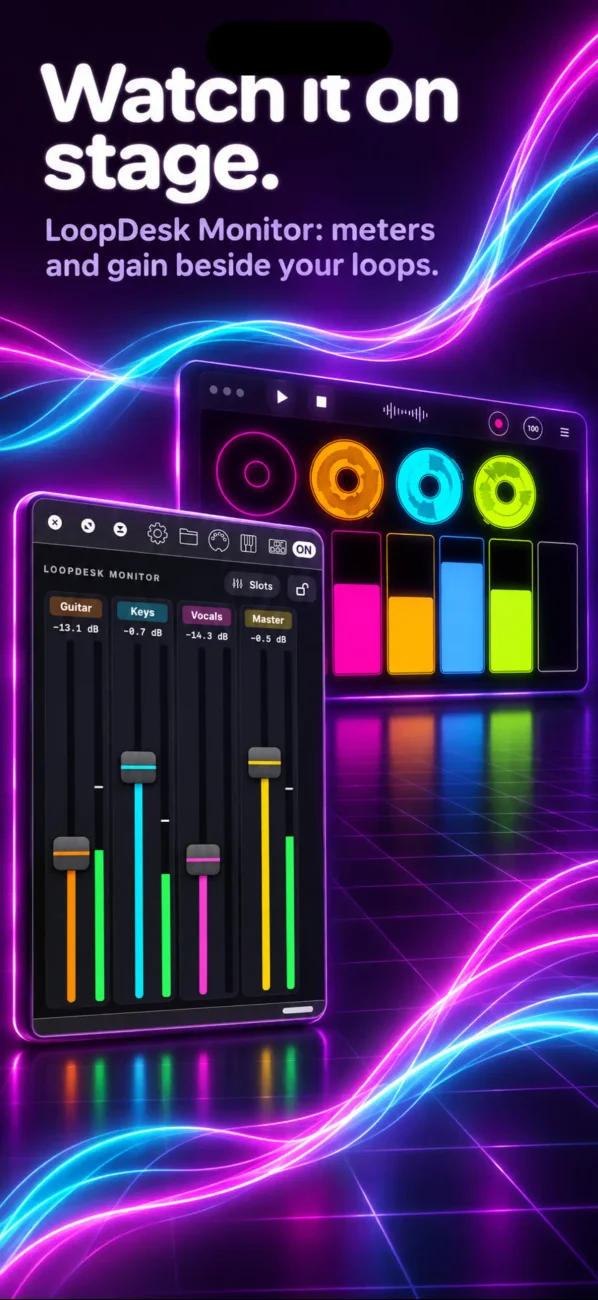
• LoopDesk Monitor is a small second plugin for the performer: meters and gain faders in a floating window beside the loops, in sync with the remote, with a lock so a stray touch mid-song changes nothing.
A REMOTE MIXER FOR THE SOUND PERSON
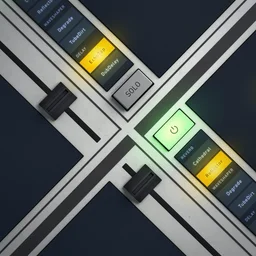
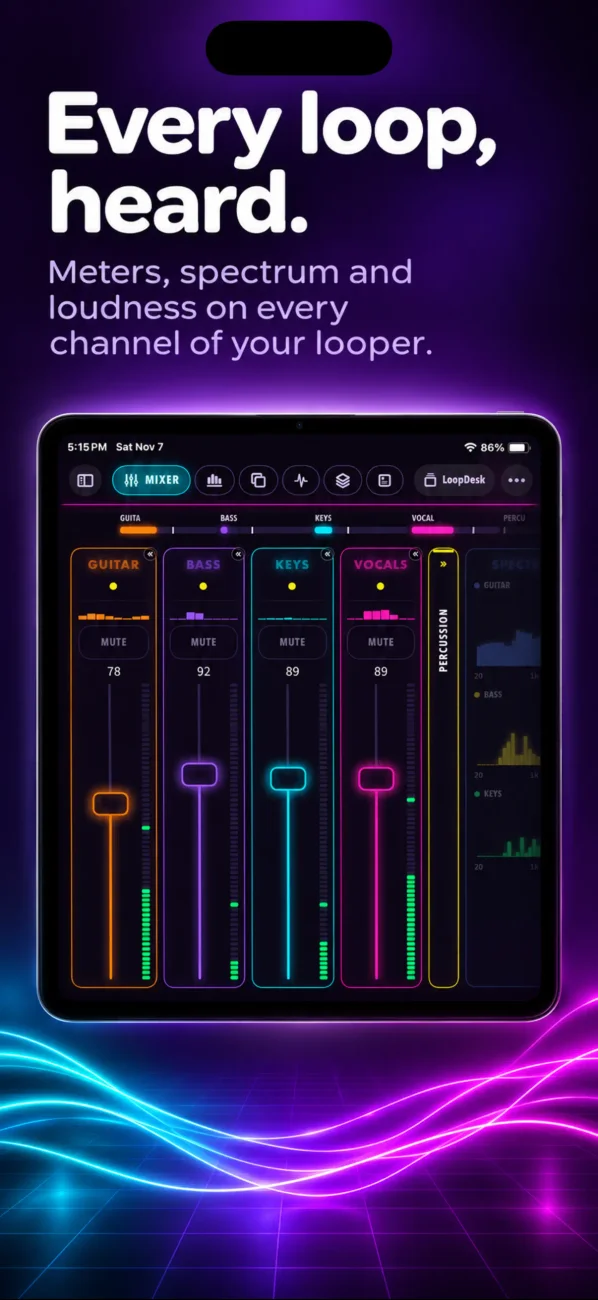
• Channel strips with fader, mute, pan, live meter and mini spectrum for every Loopy Pro channel
• Faders can move Loopy Pro's own channel faders over MIDI, or the plugin's gain over Wi-Fi
• Combo strips: build your own from XY pads, faders, knobs, buttons and encoders, or start from ready-made ones
• Tempo (follows Loopy Pro's clock), Tuner, Feedback, Spectrum, Notes and Camera strips
• Dividers, folding strips and pages for Mixer, Dashboard, Overlap, Process, Scenes and Health
• MIDI learn with Loopy Pro's widgets, plus conflict warnings so two controls never fight
• Scenes for each song, recalled in a tap
• Nine desk looks, from a dark stage to bright daylight
• Layouts and scenes you can save, switch and share as files with another engineer
HEAR WHAT'S CLASHING
• Level, peak and loudness meters for every channel
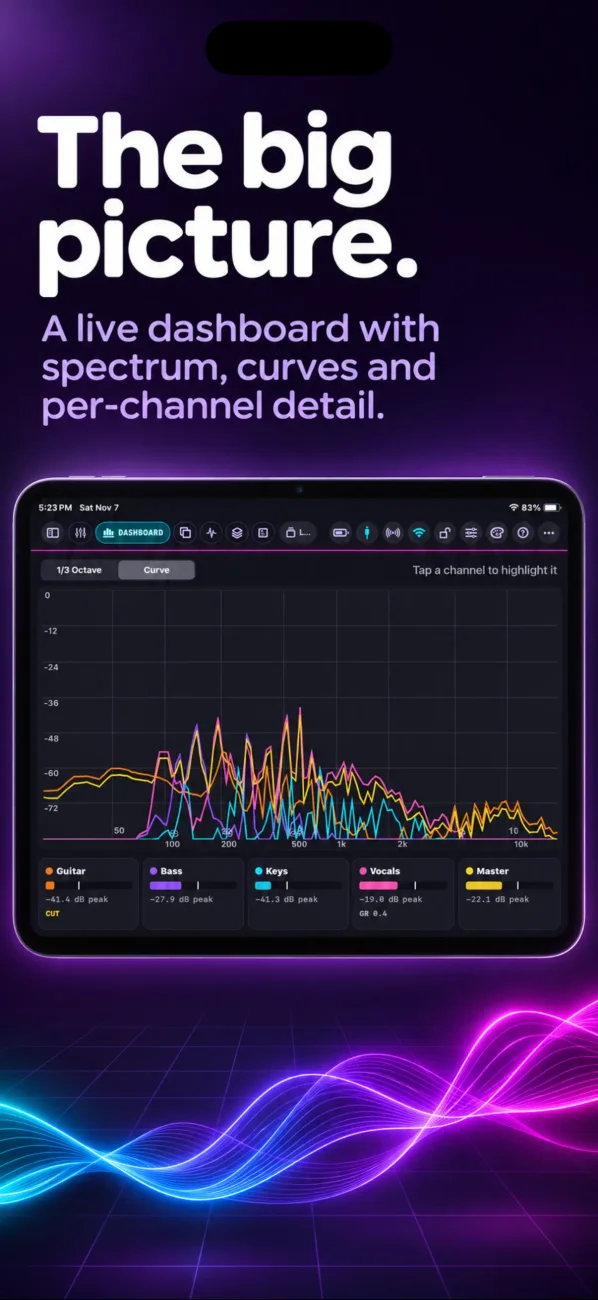
• 31-band spectrum and a detailed curve, per channel and side by side
• Overlap finder: shows which channels fight in which frequencies and suggests a cut, with Apply, Revert and A/B
• Dynamic cuts that only dip a channel while the part it clashes with is playing
• Feedback detection with one-tap notches, from the remote
• Tuner on any channel
FIX IT FROM THE ROOM
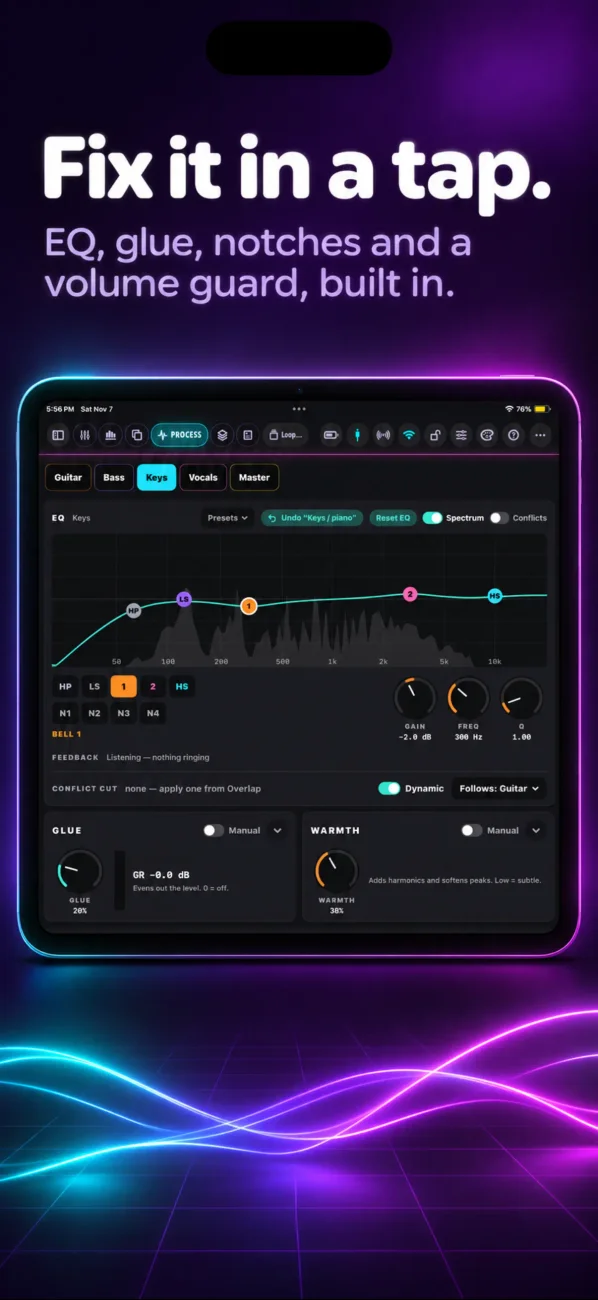
• EQ, high-pass, Glue compression and warmth on every channel, adjustable from the remote
• Notch filters and a volume guard that stops sudden jumps
• Auto-mix modes, from simply watching to gentle hands-off help
• Presets you can load and compare
UP TO 32 CHANNELS
Name the channels once and the names appear everywhere. Up to 32 channels on the stage, with the loudest 16 metered over Bluetooth and all of them over Wi-Fi. A loop channel and its live input can share one slot and show as one combined channel.
BUILT FOR LIVE SHOWS
• Audio never depends on the remote: if Bluetooth or Wi-Fi drops, Loopy Pro plays on and the remote reconnects by itself
• A lock on the remote and on the monitor
• Health page: the stage iPad's battery, heat, load and link status, so nothing surprises you mid-set
• Low CPU: channels with no sound pause their analysis
• No second iPad? The remote also runs on the same iPad as Loopy Pro
WHAT YOU NEED
• Loopy Pro on the stage iPad (LoopDesk also loads in other AUv3 hosts such as AUM)
• A second iPad for the remote mixer (recommended)
• Bluetooth MIDI and a shared Wi-Fi network between the two iPads
Help is built into the app and the plugin. Questions or ideas: mrbradsmusic@gmail.com
Loopy Pro is a trademark of its developer. LoopDesk is an independent app and is not affiliated with or endorsed by Loopy Pro.
Nouveautés
Version 1.4 · 16/11/2026
What's New in 1.4
• Wi‑Fi controls: faders, mutes and buttons can reach Loopy Pro over Wi‑Fi through LoopDesk Monitor. Bluetooth is the automatic backup.
• Two-way volume over Wi‑Fi: use LoopDesk Gain faders. Switch them all at once from the ⋯ menu.
• Smoother LoopDesk Gain moves from the remote.
• Faders stay usable on channels with no audio playing.
• Greyed-out faders now say why.
• New step-by-step Help for Wi‑Fi setup.
Coming next: lights on Loopy-mapped buttons over Wi‑Fi. For now they need Bluetooth. We're testing OSC and Loopy Pro Follow Actions to bring them to Wi‑Fi too.
Confidentialité de l’application
Ce que BRADLEY WAYNE MYERS déclare sur l’App Store au sujet du traitement des données par cette application.
-
Données non collectées
Le développeur ne collecte aucune donnée à partir de cette application.
Les pratiques en matière de confidentialité peuvent varier, notamment en fonction des fonctionnalités que vous utilisez ou de votre âge.
Informations
- Vendeur
- BRADLEY WAYNE MYERS
- Catégorie
- Musique
- Version
- 1.4
- Mis à jour
- 16/11/2026
- Publié
- 08/11/2026
- Taille
- 10,8 Mo
- Nécessite
- iOS 17.0 ou version ultérieure
- Classification d’âge
- 4+
- Prix
- 3,99 €
- Langues
- Anglais
- Copyright
- © 2026 Brad Myers