
Lumo Browser
Sidebar browser: spaces & AI
Conçue pour iPhone, iPad
Achats intégrés
- Classification d’âge17+
- CatégorieProductivité
- Développeur耀 刘
- LanguesAnglais+ 7 de plus
- Taille66,4 Mo
Lumo Browser n’est peut-être pas disponible sur App Store pour le moment
La fiche de la boutique était inaccessible lors de notre dernière vérification. Le lien mène toujours à la page App Store officielle.
Captures d’écran

À propos
Le développeur n’a pas fourni ce texte dans votre langue.
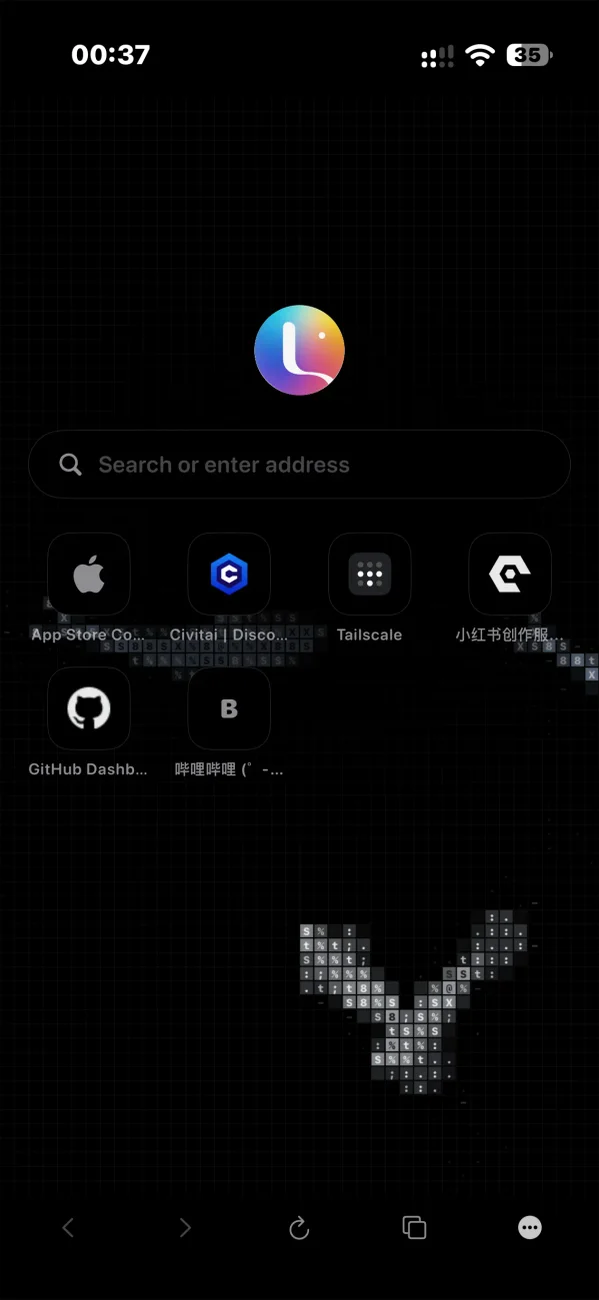
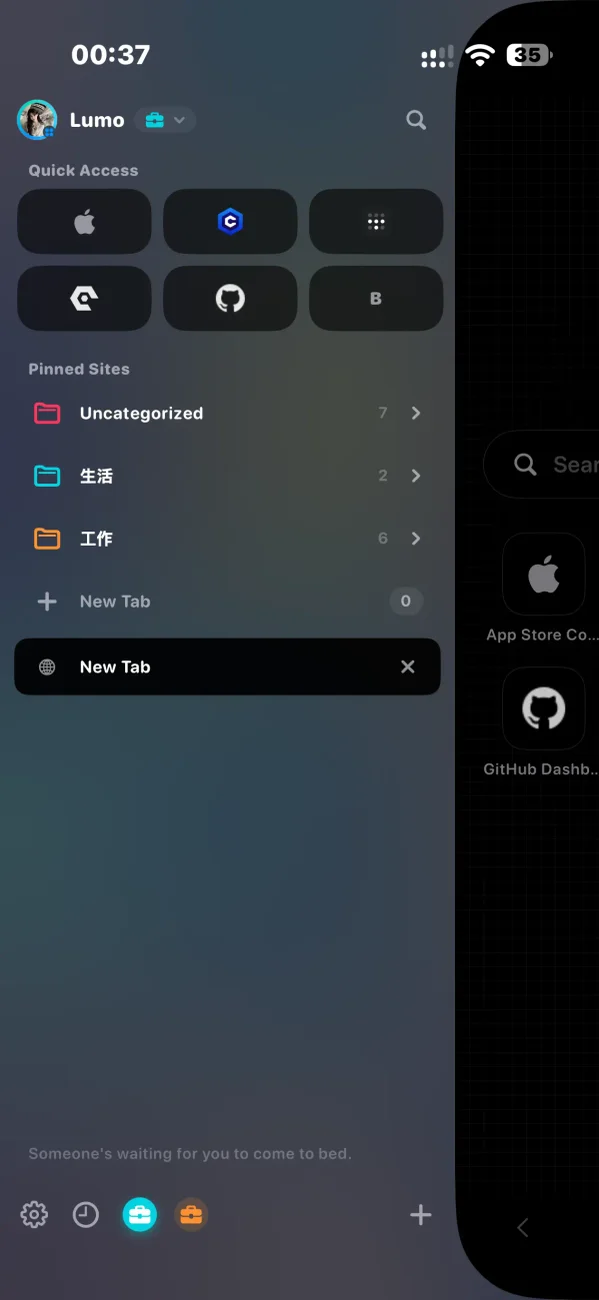
Lumo is a sidebar browser: your tabs, pinned sites, folders and Spaces sit in one sidebar on the left, a swipe from one Space to the next. It is made for phones, tablets and foldables: full desktop sites on a tablet, mobile pages with the controls under your thumb on a phone. Beside the page is an assistant that has already read it: ask it something, or have it do the work.
AT HOME ON EVERY SCREEN
· Tablet and unfolded foldable: sidebar, top toolbar, side panels, two pages side by side
· Phone and folded foldable: address bar and buttons at the bottom, a sidebar from the left edge, panels from below
· Desktop or mobile version, chosen per site
· Game Keyboard: play web games, even ones made for phones, with a hardware keyboard
A START PAGE THAT RESPONDS
· Pure white or pure black, with your search field and favorite sites
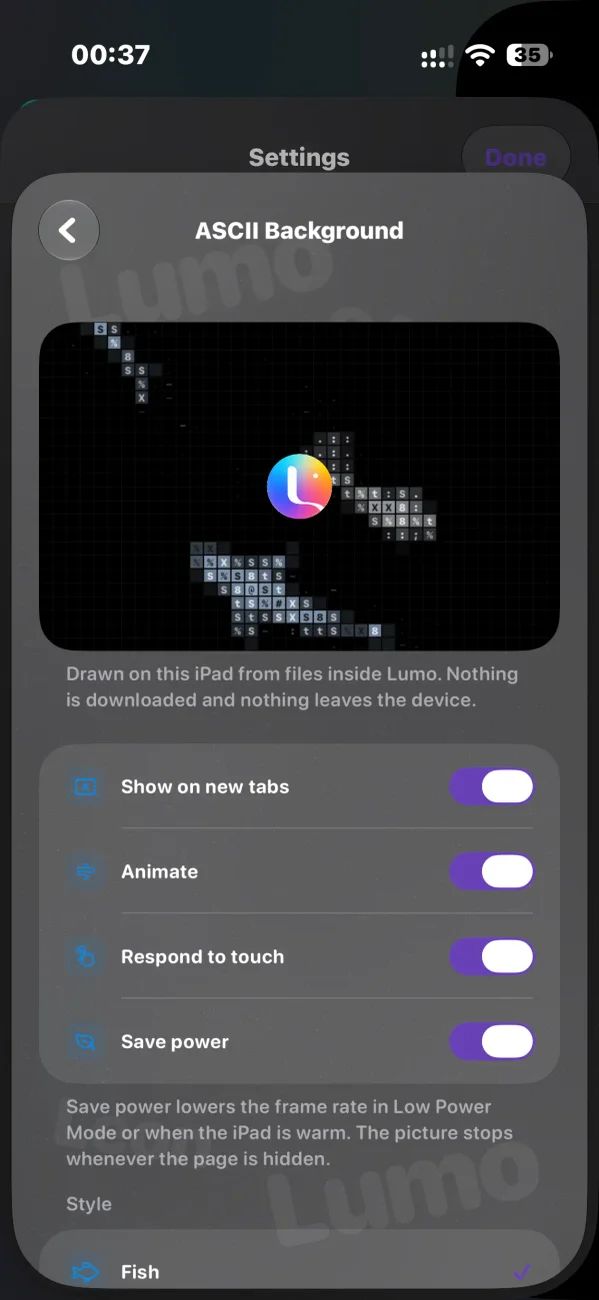
· An optional character-art background in seven scenes — fish, spaceships, two people who meet, a clock, a constellation, flow and weather — drawn on your device with no network access
· Characters move aside under a pointer, finger or pen, and ripple when you use the search field or favorite sites
· My Photo: your own picture, redrawn in characters across the page
A REMOTE ON YOUR WRIST
· With Lumo on your watch: scroll with the crown; a double tap turns the page or the short video
· Auto-scroll and a teleprompter style for recipes, lyrics and scripts
· Video, tabs and dictated search, directly over your Wi-Fi with no server
AN ASSISTANT BESIDE THE PAGE
· Ask in your own language about a page in another, and the lines it found light up
· Ask it to act: a PDF or long screenshot, an image, a saved table, tidied tabs, a note — answered in charts, tables and cards too
· Bring your own key, or sign in with a subscription you already have. Lumo has no server; questions do not pass through us.
· Part of Lumo Pro
THE SIDEBAR AND SPACES
· Each Space owns its tabs and pinned sites, color-coded and a swipe apart
· Everyday sites in a grid, the rest in nested folders, arranged by dragging and renamed freely
WEB EXTENSIONS
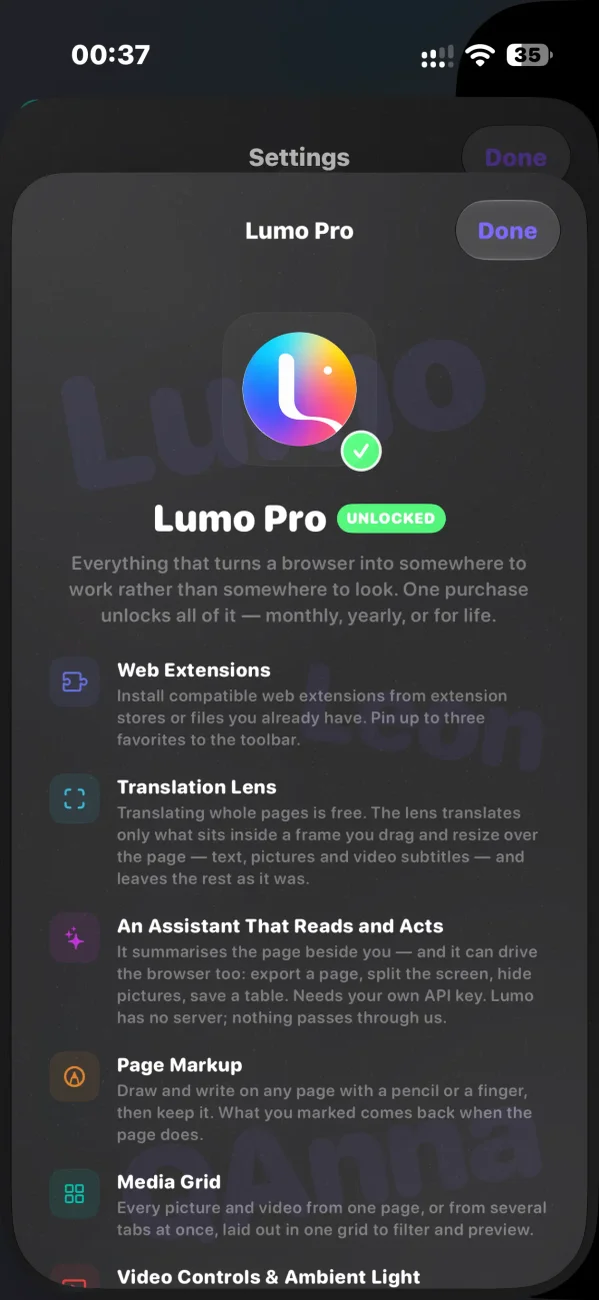
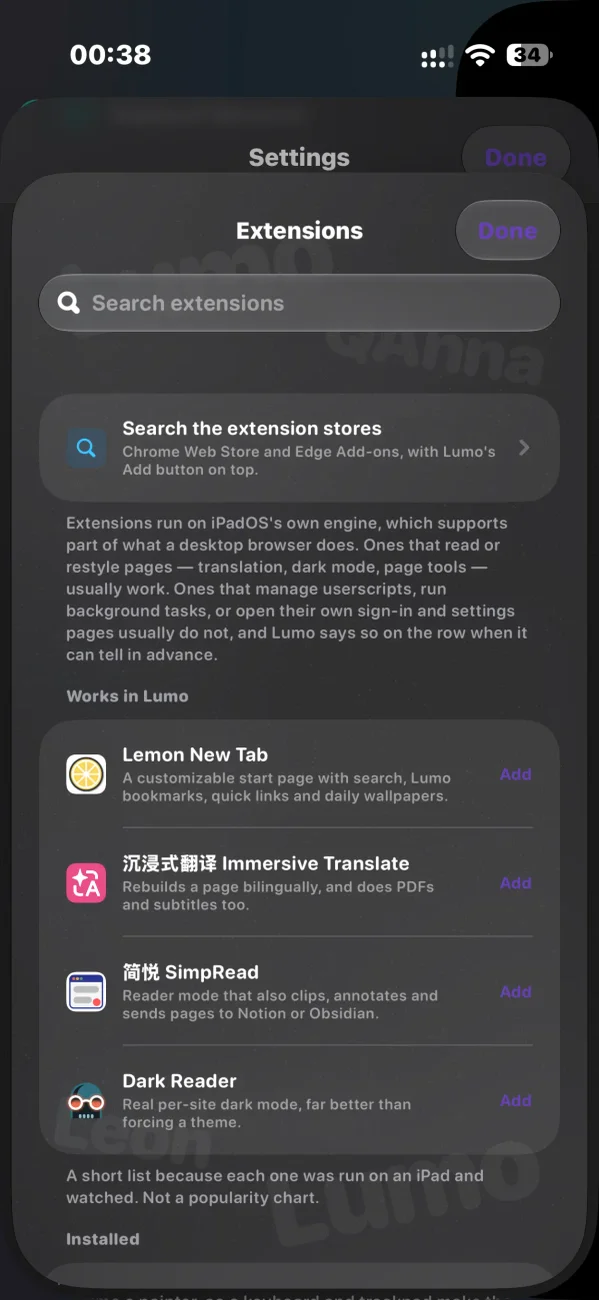
· Compatible Web Extensions from stores or your own files; pin three to the toolbar. Browsing is free; installing needs Lumo Pro.
AD AND TRACKER BLOCKING, FREE FOR EVERYONE
· Engine-level rules stop requests before they download — faster, lighter pages
· By default only third-party requests, so sign-ins keep working; one switch, or allow a single site
· An optional enhanced engine puts far more rules to work; Strict mode also stops a site's own ads, cookie notices and pop-ups
BOOKMARKS AND LOCAL PAGES
· A Bookmark Library to search and pin from; import bookmarks and a reading list
· Open a local HTML file or a whole folder, with styles, images and links intact
NOTES, TRANSLATION, PASSWORDS
· A notes panel beside the page, synced to your other devices
· Passwords in the system's secure storage, filled after you unlock; backups encrypted with a passphrase only you know
ALSO
· PDFs, downloads, link previews, history by date, your own background, app icons with dark versions, and System, Light or Dark appearance
LUMO PRO (lifetime purchase or auto-renewable subscription — buy once, use it on all your devices)
· Web extensions, the translation lens (whole-page translation is free) and the assistant
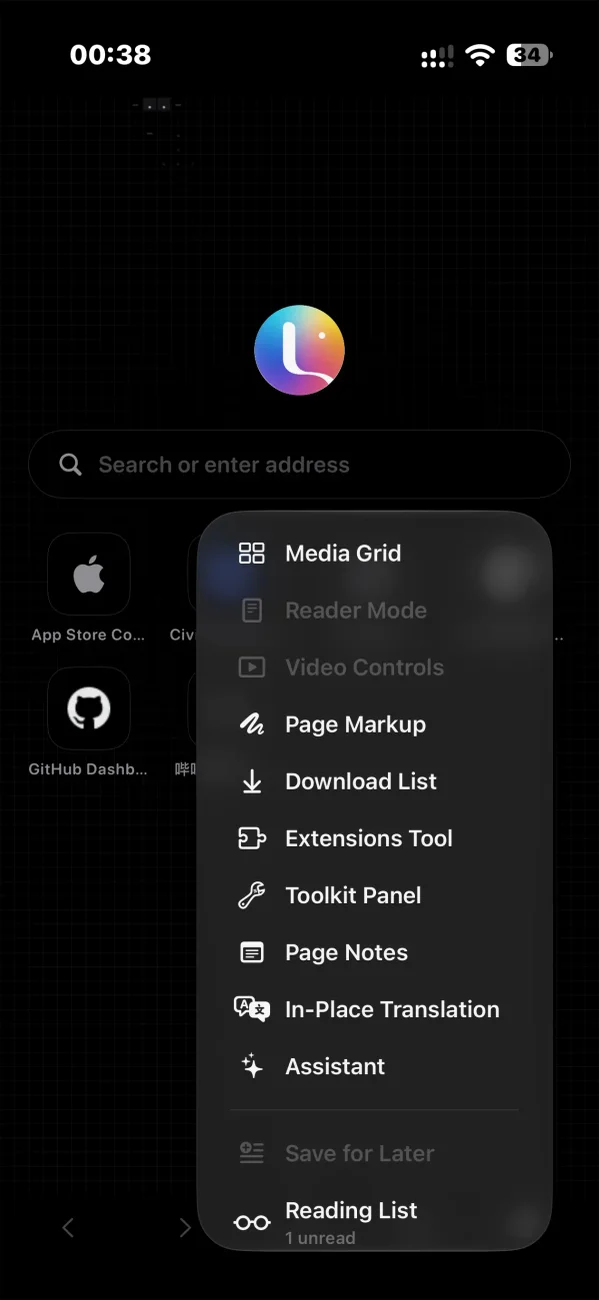
· Page markup with a pen or finger
· Media grid for every picture and video in one or several tabs
· Video speed and picture in picture for any site, with ambient light
· Professional Web Toolkit: extract images, links, tables and videos; inspect resources and storage; export PDFs and long screenshots; custom CSS per site
· User scripts, sessions, page monitors, avatar ornaments, daylight and a daily line
Browsing history stays on your device. It is never uploaded.
Privacy Policy: https://greatgithubfish.github.io/Lumo-Browser-Support/privacy.html
Terms of Use (EULA): https://www.apple.com/legal/internet-services/itunes/dev/stdeula/
Nouveautés
Version 6.5 · 10/11/2026
Lumo 6.5
• New Page Shockwave brings a full-window sweep of color and glass-like refraction when opening a new tab.
• Choose Aurora, Halo, Frost or Spark, with adjustable strength, duration, starting point and playback triggers.
• Smoother transitions between the effect and the swimming fish background.
• Fixed continuous high-frequency dark-mode checks on some websites, reducing unnecessary background work.
• Added lumo:// links to open Lumo from App Store in-app events.
Confidentialité de l’application
Ce que 耀 刘 déclare sur l’App Store au sujet du traitement des données par cette application.
-
Données non collectées
Le développeur ne collecte aucune donnée à partir de cette application.
Les pratiques en matière de confidentialité peuvent varier, notamment en fonction des fonctionnalités que vous utilisez ou de votre âge.
Informations
- Vendeur
- 耀 刘
- Catégorie
- Productivité
- Version
- 6.5
- Mis à jour
- 10/11/2026
- Publié
- 07/08/2026
- Taille
- 66,4 Mo
- Nécessite
- iOS 18.0 ou version ultérieure
- Classification d’âge
- 17+
- Achats intégrés
- Oui
- Langues
- Anglais, Français, Allemand, Japonais, Coréen, Chinois simplifié, Espagnol, Chinois traditionnel
- Copyright
- © 2026 Leon & QAnna
Vous aimerez peut-être aussi
-
 Cio Browser - Fast & PrivateProductivité
-
 Peak Browser: AI WorkspaceAssistant IA privé et kanban
-
 Eivil - Navigateur à cartesVos onglets comme des cartes
-
 Proxy Browser - Fast & SafeProductivité
-
 Neyra : Navigateur IANavigation et recherche IA
-
 Quad To-Do: Tâches EisenhowerPlanificateur à 4 quadrants
-
 Watch Web: Internet Browser .Navigateur sur montre
-
 iFieldSurveyProductivité
-
 Handy: Snippets & FilesProductivité
-
 Oria Browser: Ad BlockerProductivité