
- Classification d’âge4+
- CatégorieFinance
- DéveloppeurMichael Diestelberg
- LanguesAnglais+ 1 de plus
- Taille5,5 Mo
Renvoie vers la page App Store officielle
Download.org n’héberge aucun fichier de Mäuse. Le bouton ouvre la page de l’application sur App Store, où Michael Diestelberg la publie. Fiche vérifiée pour la dernière fois le 22/11/2026.
Captures d’écran


À propos
Le développeur n’a pas fourni ce texte dans votre langue.
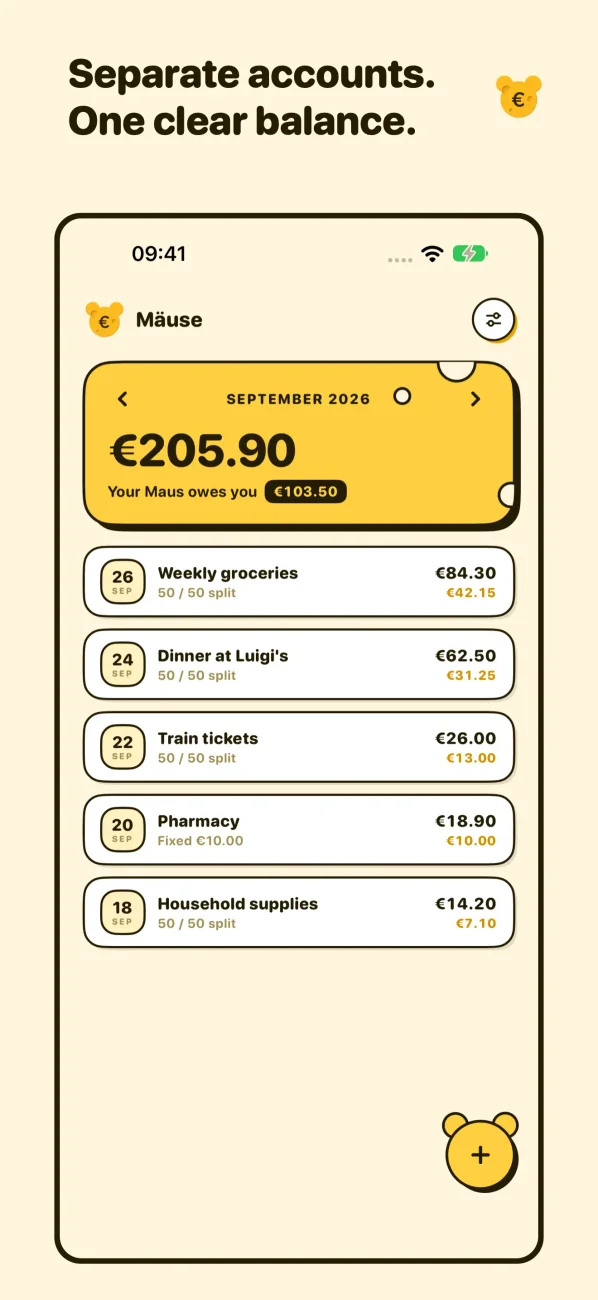
Separate accounts. Shared life. Mäuse is the expense tracker built for couples who want to share everyday costs without sharing a bank account.
The name Mäuse is German slang for "money" - a playful fit for keeping shared finances in balance.
Record what you paid, choose a fair split, and always know what needs to be settled at the end of the month.
BUILT FOR TWO
• Track groceries, rent, trips, meals out, and other shared costs
• Split by percentage or enter the exact amount your partner should cover
• See monthly totals, your partner's share, and the current balance at a glance
• Move easily between previous and upcoming months
CAPTURE IT BEFORE YOU FORGET
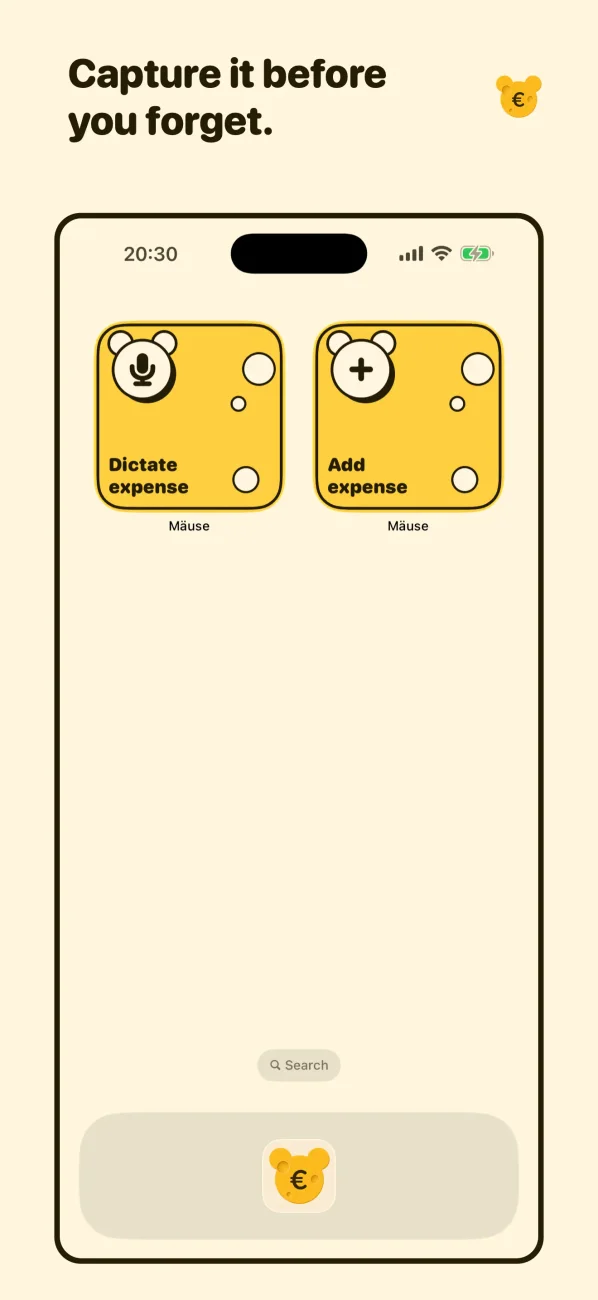
Open a new expense straight from a Home Screen or Lock Screen widget, the Lock Screen, or Control Center. Manual entry takes seconds.
OR JUST SAY IT
Optional Voice Mode turns what you say into expense drafts. Choose the mode that suits you:
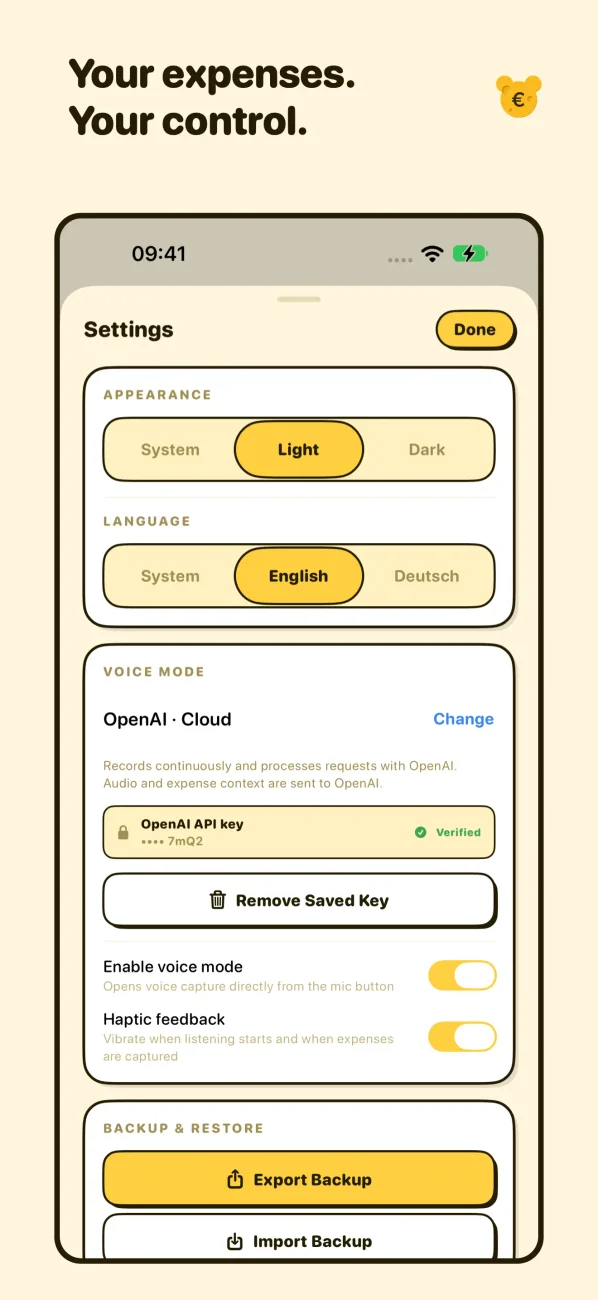
• Apple · On device – free. The AI runs locally on your iPhone, and your voice stays on the device. Say one expense at a time, check the draft, and save. For every iPhone with Apple Intelligence.
• OpenAI · Cloud – more accurate, and captures several expenses at once using GPT-Realtime-2.1. Review drafts in a compact list, correct them by voice, and expand “What I understood” to see your requests and corrections in order. Requires your own compatible OpenAI API key.
Animated feedback shows when Mäuse is listening or processing. Nothing is added to your expenses until you tap Save.
ON IPHONE DUO
Mäuse fully supports iPhone Duo and makes use of the larger screen when unfolded.
PRIVATE BY DEFAULT
• No Mäuse account required
• Expenses are stored on your iPhone
• No advertising or cross-app tracking
• Export and restore a portable JSON backup
• Manual entry works offline
In OpenAI Voice Mode, microphone audio, spoken expense details, and the current voice drafts are sent directly to OpenAI – only during a voice session and after you consent. OpenAI API usage charges may apply.
Enjoy Dark Mode, or choose light or system appearance.
Nouveautés
Version 1.5.0 · 24/10/2026
iPhone Duo
Mäuse fully supports iPhone Duo and makes use of the larger screen when unfolded.
New: Voice mode with on-device AI – free
The AI runs locally on your iPhone, and your voice stays on the device. For every iPhone with Apple Intelligence.
Confidentialité de l’application
Ce que Michael Diestelberg déclare sur l’App Store au sujet du traitement des données par cette application.
-
Données établissant un lien avec vous
Peuvent être collectées et liées à votre identité.
- Informations financières
- Contenu utilisateur
Les pratiques en matière de confidentialité peuvent varier, notamment en fonction des fonctionnalités que vous utilisez ou de votre âge.
Informations
- Vendeur
- Michael Diestelberg
- Catégorie
- Finance
- Version
- 1.5.0
- Mis à jour
- 24/10/2026
- Publié
- 16/07/2026
- Taille
- 5,5 Mo
- Nécessite
- iOS 17.0 ou version ultérieure
- Classification d’âge
- 4+
- Prix
- Gratuit
- Langues
- Anglais, Allemand
- Copyright
- © 2026 Michael Diestelberg
Vous aimerez peut-être aussi
-
 Budget Flow: Suivi DépensesGérez vos dépenses avec IA
-
 Expense Tracker - Digits AIFinance
-
 Suivi dépenses IA - LensReportScannez vos tickets de caisse
-
 Best Bullion: OmanFinance
-
 MoneyNotes+Finance
-
 SubsDay: Subscription CalendarFinance
-
 FinArt: AI Expense TrackerFinance
-
 PortseidoFinance
-
 dBeihilfePlusFinance
-
 Portfolio Trader - ActionsGestionnaire de portefeuille