mDNSShark: Network Scanner
Bonjour Browser, WiFi & LAN
Conçue pour iPhone
Gratuit · Achats intégrés
- Classification d’âge4+
- CatégorieUtilitaires
- DéveloppeurShapeHaven Innovations LLC
- LanguesAnglais
- Taille7,2 Mo
Renvoie vers la page App Store officielle
Download.org n’héberge aucun fichier de mDNSShark: Network Scanner. Le bouton ouvre la page de l’application sur App Store, où ShapeHaven Innovations LLC la publie. Fiche vérifiée pour la dernière fois le 23/11/2026.
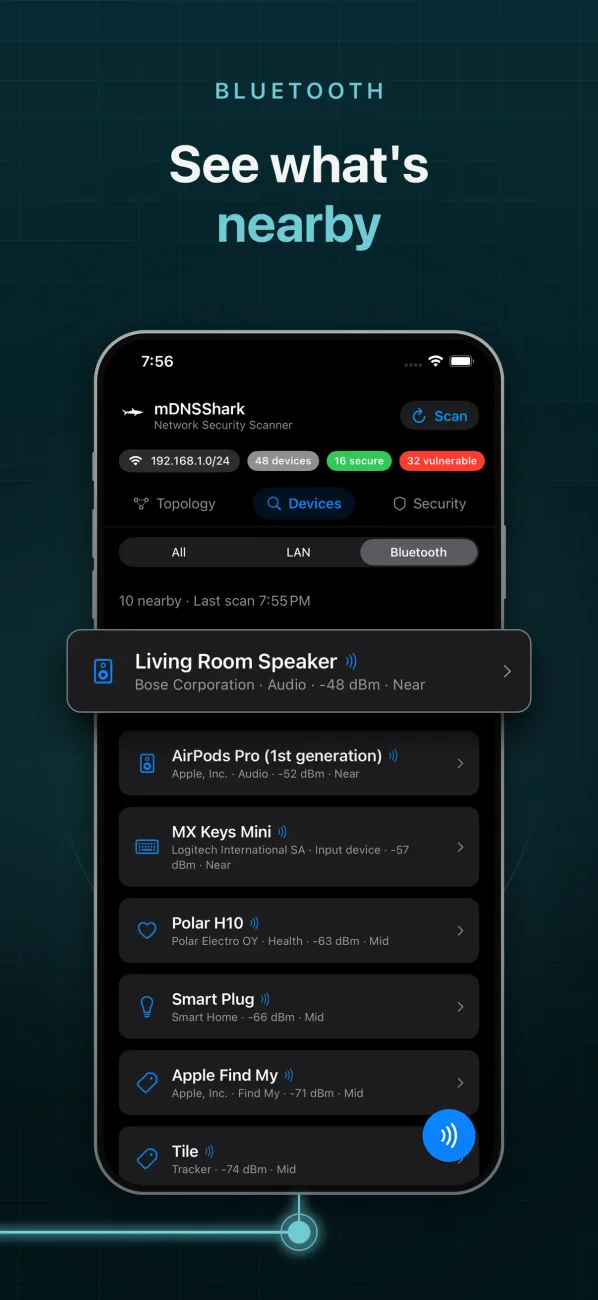
Captures d’écran
À propos
Le développeur n’a pas fourni ce texte dans votre langue.
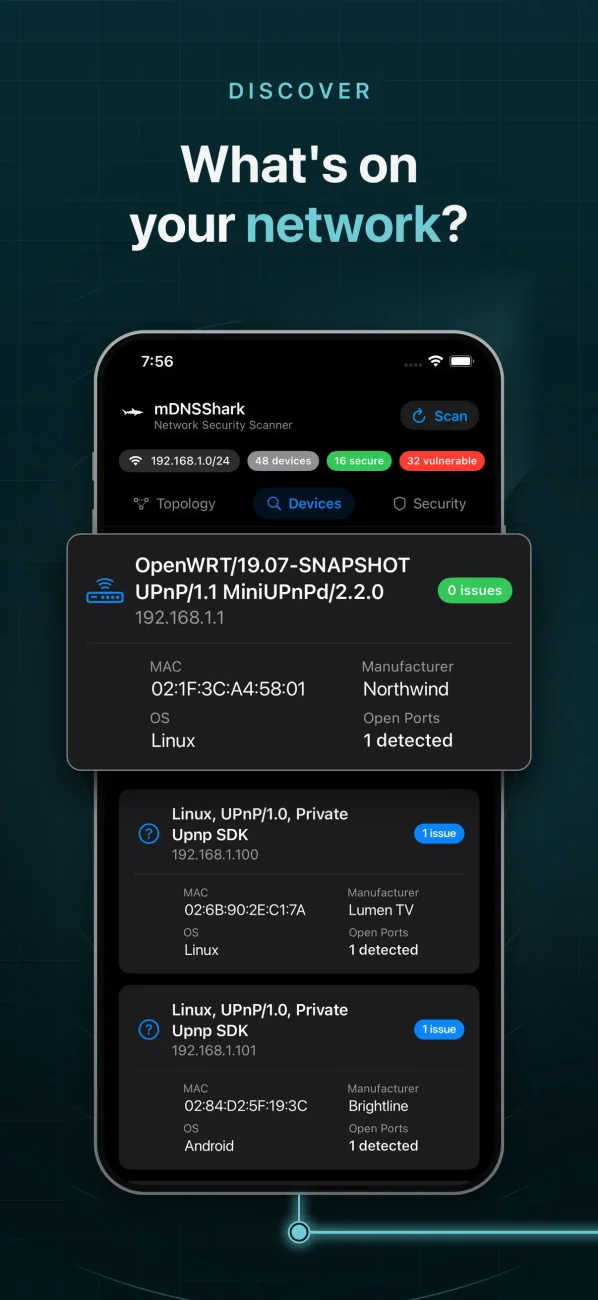
mDNSShark is a network scanner for your WiFi and LAN. It finds every device with Bonjour, mDNS, SSDP, ARP and a port scan, names cameras, speakers, smart home gear and NAS boxes, and flags risky open ports. Capture your phone's packets, export a PCAP, and optionally inspect HTTPS. Open source, no account, no tracking: every scan runs on your iPhone.
FOR CURIOUS MINDS
Ever wondered what your TV, thermostat or camera is saying on your network? mDNSShark shows you: what a device announces about itself, which ports answer, and what your phone talks to. Built by engineers for the curious minded and explorers, with literal values and nothing hidden.
WHAT YOU GET
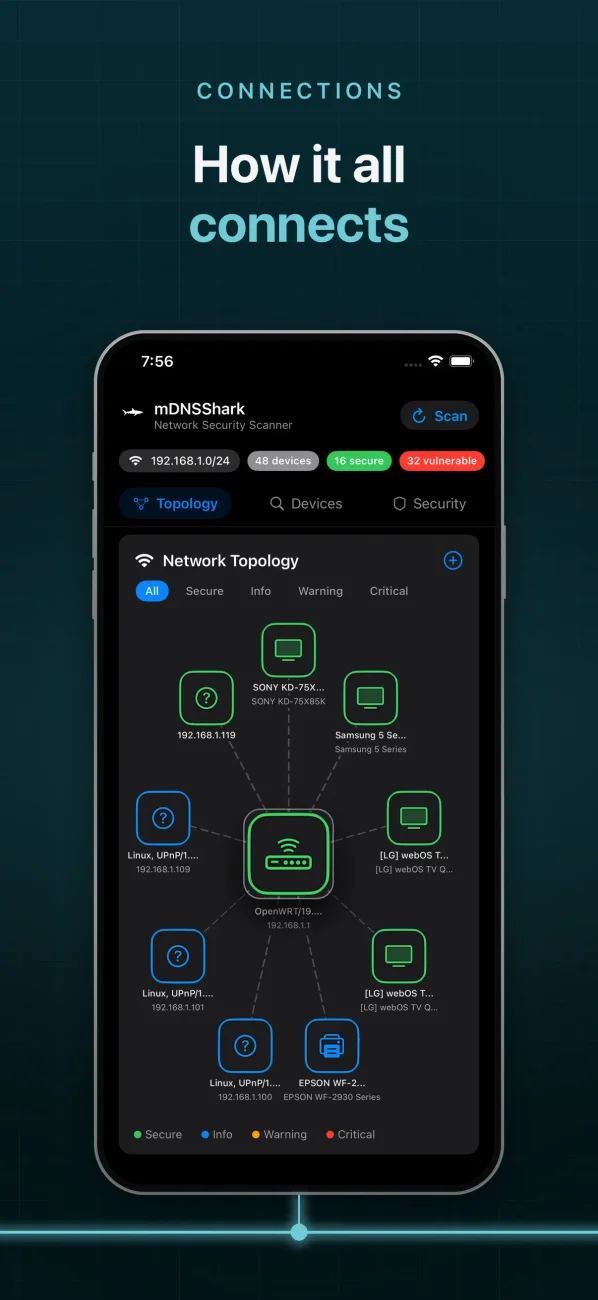
- Device discovery: Bonjour/mDNS, SSDP/UPnP, an ARP table read and a light sweep of your own subnet, with MAC vendor lookup. A long list of Bonjour service types is browsed, including cameras, Matter, Thread, appliances and 3D printers.
- See what a device says about itself: TXT records are listed exactly as received, and vendors come from the device's own claim or its MAC.
- Topology: a map of how devices connect, centered on your gateway, with devices on other networks shown apart. A Networks sheet lists this phone's networks, gateways and off-network devices.
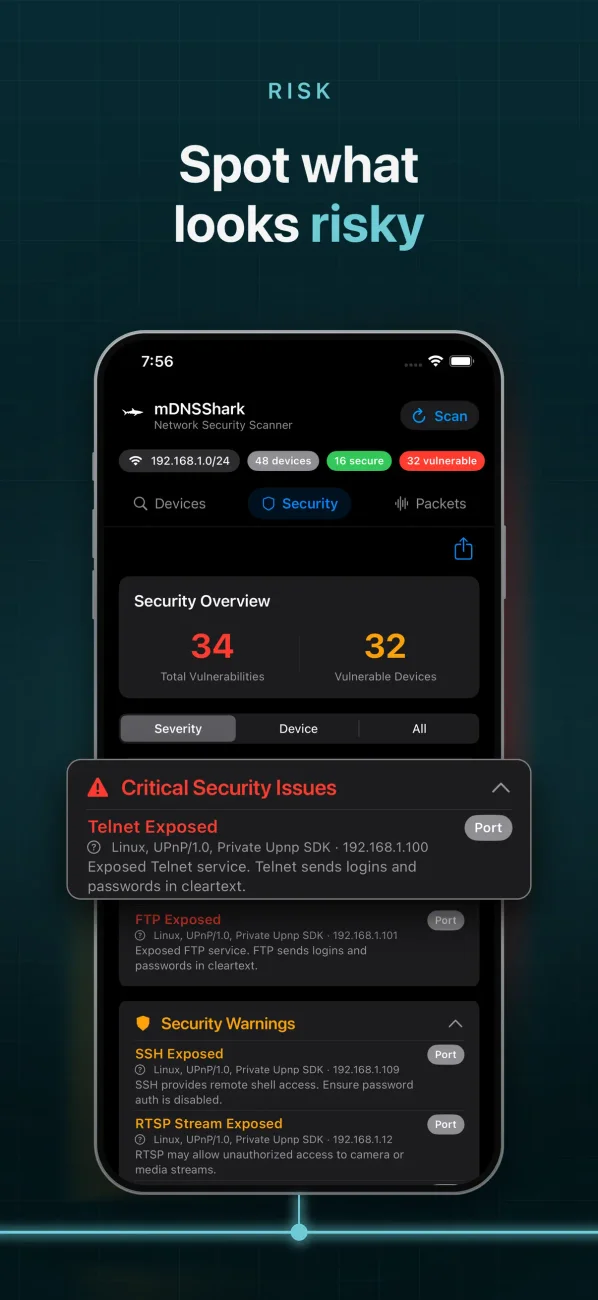
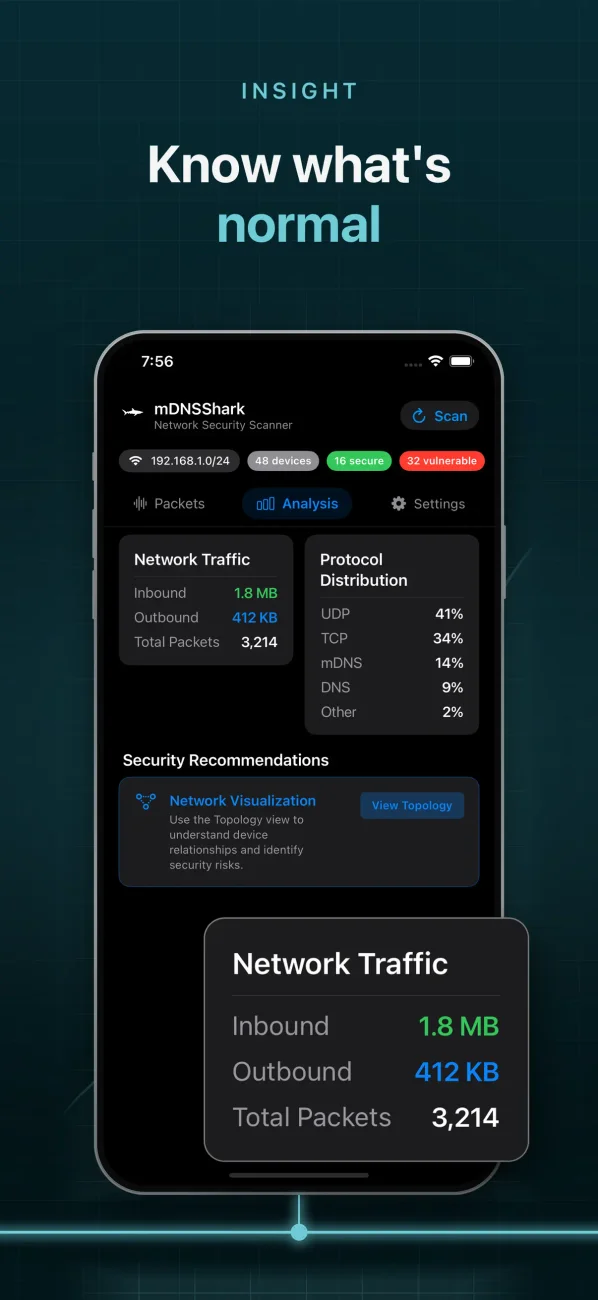
- Security assessment: flags risky exposed services such as Telnet, FTP, SMB and RTSP, and checks device manufacturers against CISA's Known Exploited Vulnerabilities catalog and the NVD. Only ports confirmed by a real connection are listed as open.
- Probe this device: on request, and behind a confirmation, send the standard probes to a single address on another network. Devices that were never probed say Not probed.
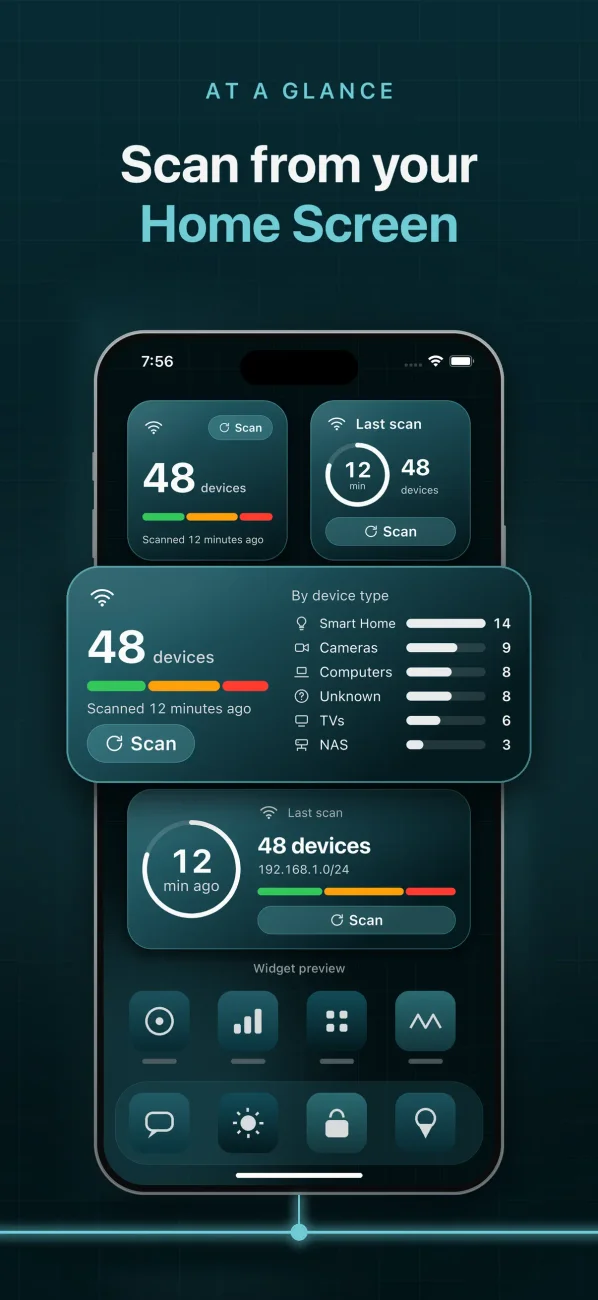
- Home Screen and Lock Screen widgets: Devices Online, Scan Now and Security at a Glance. On iOS 26 and later, Scan Now starts a scan right from the widget.
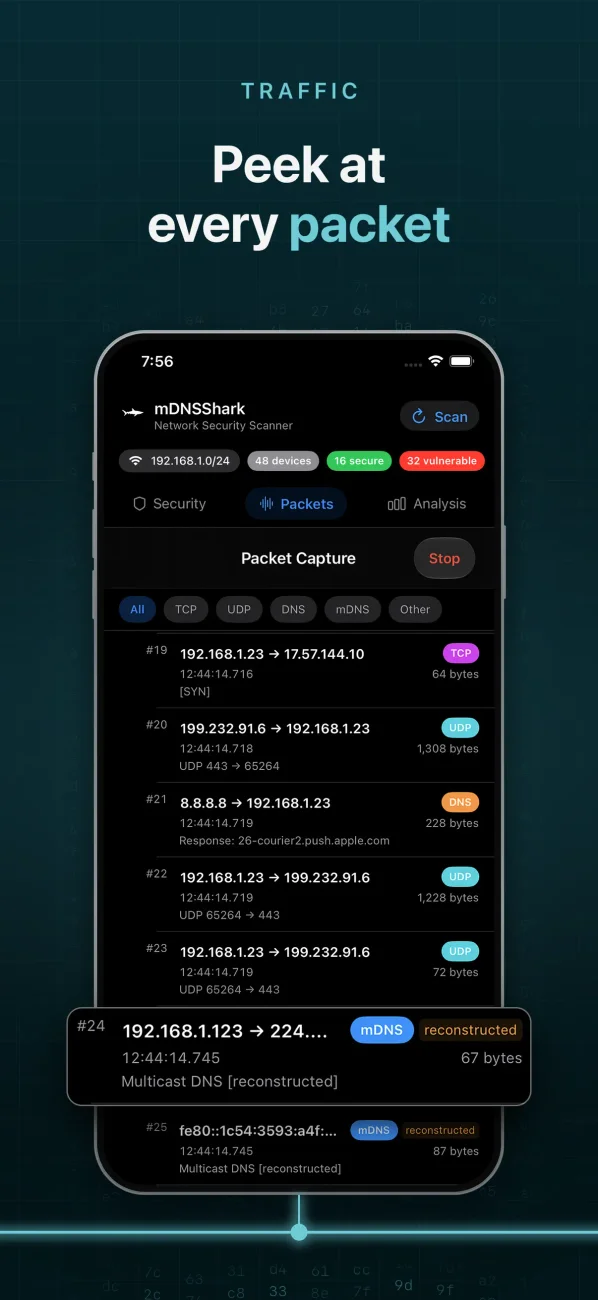
- Packet capture: see which servers your phone talks to (DNS lookups, IP addresses, ports), capture mDNS traffic, and export to pcap for Wireshark.
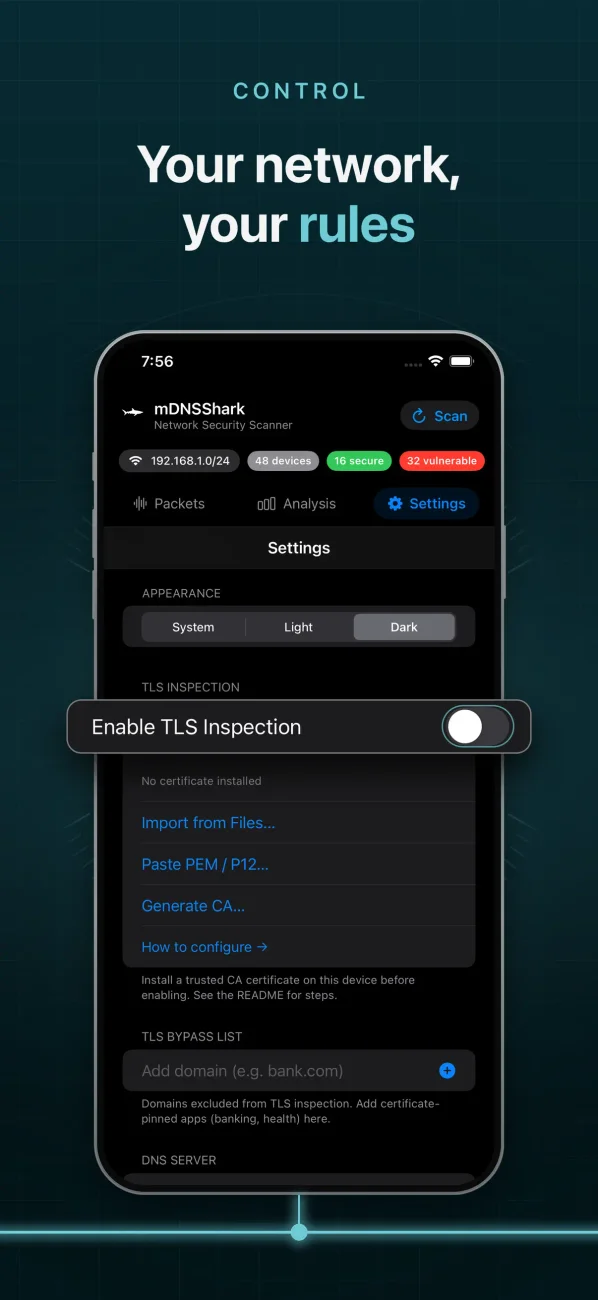
- TLS Inspection (optional subscription): decrypt and read your own device's HTTPS traffic using a certificate you install and trust, with a bypass list for apps you want left alone.
PRIVACY
Scans and analysis run on your phone. Your device list and scan results are never uploaded; only vendor names are sent to the NVD when you tap Refresh CISA Data. Widgets read a snapshot stored on your device. There is no telemetry, no analytics, and no trackers. Two things leave your device, and both are visible to you: while Packet Capture is on, DNS lookups go to the resolver you choose (Google Public DNS by default), and the Refresh CISA Data button you tap yourself downloads CISA's public catalog and asks the NVD about device vendors seen on your network. Discovery needs only local network access; Packet Capture also asks you to allow a VPN configuration.
SUPPORT ACTIVE DEVELOPMENT
The optional TLS Inspection subscription helps fund active development of mDNSShark: new features, fixes and upkeep.
SUBSCRIPTION
TLS Inspection Monthly is an auto-renewing monthly subscription. The price and any free trial are shown in the app before you subscribe. Payment is charged to your Apple Account at confirmation of purchase, or when a free trial ends. The subscription renews automatically unless you cancel at least 24 hours before the end of the current period. Manage or cancel any time in Settings > Apple Account > Subscriptions. Discovery, scans, and the Security tab are free.
OPEN SOURCE AND YOUR VOICE
mDNSShark is built in the open and your ideas shape it. Found a bug or want a feature? Open an issue and tell us. Contributions are welcome too.
Bugs and feature requests: https://github.com/Shapehaven-Innovations/mDNSShark/issues
Source code: https://github.com/Shapehaven-Innovations/mDNSShark
Terms of Use (EULA): https://www.apple.com/legal/internet-services/itunes/dev/stdeula/
Privacy Policy: https://shapehaveninnovations.com/privacy.html
Nouveautés
Version 1.13 · 23/11/2026
What's New (v1.13)
- TLS Inspection now offers a yearly plan and a one-time lifetime purchase next to monthly.
- See the plans from the Packets tab or Settings.
- Added a Send feedback link in Settings.
Confidentialité de l’application
Ce que ShapeHaven Innovations LLC déclare sur l’App Store au sujet du traitement des données par cette application.
-
Données non collectées
Le développeur ne collecte aucune donnée à partir de cette application.
Les pratiques en matière de confidentialité peuvent varier, notamment en fonction des fonctionnalités que vous utilisez ou de votre âge.
Informations
- Vendeur
- ShapeHaven Innovations LLC
- Catégorie
- Utilitaires
- Version
- 1.13
- Mis à jour
- 23/11/2026
- Publié
- 13/02/2025
- Taille
- 7,2 Mo
- Nécessite
- iOS 18.2 ou version ultérieure
- Classification d’âge
- 4+
- Prix
- Gratuit
- Achats intégrés
- Oui
- Langues
- Anglais
- Copyright
- © ShapeHaven Innovations
Vous aimerez peut-être aussi
-
 Network Scanner & IP,PORT,WİFİUtilitaires
-
 Network Intrusion DetectionUtilitaires
-
 PocketAdmin – AI IT ToolkitUtilitaires
-
 KozBonUtilitaires
-
 Network Tools/ToolkitUtilitaires
-
 Ultimate Network ToolsUtilitaires
-
 PingKit - Outils RéseauTest débit Wi-Fi & analyse
-
 Network Scanner ProUtilitaires
-
 Coddiq - Network ScannerUtilitaires