MDReader: Markdown Editor
Read, write and export .md
Conçue pour iPhone, iPad, Mac
Gratuit · Achats intégrés
- Classification d’âge4+
- CatégorieProductivité
- DéveloppeurDaniil Nuzhdin
- LanguesAnglais+ 1 de plus
- Taille22,2 Mo
Renvoie vers la page App Store officielle
Download.org n’héberge aucun fichier de MDReader: Markdown Editor. Le bouton ouvre la page de l’application sur App Store, où Daniil Nuzhdin la publie. Fiche vérifiée pour la dernière fois le 15/11/2026.
Captures d’écran


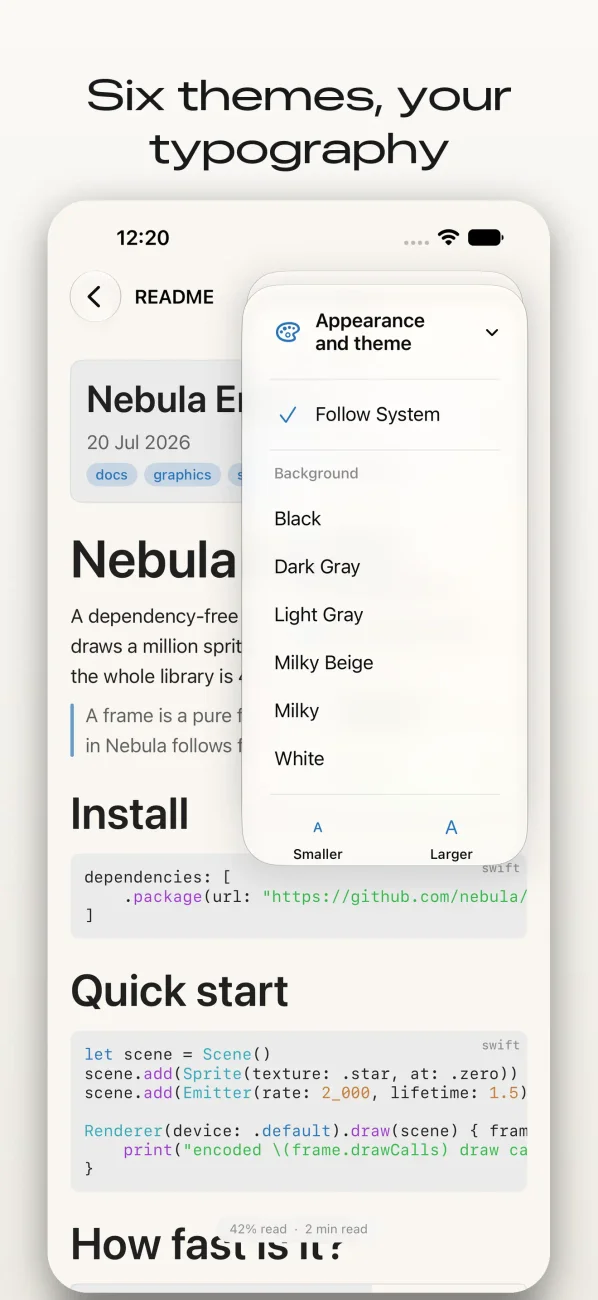
À propos
Le développeur n’a pas fourni ce texte dans votre langue.
MDReader opens your Markdown files and folders and renders them properly. There is no library to import into, no account to create and no sync service in the middle. Your .md files stay exactly where you put them, and MDReader reads and writes them in place.
FAST, EVEN ON BIG FILES
A two-tier parser scans a document in a single pass and only fully parses the blocks you can actually see. A 10 MB file opens before other editors have finished showing a spinner, and scrolling stays smooth all the way down.
RENDERS THE WHOLE OF MARKDOWN
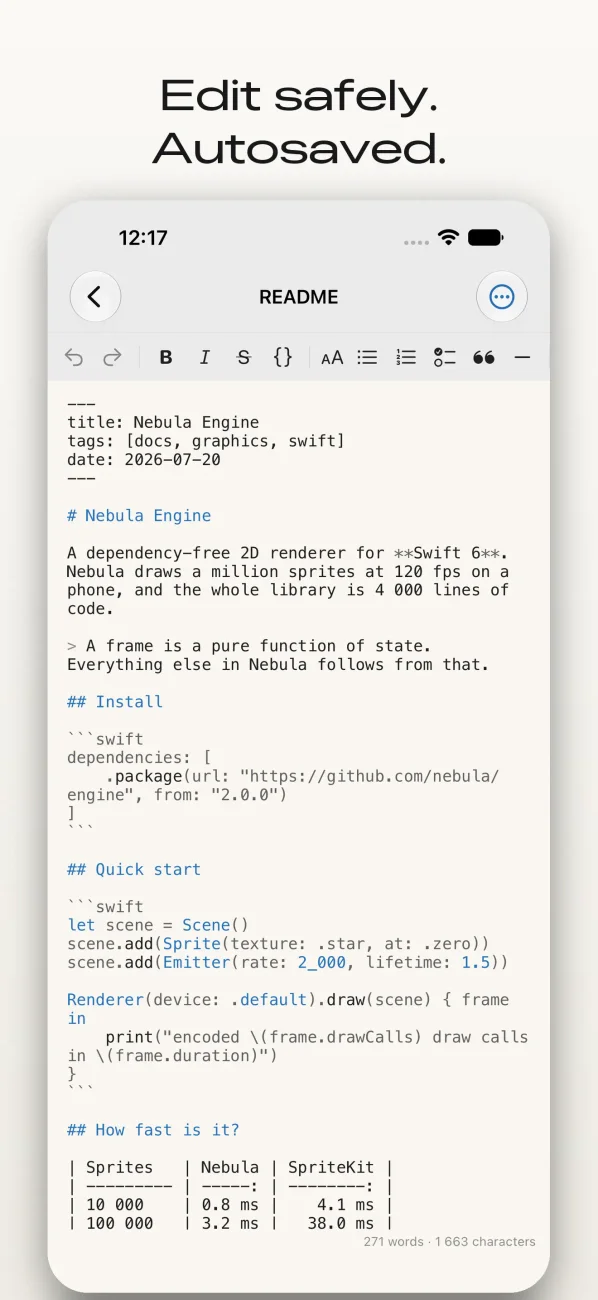
GitHub-flavoured Markdown with tables, task lists you can tick straight from reading mode, footnotes that jump both ways, YAML front matter shown as a card, LaTeX math inline and display, fenced code with syntax highlighting, and Mermaid diagrams rendered offline.
AN EDITOR THAT STAYS OUT OF THE WAY
Live syntax highlighting, lists that continue and renumber themselves, bold/italic/link shortcuts, find and replace, table and formula inserters, and paste an image to save it next to the document. Autosave goes through the system file coordinator, so editing alongside Obsidian, git or iCloud is safe.
PICKS UP WHERE YOU LEFT OFF
Reading position is restored to the pixel, per document, across relaunches, rotation and window resizes.
FOLDER WORKSPACES (PRO)
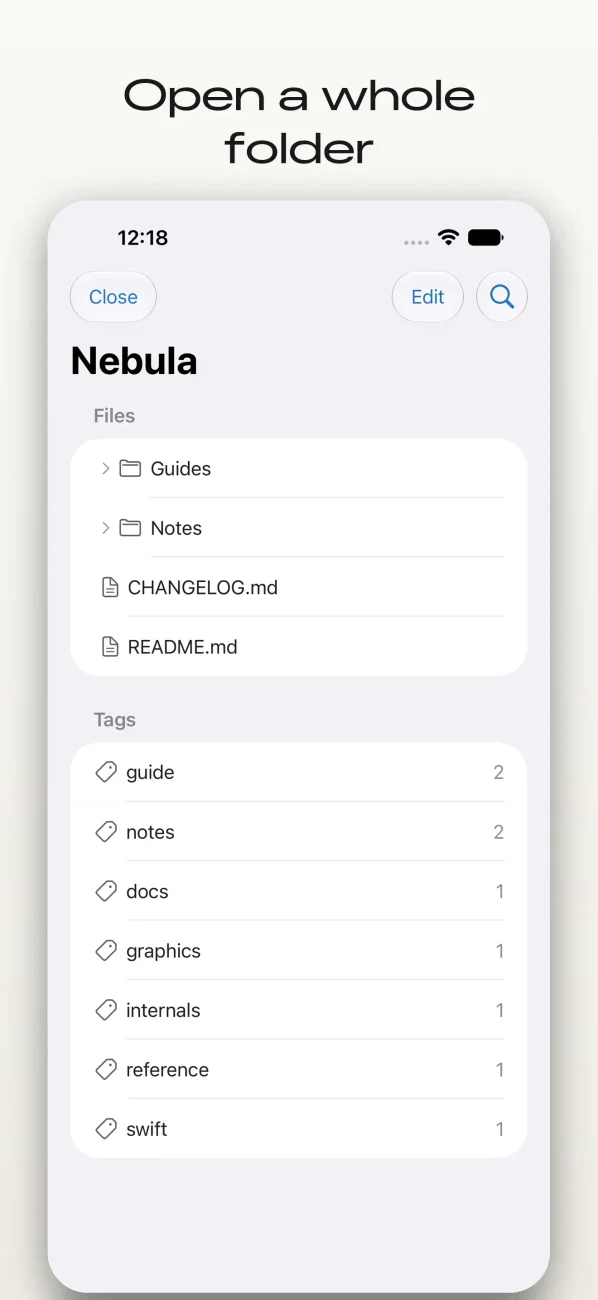
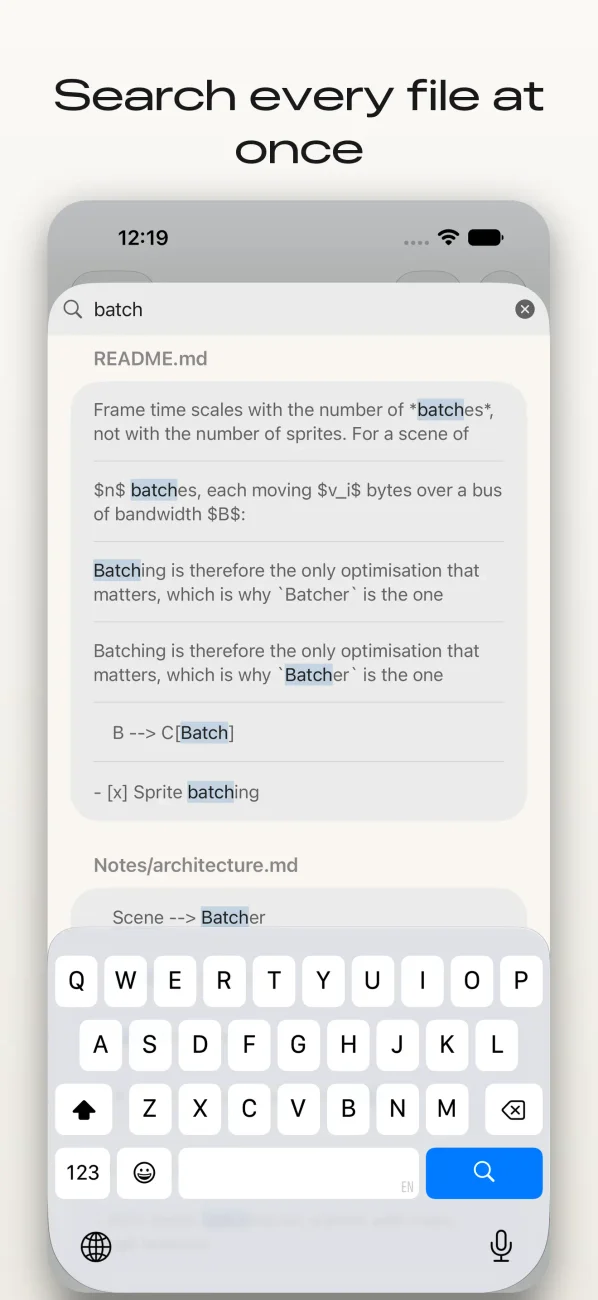
Open a whole folder: a repository's docs, an Obsidian vault, a Zettelkasten. Fuzzy quick-open, full-text search across every file in the folder, [[wiki-links]] with a backlinks panel, a front-matter tag browser, and read-only git status per file. Changes made by other apps are picked up in place, without losing your position.
MORE IN PRO
PDF export and print, publishing to GitHub Gist and Telegraph, presentation mode for slides, a custom theme editor with imported fonts, focus and typewriter modes, word-count goals, reading statistics, text-to-speech with follow-along highlighting, local version history with diffs, snippets, Vim keybindings, and an AI pack that summarises and rewrites entirely on device.
BUILT FOR APPLE PLATFORMS
One purchase covers iPhone, iPad and Mac. Keyboard shortcuts throughout, multiple windows, menu bar commands, a Share extension, Shortcuts actions, widgets, a URL scheme, Spotlight indexing, VoiceOver labels and Dynamic Type.
PRIVACY
MDReader collects nothing. No analytics SDK, no account, no server of ours to talk to. The only network traffic is what your own documents ask for, such as remote images, plus the publishing integrations you set up yourself.
FREE AND PRO
The reader and the single-file editor are free forever: all rendering including math and syntax highlighting, the base themes, table of contents, in-file search, HTML, Markdown and plain-text export, and position restore. Pro unlocks folder workspaces and the power features above, as a one-time purchase or as a yearly subscription with a free trial.
SUBSCRIPTION AND PURCHASE DETAILS
MDReader Pro (Yearly) - auto-renewable subscription, 1 year, USD 9.99 per year, including a 7-day free trial for new subscribers.
MDReader Pro (Lifetime) - one-time purchase, USD 24.99, not a subscription.
Payment is charged to your Apple Account at confirmation of purchase. A yearly subscription renews automatically unless auto-renew is turned off at least 24 hours before the end of the current period, and your account is charged for renewal within 24 hours before the period ends. You can manage or cancel the subscription in your Apple Account settings after purchase. Any unused portion of a free trial is forfeited when a subscription is purchased.
Terms of Use (EULA): https://www.apple.com/legal/internet-services/itunes/dev/stdeula/
App Terms of Service: https://gelfand.dev/mdreader/terms
Privacy Policy: https://gelfand.dev/mdreader/privacy
Nouveautés
Version 1.1 · 18/08/2026
Reading, reworked.
• Select and copy across the whole document, not one block at a time.
• Big files stay comfortable: a 5 MB book opens fast and can be selected and copied in full.
• Jumping to a chapter from the outline is instant, even in very long books.
• Your place is kept when you rotate the device.
• Copy keeps the formatting, and Copy as Markdown gives you the source.
• Tidier outline panel with more room for long chapter titles.
Confidentialité de l’application
Ce que Daniil Nuzhdin déclare sur l’App Store au sujet du traitement des données par cette application.
-
Données non collectées
Le développeur ne collecte aucune donnée à partir de cette application.
Les pratiques en matière de confidentialité peuvent varier, notamment en fonction des fonctionnalités que vous utilisez ou de votre âge.
Informations
- Vendeur
- Daniil Nuzhdin
- Catégorie
- Productivité
- Version
- 1.1
- Mis à jour
- 18/08/2026
- Publié
- 05/08/2026
- Taille
- 22,2 Mo
- Nécessite
- iOS 26.0 ou version ultérieure
- Classification d’âge
- 4+
- Prix
- Gratuit
- Achats intégrés
- Oui
- Langues
- Anglais, Russe
- Copyright
- © 2026 Daniil Nuzhdin
Vous aimerez peut-être aussi
-
 Markup - MD ReaderProductivité
-
 MdReader: Markdown ReaderProductivité
-
 azEditorProductivité
-
 mdReview - Markdown EditorProductivité
-
 HipMark - Markdown EditorProductivité
-
 AI Markdown Notes - WASHINOTEProductivité
-
 Raven - Notes MarkdownÉditeur de fichiers hors ligne
-
 openote: Markdown Notes & SyncProductivité
-
 Markdown : Lecteur Éditeur MDLisez, écrivez et surlignez
-
 Metis: Markdown NotesProductivité