midi Sampler
Record a sound and play live
Conçue pour iPhone, iPad, iPod touch
1,99 €
- Classification d’âge4+
- CatégorieMusique
- DéveloppeurGianluca Natalini
- LanguesAnglais
- Taille7,4 Mo
Renvoie vers la page App Store officielle
Download.org n’héberge aucun fichier de midi Sampler. Le bouton ouvre la page de l’application sur App Store, où Gianluca Natalini la publie. Fiche vérifiée pour la dernière fois le 12/11/2026.
Captures d’écran
À propos
Le développeur n’a pas fourni ce texte dans votre langue.
"midi Sampler" turns your device into a sampler for professional musicians and / or DJs composers able to:
- Create the entire musical instrument from a single sampled sound
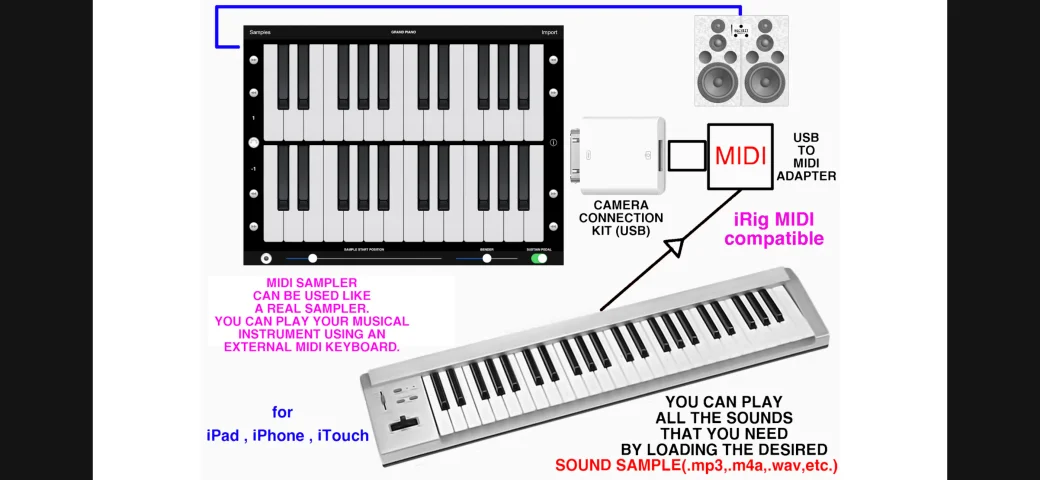
- Receive MIDI messages from an external MIDI keyboard and play the corresponding notes
- Turn any MIDI keyboard in any musical instrument / special effect that you want
The application is simple and immediate ...
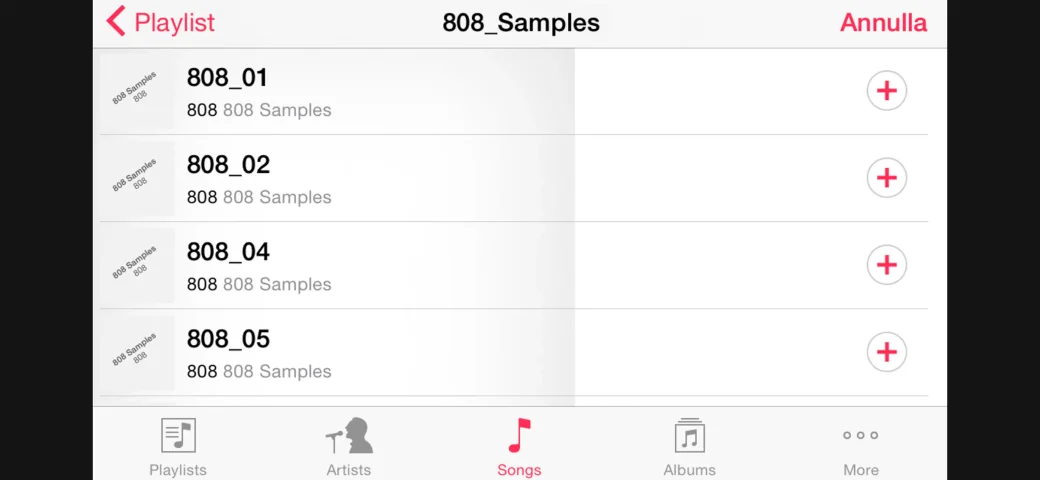
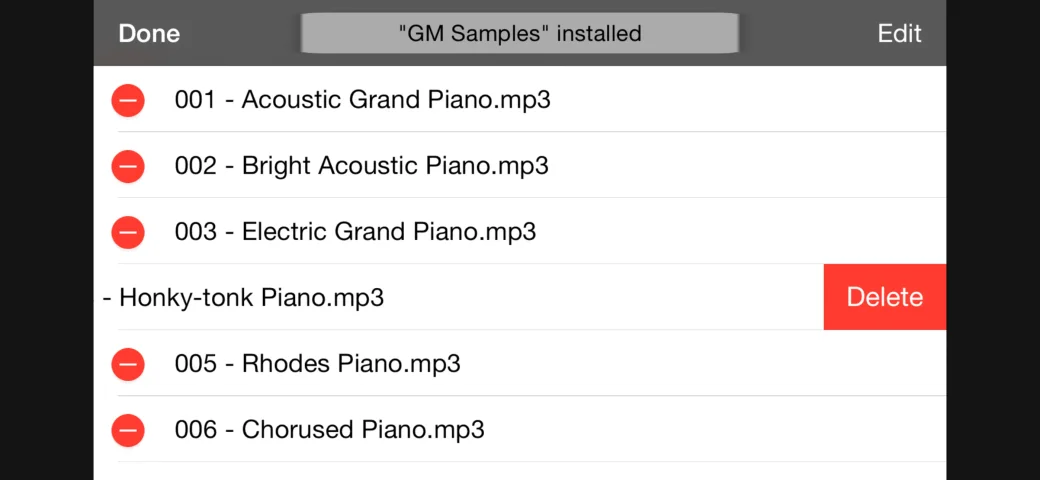
once started you can immediately play the musical instrument of default "GRAND PIANO" (or download, by pressing the "i" (info button) -> "SAMPLES" of "midi keyboard", and play the FREE sound samples available on website www.ngcybit.it -> "Samples Collection").
To create a new musical instrument just:
1) record only one sound / voice / special effect "note: LA" or "note: A" (using the record button of "midi Sampler") or create it using any wave editor for Mac or PC (for example: Audacity).
All the common audio formats are supported by "midi Sampler":
- wav
- mp3
- caf
- m4a
- etc ...
2) import the sound recorded or created with Your hands in your device:
- through synchronization (using the iTunes software for Mac or PC)
- by using the "iTunes File Sharing"
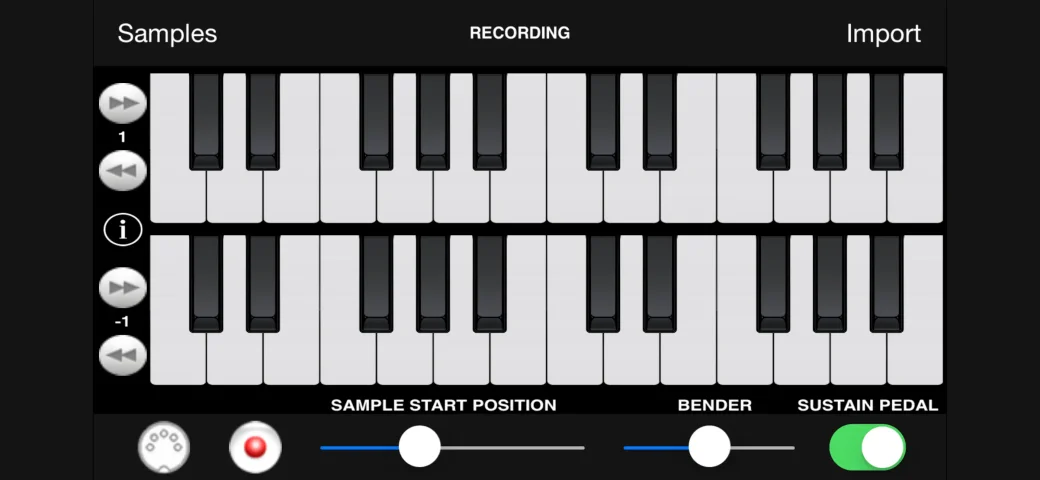
3) select the sound that you have imported using the buttons "Import" and/or "Samples" of "midi Sampler": "midi Sampler" will create for you the full scale of sounds and assign them to the virtual keyboard with 8 octaves of "midi Sampler", at which point you can play live with your instrument or entertain your friends with a scale of special effects using the two independent keyboards displayed on the monitor of the device and/or using any external MIDI keyboard connected to your device via:
- iRig MIDI adapter
- a camera connection kit USB adapter + USB to MIDI adapter (Apple compatible - generally used to connect an external MIDI keyboard to a Mac or PC)
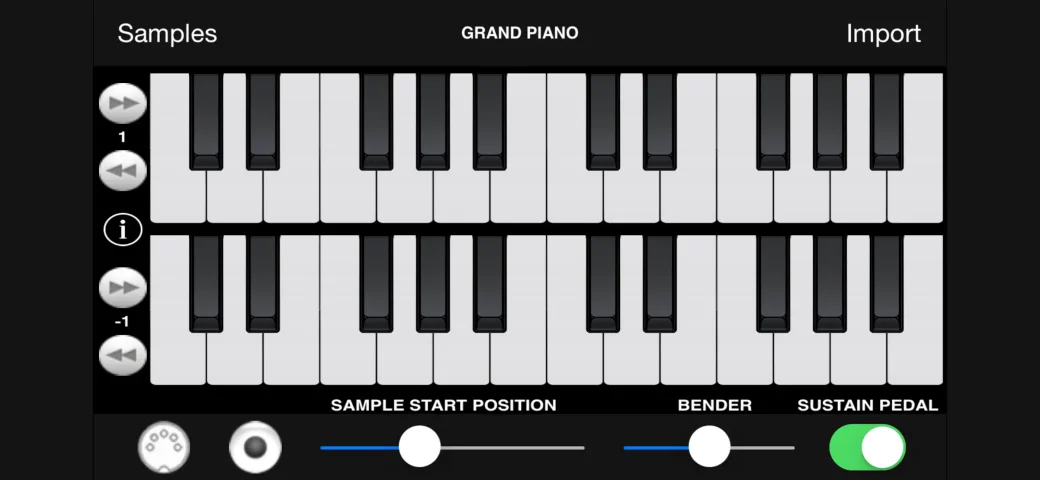
You can also import a song from the iTunes library and by controlling "SAMPLE START POSITION" select a sound of interest by extracting it from the imported song: "midi Sampler" will automatically create the complete musical instrument. The "SAMPLE START POSITION" control can also be used to choose the exact start position of the sound sample to be played: the "SAMPLE ATTACK POSITION".
With "midi Sampler" you can record or manually create the sound you want and turn your device + external MIDI keyboard in any musical instrument you want!
Features:
- Import any type of sound and automatic generation of the scale of sounds (8 octaves)
- Ability to store an infinite number sounds using the archive of sounds ("Samples Archive") of "midi Sampler"
- "Samples Collection" with many sound samples free downloadable
- "General MIDI samples" FREE library downloadable from the "Samples Collection"
- Two independent keyboards multi-touch (24 + 24 keys) with independent octaves control for each keyboard
- Ability to receive the MIDI messages from an external MIDI keyboard / MIDI device (with independent octaves control)
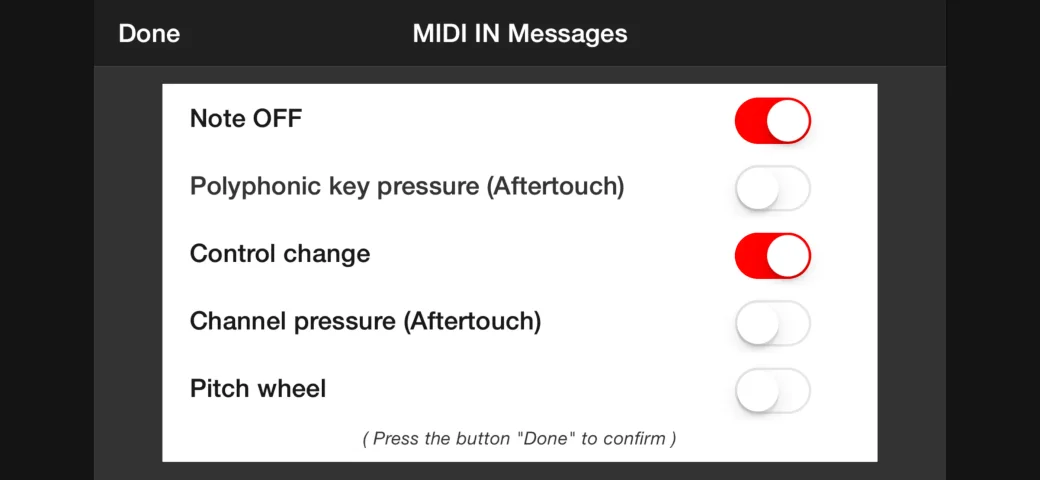
- Filter for the MIDI IN messages
- "Bending" control to change the sound in real time
- "Sample Start Position" control to remove the initial part of a sound sample (eg silence) by specifying the start time instant of the sample (AUDIO CUT FEATURE)
- "Sustain Pedal"
- Multi voices (up to 96)
- Default "GRAND PIANO" sample
- Ability of "recording" of musical patterns during live performances:
enabling the recording (using the "midi Sampler" recording button), "midi Sampler" will record (audio file) the music played by the user using the keyboard (multi-touch keyboards or external MIDI keyboard)
Nouveautés
Version 2.2 · 07/03/2024
* Minor bugs fixed
Confidentialité de l’application
Ce que Gianluca Natalini déclare sur l’App Store au sujet du traitement des données par cette application.
-
Données non collectées
Le développeur ne collecte aucune donnée à partir de cette application.
Les pratiques en matière de confidentialité peuvent varier, notamment en fonction des fonctionnalités que vous utilisez ou de votre âge.
Informations
- Vendeur
- Gianluca Natalini
- Catégorie
- Musique
- Version
- 2.2
- Mis à jour
- 07/03/2024
- Publié
- 03/05/2013
- Taille
- 7,4 Mo
- Nécessite
- iOS 14.0 ou version ultérieure
- Classification d’âge
- 4+
- Prix
- 1,99 €
- Langues
- Anglais
- Copyright
- © 2013 Gianluca Natalini - NGCYBIT Robotics
Vous aimerez peut-être aussi
-
 Grid Music PlayerMusique
-
 Mujo: Practice MusicMusique
-
 FretFluent - Fretboard NotesMusique
-
 Accourdeur de Guitare Pro GuitAccordez avec précision!
-
 Mazetools MutantMusique
-
 Accordeur Guitare Électrique PAccordez avec précision!
-
 Accordeur Guitare Classique PAccordez avec précision!
-
 Accordeur de Alto ProMusique
-
 Accordeur de Contrebasse ProMusique
-
 GuitarPaper: Learn Guitar FretMusique