
- Classification d’âge4+
- CatégorieStyle de vie
- DéveloppeurMoPlanet Inc.
- LanguesAnglais+ 1 de plus
- Taille27,1 Mo
Renvoie vers la page App Store officielle
Download.org n’héberge aucun fichier de mo.Days. Le bouton ouvre la page de l’application sur App Store, où MoPlanet Inc. la publie. Fiche vérifiée pour la dernière fois le 25/11/2026.
Captures d’écran
À propos
Le développeur n’a pas fourni ce texte dans votre langue.
The screen is simple. What's behind it isn't.
The place you named yourself, your people, the temperature at that moment — a whole day lives behind one card.
■ One Photo, One Color, One Line
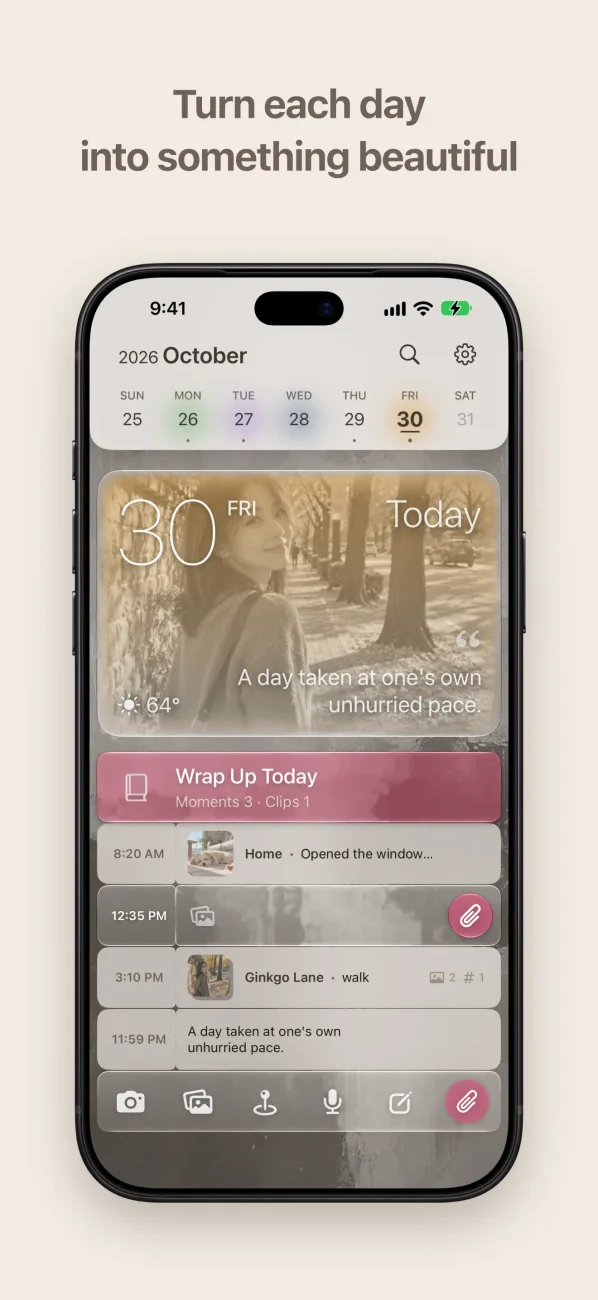
Open the app and today is already there — a photo, the day's mood on it, one line beside it.
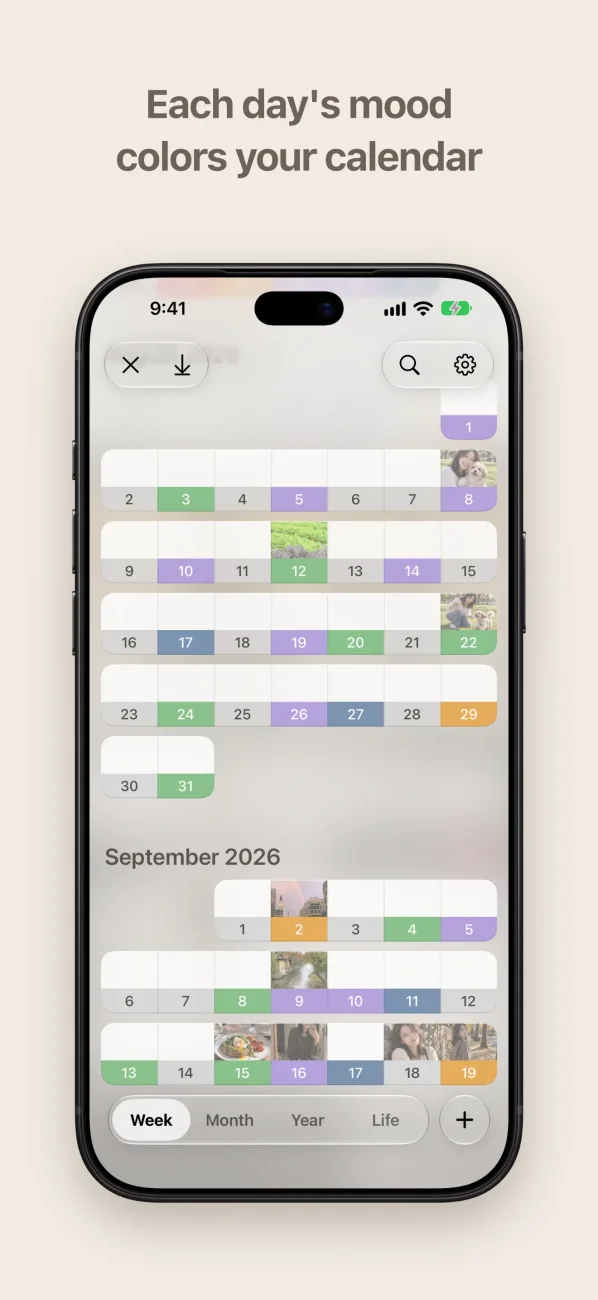
Pick today's color and it doesn't sit in a dot. It seeps into the photo and becomes the air of that day.
The line can be anything. A thought out of nowhere. Something you read once and never let go of.
Swipe sideways and yesterday arrives. Then this day last year. One swipe, one day.
■ Down to the Temperature
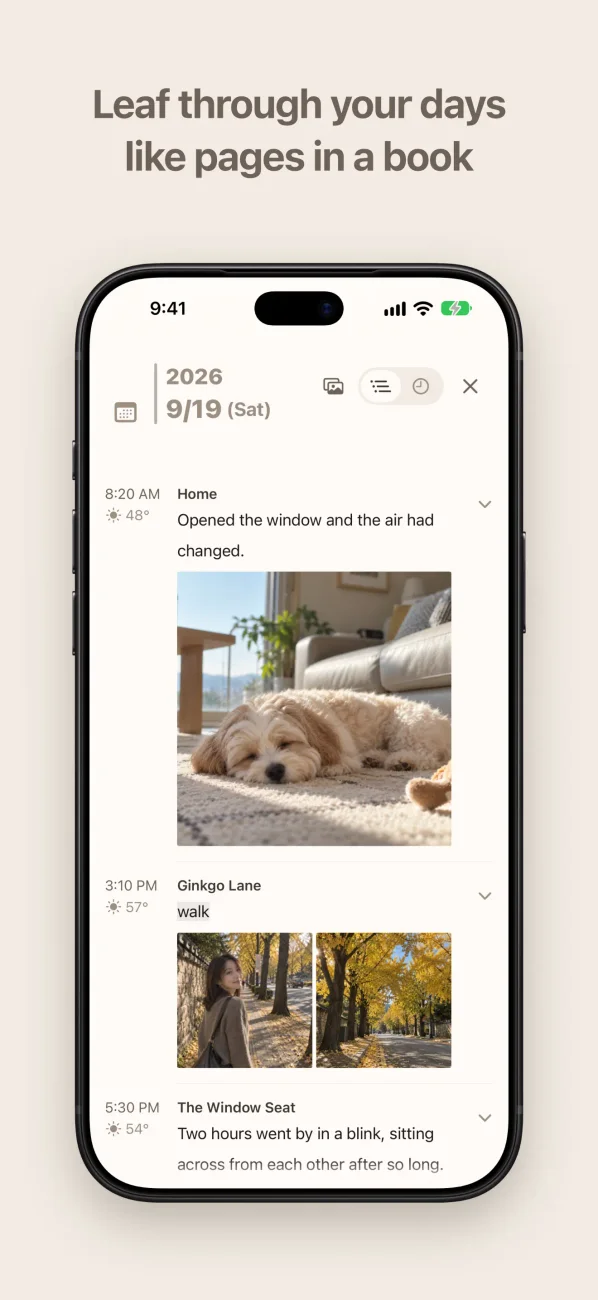
What time it was. Where you were. Who was with you. What the air felt like.
Weather is never looked up after the fact. Open an entry three years from now and that spot is still 25°F.
A place keeps the name you call it, not the one the map gave it. Not "Coffee Co. #3" — "that window seat."
■ Throw It Down Now, Finish It Later
The moments worth keeping arrive when your hands are full.
One line is enough. So is one photo. So is nothing but where you're standing. A fragment won't finish itself, and it won't disappear. It waits.
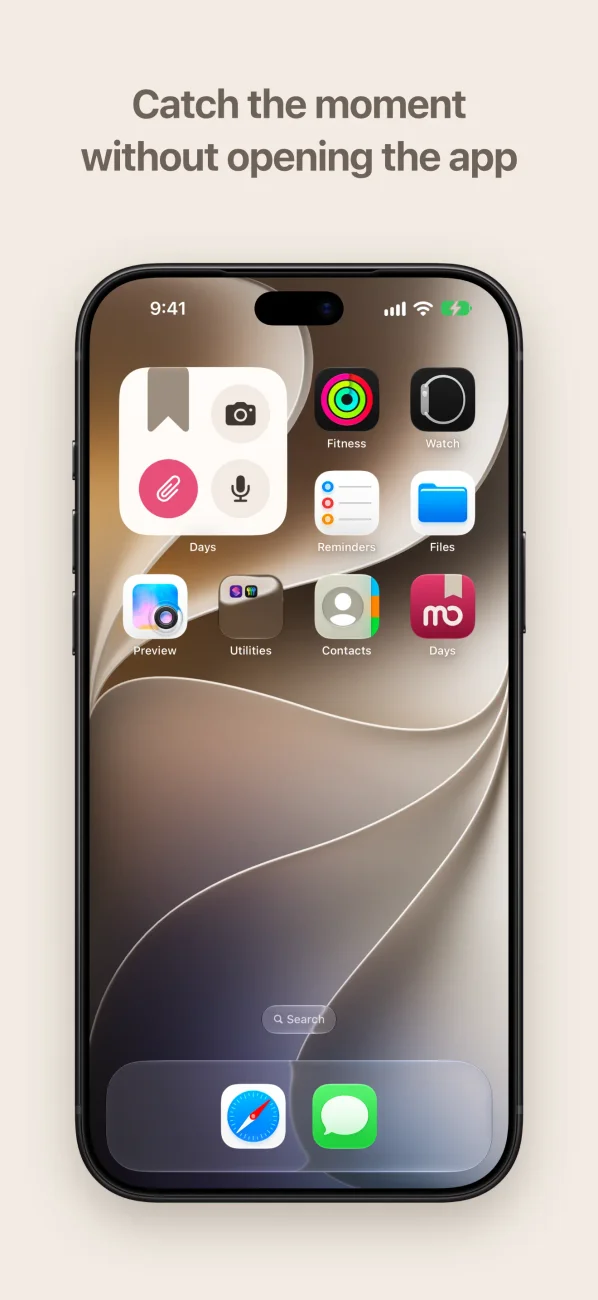
One button on the Lock Screen saves it without unlocking your phone. Put it on the Action button, fire it when you arrive somewhere, or ask out loud while you drive.
Drop one at every stop, tie them together later, and the hours and distance surface on their own.
■ Answer a Few Questions, and the Day Is Done
Every evening it asks once: how was today?
It goes in order and skips what doesn't apply. Whatever was on your calendar is already there.
You never decide to journal. You answer, and the day is in order. On a day you wrote nothing, one color is a complete day.
■ Your Best Photo Finds Itself
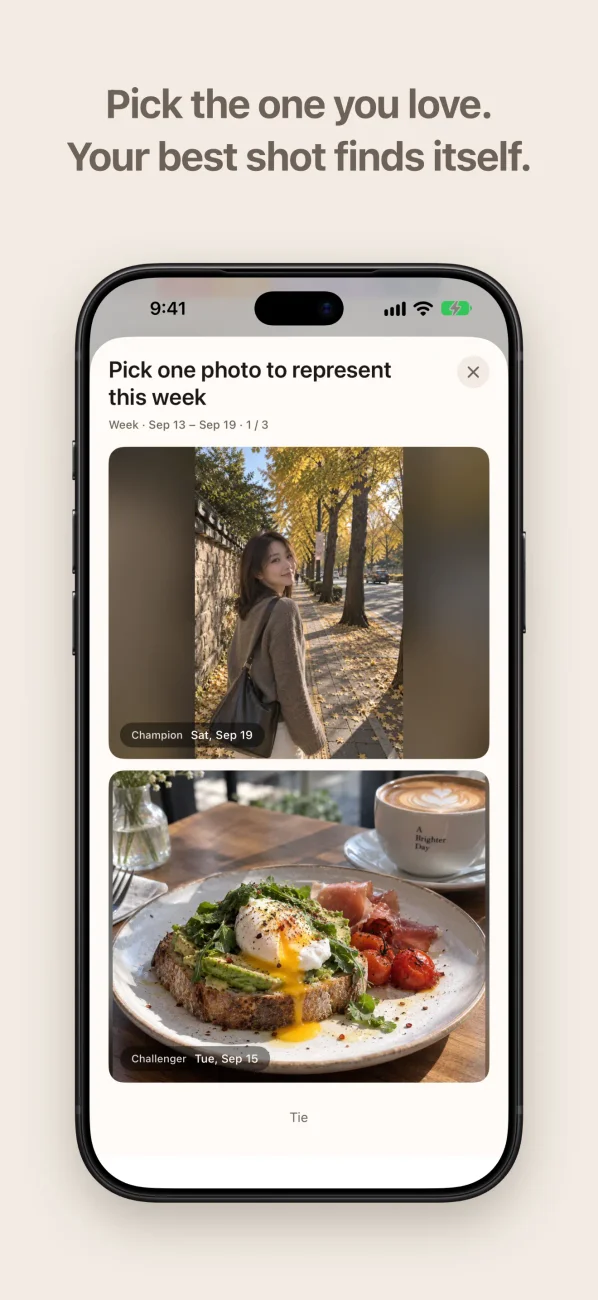
Two photos, side by side. Pick the one you lean toward. That's it.
It runs like a tournament bracket. Today's winner takes on the week, the week the month, the month the year. Keep going and one photo is left standing for a lifetime.
All you did was choose between two. Some pairs can't be called, and those stay open.
■ Find It Without Knowing When
What you remember is rarely the date. It's who was there, where you were, what you talked about.
Search by person, place, tag, or stretch of time. Press and hold a name to gather every day that person appears in.
Pull up five years of "commute," then name all of it "The A Corp Years" at once. Nothing you wrote is touched.
■ Nothing Shows That Anything Is Hidden
A locked folder is already a confession.
Entries you keep private don't get a padlock. They're simply not there. There's no "Show Hidden" button either — a button like that is the tell.
Someone asks for your passcode? Give them a different one. The app opens perfectly with it.
■ Not Deleted, Just Set Aside
Not wanting to see something and wanting it gone are different things.
Put an entry in the archive and it leaves the timeline, search, and photo matchups.
It isn't gone. It stepped back, and it returns exactly where it was.
■ From a Day to a Decade
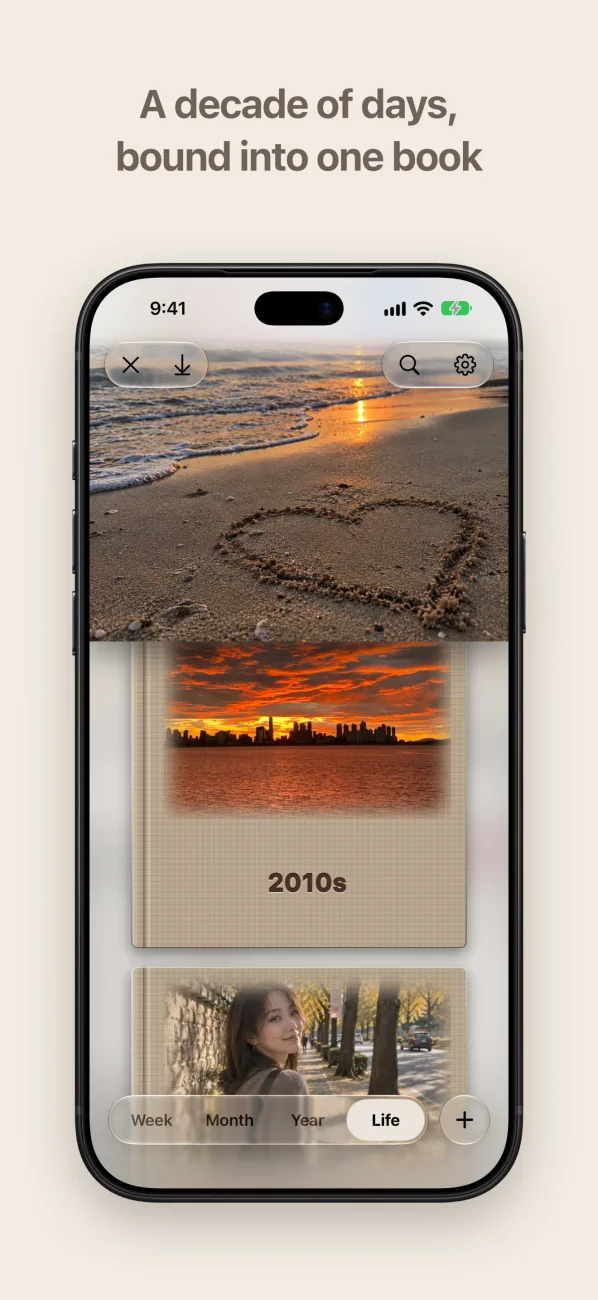
A day is a page. A month is a chapter. A year is a volume.
Step out to the week. Then the month, the year, the decade. The further up, the closer to a life.
Choose a word for this month, a word for this year. Newlywed. Exam year. Words that belonged to one stretch of time turn out to be its name.
Not a highlight reel an algorithm picked — the colors you chose, the photos you chose, the lines you wrote.
■ Saved in Your Hand, Opened Wide
On iPad, a day opens like a page in a book. Your week on the left, the chosen day on the right.
■ When Devices Change
What goes in here can't be made again.
It carries over through iCloud, original photos included. Open a new phone or your iPad and it's all there.
Keep your own backups too. Restoring brings back only what went missing and overwrites nothing.
■ If You Use mo.Today
The to-dos you finished and the routines you kept are already waiting in the evening wrap-up. Just pick what to keep.
Nouveautés
Version 1.1 · 24/11/2026
• mo.Days now supports iPad. Flip through the Date panel on the left a week at a time, pick a day, and its timeline and reading screen open on the right.
• Turn your iPhone sideways or unfold iPhone Duo to get the same layout as on iPad.
• Photos now keep the same proportions on every iPhone and iPad, so a crop you set looks the same on each device.
• Filters in Search and the Archive now show the ones you've used most often lately first.
• Widgets now fit right in on tinted and clear Home Screens, in StandBy, and on the iPad Lock Screen.
Confidentialité de l’application
Ce que MoPlanet Inc. déclare sur l’App Store au sujet du traitement des données par cette application.
-
Données non collectées
Le développeur ne collecte aucune donnée à partir de cette application.
Les pratiques en matière de confidentialité peuvent varier, notamment en fonction des fonctionnalités que vous utilisez ou de votre âge.
Informations
- Vendeur
- MoPlanet Inc.
- Catégorie
- Style de vie
- Version
- 1.1
- Mis à jour
- 24/11/2026
- Publié
- 20/10/2026
- Taille
- 27,1 Mo
- Nécessite
- iOS 26.0 ou version ultérieure
- Classification d’âge
- 4+
- Prix
- 1,49 €
- Langues
- Anglais, Coréen
- Copyright
- © 2026 moPlanet Inc.
Vous aimerez peut-être aussi
-
 Weeking: Life In WeeksStyle de vie
-
 Age App: Days Since & UntilStyle de vie
-
 Nestory : Carte SouvenirsJournal Photo & Voyage
-
 Suivi de SuccèsAtteignez vos objectifs
-
 PlantNotesSoins des plantes et arrosage
-
 Family Vault: Shared CalendarStyle de vie
-
 Sekki : Journal photo de repasPhotographiez, tenez le rythme
-
 Patterns: Create WallpapersStyle de vie
-
 Alarmageddon: Loud Alarm ClockStyle de vie
-
 Psycled - AI Journal & MoodStyle de vie