- Classification d’âge4+
- CatégoriePhoto et vidéo
- Développeurhiroaki nishimoto
- LanguesAnglais+ 8 de plus
- Taille15,2 Mo
Renvoie vers la page App Store officielle
Download.org n’héberge aucun fichier de [MODE]. Le bouton ouvre la page de l’application sur App Store, où hiroaki nishimoto la publie. Fiche vérifiée pour la dernière fois le 25/11/2026.
Captures d’écran

À propos
Le développeur n’a pas fourni ce texte dans votre langue.
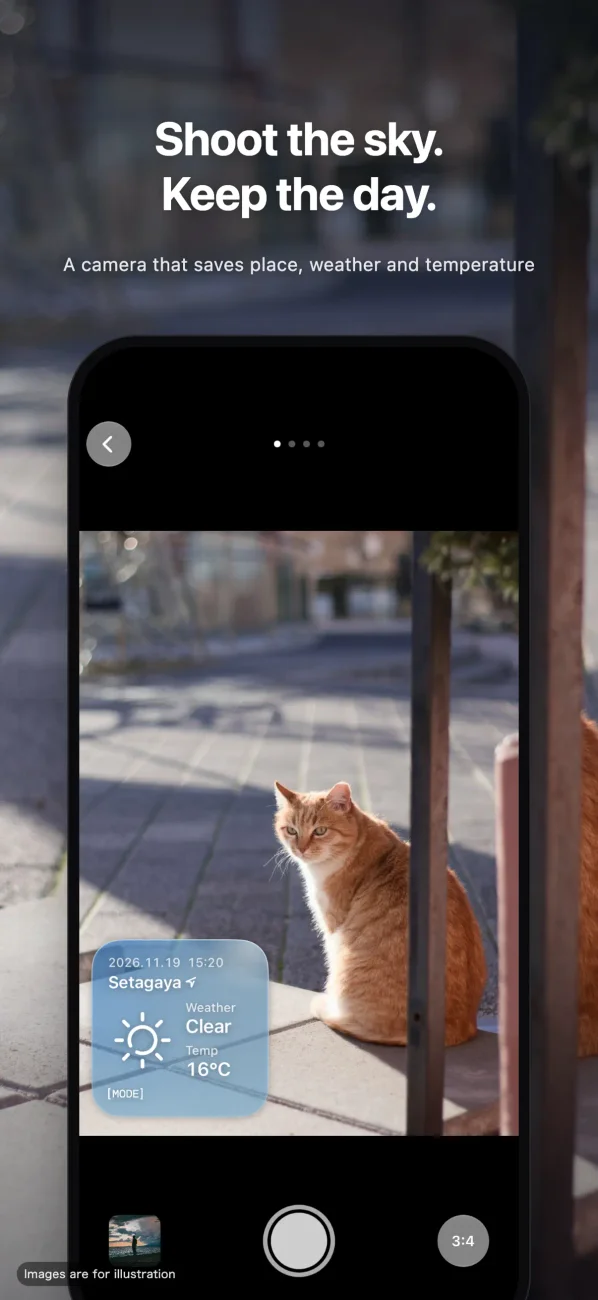
MODE is a camera for keeping today's sky.
It opens straight to the camera. Tap the shutter and your photo is stamped with the place, time, weather and temperature.
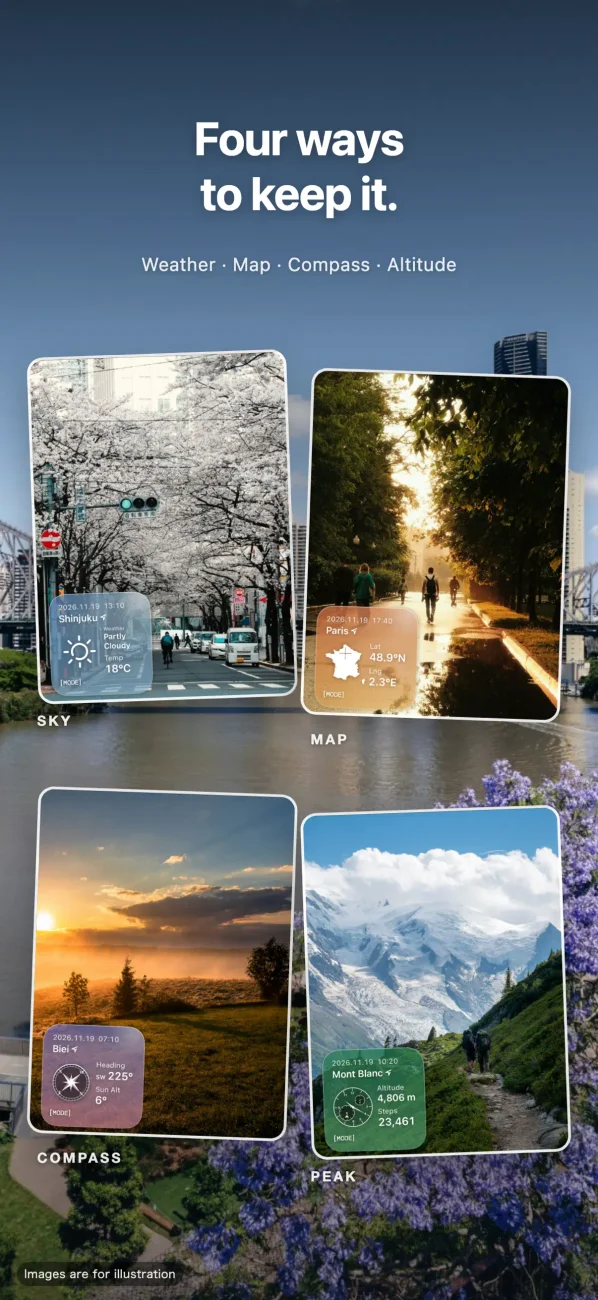
- Four stamps: SKY (weather and temperature), MAP (country shape and coordinates), COMPASS (heading and the sun's height) and PEAK (altitude and steps). Swipe the photo to switch between them.
- Weather in the glass: inside the SKY stamp, the weather moves - sunlight, rain, snow, lightning - and the glass changes color from dawn to late night. Even on a summit with no signal, the mountain's name and elevation go on your photo.
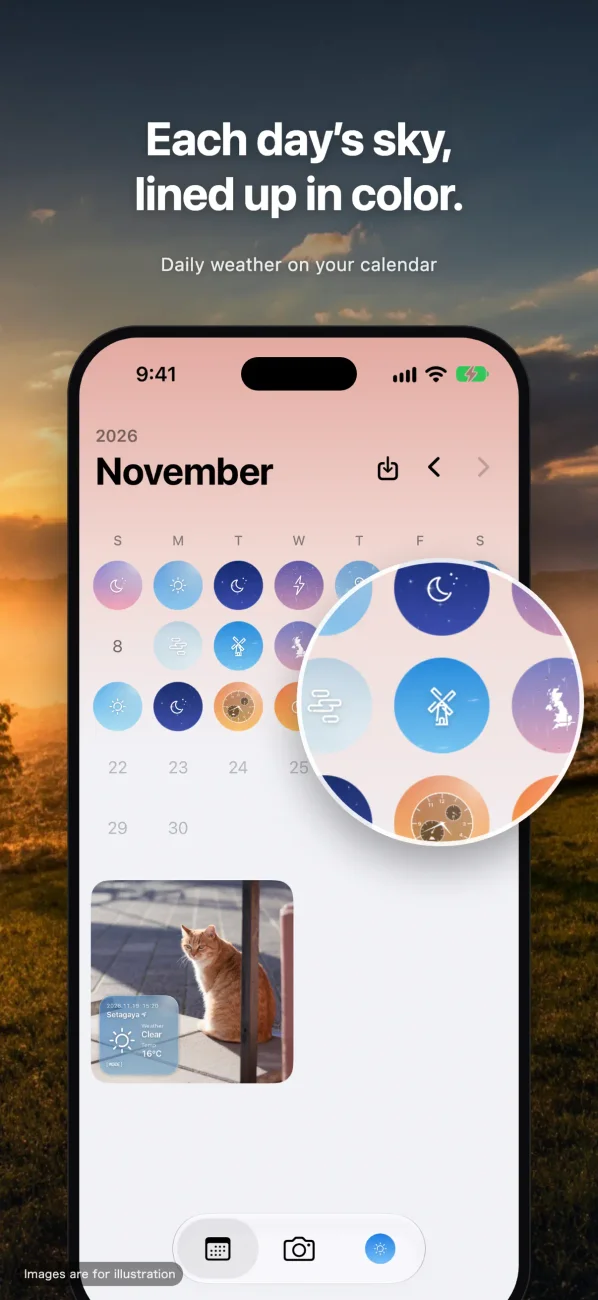
- Calendar: see the month in the colors of each day's weather and time of day. Map, compass and peak days show their own mark. Tap a day to see its photos; the one you star becomes that day's sky. Save the month as an image.
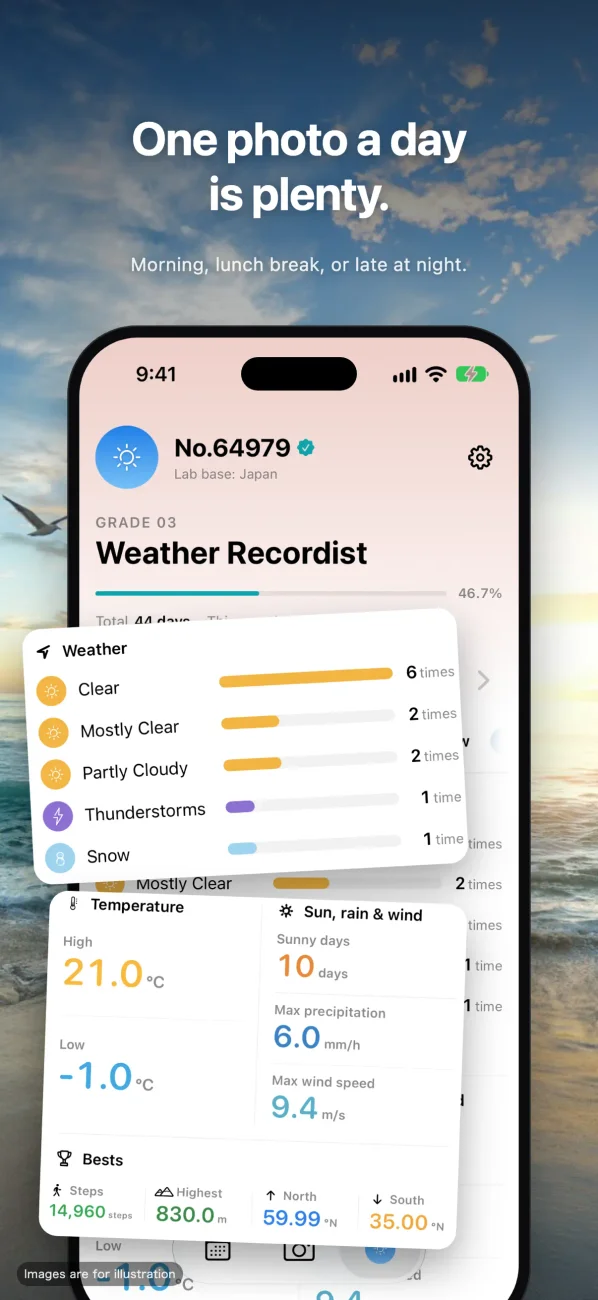
- Lab: you're a researcher at the MODE Weather Lab. Your GRADE rises with the days you keep, and an appointment letter arrives. Counts of each weather, first skies, high and low temperatures, sunny days, heaviest rain and strongest wind, the time of day you shoot, and your bests - most steps, highest place, farthest north and south - for this month and last month.
- Widgets: this week's or this month's sky colors on your Home Screen and Lock Screen, with the next sunrise or sunset time and a camera button to shoot right away.
Your photos and records stay on your iPhone and are never sent to MODE's servers. No sign-in needed. When you change phones, export your data and import it on the new iPhone.
Terms of Use: https://www.apple.com/legal/internet-services/itunes/dev/stdeula/
Privacy Policy: https://app.notion.com/p/Privacy-Policy-MODE-39f81dc860008064915fdd75429abba1
Nouveautés
Version 2.1 · 24/11/2026
MODE 2.1 is here.
• Dark mode: choose Match device, Light, or Dark in Settings > Appearance
• Your Lab now shows your current streak
• Place names now follow your device's language
• Other small improvements
Confidentialité de l’application
Ce que hiroaki nishimoto déclare sur l’App Store au sujet du traitement des données par cette application.
-
Données n’établissant aucun lien avec vous
Peuvent être collectées, mais ne sont pas liées à votre identité.
- Emplacement
- Identifiants
- Données d’utilisation
Les pratiques en matière de confidentialité peuvent varier, notamment en fonction des fonctionnalités que vous utilisez ou de votre âge.
Informations
- Vendeur
- hiroaki nishimoto
- Catégorie
- Photo et vidéo
- Version
- 2.1
- Mis à jour
- 24/11/2026
- Publié
- 16/10/2026
- Taille
- 15,2 Mo
- Nécessite
- iOS 18.0 ou version ultérieure
- Classification d’âge
- 4+
- Prix
- Gratuit
- Langues
- Anglais, Français, Allemand, Japonais, Coréen, Portugais, Chinois simplifié, Espagnol, Chinois traditionnel
- Copyright
- © 2026 [MODE]
Vous aimerez peut-être aussi
-
 Wandershot: Timestamp CameraPhoto et vidéo
-
 WeatherSnap – Holiday PhotoPhoto et vidéo
-
 Pimorio - Disposable CameraPhoto et vidéo
-
 Face Blur & Mosaic | auto easyPhoto et vidéo
-
 MiniCamera – ミニチュア風カメラPhoto et vidéo
-
 Hide Face in Photo - FaceHiderPhoto et vidéo
-
 MyCam Pro – 48MP Manual ProCamPhoto et vidéo
-
 Hipstamatic ClassicBelle photographie analogique
-
 ShutterSnitchPhoto et vidéo
-
 Tall Grid Maker: 9 Cut ImagesProfile Picture Photo Layout