MonCalendar
Mon 100 Year Calendar
Conçue pour iPhone, iPad
Gratuit · Achats intégrés
- Classification d’âge4+
- CatégorieUtilitaires
- DéveloppeurMin Site Chan
- LanguesAnglais+ 1 de plus
- Taille8,0 Mo
Renvoie vers la page App Store officielle
Download.org n’héberge aucun fichier de MonCalendar. Le bouton ouvre la page de l’application sur App Store, où Min Site Chan la publie. Fiche vérifiée pour la dernière fois le 16/11/2026.
Captures d’écran


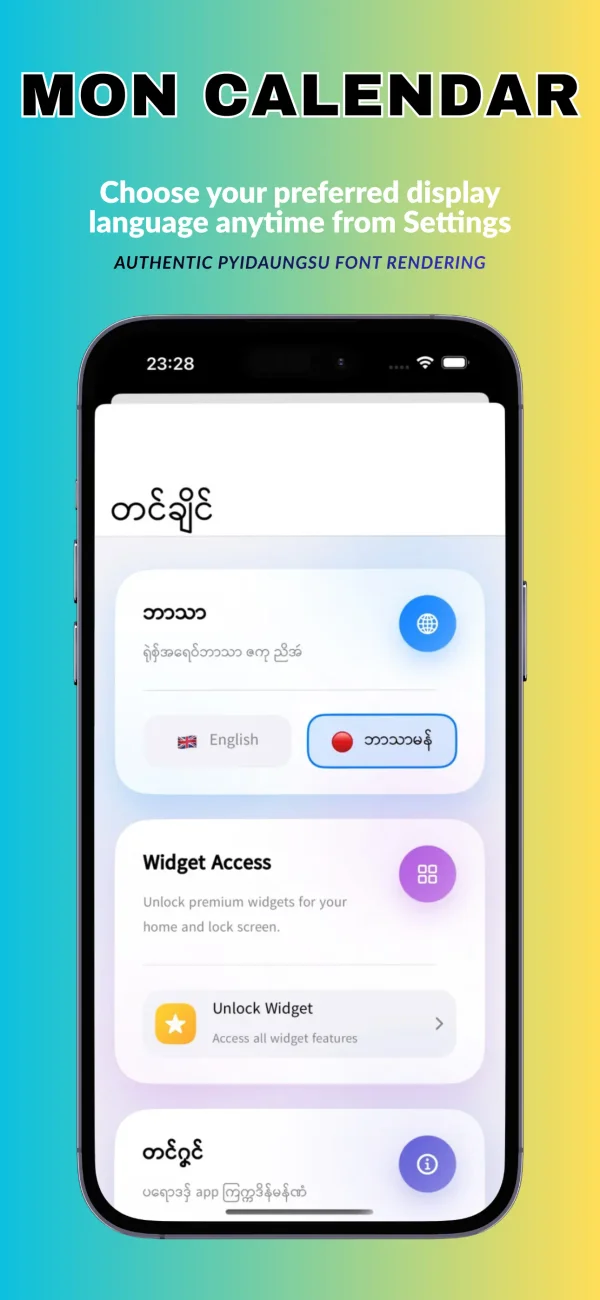
À propos
Le développeur n’a pas fourni ce texte dans votre langue.
MonCalendar brings the ancient wisdom of the Mon calendar system to your iPhone and iPad. Perfect for Mon communities worldwide, this beautifully designed app seamlessly blends traditional Labentai calendar knowledge with modern iOS functionality.
TRADITIONAL CALENDAR SYSTEM
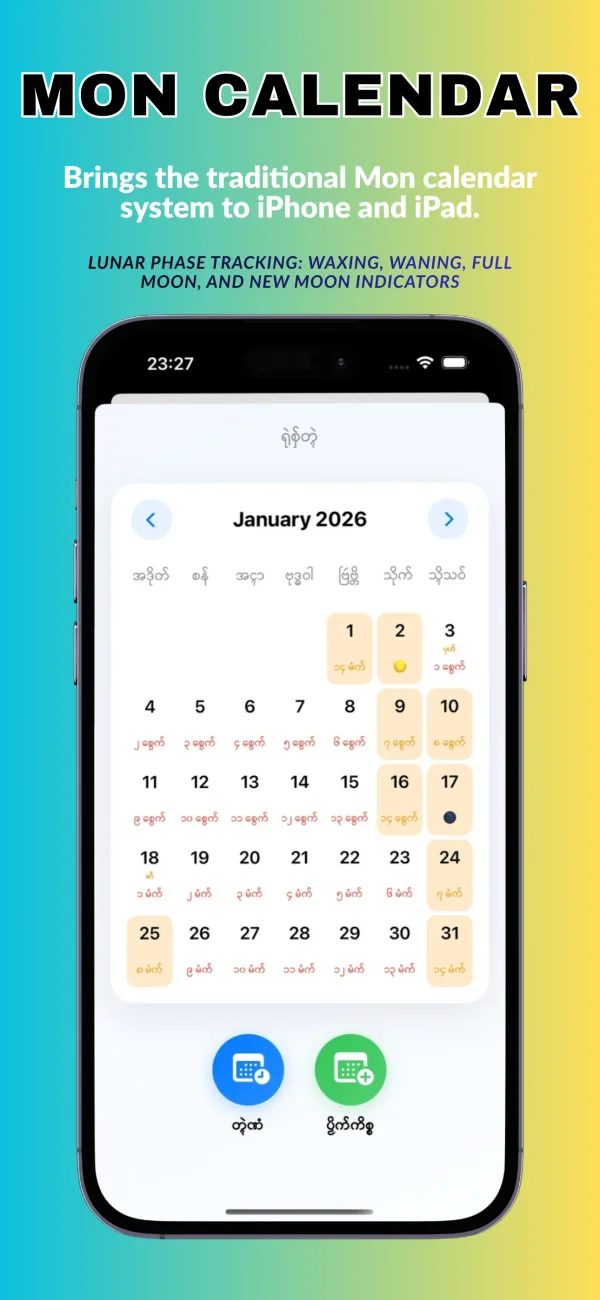
• View dates in the traditional Mon calendar (Sakarat)
• Display Mon calendar dates with accurate lunar calculations.
• See Mon month names and fortnight days (waxing/waning moon phases)
• Track moon phases for traditional observances.
• Automatic conversion between Western and Mon dates.
CULTURAL & RELIGIOUS OBSERVANCES
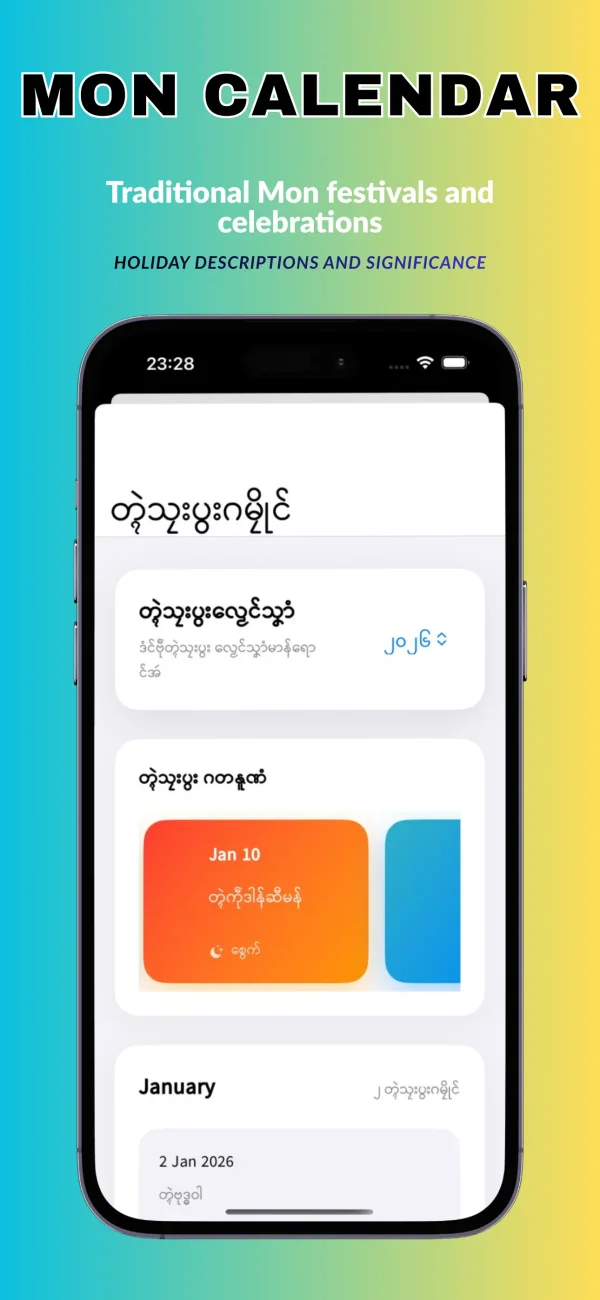
• Traditional Buddhist holidays (Uposatha days)
• Full moon and new moon dates for religious observances
• Complete list of Mon cultural celebrations and festivals
ASTROLOGICAL INFORMATION (LABENTAI)
• Traditional Mon astrology based on your birth date
• Weekday-based astrological interpretations
• Planetary influences and zodiac information
• Lucky and unlucky days according to traditional beliefs
• Personalized astrological insights
CALENDAR INTEGRATION
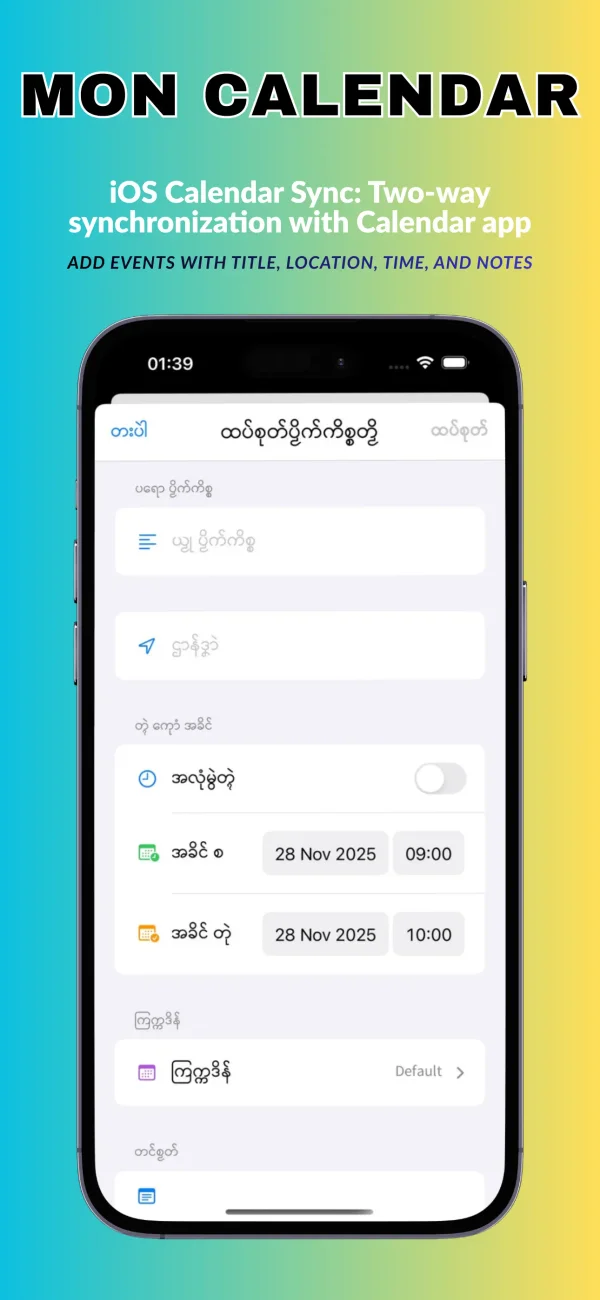
• Create events that sync with iOS Calendar
• View your iOS Calendar events within MonCalendar
• Add Mon calendar context to your events
• Full two-way synchronization with iCloud
• Support for multiple calendars
MODERN FEATURES
• Beautiful, intuitive interface designed for iOS
• Support for iPhone and iPad with optimized layouts
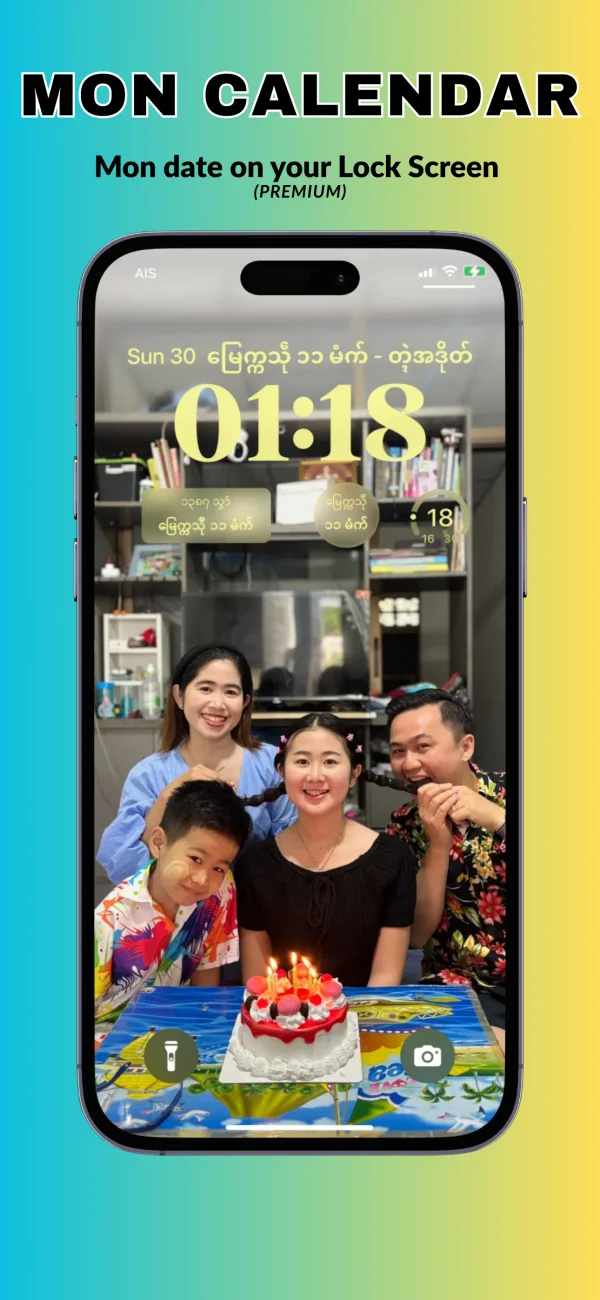
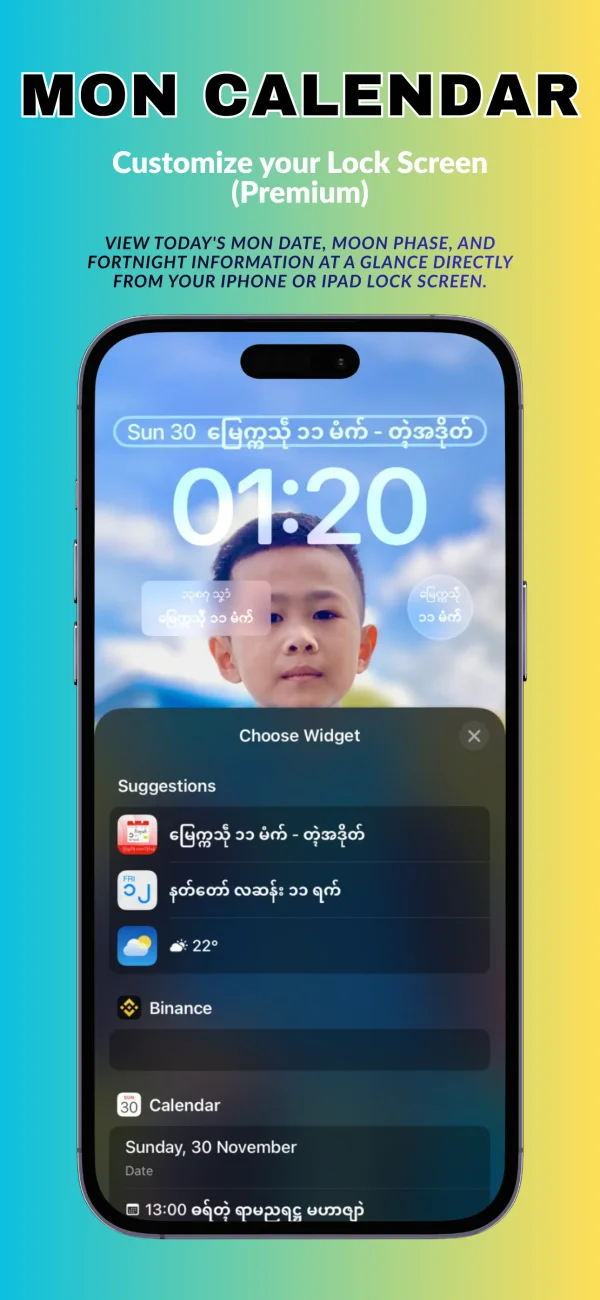
• Home Screen widgets showing today's Mon date (Premium)
• Dark mode support
• Multilingual support: English and Mon language
• Custom Pyidaungsu font for authentic Mon text rendering
WIDGET FEATURE (Premium)
• Display today's Mon date on your Home Screen
• Quick glance at moon phase and fortnight day
• Always up-to-date calendar information
FOR MON COMMUNITIES
Whether you're living in Mon, Thailand, or anywhere in the diaspora, Mon Calendar helps you stay connected to your cultural roots. Perfect for:
• Tracking religious observances and meditation days
• Planning traditional ceremonies and celebrations
• Teaching children about Mon calendar traditions
• Consulting astrological information for important decisions
• Staying informed about cultural holidays
PRIVACY FIRST
• Calendar access only when you grant permission
• All data stored securely on your device and iCloud
• No tracking or third-party data sharing
• Your calendar events remain private
FREE FEATURES INCLUDE:
• Full Mon calendar conversion
• Holiday and observance listings
• Astrology information
• Event creation and calendar sync
• Multilingual language options
By using this app, you agree to Apple's Standard End User License Agreement (EULA): https://www.apple.com/legal/internet-services/itunes/dev/stdeula/
Nouveautés
Version 3.0 · 15/11/2026
• Widget Studio: customize your widget
Make the Mon Calendar widget your own. Open Settings → Customize Widget to choose a theme, set background colors or a gradient, pick text and highlight colors, and choose your favorite Mon font (Pyidaungsu or OngJanehRot) and English font. Adjust the size and alignment, and show or hide the Sasana year and English date. A live preview updates as you edit, and your style is applied to Home Screen and Lock Screen widgets.
• Lunar Reminders
Get notifications that repeat every year on the Mon lunar calendar: the evening before every Uposatha day, Mon festivals, or any lunar date you choose. Open them from the ⋯ menu. Tapping a reminder opens that day in the app.
• Upcoming Festivals
New countdown cards on the main screen show the next Uposatha day and the major Mon festivals. Tap a festival to read about it and its traditions, and add a yearly reminder in one tap.
• Calendar Sync
Add Mon holidays and Uposatha days to your iPhone Calendar in their own "Mon Holidays & Uposatha" calendar. Turn it on or off in Settings, and remove it any time.
• Better Mon text
Menus, alerts and buttons now use the Pyidaungsu font, so Mon text displays correctly. The Lock Screen inline widget now uses the font you choose in Widget Studio.
• Accessibility
Higher contrast on the weekend card, larger tap targets, clearer VoiceOver labels, and VoiceOver users can change the day by swiping up or down on the date card.
• Improvements and fixes
• Fixed doubled text on the Saturday and Sunday card
• Date card aligned and centered
• Correct dates for people using a Buddhist or other non-Gregorian calendar on their phone
• Smoother day swiping and general cleanup
Confidentialité de l’application
Ce que Min Site Chan déclare sur l’App Store au sujet du traitement des données par cette application.
-
Données utilisées pour vous suivre
Peuvent être utilisées pour vous suivre sur des applications et des sites web appartenant à d’autres sociétés.
- Identifiants
-
Données n’établissant aucun lien avec vous
Peuvent être collectées, mais ne sont pas liées à votre identité.
- Identifiants
Les pratiques en matière de confidentialité peuvent varier, notamment en fonction des fonctionnalités que vous utilisez ou de votre âge.
Informations
- Vendeur
- Min Site Chan
- Catégorie
- Utilitaires
- Version
- 3.0
- Mis à jour
- 15/11/2026
- Publié
- 07/01/2025
- Taille
- 8,0 Mo
- Nécessite
- iOS 17.6 ou version ultérieure
- Classification d’âge
- 4+
- Prix
- Gratuit
- Achats intégrés
- Oui
- Langues
- Anglais, Mon
- Copyright
- ©SaikChan